
HP Chromebook 14 Laptop
4.3Editor score
Up to 14 hours battery life
Intel Celeron N4120 processor
ENERGY STAR certified design
Finding a laptop that lasts all day without weighing you down is crucial for modern productivity. Low power consumption laptops deliver exceptional battery life and efficiency without sacrificing essential performance for daily tasks.
We evaluated ten top models based on processor efficiency, battery endurance, display quality, and portability. Each selection balances energy savings with reliable performance for work, school, and travel needs.
Every pick highlights key strengths and trade-offs to help you choose wisely. Prices and availability change frequently, so check current listings before purchasing to ensure you get the best value today.
4.3Editor score

4.3Editor score

4.8Editor score
As an Amazon Associate we earn from qualifying purchases.
This side-by-side comparison highlights the key specifications and strengths of each model to help you identify the most efficient laptop for your specific needs and budget.



The HP Chromebook 14 stands out as an incredibly efficient device for everyday computing. With its Intel Celeron N4120 processor and Chrome OS, it delivers smooth performance for browsing and media while consuming minimal power.
We may earn a commission when you buy through this link, at no additional cost to you.
Its standout feature is the battery life, which can last up to 14 hours on a single charge. This makes it perfect for students or professionals who need reliability throughout the day without carrying a charger. The fast charge technology also ensures you get 50 percent charge in just 45 minutes.
While the 64GB eMMC storage and HD resolution are modest, they are adequate for cloud-centric workflows. The ENERGY STAR certification confirms its environmental responsibility and low power draw, making it a smart eco-friendly choice.
This laptop is ideal for users focused on web tasks, streaming, and light productivity. If you prioritize battery life and portability over raw power, this Chromebook is an excellent budget-friendly option.
The extended battery life ensures you work uninterrupted for hours, ideal for travel or long study sessions.
ENERGY STAR and EPEAT certifications highlight its commitment to sustainability and energy efficiency.
We may earn a commission when you buy through this link, at no additional cost to you.
The Lenovo V15 Business Laptop combines performance and efficiency perfectly. Powered by the Intel N100 processor, it handles daily tasks smoothly while keeping power consumption low for extended battery life.
We may earn a commission when you buy through this link, at no additional cost to you.
Its Full HD anti-glare display reduces eye strain, and the MIL-STD-810H rating ensures durability. The UFS 3.1 storage offers faster speeds than traditional eMMC, enhancing responsiveness without draining the battery quickly.
Users should note the Windows 11 S mode may require switching out of it for some apps. However, this trade-off improves security and stability, making it a reliable choice for work and study environments.
This model is perfect for budget-conscious users needing a durable, efficient machine. With Wi-Fi 6 and a range of ports, it connects easily to modern accessories while maintaining low power usage.
Military-grade testing ensures it withstands daily wear while the processor optimizes energy use.
UFS 3.1 storage provides quick access to files without the power drain of traditional hard drives.
We may earn a commission when you buy through this link, at no additional cost to you.
The Jumper 15.6 FHD Laptop offers premium specs with low power consumption. Its Intel Celeron 5205U processor delivers stable daily performance while using ultra-low power for extended use.
We may earn a commission when you buy through this link, at no additional cost to you.
With 12GB RAM and a 256GB SSD, it handles multitasking and fast boot times efficiently. The Full HD IPS display reduces eye strain, making it great for long work sessions without excessive battery drain.
Though the battery capacity is smaller than some competitors, the efficient processor compensates. The expandable storage option adds flexibility, ensuring you have space for files without compromising speed or efficiency.
This laptop is excellent for users needing more RAM and storage in a portable package. If you prioritize performance and display quality while maintaining efficiency, this model is a top contender.
12GB RAM ensures smooth operation across multiple apps without stressing the low-power processor.
IPS panel with blue light filtering protects your eyes during extended viewing sessions.
We may earn a commission when you buy through this link, at no additional cost to you.
The HP New Everyday Slim Laptop is designed for seamless cloud integration. Its Intel N150 processor provides efficient performance, ensuring low power consumption for all-day productivity.
We may earn a commission when you buy through this link, at no additional cost to you.
With 128GB SSD plus 1TB cloud storage, you get fast access to files without local bloat. The DDR5 RAM enhances speed and efficiency, supporting smooth multitasking within Windows 11.
The lightweight design makes it easy to carry anywhere, and the 11.5-hour battery life keeps you working. The inclusion of Microsoft 365 adds value for productivity apps and cloud features.
Ideal for users who rely on cloud storage, this laptop balances portability and efficiency. If you want a modern Windows machine with fast storage and low energy use, this is a strong pick.
Massive cloud storage frees up local space and reduces the need for heavy storage drives.
Next-gen memory ensures responsive performance without significant power draw.
We may earn a commission when you buy through this link, at no additional cost to you.
The HP Everyday Slim 2026 Edition introduces AI features to a low-power platform. Its Intel N150 processor ensures efficient multitasking, while the dedicated Copilot key streamlines workflows.
We may earn a commission when you buy through this link, at no additional cost to you.
This model delivers smooth performance for online classes and office tasks. The 14-inch HD display with anti-glare protection reduces eye strain, and the battery lasts up to 11.5 hours for video playback.
Although it shares specs with earlier models, the AI integration offers a modern touch. The Natural Silver finish and lightweight design make it perfect for students and professionals on the go.
If you want the latest AI capabilities in a budget-friendly low-power laptop, this is worth considering. It balances style, efficiency, and productivity tools in a slim, portable package.
Dedicated Copilot key helps complete tasks faster without needing extra energy-intensive apps.
The sleek design fits easily in bags while keeping energy demands low.
We may earn a commission when you buy through this link, at no additional cost to you.
The Lenovo Essential 15.6 FHD Laptop offers a larger workspace with low power use. Its 8GB DDR5 RAM handles multitasking smoothly, making it ideal for students needing extra memory.
We may earn a commission when you buy through this link, at no additional cost to you.
The 15.6-inch Full HD screen provides ample room for work, and the UFS 3.1 storage ensures fast access. The MIL-STD-810H rating guarantees durability for daily commuting or travel.
Battery life remains solid due to the efficient N150 processor. Wi-Fi 6 connectivity ensures fast connections without draining the battery quickly, supporting streaming and calls seamlessly.
Choose this if you need more screen real estate and RAM without sacrificing efficiency. It balances performance and power consumption well for users who multitask frequently.
8GB DDR5 RAM ensures apps run smoothly in the background without power spikes.
Military-grade testing ensures the laptop survives rough handling while maintaining low power draw.
We may earn a commission when you buy through this link, at no additional cost to you.
The Amzboy 15.6 Laptop features a fanless design for absolutely silent operation. This reduces internal heat and power consumption, making it perfect for quiet study environments.
We may earn a commission when you buy through this link, at no additional cost to you.
Its lightweight build and Full HD display provide portability and clarity. The eMMC storage handles daily tasks, and the TF card slot allows easy expansion without adding weight or power use.
Type-C PD fast charging simplifies travel, as one cable powers both laptop and phone. While specs are basic, the focus on efficiency and silence makes it unique among low-power options.
Ideal for users who need a quiet, portable machine, this laptop excels in specific scenarios. If noise and weight matter most, this model is a practical and efficient choice.
Fanless design eliminates noise and reduces power usage, ideal for libraries or offices.
TF card slot adds storage without internal power-hungry upgrades.
We may earn a commission when you buy through this link, at no additional cost to you.
The ASUS Vivobook Go Slim is tailored for students seeking affordability and efficiency. Its N4500 processor balances performance and power, ensuring it handles basic tasks without excess drain.
We may earn a commission when you buy through this link, at no additional cost to you.
Features like the backlit keyboard and privacy shutter enhance usability and security. The 42WH battery offers fast-charging, allowing quick top-ups between classes or meetings.
Wi-Fi 5 connectivity may not match newer standards, but it remains sufficient for typical use. The SSD provides faster boot times than eMMC, improving responsiveness despite the modest specs.
Choose this if you need a budget-friendly student laptop with good ergonomics. If portability and battery life are priorities, this model offers solid value for everyday learning.
Backlit keyboard and privacy shutter support productive study sessions anywhere.
USB-C fast-charge gets you to 60 percent in under an hour for quick use.
We may earn a commission when you buy through this link, at no additional cost to you.
The HP 14 inch 2027 Edition is ready for modern tasks with efficient power use. Its Intel N150 processor provides up to 4.4 GHz speed, ensuring quick responses without energy spikes.
We may earn a commission when you buy through this link, at no additional cost to you.
With DDR5 RAM and 1TB cloud storage, you get fast performance and ample space. The slim 0.71-inch profile and 3.24 lb weight make it ideal for travel and commuting.
Multiple ports, including USB-C, ensure connectivity without needing hubs. The anti-glare display protects your eyes during long work sessions while maintaining low power draw.
This laptop is great for users planning ahead with DDR5 tech and cloud reliance. If you want a portable, efficient device that keeps up with modern workflows, this is a strong choice.
DDR5 RAM ensures better performance and efficiency for upcoming software needs.
Ultra-slim profile reduces material use and power needs, fitting easily in any bag.
We may earn a commission when you buy through this link, at no additional cost to you.
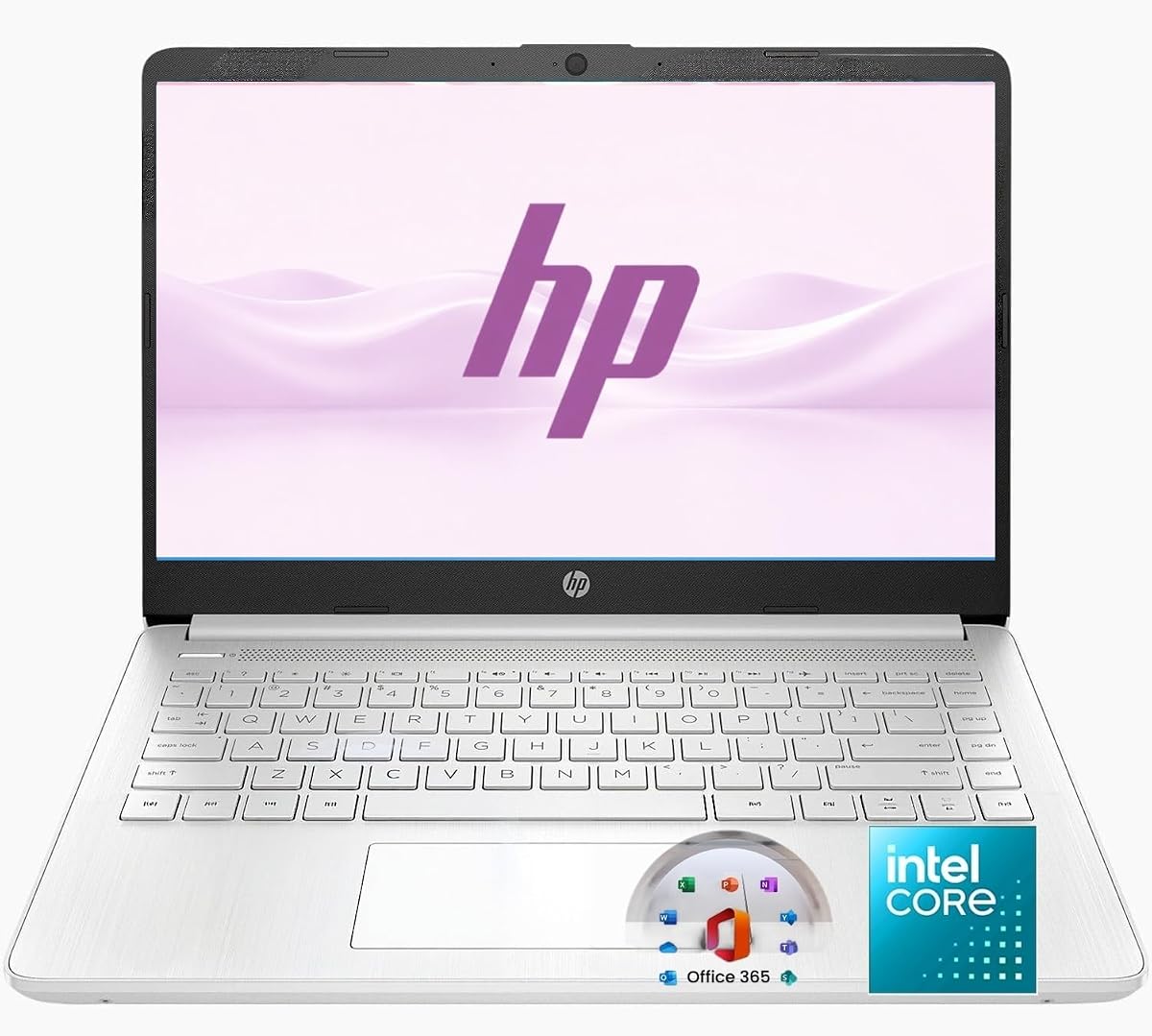
The HP 14-inch Ultra Light is optimized for office work with low power consumption. Its N150 processor and 8GB RAM handle spreadsheets and emails efficiently, minimizing battery use.
We may earn a commission when you buy through this link, at no additional cost to you.
Wi-Fi 6 ensures fast, reliable connections for remote work. The included Office 365 subscription makes it ready for productivity tasks, saving setup time and effort.
The UFS internal storage provides quick access, while the removable SD card allows expansion. This balance of local and expandable storage meets diverse needs without compromising efficiency.
Choose this if you need a work-ready laptop with essential tools included. If you prioritize office productivity and connection speeds, this model delivers excellent value and efficiency.
Pre-installed Office 365 means you can start working immediately without extra costs.
Latest wireless standard ensures fast data transfer with efficient power management.
We may earn a commission when you buy through this link, at no additional cost to you.
Selecting a low power consumption laptop involves evaluating several critical factors to ensure efficiency meets your specific needs.
Look for processors designed for low voltage like Intel N-series or Celeron. These chips offer sufficient power for browsing and office work while conserving battery.
Prioritize newer models like N150 or N100 for better performance per watt compared to older options.
4GB to 8GB RAM is ideal for low power devices. DDR5 memory is more efficient than DDR4, reducing overall system power draw.
Ensure enough RAM to avoid swap operations which can drain battery faster than normal use.
Solid-state drives (SSD) and UFS storage consume less power than mechanical drives. Opt for SSD or UFS options for speed and efficiency.
Cloud storage integration can reduce local storage needs, further lowering power consumption.
LCD displays with lower brightness settings or anti-glare coatings save power. HD resolution is often enough to save energy without compromising clarity.
IPS panels with eye-care features reduce strain, allowing longer battery-powered usage.
Check for real-world battery estimates rather than manufacturer claims. Aim for at least 10 hours of continuous use for true portability.
Fast charging capabilities ensure you can get back to work quickly without full charge cycles.
Wi-Fi 6 and Bluetooth 5.0 or higher provide faster connections with optimized power management. Avoid older wireless standards that drain batteries faster.
USB-C charging simplifies power sources and supports efficient energy transfer.
Chrome OS and Windows 11 S mode are optimized for lower power use. These systems streamline background processes to extend battery life.
Choose an OS that matches your workflow to avoid unnecessary software running in the background.
Lightweight materials reduce overall weight and power needed for mobility. MIL-STD certification ensures longevity without extra power-hungry features.
Slim designs often incorporate better thermal management, keeping power draw low.
To maximize battery life, adjust display brightness and limit background apps. Using power-saving modes helps extend runtime significantly.
Regularly update your operating system and drivers to ensure optimal energy efficiency. Manufacturers often release patches that improve power management.
Keep the device cool by using it on hard surfaces. Heat increases power consumption and can reduce long-term performance.
These laptops use efficient processors and optimized systems to minimize energy use. They typically offer extended battery life and lower electricity costs during operation.
They may not handle heavy tasks like video editing but excel at browsing and office work. For daily productivity, their speed is sufficient.
Use dark mode, limit brightness, and close unused apps. Enabling sleep modes during inactivity saves significant power.
They are designed for basic tasks, not gaming. Light casual games may run, but performance is limited compared to gaming machines.
Most offer 10 to 14 hours of standard use. Actual time varies based on workload and settings.
Many are soldered for compactness. Check specs before buying, as upgrades may not be possible.
Intel N-series and Celeron chips are top choices. They balance performance with low energy use effectively.
Many have ENERGY STAR or EPEAT ratings. They reduce energy consumption and e-waste over time.
The top picks like HP Chromebook 14 and Lenovo V15 offer unbeatable efficiency. Each model provides unique strengths for different needs and budgets.
Prioritize battery life and processor efficiency over raw power. These factors ensure you stay productive without constant recharging.
Check current availability and specifications before purchasing to find the best fit for your workflow and goals.