
Thermalright TL-C12C-S X3
4.7Editor score
ARGB lighting
Silent performance
Value pack
This guide compares the top exhaust fans for PC to help you choose the best cooling solution for your gaming rig or server.
Choosing the right exhaust fan for your PC is crucial for maintaining optimal temperatures and ensuring long-term hardware reliability. High-quality fans move air efficiently to remove hot air from your case.
We evaluated ten top-rated models based on airflow performance, noise levels, build quality, and user feedback. Our team analyzed specifications and real-world usage scenarios to identify the best options available.
Each pick highlights unique strengths for different needs like budget builds or premium setups. Please note that product availability and pricing can change frequently, so check current listings before buying.
4.7Editor score

4.8Editor score

4.7Editor score
The following table provides a side-by-side comparison of all ten products to help you quickly identify key specifications and features that matter most for your specific PC cooling needs.




The Noctua NF-P12 redux-1700 PWM stands out as a top choice for PC exhaust fans due to its impressive balance of performance and silence. With a rating of 4.8 stars, users consistently praise its ability to move air effectively without creating excessive noise. This fan is engineered for reliability and long-term use in various computing environments.
We may earn a commission when you buy through this link, at no additional cost to you.
Its pressure-optimized blade design delivers high static pressure and strong CFM, making it ideal for air-based CPU coolers and water cooling radiators. The 4-pin PWM support allows automatic motherboard speed control, ensuring powerful airflow when required and near-silent operation at idle. This adaptability makes it a versatile component for different system configurations.
While the price point may be slightly higher than budget options, the investment is justified by the fan's durability and performance consistency. The streamlined redux edition offers proven Noctua quality at an attractive price point compared to their premium lines. Accessories like anti-vibration mounts and extension cables are available to enhance installation flexibility.
If you prioritize quiet operation and reliable cooling performance, this fan is an excellent recommendation. It is suitable for users seeking a long-lasting solution that maintains system temperatures effectively without adding disruptive noise to their workspace or home environment.
The optimized blade design ensures high static pressure, allowing it to push air through radiators and heatsinks efficiently.
With a mean time to failure exceeding 150,000 hours, this fan is built to last for years of continuous operation.
We may earn a commission when you buy through this link, at no additional cost to you.
The Thermalright TL-C12C-S X3 offers exceptional value as a three-pack of 120mm ARGB case fans. With a solid 4.7 rating, these fans provide a cost-effective way to upgrade your PC cooling system while adding customizable lighting effects. Each fan is designed for silent operation and high performance in various mounting scenarios.
We may earn a commission when you buy through this link, at no additional cost to you.
Featuring S-FDB bearings, these fans minimize noise and reduce friction for greater longevity. The automatic speed control via 4PIN PWM interface allows the motherboard to adjust fan speed based on temperature needs. This ensures efficient cooling during high loads while maintaining quiet performance during idle periods.
The ARGB lighting effect is soft and matches coolers and cases well, with up to 17 modes of light effects supported. However, the build quality is basic compared to premium models, and the warranty may be shorter. These factors are acceptable given the affordable price point and the convenience of getting three fans at once.
For budget-conscious builders or those needing multiple fans for a case, this pack is a smart choice. It delivers reliable cooling performance and aesthetic appeal without breaking the bank, making it ideal for entry-level to mid-range PC builds.
The high-brightness LED atomizing ARGB fan blade reflects light softly for a pleasing visual effect.
With 66.17 CFM airflow, these fans provide effective heat removal for standard PC cases and CPU coolers.
We may earn a commission when you buy through this link, at no additional cost to you.
The be quiet! Pure Wings 3 represents premium German engineering focused on silence and performance. With a 4.7 rating, it is designed for users who prioritize a quiet environment without sacrificing cooling efficiency. The fan features an optimized frame and blade design to reduce noise while ensuring performance under demanding configurations.
We may earn a commission when you buy through this link, at no additional cost to you.
Its long-life rifle bearing provides an operating lifetime of 80,000 hours, ensuring durability and consistent operation over time. The fan can be operated with very low minimum RPM for quiet operation, making it suitable for noise-sensitive setups. The airflow-optimized fan blades help maintain performance even when the system is under heavy load.
While it may lack some advanced features like ARGB lighting, its focus on pure cooling and silence justifies the higher cost for many enthusiasts. The German quality and performance promise a reliable addition to any PC build. Users appreciate the straightforward design that delivers on its core promises effectively.
If you seek a premium fan known for quiet operation and robust construction, this is a top recommendation. It is ideal for builders who value engineering excellence and long-term reliability over flashy aesthetic features.
The fan frame is specifically designed for peak performance on radiators and in standard case environments.
The rifle bearing technology ensures 80,000 hours of operation, reducing the need for frequent replacements.
We may earn a commission when you buy through this link, at no additional cost to you.
This Computer Fan with AC Plug offers a unique convenience by powering directly from a wall outlet. With a 4.4 rating, it is popular for users needing simple cooling solutions without complex wiring. The variable speed controller allows you to adjust fan operation to suit your environment or performance needs effectively.
We may earn a commission when you buy through this link, at no additional cost to you.
Designed with dual-ball bearings, it has a lifespan of 50,000 hours ensuring durability for continuous operation. The fan connects to an AC outlet via a 12V controller, making it easy to plug and play. It is applicable for PCs, game consoles, and various electronic devices requiring ventilation.
While it lacks motherboard integration, the AC power feature makes it ideal for setups where internal power cables are limited or unavailable. Users can choose between powerful cooling or a quiet work environment by adjusting the speed. This flexibility adds significant value for diverse applications.
For those seeking a straightforward and versatile cooling option, this fan is a strong choice. It provides effective silent cooling and serves as an ideal replacement for existing 12V computer fans in various electronic devices.
The dual-ball bearings and AC plug design simplify installation and extend the fan's operational lifespan significantly.
Adjustable speed settings allow you to tailor cooling performance to your specific environment needs.
We may earn a commission when you buy through this link, at no additional cost to you.
The X1 USB Cooling Fan is designed for portable and ultra-quiet cooling of various electronic devices. With a 4.4 rating, it operates at just 18dB making it quieter than library silence. The 120mm fan delivers rapid cooling and is compatible with Mini PCs, routers, and gaming consoles effectively.
We may earn a commission when you buy through this link, at no additional cost to you.
Its USB-powered design includes an integrated 530mm cable allowing connection to chargers or laptops without extra wires. The 9-blade design ensures powerful airflow to tackle heat buildup, dropping device temperatures by 20% in seconds. Shock-absorbing pads prevent surface scratches and enhance stability during operation.
While the airflow is lower than some case fans, its portability and silent operation make it perfect for narrow spaces and home offices. The sturdy ABS material supports heavy-duty use and withstands weights up to 11LB. This durability ensures long-term use for protecting your devices from overheating.
If you need a quick and quiet cooling solution for external electronics, this fan is ideal. Its space-saving setup and universal compatibility make it a practical choice for modern digital ecosystems.
Operating at 18dB, this fan provides efficient cooling without noise interference or surface scratches on devices.
Works seamlessly with Mini PCs, routers, and consoles, eliminating overheating worries across your digital ecosystem.
We may earn a commission when you buy through this link, at no additional cost to you.
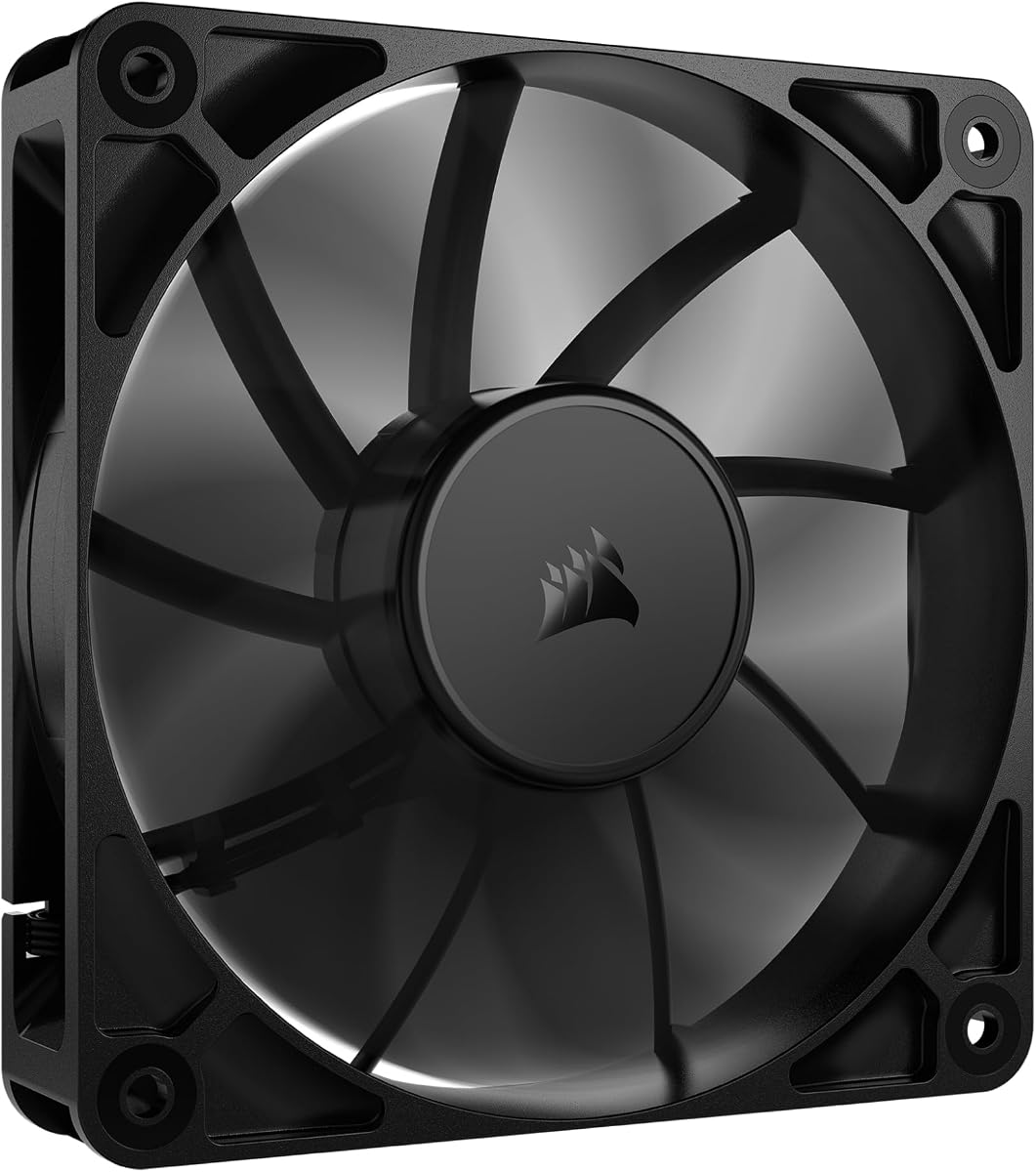
The CORSAIR RS120 offers a streamlined fan connection with daisy-chain capabilities for simplified setup. With a 4.6 rating, it supports speeds up to 2,100 RPM providing up to 72.8 CFM airflow. This performance makes it well-suited for high-demand configurations where efficient heat dissipation is critical.
We may earn a commission when you buy through this link, at no additional cost to you.
CORSAIR AirGuide technology uses anti-vortex vanes to direct airflow at hottest components for concentrated cooling. The Magnetic Dome bearing minimizes noise and reduces friction for greater longevity. High static pressure allows it to work well as a radiator fan pushing through obstructions effectively.
While the single-pack configuration may require additional purchases for multi-fan setups, the performance and connectivity features justify the cost. Users appreciate the balanced airflow and low noise operation that enhances system stability. This fan is a reliable component for premium builds needing efficient cooling.
If you value streamlined wiring and robust cooling performance, this fan is a top pick. It ensures concentrated airflow to critical areas and maintains quiet operation under load.
Daisy-chain multiple fans together and control them all through just a single 4-pin PWM connector.
RS fans work well as radiator fans with a static pressure of 4.15mm-H2O to push through obstructions.
We may earn a commission when you buy through this link, at no additional cost to you.
The Thermalright 5 Pack TL-C12C-S provides five fans with ARGB lighting and silent performance. Rated 4.7, it includes 55cm of cable for PWM series control of fans ideal for cases and CPU coolers. Automatic speed control through the motherboard determines fan speed based on temperature needs.
We may earn a commission when you buy through this link, at no additional cost to you.
The S-FDB bearings solve blade shaking issues keeping fan noise to a minimum while providing maximum cooling performance. High-brightness LED atomizing ARGB blades reflect light softly matching coolers and cases perfectly. This pack ensures you have enough fans for a full case setup without extra purchases.
While the design is basic, the inclusion of five fans with RGB support offers significant value for budget builds. The fans work well as case fans or with CPU coolers to take away dry heat effectively. This versatility makes the pack suitable for various cooling scenarios.
If you need multiple fans for a comprehensive cooling upgrade, this pack is an excellent choice. It balances performance, aesthetics, and cost effectively for PC builders.
High-brightness LED atomizing ARGB fan blades effectively reflect light for a softer lighting effect.
Automatic speed control via 4PIN PWM allows the fan to determine speed according to motherboard temperature.
We may earn a commission when you buy through this link, at no additional cost to you.
The Kingwin 80mm Silent Fan is designed for silent operation with low noise levels. With a 4.5 rating, it is perfect for quiet PC builds, office desktops, and home servers needing small form factor cooling. Optimized blade design delivers excellent ventilation and airflow to reduce system heat buildup.
We may earn a commission when you buy through this link, at no additional cost to you.
Compatible with standard 80mm mounts, it serves well as a replacement fan for PC cases and CPU coolers. It is also ideal for mining rig cooling, maintaining airflow and minimizing overheating risks in high-performance environments. The long life bearing ensures extended lifespan and consistent cooling.
While the smaller size limits total airflow compared to 120mm fans, its quiet operation and compact fit are valuable for specific setups. Users appreciate the rugged black frame and reliable performance. This fan is a practical solution for systems requiring minimal noise.
If you need a quiet and reliable 80mm fan for a compact build, this is a solid choice. It offers consistent cooling and durability for various PC applications.
Built to handle high-performance environments such as crypto mining rigs and GPU farms maintaining airflow.
Features a reliable long life bearing for extended lifespan and consistent cooling in a rugged black frame.
We may earn a commission when you buy through this link, at no additional cost to you.
The Wathai 12038 offers extreme cooling performance with 230 CFM airflow and 5300 RPM speed. With a 4.5 rating, it is designed for projects that require cooling or ventilation such as mining rigs or server chassis. The 38mm thickness allows for high static pressure and maximum airflow.
We may earn a commission when you buy through this link, at no additional cost to you.
Dual-ball bearings ensure a lifespan of 67,000 hours allowing the fans to be laid flat or stand upright. It supports intelligent speed regulation via BIOS where trigger temperatures can be set. The 4-pin connector provides reliable connectivity for high-performance setups needing robust ventilation.
While the noise level is higher at full speed, the airflow capacity makes it suitable for industrial or mining applications. Users value its ability to tackle significant heat buildup efficiently. This fan is a specialized solution for demanding cooling needs.
If you need maximum airflow for a high-heat environment, this fan is the top option. It delivers robust cooling for projects requiring intense ventilation.
120mm PWM fan support intelligent speed regulation for projects that requires cooling or ventilation.
Lifespan of 67,000 hours allows fans to be laid flat or stand upright for flexible mounting options.
We may earn a commission when you buy through this link, at no additional cost to you.
The DARKROCK 3-Pack provides three 120mm fans designed for high performance and low noise. With a 4.6 rating, the nine-blade design reaches 1200 RPM and connects via 3 PIN interface. Each fan is equipped with four soft silicone cushions that absorb vibration at high speeds.
We may earn a commission when you buy through this link, at no additional cost to you.
Hydraulic bearing design helps fans rotate more stably prolonging service life to 30,000 hours. The PBT environmental protection material offers good insulation and heat resistance for durability. Simple installation makes these fans easy to install in all types of cases even for beginners.
The maximum noise is only 32.1 dBA keeping the case in a relatively quiet environment when working. While lacking advanced features, the pack offers solid value for multi-fan setups. Users appreciate the balance of performance and ease of use.
If you need a budget-friendly multi-pack to upgrade your case airflow, this option is reliable. It ensures effective cooling with minimal noise and hassle.
Every fan is equipped with four soft silicone cushions that can absorb vibration at high speeds.
Case fan uses PBT environmental protection material with good insulation and heat resistance for tough and durable quality.
We may earn a commission when you buy through this link, at no additional cost to you.
Selecting the right exhaust fan requires evaluating several factors to ensure your PC stays cool and operates quietly. This guide outlines the key aspects to consider before making a purchase.
Airflow measured in CFM determines how much air the fan can move per minute. Static pressure indicates the fan's ability to push air through obstructions like radiators or dust filters. High CFM is crucial for general case exhaust while high static pressure is better for radiators or dense components.
Choose fans with high CFM for open cases and high static pressure if your setup has restricted airflow.
Noise is measured in decibels (dBA) and affects your computing environment. Silent fans operate below 25 dBA while louder fans may exceed 40 dBA. If you work in a quiet room or office, prioritize models with noise-reduction features like hydraulic bearings or rubber mounts.
Look for fans with noise ratings under 30 dBA for a distraction-free experience.
Most PC cases support 120mm or 140mm fans. Ensure the fan size matches your case's mounting points before buying. Some specialized builds may require smaller 80mm fans or thicker 38mm fans for specific cooling applications.
Verify your case specifications to confirm the exact fan dimensions needed for proper installation.
The bearing type affects the fan's durability and noise level. Sleeve bearings are affordable but may wear out faster while fluid dynamic or magnetic bearings last longer. A longer lifespan ensures the fan remains efficient and quiet over years of use.
Opt for bearings like S-FDB or Magnetic Dome to ensure reliability and longevity.
PWM fans use a 4-pin connector for precise speed control based on temperature. DC fans use a 3-pin connector and rely on voltage changes for speed control. PWM fans offer more efficient and granular control for modern motherboards.
Select 4-pin PWM fans for better integration with automated motherboard temperature control.
Many modern fans include ARGB lighting for visual appeal. Ensure your motherboard supports ARGB synchronization if you want cohesive lighting effects. Non-lit fans may be preferable for budget builds or professional setups.
Choose ARGB fans only if visual customization is a priority for your build.
Most fans draw power from the motherboard or a SATA connector. USB powered fans are useful for external devices but lack internal integration. Check the power requirements to ensure your system can support the fan effectively.
Confirm power compatibility with your PSU or motherboard connectors to avoid installation issues.
Fans come with screws or clips for mounting. Rubber mounts reduce vibration and noise for better stability. Consider accessories like extensions or splitters if you plan to connect multiple fans.
Ensure the fan includes necessary mounting hardware for a secure fit.
Install the fan securely using the provided screws to prevent wobbling and vibration. Ensure airflow direction matches your case layout by pointing the fan outward to expel hot air.
Connect the fan cable to a motherboard fan header or power supply using the correct connector. Use BIOS settings to configure speed profiles that balance cooling and noise based on your workload.
Regularly clean dust from fan blades and filters to maintain optimal performance. Check for unusual noises or wobbling that may indicate worn bearings and replace fans as needed.
Check your case manual or manufacturer website for fan mounting slot dimensions. Most standard cases support 120mm or 140mm fans while smaller cases may require 80mm units. Measure existing slots if unsure to ensure proper fit and secure installation.
PWM support allows the motherboard to adjust fan speed dynamically based on temperature. This improves cooling efficiency and noise control. Most modern motherboards support PWM so choosing 4-pin fans is recommended for flexibility.
Yes, you can mix different fans as long as they fit the mounting slots and operate at compatible voltages. Performance may vary across components so ensure consistent airflow direction for optimal cooling efficiency.
Noise can result from worn bearings, dust buildup, or loose mounting. Check the bearings for wear and clean the blades regularly. Using rubber mounts can also reduce vibration noise effectively.
Fans typically last several years depending on usage and bearing quality. If you notice loud noises, wobbling, or reduced airflow it may be time for replacement. Regular maintenance extends the lifespan of your cooling components significantly.
One exhaust fan is often sufficient for basic cases. High-performance systems with multiple GPUs or overclocked CPUs may benefit from additional fans to improve airflow and reduce thermal throttling risks.
This guide presented ten top-rated exhaust fans ranging from silent models to high-performance options. The Noctua NF-P12 redux stands out for overall quality while Thermalright offers excellent value for budget builders.
Prioritize factors like noise levels, airflow, and bearing type to find a fan that matches your cooling needs. Consider your budget and whether features like RGB lighting are important for your setup.
Remember to check current availability and specifications before purchasing since offerings may change. Proper installation and maintenance will ensure your chosen fan keeps your PC running cool and efficiently.