
Acer Nitro ED300C X1
4.3Editor score
200Hz refresh rate
1ms response time
AMD FreeSync Premium
Finding a cheap ultrawide monitor does not mean compromising on quality or performance. Modern budget displays now offer high resolutions, fast refresh rates, and curved panels that enhance productivity and gaming immersion without breaking the bank.
We compared ten top-rated models based on critical specs like panel technology, refresh rate capabilities, connectivity options, and ergonomic features. Our analysis highlights which monitors deliver the best balance of price and performance for everyday users and gamers alike.
Each pick below showcases a distinct strength, from budget-friendly entry-level options to high-performance gaming displays. Please note that prices fluctuate frequently, so check current listings before making your final purchase decision to ensure you get the best deal available.
4.3Editor score

4.4Editor score

4.6Editor score
As an Amazon Associate we earn from qualifying purchases.
The following table provides a side-by-side comparison of all ten monitors to help you quickly identify which model fits your specific needs and budget constraints.


The SANSUI 34-Inch Curved Gaming Monitor stands out as a top contender for budget gamers seeking high performance. With a 200Hz refresh rate and UWQHD resolution, it delivers smooth visuals and sharp detail that rivals more expensive models.
We may earn a commission when you buy through this link, at no additional cost to you.
Its Fast VA panel ensures deep blacks and high contrast, while AI features like AI Blue light reduction and AI Crosshair enhance the viewing experience. The HDMI 2.1 support future-proofs the monitor for next-gen consoles and high-bandwidth setups.
While it lacks built-in speakers, this is a common trade-off at this price point. The absence of audio does not detract from the exceptional display quality and responsiveness that make this monitor ideal for competitive gaming and immersive media consumption.
We recommend this monitor for gamers and power users who prioritize refresh rate and resolution over extra audio features. It offers a compelling balance of performance and value that is hard to beat in the current market landscape.
AI features like Sniper Scope and Crosshair assist aim, while Blue light reduction protects eyes during long sessions.
HDMI 2.1 and DP 1.4 ensure the monitor can handle high resolutions and refresh rates without bottlenecks.
We may earn a commission when you buy through this link, at no additional cost to you.
The Acer Nitro ED300C X1 is the ultimate budget choice for gamers who need speed without spending a fortune. Its 200Hz refresh rate and 1ms response time ensure buttery smooth motion that is crucial for competitive shooters and racing games.
We may earn a commission when you buy through this link, at no additional cost to you.
Despite the lower Full HD resolution, the 21:9 aspect ratio still provides a wider field of view than standard monitors. AMD FreeSync Premium technology synchronizes the refresh rate with your GPU to eliminate tearing and stuttering during gameplay.
The trade-off is the lack of 1440p sharpness, which might be noticeable for text-heavy work or media consumption. However, for pure gaming performance on a tight budget, this monitor delivers incredible value that is unmatched by competitors.
We recommend this monitor for entry-level gamers or those with limited desk space who prioritize frame rates over pixel density. It is an excellent choice for building a high-performance gaming setup without breaking the bank.
The 200Hz refresh rate and 1ms response time provide a competitive edge in fast-paced gaming scenarios.
The 1800R curvature wraps around your vision for a more immersive and comfortable viewing experience.
We may earn a commission when you buy through this link, at no additional cost to you.
The LG 34WR55QK-B represents the premium end of the budget spectrum with exceptional build quality and features. Its WQHD resolution and color accuracy make it a favorite for creative professionals who need reliable visual fidelity for their work.
We may earn a commission when you buy through this link, at no additional cost to you.
The USB-C port supports 65W power delivery, simplifying your setup by charging your laptop and displaying your screen through a single cable. OnScreen Control software adds powerful multitasking tools that help you manage multiple windows efficiently.
While it lacks the high refresh rates of gaming models, the 100Hz rate is sufficient for smooth daily use and casual gaming. The ergonomic stand allows for height and tilt adjustments that ensure comfort during long work sessions.
We recommend this monitor for professionals and hybrid users who need a high-quality display for work and media. It offers a polished experience with premium features that justify the higher price tag.
USB-C with power delivery reduces cable clutter and simplifies connecting modern laptops to your display.
OnScreen Control software enables easy screen splitting and window management for complex workflows.
We may earn a commission when you buy through this link, at no additional cost to you.
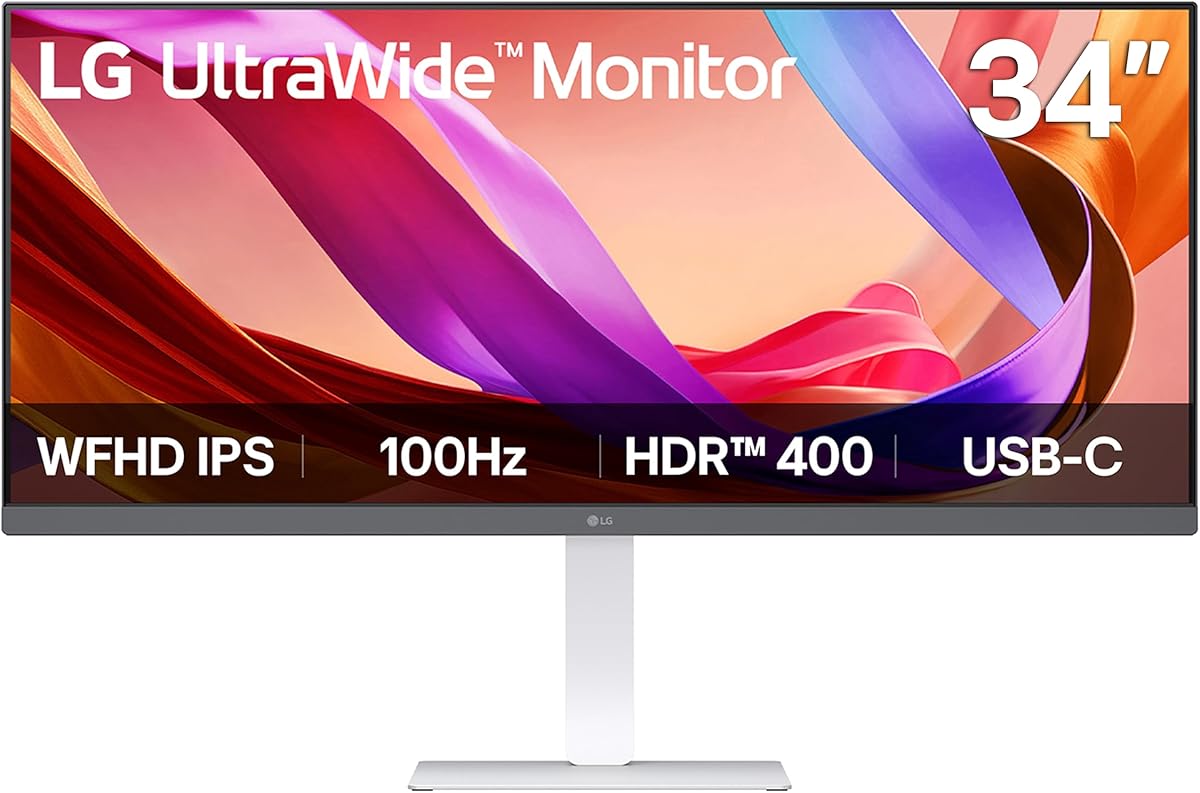
The LG 34U530A-W stands out with its bright white design and IPS panel that delivers consistent colors from wide angles. Its WFHD resolution is ideal for general office tasks where sharp text and reliable color performance are paramount.
We may earn a commission when you buy through this link, at no additional cost to you.
The inclusion of USB Type-C allows for easy connection to laptops, while VESA DisplayHDR 400 ensures bright highlights and good contrast for media viewing. The adjustable stand supports height, tilt, and swivel for customized ergonomic comfort.
Gaming performance is limited compared to high refresh rate models, but it remains smooth enough for casual use. The design is sleek and fits well in modern office or home environments where aesthetics matter.
We recommend this monitor for users who value design and IPS color performance over gaming speed. It is a solid choice for home offices and creative workspaces that require a clean and professional look.
The white finish and fully adjustable stand make it easy to match your workspace aesthetic and comfort.
IPS technology ensures accurate colors and wide viewing angles which is crucial for design work.
We may earn a commission when you buy through this link, at no additional cost to you.
The MSI PRO MP341CQ E12 offers an impressive balance of resolution, refresh rate, and affordability. Its UWQHD resolution provides sharp clarity for productivity, while the 120Hz refresh rate keeps motion smooth for casual gaming and browsing.
We may earn a commission when you buy through this link, at no additional cost to you.
The VA panel delivers deep blacks and high contrast, which is great for dark room usage. MSI includes built-in speakers and certified eye care features like Flicker Free and Low Blue Light to protect your vision during long sessions.
While the stand is basic, the VESA compatibility allows you to mount it on an arm for better ergonomics. The combination of specs and price makes it a versatile choice for a wide range of users.
We recommend this monitor for students and home users who need a reliable display for work and play. It offers solid performance across the board without compromising on essential features like eye care.
TUV certified flicker free and low blue light features reduce eye strain during extended viewing periods.
The 120Hz refresh rate bridges the gap between work and gaming for a smooth daily experience.
We may earn a commission when you buy through this link, at no additional cost to you.
The LG 34U650A-B delivers exceptional color accuracy with up to 99% sRGB coverage and an IPS panel. This makes it a standout choice for designers and creatives who rely on consistent and vibrant color representation.
We may earn a commission when you buy through this link, at no additional cost to you.
The USB-C port offers up to 96W power delivery, which can charge even high-performance laptops. HDR10 support and built-in DepthSound speakers enhance the media experience without needing external peripherals.
While the price is higher, the combination of color performance and connectivity makes it a strong professional tool. The Switch app helps organize windows into up to six sections for efficient multitasking.
We recommend this monitor for creative professionals who need reliable color performance and powerful connectivity. It is an investment in quality that pays off in professional results.
High sRGB coverage ensures your designs and photos look exactly as intended across different devices.
96W USB-C power delivery simplifies docking for laptops and reduces desk clutter significantly.
We may earn a commission when you buy through this link, at no additional cost to you.
The SAMSUNG ViewFinity S50GC features a sleek borderless design that maximizes screen real estate and enhances multitasking. Its WQHD resolution and AMD FreeSync support make it a versatile option for both work and gaming needs.
We may earn a commission when you buy through this link, at no additional cost to you.
Eye care features like Eye Saver Mode and flicker-free technology help reduce strain during long hours. Picture-by-Picture modes allow you to view two sources simultaneously which is useful for traders or multitaskers.
While the stand is basic, the monitor's design ensures it sits flush against the desk for a modern look. The balance of price and features makes it a compelling choice for everyday office use.
We recommend this monitor for office workers and casual gamers who appreciate clean design and eye comfort. It offers a professional look without sacrificing essential functionality.
Minimal bezels create a large uninterrupted view that helps keep your focus on the content.
PIP and PBP modes let you keep track of multiple apps or sources on one screen.
We may earn a commission when you buy through this link, at no additional cost to you.
The Samsung ViewFinity S50GC emphasizes minimal bezels to deliver an expansive viewing experience. Its WQHD resolution ensures sharp images and text while AMD FreeSync keeps gaming smooth and tear-free.
We may earn a commission when you buy through this link, at no additional cost to you.
Eye Care features detect ambient light and adjust brightness automatically to reduce strain. PIP and PBP modes make it easy to manage multiple tasks without switching windows constantly.
The thin bezels also make this monitor ideal for multi-monitor setups where visual continuity is key. While it lacks high-end specs, it covers all the basics well for a competitive price.
We recommend this monitor for users seeking a clean setup and reliable daily performance. It is a solid choice for home offices that prioritize aesthetics and eye comfort.
Thin bezels make it easy to create a seamless multi-monitor setup without distracting borders.
Ambient light sensors adjust the screen automatically to match your environment and reduce fatigue.
We may earn a commission when you buy through this link, at no additional cost to you.
The CRUA 34 Inch 165Hz delivers an impressive mix of IPS color quality and high refresh rates for a low price. The 165Hz rate ensures smooth motion while the 120% sRGB coverage provides rich and vivid colors.
We may earn a commission when you buy through this link, at no additional cost to you.
Built-in speakers and PIP/PBP modes make this monitor versatile for both gaming and productivity tasks. AMD FreeSync helps eliminate tearing so you can enjoy games without visual interruptions.
While it may not have the most premium build, it offers excellent value for those seeking an IPS panel on a budget. The high refresh rate makes it a strong contender for competitive gamers.
We recommend this monitor for budget-conscious gamers who still want good color accuracy. It provides a high-performance experience that is rare at this price point.
Wide color gamut ensures your games and media look vibrant and true to life.
165Hz refresh rate keeps moving images sharp and clear for a competitive gaming edge.
We may earn a commission when you buy through this link, at no additional cost to you.
The KTC 34 Inch Ultrawide offers high-end specs like 180Hz refresh rate and fully adjustable stand at a budget-friendly price. Its HVA panel delivers high contrast for deep blacks while the wide color gamut ensures vibrant visuals.
We may earn a commission when you buy through this link, at no additional cost to you.
Height adjustment is a rare feature in this category and improves ergonomics significantly. AMD FreeSync support ensures smooth gameplay without tearing or stuttering during intense gaming sessions.
The 1500R curvature enhances immersion and makes it ideal for gaming and media consumption. Responsive customer support adds confidence for buyers who value service quality alongside hardware.
We recommend this monitor for users seeking premium features like height adjustment and high refresh rates. It delivers an impressive package for those willing to try a value brand.
Height and pivot adjustments allow you to find the perfect viewing angle and reduce neck strain.
The 1500R curve wraps around your vision to increase immersion and comfort.
We may earn a commission when you buy through this link, at no additional cost to you.
Choosing the right ultrawide monitor involves balancing resolution, refresh rate, and panel type to match your specific needs.
Ultrawide monitors typically offer a 21:9 aspect ratio. UWQHD resolution (3440×1440) provides sharper images and more screen real estate than WFHD (2560×1080). UWQHD is better for productivity and media while WFHD is sufficient for basic tasks and gaming on a budget.
Consider your content needs. If you work with text or video editing choose higher resolution for clarity.
Refresh rate determines how smooth motion looks. Gamers should aim for at least 144Hz or higher to ensure competitive edge. Look for fast response times like 1ms to reduce ghosting and blurring during fast scenes.
Casual users can settle for 100Hz which is smooth enough for browsing and office work.
IPS panels offer better color accuracy and viewing angles. VA panels provide deeper blacks and higher contrast but may have slower response times. Choose based on whether you prioritize color or contrast.
VA panels are often more affordable making them common in budget ultrawide options.
USB-C ports simplify setups by combining power and data transfer. DisplayPort and HDMI ensure compatibility with graphics cards and consoles. Check if the port supports your desired resolution and refresh rate.
Future-proofing with HDMI 2.1 ensures compatibility with next-gen consoles.
Adjustable stands allow height tilt and swivel adjustments which reduce neck strain. Look for VESA mount compatibility if you prefer using a monitor arm for a clean desk.
A good stand makes a huge difference in long-term comfort and desk organization.
Blue light filters and flicker-free technology protect your vision during long sessions. Look for certifications like TÜV Rheinland to ensure the effectiveness of these features.
These features are especially important if you spend hours daily in front of the screen.
PIP and PBP modes let you view multiple inputs on one screen. Software like OnScreen Control helps organize windows efficiently for productivity.
These tools save desk space by eliminating the need for a second monitor.
Determine your maximum budget early. Entry-level models sacrifice refresh rate and resolution while mid-range options offer better performance. Balance features against cost.
Remember that higher prices often come with better build quality and warranty support.
Place your monitor at arm's length and adjust the height so the top of the screen is at or slightly below eye level to reduce strain.
Clean the screen with a soft microfiber cloth and avoid harsh chemicals. For stubborn marks use a solution of water and mild soap.
Use built-in sleep settings and enable blue light filters during evening hours to maintain healthy sleep cycles and reduce eye fatigue.
WFHD is 2560×1080 pixels while UWQHD is 3440×1440 pixels. UWQHD provides significantly more pixel density and sharper text. If you plan to do productivity work choose UWQHD. If you are gaming on a budget WFHD may be sufficient.
Yes many budget ultrawide models offer refresh rates up to 200Hz. These are great for gaming and ensure smooth motion. Look for specific models that highlight refresh rate capabilities in their specs.
USB-C simplifies connectivity by allowing video and power over one cable. It is especially useful for laptop users. If you use a desktop it is less critical but still convenient for future devices.
Absolutely. Ultrawide monitors offer an immersive field of view in games. Ensure the model supports FreeSync or G-Sync for tear-free gameplay. High refresh rates are also beneficial for competitive gaming.
Use a soft dry microfiber cloth to wipe away dust. For smudges lightly dampen the cloth with water. Avoid spraying liquids directly on the screen and never use ammonia based cleaners.
Yes the extra horizontal space lets you keep multiple windows open side by side. This reduces the need to switch between tabs and increases workflow efficiency significantly.
PIP means Picture-in-Picture and PBP means Picture-by-Picture. PIP overlays one input on another while PBP splits the screen to show two inputs simultaneously. Both are useful for multitasking.
Generally yes they use more power than standard 16:9 monitors due to larger panel size. But modern LED backlighting is efficient enough that the difference is minimal in daily usage.
These ten picks cover a wide range of needs from budget gaming to premium productivity. The SANSUI and Acer models deliver high refresh rates while the LG and Samsung options offer color accuracy and design.
Prioritize resolution and refresh rate based on your primary use. Gamers should look for 120Hz or higher while office users might prefer IPS panels and USB-C connectivity for workflow efficiency.
Prices change often so check current deals before buying. With these insights you can find the perfect ultrawide monitor that fits both your budget and performance expectations.