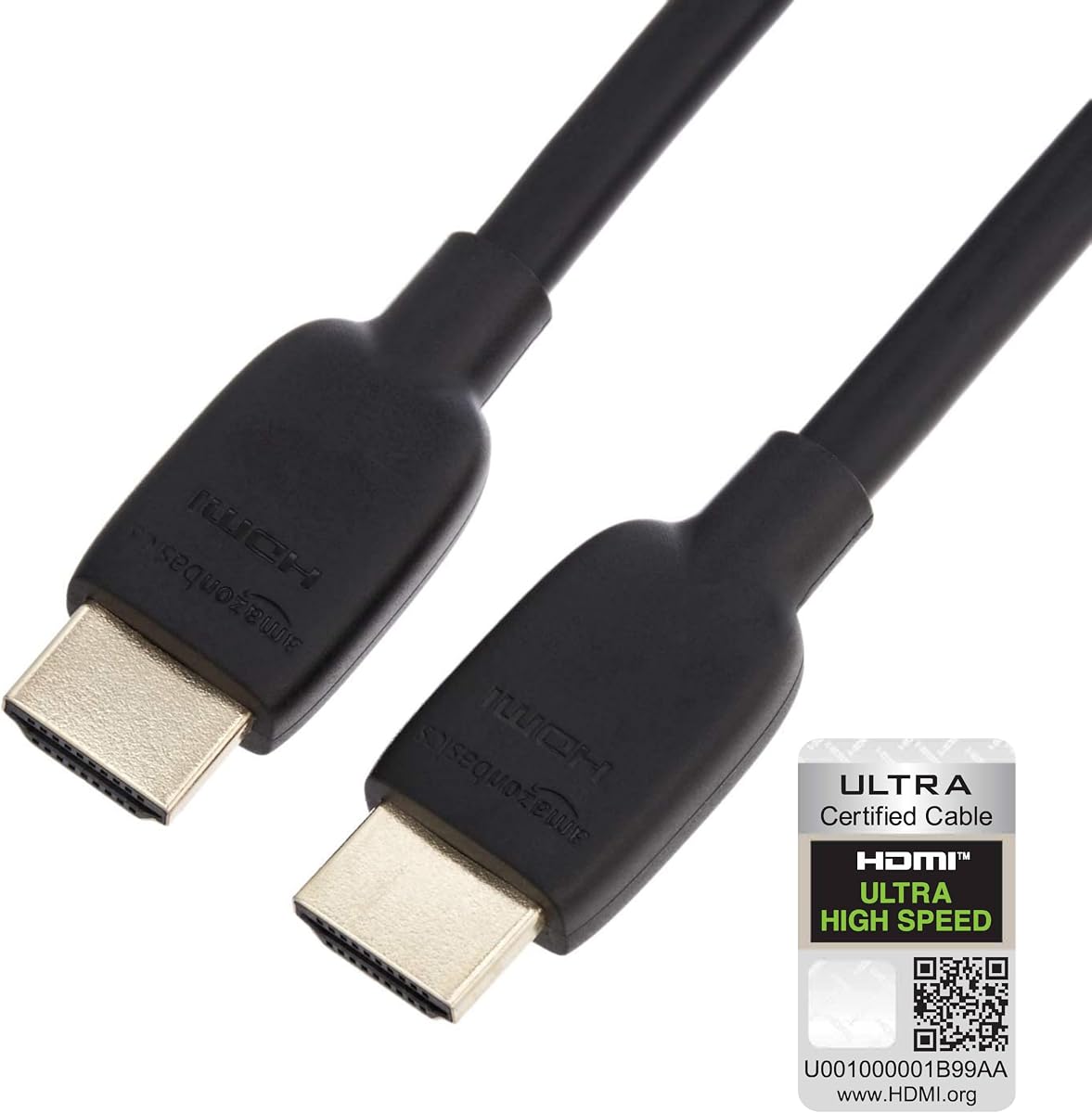
Amazon Basics HDMI 2.1 Cable
4.7Editor score
48Gbps Ultra High Speed
8K@60Hz Support
Flexible PVC Cable Design
Discover the top 10 HDMI cables for dual monitor setups in October 2026. Compare features, speeds, and durability to find the perfect link for your display
Finding the right HDMI cable for dual monitors is essential for modern workstations and gaming rigs. You need reliable connectivity that supports high resolutions and refresh rates without signal loss or flickering issues.
We compared ten top-rated HDMI cables based on speed, durability, and compatibility. Our analysis covers 8K support, braided designs, and certification standards to help you choose the best option for your specific setup requirements.
Each pick highlights unique strengths like bandwidth capacity or build quality. Prices may vary over time so check current listings before purchasing. This guide ensures you get the most value for your investment in display technology.
4.7Editor score

4.8Editor score

4.6Editor score
This side-by-side comparison evaluates all ten products across key technical specifications and user benefits. Each entry details core capabilities to help you identify the right cable for your dual monitor configuration.



This UGREEN HDMI 2.1 cable stands out as a top choice for dual monitor setups requiring high bandwidth. It holds a strong 4.8 rating from users who praise its reliability and performance across various devices.
We may earn a commission when you buy through this link, at no additional cost to you.
The 48Gbps bandwidth ensures uncompressed 8K video transmission without signal loss. Its Dynamic HDR feature captures more detail with 12-bit color accuracy for breathtakingly realistic pictures on compatible displays.
While the cable is durable, its thickness can sometimes make routing difficult in tight spaces. The nickel-plated connectors are robust but may interfere with adjacent ports on some graphics cards.
It is ideal for gamers and professionals needing stable high-resolution connections. We recommend this cable for anyone seeking a balance of performance and longevity in their workstation setup.
The 48Gbps bandwidth delivers faster speeds than HDMI 2.0 ensuring smooth video and audio streaming without lag or dropouts during intensive tasks.
eARC support allows full-resolution audio delivery like Dolby Atmos from your TV to soundbars creating an immersive sound experience for media consumption.
We may earn a commission when you buy through this link, at no additional cost to you.
The Amazon Basics HDMI 2.1 cable offers exceptional value for users needing a basic high-speed connection. With a 4.7 rating it proves that budget options can still meet modern standards like 48Gbps throughput.
We may earn a commission when you buy through this link, at no additional cost to you.
Its certification ensures support for 8K@60Hz and 4K@120Hz video making it suitable for next-gen consoles and high-res monitors. The gold-plated connectors resist corrosion and enhance signal transmission significantly.
The main limitation is its short 3-foot length which restricts placement flexibility. The PVC jacket is flexible but less durable than braided options over extended periods of frequent bending.
Choose this for tight budgets or short-distance connections where performance matters more than extreme durability. It remains a solid option for linking a laptop to a nearby monitor or TV.
Certification guarantees the cable meets strict HDMI standards ensuring reliable transmission of high-bandwidth signals without errors or interruptions during use.
Supports Ethernet and 3D features alongside video ensuring comprehensive connectivity for various multimedia devices and gaming systems in your home office.
We may earn a commission when you buy through this link, at no additional cost to you.
Belkin delivers a premium HDMI 2.1 cable designed for high-end dual monitor setups. Its 4.6 rating reflects user trust in its durability and consistent performance across demanding applications.
We may earn a commission when you buy through this link, at no additional cost to you.
The 2-layer shielding minimizes damage to wiring and protects against electric shocks ensuring long-term reliability. It supports Dolby Vision for improved brightness and contrast on compatible screens.
While it lacks some advanced audio features found in competitors the video performance remains top-tier. The higher price is justified for users prioritizing brand trust and physical cable protection.
This cable is best for professional environments where equipment reliability is critical. It offers peace of mind for users investing in expensive displays and graphics hardware.
Dolby Vision support enhances each pixel with unmatched brightness and contrast delivering a cinematic viewing experience for movies and high-res content.
Supports 4K gaming at 120Hz ensuring smooth gameplay with optimal bandwidth for consoles like PS5 and Xbox Series X without latency issues.
We may earn a commission when you buy through this link, at no additional cost to you.
Highwings offers a 2-pack solution perfect for dual monitor configurations. Each cable delivers 48Gbps speed with a durable nylon build that withstands daily wear in busy work environments.
We may earn a commission when you buy through this link, at no additional cost to you.
The military-grade tensile nylon material ensures longevity while the anti-bending tail design protects connectors from breaking. Variable refresh rate support maximizes GPU value for gaming and graphics work.
The nylon jacket may attract lint over time requiring occasional cleaning. The fixed length limits flexibility compared to options available in multiple sizes.
Ideal for home offices needing two reliable cables out of the box. The value proposition is strong for users planning a multi-monitor workstation setup.
Aluminum alloy shells combined with anti-bending designs protect internal wires from damage ensuring consistent signal quality over years of use.
Latest game mode supports variable refresh rate eliminating screen tearing for smoother gameplay on high-performance graphics cards and monitors.
We may earn a commission when you buy through this link, at no additional cost to you.
Silkland emphasizes durability with its unique E-Braid technology combining double-layer fishnet winding and nylon braiding. This design minimizes signal interruptions and black screens during intense usage.
We may earn a commission when you buy through this link, at no additional cost to you.
The cable supports 4K@144Hz for PC and 120Hz for consoles ensuring responsive gaming. Dolby Atmos support enhances audio immersion for multimedia applications on compatible devices.
Ferrite magnetic beads help eliminate interference but add slight bulk to the connector. The braided jacket may feel less flexible than pure PVC options during tight routing.
Best for users prioritizing build quality and gaming performance. The certification ensures verified performance matching the advertised bandwidth and resolution claims.
Copper cores and ferrite beads work together to ensure uninterrupted signals preventing black screens or flickering that disrupt workflow or gameplay.
Handles mind-blowing resolutions including 8K@60Hz and 5K@120Hz for future-proofing your setup against evolving display technologies and standards.
We may earn a commission when you buy through this link, at no additional cost to you.
Acer brings brand reliability to the HDMI cable market with this 6.6-foot option. It supports 8K@60Hz and 4K@120Hz making it suitable for high-performance dual monitor configurations.
We may earn a commission when you buy through this link, at no additional cost to you.
The high-purity copper core and aluminum alloy shell resist EMI and bending. Variable Refresh Rate (VRR) helps reduce screen tearing for smoother gameplay on compatible devices.
The braided jacket offers protection but may snag on sharp desk edges. Connector casing durability varies and might show scratches over time despite internal strength.
Choose this for dependable performance in home offices. Its broad compatibility covers devices from PS5 to Apple TV making it a versatile choice.
Delivers sharp detailed visuals for TVs and monitors ensuring every particle is clearly displayed during high-resolution video playback.
Supports eARC and immersive audio formats like Dolby Atmos for high-quality sound synchronization with video content across devices.
We may earn a commission when you buy through this link, at no additional cost to you.
This UGREEN HDMI 2.1 cable balances performance and durability effectively. It delivers uncompressed 8K video at 60Hz with 48Gbps bandwidth for seamless connectivity.
We may earn a commission when you buy through this link, at no additional cost to you.
Ethernet capability allows multiple HDMI devices to exchange files easily. The 12-bit color accuracy ensures vivid colors and realistic pictures on supported monitors.
While flexible, the cable requires care when bending to avoid kinks. The price reflects premium features that justify the cost over basic alternatives.
Recommended for users wanting Ethernet capabilities alongside video. It suits modern setups needing advanced data transfer alongside high-resolution display output.
Dynamic HDR captures more details with 12-bit color accuracy providing breathtakingly realistic pictures for media consumption.
Ethernet enabled features make it easy for devices to exchange files without needing separate network connections.
We may earn a commission when you buy through this link, at no additional cost to you.
PowerBear offers a 10ft cable ideal for extended setups where short cables won't reach. It supports 4K at 60Hz ensuring sharp visuals for most monitors and TVs.
We may earn a commission when you buy through this link, at no additional cost to you.
The triple tin shielded 30AWG copper wire prevents interference. CL3 rating means it is safe for in-wall installation meeting building code requirements for residential use.
It does not support 8K resolutions limiting future-proofing. However for current 4K needs the extra length provides significant installation flexibility.
Best for large rooms or wall-mounted displays. The braided nylon ensures durability over long runs without signal degradation.
CL3 rated jacket allows safe in-wall installation meeting building codes for residential wiring and fire safety requirements.
Triple tin shielding combined with double braided nylon protects against interference ensuring top tier image and sound clarity.
We may earn a commission when you buy through this link, at no additional cost to you.
This cable serves users with DisplayPort outputs needing HDMI inputs. It supports up to 4K at 30Hz ensuring decent visual quality for productivity tasks.
We may earn a commission when you buy through this link, at no additional cost to you.
Uni-directional design means it only transmits from DP source to HDMI display. Gold-plated connectors and bare copper conductors provide superior performance.
The 30Hz limit at 4K is unsuitable for gaming but fine for static content. Always check port directions before purchasing.
Ideal for legacy laptops or workstations with DP ports. It bridges the gap between different video standards effectively.
Uni-directional signal transmission ensures stable connection from DisplayPort source to HDMI display without compatibility issues.
Supports video resolutions up to 3840×2160 at 30Hz including Full HD for clear visual output across devices.
We may earn a commission when you buy through this link, at no additional cost to you.
This 2-pack offers a convenient solution for dual monitor workstations. Each 6.6ft cable supports 4K Ultra HD ensuring crisp visuals for productivity and entertainment.
We may earn a commission when you buy through this link, at no additional cost to you.
Build quality features gold-plated connectors and reinforced strain relief for long-lasting durability. Users report a perfect 5.0 rating reflecting reliability.
The braided nylon minimizes interference and physical wear. While limited to 4K it satisfies most common dual monitor needs efficiently.
Ideal for offices needing two identical cables. The consistent performance and positive reviews make it a strong choice for standard setups.
2-pack provides cost-effective solution for dual setups reducing total cost compared to buying individual cables separately.
Reliable DP 1.2 to HDMI 1.4 conversion ensures synchronized audio and video transmission without software drivers.
We may earn a commission when you buy through this link, at no additional cost to you.
Selecting the right cable requires understanding bandwidth, certification, and build quality to ensure your dual monitors perform optimally.
Bandwidth determines how much data can be transferred. For 4K at 120Hz or 8K at 60Hz you need 48Gbps Ultra High Speed cables. Lower bandwidth causes dropped frames or reduced refresh rates.
Always check that the cable supports 48Gbps if you plan to use high refresh rate monitors.
Certified cables pass official HDMI testing ensuring reliability. Look for HDMI 2.1 certification labels rather than unbranded claims. Verification apps can confirm authenticity via QR codes.
Certification guarantees the cable meets the advertised technical specifications for your display needs.
Build materials affect lifespan. Braided nylon jackets resist fraying while aluminum shells protect internal wires. Gold-plated connectors prevent corrosion over time.
Choose cables with robust connectors and flexible insulation to handle daily bending and movement.
Ensure connectors match your devices. Standard HDMI 2.1 works for most TVs and consoles while DisplayPort to HDMI adapters suit older laptops. Verify port directionality for adapters.
Check if connector size might block adjacent ports on compact graphics cards or motherboards.
Modern cables support Advanced Audio Return Channel (eARC) for high-quality sound. This allows direct audio transmission from TV to soundbars without extra cables.
If you use a home theater system prioritize eARC compatibility for immersive audio experiences.
Measure distance between device and monitor. Longer cables require better shielding to prevent signal loss. 6.6ft is standard for desks while 10ft suits wall mounts.
Select length carefully to avoid excess clutter or signal degradation due to excessive distance.
Refresh rates impact smoothness especially for gaming. Ensure the cable supports the specific Hz rating of your monitors like 120Hz or 144Hz without dropping to 60Hz.
Match cable refresh support to your monitor specifications for optimal visual performance.
Trusted brands offer better quality control and customer support. Companies like Belkin or UGREEN have established histories in accessory manufacturing.
Invest in established brands to reduce risks of defective cables or poor long-term performance.
Connect the cable firmly to both source and display ports ensuring the clip clicks into place. Do not force connectors to avoid damaging pins or the housing.
Avoid sharp bends or kinks in the cable during installation. Use gentle curves when routing around furniture to maintain internal wire integrity.
Store unused cables loosely coiled rather than tightly wrapped. Keep them away from heat sources or moisture to prevent material degradation over time.
You need cables that support sufficient bandwidth for both monitors simultaneously. If using high-resolution displays ensure each cable carries enough data. HDMI 2.1 with 48Gbps is ideal for modern high-performance setups.
HDMI 2.1 offers higher bandwidth up to 48Gbps compared to 18Gbps in 2.0. This supports higher resolutions like 8K and higher refresh rates for smoother visuals in gaming and media.
Yes cables over 15 feet may lose signal quality without active components. For longer runs choose certified cables or active signal boosters. Standard 6 to 10 feet cables work well for most desks.
Yes but these are uni-directional adapters converting DP to HDMI. They work for extending desktops but do not match full HDMI bandwidth. Check refresh rate limits before purchasing for gaming.
Flickering often results from insufficient bandwidth or loose connections. Ensure the cable supports your monitor's refresh rate. Reseat connections or replace with a certified 2.1 cable to fix issues.
Yes poor cables can cause latency or frame drops in high-refresh games. A certified 2.1 cable ensures smooth variable refresh rate support for consistent gaming experiences across platforms.
Check for official HDMI certification QR codes on packaging. Use authorized retailer links and scan codes with verification apps. Avoid unbranded cables lacking proper testing documentation.
Price often reflects build quality and certification. Budget cables work for basic use but premium ones offer better shielding and durability. For dual monitors invest in proven certified brands for reliability.
Our top picks include the UGREEN 8K HDMI 2.1 for overall performance and Amazon Basics for budget needs. Belkin leads for premium reliability ensuring all setups benefit from strong connectivity.
Prioritize bandwidth and certification to match your monitor capabilities. A good cable prevents signal issues and enhances both visual and audio output for your workspace.
Prices vary based on sales and availability so check current listings before buying. This guide ensures you select the best HDMI cable for your specific dual monitor requirements.