
Entina Tina2C 3D Printer
4.4Editor score
Starts in eight minutes
Compact mini size design
App and WiFi control
This guide compares the easiest 3D printers for beginners and experts, focusing on auto-leveling, setup speed, and user-friendly features for seamless printing.
Finding a 3D printer that is truly easy to use can be challenging with so many options available today. Modern machines now offer features like automatic calibration and intuitive interfaces that remove the technical barriers once associated with this technology.
We evaluated ten top models based on their setup process, calibration methods, and overall user experience. Our comparison highlights machines that minimize manual adjustments and maximize creative time for users of all skill levels.
Each pick below showcases specific strengths like speed, color capabilities, or kid-friendly safety features. Keep in mind that availability and specific configurations may change, so verify details before making your final selection.
4.4Editor score

4.7Editor score

4.5Editor score
This table provides a side-by-side look at the key features of each model to help you quickly identify which printer fits your specific needs and workspace.





The Bambu Lab A1 stands out as a top choice for those seeking an easy to use 3D printer. With a high rating from users, it delivers speed and precision without the usual setup headaches. Its automatic calibration system ensures your prints start off right every single time.
We may earn a commission when you buy through this link, at no additional cost to you.
This model features an impressive acceleration of 10,000 mm/s² which allows for blazing fast printing while maintaining accuracy. The active flow rate compensation algorithm ensures smooth prints by adjusting to readings in real time. You can also enjoy a quiet environment thanks to active motor noise canceling technology.
While it is a powerful machine, you might need to purchase the AMS lite separately for multi-color printing which can add to the cost. The build volume is also not the largest on the market but it is sufficient for most hobby projects. These trade-offs are acceptable given the ease of use.
Anyone looking for a reliable and fast printer that requires minimal tinkering should consider this option. It is perfect for beginners who want professional results without learning complex calibration steps. Final recommendation is to grab this one if you want quality and speed combined.
The printer handles Z-offset and bed-leveling automatically so you never have to fuss with manual adjustments again.
Unlock your creativity with the AMS lite option that makes reliable multi-color printing accessible for everyone.
We may earn a commission when you buy through this link, at no additional cost to you.
The FLASHFORGE Adventurer 5M offers incredible speed for users who want to finish projects quickly. It features a CoreXY structure and reaches travel speeds of up to 600mm/s. While the rating is slightly lower than others it still provides a solid experience for those prioritizing efficiency.
We may earn a commission when you buy through this link, at no additional cost to you.
Automatic bed leveling ensures that your first layer adheres properly without manual tweaking. You can also change the nozzle in just three seconds which saves significant time during maintenance. The smart mobile app lets you monitor progress and adjust settings remotely for added convenience.
Some users may find the noise level higher than ideal for quiet home environments. The interface can also be a bit complex for absolute beginners compared to simpler models. However these issues are minor when considering the performance benefits it offers.
This printer is best for makers who need to produce parts rapidly and do not mind a bit of noise. It is suitable for prototyping where speed is more important than silence. We recommend it for those who value productivity over a quiet workspace.
Reduce production cycles significantly with the 600mm/s speed and 20000mm/s² acceleration for faster results.
Receive instant status alerts and adjust print settings from your smartphone with the Flash Studio app.
We may earn a commission when you buy through this link, at no additional cost to you.
The Bambu Lab A1 mini is designed to make 3D printing easy from day one for beginners. It comes with an LED Lamp Kit that allows you to create functional decorative lights right away. The automatic calibration simplifies the setup process so you can start creating immediately.
We may earn a commission when you buy through this link, at no additional cost to you.
This compact printer delivers high-speed and high-quality printing while fitting naturally into any home or workspace. You can access MakerWorld’s huge library of models and manage prints through the Bambu Handy app. The ecosystem makes the experience smarter and more enjoyable for all users.
The smaller print size might be limiting for larger projects compared to full-sized machines. It also lacks some advanced features found in larger models like enclosure for high temp filaments. Despite these limitations it remains a great entry point for learning.
If you need a printer that takes up little space and is ready to go out of the box this is ideal. It is perfect for desktop use or small projects where size matters. We suggest it for those who want a hassle-free start to 3D printing.
Turn your 3D creations into functional decorative lights with the included lamp kit models.
Manage prints easily through the Bambu Handy app and access a vast library of ready-to-print models.
We may earn a commission when you buy through this link, at no additional cost to you.
The Bambu Lab P1S is a robust machine designed for both beginners and advanced users. Its enclosed body improves performance for advanced filaments that require stable temperatures. Setup is incredibly fast taking about 15 minutes which allows you to start printing right away.
We may earn a commission when you buy through this link, at no additional cost to you.
This printer supports up to 16 colors when connected with the AMS system for vibrant multi-material prints. It prints at speeds up to 500mm/s which means you spend less time waiting and more time creating. Auto bed leveling makes the process even easier by ensuring high quality results.
The price is higher than entry-level options which might be a barrier for some buyers. Also multi-color printing requires additional hardware purchases which adds to the initial cost. These factors are worth considering if you are just starting out on a budget.
For those who want professional performance with an enclosed design the P1S is a top choice. It is ideal for printing engineering materials like ABS or ASA safely. We recommend it for users who plan to grow into more complex printing tasks.
The fully enclosed body allows you to print challenging filaments like ABS and ASA with ease.
Lightning-fast printing speed of 500mm/s helps you focus on creating rather than waiting for prints.
We may earn a commission when you buy through this link, at no additional cost to you.
The AOSEED AI 3D Printer is designed specifically to make 3D printing easy for kids and families. It includes AI tools like Doodle that let children create custom models without design skills. The enclosed safe design ensures a pinch-resistant environment that parents can trust.
We may earn a commission when you buy through this link, at no additional cost to you.
You can choose from over 8000 human-reviewed models across various fun themes to keep kids engaged. The one-tap printing in the app simplifies the process so anyone can start a project. Real-time monitoring allows parents to check progress via a built-in camera and save time-lapse videos.
This printer supports single-color printing only which limits some creative possibilities for multi-color designs. The print volume is also smaller which might not suit larger projects. These constraints are minor given the focus on safety and education for younger users.
Families looking for a fun and safe gift that encourages creativity will find this model perfect. It is great for STEM education and DIY toys that children can design themselves. We suggest it for parents who want to foster artistic skills safely.
Use AI Doodle to create custom models using voice or text prompts without needing design expertise.
Enclosed and pinch-resistant design ensures a safe experience while one-tap printing makes it easy for kids.
We may earn a commission when you buy through this link, at no additional cost to you.
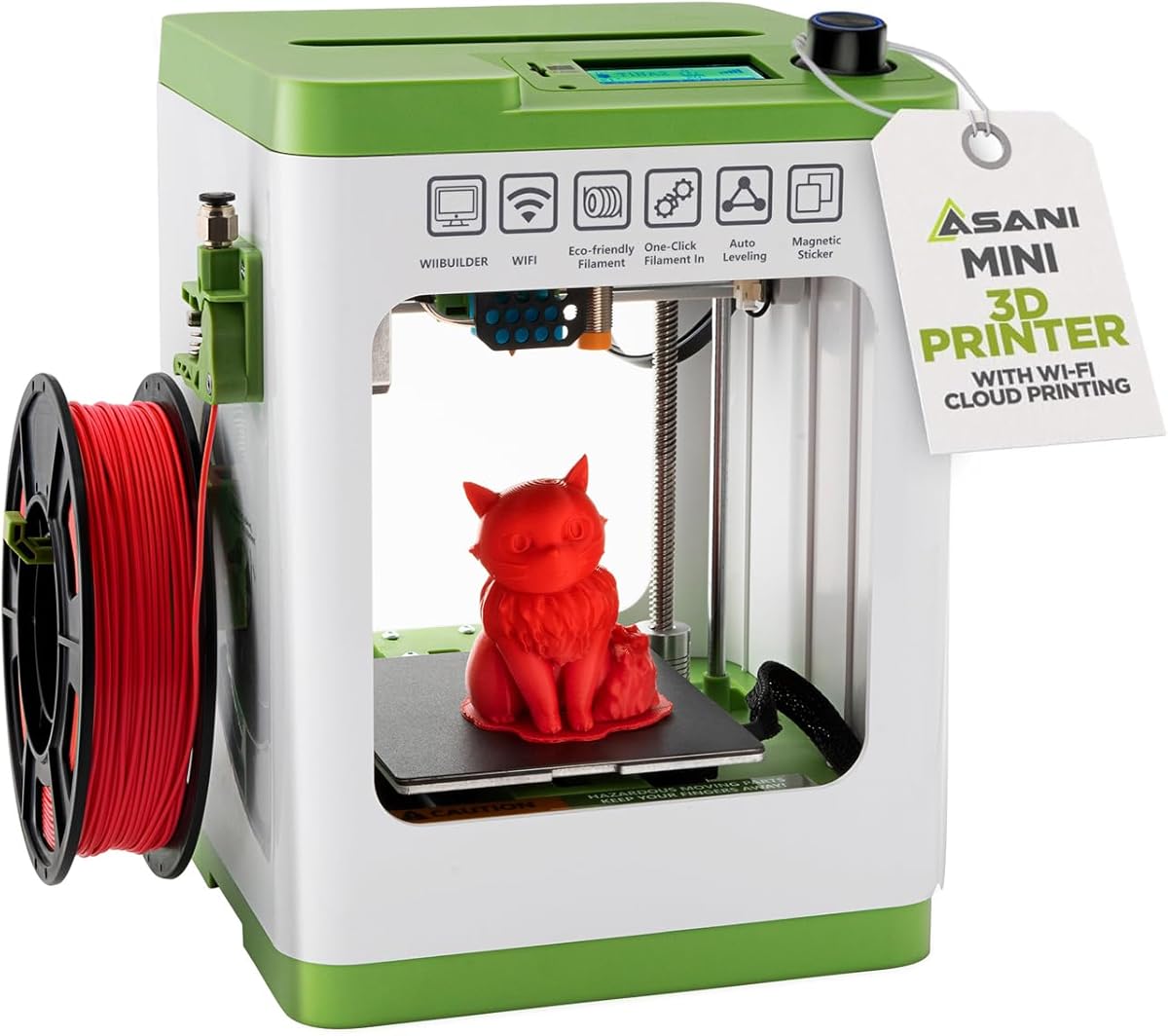
The Entina Tina2C is a fully assembled starter mini 3D printer perfect for first-time users. You can start your first print in as fast as eight minutes thanks to guided setup. It is designed to be frustration-free and accessible for kids and beginners alike.
We may earn a commission when you buy through this link, at no additional cost to you.
Access to over 3500 models and 25+ creative DIY modules turns creativity into an educational experience. The printer supports both WiFi and offline modes for flexibility in how you work. Maintenance is simple with a self-cleaning nozzle and flexible magnetic build plate.
The print volume is very small at roughly 3.9 inches cubic so it is limited to tiny objects. You may need to upgrade or buy multiple units for larger projects. This is a minor issue given the low cost and educational focus of the unit.
For those on a budget who want a simple device for learning this is an excellent pick. It is great for classrooms or small home projects where space is limited. We recommend it for anyone wanting to try 3D printing with minimal investment.
Guided setup through the Poloprint Cloud app lets users start printing in as little as eight minutes.
Interactive tools and STEM learning courses make this an engaging educational experience for kids.
We may earn a commission when you buy through this link, at no additional cost to you.
The FLASHFORGE AD5M combines new technology and superior craftsmanship to meet the needs of all users. It features a fully automatic one-click leveling system that ensures a flawless first layer every time. The CoreXY all-metal motion structure provides high-speed printing without sacrificing quality.
We may earn a commission when you buy through this link, at no additional cost to you.
Maintenance is simplified with a patent quick-release nozzle that can be swapped in as little as three seconds. You can manage devices and monitor prints remotely using the Flash Maker app for enhanced control. Resume prints after power outages to avoid losing progress on long jobs.
The interface is straightforward but may require external slicing software which adds a step for some users. There are fewer integrated smart features compared to more expensive models. However these are acceptable trade-offs for the reliability and speed this model offers.
This printer is great for users who want a reliable machine without a high price tag. It is suitable for prototyping and hobby projects where speed and durability matter. We suggest it for those looking for a balance of performance and value.
The one-click leveling system measures nozzle-to-build plate distance accurately without manual tools.
All-metal CoreXY structure ensures stable and smooth motion even in high-speed mode.
We may earn a commission when you buy through this link, at no additional cost to you.
The TINA2S Mini comes as a complete starter kit with everything you need to start printing. It includes the mini printer 10 meters of PLA filament and a microSD card with designs. The fully assembled printer saves time on setup and ensures reliability right out of the box.
We may earn a commission when you buy through this link, at no additional cost to you.
Features like auto-leveling and dual z-axis rails provide high-precision prints for beginners. You can load filament at the touch of a button and use open-source printing with various software. The compact size makes it perfect for dorms or classrooms where space is limited.
The build plate size is small so you cannot print larger items without slicing them. There is also a specific note to use the correct platform plate to avoid sensor issues. These limitations are manageable for most beginner projects and learning exercises.
If you want a hassle-free introduction to 3D printing with all accessories included this is ideal. It is great for classrooms or home desks where you want immediate use. We recommend it for beginners who prefer a guided start.
Everything is included so you can bring your imagination to life immediately without extra purchases.
Compatible with majority of slicing software including Cura and Simplify3D for flexible customization.
We may earn a commission when you buy through this link, at no additional cost to you.
The Creality Ender 3 V3 SE is designed for a fast and straightforward setup. It prints at speeds of up to 250mm/s which is efficient for everyday projects. The upgraded Sprite Direct Drive Extruder provides smooth filament feeding for a wide range of materials.
We may earn a commission when you buy through this link, at no additional cost to you.
CR Touch Auto Leveling and automatic Z-offset calibration help achieve a reliable first layer easily. A 32-bit silent mainboard reduces noise for a more comfortable printing experience. The flexible PC spring steel build plate allows quick removal of printed models.
It does not have the same speed as newer high-end models which might slow production. Assembly is still required which can be daunting for some absolute beginners. However it is an affordable and reliable option for those willing to learn basics.
This printer is good for hobbyists who want a classic machine with modern ease of use. It is suitable for general purpose printing and learning the fundamentals. We suggest it for those on a tighter budget who still want auto leveling.
CR Touch Auto Leveling helps achieve a reliable first layer reducing manual adjustments for beginners.
Dual synchronized Z-axis lead screws help reduce vibration and Z wobble for consistent quality.
We may earn a commission when you buy through this link, at no additional cost to you.
The Anycubic Kobra X comes born with 4 colors built-in for easy multicolor printing. It reduces filament and machine travel path to save time and material costs. The LeviQ 3.0 auto bed leveling system ensures 100% bed flatness for every print.
We may earn a commission when you buy through this link, at no additional cost to you.
You can accelerate your workflow with a max speed of 600mm/s and complete models quickly. The innovative top-mount spool holder releases desktop space for better organization. A vast library of models is available to choose from for various projects.
Filament is not included in the package so you need to purchase spools separately. Some external units are required to expand the color palette which adds to the cost. These factors are important to consider when budgeting for your setup.
For those who want multicolor capability without a complex separate AMS system this is a great start. It is suitable for home use and schools where variety is desired. We recommend it for creators who want vibrant prints easily.
Turn every idea into reality with built-in 4 colors and expandable palette to 19 colors.
LeviQ 3.0 uses a 49-point calibration to ensure bed flatness and flawless first layers.
We may earn a commission when you buy through this link, at no additional cost to you.
Choosing the right printer depends on your needs and experience. Here are key factors to consider for an easy setup.
Look for printers that are fully assembled or require minimal assembly. Models with automatic bed leveling and calibration save significant time and reduce the risk of failed prints.
Aim for a setup that takes minutes rather than hours to start your first print.
Automatic calibration systems adjust the Z-offset and bed level without manual intervention. This feature ensures your first layer adheres properly every time without tools.
Prioritize models with one-click or fully automatic calibration for a hassle-free experience.
An intuitive touchscreen or mobile app makes controlling your printer easier. Look for clear menus and remote monitoring capabilities to track progress from anywhere.
Simple controls help beginners focus on design rather than navigating complex settings.
Faster printers reduce wait time but ensure they maintain quality. High speeds with acceleration features allow you to finish prototypes quickly.
Choose a speed that matches your tolerance for waiting and project deadlines.
Check the print dimensions to ensure they fit your needs. A larger volume allows for bigger single-piece objects but may take more space.
Select a size that fits your workspace and typical project requirements.
For kids or shared spaces look for enclosed designs and pinch-resistant mechanisms. These features protect users from moving parts and hot surfaces.
Enclosed machines also stabilize temperature for better print results with certain materials.
Ensure the printer supports the materials you want to use. Some machines handle high-temperature filaments while others are limited to PLA.
Check extruder temperature and enclosure status for compatibility with your projects.
A strong user community and compatible software make troubleshooting easier. Look for access to model libraries and slicing tools.
Support from the manufacturer and user base can help you learn faster.
Start by leveling the bed using the automated settings provided. This ensures your prints adhere well and reduces the chance of failure. Follow the on-screen prompts or app instructions for calibration.
Load filament by following the quick-loading guides. Use the tools included in the box to maintain the nozzle and bed plate regularly. Cleaning these parts keeps your prints smooth and consistent.
Monitor your first few prints closely to ensure quality. Use the camera or app to check progress without standing nearby. Keep your workspace organized and clean to avoid dust affecting results.
The Bambu Lab A1 is widely considered the easiest due to automatic calibration and quiet operation. It requires minimal setup and provides a seamless experience for first-time users. You can start printing in minutes without technical knowledge.
Most of the recommended printers like the Entina Tina2C come fully assembled. This saves you time and ensures reliable setup right out of the box. Always check product details to confirm assembly requirements.
Auto bed leveling is crucial for beginners as it removes the need for manual adjustments. It ensures the nozzle is at the correct distance from the bed for a perfect first layer. This feature significantly reduces failed prints and frustration.
Some models like the Anycubic Kobra X come with native multi-color support. Others like the Bambu Lab P1S require an AMS system for multi-color prints. Check compatibility before buying to understand extra costs.
PLA is the easiest filament to print as it requires low temperatures and no enclosure. Most recommended printers handle PLA perfectly for general projects. It is the ideal starting material for learning 3D printing.
Clean the nozzle regularly to prevent clogs. Use the quick-swap feature on some models to change nozzles easily. Store filament properly to avoid moisture absorption that can cause issues.
Most modern printers have safety features like thermal protection and remote monitoring. However always check fire safety guidelines and keep flammable items away. Use app alerts to know if a print fails.
We covered ten excellent options that make 3D printing accessible to everyone. From the Bambu Lab A1 to the Entina Tina2C there is a model for every budget and skill level.
Prioritize features like auto-calibration and setup speed to ensure a smooth start. Consider your workspace and project size to pick the right fit for your needs.
Prices and availability can change so always verify current details on the retailer site. We hope this guide helps you find the perfect printer to bring your ideas to life.