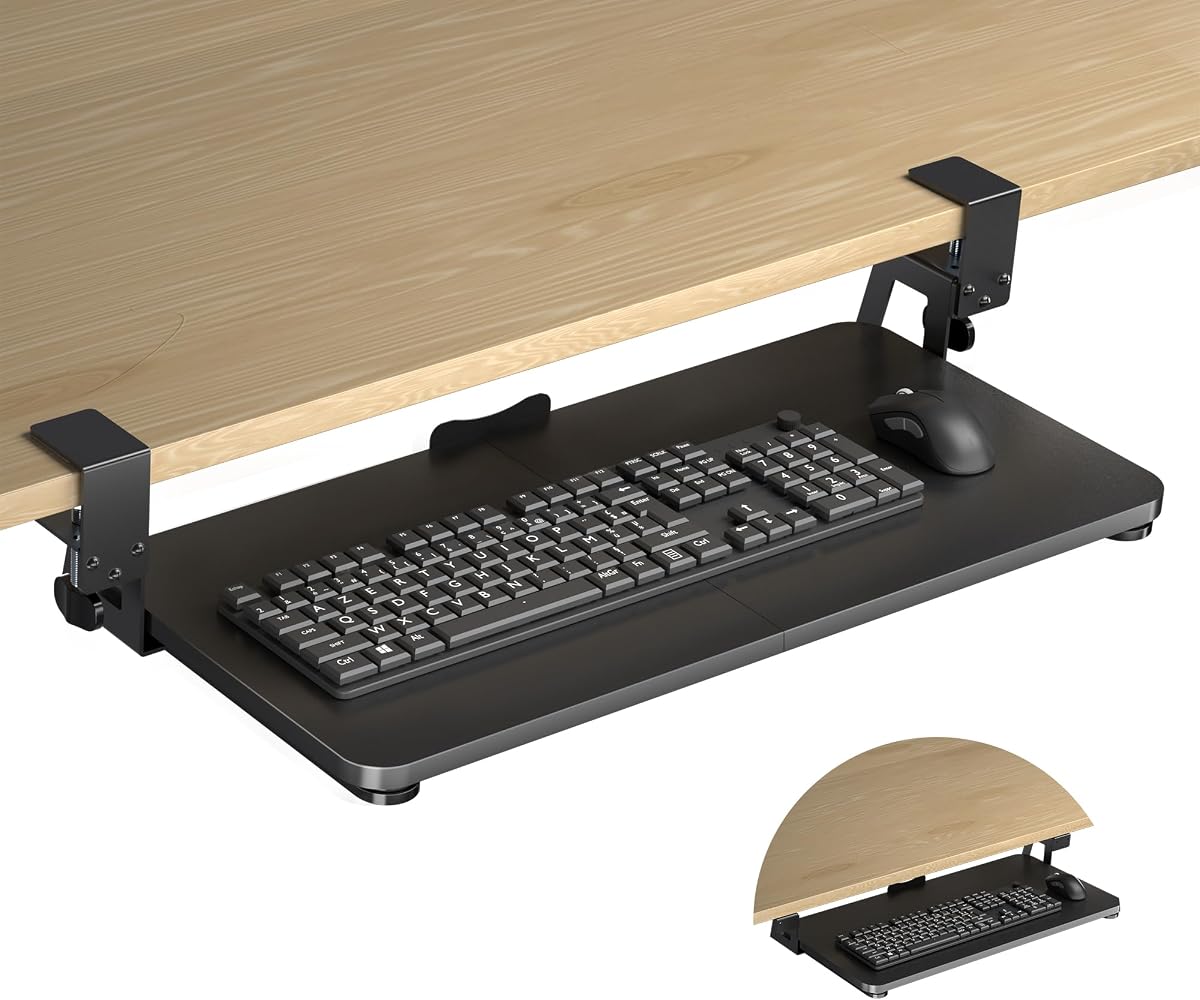
XINLEI Keyboard Tray Under Desk
4.4Editor score
Affordable price point
C-clamp installation
Back baffle design
Finding the right keyboard tray for a standing desk is crucial for maintaining ergonomic posture and maximizing your workspace efficiency. A good tray should offer smooth sliding mechanisms, sturdy clamps, and adjustable angles to reduce wrist strain during long work sessions.
We compared ten leading models based on compatibility with various desk types, installation ease, and overall build quality. Each option was evaluated for its ability to support different keyboard sizes and its performance under daily use conditions in home offices.
Each pick below highlights specific strengths and ideal use cases to help you narrow down your choices. Please note that product availability and terms may change over time, so verify current details before making your final purchasing decision online.
4.4Editor score

4.3Editor score

4.4Editor score
As an Amazon Associate we earn from qualifying purchases.
This side-by-side comparison outlines the key specifications and unique features of each keyboard tray model to help you identify the best fit for your specific desk setup and ergonomic needs.


The HUANUO Under Desk Keyboard Tray stands out as a top choice for users with electric standing desks featuring cross beams. It offers a robust design that ensures compatibility with various desk structures while providing a smooth user experience.
We may earn a commission when you buy through this link, at no additional cost to you.
Its advanced metal roller track system has been tested for high durability, ensuring that the tray slides effortlessly even after extensive use. The 6.3-inch height adjustment allows for comfortable typing whether you are seated or standing.
While it requires careful measurement to ensure the desk depth and cross beam dimensions fit, the investment pays off in long-term reliability. The design also includes brackets specifically for cross-beam installation which simplifies mounting.
This tray is ideal for those seeking a versatile solution that accommodates both flat bottom desks and those with structural beams. If you value ergonomic comfort and build quality, this model is highly recommended for your setup.
The tray includes brackets for cross beams and fits flat bottoms offering flexibility for different office setups.
With tilt and swivel features this tray helps reduce strain on your wrists and shoulders during long work hours.
We may earn a commission when you buy through this link, at no additional cost to you.
The XINLEI Keyboard Tray offers an excellent balance of affordability and functionality making it a strong contender for budget-conscious buyers. It provides a stable platform for your keyboard and mouse without compromising on essential ergonomic features.
We may earn a commission when you buy through this link, at no additional cost to you.
Its high-quality metal sliding rails ensure a smooth and silent operation which is crucial for maintaining focus during work. The C-clamp design allows for quick setup without the need for drilling holes into your desk surface.
Although it lacks extensive height adjustability compared to premium models, it fulfills the core need of freeing up desk space effectively. The back baffle design adds a layer of safety by preventing peripherals from falling off.
This tray is perfect for users who want a straightforward and reliable solution to manage their workspace. If you are looking for a cost-effective way to improve your desk organization this option is worth considering.
Moving your keyboard below the desk surface clears valuable space for monitors and other office essentials.
The tray is designed to remain stable during use providing a secure base for typing and mousing.
We may earn a commission when you buy through this link, at no additional cost to you.
The Mount-It! Standing Keyboard Tray is a premium solution designed for users who need a dedicated sit-to-stand workstation without buying a new desk. It offers an impressive height range that accommodates both seated and standing positions comfortably.
We may earn a commission when you buy through this link, at no additional cost to you.
Unlike many competitors this model comes ready to use straight out of the box eliminating the hassle of assembly. The scissor-lift mechanism provides smooth transitions between height settings and locks securely in place.
While it comes at a higher cost the lifetime warranty and US-based support provide significant peace of mind. The platform is wide enough to hold a full-size keyboard and mouse side by side ensuring ample workspace.
This product is ideal for offices or shared workspaces where flexibility is key. If you want a standalone ergonomic upgrade that is built to last this tray is a top-tier investment for your health and productivity.
The tray adjusts from 1.7 inches to 15.6 inches allowing you to find your perfect ergonomic height quickly.
Arriving pre-assembled this tray saves you time and effort getting your workspace set up for immediate use.
We may earn a commission when you buy through this link, at no additional cost to you.
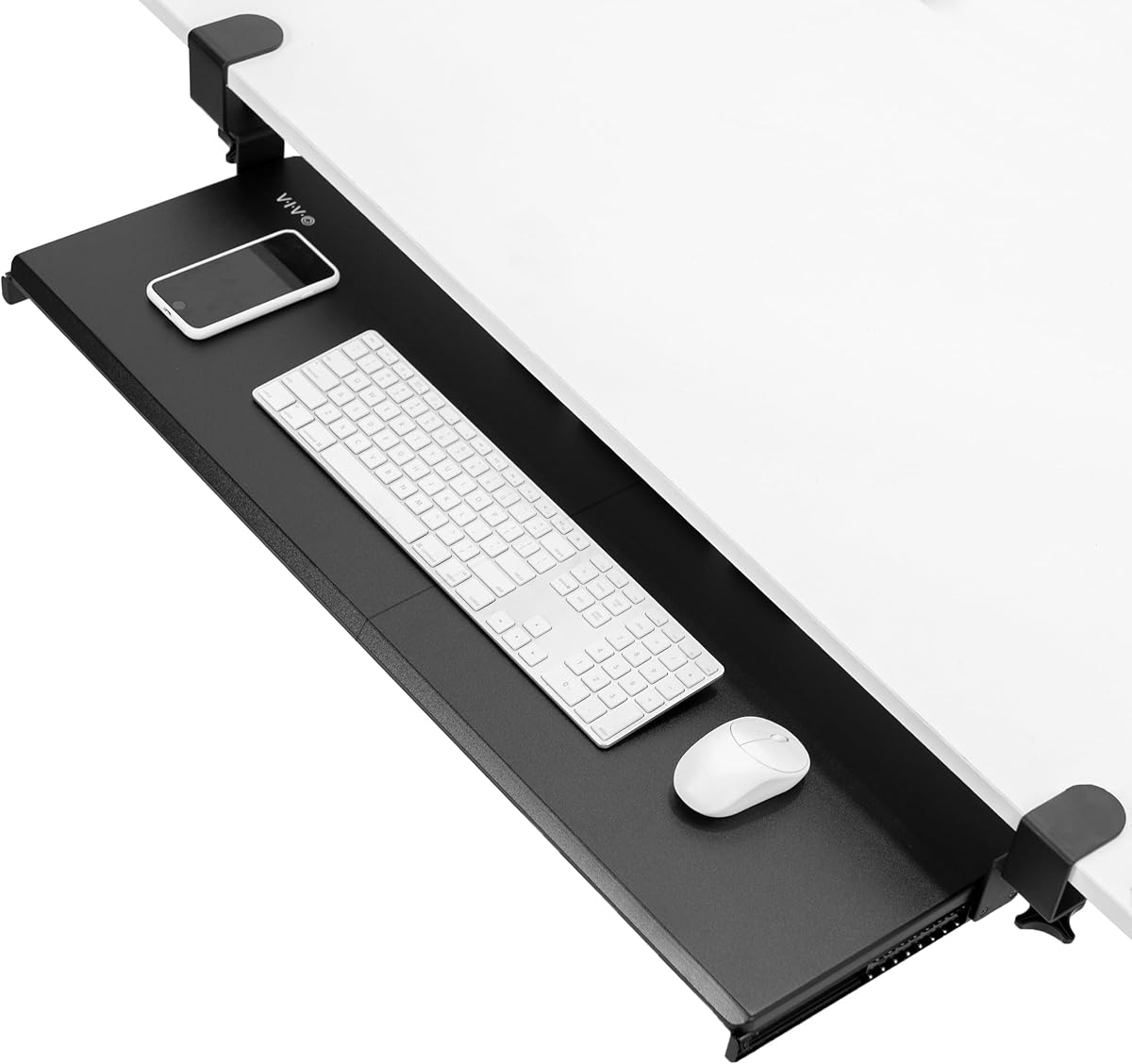
The VIVO Black Extra Large Clamp-on Keyboard Tray provides significant surface area for those who use multiple devices or larger peripherals. Its generous size allows for a keyboard mouse and other small tools to sit comfortably below the desk.
We may earn a commission when you buy through this link, at no additional cost to you.
The tray slides in and out smoothly offering ergonomic typing angles that help reduce stress on your wrists and shoulders. It is designed to fit desks up to a certain thickness ensuring a secure attachment without damage.
Installation is straightforward with all necessary hardware included. However the length of the tray means you must ensure your desk is wide enough to accommodate it properly without interference.
This option is great for users who prioritize having plenty of room for their setup. If you need extra space for accessories while maintaining a clean desk surface this tray is a practical solution.
The extra-long tray offers plenty of room for your keyboard mouse and other small desk accessories.
Solid C-clamps hold the tray tightly in place ensuring stability during use without damaging the desk.
We may earn a commission when you buy through this link, at no additional cost to you.
The VIVO Black Clamp-on 23 to 30 Keyboard Tray stands out for its width adjustable design which fits a range of desk sizes. This flexibility allows you to customize the tray to match your specific workspace needs perfectly.
We may earn a commission when you buy through this link, at no additional cost to you.
It includes a wrist pad and mouse rest adding an extra layer of comfort for long typing sessions. The tray is split into two parts which allows for a more ergonomic separation between your keyboard and mouse.
Installation requires attaching the clamps securely but the process is simplified by clear instructions. The tray can hold up to 11 lbs ensuring it supports your equipment without sagging.
This model is best for users who want a customizable solution that adapts to different desk depths. If you need a tray that can adjust to your exact setup this VIVO option is worth exploring.
The tray adjusts in width to accommodate various desk sizes providing a tailored solution for your workspace.
Included wrist pads help reduce strain on your hands allowing for comfortable work over extended periods.
We may earn a commission when you buy through this link, at no additional cost to you.
The BONTEC Under Desk Keyboard Tray is designed for users who want to upgrade their workspace without altering their existing desk permanently. It uses sturdy C-clamps to secure the tray allowing for a clean and reversible installation.
We may earn a commission when you buy through this link, at no additional cost to you.
Protective pads prevent scratches on your desk surface ensuring that the installation process remains damage-free. The platform is spacious enough to hold standard keyboards and mice comfortably while sliding in and out smoothly.
Before purchasing it is important to verify that your desk has a flat unobstructed underside. This tray works best with desks that meet specific width and depth requirements for optimal performance.
If you need a simple and effective way to save desk space this model delivers solid value. Its ease of installation makes it a favorite among renters and office workers who cannot drill holes.
The tray uses clamps and protective pads to secure to your desk without drilling holes or causing damage.
Placing your keyboard below the desk frees up surface area for monitors and documents improving workflow.
We may earn a commission when you buy through this link, at no additional cost to you.
The VIVO Black Under Desk 25 x 10 Keyboard Tray offers a standard solution for users looking to improve their typing ergonomics. It provides a straightforward platform that holds a keyboard and mouse effectively without taking up much space.
We may earn a commission when you buy through this link, at no additional cost to you.
With side to side rotation and height adjustment you can tailor the tray to fit your natural body posture. This flexibility helps reduce wrist soreness during long hours of computer use.
Installation is simple and all mounting hardware is included. For adjustable desks a spacer bracket may be needed to ensure the tray fits over the crossbar properly.
This tray is a solid choice for home offices where a traditional setup is preferred. If you want a basic but effective way to gain space and improve comfort this model is a good fit.
Rotation and height features allow you to position the keyboard for a more comfortable typing posture.
With all parts included the assembly process is quick and manageable for most users.
We may earn a commission when you buy through this link, at no additional cost to you.
The HUANUO Under Desk Keyboard Tray with 360 Degree Adjustable Mouse Platform provides extensive motion options for ergonomic typing. It allows you to swivel the tray left and right which is beneficial for multi-tasking workstations.
We may earn a commission when you buy through this link, at no additional cost to you.
Height adjustment is flexible enabling you to switch between sitting and standing positions easily. The included wrist rest offers additional comfort reducing strain on your hands during extended typing sessions.
You should ensure your desk has sufficient width to allow full rotation before purchasing. Tightening the knob properly is key to ensuring the tray stays in place during use.
This model is perfect for users who need to access the keyboard from different angles. If you value flexibility in your workspace setup this tray provides the range of motion you need.
The tray swivels 360 degrees allowing you to position it for various work angles and tasks.
Tilt adjustments and a wrist rest help create a comfortable typing environment for long periods.
We may earn a commission when you buy through this link, at no additional cost to you.
The Klearlook Upgraded Adjustable Keyboard Tray offers a unique dual-use design that allows placement either above or under the desk. This versatility makes it suitable for various setups including gaming and professional workspaces.
We may earn a commission when you buy through this link, at no additional cost to you.
It features a convenient storage drawer and a built-in headphone hanger helping to keep your desk organized and clutter-free. The tray supports a range of typing angles and rotation positions for ergonomic comfort.
Installation and adjustment may take some time to master compared to simpler models. However the added features like the storage and hanger provide significant organization benefits for your workspace.
This model is ideal for users who want an all-in-one organizer. If you value extra features that enhance productivity and organization this tray is a comprehensive solution.
Built-in storage and a headphone hanger help keep your workspace tidy and your essentials within reach.
The dual installation options allow you to mount the tray above or below your desk as needed.
We may earn a commission when you buy through this link, at no additional cost to you.
The Mount-It! Keyboard Tray Under Desk offers an extra-wide platform that accommodates large keyboards and ample mouse space. Its design prioritizes stability and smooth movement for a high-quality typing experience.
We may earn a commission when you buy through this link, at no additional cost to you.
Unlike many competitors this tray can fit desks up to 1.77 inches thick expanding the range of compatible surfaces. The premium steel gliding rails ensure that the tray slides quietly and stays put once positioned.
Installation is damage-free and reversible thanks to the silicone-padded clamps. The lifetime warranty and US-based support add significant value to the purchase.
This option is best for users with thicker desks or those who need a larger workspace surface. If you want a wide and robust tray that comes with strong support this model is a top choice.
The 30 inch width provides plenty of room for your keyboard mouse and other accessories.
Clamps that secure to desks up to 1.77 inches thick offer flexibility for various desk types.
We may earn a commission when you buy through this link, at no additional cost to you.
Choosing the right keyboard tray involves considering several factors such as size, mounting type, and adjustability to ensure it meets your ergonomic needs.
Ensure the tray fits your desk thickness and edge type. Some trays require flat edges while others accommodate thicker or beveled surfaces. Always measure your desk dimensions before purchasing.
Check for compatibility with cross beams if you have an electric standing desk to avoid installation issues.
Decide between clamp-on and screw-in options. Clamp-on trays are easier to install and remove without drilling while screw-in options may offer more stability.
Look for protective pads to ensure your desk surface is not damaged during installation.
Choose a tray that fits your keyboard and mouse comfortably. Extra-wide trays are better for larger peripherals or additional accessories like wrist rests.
Ensure the depth is sufficient to hold your equipment without it hanging off the edge.
Look for trays with height and tilt adjustments to suit both sitting and standing positions. Swivel features can also help if you need to move the keyboard around frequently.
Smooth gliding rails are essential for effortless movement without disrupting your workflow.
Check the maximum weight the tray can support to ensure it holds your equipment securely. Most trays support around 11 lbs which is sufficient for standard keyboards and mice.
A sturdy frame prevents wobbling which is critical for a stable typing experience.
Select a tray that promotes a neutral wrist position to reduce strain on your arms and hands. Features like built-in wrist rests can add extra comfort.
The ability to adjust the angle helps align the keyboard with your natural typing posture.
Consider trays that come with clear instructions and all necessary hardware. Simple designs are easier to set up especially if you plan to move the tray later.
Tools may or may not be required depending on the mounting style so verify what is included in the package.
Look for products that offer a manufacturer warranty to protect against defects. A longer warranty period often indicates higher build quality and reliability.
US-based customer support can be valuable if you encounter issues with fitting or installation.
Start by ensuring your desk surface is clean and dry before installation. Follow the manufacturer instructions to attach the clamps or brackets securely to avoid any shifting during use.
Adjust the height and angle of the tray to match your ergonomic needs. Whether sitting or standing the keyboard should be positioned so that your elbows are at a 90-degree angle and wrists remain straight.
Regularly inspect the tray and its moving parts for signs of wear. Wipe down the surface with a soft cloth to keep it clean and ensure the sliding mechanism remains smooth over time.
If installed correctly with protective pads a keyboard tray should not damage your desk. However always verify compatibility with your desk type before purchasing.
Yes but you need to choose a model that specifically accommodates cross beams. Many trays designed for standing desks include brackets for this purpose.
Measure the thickness of the desk edge and the width available underneath. Ensure the tray dimensions fit within these constraints for a secure installation.
Beveled edges may prevent clamps from fitting properly. Look for trays designed with screw-in options or check for specific compatibility in the product details.
Most trays come with all hardware and clear instructions. If you have basic tools and some patience you can typically complete assembly in under 30 minutes.
Yes most standard trays support up to 11 lbs which is sufficient for mechanical keyboards. Ensure the tray width is large enough for the keyboard size.
We have reviewed the top models to help you find a keyboard tray that balances quality, price, and features. Whether you need a budget-friendly option or a premium adjustable stand there is something for every setup.
Prioritize ergonomic features and desk compatibility when making your decision. A good tray can significantly improve your comfort and productivity during long work hours.
Prices and availability may change so it is always a good idea to check the latest details before you buy. With the right tray your workspace will be more organized and comfortable than ever.