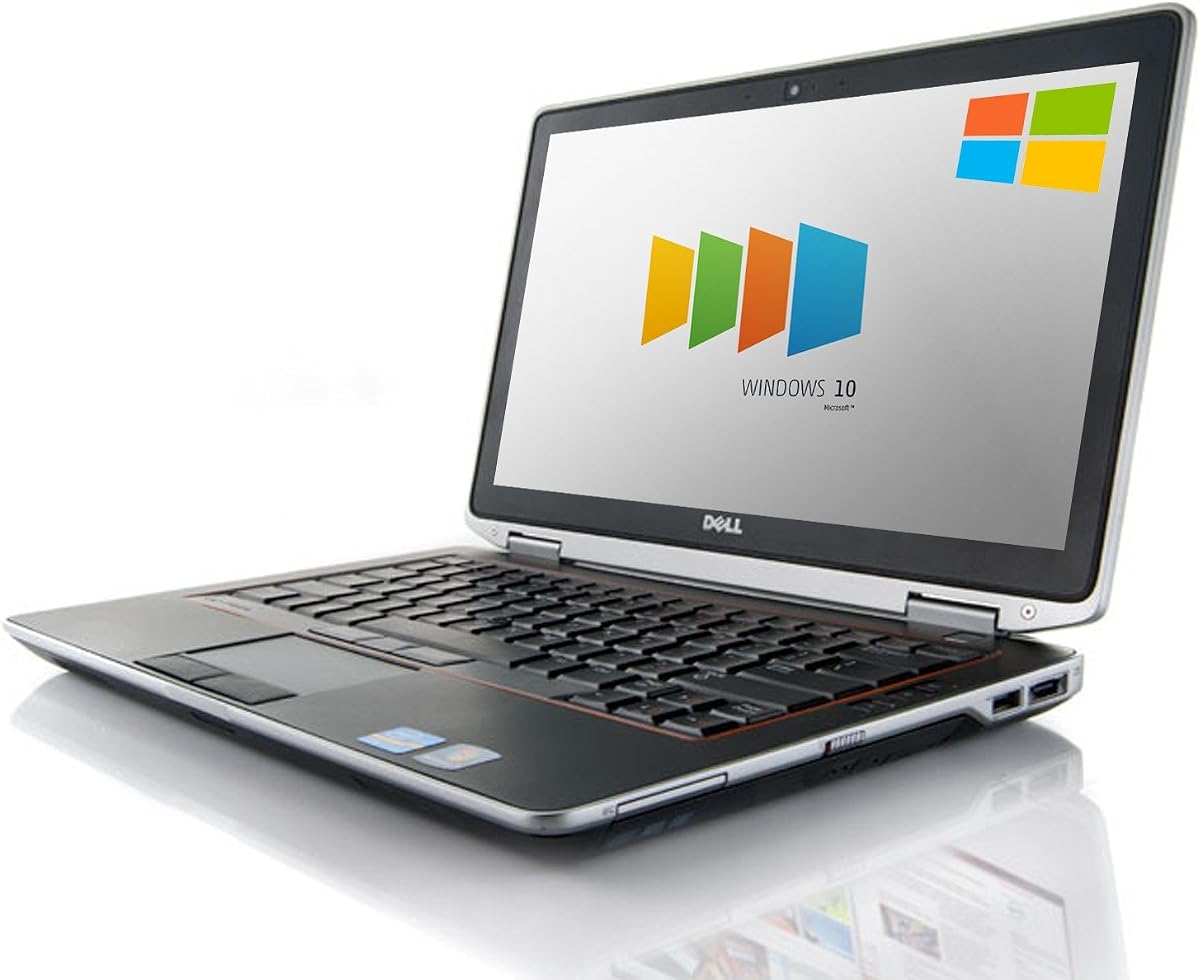
Dell Latitude E6520 Renewed
3.8Editor score
Intel Core i7 2620M
Built-in DVD Drive
Affordable Renewed Option
Finding a laptop with a built-in or external DVD drive is increasingly difficult as modern devices prioritize slim designs. However, many professionals and students still rely on optical discs for software installation, media playback, and data archiving. This guide helps you navigate the limited options available today.
We evaluated ten distinct laptop models that support DVD functionality through internal slots or included external drives. Our comparison focuses on performance, display quality, connectivity options, and overall value for money. We analyzed specifications from leading brands to ensure you get a reliable machine for your specific needs.
Each product pick highlights key features like processor speed, RAM capacity, and storage options alongside the essential optical drive capability. Please note that prices and availability can change frequently on retail platforms. Always verify the current details before making your final purchase decision to ensure you get the best deal available.
3.8Editor score

4.5Editor score

3.9Editor score
As an Amazon Associate we earn from qualifying purchases.
The following table provides a side-by-side comparison of all ten laptops selected for this guide. It highlights the core specifications including processor type, memory amount, storage capacity, and optical drive availability to help you make an informed decision based on your technical requirements.


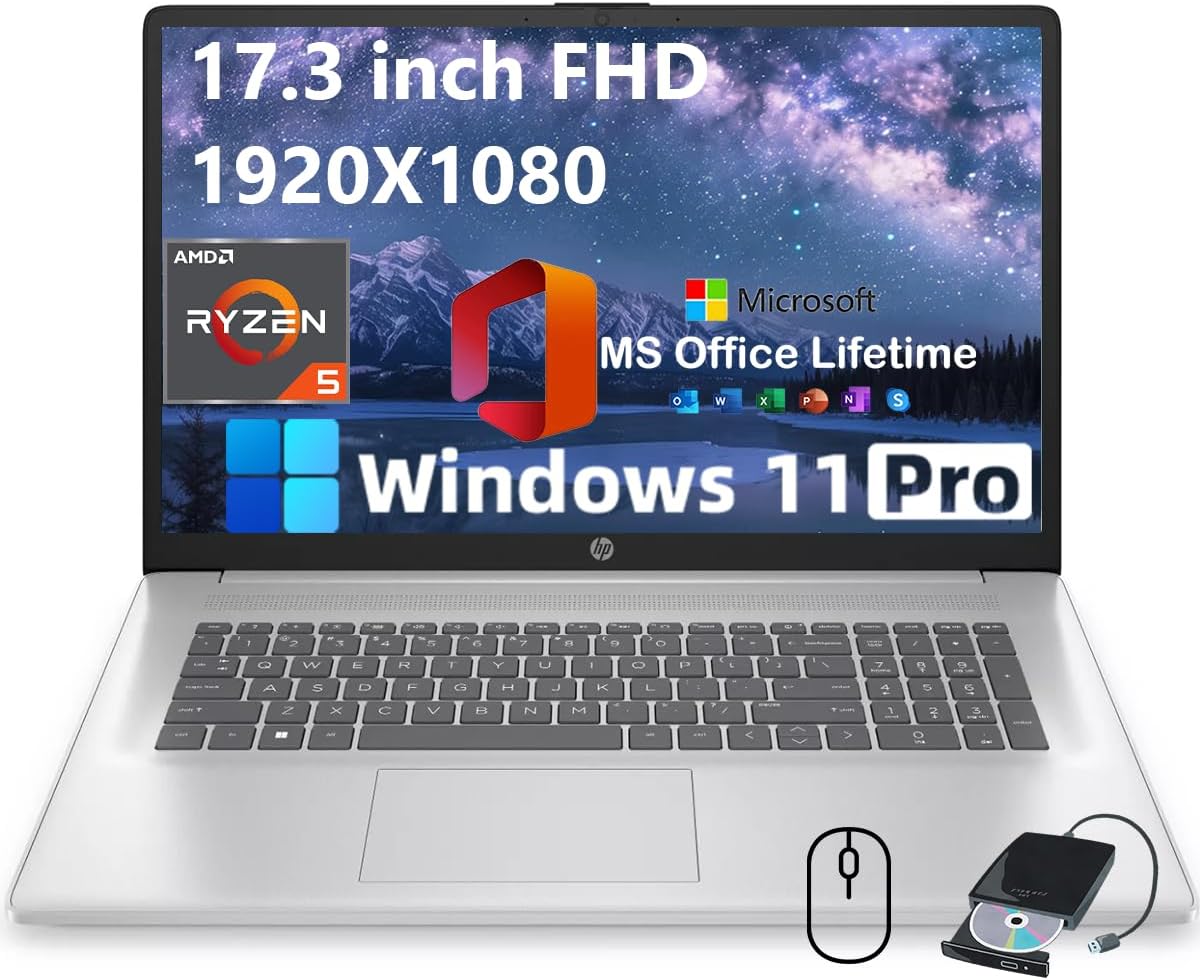


The HP 17.3 Business Laptop Computer stands out as a top choice for users requiring optical media capabilities without sacrificing modern performance. It features a powerful AMD Ryzen 5 processor paired with ample RAM and storage to handle multitasking efficiently. The inclusion of an external CD/DVD drive ensures compatibility with legacy software and physical media collections.
We may earn a commission when you buy through this link, at no additional cost to you.
This laptop delivers a robust experience for professionals and students alike. The large 17.3 inch Full HD display provides ample screen real estate for productivity tasks and media consumption. Pre-installed Microsoft Office and Windows 11 Pro offer immediate readiness for work environments. Connectivity is excellent with Wi-Fi 6 and a variety of ports for peripherals.
While the external drive is a minor inconvenience compared to a built-in slot, it allows for a slimmer chassis design. The performance is strong enough for everyday computing and light creative work. Users should appreciate the value provided by the bundled software and hardware accessories that come with the package.
For anyone needing a reliable machine with DVD support for business or educational purposes, this model is highly recommended. It balances power, screen size, and essential features effectively. We suggest verifying the current availability of the external drive accessory before finalizing your purchase to ensure full functionality.
The external CD/DVD drive connects via USB providing flexibility to use it only when needed. This design choice keeps the laptop lighter for travel while maintaining full optical media support for installation or playback tasks.
Microsoft Office Pro is included with a lifetime license which saves significant cost compared to separate subscriptions. This ensures you have all necessary tools for document creation and spreadsheet management right out of the box.
We may earn a commission when you buy through this link, at no additional cost to you.
The Lenovo 15.6 IdeaPad offers an accessible entry point for users seeking a laptop with DVD capabilities at a lower price. It is powered by an AMD Athlon processor which provides sufficient speed for basic web browsing and document editing. The bundle includes an external DVD player making it versatile for media needs.
We may earn a commission when you buy through this link, at no additional cost to you.
This device is well-suited for home use and light office tasks. The full-size numeric keypad aids in data entry and calculations. Storage is managed through a combination of internal SSD and an external portable drive offering flexibility for file management. Connectivity options include Wi-Fi 6 for faster internet speeds.
However, the 4GB of RAM may limit performance when running multiple applications simultaneously. The display resolution is standard HD which is adequate but not as sharp as Full HD options. Users with demanding multitasking needs should consider upgrading RAM if possible or keeping background tasks minimal.
For budget-conscious buyers who prioritize optical drive access over high-end specs, this laptop is a solid choice. It covers the essentials for everyday computing and media playback effectively. We recommend using the included external storage to maximize the available space for your files and applications.
The package includes essential accessories like an external DVD player and portable storage drive. This reduces the need for additional purchases and ensures you have everything needed to start using the laptop immediately.
The keyboard features a dedicated numeric keypad which is rare on compact laptops. This design improves typing efficiency for spreadsheets and numerical data entry without needing to use the number row.
We may earn a commission when you buy through this link, at no additional cost to you.
The HP 17.3 FHD Laptop targets professionals and students who need robust security and performance alongside optical media support. It runs Windows 11 Pro which offers advanced features like BitLocker encryption and remote desktop access. The AMD Ryzen 5 processor ensures smooth multitasking for demanding workflows.
We may earn a commission when you buy through this link, at no additional cost to you.
Privacy is a key consideration for this model featuring a physical shutter for the webcam. This allows you to physically block the camera when not in use ensuring peace of mind during meetings. The display is an IPS panel providing good viewing angles and color consistency for visual work.
The external DVD drive is a necessary compromise for maintaining a portable form factor. While it requires a USB port it does not add significant weight to the laptop itself. Users should note that battery life may vary depending on usage intensity and peripheral connection.
Ideal for business environments where security and reliability are paramount this laptop delivers a comprehensive package. The combination of Pro OS features and hardware security elements makes it stand out. We recommend checking the warranty terms carefully as these configurations can vary by specific seller listing.
Windows 11 Pro provides enterprise-grade security tools that are essential for protecting sensitive business data. The privacy shutter adds a physical layer of protection for your video calls without relying on software settings.
The 17.3 inch IPS display offers vibrant colors and sharp text which reduces eye strain during long work sessions. Anti-glare coating helps maintain visibility even in bright office environments or near windows.
We may earn a commission when you buy through this link, at no additional cost to you.
This HP model stands out primarily due to its generous memory and storage configuration. It comes equipped with 32GB of RAM which is exceptional for this price range allowing for extensive multitasking. The 1TB SSD provides ample space for large files and rapid data access speeds.
We may earn a commission when you buy through this link, at no additional cost to you.
While the processor is an Intel Core i3 which is designed for efficiency the high RAM compensates by keeping applications running smoothly in the background. Windows 11 Pro is pre-installed providing access to professional features and AI tools like Copilot. The privacy shutter on the camera enhances user security.
Note that the product description mentions an external DVD drive capability via port usage though it may not be bundled in every listing. Buyers should verify if the optical drive is included in the specific purchase to avoid confusion. This machine is best for users who prioritize storage capacity and memory over raw CPU power.
For students or professionals dealing with large datasets or multiple browser tabs this laptop offers excellent utility. The large SSD reduces the need for external hard drives for everyday storage needs. We suggest confirming the exact package contents before ordering to ensure all desired accessories are present.
With 32GB of RAM you can run heavy applications and multiple virtual machines without slowdown. This specification is rare in consumer laptops and provides significant headroom for future software updates.
The 1TB SSD ensures that boot times and file transfers happen quickly. It also eliminates the noise and moving parts associated with traditional hard drives leading to a quieter and more reliable experience.
We may earn a commission when you buy through this link, at no additional cost to you.
This HP laptop is designed for business users who need a balanced set of features including optical media support. It shares the Ryzen 5 processor found in other models ensuring consistent performance across the brand lineup. The external DVD drive is included which simplifies setup for users needing to read discs.
We may earn a commission when you buy through this link, at no additional cost to you.
The 16GB of RAM provides a comfortable level of memory for daily tasks and moderate multitasking. Windows 11 Pro brings enhanced security and management tools that are beneficial for corporate environments. The display is anti-glare which helps reduce eye strain during long work hours.
While the specs are similar to other options in this list the bundled software and hardware accessories add value. The Office license alone represents a significant cost saving for individual buyers or small businesses. Users should ensure they have a USB port available for the external drive.
A solid choice for those seeking a reliable workhorse with optical drive access this model meets professional needs well. The combination of build quality and feature set makes it a competitive option in the market. We recommend comparing current pricing with similar configurations to ensure you get the best value.
Windows 11 Pro offers tools like BitLocker and Remote Desktop which are essential for secure business operations. This laptop is pre-configured to take advantage of these features without requiring additional setup.
The inclusion of an external DVD drive and office software saves time and money. It ensures you have everything needed to work immediately without searching for additional peripherals or licenses.
We may earn a commission when you buy through this link, at no additional cost to you.
The HP 17 Laptop Computer offers a strong balance of performance and features suitable for both business and academic use. It features the same AMD Ryzen 5 processor and 16GB RAM configuration as the top pick ensuring reliable performance. The external CD/DVD drive is provided to meet optical media requirements.
We may earn a commission when you buy through this link, at no additional cost to you.
Visual quality is ensured with a 17.3 inch Full HD IPS display. The anti-glare coating helps maintain clarity in various lighting conditions which is helpful for students working in different environments. Connectivity includes essential ports for peripherals and high-speed wireless internet.
As with other models in this category the external drive is a minor inconvenience but necessary for portability. The overall build quality and feature set align well with the price point. Users should expect standard battery life typical for this class of laptop.
This machine is a safe recommendation for anyone needing a dependable laptop with DVD capabilities. It covers the basics thoroughly without unnecessary bloat. We suggest reviewing the specific bundle contents as sometimes the mouse or other accessories may vary by seller.
The Ryzen 5 processor handles everyday tasks with ease ensuring a smooth user experience. The 16GB RAM prevents slowdowns when switching between applications or using multiple browser tabs.
The IPS technology provides wide viewing angles which is useful for collaborative work. The screen brightness is sufficient for indoor use and the anti-glare coating reduces reflections from overhead lights.
We may earn a commission when you buy through this link, at no additional cost to you.
This Dell Latitude model is a refurbished option that features a built-in DVD drive which is a rare find in modern devices. It offers a traditional laptop form factor with a dedicated optical slot for convenience. The processor is an older Core i7 which is still capable of basic tasks.
We may earn a commission when you buy through this link, at no additional cost to you.
The unit comes with Windows 10 Pro and 8GB of RAM allowing for functional performance for light workloads. The SSD improves boot times significantly compared to older hard drive models. Connectivity includes VGA and HDMI which supports older monitors and projectors often used in offices.
Buyers should be aware that this is a renewed product meaning it has been refurbished to look and work like new. There may be minor signs of wear and the software is older than current standards. It is a good choice for those on a strict budget needing optical functionality.
Ideal for legacy software access or basic office tasks this laptop offers value despite its age. The built-in drive eliminates the need to carry an external peripheral. We recommend ensuring you are comfortable with Windows 10 before purchasing as Windows 11 is not officially supported.
Having a physical drive built into the chassis provides a seamless user experience. You can insert discs directly without plugging in cables or managing external devices.
Dell Latitude series is known for its durability and build quality. Even as a renewed unit the chassis should be sturdy enough for regular use and travel.
We may earn a commission when you buy through this link, at no additional cost to you.
The Dell Latitude D531 is a vintage laptop that includes a built-in DVD/CDRW optical drive. It represents an older era of laptop design where optical media was standard. The hardware is quite dated with a dual core processor and limited memory which restricts modern software compatibility.
We may earn a commission when you buy through this link, at no additional cost to you.
This device is suitable only for very specific legacy use cases such as running old software or reading old discs. The hard drive is small by today standards so storage is limited. Windows Vista is the original OS though upgrading may be possible depending on needs.
Due to its age performance will be slow by current standards. It is not recommended for general web browsing or modern media consumption. However for collectors or specific archival tasks it might still serve a purpose.
Recommend this only if you have a specific need for a legacy machine with an optical drive. The build quality is typical for older business laptops but expect reduced efficiency. We strongly suggest checking system requirements before attempting to run any specific applications.
This laptop uses older architecture that is not efficient by modern standards. It serves best for archival purposes or retro computing experiments.
The built-in drive supports both reading and writing to discs which was a key feature at the time. It remains a reliable way to access physical media without needing extra adapters.
We may earn a commission when you buy through this link, at no additional cost to you.
This Dell E6520 model is a refurbished unit that retains a built-in DVD drive and a Core i7 processor. It offers a cost-effective solution for users who need optical media access without buying a new machine. The processor is from an older generation but still provides decent performance for basic tasks.
We may earn a commission when you buy through this link, at no additional cost to you.
Storage is provided by a 500GB hard drive which offers plenty of space but lacks the speed of an SSD. The system comes with Windows 10 Professional which is still functional for many business applications. Connectivity includes HDMI and VGA for various display options.
While it may not match the speed of modern SSDs the HDD is sufficient for storing large amounts of data and files. The price point is very competitive compared to new laptops with optical drives. Users should expect some noise from the mechanical drive during operation.
For budget buyers needing a physical drive slot this is a practical choice. The refurbished process ensures it works like new with a limited warranty. We recommend considering an SSD upgrade if speed is a priority for your daily workflow.
The 500GB hard drive allows for significant local storage of documents and media files. While not as fast as an SSD it provides a large footprint for data at a lower cost.
The inclusion of VGA ports allows connection to older projectors or monitors. This makes it a versatile choice for legacy office environments that have not upgraded display equipment.
We may earn a commission when you buy through this link, at no additional cost to you.
The Lenovo IdeaPad 15.6 is an affordable option that includes a built-in DVD/CDRW drive. It balances low cost with the inclusion of an SSD which improves boot speeds compared to older models. The processor is an AMD A9 which is suitable for basic computing tasks.
We may earn a commission when you buy through this link, at no additional cost to you.
This laptop is ideal for students or home users who need occasional optical access. The SSD provides a snappy experience for startup and opening common applications. The design is sleek and portable making it easy to carry around.
While the memory is limited to 4GB it is manageable for light usage. The display is HD which is acceptable for general viewing. Windows 10 is the pre-installed OS but it can still run many modern applications efficiently.
For those needing a budget-friendly device with an optical drive this model is a strong contender. It avoids the need for external accessories while keeping the price low. We advise ensuring your software requirements are met by the available hardware before purchasing.
The combination of SSD storage and optical drive at this price is rare. It offers a complete package for basic computing needs without requiring additional purchases.
The thin profile and lightweight design make it easy to transport. You get optical functionality without the bulk of a desktop tower or heavy workstation.
We may earn a commission when you buy through this link, at no additional cost to you.
Selecting a laptop with DVD capabilities requires careful consideration of several technical and practical factors. This guide outlines the key elements to evaluate before making your purchase.
Modern laptops rarely include built-in drives so you must decide between a physical slot or an external USB drive. External drives are portable but add weight and require a spare USB port. Built-in drives offer convenience but often result in a thicker chassis.
Evaluate how often you use discs to choose the right type. If daily access is needed a built-in drive is preferable. Occasional use might make an external model more practical for travel.
Ensure the processor is powerful enough to handle your typical workload alongside media playback. AMD Ryzen 5 or Intel Core i5 processors generally provide a good balance of speed and efficiency for multitasking.
Look for multi-core options to ensure smooth performance when running multiple applications. This prevents slowdowns when working on documents while playing media from a disc.
Aim for at least 8GB of RAM to keep your system responsive. SSDs are highly recommended over traditional hard drives for faster boot times and better reliability.
Sufficient storage space is crucial for saving your files and media collections. An SSD with 256GB or more ensures your system runs efficiently without filling up quickly.
Since you are using the laptop for media consider a Full HD display with good viewing angles. IPS panels are superior for color accuracy and brightness compared to standard TN panels.
An anti-glare coating is beneficial if you work in bright environments. It reduces reflections and makes reading text and watching videos more comfortable.
Windows 11 is the current standard but many refurbished models come with Windows 10. Ensure the OS is supported for security updates to protect your data and system.
Check for compatibility with your essential software before buying. Some legacy applications may run better on older OS versions but you should balance this with security needs.
Check that the laptop has enough ports for your peripherals including the DVD drive. USB 3.0 or USB-C ports are essential for fast data transfer and power delivery.
Wi-Fi 6 connectivity is desirable for modern internet speeds. It ensures you can stay connected when not using optical media for data transfer.
Consider the weight and size of the laptop if you plan to travel with it frequently. A 15.6 inch model is more portable than a 17.3 inch version which may be heavier.
Look for a durable build quality that can withstand daily use. Business class laptops typically offer better chassis strength and hinge durability.
Set a clear budget based on your needs. New laptops with optical drives are often priced higher than refurbished models. Refurbished units can offer significant savings if you are comfortable with older hardware.
Compare the total value including included software and accessories. Bundled Office licenses or external drives can add substantial value to the final price.
Proper care of your optical drive extends its lifespan and ensures reliable disc reading. Keep the drive clean by avoiding dust and debris that can accumulate in the slot. If using an external drive always handle the USB connector gently to prevent bending or breaking.
When inserting discs ensure they are clean and free of scratches. Dirty or damaged discs can cause read errors or potentially damage the laser mechanism over time. Use a soft microfiber cloth to wipe discs from the center outward.
Update your laptop drivers regularly to maintain optimal performance for the optical drive. Manufacturers occasionally release firmware updates that improve compatibility with new disc formats. This simple maintenance step can prevent many common playback or burning issues.
No most modern laptops do not include built-in optical drives. Many models sold with this capability actually use external USB drives to maintain a slim design. Always check the product description carefully to see if the drive is internal or external.
Windows 11 does not include native DVD playback software so you may need to install a third-party media player. Programs like VLC Media Player are free and capable of playing most disc formats without issues.
A DVD drive typically reads discs while a DVD RW drive can both read and write data to discs. If you need to create backup discs or install software from blank media ensure the drive is RW compatible.
External drives connect via USB which can be slightly slower than internal connections but the difference is minimal for playback. For data transfer the speed depends on the USB version used such as USB 3.0 versus USB 2.0.
Refurbished laptops can be a great value if bought from a reputable seller. They offer significant savings on hardware that has been tested and certified. However you may face limitations on OS support or battery life.
Visit the manufacturer's support website and download the latest drivers for your specific model. You can also use Windows Update which often installs generic drivers that work well for optical drives.
Most external drives are compatible with any laptop having a USB port. However ensure the laptop has enough power output for the drive if it does not have its own power supply. USB 3.0 ports are generally preferred.
We have reviewed ten distinct options that cater to various needs ranging from modern business laptops to budget refurbished models. The HP 17.3 Business Laptop Computer stands out for its balance of power and included accessories making it a top pick.
When selecting your machine prioritize the type of optical drive that fits your workflow. An external drive offers flexibility while a built-in slot provides convenience. Ensure your memory and processor meet the demands of your daily software usage.
Always check current prices and availability as deals change frequently. Verify the included software and accessories before finalizing your purchase to avoid unexpected costs. With the right choice you can enjoy modern laptop performance with essential optical capabilities.