
DJI Osmo Mobile 8
4.4Editor score
Native tracking with audio and lighting
Seamless 360 pan rotation
Ten hour battery life
This guide compares the top 10 gimbals for beginners based on stabilization, ease of use, battery life, and features to help you choose the right phone
Finding the right gimbal for beginners can transform your mobile videography instantly. You need steady footage without complex setups or expensive gear. A good stabilizer smooths out shakes and lets you focus on framing your shot perfectly.
We analyzed ten leading models to find the best options for new creators. Our comparison covers stabilization quality, battery endurance, app features, and overall build. Each pick offers distinct advantages for different shooting styles and budgets.
Every section below highlights key specs and real-world performance insights. We explain why each model stands out and who it suits best. Remember that prices and availability change often so check current listings before buying.
4.4Editor score

4.2Editor score
4.7Editor score
This side by side comparison lists every model we reviewed with key specifications. It helps you quickly identify which features match your needs without reading full reviews first.


The DJI Osmo Mobile 8 leads our list with top tier stabilization and smart features. It offers seamless 360 pan rotation and native tracking that keeps subjects in focus effortlessly. Users appreciate its ergonomic grip and built-in tripod for flexible shooting angles without extra gear. This model shines for those wanting professional results from a smartphone without steep learning curves.
We may earn a commission when you buy through this link, at no additional cost to you.
Its robust 3-axis stabilization ensures smooth footage even during active motion like jogging or skating. The integrated extension rod and selfie stick allow for wide travel shots and group selfies easily. With a 10-hour battery life you can shoot all day without interruptions. The ability to charge your phone while filming makes it ideal for travel and events.
Trade-offs include occasional app availability issues on some platforms but updates are available on official channels. The price is higher than budget models but justified by advanced tools like active audio reception and lighting. For serious creators prioritizing quality and convenience this remains a compelling investment.
Buyers seeking an all-in-one smartphone stabilizer will find this model ideal for vlogs and social content. It balances performance with ease of use better than most competitors. We recommend checking the official DJI website for app support before purchase.
Active tracking follows subjects smoothly even during fast movement thanks to advanced algorithms.
The ten hour battery combined with charging capability ensures no downtime during long shoots.
We may earn a commission when you buy through this link, at no additional cost to you.
The hohem iSteady X3 SE is an excellent budget friendly choice that does not compromise on core functionality. It features advanced stabilization technology that keeps footage smooth during outdoor adventures. The detachable remote control allows for creative selfies and group shots without needing to touch the device. Many users find it simple to set up and operate right out of the box.
We may earn a commission when you buy through this link, at no additional cost to you.
Weighing less than a pound this gimbal folds into a pocket sized tool ideal for travelers. It offers 11 hours of continuous operation so you can capture events without fear of power loss. The app provides intuitive tracking modes and creative templates to enhance video quality quickly. High payload capacity handles most modern smartphones securely without strain.
While it lacks some advanced features like integrated lighting it delivers reliable performance for everyday content creation. The remote range is useful for hands free recording but may have connectivity limits in crowded areas. This model prioritizes practicality and ease of use over complex professional tools.
Beginners looking for a reliable entry level stabilizer should consider this option highly. It offers a gentle learning curve with enough features to grow into over time. The combination of price and performance makes it a standout value in this category.
The detachable magnetic remote allows you to control recording from up to 32 feet away.
Its lightweight foldable design fits easily into bags making it perfect for on the go filming.
We may earn a commission when you buy through this link, at no additional cost to you.
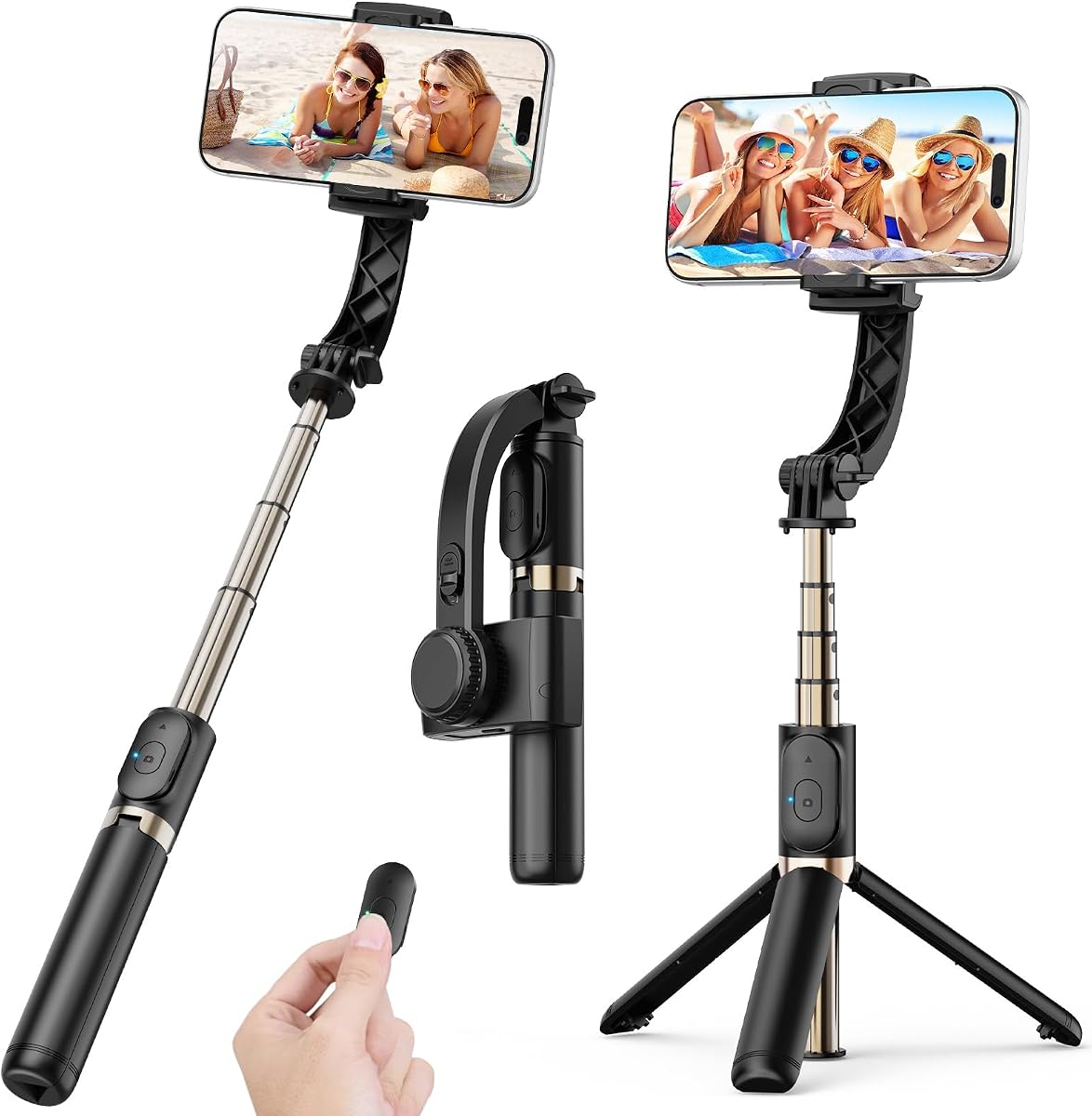
The COOVOAMAE Gimbal Stabilizer offers a simplified approach to smooth video without complex setups. It uses a built-in gyroscope to reduce hand shake effectively for casual recording. Users love the app-free operation which saves time and avoids compatibility issues. Its extendable design transforms from a handheld gimbal into a long selfie stick effortlessly.
We may earn a commission when you buy through this link, at no additional cost to you.
Weighing under half a pound it is incredibly portable for daily use or travel. The included Bluetooth remote works well for group shots or timed recordings from a distance. Battery life is shorter at two hours but sufficient for short shoots or streaming sessions. The tripod mode adds versatility for hands free calls or tutorials.
While it lacks three axis stabilization it handles basic movements well enough for social media content. The aluminum alloy build is durable yet light making it comfortable for extended use. Beginners who want smooth results without technical learning will appreciate this straightforward tool.
This model is ideal for those just starting out with a minimal budget. It proves you do not need expensive gear to improve video quality immediately. For users needing more advanced tracking features a higher tier model may be required later.
One button controls let you switch between horizontal and vertical shots without installing software.
It doubles as a tripod and selfie stick giving you more shooting angles without extra gear.
We may earn a commission when you buy through this link, at no additional cost to you.
The DJI Osmo Mobile 7 focuses on providing stable footage with minimal weight and hassle. At just 300 grams it is easy to hold for extended periods without wrist strain. It features ActiveTrack 7.0 for reliable subject tracking across various scenarios. The integrated foldable design with a built-in tripod makes solo creation simple and storage easy.
We may earn a commission when you buy through this link, at no additional cost to you.
Users can shoot like pros from day one thanks to ShotGuides and one-tap editing features in the app. This helps beginners create polished content quickly without extensive editing skills. Battery life matches the industry standard at 10 hours and includes phone charging via USB-C. The anti-slip handle ensures secure grip even during active movement.
Some users report app compatibility issues with Google Play but alternatives are available through official channels. While it does not have audio or lighting add-ons it excels at core stabilization performance. The price point reflects its position as a mid tier reliable option.
Those prioritizing portability and ease of use will find this model very appealing. It bridges the gap between basic stabilizers and high end professional tools. For vloggers who need a compact tool this is a strong candidate.
Built-in tripod and foldable design allow you to set up shots anywhere without help.
ShotGuides and one-tap editing streamline the process of making professional looking videos.
We may earn a commission when you buy through this link, at no additional cost to you.
The DJI Osmo Mobile 7P adds versatile tools to the standard stabilizer experience. It comes with a multifunctional module that packs tracking and mic reception into one compact unit. Users appreciate the magnetic design that allows for quick phone mounting and app launch. This setup is great for streamers who need audio without external gear.
We may earn a commission when you buy through this link, at no additional cost to you.
The built-in extension rod enables wide selfies and steady vlogs without extra equipment. With 10 hours of operation it supports long sessions or events comfortably. Dual-lens enhanced tracking keeps subjects in focus even during close-up fast action. The module can even power your phone while acting as a mic receiver.
The main trade-off is the added cost of the module and extra weight on the handle. While performance is strong users must manage the added complexity of the accessory. It is a good choice for those needing audio and lighting in a single solution.
Content creators focusing on streaming or live content will benefit most from this model. It offers flexibility that standard gimbals do not provide without buying separate attachments. We recommend it for users ready to upgrade their production quality.
The multifunctional module enables mic reception so you get clear audio without external mics.
Magnetic phone mounting makes setup faster and more intuitive for on the go creators.
We may earn a commission when you buy through this link, at no additional cost to you.
The AOCHUAN Smart XE brings 3-axis stabilization to a budget friendly package. It weighs only 0.78 pounds and folds to a size that fits in a pocket easily. This makes it ideal for travelers who need professional stabilization without heavy gear. The included focus wheel gives users precise control over their shots intuitively.
We may earn a commission when you buy through this link, at no additional cost to you.
It supports up to 250 grams payload which fits most modern smartphones securely. The app provides AI face tracking and several shooting modes for creative work. Battery life reaches 10 hours so you can film events without charging concerns. Users find it straightforward to switch between landscape and portrait quickly.
Build quality is acceptable for the price but lacks premium materials found on higher tier models. Some users report the app can lag or have learning curves initially. However the stabilization results are solid for most casual and semi pro use cases.
If you need reliable 3-axis stabilization on a tight budget this is a great option. It balances cost and performance well for those starting out in videography. We suggest testing the app features early to ensure they meet your workflow.
The foldable design makes it easy to carry in a bag or even a large coat pocket.
Focus wheel and zoom slide allow for adjustments without touching your phone screen.
We may earn a commission when you buy through this link, at no additional cost to you.
The DJI RS 3 Mini is designed for users transitioning to mirrorless camera setups. It handles up to 2 kg of camera gear while remaining under 800 grams itself. This balance makes it portable enough for travel and professional work alike. A 1.4 inch touchscreen simplifies access to settings without looking at your phone.
We may earn a commission when you buy through this link, at no additional cost to you.
Its Bluetooth shutter control automatically reconnects so you can capture photos easily. The 3rd-Gen algorithm ensures stable shots even in low angle or flashlight modes. Vertical shooting support helps creators make social media content without rotating manually. Users praise its intuitive design that reduces setup time significantly.
The main limitation is its intended use with cameras not phones limiting general beginner use. It is a premium tool that requires compatible camera gear to justify the investment. However for those seeking professional results from a mirrorless rig it is top tier.
Beginners investing in dedicated camera gear should look at this stabilizer for longevity. It offers features that grow with your skills unlike entry level phone gimbals. Check your camera compatibility before purchasing to ensure a smooth experience.
The high torque motors support a wide range of lens and camera combinations.
Access settings quickly via the compact full color display on the handle.
We may earn a commission when you buy through this link, at no additional cost to you.
The hohem iSteady Mobile Plus stands out with its unique ultra wide angle mode. This feature prevents motor interference so you get a full view without obstructions. It also offers 13 hours of battery life one of the longest in its class. The 3D fantasy auto rotation mode adds creative flair to your shots instantly.
We may earn a commission when you buy through this link, at no additional cost to you.
It handles larger smartphones like the iPhone 15 Pro Max with increased motor torque. Users can activate wide mode with a simple trigger press during filming. The gimbal can also act as a power bank to keep your phone charged longer. This is useful for events where power sources are scarce.
Manual balancing is required and can be tricky with heavier phones. The app is feature rich but has a steeper learning curve than competitors. Some users may find the controls less intuitive at first glance.
Creative vloggers wanting unique angles will love the wide and rotation features. It offers tools that differentiate it from standard stabilization only gimbals. For travelers needing power and performance this is a strong contender.
The inception mode rotates your phone 360 degrees for dramatic cinematic effects.
Use the built in battery to charge your device while recording long events.
We may earn a commission when you buy through this link, at no additional cost to you.
The FeiyuTech SCORP Mini 2 Kit provides everything you need in one box. It includes a carrying case and extension rod for extra versatility out of the box. The AI tracker works independently so you do not need an app for basic tracking. It supports mirrorless cameras smartphones and action cameras giving you flexibility.
We may earn a commission when you buy through this link, at no additional cost to you.
A 1.3 inch touchscreen simplifies settings access at low angles without bending over. Bluetooth and cable control allow for quick adjustments during shoots. Weighing 852 grams it is manageable for handheld use despite its robust capabilities. Users appreciate the build quality and comprehensive kit contents.
This unit is heavier than phone specific models which may limit all day comfort. The price reflects its broader compatibility but may be overkill for casual phone use. It is a good middle ground for creators wanting to grow into camera work.
Buyers wanting a complete package without buying accessories separately will appreciate this value. The included case protects your investment and makes transport easier. For those seeking a versatile tool this kit is a smart choice.
The package includes extension rod and carrying case ready for travel immediately.
Use this with your phone mirrorless camera or action camera for varied projects.
We may earn a commission when you buy through this link, at no additional cost to you.
The Hohem iSteady M6 stands out with its magnetic fill light feature. It allows color temperature adjustment for cold warm and RGB lighting directly. The OLED display visualizes status info like battery and mode at a glance. A versatile control wheel lets you adjust focus and light settings smoothly.
We may earn a commission when you buy through this link, at no additional cost to you.
It supports up to 400 grams payload which covers most smartphones with accessories. The stabilization is reliable during active motion thanks to advanced algorithms. Users can control their phone camera without opening apps via Bluetooth integration. This model is great for creators who want better lighting without extra gear.
The added light and features increase the price and total weight slightly. While powerful it is a step up from basic entry level models. Those needing professional results for social content will value the lighting tools.
If you shoot often in low light or need color control this is a smart choice. It offers features that make a real difference in video quality. We recommend it for serious beginners ready to upgrade.
Adjust color and intensity with a magnetic light module for better exposure.
OLED display shows battery and settings clearly during operation for quick checks.
We may earn a commission when you buy through this link, at no additional cost to you.
Selecting the right stabilizer depends on your gear and budget. Below are key factors to consider before buying.
Three-axis gimbals provide the smoothest results by correcting movement on all planes. Beginners often find this necessary for high quality video. However single axis models offer simplicity and lower cost for basic needs. Choose based on how smooth you need your final footage to be.
Focus on 3-axis systems if you prioritize professional look videos.
Look for at least 10 hours of runtime for full day shoots. Shorter batteries may interrupt long recordings unexpectedly. Some models can charge your phone as you film which adds convenience. Consider how long you typically shoot in one session.
Prioritize models with 10+ hours for uninterrupted use.
A portable gimbal is easier to carry all day without fatigue. Lighter models under one pound are ideal for travel and vlogs. Foldable designs save space in your bag when not in use. Balance weight against payload capacity for your device.
Choose a lightweight foldable unit for maximum portability.
Ensure the clamp fits your phone size and weight securely. Check if it supports your device model especially larger Pro Max versions. Some work with action cameras or small mirrorless cameras too. Verify limits before buying to avoid issues.
Confirm your phone fits within the payload limits first.
An intuitive app helps beginners unlock advanced shooting modes easily. Look for tracking gesture controls and templates. Some brands remove apps from stores so check support online. A good app enhances creativity without technical barriers.
Pick a brand with a reliable and active app.
Ergonomic grips reduce hand strain during long use. Physical buttons or touchscreens should be accessible while filming. Build quality should withstand drops or bumps from travel. Durability ensures your investment lasts longer over time.
Feel the build quality if you can before buying.
Extras like extension rods tripods or lights add versatility. Kits often provide better value than buying parts separately. Consider if you need these features immediately or later. More accessories increase utility but also cost.
Check if the kit includes useful add-ons you want.
Prices vary widely based on features and brand. Entry level models work for casual users while premium offers pro tools. Decide how much you are willing to invest. Higher cost often means better software and durability.
Set a budget that matches your expected use case.
Start by balancing your phone on the clamp using the sliders. Ensure the motors feel neutral before powering on. This ensures smooth operation and reduces motor strain.
Always update your gimbal firmware and app before shooting. Check battery levels to avoid mid shoot power loss. Keep spare batteries handy if available for long days.
Clean the motors and clamp gently with a soft cloth. Store it folded in a protective case to prevent dust. Avoid extreme heat or moisture to extend its lifespan.
Not always. Some models work without apps for basic stabilization. But advanced features like tracking usually require an app. Check compatibility before buying if you dislike apps.
Most can but cases add weight which may exceed limits. Check your device weight including the case. If it fits in the payload range it should work fine.
Most offer between 8 to 15 hours per charge. Look for models that can charge your phone too. This extends your total filming time without carrying a power bank.
Yes it gives smoother results than single axis units. Beginners see better footage instantly with three axes. It is the standard for professional looking mobile video.
Some models have zoom wheels or app controls. This lets you zoom without touching your phone. It prevents shakes when changing focal lengths manually.
Fold it up if possible and use the included case. Keep it dry and away from dust. Storing it balanced reduces motor strain over time.
Some have built in lights like the M6 model. Without light you may need a separate lamp. Gimbals help steady shots even if lighting is dim.
Pick foldable and lightweight models for travel. Look for units that fit in a carry on. Some have tripods built in for hands free shots.
We highlighted ten models ranging from budget to premium with distinct strengths. Top picks include the DJI Osmo Mobile 8 for overall value and the hohem iSteady X3 SE for affordability.
Prioritize features that match your needs such as battery life or app support. Focus on stability and ease of use to grow your skills over time.
Prices change frequently so check current listings before buying. We update this guide regularly to reflect the latest options.