
8K 90 Degree DisplayPort 1.4 Adapter 2-Pack
4.4Editor score
Includes two adapters for flexibility
Supports 8K@60Hz video output
Gold plated connectors for durability
This guide compares the top 90 Degree Displayport Adapter and Cable models for 2026, evaluating resolution support, cable length, and build quality for your
Finding the right connection for your display is crucial for modern computing. A 90 Degree Displayport Adapter and Cable helps manage tight spaces behind monitors and PCs. It ensures your cable does not bend awkwardly, which can damage ports over time.
We evaluated ten leading products based on compatibility, build quality, and video performance. Each option supports high resolutions like 8K and 4K at high refresh rates. We looked at connectors, shielding, and length to find the best fits for every user.
Each pick shows specific strengths like angle direction, gold plating, or multi-pack value. Prices and availability change frequently so check current listings before buying. Our goal is to help you choose a reliable adapter that fits your specific setup needs.
4.4Editor score

4.8Editor score

4.5Editor score
We compared ten top rated 90 Degree Displayport Adapter and Cable options to help you choose the right fit. This table highlights key specs like resolution support, length, and connector type for quick review.
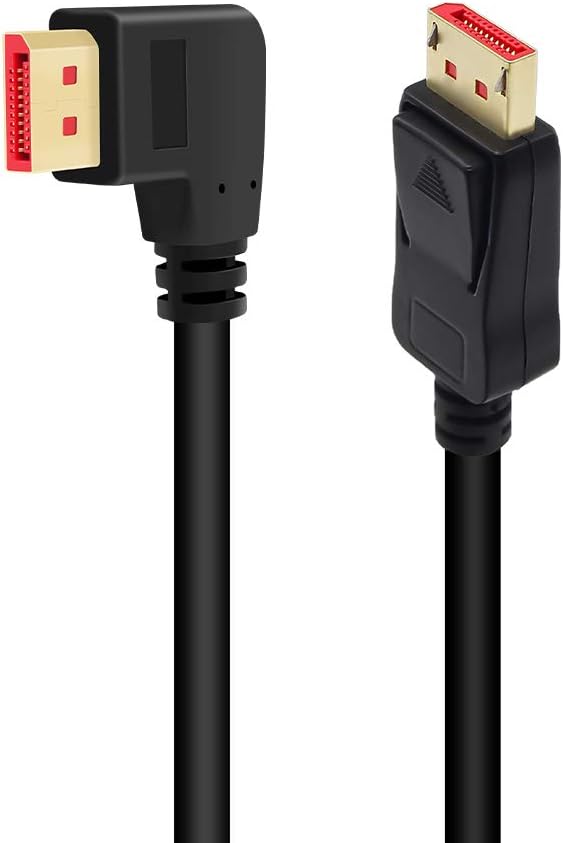

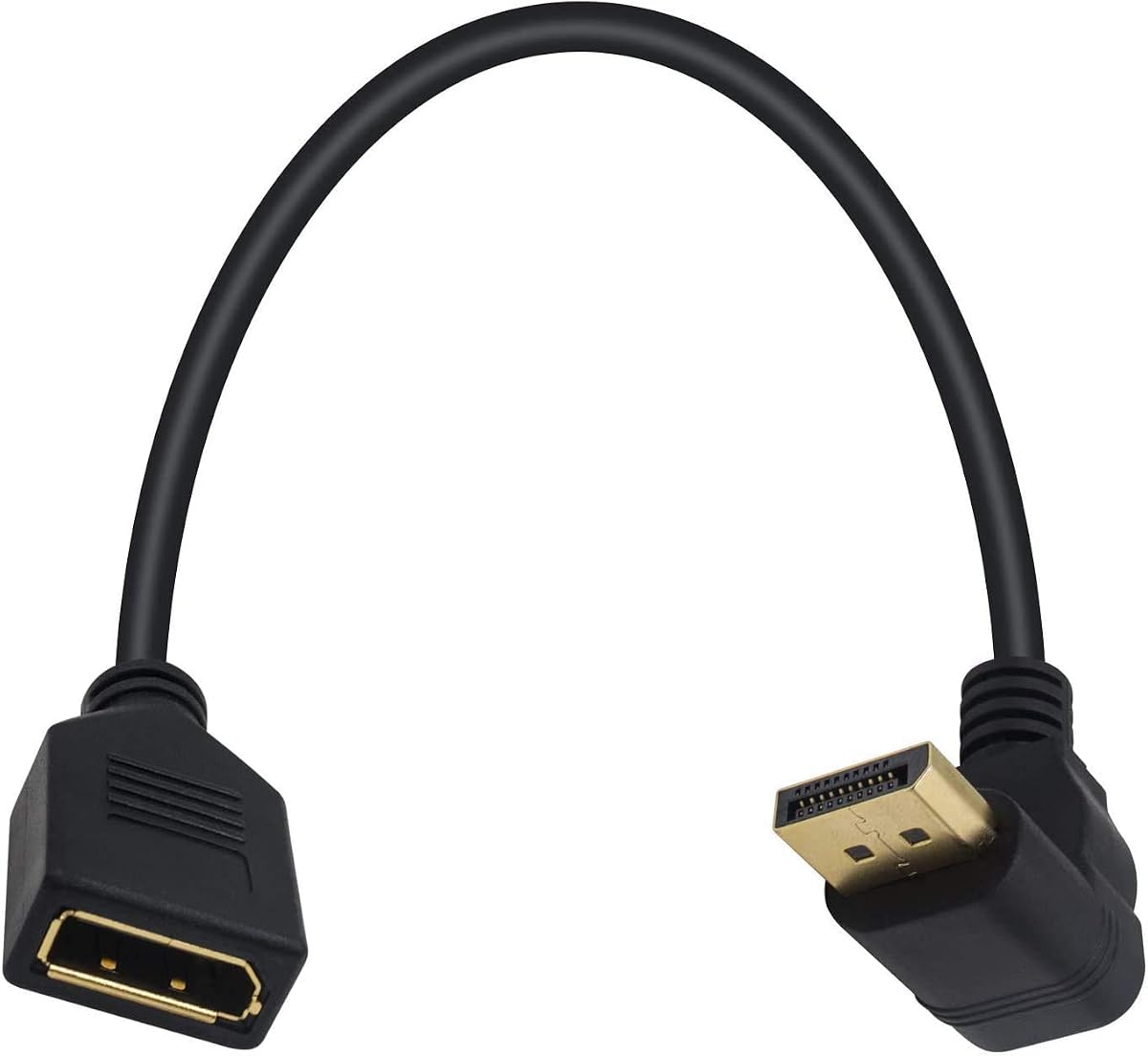


The Cable Matters adapter is our top choice for managing tight spaces with high performance. It supports 8K@60Hz and 4K@240Hz which makes it great for gaming and media. The 90 degree connector ensures cables do not bend awkwardly behind desks.
We may earn a commission when you buy through this link, at no additional cost to you.
This adapter delivers advanced DisplayPort 1.4 features like Variable Refresh Rate and Auto Low Latency Mode. These features ensure smooth gameplay without tearing or stuttering. Audio support includes Dolby TrueHD and Atmos for an immersive experience.
One trade-off is that the angle direction is fixed so you must choose up or down carefully. However, the compact design and high bandwidth capabilities make this a strong choice for modern setups. It minimizes strain on ports effectively.
Gamers and home theater users will appreciate the high refresh rates and audio features. If you need a reliable 90 Degree Displayport Adapter and Cable for a cramped setup, this model delivers premium performance and durability without hassle.
The 90-degree connectors are perfect for cramped entertainment centers and behind-wall TV setups. This design redirects cables to avoid obstructions or to make ports more accessible.
Support for Auto Low Latency Mode and Variable Refresh Rate ensures smooth high frame rate gaming. These features align with modern graphics cards and monitors for lag-free performance.
We may earn a commission when you buy through this link, at no additional cost to you.
This BolAAzuL cable offers a 6ft length which is ideal if your PC is far from your monitor. It supports 8K/60Hz and 4K/144Hz so it handles high resolution tasks well. The 90 degree design saves space while keeping cables organized.
We may earn a commission when you buy through this link, at no additional cost to you.
Build quality includes gold-plated connectors with a secure latch to prevent accidental disconnection. Bare copper conductors and foil shielding ensure stable transmission without signal loss. This makes it reliable for long runs behind desks.
Be careful to check your device port alignment before ordering since the angle points a specific way. The extra length adds cost but provides necessary flexibility for large setups. Overall it balances performance and reach effectively.
Users needing extra length for cable management will find this very useful. It combines the benefits of a right angle adapter with the flexibility of a long cable. The secure latch ensures your connection stays tight during use.
The 90-degree connector design allows for a more convenient and space-saving connection. This is especially useful in tight spaces or behind desks where traditional straight connectors may be difficult to use.
Gold-plated connectors with latch and bare copper conductors provide superior cable performance. Foil and braid shielding ensure a secure connection and exceptional picture quality.
We may earn a commission when you buy through this link, at no additional cost to you.
This short 15cm cable is designed for tricky scenes where twisting a common cable is hard. It supports 8K@60Hz and 4K@144Hz which matches high-end monitors perfectly. The 32.4Gbps bandwidth ensures fast data transfer for video signals.
We may earn a commission when you buy through this link, at no additional cost to you.
The triple-layer shielding helps transfer stable video and audio signals over short distances. It works well with G-SYNC and FreeSync monitors for smooth gaming visuals. The flexible design makes it easy to carry and use in different setups.
While the short length limits how far it can reach, it is perfect for minimal gaps. The compatibility with high refresh rates makes it a strong pick for gamers. The material includes tin copper for reliable signal transmission.
Anyone needing a quick extension without adding bulk will like this model. It solves the problem of port strain by redirecting the cable neatly. The support for DSC and HDR10 ensures you get the most from your display.
The Displayport Extension cable supports resolution up to 8K which is ideal for large games and Ultra HD video streaming. This makes it best for your gaming screen to make your world clearer.
Features 28AWG Tinned copper and triple-layer shielding to transfer stable video and audio signals. The short and flexible cord is easy to carry for transmission between office and home theater.
We may earn a commission when you buy through this link, at no additional cost to you.
This extension cable offers a simple solution to extend your DisplayPort reach with an up angle design. It supports 4K at 30Hz which is sufficient for standard high definition displays. The gold plated connectors help resist corrosion for longevity.
We may earn a commission when you buy through this link, at no additional cost to you.
The 30cm length is ideal for extending the reach of existing cables to monitors or projectors. It transmits both audio and video smoothly with support for full HD stereoscopic 3D display. The strain relief joint withstands repeated plug and unplug cycles.
While it does not support the highest refresh rates it is great for general multimedia. The low profile design does not block adjacent ports on your computer. This makes it a practical choice for daily office or home use.
Users looking for a reliable extension without needing extreme specs will find this useful. It balances cost and function well for standard HD displays. The treads make plugging and unplugging easy on your hands.
This adapter cable extend the reach of your existing DisplayPort cable to an HD monitor or projector. It transmits both audio and video from computer to HD monitor display effectively.
The gold-plated connectors resist corrosion and ensure stable transmission. The fortified joint between the connector and the wire withstands repeated plug and unplug for long life.
We may earn a commission when you buy through this link, at no additional cost to you.
This 2-pack offers great value by including both up and down adapters for flexibility. It supports 8K@60Hz and 4K@144Hz which ensures compatibility with modern high-end hardware. The 24k gold plated connectors resist corrosion for a reliable connection.
We may earn a commission when you buy through this link, at no additional cost to you.
Using both adapters in different setups saves money compared to buying individually. The aluminum alloy shell helps with heat dissipation which is good for long sessions. It fits wall-mounted devices well solving the embarrassment of limited spaces.
While basic passive adapters they meet the needs of most users looking for space saving. The warranty provides peace of mind for your purchase. It is plug and play without need for additional software or drivers.
If you have multiple devices or want a backup this is a smart buy. It protects female ports and prolongs service life of your hardware. This pack delivers premium features at a budget friendly price.
The 90 degree and 270 degree DisplayPort adapter can be selected to change the interface direction. This avoids bending DisplayPort cables and relieves the strain on ports.
The DisplayPort male to female adapter fully complies with DisplayPort 1.4 standards. It supports 8K/60Hz and 4K/144Hz which reduces flicker to give you smooth in-game footage.
We may earn a commission when you buy through this link, at no additional cost to you.
This combo pack includes both 90-degree and 270-degree connectors for flexible setup options. It supports 8K@60Hz and 4K@240Hz which matches high performance display needs. The flat right angle design maximizes space in tight setups effectively.
We may earn a commission when you buy through this link, at no additional cost to you.
You can redirect your DisplayPort cable to the left or right as needed with this pack. This flexibility improves cable accessibility and reduces clutter on your desk or wall. It supports advanced audio formats including Dolby TrueHD and Dolby Atmos.
While it may be more than you need for a single device it offers versatility. The design reduces cable strain and helps organize cables neatly. It is ideal for keeping your workspace efficient and professional looking.
Users with multiple setups or changing needs will find this combo very useful. It ensures you have an adapter for any orientation. The combination of performance and flexibility makes it a standout choice in this category.
Maximise space in tight setups with this flat right-angle DisplayPort adapter combo pack. It is perfect for wall-mounted TVs, compact desks, and gaming stations with limited clearance.
Redirect your DisplayPort cable to the left or right as needed. This flexible setup improves cable accessibility and supports cleaner, more efficient installations.
We may earn a commission when you buy through this link, at no additional cost to you.
This cable features a unique 90 degree upward angled joint design to solve space constraints. It supports stunning image quality up to 7680×4320 pixels which is great for visual work. The 3.3ft length provides enough reach for most desk setups.
We may earn a commission when you buy through this link, at no additional cost to you.
The design greatly reduces cable bending and compression behind compact computer cases. This improves connection stability and durability for long-term use. It ensures detailed images and accurate colors for workstations or home theaters.
The upward angle points the cable up which might not fit all configurations. But for tight spaces behind monitors it is a brilliant solution. It offers lag free high speed data transfer for smooth gaming.
Gamers needing cable management behind their case will benefit from this design. It combines a useful length with a strong resolution limit. The upward angle is a key advantage for vertical cable routing.
This DisplayPort cable supports stunning image quality up to 7680×4320 pixels. Whether it's a workstation or high end home theater system, it ensures detailed images and accurate colors.
The unique 90 degree upward angled joint design solves the problem of space constraints. Especially behind compact computer cases this design greatly reduces cable bending and compression.
We may earn a commission when you buy through this link, at no additional cost to you.
This cable supports resolutions up to 16K at 30Hz which pushes the limits of display tech. It has a 52Gbps bandwidth capacity to handle heavy video streams efficiently. The 15cm short extension is ideal for tight connections.
We may earn a commission when you buy through this link, at no additional cost to you.
It is compatible with graphics cards like RTX 3080 which allows showing high end gaming skills. The 90 degree design applies for tricky scenes where twisting a common cable is hard. It ensures the transmission will be much easier.
Note that it is not a DP to HDMI adapter so check your port type first. The short length is perfect for extending just a little bit without adding bulk. It fits well for Samsung and Dell gaming monitors.
Users looking for maximum resolution support will find this a unique option. The bandwidth ensures future proofing for new monitors. It is a great choice for those needing a specific high end extension.
High resolution of 16K Displayport Extension Cable support for 52Gbps bandwidth. Resolution up to 7680×4320 and refresh rate up to 16K@30Hz.
Compatible with Samsung, Dell, LG, HP, ASUS, Acer, Alienware gaming monitors. Also compatible with graphics cards like Radeon R9 290 and Geforce GTX 980.
We may earn a commission when you buy through this link, at no additional cost to you.
This premium extension supports 16K resolution at 30Hz and 8K@120Hz for dual screens. With a bandwidth of 54Gbps it is three times that of the previous DP 1.4 spec. It is designed for next-gen graphics cards like RTX 5090D.
We may earn a commission when you buy through this link, at no additional cost to you.
Dynamic HDR enhances dark scenes and details which helps you capture footsteps and breathing in FPS. Lossless surround sound pass-through helps you hear critical audio cues. Triple shielding ensures stable high-speed transmission with no signal loss.
It does not have a latch but features 24K gold-plated connectors for corrosion protection. It works with G-Sync and FreeSync for better gaming. If you have the latest hardware this cable is ready for it.
Users with high-end setups will appreciate the speed and resolution support. It provides the bandwidth needed for future displays. It is a strong choice for those needing to ensure their cable keeps up with their GPU.
16K displayport Extension cable supports all popular graphics cards and monitors. Dynamic HDR enhances dark scenes and details while lossless surround sound pass-through helps you captures the footsteps and breathing in FPS.
Our displayport 2.1V extender cable can support popular graphics cards including RTX 5090D and others. It works with G-Sync, FreeSync for better gaming.
We may earn a commission when you buy through this link, at no additional cost to you.
This ultrafine cable fits perfectly in tight spaces with a 4.0mm diameter. It supports industry standard bandwidth for unrestricted video in 8K, 4K, 1440p and 1080p. The high quality gold plated connectors ensure a solid connection.
We may earn a commission when you buy through this link, at no additional cost to you.
The down angled 90 degree design is perfect for panel mount applications. It is designed for gimbal, camera stabilizer, and rigs applications where flexibility is required. The welded design and heavy cable ends guarantee longevity.
High speed bandwidth reaches 32.4Gbps for high-speed transmission without signal loss. The ultrafine nature means it bends easily where other cables might be too stiff. This makes it unique for rigging or mounting applications.
Users needing a flexible and thin cable will find this extremely useful. It ensures your cable does not break from being accidentally tugged or pulled on. It is compatible with most DisplayPort devices for general use.
Industry standard bandwidth allows for unrestricted video in 8K, 4K, 1440p and 1080p. Enjoy unparalleled video quality and buffer-free ethernet connection with these DP cables.
The ultrafine and flexible high speed cable with 4.0mm diameter fits perfectly in tight spaces. Designed for gimbal, camera stabilizer, and rigs applications where flexibility and compact cable routing is required.
We may earn a commission when you buy through this link, at no additional cost to you.
When choosing a 90 Degree Displayport Adapter and Cable you must consider your display resolution and cable length. The right adapter ensures your ports stay safe and your video signal remains stable.
DisplayPort 1.4 supports up to 32.4Gbps bandwidth and is suitable for 8K@60Hz and 4K@240Hz. Newer versions like DisplayPort 2.1 support even higher speeds up to 54Gbps which are needed for 16K resolutions. Check your GPU and monitor requirements before buying.
Always choose a cable that matches the version supported by your hardware to avoid bottlenecks. Higher bandwidth ensures smooth video without signal loss.
Right angle adapters can be upward or downward angled depending on the model. You need to decide which direction suits your setup based on where the cable needs to go. Some packs include both options for flexibility.
Verify the angle direction carefully before ordering. A wrong angle may point the cable into a wall or desk.
Lengths range from short extensions like 15cm to longer cables like 6ft or 3.3ft. Short extensions are ideal for tight spaces where only a small gap exists. Longer cables are needed if your PC is far from the monitor.
Select a length that reaches your device without excess slack that creates clutter. Measure your setup distance first.
Gold plated connectors help resist corrosion and ensure stable transmission over time. Shielding like foil or braid protects the signal from interference which is critical for long runs. Look for models with sturdy strain relief joints.
Good build quality prevents signal dropouts and extends the lifespan of your cable. Avoid cheap unshielded options for high-res setups.
Modern gaming monitors require features like Variable Refresh Rate and Auto Low Latency Mode for smooth gameplay. Ensure your adapter supports these features to avoid tearing or stuttering. High refresh rates like 144Hz or 240Hz need compatible bandwidth.
Choose adapters with explicit support for G-SYNC and FreeSync if you game. This ensures you get the full performance of your monitor.
Panel mount or ultrafine cables are designed for gimbal or rigging applications where flexibility is key. These cables are thin and bend easily to route through tight areas. They are not always standard for desk setups but useful for specific cases.
Consider if your setup requires special routing like behind a wall or on a camera rig. Standard adapters may not fit these needs.
Some options sell in packs of two or include multiple angle directions. This offers value if you have multiple devices or need backups. Buying a combo can be cheaper than purchasing singles individually.
Check if the pack matches your needs for angle and length. A multi-pack provides flexibility for different rooms.
Many products come with a 12-month warranty and customer support options. This gives peace of mind if you encounter issues with the adapter. Look for brands with clear support channels for resolution of problems.
Always review the warranty terms before buying. A warranty protects your investment against defects.
Connect the adapter to your GPU or monitor port firmly until the latch clicks into place. Ensure the cable runs in the direction the adapter was designed for to avoid strain.
Avoid sharp bends in the cable especially near the adapter joint. Keep cables organized using ties or clips to prevent damage from tugging over time.
Clean connectors gently with a dry cloth to remove dust. Check regularly for any loose connections or signs of wear to maintain signal quality.
Most 90 degree adapters are compatible with any standard DisplayPort monitor. However you must check if the adapter supports the resolution and refresh rate of your specific screen. Some high-end models support 8K while others support up to 4K.
Yes modern DisplayPort adapters support high definition audio including Dolby TrueHD and Atmos. These adapters pass audio and video simultaneously. Ensure your system settings are configured correctly for audio output.
Shorter cables have less resistance and are often more stable. They are ideal for tight spaces. Longer cables may have more signal loss but provide necessary reach. Choose based on your distance needs.
No these adapters are plug and play and do not require drivers. Your operating system should detect them automatically. You may need to update graphics drivers for high resolution support.
DisplayPort 2.1 supports higher bandwidth up to 54Gbps compared to 32.4Gbps for 1.4. This allows for higher resolutions like 16K. DP 1.4 is sufficient for 8K and 4K high refresh rate gaming.
Yes gold plated connectors and strong strain relief joints make them durable. They can withstand repeated plugging and unplugging. Aluminum shells help with heat dissipation and corrosion resistance.
Yes right angle adapters are perfect for wall mounted TVs to hide cables. They redirect the cable away from the wall gap. Choose models that point the cable along the wall for clean routing.
Choosing the right adapter depends on your resolution and space needs. Our top picks cover a wide range from short extensions to high bandwidth options.
Prioritize compatibility with your GPU and monitor first to avoid bottlenecks. Check angle direction and cable length to ensure it fits your specific setup.
Prices and stock change so always review current listings before buying. These adapters are affordable upgrades to improve your display setup.