
Quick Release Desk Mount
4.7Editor score
Quick release clamping
All metal materials
Wide compatibility
Discover the top rated joystick hotas mounts for flight sims. We compare stability, adjustability, and compatibility to help you build the perfect cockpit
Flight simulation enthusiasts know that a stable control surface is crucial for immersion. Joystick hotas mounts elevate your gear off the desk, reducing wobble and improving ergonomics for long sessions.
We evaluated ten top mounts based on build quality, compatibility with major brands like Logitech and Thrustmaster, and ease of installation. Our analysis highlights the best options for various desk setups and budgets.
Each pick details key features, pros, and cons to guide your choice. Prices vary by retailer so check current listings before buying. This guide helps you select the right mount for your flight station needs.
4.7Editor score

4.6Editor score
4.2Editor score
This table compares the top ten joystick hotas mounts across key specs including compatibility, adjustability, and construction material to help you find the right fit for your cockpit.


The Hikig 2 Set Desk Mount offers a robust solution for flight sim enthusiasts looking to elevate their controls. With a 4.1 rating users appreciate its stability and compatibility across various joystick brands.
We may earn a commission when you buy through this link, at no additional cost to you.
Its standout feature is the 91N.m force clamp which ensures your controls stay put during intense maneuvers. The mount adjusts in height from -175mm to +175mm allowing personalized ergonomics.
While users note excellent adaptability for devices like Logitech X56 and Thrustmaster T.16000M, the installation process might require patience. The clamp mechanism is powerful but needs careful alignment for best results.
If you need a versatile mount that fits most game hand-control devices and provides a stable base for your cockpit this Hikig set is a reliable choice for simulation gamers.
Supports almost all flight game hand-control devices including Turtle Beach and VKB models.
Height and position adjustability help create a comfortable flight simulation gaming experience.
We may earn a commission when you buy through this link, at no additional cost to you.
The RACGTING 2-Pack Foldable HOTAS Desk Mount positions your joystick for smoother and more realistic flight sim control. Rated 4.4 stars it emphasizes cockpit immersion through natural hand placement.
We may earn a commission when you buy through this link, at no additional cost to you.
Its aluminum clamp system locks firmly onto your desk providing near-zero-wobble stability for precise control. You can customize height and reach with support for desk thickness from 0.2 to 5.7 inches.
Users value the foldable design that keeps space organized when not in use. While the quick installation takes under 5 minutes, ensuring the clamp fits your desk edge is essential.
For gamers wanting a reliable and ergonomic cockpit setup that transitions easily to a clean desk this foldable mount delivers both comfort and organization efficiently.
Durable aluminum clamp system locks firmly for precise control in every session.
Foldable and removable design keeps your desk organized and transitions in seconds.
We may earn a commission when you buy through this link, at no additional cost to you.
The DIWANGUS Foldable HOTAS Desk Mount gives your joystick and throttle separate positions at the desk edge instead of crowding your desktop. This 2-Pack includes two identical mounts ready for use.
We may earn a commission when you buy through this link, at no additional cost to you.
Fits flat desk edges from 0.4 to 7 inches thick allowing broad compatibility. You can adjust each mount independently by 6.5 inches in height and 5.9 inches front to back.
Users note the iron-and-aluminum build arrives 90% preassembled saving time. However, you must attach crossbars and bolt on controls which requires basic assembly skills.
Ideal for shared desks and home offices this mount helps you find a natural reach and reduces awkward movements for a more comfortable flight session experience.
Adjust each mount independently to find a more natural reach for stick and throttle.
Fits popular systems like Logitech X52 VKB Gladiator and Thrustmaster T.16000M.
We may earn a commission when you buy through this link, at no additional cost to you.
The Reashy Hotas Mount combines lightweight aluminum and exquisite craftsmanship to create a sturdy and durable flight stick desk mount. Rated 4.4 stars it prioritizes quality and ease of use.
We may earn a commission when you buy through this link, at no additional cost to you.
Users appreciate the enlarged rotary knob clamp and anti-slip pads which ensure a rock-solid fit. The high pitch design allows easy installation disassembly and folding storage without tools.
It comes pre-assembly so you can unfold and start using it quickly. However the mount requires attachment of bracket type parts and the clamp size is limited to desk thickness of 5.7 inches.
For those wanting a reliable and pre-assembled aluminum mount that enables an ultimate game experience this Reashy option delivers solid performance and comfort for joystick setups.
Combination of lightweight aluminum and exquisite craftsmanship ensures durability and stability.
High pitch clamp design allows for easy installation disassembly and folding storage.
We may earn a commission when you buy through this link, at no additional cost to you.
The SILVIP 2 Set HOTAS Desk Mount creates a comfortable operating environment for flight simulation enthusiasts by elevating your joystick off the desktop. It has a 4.5 rating for its broad compatibility.
We may earn a commission when you buy through this link, at no additional cost to you.
It supports multiple platforms including PC Windows Xbox One Xbox X Xbox S Xbox 360 PlayStation 4 PlayStation and PlayStation 5. You can mount your controls comfortably for smoother game sessions.
Users note the assembly requires some hands-on ability which helps save transportation costs. While Logitech X52 is supported, X56 HOTAS is not in this version so check compatibility carefully.
If you need a versatile mount that works across various gaming platforms and improves your operating environment this SILVIP 2-Pack is a practical choice for flight sim fans.
Compatible with PC Xbox and PlayStation platforms for versatile gaming setups.
Creates a comfortable operating environment for flight simulation enthusiasts.
We may earn a commission when you buy through this link, at no additional cost to you.
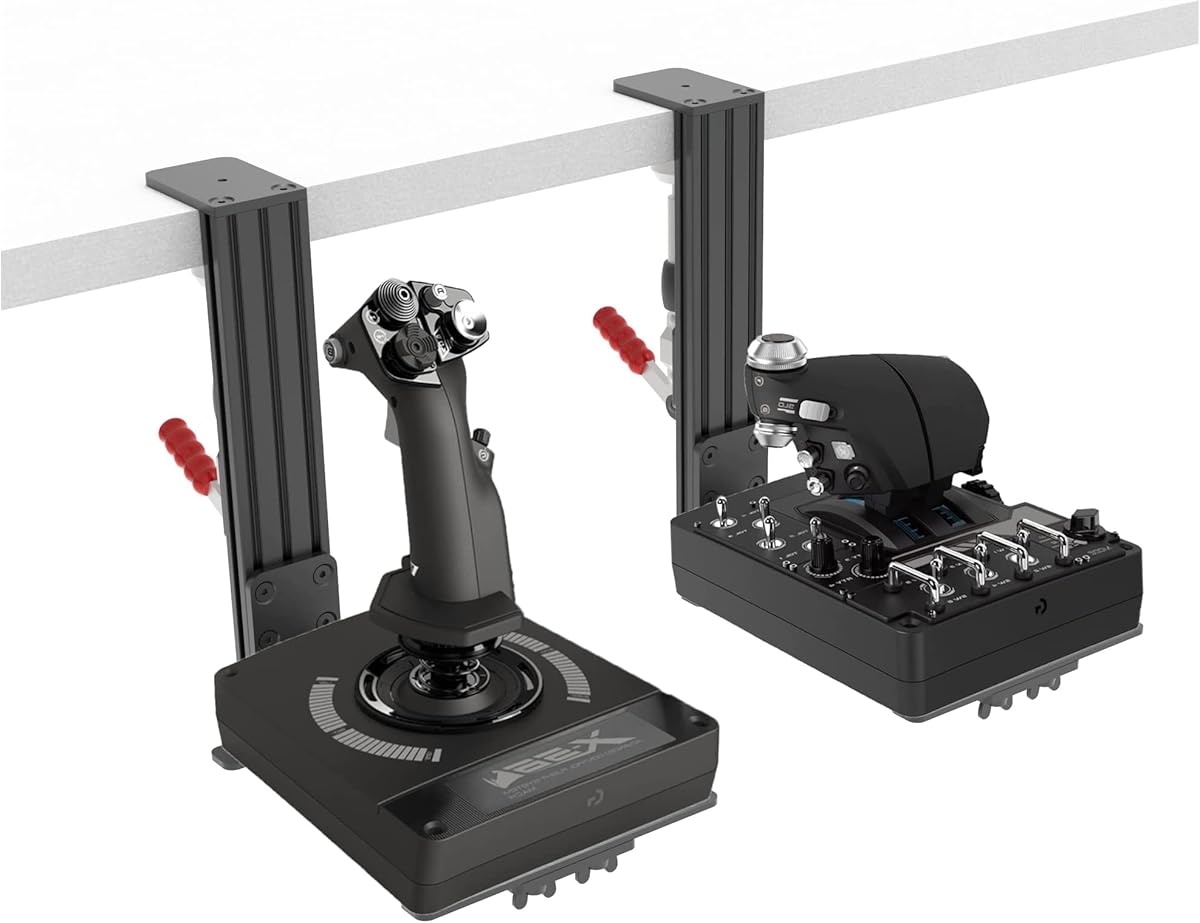
The Meza Mount-HOTAS Desk Mount Set of 2 is designed for flight sim setups using Thrustmaster Warthog and WinWing Orion 2 joystick and throttle systems. With a 4.6 rating it offers exceptional stability.
We may earn a commission when you buy through this link, at no additional cost to you.
Its heavy-duty metal construction and aluminum profile support columns deliver strong load-bearing performance. The reinforced structure keeps your flight controls stable during takeoff landing and combat maneuvers.
Users value the adjustable height and position brackets allowing comfortable operating levels. However the package includes only the desk mount brackets so controls shown in images are for demonstration only.
For gamers building a dedicated home cockpit with heavy HOTAS systems this set provides the sturdy foundation needed for an immersive and stable flight simulation experience.
Reinforced structure designed for heavy HOTAS systems with strong load-bearing performance.
Mounting brackets allow height and position adjustment for comfortable operation.
We may earn a commission when you buy through this link, at no additional cost to you.
The Quick Release Desk Mount is designed to work seamlessly with popular joysticks like WINWING URSA MINOR and Thrustmaster T.16000M. With a 4.7 rating it offers excellent value and stability.
We may earn a commission when you buy through this link, at no additional cost to you.
It features a quick release design suitable for desks of various thicknesses ranging from 0 to 2.36 inches. The all-metal construction and anti-slip stickers ensure a secure fit during gaming.
Users praise the ergonomic design and tool-free installation kit including screws and a screwdriver. While it is a single mount it significantly enhances immersion by keeping the joystick off the desktop.
If you need a reliable and versatile mount that installs easily and supports many stick models this Quick Release option is a top budget-friendly choice for simulators.
Quick release design allows for easy installation and removal on various desk thicknesses.
Crafted from all-metal materials including aluminum alloy main body and high-strength accessories.
We may earn a commission when you buy through this link, at no additional cost to you.
The 2PCS Hotas Mount features an upgraded dual-clamp design that firmly secures the stand from the top ensuring outstanding stability during gameplay. It has a perfect 5.0 rating from users.
We may earn a commission when you buy through this link, at no additional cost to you.
You can adjust vertical height to fit your setup comfortably. The mount supports Logitech X52 X56 Thrustmaster SOL-R1 and VKB Gladiator models with secure clamping for smooth controls.
Users note the importance of checking table edge thickness as it cannot exceed 6 cm or 2.36 inches. While this limits some desks the design ensures safety and stability when used correctly.
For gamers wanting a stable and adjustable mount that works with popular flight sim sticks this 2PCS option delivers excellent stability and ease of use for immersive sessions.
Dual-clamp design secures stand from the top for outstanding stability during gameplay.
The stand supports vertical height adjustment to fit your desk setup comfortably.
We may earn a commission when you buy through this link, at no additional cost to you.
The Hikig 2 Pack Desk Mount uses a push-pull quick clamp for fast loading and unloading with a holding capacity up to 386kg. It has a 4.2 rating for its robust build and adaptability.
We may earn a commission when you buy through this link, at no additional cost to you.
The ergonomic design allows vertical adjustment for desktop thickness and height between 0.2 to 5.3 inches. Non-slip feet protect your desk and ensure better grip during intense gaming sessions.
Users value the dual-handed system that can be positioned for both left- and right-handed users. While assembly is straightforward the clamp mechanism requires correct installation for optimal stability.
If you need a mount that offers excellent stability and adaptability for almost all flight game hand-control devices this Hikig set helps make your gaming feel like a reality.
Push-pull quick clamp offers holding capacity up to 386kg for secure equipment fixation.
Can be positioned for both left- and right-handed users for comfortable gaming.
We may earn a commission when you buy through this link, at no additional cost to you.
The Fosiya SIM Fighting Joystick Center Chair Mount uses M8 heavy duty screws to fix your equipment with a holding capacity up to 300kg. It has a 4.3 rating for stable and ergonomic design.
We may earn a commission when you buy through this link, at no additional cost to you.
You can adjust the stand vertical height and left and right banners according to your habits. Each bracket adjusts left and right by 8cm and up and down by 9cm for personalized comfort.
The non-slip flange nut fixing system ensures better grip without changing your chair appearance. While it is a chair mount it is quick to assemble and disassemble when not in use.
For users seeking a stable and adjustable center chair mount for various joystick models this Fosiya option delivers excellent stability and comfort for simulation gaming.
M8 heavy duty screws provide a strong clamping force and holding capacity up to 300kg.
Adjust stand vertical height and banners for personalized comfortable and stable positioning.
We may earn a commission when you buy through this link, at no additional cost to you.
Selecting the right joystick hotas mount requires attention to build quality compatibility and adjustability. Consider these factors to ensure a stable and immersive flight simulation experience.
Check if the mount is made of aluminum or metal. Heavy-duty materials reduce wobble and support heavy HOTAS systems effectively during gameplay.
Look for sturdy metal mounting plates and aluminum columns for strength and long-term durability.
Ensure the mount supports your specific joystick model like Logitech X52 or Thrustmaster T.16000M. Many mounts list compatible devices explicitly.
Confirm compatibility with your throttle and other flight controls before purchasing.
A solid clamp system ensures stability. Some use quick-release designs while others use rotary knobs or push-pull clamps.
Look for non-slip pads to protect your desk and improve grip.
Mounts with adjustable height and position allow you to find comfortable ergonomics for long sessions.
Ensure you can adjust independently if buying separate mounts for stick and throttle.
Some mounts come pre-assembled while others require attaching bars and hardware. Check if tools are included or needed.
Quick installation under five minutes saves time and effort.
Verify the maximum desk thickness the clamp supports. Common limits range from 0.2 inches to 5.7 inches.
Exceeding this limit can compromise stability and safety.
Foldable designs let you store the mount easily when not in use. Ideal for shared desks or home offices.
Ensure folds securely to prevent damage during storage.
Heavy HOTAS systems need mounts with high holding capacities. Check specs for weight limits to avoid slippage.
Look for claims like 386kg or similar high thresholds for stability.
Start by aligning the mount with your desk edge. Use adjustable brackets to match your preferred reach for joystick and throttle controls.
Tighten clamps firmly and test for wobble. Adjust height and position until you feel comfortable and stable during simulated maneuvers.
Regularly check non-slip pads and screws for wear. Fold or disassemble when not in use to keep your desk tidy and prevent accidental bumps.
A joystick hotas mount secures your flight stick and throttle to the desk edge. This improves ergonomics reduces desk clutter and enhances immersion by elevating controls to natural hand positions.
Many mounts support popular brands like Logitech Thrustmaster and VKB. Always check compatibility lists for your specific model before buying to ensure proper fit and stability.
Install by attaching the mount to your desk edge using the included clamp. Tighten bolts or knobs securely and attach your joystick with provided hardware before testing stability.
Some models feature foldable designs for easy storage. Others are fixed but quick to remove. Check product specs for foldability if you need flexible setup options.
Common mounts support desk thickness from 0.2 inches up to 5.7 inches. Verify your edge fits within the clamp range to avoid slipping or damage during gameplay.
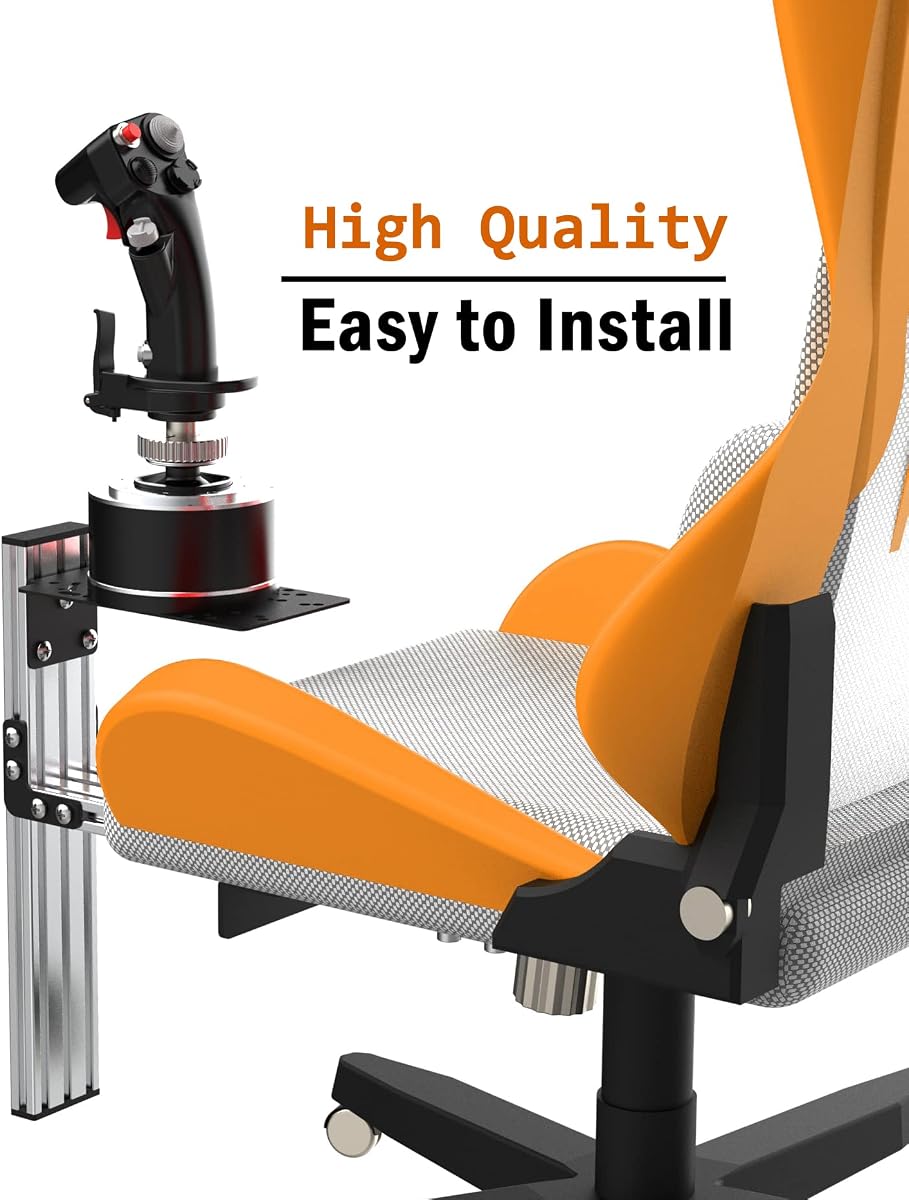
Yes some mounts attach to your chair instead of the desk. These provide unique ergonomic benefits and work with center stick or Warthog style flight controls for immersive setups.
We reviewed ten top joystick hotas mounts with the Meza Mount, Quick Release Desk Mount, and Hikig 2 Pack leading in stability value and adaptability.
Prioritize material quality compatibility with your existing gear and adjustable height to match your ergonomics. These factors ensure long-term comfort and immersive flight simulation sessions.
Remember that product availability and details may vary. Check current listings for your specific models and desk types before purchasing to get the best fit.