
NETGEAR Nighthawk WiFi 7 Router RS90
4.3Editor score
Dual-band WiFi 7 technology
2.5 Gigabit WAN port
Up to 2000 sq ft coverage
This guide compares the top ten high end WiFi routers of 2026, evaluating speed, coverage, security, and features to help you choose the perfect network
Modern homes demand robust networks capable of handling dozens of devices simultaneously. A high end WiFi router provides the speed and reliability needed for 4K streaming, remote work, and smart home automation without bottlenecks.
We evaluated ten leading models based on real-world performance, coverage area, security features, and ease of use. Our analysis includes the latest WiFi 7 technology alongside proven WiFi 6E options to suit various household needs.
Each pick highlights specific strengths like gaming acceleration, mesh compatibility, or enterprise-grade security. Keep in mind that availability and configurations may change, so verify current specs before purchasing your ideal network hardware.
4.3Editor score

4.3Editor score

4.3Editor score
The following table provides a side-by-side comparison of all ten selected high end WiFi routers. Review the key specifications and features to identify which model aligns best with your specific bandwidth and coverage requirements.



The TP-Link BE6500 stands out as a compelling entry into the high end WiFi router market with its modern WiFi 7 capabilities. It balances performance and price effectively for users seeking future-proof connectivity without breaking the bank.
We may earn a commission when you buy through this link, at no additional cost to you.
Its Multi-Link Operation ensures smoother connections across devices while the six high-performance antennas maintain stable signals throughout the home. The inclusion of two 2.5 Gbps wired ports supports multi-gigabit internet plans directly through your modem.
While it lacks the tri-band separation found in some competitors, the optimization of the available spectrum handles modern workloads well. The EasyMesh compatibility offers a flexible path for expanding coverage if your home grows over time.
This router is ideal for households that need high-speed connectivity for streaming, gaming, and remote work simultaneously. It represents a smart investment for those looking to upgrade their network infrastructure today.
Multi-Link Operation allows simultaneous data transfer across bands for reduced latency during critical tasks.
TP-Link HomeShield provides real-time protection and parental controls directly through the intuitive mobile app.
We may earn a commission when you buy through this link, at no additional cost to you.
The TP-Link AXE5400 offers a solid middle ground for users who want the benefits of the 6 GHz band without the premium price of WiFi 7. It delivers reliable performance for streaming and gaming with minimal interference.
We may earn a commission when you buy through this link, at no additional cost to you.
Its tri-band design isolates traffic effectively while the dedicated CPU ensures smooth data management even when many devices are connected. The unique housing design helps dissipate heat effectively for long-term stability in warm environments.
While it is not the fastest on the list, it remains highly competitive for standard home needs where extreme bandwidth is not required. The mesh compatibility ensures you can expand your network without replacing the entire system later.
This model is a great choice for families upgrading from older WiFi 5 systems. It provides immediate speed improvements and better device handling at a very approachable price point.
The 6 GHz band offers more channels to reduce congestion in crowded neighborhoods.
EasyMesh support allows you to add compatible extenders for seamless whole-home coverage.
We may earn a commission when you buy through this link, at no additional cost to you.
The NETGEAR Nighthawk RS700 brings dedicated tri-band performance to WiFi 7 ensuring every connected device gets the bandwidth it needs. It is built to handle large homes with dozens of active connections efficiently.
We may earn a commission when you buy through this link, at no additional cost to you.
The 6 GHz band provides a dedicated lane for the fastest devices keeping them free from congestion caused by older smart home gadgets. Multiple Gigabit wired ports allow for direct connections to gaming PCs and NAS drives without speed loss.
While the initial setup requires an internet connection the app guides you through configuration smoothly. Security features are enabled by default helping to protect your family from online threats immediately.
This router suits households with significant bandwidth needs and large physical spaces. It combines premium speed with reliable coverage in a single compact unit that integrates well with existing ISPs.
A third high-speed band ensures that gaming and streaming never slow down your general browsing.
The robust antenna design ensures reliable connectivity for smart lights and cameras throughout the house.
We may earn a commission when you buy through this link, at no additional cost to you.
The RS700S is designed for power users who demand the absolute fastest speeds available in a high end WiFi router. It leverages the full potential of modern fiber internet plans with exceptional wired and wireless performance.
We may earn a commission when you buy through this link, at no additional cost to you.
Its 10 Gigabit WAN port unlocks premium internet tiers while the 12-stream design ensures signal strength reaches every corner of large properties. This device is a powerhouse for multi-story homes requiring robust coverage.
The router manages heavy loads effortlessly making it suitable for simultaneous 8K streaming and intensive work tasks. While the subscription for advanced security is optional the base protections are solid for daily use.
Investors in this model benefit from future-proof hardware that will not bottleneck your network as plans upgrade. It is the ideal solution for tech enthusiasts who need maximum performance.
The 10 Gig WAN port ensures you can utilize every megabit of your high-speed internet service.
With 3500 sq ft coverage you can place devices further away without losing connection stability.
We may earn a commission when you buy through this link, at no additional cost to you.
The ASUS ROG Rapture GT-BE98 Pro represents the pinnacle of consumer networking hardware with its quad-band design and massive bandwidth capacity. It is built for enthusiasts who refuse to compromise on latency or throughput.
We may earn a commission when you buy through this link, at no additional cost to you.
Its Triple-Level Game Acceleration prioritizes gaming traffic ensuring that online matches remain responsive even when others are using the network. The wide array of wired ports allows for direct connections to consoles and servers.
External antennas enhance coverage significantly ensuring that signal strength remains consistent across large or multi-story homes. While expensive the performance gains for heavy users justify the investment for many.
This router is perfect for competitive gamers and power users managing extensive smart home ecosystems. It delivers a premium experience that sets the standard for high end WiFi routers.
Traffic prioritization ensures that game data takes precedence over other downloads or streams.
Multiple high-speed Ethernet ports provide flexibility for wired setups without needing switches.
We may earn a commission when you buy through this link, at no additional cost to you.
Synology offers a robust networking solution focused on control and security rather than just raw throughput. The RT6600ax allows users to segregate devices effectively keeping vulnerable IoT equipment separate from main networks.
We may earn a commission when you buy through this link, at no additional cost to you.
Its 2.5 Gbps port supports fast local transfers while the integrated VPN server provides flexible remote access without needing third-party tools. Parental controls are detailed helping parents manage screen time and content access easily.
While it may not reach the peak speeds of WiFi 7 routers it excels in stability and administrative control. The interface is intuitive making it accessible for users who prioritize management over gaming.
This router is ideal for households concerned about privacy and device safety. It provides a secure foundation for a modern home network where control is paramount.
Create separate networks for guests and IoT devices to protect your main data and files.
Built-in tools detect and block malicious traffic to keep your family safe online.
We may earn a commission when you buy through this link, at no additional cost to you.
The ASUS Rog Strix GS-Be18000 leverages high power amplifiers to ensure consistent signals across difficult layouts. It is designed to maximize wireless efficiency in environments where walls or interference usually degrade performance.
We may earn a commission when you buy through this link, at no additional cost to you.
With a tri-band configuration it balances load effectively allowing multiple users to stream and game without congestion. The gaming features include traffic prioritization to keep latency low during competitive matches.
While the price is steep it offers tangible benefits for larger homes that struggle with dead zones. The hardware is robust ensuring that it can handle years of continuous operation without degradation.
This router suits users who prioritize wireless strength over simple plug-and-play convenience. It provides a solid platform for demanding networks requiring consistent high-speed access.
Powerful amplifiers ensure that signal penetrates obstacles more effectively than standard routers.
Dedicated features reduce lag and jitter for a smoother online gaming experience.
We may earn a commission when you buy through this link, at no additional cost to you.
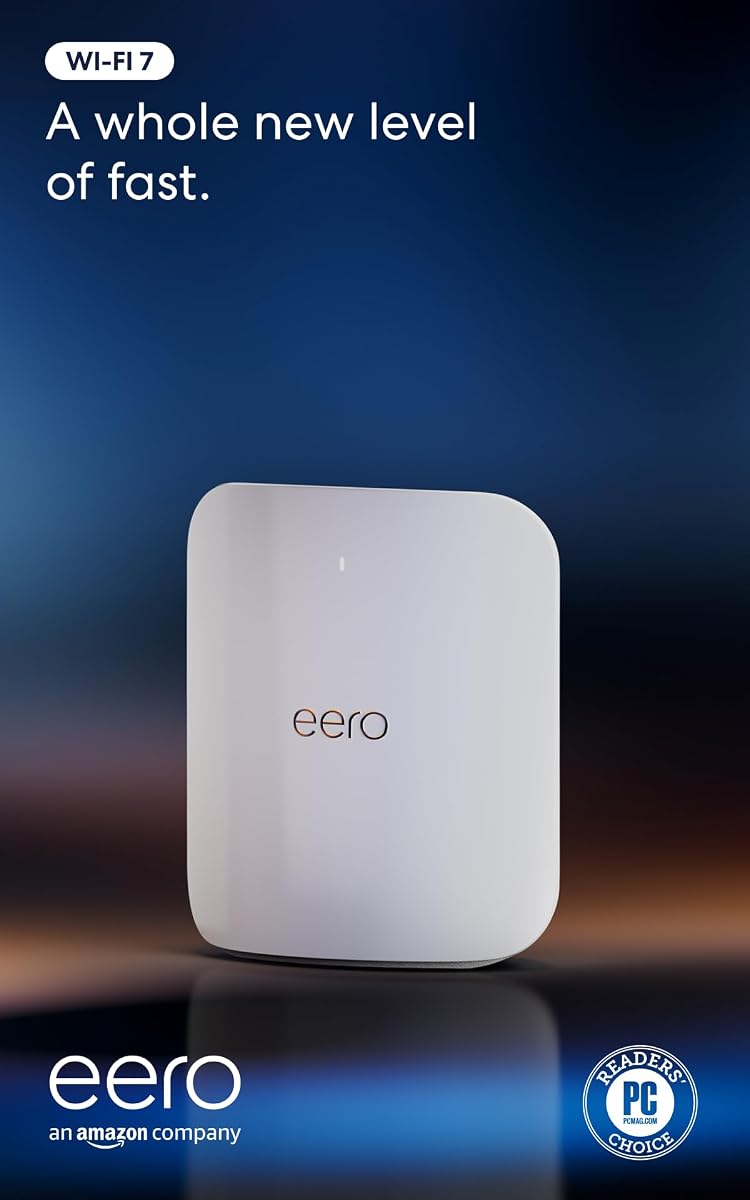
The eero Pro 7 brings next-generation reliability to households that prefer a simple plug-and-play experience. Its TrueMesh technology ensures that devices stay connected as you move around the house effortlessly.
We may earn a commission when you buy through this link, at no additional cost to you.
It supports high-speed internet plans up to 5 Gbps while handling over 200 devices without lag. The inclusion of Thread and Matter support makes it a central hub for your smart home ecosystem.
While the hardware is powerful the software experience is designed for simplicity ensuring that non-technical users can manage their network easily. The warranty offers peace of mind for long-term ownership.
This model is perfect for families who want consistent coverage without managing complex settings. It simplifies network management while delivering high performance for daily tasks.
TrueMesh technology dynamically finds the best path for data to avoid dead spots.
Built-in Thread and Matter support allows direct connection to smart bulbs and sensors.
We may earn a commission when you buy through this link, at no additional cost to you.
The eero Max 7 delivers the most powerful mesh experience available for high end WiFi networks. It combines extreme wired and wireless speeds with intelligent software that keeps everything running smoothly.
We may earn a commission when you buy through this link, at no additional cost to you.
Its two 10 Gigabit Ethernet ports allow for multi-gigabit internet access while the wireless performance supports high bandwidth tasks like 8K streaming. The smart home hub capability simplifies connectivity for new protocols.
While it requires a subscription for advanced security the basic features are excellent for most families. The setup process is guided ensuring that even novices can deploy a robust network quickly.
This router is ideal for large homes needing both high speed and extensive coverage. It represents the future of consumer networking with its blend of performance and ease of use.
Dual 10 Gigabit ports ensure that wired devices get the fastest possible connection speeds.
Thread support allows direct connection to smart devices without extra hubs or bridges.
We may earn a commission when you buy through this link, at no additional cost to you.
The NETGEAR Nighthawk RS90 offers an accessible entry point into WiFi 7 technology without compromising on essential features. It is built to keep up with modern demands while remaining financially approachable for most users.
We may earn a commission when you buy through this link, at no additional cost to you.
Its dual-band design optimizes performance for typical home loads ensuring smooth streaming and browsing. The 2.5 Gigabit WAN port supports multi-gigabit plans allowing you to scale your internet speed in the future.
While it lacks the extra bands of premium models it handles daily tasks effectively. The Nighthawk app provides an intuitive way to manage guest networks and run speed tests from anywhere.
This router is perfect for households that want future-ready tech at a reasonable price. It balances cost and performance to deliver a reliable high end experience for everyday users.
WiFi 7 capabilities ensure that your network stays relevant as devices and apps become faster.
A multi-gigabit port allows you to upgrade your ISP plan without changing your router soon.
We may earn a commission when you buy through this link, at no additional cost to you.
Selecting the right high end WiFi router requires understanding your specific household needs and technical requirements. This guide breaks down the key factors to consider before making your final decision.
Modern routers come in WiFi 6E and WiFi 7 varieties. WiFi 7 offers higher throughput and lower latency thanks to features like Multi-Link Operation. If you have the latest devices investing in WiFi 7 ensures long-term relevance.
For most standard households WiFi 6E remains a powerful and cost-effective choice. It provides significant improvements over older standards without the premium cost of the newest hardware.
The physical size of your home dictates the coverage you need. Routers with multiple high-gain antennas handle large or multi-story layouts better. Look for models rated for at least 2000 square feet if you have a large property.
Mesh systems are ideal if you have a sprawling home where a single router cannot reach every room. These systems allow you to expand coverage easily with additional nodes.
Check the aggregate speed ratings to ensure they match your internet plan and device count. A high end router should handle your full plan speed without creating a bottleneck. Look for routers that support multi-gigabit plans if you plan to upgrade soon.
Remember that wireless speeds often fall short of wired ones due to signal loss. Ensure the router has robust hardware to maintain high speeds even over distance.
A high end WiFi router should also offer strong wired performance for gaming PCs and NAS drives. Look for routers with multiple Ethernet ports ideally including 2.5 Gbps or higher options. This ensures that critical devices get the best performance possible.
If your modem has high-speed capabilities ensure your router supports multi-gigabit WAN ports. This allows you to utilize the full potential of fiber internet connections.
Security is a major factor when selecting a router. Many high end models offer built-in firewalls and real-time threat monitoring. Ensure the router supports easy firmware updates to keep vulnerabilities patched automatically.
For families parental controls are essential. Look for features that allow you to restrict access or pause internet access for specific devices to manage screen time effectively.
A good router should be easy to configure and manage through a mobile app. Modern interfaces guide you through the process step-by-step. Check if the app supports remote management so you can tweak settings when you are away.
Intuitive dashboards help you monitor bandwidth usage and connected devices easily. A user-friendly interface saves time and reduces frustration during daily use.
Gamers should look for routers with specific traffic prioritization features. These allow gaming data to take precedence over other activities reducing lag during critical moments. Some models also offer dedicated ports for consoles or PCs.
Low latency is crucial for real-time applications like video calls. Ensure the router supports features like QoS to manage traffic efficiently across the network.
If you anticipate needing more coverage check if the router supports mesh expansion. Some brands allow you to add extenders that work seamlessly with the main unit. This flexibility is vital for growing households.
Even if you start with a single router knowing it can expand later adds value to your purchase. It prevents the need for a complete replacement if your needs change.
Place your router in a central location away from thick walls or metal objects to maximize signal strength. Elevating the device helps broadcast signals more evenly across different floors and rooms.
Regularly update the firmware through the provided app to ensure security patches and performance improvements are applied. Most high end routers allow automatic updates so you do not have to remember manually checking.
Reboot your router every few weeks to clear temporary caches and optimize performance. This simple step often resolves minor connectivity issues and keeps the network running smoothly over time.
WiFi 7 offers significantly faster speeds and lower latency which benefits households with many connected devices. If you plan to stay in your home for several years upgrading now ensures your network remains current. However if your current router works fine for your needs you can wait.
You can use your existing modem as long as it supports the speeds your router offers. Ensure your modem has a gigabit port if you want to utilize high-speed internet plans effectively. Most routers are compatible with standard gateways.
Changing your admin password every six months is a good practice to maintain security. Ensure your Wi-Fi password is also strong and unique to prevent unauthorized access. Most routers allow you to change these settings easily via the app.
Multi-Link Operation allows devices to connect to multiple frequency bands simultaneously. This reduces congestion and improves reliability by balancing traffic loads. It is a key feature that distinguishes WiFi 7 from previous standards.
Yes many routers support adding compatible extenders or powerline adapters for coverage extension. These devices can integrate with your main router to create a seamless network. However mesh systems generally offer better handoff between nodes.
Routers generate heat during operation especially under heavy load. Ensure it is placed in a well-ventilated area away from other electronics. If it gets excessively hot check for dust buildup or consider a cooling fan.
Choosing a high end WiFi router depends largely on your specific needs for speed, coverage, and security. The models reviewed here offer a range of options suitable for everyone from casual users to tech enthusiasts.
Prioritize features that match your lifestyle such as gaming optimization or parental controls. A router that aligns with your daily habits will provide better value than one with unused advanced capabilities.
Always verify current availability and warranty details before purchasing to ensure you get the best support. Investing in the right network hardware today will save you from frustration tomorrow.