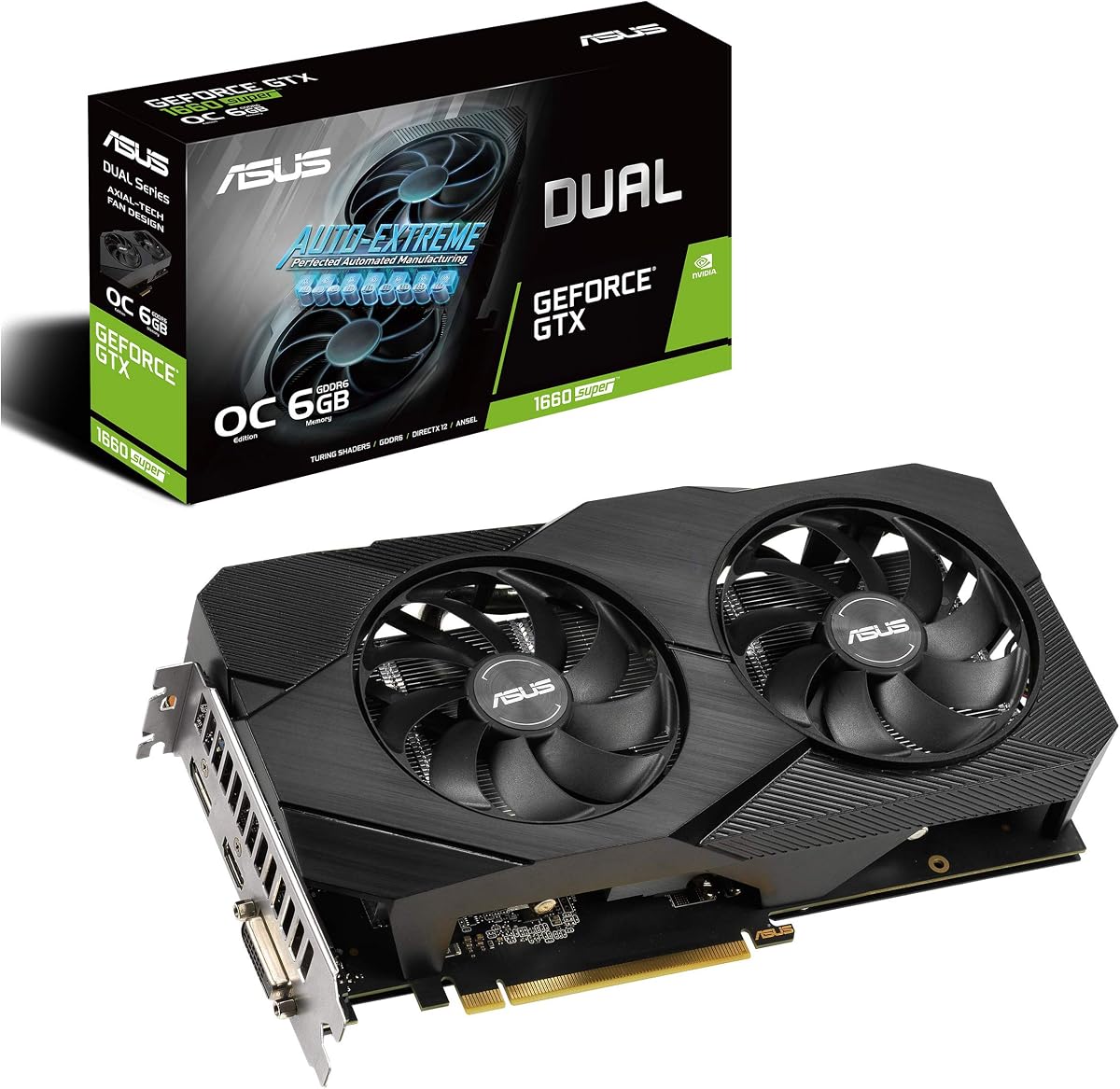
This guide compares the top 10 GPUs for the ASUS Prime A320M K to help you find the best graphics card for your budget and gaming performance needs today.
As an Amazon Associate we earn from qualifying purchases. We may earn a commission when you buy through links on this page, at no additional cost to you. Read our affiliate disclosure.As an Amazon Associate we earn from qualifying purchases.Purchases through our links may earn us a commission, at no extra cost to you. Read our affiliate disclosure.
Choosing the right graphics card for your ASUS Prime A320M K motherboard is essential for maximizing gaming performance and visual fidelity. This guide explores the top options available to ensure compatibility and value.
We have carefully evaluated each product based on performance metrics, build quality, and user feedback. Our analysis focuses on how well these GPUs integrate with the A320 chipset for optimal system balance.
Each selection highlights key strengths and potential trade-offs to help you make an informed decision. Please note that availability and pricing can change frequently, so verify details before purchasing.
Top 3 Picks for Best GPU for ASUS Prime A320M K
Best Budget
ASUS GeForce GTX 1660 Super Overclocked 6GB Dual-Fan Evo Edition VR Ready HDMI DisplayPort DVI Graphics Card (DUAL-GTX1660S-O6G-EVO) (Renewed)
Top 10 Best GPU for ASUS Prime A320M K in 2026 Compared
The following table provides a side by side overview of all ten selected graphics cards to help you quickly compare their key specifications and unique attributes.
This graphics card stands out as an excellent choice for users looking to upgrade their ASUS Prime A320M K system with modern capabilities. It offers a balance of performance and efficiency that suits a wide range of gaming scenarios.
Pros
Efficient power consumption
Solid 1080p gaming
Compact chassis friendly
Latest DLSS support
High durability build
Cons
Limited 6GB VRAM
Ray tracing entry level
We may earn a commission when you buy through this link, at no additional cost to you.
The NVIDIA Ampere architecture delivers significant improvements in throughput and power efficiency compared to previous generations. The inclusion of second generation RT cores allows for realistic lighting effects while third generation tensor cores enable AI driven performance boosts via DLSS.
While the 6GB of GDDR6 memory is sufficient for many titles at 1080p it may limit performance in future high resolution games. However for current titles the compact 2 slot design ensures it fits easily into smaller cases without compromising airflow.
This card is highly recommended for gamers seeking a reliable upgrade that brings ray tracing and AI features to budget friendly builds. Its robust construction and IP5X dust resistance add to its long term value and reliability.
Next Generation Ray Tracing
Experience realistic lighting and reflections with dedicated hardware acceleration designed for modern game engines.
AI Enhanced Performance
Leverage structural sparsity and advanced algorithms to boost frame rates without sacrificing visual quality.
ASUS TUF Gaming GeForce GTX 1660 Super Overclocked 6GB Edition HDMI DP DVI Gaming Graphics Card, 3 Year Warranty
Turing architecture
Overclocked performance
Durable build quality
2.7 slot width
This option provides a highly accessible entry point into the world of discrete graphics with a focus on durability and performance. It is engineered to work flawlessly with TUF Gaming motherboards and components for a seamless experience.
Pros
Strong value proposition
Reliable TUF testing
Quiet bearing design
Easy monitoring tools
Compact footprint
Cons
No ray tracing cores
Larger than some cards
We may earn a commission when you buy through this link, at no additional cost to you.
Powered by NVIDIA Turing technology it delivers smooth gameplay across a variety of titles. The overclocked 6GB GDDR6 memory ensures that you can run modern games at respectable settings while the 1845 MHz boost clock pushes performance limits.
The space grade lubricant in the fan design reduces noise while maintaining cooling efficiency. Although it lacks dedicated ray tracing hardware its raw rasterization power remains impressive for the price range.
Ideal for users prioritizing reliability and straightforward performance without the need for advanced rendering features. The extensive compatibility testing and 3 year warranty provide peace of mind for long term usage.
TUF Compatibility
Rigorous testing ensures flawless integration with gaming chassis and motherboards for system stability.
Software Monitoring
Real time performance tracking and streaming tools make managing your gaming setup easy.
ASUS Phoenix NVIDIA GeForce RTX 3060 V2 Gaming Graphics Card
Ampere architecture
12GB VRAM
Advanced cooling
High resolution support
This graphics card represents a significant step up in capability making it suitable for more demanding gaming and creative workflows. The ample video memory ensures that textures and assets load smoothly without bottlenecks.
Pros
Generous memory capacity
Efficient cooling system
High resolution outputs
Robust construction
Long bearing life
Cons
Higher power requirement
Requires larger case
We may earn a commission when you buy through this link, at no additional cost to you.
With a recommended power supply of 650W it delivers consistent performance across complex scenes. The axial tech fan design focuses airflow directly on the heatsink while the barrier ring increases pressure for better heat dissipation.
Users will appreciate the dual ball fan bearings which are rated to last twice as long as standard sleeve bearings. This longevity contributes to a quieter and more reliable system over time.
Best suited for those who want to future proof their setup with support for high resolutions and advanced visual features. The protective backplate adds structural integrity while the 4K digital max resolution opens up new display possibilities.
12GB Memory Advantage
Handle larger textures and complex scenes effortlessly with increased video memory capacity.
Enhanced Cooling
Axial tech fans and protective elements ensure optimal thermal performance under load.
ASUS GeForce RTX 2060 6GB Phoenix Fan Edition VR Ready HDMI DP DVI Graphics Card (Ph-RTX2060-6G) (Renewed)
Compact form factor
Refurbished reliability
VR Ready support
4 monitor capability
This graphics card offers a compact solution for users needing VR readiness without sacrificing chassis space. Its Phoenix fan edition design prioritizes cooling efficiency in a smaller footprint suitable for many desktop cases.
Pros
Short length design
Verified VR performance
Multiple display support
Super Alloy Power II
Affordable entry
Cons
Refurbished status
Older generation
We may earn a commission when you buy through this link, at no additional cost to you.
The card supports up to four monitors providing versatility for multi screen setups or creative work. Auto extreme manufacturing technology combined with aerospace grade components ensures that the hardware runs efficiently and reliably.
As a renewed product it has been professionally inspected to meet high standards. This makes it an attractive option for budget conscious buyers who still want access to ray tracing capabilities.
Ideal for enthusiasts looking to dive into virtual reality or multi monitor productivity on a budget. The 500W PSU recommendation makes it accessible for a wide range of existing power supplies.
Virtual Reality Ready
Experience immersive gaming with hardware optimized for modern VR headsets.
Multi Monitor Support
Connect up to four displays for expanded workspace or surround viewing.
Asus TUF Gaming GeForce GTX 1660 Super Overclocked 6GB Edition HDMI DP DVI Gaming Graphics Card (TUF-GTX1660S-O6G-GAMING) (Renewed)
TUF compatibility tested
Auto extreme technology
Refurbished condition
Quiet bearing design
This renewed card brings the reliability of the TUF series at a more accessible price point. It undergoes rigorous testing to ensure it meets the high standards expected from the TUF Gaming alliance.
Pros
High reliability rating
Automated quality control
TUF Alliance integration
Strong performance
Quiet operation
Cons
Used hardware risk
Older architecture
We may earn a commission when you buy through this link, at no additional cost to you.
The Auto extreme technology used in manufacturing guarantees premium quality and consistency in every unit. Combined with the space grade lubricant in the bearings the fan system runs smoothly and quietly during extended sessions.
The 1408 CUDA cores provide ample power for 1080p gaming across a wide library of titles. The 2.7 slot form factor is standard and fits most mid tower cases without issue.
This is an excellent choice for those who want the durability of TUF branding without paying full retail price. The high rating suggests that users are satisfied with the performance and condition of the renewed units.
Automated Manufacturing
Auto extreme processes ensure every card meets strict quality and reliability standards.
TUF Alliance
Guaranteed compatibility with other gaming components for a stable system.
ASUS GeForce GTX 1660 Super Overclocked 6GB Dual-Fan Evo Edition VR Ready HDMI DisplayPort DVI Graphics Card (DUAL-GTX1660S-O6G-EVO) (Renewed)
Dual fan cooling
Evo edition design
High efficiency
Refurbished warranty
This Evo edition features a dual fan setup that provides excellent airflow for cooling the GPU cores effectively. It is a practical choice for users needing reliable performance without complex cooling requirements.
Pros
Superior cooling
Great performance
Affordable price
Warranty protection
Modern outputs
Cons
Older core
Dependent on seller
We may earn a commission when you buy through this link, at no additional cost to you.
The VR Ready certification ensures that it can handle virtual reality headsets which is rare for a card in this class. The 6GB GDDR6 memory helps maintain stable framerates in more demanding games.
As a renewed product it comes with the assurance of inspection and testing. The guarantee provides a safety net for buyers looking to minimize cost while maximizing utility.
Perfect for gamers who want a solid 1080p experience and potential VR access. The dual fan design keeps temperatures low which helps maintain performance during long gaming sessions.
Dual Fan Efficiency
Dual fans provide balanced cooling to keep components running at optimal temperatures.
VR Capabilities
Meets minimum requirements for popular virtual reality platforms.
ASUS GeForce GTX 1660 Super Overclocked 6GB Phoenix Fan Edition HDMI DP DVI Graphics Card, 3 Year Warranty
Phoenix fan design
Short form factor
Super Alloy Power
Compact dimensions
This Phoenix edition is designed specifically for smaller cases where space is at a premium. Its short form factor allows it to fit into compact chassis while still delivering robust performance.
Pros
Small size
Reliable fan
Warranty included
Good value
Efficient power
Cons
Single fan limits
Lower airflow
We may earn a commission when you buy through this link, at no additional cost to you.
The single Phoenix fan with double ball bearings offers superior airflow compared to traditional designs. This ensures that the card stays cool even in restricted environments with limited ventilation.
With aerospace grade Super Alloy Power II components it runs faster and lasts longer than reference models. The 3 year warranty adds confidence to the purchase especially for new builds.
Ideal for users building a compact gaming PC or upgrading a small form factor system. It delivers the best balance of size and performance for tight spaces.
Phoenix Fan Technology
Advanced fan design increases airflow and lifespan for better thermal management.
Compact Chassis Ready
Designed to fit into tight cases without sacrificing cooling efficiency.
ASUS GeForce GTX 1660 Super Overclocked 6GB Dual-Fan Evo Edition VR Ready HDMI DisplayPort DVI Graphics Card, 3 Year Warranty
Dual fan cooling
Quiet gameplay
High clock speeds
Reliable warranty
This Evo edition combines dual fan cooling with high clock speeds to deliver exceptional performance per watt. It is a versatile choice for users who prioritize low noise levels during intense gaming sessions.
Pros
Excellent cooling
Quiet operation
Fast clocks
3 year support
VR Ready
Cons
Higher cost than others
Older architecture
We may earn a commission when you buy through this link, at no additional cost to you.
The dual fan system provides doubled airflow which results in quieter gameplay. This is particularly beneficial for streamers or users in shared living spaces where noise can be disruptive.
The high clock speeds ensure that the card can push frames in many modern titles without stuttering. The 3 year warranty provides long term security for your investment.
Recommended for those who value a quiet and powerful system for home entertainment. The VR Ready status ensures compatibility with a wide range of headsets.
Quiet Gameplay
Enhanced cooling reduces fan noise for a more immersive and peaceful experience.
Performance Warranty
Extended coverage ensures your hardware is protected for years of use.
This card is an ideal solution for basic multimedia tasks and light gaming where silence is a priority. It uses passive cooling meaning there are no moving parts to generate noise or fail over time.
Pros
Silent operation
Very low power
Small footprint
Easy installation
Budget friendly
Cons
Weak performance
2GB memory limit
We may earn a commission when you buy through this link, at no additional cost to you.
With a Pascal architecture boost clock it handles daily tasks like video playback and light games with ease. The low power consumption means you often do not need external power connectors.
Its compact design fits into almost any case making it a good drop in replacement for integrated graphics. However it is not suitable for modern AAA gaming titles.
Best for users upgrading an office PC or HTPC who want silent operation. It offers a significant improvement over integrated graphics without adding noise to your environment.
Silent Operation
Passive cooling ensures completely noise free operation for quiet environments.
Low Power
Minimal energy draw allows for easy installation without extra power cables.
This STRIX card provides a legacy option for users on a very tight budget who need more than integrated graphics. The 4GB memory and 256-bit interface provide high bandwidth for its era.
Pros
High memory bandwidth
Affordable price
Multiple outputs
DirectCU II cooling
Silent mode
Cons
Old driver support
Not DX12 ready
We may earn a commission when you buy through this link, at no additional cost to you.
DirectCU II technology with 0dB fan technology ensures silent gaming when the GPU is under light load. The 6-phase Super Alloy Power design contributes to stable power delivery and longevity.
It features multiple outputs including HDMI 2.0 and DisplayPort allowing for diverse connectivity options. However older architecture may limit support for the very latest games.
Best suited for retro gaming or basic tasks where cost is the primary concern. The high rating indicates that renewed units are in excellent condition and perform well.
DirectCU II
Advanced cooling technology provides silent operation and efficient heat dissipation.
Connectivity
Multiple video outputs ensure compatibility with a wide range of monitors.
We may earn a commission when you buy through this link, at no additional cost to you.
Buying Guide – How to Choose the Best GPU for ASUS Prime A320M K
Selecting the right graphics card for your ASUS Prime A320M K involves understanding several key factors that affect compatibility and performance.
PCIe Slot Compatibility
The ASUS Prime A320M K features a PCIe x16 slot which is the standard for modern graphics cards. While newer cards support PCIe 4.0 they are backward compatible with PCIe 3.0 which is available on this motherboard. You should ensure your card fits physically into the slot and that the BIOS supports the GPU you choose to avoid detection issues.
Always verify that your motherboard BIOS is up to date to support newer hardware. This ensures stable performance and prevents compatibility errors during system boot.
Power Supply Requirements
Check the power supply unit PSU of your system before purchasing a new GPU. Most of the cards listed require at least a 450W to 500W PSU while higher end models like the RTX 3060 recommend 650W. Ensure your PSU has the necessary PCIe power connectors to avoid power instability.
A stable power supply is crucial for consistent performance and hardware safety. If your PSU is old or underpowered you may need to upgrade it alongside your graphics card.
Physical Dimensions
Measure the available space in your PC case to ensure the graphics card fits. Some cards like the TUF models are 2.7 slots wide while others are designed for smaller cases. A card that is too long or wide may block other ports or interfere with airflow.
Choosing a card with the right dimensions ensures a clean build and better thermal performance. Refer to your case manual for precise space limitations.
VRAM Capacity
Video RAM or VRAM is critical for storing textures and frame buffers. Cards with 6GB or more are recommended for modern gaming at 1080p or 1440p. Lower VRAM limits may cause texture pop in and stuttering in newer titles.
Aim for at least 6GB of VRAM to future proof your system. This ensures smoother gameplay across a wider range of game settings.
Cooling Solution
Effective cooling keeps the GPU running efficiently and quietly. Dual fan and axial tech designs offer better airflow than single fan or passive cooling. A good cooling solution extends the lifespan of the card and maintains performance under load.
Look for fans with high quality bearings such as dual ball bearings. This reduces noise and increases the durability of the cooling system.
Feature Support
Consider features like ray tracing and DLSS if you want the latest gaming experiences. Cards like the RTX 3050 and 3060 support these technologies while older GTX models do not. These features can significantly improve visual quality and performance.
If you play the latest games prioritize a card with dedicated hardware for these features. This ensures you get the best experience for your investment.
Port Connectivity
Ensure the card has the ports you need for your monitor. Most cards offer HDMI and DisplayPort but some models may lack legacy DVI connectors. Verify your monitor inputs match the card outputs to avoid adapter use.
Having the right ports simplifies setup and improves signal quality. Always check the specific I/O of the card before buying.
Brand Reliability
ASUS is known for quality components and durable designs. Models like TUF and STRIX are tested for compatibility with gaming systems. Choosing a reputable brand ensures you get a reliable product with good support.
Look for cards with strong warranties and positive user reviews. This provides peace of mind and protects your investment.
How to Use and Care for Your GPU for ASUS Prime A320M K
Before installing the new GPU shut down your computer and unplug the power cord. Remove the existing graphics card by unscrewing the bracket and releasing the PCIe slot latch. Gently insert the new card into the PCIe x16 slot until it clicks securely into place.
Connect any required PCIe power cables from your power supply to the new graphics card. Once connected secure the bracket to the case chassis to prevent movement. Ensure the card is seated flat and the cooling fans are free to rotate.
Power on the system and let it boot into the operating system. Download the latest drivers from the NVIDIA website to ensure full functionality and performance. Regularly clean dust from the fans and case to maintain optimal cooling over time.
Frequently Asked Questions
Does the ASUS Prime A320M K support PCIe 4.0 GPUs?
No the motherboard supports PCIe 3.0 but modern GPUs are backward compatible. This means you can use RTX 30 series cards without issues. Performance loss is minimal due to the low bandwidth requirements of most cards.
Which PSU is needed for these GPUs?
Most budget cards require 450W to 500W while high end models need 650W. Check your current PSU wattage and connectors before buying. A stable power supply ensures the card runs safely and efficiently.
Can I use a refurbished GPU safely?
Yes refurbished units are tested to meet quality standards. Look for seller warranties to protect your purchase. They offer great value for budget builds and perform well for most users.
Will the GPU fit in my small case?
Measure your case dimensions before buying. Some cards are compact while others are larger. Check the slot width and length specifications to ensure compatibility.
Do these cards support ray tracing?
Only RTX series cards have dedicated ray tracing cores. GTX models rely on software rendering which is not supported. If you want ray tracing choose an RTX 3050 or higher.
Is a warranty included with these products?
Most new cards come with a 3 year warranty. Renewed products may have shorter coverage depending on the seller. Always check the warranty details on the product page.
What are the benefits of dual fan cooling?
Dual fans provide better airflow and lower noise levels. This keeps the card cool during long gaming sessions. It extends the lifespan of the GPU and maintains stable performance.
How do I install drivers for these cards?
Download the latest drivers from the NVIDIA website. Install them after connecting the card to your system. This ensures full compatibility and performance optimization.
Final Thoughts on Choosing the Best GPU for ASUS Prime A320M K
Choosing the right graphics card depends on your specific needs and budget. Whether you need modern ray tracing or simple multimedia support there is a card here for you.
Prioritize performance and power compatibility when making your decision. A GPU that matches your system will provide the smoothest experience possible.
Always check current availability and verify your system requirements before purchasing. This ensures your new graphics card will work perfectly with your ASUS Prime A320M K.
Discover the top 4K triple laser projector models comparing brightness, color accuracy, and smart features to help you choose the perfect home theater display.
This guide compares the top landline phones for home use, evaluating call quality, range, blocking features, and accessibility to help you choose the right