
ASUS Z170 PRO Gaming
4.1Editor score
Intel Z170 chipset support
Gamer's Guardian durable components
RGB header support onboard
This guide compares the top 1151 Z170 Skylake Gaming Motherboards for performance, features, and value to help you choose the right board for your build.
Finding the right motherboard for your build is critical for gaming performance and stability. The Z170 chipset remains a popular choice for enthusiasts who value overclocking and legacy support. This guide explores ten top options to help you make an informed decision.
We evaluated each board based on power delivery, connectivity, audio quality, and overall durability. Our analysis focuses on real-world performance metrics and user feedback to ensure you get the best experience. Each pick highlights unique strengths for different user needs and budgets.
Every selection in this list shows detailed specs, pros, and cons to simplify your choice. Note that availability and pricing can change frequently due to market demand. Always check current listings before purchasing to ensure you get the latest deals and stock status.
4.1Editor score

4.2Editor score

4.2Editor score
This table provides a side-by-side comparison of all ten selected motherboards to highlight key differences in specifications and features.


This motherboard is a top choice for enthusiasts seeking high performance and reliability. It holds a strong rating and offers standout features like SupremeFX audio and USB 3.1 connectivity. The board is designed to handle demanding workloads with ease.
We may earn a commission when you buy through this link, at no additional cost to you.
The Extreme Engine DIGI+ power system ensures stable voltage delivery for your CPU. SupremeFX 2015 audio provides immersive sound without needing an external DAC. USB 3.1 Type A and C ports future-proof your connectivity needs for peripherals.
While the price is higher than budget boards, the premium features justify the cost. The complex features may require some learning to maximize performance fully. However, once configured, the system offers exceptional stability.
Gamers and content creators should consider this board for its balance of speed and features. It is ideal for those building a high-end rig with Z170 Skylake processors. The investment pays off in long-term reliability and performance.
The Extreme Engine DIGI+ system adjusts voltage in real time to maintain stability during intensive gaming sessions.
SupremeFX 2015 technology delivers clear soundscapes that enhance competitive gaming with precise audio positioning.
We may earn a commission when you buy through this link, at no additional cost to you.
This board offers an excellent entry point into the Z170 ecosystem for budget-conscious builders. It supports 6th and 7th generation Intel Core processors with proper updates. The industrial packaging does not affect performance or reliability significantly.
We may earn a commission when you buy through this link, at no additional cost to you.
Key strengths include dual M.2 slots for fast storage and support for DDR4 up to 3466MHz. The layout is user-friendly for installing graphics cards and expansion cards. You get robust multi-GPU support for future upgrades.
The main trade-off is the packaging and potential BIOS updates. You might need a professional to install it if you lack experience. However, the performance is comparable to more expensive boards.
Budget gamers looking for value will find this board meets their needs perfectly. It is great for mid-range builds that need speed and flexibility. Just ensure you verify compatibility before installation.
This board supports DDR4 memory speeds up to 3466MHz which improves frame rates in demanding titles.
Dual M.2 connectors allow for simultaneous installation of NVMe and SATA drives for massive storage capacity.
We may earn a commission when you buy through this link, at no additional cost to you.
ASUS Z170 PRO Gaming provides essential features for gamers on a budget. It maintains a good rating and delivers strong audio via SupremeFX tech. The board supports RGB headers to let you customize your rig look easily.
We may earn a commission when you buy through this link, at no additional cost to you.
It supports fast DDR4 memory and includes USB 3.1 Type A and C for modern peripherals. Intel Gigabit Ethernet ensures stable network speeds for online gaming. The durable components protect against common wear and tear.
While it lacks high-end overclocking features, it is stable for standard gaming. The lack of SLI support limits dual GPU setups. For single GPU builds, it is an excellent choice.
This board is ideal for first-time builders or budget gamers. It offers the best balance of cost and performance in this category. You get a reliable platform without overspending.
RGB headers let you connect lighting strips to match your setup aesthetics with software control.
USB 3.1 ports enable quick file transfers which helps with gaming installs and backups.
We may earn a commission when you buy through this link, at no additional cost to you.
This board is designed for serious gamers needing stability over long sessions. It features an upgraded power design to handle high CPU demands. The layout emphasizes cooling and durability for sustained performance.
We may earn a commission when you buy through this link, at no additional cost to you.
The enhanced power delivery maximizes potential of Intel processors effectively. Advanced cooling features help keep temperatures low under load. This makes it a good choice for heavy usage environments.
Lack of specific rating data makes review harder but specs are promising. You may need to verify compatibility with your specific CPU. Still, the focus on durability is a major plus.
Gamers looking for a reliable workhorse should consider this option. It is well suited for systems that run 24/7 or for long hours. Just check current stock for availability.
Upgraded power design ensures consistent voltage to CPU for stable performance during peak loads.
Advanced cooling features reduce heat buildup which helps maintain consistent clock speeds.
We may earn a commission when you buy through this link, at no additional cost to you.
This flagship board offers premium features for enthusiasts. It supports 2-Way SLI and 3-Way Crossfire for multi-GPU setups. The connectivity is unmatched with seven USB 3.0 ports and a Type A/C combo.
We may earn a commission when you buy through this link, at no additional cost to you.
Memory support is robust allowing high capacity DDR4 configurations. The form factor is standard ATX which fits most cases. Audio and networking features are top-notch for high-end gaming.
The price is a significant factor compared to budget boards. You need a large case to accommodate all connectors. However, the feature set justifies the cost for power users.
Enthusiasts needing multi-GPU power will find this board ideal. It is built for those who demand the best performance and flexibility. Check your case size before purchasing.
Support for 2-Way SLI and 3-Way Crossfire enables dual or triple GPU gaming for ultra-high resolutions.
Seven USB 3.0 ports provide ample space for peripherals like drives, controllers, and webcams.
We may earn a commission when you buy through this link, at no additional cost to you.
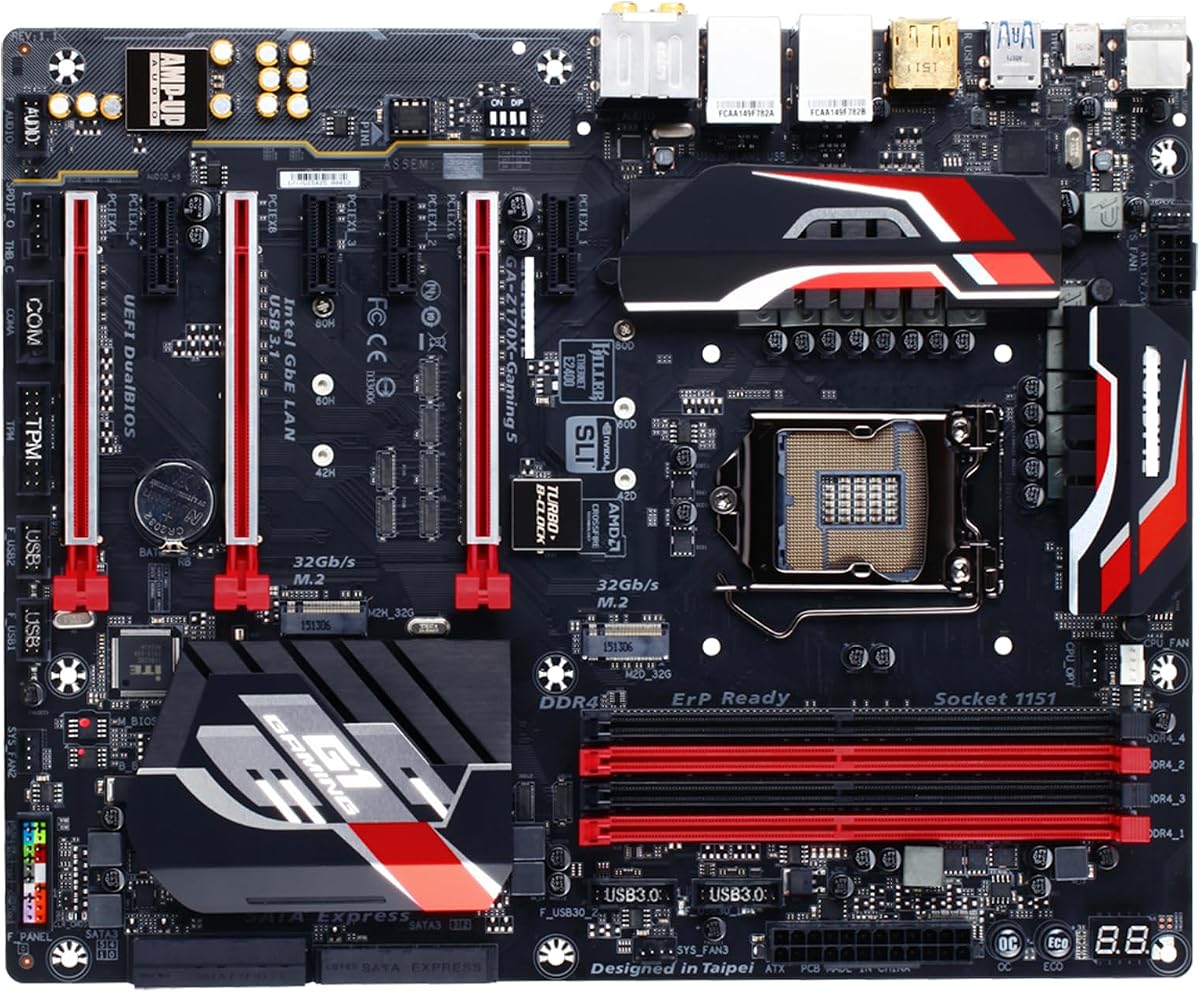
This board offers solid multi-GPU support with SLI and Crossfire ready. It includes multiple SATA Express connectors for high-speed storage. The ATX form factor ensures compatibility with most mid-tower cases.
We may earn a commission when you buy through this link, at no additional cost to you.
Memory slots allow for high capacity setups. The layout is functional for typical gaming needs. However, the user rating suggests potential minor issues to consider.
SATA Express is not common in consumer drives but still a useful feature. It may require specific hardware to utilize fully. Still, the board provides a stable platform.
Gamers needing multi-GPU at a moderate price may like this board. It balances features and cost effectively. Verify reviews before buying.
Support for 2-Way NVIDIA SLI and 3-Way AMD Crossfire provides options for graphics scaling.
Three SATA Express connectors offer high bandwidth options for compatible storage devices.
We may earn a commission when you buy through this link, at no additional cost to you.
ASRock Z170 EXTREME4 is a cost-effective option for gamers. It features a high-quality Realtek ALC1150 audio codec. Multiple SATA3 ports support large storage arrays easily.
We may earn a commission when you buy through this link, at no additional cost to you.
It supports up to 64GB of DDR4 memory. The PCIe slots allow for flexible expansion. The build quality is decent for the price point.
You may miss some modern connectivity features. USB availability is limited compared to premium boards. Still, it is a great budget choice.
Those building a cost-efficient rig will find this board useful. It provides enough power for gaming without breaking the bank. Check your case fit before purchasing.
Realtek ALC1150 supports 7.1-channel high definition audio for immersive gaming sound.
Three PCIe slots enable flexible setups including network or capture cards alongside GPU.
We may earn a commission when you buy through this link, at no additional cost to you.
This board balances features well with a focus on audio and USB. It has eight USB 3.0 ports which is rare for this class. Audio Boost 3 provides excellent sound without extra gear.
We may earn a commission when you buy through this link, at no additional cost to you.
Steel Armor reinforces PCIe slots for heavy graphics cards. It supports DDR4 3000MHz which helps gaming performance. The build is sturdy and durable for daily use.
The mixed ratings suggest some users had BIOS issues. You may need to update firmware immediately after install. If you handle that, it is a great board.
Gamers wanting strong audio and USB connectivity will like this. It is solid for mid-range builds needing performance. Verify BIOS version before using.
Audio Boost 3 technology delivers high-fidelity sound that improves voice chat and immersion.
Steel Armor protects expansion cards from damage and ensures reliable contact for GPUs.
We may earn a commission when you buy through this link, at no additional cost to you.
Asus Z170-A is a reliable and stable platform for gamers. It features 5-Way Optimization which tunes your system automatically. The rating shows high satisfaction among users.
We may earn a commission when you buy through this link, at no additional cost to you.
5X Protection II defends against common electrical risks. USB 3.1 Boost ensures fast data transfers consistently. DTS Studio Sound enhances gaming audio without complex setups.
You might miss advanced overclocking controls found on top boards. The storage options are standard. However, it offers great peace of mind.
Those wanting a stable and easy to use board should pick this. It is excellent for builds where stability is key. Highly recommended for most users.
5-Way Optimization automatically adjusts performance settings to match your specific use cases.
5X Protection II safeguards hardware against surges and static to extend board lifespan.
We may earn a commission when you buy through this link, at no additional cost to you.
This board brings premium ROG features to a compact mATX form factor. It is certified refurbished which guarantees tested and working condition. Features like Extreme Engine DIGI+ ensure stable power delivery.
We may earn a commission when you buy through this link, at no additional cost to you.
USB 3.1 Type C onboard is a great modern touch. It fits smaller cases while maintaining high-end capabilities. The Sonic Sense Amp improves audio quality significantly.
It may lack new warranty terms compared to new items. Expansion slots are limited by size. However, the value proposition is strong.
Gamers with small cases and high performance needs will like this. It offers top-tier features at a reduced cost. Check warranty details carefully.
The mATX form factor allows for smaller builds without sacrificing premium ROG performance features.
Certified Refurbished status provides access to high-end boards at more affordable price points.
We may earn a commission when you buy through this link, at no additional cost to you.
Selecting the right Z170 motherboard requires understanding your specific needs and budget constraints.
Ensure the board supports your Intel CPU generation. Most Z170 boards work with 6th Gen Skylake out of the box but 7th Gen may need a BIOS update.
Always check the manufacturer support list before buying to avoid compatibility issues.
Look for DDR4 support up to your desired speed. Most boards support up to 3466MHz OC which is vital for gaming performance.
Verify the maximum capacity and number of slots to plan for future upgrades.
USB ports should match your peripherals needs. Modern setups benefit from USB 3.1 Type C and enough USB 3.0 ports.
Check front panel connectors to ensure your case has enough cable routing options.
M.2 slots are critical for fast NVMe drives. Ensure at least one slot is present and it supports PCIe speeds.
SATA ports should be enough for your current storage needs and future plans.
Integrated audio codecs like SupremeFX or ALC1150 improve sound. High-end gaming benefits from low-noise amplifiers.
Check for audio shielding and dedicated capacitors for clean sound output.
PCIe lanes determine multi-GPU setups and expansion cards. Ensure enough physical slots and bandwidth for your needs.
Look for reinforced slots if you plan to use heavy graphics cards.
ATX boards offer more features while mATX boards fit smaller cases. Choose based on your case size and layout.
Measure your case dimensions to ensure the board fits without clearance issues.
Established brands offer better support and BIOS updates. Warranty terms vary so check for at least three years.
Certified refurbished products can save money but verify warranty coverage carefully.
Install the motherboard on the case standoffs using the included screws. Ensure no metal touches the PCB to prevent shorts.
Update the BIOS immediately after installing to ensure compatibility with your CPU. Download the latest version from the manufacturer website.
Maintain proper airflow by keeping fans clean and vents clear. Regular cleaning extends the life of the board and components.
Most Z170 boards support 7th Gen Intel Core processors but require a BIOS update. Always check the manufacturer support page for your specific model before purchasing.
No Z170 motherboards support DDR4 memory only. DDR3 slots are incompatible physically and electrically so you must use DDR4 modules.
One M.2 slot is sufficient for most gamers who use one NVMe drive. Two slots are better if you want separate system and cache drives.
ATX boards offer more PCIe slots and ports while mATX boards are smaller. Choose ATX for expandability and mATX for compact builds.
No most Z170 boards have high-quality onboard audio like SupremeFX. You may add an external DAC only for audiophile grade sound.
Yes Z170 chipsets support overclocking for unlocked Intel CPUs. Ensure your board has robust power delivery for stable overclocks.
The ASUS Z170 PRO Gaming is a top budget pick with solid audio and connectivity. It balances performance and cost effectively for most users.
Yes certified refurbished products are tested and come with warranties. Check the seller rating and warranty terms before purchasing.
The Asus ROG Maximus VIII Hero stands out for performance enthusiasts needing top features. The Z170 PRO Gaming offers excellent value for budget gamers.
Prioritize connectivity and memory support when selecting your board. These factors impact your system speed and flexibility more than anything else.
Always check current prices and stock before buying. The market changes quickly so ensure you get the best deal available.