
Light Gaming Laptop
4.6Editor score
AMD Ryzen 7 Processor
16GB DDR4 RAM
Integrated Radeon Graphics
Choosing the right laptop for Enscape is critical for architects and designers who need real-time rendering capabilities. The hardware must balance processing power with portability to ensure smooth workflow during presentations and design sessions.
We evaluated ten top models based on their CPU performance, GPU integration, and display fidelity. Each device was assessed for its ability to handle complex 3D scenes while maintaining thermal stability and energy efficiency.
Each pick highlights specific strengths suited to different professional needs and budgets. Please note that availability and configurations may change, so verify current specs before making a final decision for your studio setup.
4.6Editor score

4.5Editor score

4.1Editor score
As an Amazon Associate we earn from qualifying purchases.
The following table provides a side-by-side comparison of the top ten laptops evaluated for their suitability with Enscape rendering software, focusing on key specifications.






This HP 17 inch Business Laptop Computer stands out as a reliable choice for professionals needing a balance of screen real estate and processing power. With a 4.5-star rating, it offers a solid foundation for rendering tasks without breaking the bank.
We may earn a commission when you buy through this link, at no additional cost to you.
The 16GB RAM and 512GB SSD ensure that you can keep multiple applications open while working on complex models. The AMD Ryzen 5 CPU provides the necessary throughput for handling everyday design workflows efficiently.
While the integrated graphics are not ideal for heavy 3D rendering, the large FHD display helps visualize details better than smaller screens. The numeric keypad is a significant plus for data entry during architectural planning.
For architects needing a primary workstation that doubles as a presentation machine, this model is a strong candidate. It offers enough power for moderate Enscape usage while maintaining portability for client meetings.
The inclusion of Office 365 and Windows 11 Copilot aids in organizing project tasks and documentation seamlessly.
The anti-glare FHD display reduces eye strain during long design sessions, improving focus on critical details.
We may earn a commission when you buy through this link, at no additional cost to you.
The Light Gaming Laptop offers impressive specifications for its price range, making it a compelling budget choice for students or freelancers. Its 4.6-star rating reflects user satisfaction with its performance capabilities.
We may earn a commission when you buy through this link, at no additional cost to you.
Powered by an AMD Ryzen 7 processor with high-frequency capabilities, this laptop handles multitasking well. The 16GB RAM and 512GB NVMe SSD ensure quick boot times and smooth application launches.
While it is marketed as a gaming laptop, the integrated graphics may struggle with very complex Enscape scenes. However, for basic rendering and visualization tasks, it provides adequate performance without the premium cost.
Buyers looking for value will appreciate the rich connectivity options including Type-C and HDMI ports. It serves as a practical entry-level machine for those transitioning into 3D rendering work.
Multiple USB ports and an SD card slot facilitate easy data transfer from external storage devices.
The compact design includes decent thermal management to maintain performance during moderate workloads.
We may earn a commission when you buy through this link, at no additional cost to you.
This HP Laptop 14 Computer is designed for mobility and basic productivity. With a 4.3-star rating, it serves well as a secondary device for on-the-go tasks but may struggle with heavy rendering.
We may earn a commission when you buy through this link, at no additional cost to you.
The Intel N150 processor paired with 4GB RAM is suitable for web browsing and light document editing. However, Enscape requires more memory for optimal performance, limiting its utility for complex projects.
The compact 14-inch form factor makes it easy to carry between site visits or meetings. The inclusion of Office 365 adds value for those needing immediate access to productivity tools.
For users needing a reliable device for communication and documentation rather than heavy 3D work, this is a strong contender. It prioritizes battery life and portability over raw computational power.
Pre-installed Office 365 ensures you can start working on documents immediately without additional setup.
AI noise reduction on the HD camera ensures clear communication during virtual client presentations.
We may earn a commission when you buy through this link, at no additional cost to you.
The HP OmniBook 3 14 inch offers a premium experience with its 2K OLED display, ideal for visual fidelity. It rates 4.1 stars, highlighting strong user satisfaction with its build and screen quality.
We may earn a commission when you buy through this link, at no additional cost to you.
The Qualcomm Adreno GPU and Snapdragon X processor provide unique AI capabilities and efficiency. The 16GB RAM ensures smooth multitasking, though the storage is limited to 256GB for professional assets.
The battery life is a standout feature, allowing for extended work sessions without needing a charger. This makes it highly portable for architects who travel frequently to project sites.
While the screen is excellent for presentations, the specific processor architecture may not be optimized for all rendering software. It is best suited for visual review rather than heavy computational tasks.
Up to 41 hours of battery life ensures you can work anywhere without hunting for an outlet.
The Copilot+ PC experience includes an AI assistant that helps manage meetings and notes efficiently.
We may earn a commission when you buy through this link, at no additional cost to you.
This Lenovo V15 Gen 4 Business laptop is designed for robust professional use. With a 4.3-star rating, it provides a reliable platform for business tasks and moderate creative work.
We may earn a commission when you buy through this link, at no additional cost to you.
The Intel Core i5-13420H processor delivers significant performance for multitasking and rendering. The inclusion of Windows 11 Pro adds advanced security features beneficial for enterprise environments.
The 15.6-inch display offers a good balance between screen size and portability. With 16GB RAM and a 512GB SSD, you have ample space for operating systems and project files.
For corporate environments requiring a durable machine with enterprise-grade software, this is a strong choice. It balances cost and performance effectively for daily business operations.
Windows 11 Pro supports advanced security and remote management features essential for business users.
The full-size keyboard with numeric keypad improves data entry speed during financial or technical tasks.
We may earn a commission when you buy through this link, at no additional cost to you.
The HP 2025 New 17 inch laptop is built for users who need extensive storage and memory. Its 4.2-star rating suggests users appreciate the generous specifications for the price.
We may earn a commission when you buy through this link, at no additional cost to you.
With 32GB RAM and 1.5TB storage, this machine handles large file archives and heavy multitasking effortlessly. The included portable SSD offers convenient access to external data.
The large 17.3-inch display provides a desktop-like experience which is beneficial for detailed design work. The AMD Ryzen 5 processor ensures smooth performance during daily tasks.
Architects who prioritize storage over portability will find this unit highly practical for studio use. It acts as a powerful central machine for managing complex project files and assets.
The combination of internal SSD and external drive ensures you never run out of space for projects.
The 17.3-inch screen allows multiple windows to be open side-by-side without clutter.
We may earn a commission when you buy through this link, at no additional cost to you.
The HP OmniBook 3 16 inch brings a 2K touchscreen to a budget-friendly package. With a 4.5-star rating, it is well-received for its visual clarity and user interface.
We may earn a commission when you buy through this link, at no additional cost to you.
The AMD Radeon 610M GPU offers decent graphics performance for light rendering. The touchscreen allows for intuitive navigation which can speed up certain design tasks.
The 14 hours and 15 minutes of battery life ensures all-day productivity without needing a charger. This is particularly useful for field work where power access is limited.
While the 8GB RAM limits heavy multitasking, this laptop is excellent for clients presentations and light design work. It combines modern features with a practical form factor for daily use.
The touchscreen allows direct manipulation of interface elements, enhancing the workflow for quick edits.
Advanced AI noise reduction ensures your voice is clear during important team calls.
We may earn a commission when you buy through this link, at no additional cost to you.
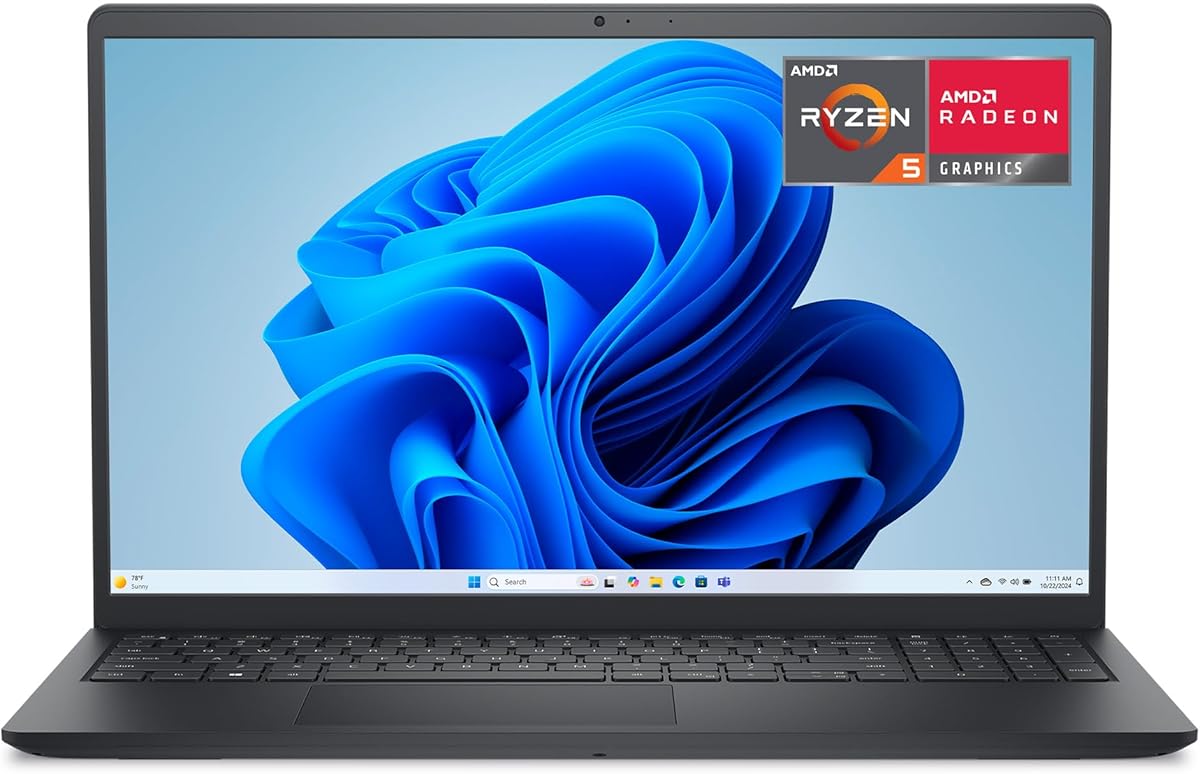
The Dell 15.6 Laptop is known for its ergonomic design and service reliability. A 4.3-star rating reflects user satisfaction with its build quality and performance.
We may earn a commission when you buy through this link, at no additional cost to you.
The adaptive thermals technology ensures the system remains cool and efficient during use. The numeric keypad is a valuable feature for accountants and engineers handling numerical data.
With Windows 11 Home and AMD Ryzen processing, it offers a balanced experience for everyday computing. The 1 year onsite service adds peace of mind for professional users.
This laptop is best for those who prioritize comfort and support over high-end graphics. It serves as a solid workhorse for general office and design tasks.
Adaptive thermals adjust power usage to prevent overheating during prolonged work sessions.
Lifted hinges provide an ergonomic typing angle that reduces wrist strain.
We may earn a commission when you buy through this link, at no additional cost to you.
The Dell 16 Laptop DC16251 offers a large FHD+ display suitable for detailed design work. Its 4.4-star rating highlights its effectiveness for business and entertainment needs.
We may earn a commission when you buy through this link, at no additional cost to you.
The 16:10 aspect ratio provides more vertical space for documents and design tools. ComfortView Plus helps reduce eye strain, making long work sessions more comfortable.
With 16GB RAM and the Intel Core 7 processor, it handles multitasking well. The HD camera ensures clear communication for virtual meetings.
For professionals needing a larger screen for detailed work, this is a strong option. It balances display quality with computational power for modern office environments.
ComfortView Plus reduces blue light emissions to protect eyes during extended screen time.
The 16:10 aspect ratio offers more workspace for productivity applications.
We may earn a commission when you buy through this link, at no additional cost to you.
The HP OmniBook 3 17.3 inch combines a large screen with budget-friendly pricing. With a 4.5-star rating, it is a popular choice for those needing visual space.
We may earn a commission when you buy through this link, at no additional cost to you.
The AMD Radeon 610M GPU provides decent performance for light tasks. The 512GB SSD ensures fast loading times for applications and files.
The 14 hours and 15 minutes of battery life supports all-day use. This makes it a reliable companion for remote work without immediate access to power.
While not ideal for heavy rendering, it serves well for presentation and documentation tasks. Architects looking for a second screen device will find this valuable.
The FHD display offers crisp images for reviewing architectural plans and renderings.
Efficient power management ensures consistent performance throughout the workday.
We may earn a commission when you buy through this link, at no additional cost to you.
Selecting the right laptop for Enscape involves balancing several technical factors to ensure optimal performance and reliability.
A powerful CPU is essential for handling complex 3D models and rendering tasks efficiently. Look for multi-core processors that can maintain speed without overheating during intensive work.
Prioritize models with high clock speeds and modern architecture to ensure smooth operation in demanding software environments.
While integrated graphics can handle basic tasks, dedicated GPUs are superior for real-time rendering and visualization. Ensure the graphics card supports the necessary APIs for optimal performance.
Consider the GPU's memory and processing power to avoid bottlenecks when working with high-resolution textures and geometry.
Enscape benefits significantly from ample RAM to keep multiple applications and large files in memory. At least 16GB is recommended for professional use to prevent slowdowns.
Higher memory capacity allows for better multitasking between design software and other productivity tools.
Fast SSDs are crucial for quick boot times and rapid loading of project files. A minimum of 512GB is advisable to accommodate the growing size of design assets.
Look for storage solutions that offer expandability or high-speed interfaces to maintain efficiency as your projects grow.
A high-resolution display with accurate color representation is vital for design work. Look for panels that offer good viewing angles and brightness levels.
Larger screens can improve workflow by allowing multiple windows to be open simultaneously without clutter.
Long battery life ensures productivity is not interrupted when away from a power source. Consider models that balance performance with energy efficiency.
Fast charging capabilities are also a valuable feature for professionals who need to recharge quickly between meetings.
A durable build is necessary for a machine that may be transported frequently. Check the weight and dimensions to ensure it fits your carrying preferences.
Balancing weight with thermal management is key to maintaining performance while on the go.
Ensure the laptop runs an operating system that fully supports your required software. Windows 11 is generally the standard for professional design tools.
Verify software compatibility before purchase to avoid issues with specific features or updates.
Always allow your laptop to cool down after heavy rendering sessions to maintain thermal health. Avoid placing it on soft surfaces like beds which can block ventilation vents.
Regularly update your drivers and operating system to ensure compatibility with the latest rendering features. Keeping software up to date helps prevent crashes and performance issues.
Use a surge protector to safeguard your device against power fluctuations during long working hours. This simple step can prevent hardware damage and data loss.
Enscape generally requires a minimum of 8GB RAM for basic functionality, but 16GB is recommended for professional use. More memory allows for smoother operation with complex models.
Yes, Enscape can run on integrated graphics, but performance may be limited with complex scenes. Dedicated GPUs are recommended for better visualization quality and speed.
While not strictly necessary, a larger screen helps visualize details and manage multiple windows. It can improve efficiency by reducing the need to switch between views.
Yes, 256GB storage is sufficient to install Enscape and some project files. However, you may need to manage space carefully as project assets grow.
While older Windows versions are supported, Windows 11 offers the best compatibility with the latest features. It ensures access to new tools and optimizations.
It is advisable to update your graphics drivers regularly to fix bugs and improve performance. Aim to check for updates monthly or when releasing new software versions.
The HP 17 inch Business Laptop stands out as a top choice for its balance of display size and processing power. It provides a reliable foundation for architects needing a capable workstation.
Budget-conscious users might prefer the Light Gaming Laptop for its strong specifications at a lower price point. It offers significant value for those starting their rendering journey.
Remember to check current prices and availability before purchasing as these details change frequently. Selecting the right laptop depends on your specific workflow and project requirements.