
Amazon Fire HD 8 Kids
4.6Editor score
Bright 8 inch HD screen
13 hour battery life
Includes 1 year Amazon Kids+
Finding the right digital device for young children requires careful consideration of safety, durability, and educational value. Parents need tools that foster creativity without compromising privacy or exposing kids to inappropriate content. A quality tablet balances entertainment with learning opportunities.
We evaluated ten leading models based on screen quality, battery life, and robust parental control systems. Each product offers unique features designed to withstand drops and support educational growth. Our comparison highlights devices that prioritize child safety and ease of use.
Every pick includes detailed specs, pros, and cons to help you make an informed decision. Note that availability and features may change over time so always check the latest details before buying. This guide ensures you find a tablet that grows with your child.
4.6Editor score

4.3Editor score

4.0Editor score
As an Amazon Associate we earn from qualifying purchases.
This side-by-side comparison helps you quickly identify which tablet fits your family needs. We list key specifications for every model so you can compare performance and features easily.


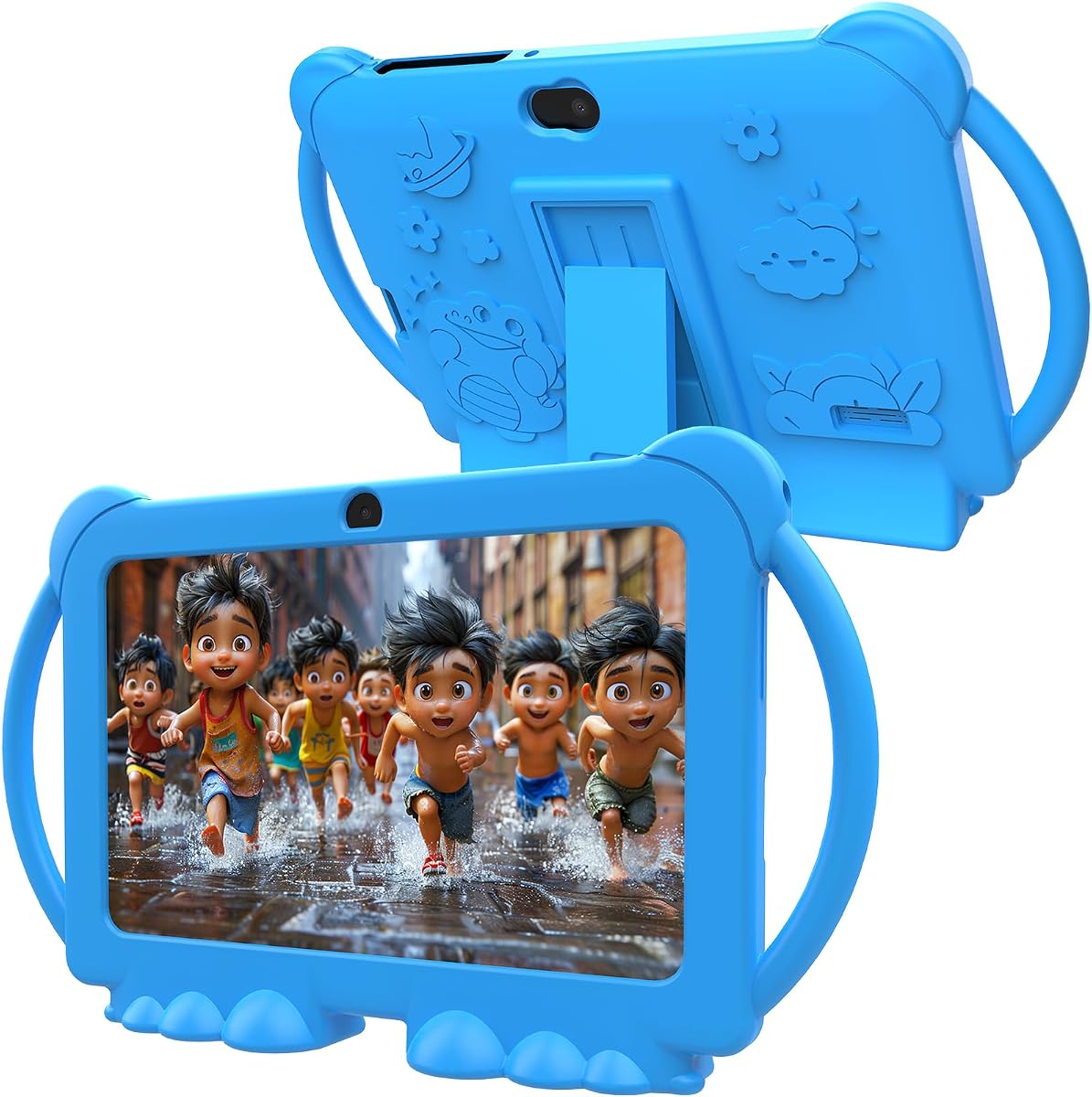


The Amazon Fire 7 Kids tablet stands out as a top choice for families seeking a reliable device for children aged three to seven. It holds a strong rating from thousands of parents who value its durability and comprehensive parental control features.
We may earn a commission when you buy through this link, at no additional cost to you.
This device comes bundled with a one-year subscription to Amazon Kids+ offering thousands of ad-free books games and videos from trusted brands like Disney and PBS Kids. The included kid-proof case protects against drops while the two-year guarantee ensures peace of mind for parents.
While the screen resolution is modest compared to larger models the ten-hour battery life supports extended play sessions. Storage can be expanded via microSD card if your child needs more space for favorite apps and videos.
Ideal for parents wanting an affordable yet robust solution this tablet simplifies screen time management. Its easy-to-use dashboard allows you to set educational goals and time limits effortlessly making it a practical choice for young learners.
Parental controls let you filter content by age and set time limits to ensure healthy digital habits.
Amazon Kids+ provides unlimited access to age-appropriate learning activities and entertainment options.
We may earn a commission when you buy through this link, at no additional cost to you.
The Amazon Fire HD 8 Kids tablet offers an enhanced viewing experience with its bright eight-inch HD screen making it perfect for video streaming and interactive learning. It achieves an exceptional rating from families who prioritize screen quality and battery endurance.
We may earn a commission when you buy through this link, at no additional cost to you.
This model includes a one-year Amazon Kids+ subscription and comes with a kid-proof case to protect against daily wear. The longer battery life supports all-day use without needing frequent charging which is ideal for travel or busy schedules.
While it costs more than basic models the increased storage and performance justify the investment for active users. The parental control dashboard is intuitive allowing parents to manage content and usage remotely with ease.
Choose this tablet if you want superior display quality and longer battery life for your child. It balances entertainment and education effectively ensuring your child stays engaged and safe during screen time.
The HD screen delivers vibrant colors and sharp text for a more immersive learning experience.
Up to 13 hours of usage means your child can enjoy content throughout the day without interruptions.
We may earn a commission when you buy through this link, at no additional cost to you.
This Kids Tablet 7 Inch model provides a cost-effective entry point into the world of educational tablets for toddlers. It features a clean Android 12 interface that supports a wide range of applications while maintaining child safety protocols.
We may earn a commission when you buy through this link, at no additional cost to you.
The device includes a shockproof case designed to absorb impact from drops and bumps ensuring longevity. Parental controls allow you to manage screen time and filter content so your child only accesses age-appropriate material.
While it lacks some premium features of higher-end models it delivers solid performance for basic learning and entertainment. The expandable storage option means you can add more apps without worrying about running out of space.
Pick this tablet if you need a reliable and affordable device for your child. It offers excellent value for families looking to introduce digital learning without breaking the bank.
Great performance and features at a price point that is accessible for most families.
Support for microSD cards allows you to increase storage capacity as your child's needs grow.
We may earn a commission when you buy through this link, at no additional cost to you.
The YosaToo Kids Tablet runs on the latest Android 16 system providing a modern interface for children to explore. It is designed with offline learning apps in mind making it a great companion for travel or areas without stable WiFi.
We may earn a commission when you buy through this link, at no additional cost to you.
Parents appreciate the advanced control features that allow filtering of content and setting time limits easily. The device comes with a durable silicone case to protect the screen and body from accidental drops during play.
While the screen quality is standard the device handles multitasking well with ample RAM for typical kid apps. The preloaded content ensures immediate engagement without needing to download everything from the start.
This tablet is a strong choice for families wanting modern Android features with built-in educational tools. It supports independent exploration while keeping safety a top priority.
Pre-installed apps allow learning and entertainment even when internet connectivity is not available.
Android 16 ensures access to the latest features and app compatibility for growing needs.
We may earn a commission when you buy through this link, at no additional cost to you.
This Amazon Fire HD 8 Kids Pro is tailored for older children who are ready for more independence. It features a sleek design and a slim case that appeals to kids transitioning from toddler models while maintaining safety features.
We may earn a commission when you buy through this link, at no additional cost to you.
With sixty-four gigabytes of storage this tablet supports more games and educational content. The included subscription provides unlimited access to books and videos helping to foster a love for learning and reading.
The parental controls are robust allowing you to approve downloads and manage browsing habits effectively. This ensures your child can explore safely while you maintain oversight of their digital activities.
Ideal for school-aged children this model balances freedom with necessary safety net. It supports both entertainment and educational needs with a focus on growing independence.
The slim case and interface suit older kids who prefer a more mature look than toddler models.
Built-in web browser guardrails filter inappropriate content while allowing safe exploration.
We may earn a commission when you buy through this link, at no additional cost to you.
The PEICHENG Kids Tablet is a versatile device that includes dual cameras for creative play and video calls. It runs on Android 12 providing a familiar interface for parents and kids alike while offering essential safety features.
We may earn a commission when you buy through this link, at no additional cost to you.
Parental controls allow you to manage usage time and content filters effectively. The shockproof case is designed to withstand drops ensuring the device remains intact through active play sessions.
While performance is adequate for standard apps the cameras add a unique creative element for young users. The Bluetooth connectivity supports wireless accessories like headphones for private listening.
This tablet is a good option for families wanting additional creative tools within a budget. It encourages digital creativity while keeping safety and learning in focus.
Dual cameras allow children to take photos and record videos for fun and storytelling.
Built-in controls help you manage screen time and content access to keep usage safe.
We may earn a commission when you buy through this link, at no additional cost to you.
The ApoloSignage 2026 Android offers a large ten-inch screen ideal for reading and sharing content with siblings. It features Android 16 and ample RAM ensuring smooth operation even when running multiple apps simultaneously.
We may earn a commission when you buy through this link, at no additional cost to you.
Eye-comfort technology helps reduce strain during extended viewing sessions making it suitable for longer study or play times. The parental control system allows detailed management of content and time limits for peace of mind.
While the size makes it less portable the display quality compensates with clear visuals. Storage expansion options mean you can keep a large library of content ready for offline use.
Choose this tablet for families who prioritize screen real estate for educational video. It is built for robust performance and child safety.
A larger screen helps children read text and view educational videos with greater clarity.
Blue light reduction technology protects eyes from strain during long periods of use.
We may earn a commission when you buy through this link, at no additional cost to you.
The HOTTABLET Kids Tablet is designed for durability and flexibility with a robust silicone case and dual cameras. It runs on Android 12 offering a wide selection of apps through the Google Play Store for varied learning experiences.
We may earn a commission when you buy through this link, at no additional cost to you.
Parental controls allow you to set time limits and filter content ensuring a safe browsing environment. The tablet supports expandable storage so you can add more apps and files as needed.
While performance is moderate the inclusion of dual cameras adds value for creative activities. The case design makes it easy to carry and stands securely for hands-free viewing.
This device is a practical choice for everyday use and creative play. It balances essential features with necessary protections for young hands.
A high-quality silicone case absorbs impact to keep the device safe from drops.
Access to the Play Store ensures you can find specific educational apps for your child.
We may earn a commission when you buy through this link, at no additional cost to you.
The aiprotablet 10 inch Kids tablet features a massive battery and fast charging to keep power available for long periods. It runs Android 16 with an octa-core processor delivering smooth performance for learning and gaming tasks.
We may earn a commission when you buy through this link, at no additional cost to you.
Parental controls let you manage screen time and content to ensure safety. The large battery capacity reduces charging frequency making it ideal for travel days or outdoor activities.
While the size might be bulky for small children the performance and battery life are notable. It supports a wide range of applications thanks to ample RAM and storage.
This tablet is suited for families needing extended use without constant recharging. It combines power with child safety features.
A 6000mAh battery ensures your child can use the tablet for hours on a single charge.
PD fast charging reduces downtime so your child can get back to learning quickly.
We may earn a commission when you buy through this link, at no additional cost to you.
The PRITOM 7 inch Kids comes loaded with educational apps right out of the box saving time on setup. It features Android 13 and includes essential safety controls to manage what your child sees online.
We may earn a commission when you buy through this link, at no additional cost to you.
A kid-proof case protects the device from drops and spills. The parental control system is intuitive allowing you to set spending limits and content filters easily.
While the specs are entry-level the pre-loaded content makes it ready to use immediately. The USB-C port supports modern charging standards for quick top-ups.
This tablet is a solid choice for simple and safe digital learning. It is designed to minimize setup and maximize ready-to-play fun for kids.
Pre-installed apps mean your child can start learning and playing without delays.
A USB-C charging port provides faster power replenishment to keep the day going.
We may earn a commission when you buy through this link, at no additional cost to you.
Selecting the right tablet requires balancing performance safety and cost. Use these factors to narrow down options that fit your child's needs.
Ensure the device matches your child's developmental stage. Younger kids benefit from simpler interfaces and physical protection.
Look for models explicitly designed for ages 3 to 7 to guarantee age-appropriate software.
Strong parental controls are essential for keeping kids safe online. Check for features that let you set time limits and filter content easily.
A good control system should allow remote management so you can adjust settings without handing over the device.
Children often drop their tablets so a sturdy case is non-negotiable. Look for shockproof or reinforced designs that protect corners and screens.
Models with warranty options against breakage provide extra security for your investment.
A tablet with long battery life ensures uninterrupted play during long trips or busy days. Aim for models offering at least ten hours of use.
Quick charging capabilities are a bonus if your child uses the device heavily during the day.
Kids download many apps and videos so adequate internal storage is key. Consider models with expandable storage options for future needs.
At least 32 GB of internal space is recommended to accommodate growing content libraries.
Subscriptions that offer educational content add value to the purchase. Check if the tablet includes access to learning apps and books.
Models with pre-installed apps reduce setup time and provide immediate learning opportunities for children.
A bright and clear screen reduces eye strain during extended use. Look for IPS displays with reasonable resolution for viewing videos.
Blue light protection features are a valuable addition for maintaining eye health during learning.
WiFi and Bluetooth connectivity expand the utility of the tablet for learning and entertainment. Ensure it supports standard protocols for headphones.
Expandable connectivity options help you integrate the device with other educational tools.
Always configure parental settings before handing the device to your child. This ensures safe content access and time limits are active from day one.
Keep the tablet in its protective case at all times to prevent damage from drops or spills. Regularly check for wear and tear on the case.
Charge the device fully before long outings to avoid interruptions. Use only original chargers to maintain battery health and safety.
Yes, these models come with built-in parental controls and durable cases designed for toddlers. They filter content to ensure only age-appropriate material is accessible. You can manage screen time to maintain safety.
Most of the tablets listed include a protective case as part of the bundle. This ensures your device is safe from drops immediately upon purchase. Always verify what is included in the package.
Yes, many of these devices allow you to download additional apps from the Google Play Store or Amazon App Store. Parental controls let you approve downloads to keep content safe.
Parental control settings are usually found in the device settings menu. You can set passwords and time limits using a dedicated dashboard. This allows you to manage content access remotely.
Most models offer at least ten hours of battery life which is suitable for travel. Ensure you charge the device fully before starting your trip. Portable chargers can provide extra backup if needed.
Some models like the Amazon Fire series include a worry-free guarantee that replaces the device if it breaks. Check warranty details before buying to ensure you have protection.
Many modern tablets include eye protection features to reduce blue light exposure. Look for models specifying blue light filtering for better eye comfort during use.
Yes, many tablets allow you to create multiple user profiles. This lets each child have their own apps and settings within one device. Parental controls apply to all profiles.
We highlighted ten top options ranging from budget-friendly models to premium choices with enhanced features. The Amazon Fire HD 8 Kids offers premium quality while the 7 Inch Kids Tablet provides value.
Prioritize safety and durability when making your decision. Look for models that include cases and have robust parental controls to ensure your child stays safe online.
Always check the latest pricing and availability before purchasing to get the best deal. Technology changes quickly so current features might vary slightly over time.