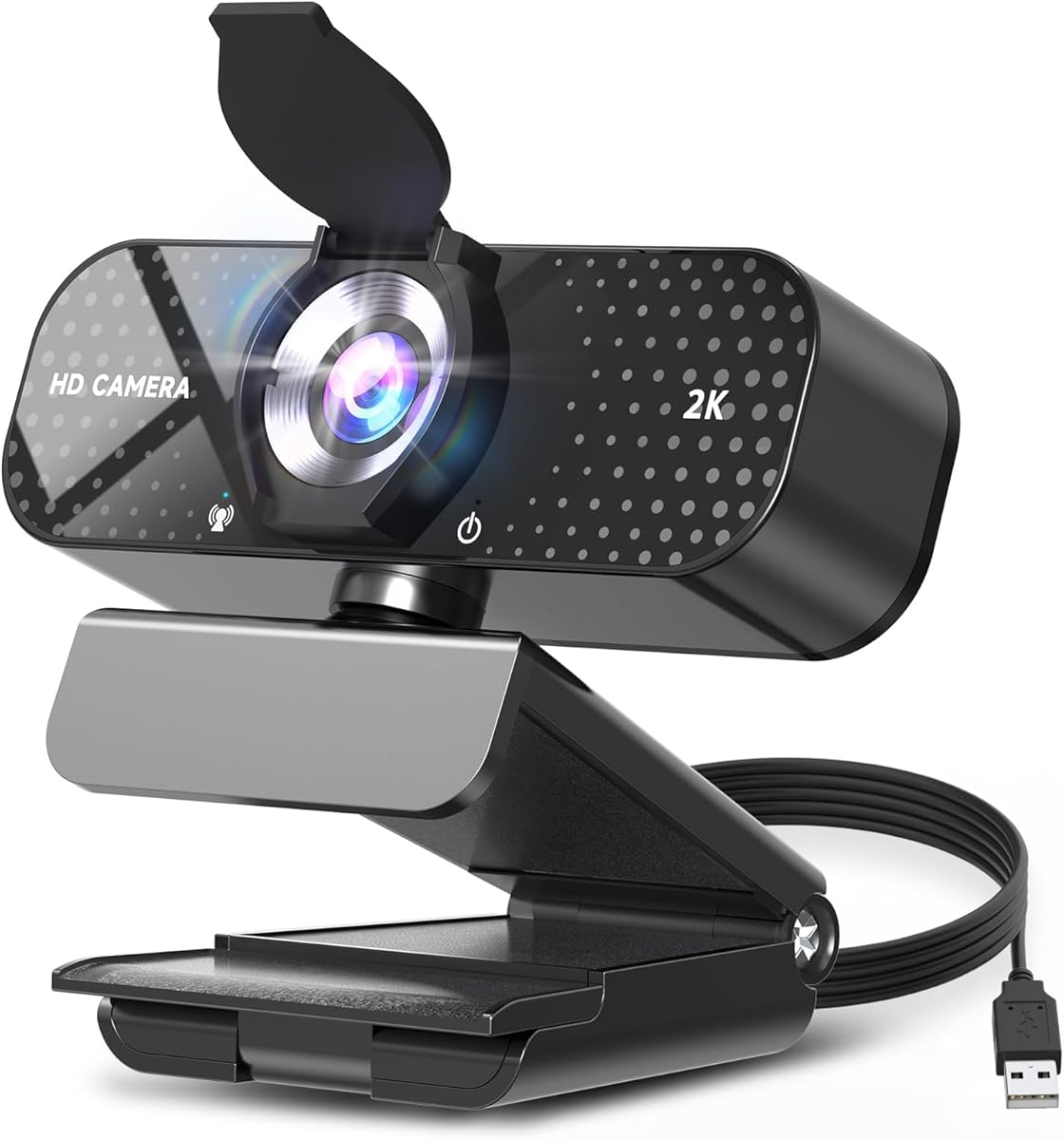
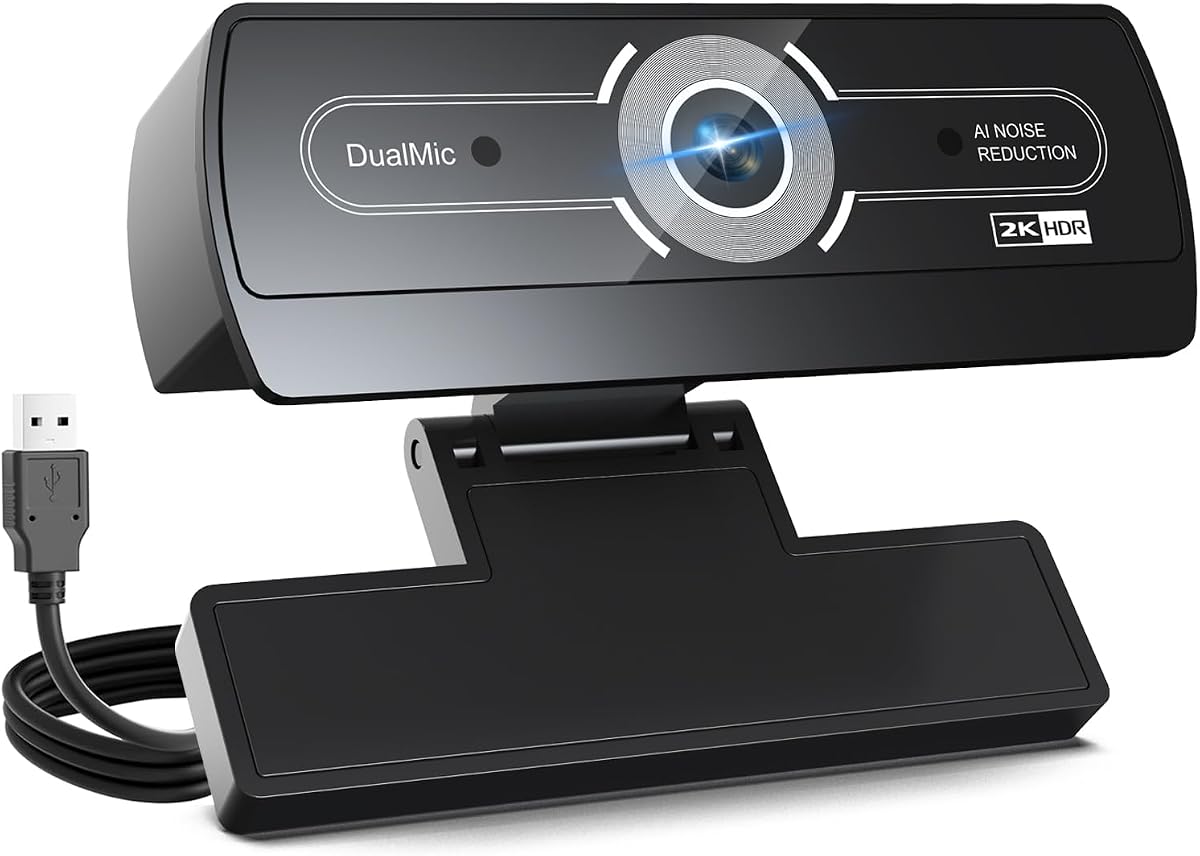
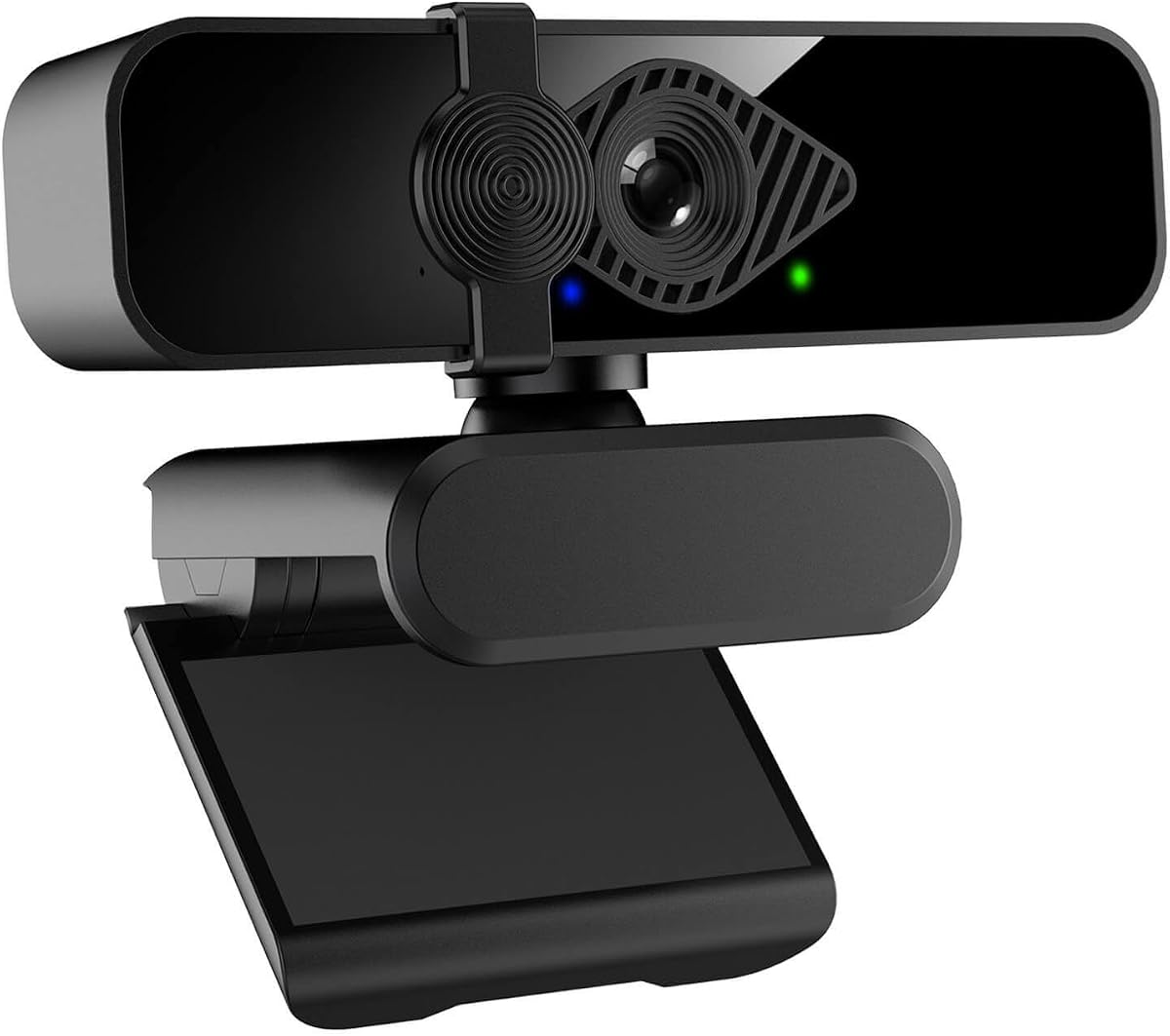
This guide compares the top 10 2K Hd Webcam under 50 models for video calls, streaming, and remote work based on resolution, audio, and privacy features.
As an Amazon Associate we earn from qualifying purchases. We may earn a commission when you buy through links on this page, at no additional cost to you. Read our affiliate disclosure.As an Amazon Associate we earn from qualifying purchases.Purchases through our links may earn us a commission, at no extra cost to you. Read our affiliate disclosure.
Finding the right video camera for your setup is essential for clear communication and professional presentations. A 2K resolution model offers significantly sharper details than standard options. This collection highlights reliable choices that balance performance with affordability for everyday users.
We evaluated each product based on image quality, microphone performance, and ease of setup. The list includes models with auto light correction, noise canceling microphones, and privacy covers. Every option supports popular platforms and works seamlessly across different operating systems.
Each pick below shows key strengths and ideal use cases to help you decide. Prices and availability can change frequently so verify details before purchasing. These recommendations focus on delivering consistent quality without breaking your budget for home or office use.
Top 3 Picks for Best 2K Hd Webcam under 50
Best Budget
Hprosper 2K Webcam with Microphone, Automatic Light Correction & Privacy Cover, Wide Angle USB Camera for PC, Laptop, Mac, Zoom, Gaming, Streaming, Conference Room, Video Conferencing
Top 10 Best 2K Hd Webcam under 50 in 2026 Compared
The following table provides a side-by-side comparison of all ten models to help you quickly identify which features matter most for your specific needs and usage scenarios.
UGREEN 2K Webcam for PC Ultra HD 1080P Computer Webcam with Microphone
2K 30FPS video
Dual microphones
95° FOV
Auto light correction
The UGREEN 2K Webcam offers a balanced package for professionals and home users needing reliable video clarity. With a rating reflecting solid performance it delivers sharp images and clear audio without complex setup requirements.
Pros
Sharp 2K video quality
Clear audio with dual mics
Easy plug and play setup
Includes privacy cover
Wide system compatibility
Cons
Fixed focus technology only
Requires 50cm focus distance
We may earn a commission when you buy through this link, at no additional cost to you.
Its 2K 30FPS sensor captures smooth motion while dual microphones ensure your voice is heard distinctly even in noisy environments. The auto light correction feature adjusts brightness and color temperature automatically so you always look professional.
While it uses fixed focus which means no manual adjustment you get consistent sharpness within typical desk distances. The 95 degree field of view is wide enough for group calls but still frames individuals well.
This model is ideal for anyone prioritizing ease of use and consistent video quality across Zoom or Teams meetings. It provides all essential features without unnecessary complexity or high costs.
Superior Audio Clarity
Dual integrated microphones reduce background noise ensuring your voice stands out clearly during calls or recordings.
Privacy First Design
A sliding privacy cover blocks the lens when not in use giving you peace of mind and physical security.
TRAUSI 2K Full HD Webcam with Auto Light Correction, Noise-Canceling Mic, Privacy Cover and Wide Angle Lens, Plug & Play USB Camera for Desktop/Laptop/Mac/PC, Compatible with Teams/Zoom/Streaming
2K 30FPS video
Noise canceling mic
Auto light correction
Wide angle lens
TRAUSI brings a solid 2K webcam to the market with focus on user convenience and visual quality. Its performance rating indicates reliability for daily video conferencing and online classes.
Pros
Smooth video at 30FPS
Effective noise cancellation
Bright image in low light
Eco friendly materials
Secure privacy shield
Cons
Rating slightly lower than top picks
No software customization
We may earn a commission when you buy through this link, at no additional cost to you.
The wide angle lens captures more of your surroundings while automatic light correction keeps colors natural even in dim rooms. A built in noise canceling microphone filters out distractions so conversations remain clear.
It uses eco conscious materials which aligns with sustainable practices without compromising build quality. Plug and play functionality means you can start streaming or meeting right after connecting to your computer.
Choose this model if you need a straightforward camera that handles lighting changes well and keeps your workspace organized. It fits well for students and casual users needing dependable video.
Smart Light Adjustment
Dynamic brightness and color adjustments ensure you always look your best regardless of ambient lighting conditions.
Sustainable Build
Energy efficient tech and durable materials reduce environmental impact while ensuring long lasting performance.
EMEET C100 2K Webcam for PC with Rotating Privacy Cover, Mic & Metal Clip
2K 30FPS video
Rotating privacy cover
Metal clip base
Custom software
EMEET C100 stands out by offering software control over brightness and exposure which is rare in this price range. Its rating reflects stable performance for meetings and classes without lag or blur.
Pros
Adjustable via EMEETLINK
Sturdy metal clip
Integrated privacy shutter
Anti flicker support
Tripod ready
Cons
Software required for advanced features
Fixed focus only
We may earn a commission when you buy through this link, at no additional cost to you.
The metal clip ensures a secure fit on any monitor or laptop while the rotating privacy cover protects your lens when unused. Built in anti flicker tech keeps video steady under indoor lighting.
If you want to tweak settings to match your room lighting this camera gives you that flexibility. A 1/4 inch thread allows tripod mounting for standing or desk setups.
Ideal for users who prefer control over their video settings and need a rugged build. It combines functionality with privacy protection effectively.
Software Control
EMEETLINK software lets you adjust exposure saturation and brightness for perfect image tuning.
Durable Mount
A strong metal clip holds firmly without slipping ensuring the camera stays in position during use.
2K Webcam for PC Laptop,PDAF Auto Focus,Dual Noise-Canceling Mics
PDAF autofocus
Dual noise canceling mics
6.6ft cable
4MP CMOS sensor
This model introduces PDAF autofocus technology normally found in high end cameras. Its rating confirms it locks focus quickly and avoids the hunting issue common in fixed focus webcams.
Pros
Fast phase detection autofocus
Dual noise canceling chip
Extra long cable
USB-C adapter included
60FPS support
Cons
Higher price point
May need tripod for wide view
We may earn a commission when you buy through this link, at no additional cost to you.
Dual microphones with dedicated noise canceling chips ensure voice clarity even with keyboard or fan noise nearby. A 6.6 foot cable plus USB C adapter offers great flexibility for placement.
With support for 1080P at 60FPS it is excellent for smooth gaming streams or fast motion. The fixed auto exposure and white balance keep you looking professional in mixed lighting.
Buy this if you move during calls or stream and need sharp focus always. It delivers premium features in a compact affordable design.
Instant Focus Lock
Phase detection autofocus tracks your face instantly eliminating blurry transitions during movement.
Enhanced Audio
Dedicated hardware filters block ambient noise so your voice remains the primary audio source.
Hprosper 2K Webcam with Microphone, Automatic Light Correction & Privacy Cover, Wide Angle USB Camera for PC, Laptop, Mac, Zoom, Gaming, Streaming, Conference Room, Video Conferencing
2K 1440p resolution
Noise canceling microphone
Privacy cover
360° rotation
Hprosper delivers true 2K resolution at a highly accessible price point making it the top budget choice. Its rating suggests solid consistency for home office and streaming tasks.
Pros
True 2K resolution
Automatic light correction
Full rotation capability
Simple plug and play
Multiple OS support
Cons
Basic build materials
Limited software features
We may earn a commission when you buy through this link, at no additional cost to you.
Automatic light correction balances brightness and colors so you look polished even in challenging lighting. A physical privacy cover and noise canceling mic add essential security and audio clarity.
The 360 degree rotation lets you position the lens exactly where needed for any angle. A five foot USB cable ensures it reaches easily without extra extension cords.
This is the best value for users seeking high resolution without premium features. It simplifies video calls while keeping costs low.
True 2K Resolution
Captures 1440p detail for sharp images that exceed standard HD clarity.
Flexible Positioning
Full rotation ensures you can frame your shot perfectly for any setup.
2K Webcam for PC – 2K Ultra HD Computer Camera with PDAF Autofocus, AI Noise-Canceling Mic, USB Plug & Play, 92° FOV & Auto Lighting Correction for Laptop & Desktop (Social Streaming Video Call)
2K QHD resolution
PDAF autofocus
Dual AI mics
92° FOV
XOCLON focuses on raw imaging power with a genuine 4MP CMOS sensor delivering true 2560×1440 resolution. Its rating indicates potential for high quality output though user experiences vary.
Pros
Genuine 4MP sensor
PDAF autofocus
AI noise canceling
Long cable included
92 degree field
Cons
Lower user ratings
Software integration basic
We may earn a commission when you buy through this link, at no additional cost to you.
PDAF autofocus keeps the image sharp as you move while dual AI microphones ensure clean audio capture. A 1.5 meter cable gives room for flexible positioning on desks.
The 92 degree field of view is wide enough for most streaming setups without excessive distortion. Auto light correction adapts to bright or low light situations automatically.
Consider this for streaming where resolution and focus speed matter most. It provides strong specs for the price.
Cinematic Detail
Pure 2K QHD resolution captures every detail with precision.
Smart Audio
AI algorithms filter noise to isolate your voice for clear communication.
2K Webcam for PC, 85° View USB Computer Camera, with Noise Canceling Microphone & Privacy Cover, HD Web Cameras for Desktop Laptop Monitor Mac Streaming, Gaming & Video Calling
2K 30FPS video
85° view lens
Flexible tilt
Privacy cover
This camera uses an 85 degree lens to provide a tighter framing that reduces background clutter. Its rating highlights reliability for standard video calls and meetings.
Pros
Tight framing with 85° view
Full rotation base
Privacy cover included
Easy plug and play
Strong compatibility
Cons
Narrower view for large groups
Shorter cable
We may earn a commission when you buy through this link, at no additional cost to you.
A full 360 degree rotation and extendable base let you adjust the angle for any posture. Noise canceling microphone captures voice clearly even with surrounding activity.
Plug and play setup ensures it works within a minute without drivers. Privacy cover protects the lens when unused ensuring security.
Choose this if you want to minimize background distractions and focus on the speaker. It suits professional meetings best.
Minimal Clutter
The 85 degree view reduces background distraction to keep attention on you.
Stable Base
Extendable clip opens to 180 degrees for secure mounting on various surfaces.
2K Webcam for PC Mac Laptop with Microphone,Full HD Web Cam for Streaming with Privacy Cover Sliders,USB C Web Camera for Desktop Computer Monitor,External Small Best Webcam For Microsoft Teams Gaming
2K 30FPS video
Dual noise reduction
Detachable privacy
Plug and play
This model holds a strong rating suggesting consistent satisfaction with image clarity and build. Its design emphasizes a small footprint that does not block your screen.
Pros
Very high user rating
Dual noise reduction
Detachable privacy cover
Small form factor
USB-C compatible
Cons
No autofocus mentioned
Limited cable options
We may earn a commission when you buy through this link, at no additional cost to you.
Dual noise reduction combines hardware filters with AI processing to keep footage clean even in dimly lit rooms. Detachable privacy covers ensure security without compromising lens quality.
It handles 2K resolution smoothly across video conferencing and gaming apps. The USB-C option ensures compatibility with newer laptops directly.
Pick this if you value a compact design and privacy. It delivers high reliability for daily calls.
Noise Reduction
Merging hardware filters with software scrubbing removes grain and ambient noise.
Compact Footprint
Small size prevents screen obstruction while maintaining premium image quality.
2K Webcam for PC with Microphone, USB Camera, Manual Focus, Black
2K resolution
Manual focus
Gooseneck stand
Document camera
This webcam features a flexible gooseneck stand allowing unique angles for document sharing or overhead views. Its rating highlights versatility for teachers and document workers.
Pros
Adjustable gooseneck stand
Manual focus control
Document flipping feature
Privacy cover slider
Long USB cable
Cons
Manual focus is slow
No autofocus
We may earn a commission when you buy through this link, at no additional cost to you.
Manual focus lets you set sharpness for specific distances which is useful for displaying hand drawn illustrations. Noise canceling microphone ensures voice clarity during calls.
Image flipping support allows you to display teaching materials correctly on screen. Privacy cover keeps lens safe when unused.
Ideal for educators or professionals needing to show physical items. It offers unique flexibility for a webcam.
Adjustable Stand
40cm gooseneck provides full angle control for any desk setup.
Document Mode
Image flipping enables clear display of papers and drawings for remote work.
2K Webcam for pc with Microphone,Privacy Cover Slider Streaming Web cam for Mac Laptop,USB External Computer Camera for Desktop,Best Full Hd face cam for Video Conference,Gaming,Zoom,Teams
2K 30FPS video
Dual noise reduction
Privacy cover slider
Plug and play
This model delivers sharp 2K visuals with dual noise reduction for clean video and audio. Its rating suggests it handles various platforms from Teams to gaming well.
Pros
Dual noise reduction
Physical privacy cover
2K resolution quality
Simple plug and play
Wide app compatibility
Cons
No autofocus
Basic build materials
We may earn a commission when you buy through this link, at no additional cost to you.
The detachable privacy cover ensures security against unauthorized access. Dual reduction technology merges filters to smooth out digital noise even in dim light.
It works out of the box without drivers on any major system. High pixel density ensures facial texture is captured clearly.
Choose this for reliable everyday performance across work and play. It offers privacy and clarity in equal measure.
We may earn a commission when you buy through this link, at no additional cost to you.
Buying Guide – How to Choose the Best 2K Hd Webcam under 50
Choosing the right webcam involves balancing resolution, audio, and privacy features to match your specific needs. Here are the key factors to evaluate before purchasing.
Resolution and Frame Rate
For video calls and streaming a 2K resolution provides sharper details than standard 1080P. Look for models supporting 30FPS for smooth motion which is critical for streaming or meetings.
Prioritize cameras that offer 2K without interpolation to ensure true image quality.
Audio Quality and Noise Cancellation
Clear audio is often more important than video quality. Dual microphones with dedicated noise canceling chips block background noise effectively.
Choose a model with hardware filtering to ensure your voice remains crisp in noisy environments.
Autofocus vs Fixed Focus
Autofocus helps keep the image sharp when you move but fixed focus can be more reliable at set distances. If you move frequently during calls consider PDAF autofocus models.
Fixed focus models are simpler and often cheaper but require consistent desk positioning.
Field of View and Lens Angle
A wider field of view like 95 degrees is better for group calls while a tighter 85 degree lens reduces background clutter for solo use.
Select the angle that fits your workspace size and how many people join your video calls.
Privacy and Security Features
Physical privacy covers are essential to protect your visual privacy when the camera is not in use. Look for sliding or detachable covers that offer a tangible barrier.
Always choose a model with a built-in shutter to ensure no unauthorized access to your lens.
Lighting and Auto Correction
Automatic light correction adjusts brightness and color to keep you looking natural in varying lighting. This feature is vital for home offices with inconsistent light.
Prioritize cameras with dynamic correction to avoid grainy footage in dim rooms.
Mounting and Cable Length
Secure clips and flexible bases ensure the camera stays in place. A long cable like 6.6 feet offers flexibility for positioning without extra extension cords.
Check if the model supports tripod mounting for more versatile setups if needed.
Compatibility and Ease of Setup
Plug and play functionality ensures you can use the webcam immediately without installing drivers. Verify compatibility with your operating system and video conferencing apps.
Choose models that support both USB-A and USB-C to ensure it works with your current laptop.
How to Use and Care for Your 2K Hd Webcam under 50
To set up your webcam plug it into a USB port and wait for automatic recognition. Ensure your video conferencing software selects it as the primary input for video and audio.
For best results adjust the lens angle so it is at eye level to avoid unflattering perspectives. Use the included privacy cover when not in use to protect the lens from dust.
Clean the lens gently with a soft cloth to maintain clarity and avoid scratching the glass. Check for software updates periodically to ensure compatibility with the latest apps.
Frequently Asked Questions
Do all 2K webcams work with Mac and Windows?
Most models support both Mac and Windows without drivers but verify compatibility before purchase. Ensure your operating system is updated to the latest version for best performance.
Is a privacy cover necessary for security?
Yes a physical privacy cover provides essential protection against unauthorized access to your camera lens. It blocks the view completely ensuring privacy when the camera is not in use.
How does auto light correction help?
It adjusts brightness and color balance dynamically so you look natural in varying lighting conditions. This eliminates shadows and overexposure caused by windows or dim rooms.
Can I use this webcam for gaming streaming?
Yes many models offer 60FPS at 1080P which is ideal for smooth streaming. Check specific frame rate support in the product specs before streaming.
Do these webcams have external microphone jacks?
Most rely on built-in microphones with noise canceling tech for audio clarity. External jacks are rare in this price range so use a headset for better audio if needed.
What is the difference between PDAF and fixed focus?
PDAF autofocus uses phase detection to keep the image sharp while moving. Fixed focus keeps sharpness within a set distance and is simpler to use.
Final Thoughts on Choosing the Best 2K Hd Webcam under 50
These ten models offer reliable 2K resolution and essential features like privacy covers and noise canceling microphones for daily use. Each provides a balance of clarity and convenience suited for different needs.
Prioritize autofocus and audio quality if you move often or need clear voice. For static setups fixed focus cameras with strong lighting correction may suffice.
Always check current availability and pricing as these factors change frequently. Choosing the right fit ensures consistent quality for work or play.
Discover the top Halloween LED string lights for 2026. We compare features, brightness, modes, and durability to help you choose perfect spooky outdoor