
CLEEFUN Long USB C Cable 20ft
4.6Editor score
20ft extra long reach
Supports QC3.0 fast charge
Tangle-free nylon braiding
This guide compares the top long USB cables for data transfer and charging. Find the best durable, fast, and reliable extension cords for your devices today.
Finding the right long USB cable can transform how you connect your devices. Whether you need extra reach for a printer or want to charge a phone from the couch, length matters. These cables must balance speed, durability, and flexibility to ensure reliable performance over time.
We evaluated ten top-rated models based on build quality, transfer speeds, and real-world usability. Our analysis covers various connector types including USB 3.0, USB C, and Micro USB. Each product was assessed for signal integrity, connector strength, and overall value to help you make an informed choice.
Each pick below highlights specific strengths like fast charging or heavy-duty braiding. You will see detailed pros, cons, and technical specs for every option. Keep in mind that availability and pricing can change, so verify details before purchasing to ensure you get the exact model you need.
4.6Editor score

4.7Editor score

4.7Editor score
The following table provides a side-by-side overview of all ten models. It highlights key specifications like length, connector type, and data transfer capabilities. This helps you quickly identify which cable fits your specific setup needs without reading every detail.
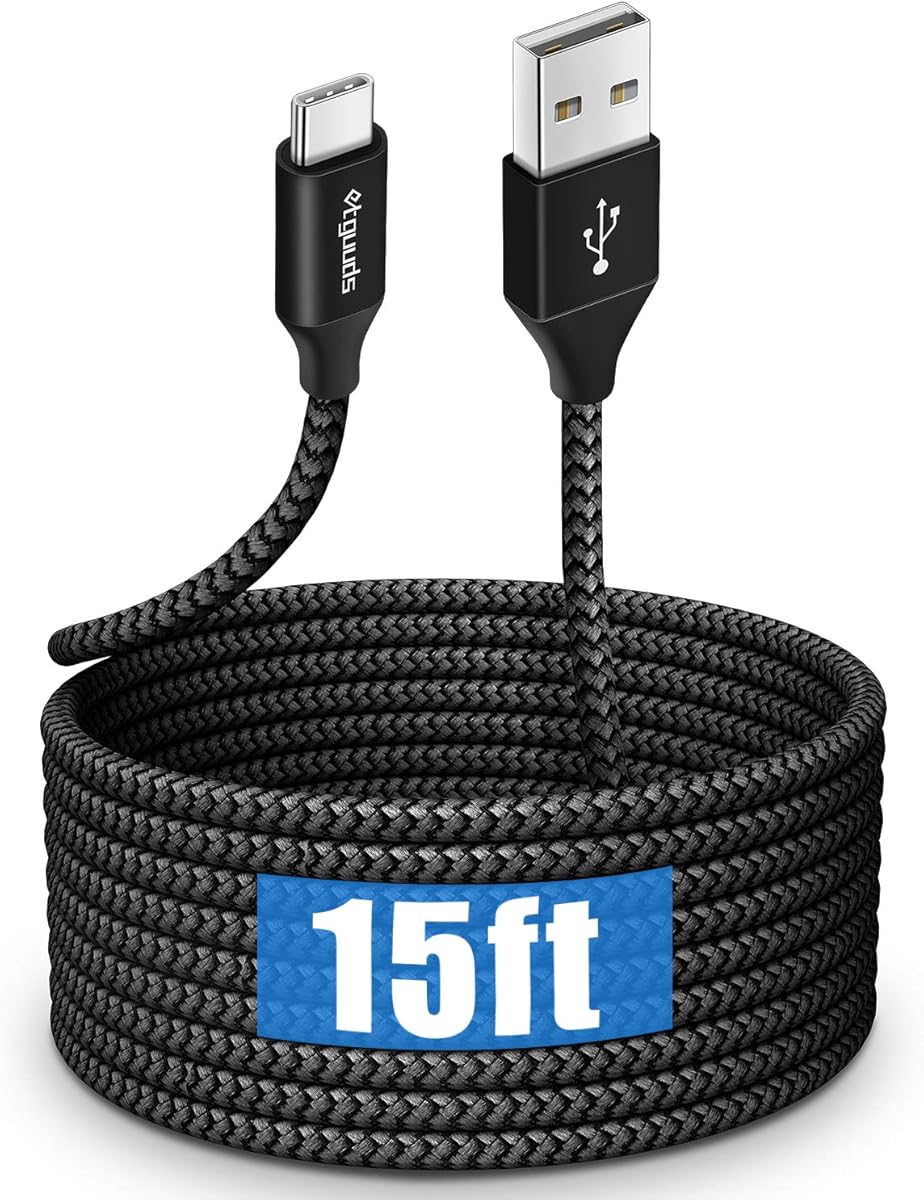


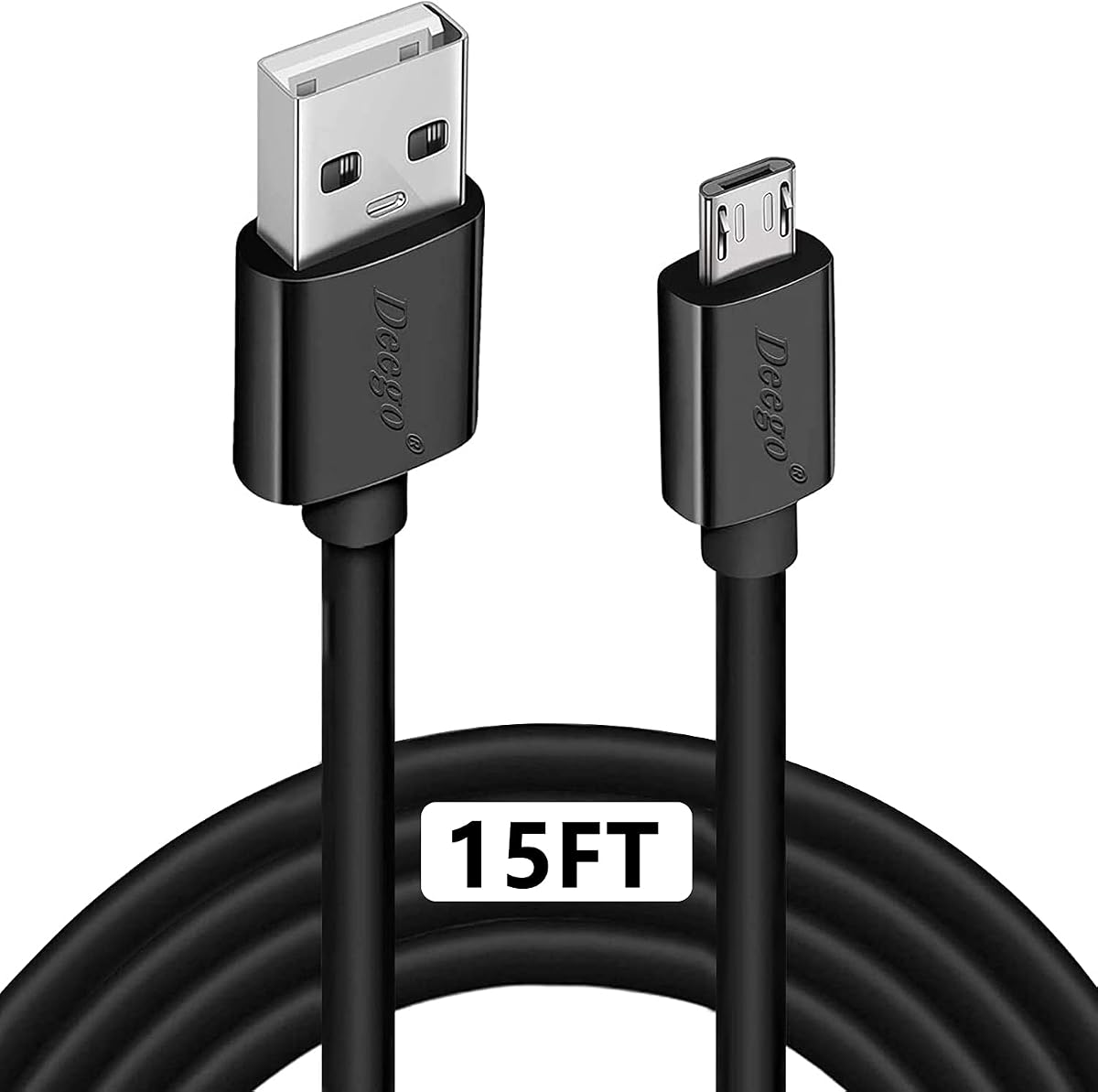
This cable stands out as the top choice for users needing high-speed data extension. It holds a solid rating of 4.7 stars from verified buyers who appreciate its durability and performance. The braided construction and aluminum connectors ensure a reliable signal even over long distances.
We may earn a commission when you buy through this link, at no additional cost to you.
The USB 3.0 specification allows transfer rates up to 5 Gbps, which is ten times faster than standard USB 2.0 options. This makes it ideal for backing up large files to external hard drives quickly. The reinforced molding joints prevent common breakage points near the connectors.
While it excels at data transfer, it is not intended for charging devices. Users should ensure their use case fits data syncing needs rather than power delivery. Additionally the 20 foot length might create excess slack in smaller setups that require careful management.
If you need a robust cable for connecting printers or hard drives across a room this is the best option. The combination of speed and build quality offers exceptional value. We recommend this for anyone prioritizing performance and longevity in their USB extension setup.
The 5 Gbps transfer rate ensures large files move quickly without bottlenecks.
Reinforced joints and nylon braiding protect against daily wear and tearing.
We may earn a commission when you buy through this link, at no additional cost to you.
For those seeking value without sacrificing length this model is an excellent choice. It carries a 4.6 star rating and is widely praised for its price-to-performance ratio. The 20 foot length allows users to charge devices from comfortable positions like couches or beds.
We may earn a commission when you buy through this link, at no additional cost to you.
It supports QC3.0 fast charging which keeps modern smartphones charged quickly despite the long cord. The nylon braided jacket adds significant durability compared to standard rubber cables. The built-in 56K resistor helps protect both the phone and charger from electrical issues.
The trade-off is that data transfer speeds are limited to USB 2.0 rates around 480 Mbps. This is fine for syncing contacts or photos but not for large video files. The housing is standard aluminum which works well but lacks premium styling touches.
This cable is perfect for casual users who prioritize charging flexibility over high-speed data. It fits well in home setups where outlets are far from seating areas. We recommend it as a reliable backup or primary charging solution for budget-conscious buyers.
The extra long design allows you to use your phone while it charges comfortably.
Built-in resistors help prevent damage to devices during the charging process.
We may earn a commission when you buy through this link, at no additional cost to you.
This cable offers a massive 40 foot length that solves connectivity issues in large offices or homes. With a rating of 4.7 stars it is trusted for professional and industrial printing setups. The active technology ensures signal integrity over distances where passive cables often fail.
We may earn a commission when you buy through this link, at no additional cost to you.
The built-in amplifier boosts the USB signal to maintain speed and stability throughout the full length. This allows you to place a printer far from your computer without losing functionality. The gold plated connectors and nylon braid ensure physical durability in high-traffic environments.
It is important to note that this cable requires a separate power adapter to run the booster. It also only works with devices that have a square USB Type B port like printers. This specificity limits its general use compared to standard A to A cables.
If you need to connect a printer across a large room this is the most reliable solution available. The active extension ensures no data loss or lag during complex print jobs. We recommend this for users with specific long-distance printer needs.
The amplifier maintains data quality even at extreme lengths up to 40 feet.
Reinforced construction withstands daily industrial use and frequent movement.
We may earn a commission when you buy through this link, at no additional cost to you.
This cable provides a balanced mix of length and charging speed at a competitive price. Users give it a 4.6 star rating citing its reliability for Samsung and Google devices. The 15 foot length is often sufficient for most home office or bedroom setups.
We may earn a commission when you buy through this link, at no additional cost to you.
It supports a 3A current which enables fast charging for compatible Android phones and tablets. The nylon braided jacket is designed to survive over 20000 bends ensuring it does not fray easily. A 56 kΩ resistor protects your device from overvoltage during the charging cycle.
The data transfer speed is limited to standard USB 2.0 levels which is slower than USB 3.0 options. This makes it less ideal for transferring large video files quickly. The cable is purely functional without extra features like a hook or strap for organization.
This is a practical choice for anyone needing a durable charging cable for their Android device. The focus on safety features and build quality makes it a trustworthy option. We suggest it for daily use where charging speed is more important than data transfer.
Built-in resistors protect your device battery and charging adapter from damage.
The braided material allows the cable to bend easily without breaking internally.
We may earn a commission when you buy through this link, at no additional cost to you.
The 10 foot length makes this cable ideal for bedside tables where outlets are far away. It holds a 4.6 star rating for its consistent performance and build quality. The nylon braiding prevents tangling which is helpful when reaching for a phone in the dark.
We may earn a commission when you buy through this link, at no additional cost to you.
It supports up to 3A charging which allows your phone to charge at good speeds. The heavy duty build ensures it can withstand being stepped on or twisted frequently. The connectors are upgraded to resist corrosion and maintain a tight connection over time.
This cable is strictly for power and data syncing and does not support video output to monitors. The white color scheme may show dirt faster than black cables on dusty surfaces. It is a standard utility cord without premium styling or extra functional features.
If you need a simple reliable cable to charge your phone next to your bed this is perfect. The length avoids excess slack while still reaching comfortably from a nightstand. We recommend it for household use where basic charging is the main goal.
Ten feet is enough length to reach your phone without getting out of bed.
The nylon weave protects the internal wires from everyday wear and tear.
We may earn a commission when you buy through this link, at no additional cost to you.
Buying this pack gives you two 15 foot cables which is excellent value for families. The rating of 4.5 stars reflects satisfaction with the extra reach and safety features. You can place one in the living room and another in the bedroom for convenience.
We may earn a commission when you buy through this link, at no additional cost to you.
Each cable supports fast charging with built-in mechanisms to prevent overheating or overcharging. The thickened core and tough outer sheath allow them to withstand thousands of bends without breaking. Connectors are reinforced to prevent loosening which is common in cheaper cables.
Data transfer is standard speed which works fine for most file syncing tasks. The two-pack nature makes it heavy for travel but great for keeping spares around the house. It covers a wide range of devices including newer iPhone models and tablets.
This is the best choice if you need multiple charging solutions for different rooms. The safety protections ensure your devices are not at risk during long charge times. We recommend it for households needing reliable charging cables for various family devices.
Compatible with many phones tablets and laptops that use a USB-C port.
Protection mechanisms prevent issues like overvoltage to keep your device safe.
We may earn a commission when you buy through this link, at no additional cost to you.
This extension cord connects to a male port and provides a female port further away. It holds a 4.6 star rating for its reliability in home office setups. The heavy duty construction handles frequent plugging and unplugging of various devices.
We may earn a commission when you buy through this link, at no additional cost to you.
With USB 3.0 speed it can support peripherals like webcams that need bandwidth. The triple layer shielding ensures the signal stays clean even over 20 feet of distance. The 22AWG wire helps maintain power delivery better than thinner standard cables.
It is not suitable for high-speed SSDs or VR headsets which require very low latency. You must plug it into a device first so it acts as a bridge rather than a direct cable. The round cable shape resists tangling better than flat ribbons.
This is perfect for extending a USB port to a monitor or desk setup. It lets you keep your hub or drive in a convenient location while connected to the PC. We recommend it for office users needing to move ports around a room.
Triple layer shielding keeps your data connection clean and free from interference.
Thick 22AWG wire helps deliver consistent power to connected devices.
We may earn a commission when you buy through this link, at no additional cost to you.
This is a classic option for printers and scanners that use a square USB-B port. It has a high 4.7 star rating reflecting consistent quality and reliability. The 16 foot length is sufficient for most desk to printer setups in a home office.
We may earn a commission when you buy through this link, at no additional cost to you.
The connectors are gold plated to resist corrosion and ensure a stable signal. This reduces the risk of intermittent connections which can cause print jobs to fail. The cable design is simple without extra braiding but it works well for its purpose.
The 2.0 speed is standard for printers so there is no need for faster tech. The rubber jacket is less durable than nylon but often costs less. It comes in frustration free packaging which makes unpacking easy and reduces waste.
If you need a dependable cable for a standard printer this is a safe choice. It avoids unnecessary features and focuses on basic connectivity. We recommend it for users who want a reliable product from a known brand.
Gold plating prevents oxidation and keeps the connection stable over time.
Certified frustration free packaging makes it easy to open without tools.
We may earn a commission when you buy through this link, at no additional cost to you.
This cable attempts to balance fast data transfer with charging in a long cord. It carries a 4.2 star rating as users note some power loss over the 20 foot length. The USB 3.2 Gen 1 chip enables speeds up to 5Gbps which is fast for this length.
We may earn a commission when you buy through this link, at no additional cost to you.
The double braided layer and aluminum alloy build provide physical robustness. It supports 18W charging theoretically though actual output may be lower due to resistance. The two year warranty shows the manufacturer stands behind its construction quality.
The longer length naturally causes some resistance which reduces charging efficiency slightly. This is normal but may be noticeable with fast chargers. It works with a wide variety of devices including phones and portable SSDs.
This is a solid choice if you need both data syncing and charging in one cable. The speed is good for transferring photos and documents efficiently. We recommend it for users needing a versatile cable for mixed media tasks.
Handles both file transfers and charging for your USB-C devices easily.
Double braiding and alloy parts ensure the cable survives regular use.
We may earn a commission when you buy through this link, at no additional cost to you.
This cable is essential for devices that still use the older Micro USB port. It has a strong 4.6 star rating for its ability to reach far wall chargers easily. The 15 foot length is perfect for connecting controllers during gaming sessions on a TV.
We may earn a commission when you buy through this link, at no additional cost to you.
It supports up to 2.4A charging which is fast for older smartphones and tablets. The stainless steel head ensures a tight fit that does not slip out during use. The PVC jacket is flexible and resists tangling on desks or under furniture.
It is not compatible with newer phones that have switched to USB-C or Lightning. This limits its use to specific legacy hardware or accessories like older speakers. The data speed is standard USB 2.0 which is fine for most tasks.
If you have older electronics or a PS4 controller this is a practical solution. The length helps keep cords out of the way while in use. We recommend it specifically for maintaining connectivity with devices that use Micro USB ports.
Ideal for connecting controllers to consoles or PCs during long sessions.
Steel heads ensure the cable stays firmly in the port without slipping.
We may earn a commission when you buy through this link, at no additional cost to you.
Selecting the right long USB cable involves more than just picking a length. You need to consider connector types, data speeds, and build quality to ensure it meets your specific needs without compromising performance.
First identify the port on your device. USB-C is standard on new phones and laptops while USB-A is common on computers and chargers. USB-B is typically found on printers and older hard drives. Ensure the cable matches these ports to function correctly.
Always verify that the cable ends match your specific devices. Using the wrong connector type will prevent connection entirely. Check your manual or device port shape before purchasing to avoid returns or compatibility issues.
If you plan to transfer large files like videos choose a USB 3.0 or 3.1 cable that offers higher speeds. USB 2.0 is sufficient for charging or moving small documents but will be slow for backups. Check the product specs for Mbps or Gbps ratings.
Higher speed cables often use better internal wiring and shielding. This can be crucial if you notice slow syncing or connection drops with standard cables. Investing in a faster cable saves time when handling large amounts of data regularly.
Choose a length that reaches from your power source to your device without excess slack. Too much cable can create tripping hazards or clutter while too little limits where you can use the device. Measure your distance before buying to find the sweet spot.
Active extension cables are needed for very long distances like 40 feet to maintain signal integrity. For standard lengths like 15 or 20 feet a high-quality passive cable should work well. Ensure the cable is rated for your target distance.
Look for cables with braided nylon jackets as they resist fraying and bending damage better than rubber. Gold plated connectors help prevent corrosion and ensure a stable connection over years of use. Reinforced stress points near the ends prevent common breakage spots.
Check for bend life ratings often listed in thousands of cycles. A higher number indicates the cable is designed for heavy daily use. Investing in a durable cable reduces the frequency of replacements and saves money in the long run.
If your main goal is charging verify the cable supports the necessary wattage or amperage for your device. Higher wattage support ensures your phone charges at its maximum rate even over long distances. Some cables lose power efficiency as length increases so check specs.
Standard USB 2.0 cables are often enough for power but data cables vary. Ensure the cable can handle fast charging protocols if you want quick recharge times. This is especially important for modern smartphones with larger batteries.
Long cables are susceptible to signal interference which can cause data errors. Look for cables with multiple layers of shielding like foil or braided mesh around the wires. This protects the signal from external electrical noise in your environment.
Good shielding ensures consistent performance for video streams or audio devices. Without it you might experience lag or dropouts when using peripherals like webcams. Prioritize shielding if you connect sensitive audio or video equipment to your computer.
Consider if the cable includes hooks or loops to help keep it tidy when not in use. Tangle free designs are especially useful for long cables that may be stored in drawers. A flat cable profile can also make it easier to run under carpets or mats.
Effective management reduces wear caused by kinking or twisting. It also keeps your workspace looking clean and professional. Choose a cable that offers practical features for keeping your setup organized and safe.
A strong warranty indicates the manufacturer is confident in their product quality. Look for at least a one year coverage period for unexpected defects or failures. Some brands offer lifetime technical support to help with setup or troubleshooting issues.
Check the return policy to see how easy it is to exchange a faulty cable. Good customer service can save you time if you receive a damaged item. Prioritize brands with clear policies to ensure a smooth purchase experience.
When connecting the cable ensure both ends are inserted firmly without forcing them. This prevents damage to the internal pins and ensures a reliable electrical connection. If you feel resistance stop and check the port orientation before applying more pressure.
Avoid bending the cable sharply at the connectors as this can break internal wires over time. Keep the bend radius gentle especially when routing around corners or under desks. This simple habit significantly extends the lifespan of your cable.
Store the cable loosely coiled rather than tightly wrapped around a hard object. Use a soft tie or velcro strap to secure it for storage. This prevents kinks and ensures the cable remains flexible and ready for future use.
Yes a very long cable can introduce resistance which may reduce charging speed. The longer the wire the more energy can be lost as heat. This is why active cables or thicker wires are often recommended for long distances.
Long USB cables are safe if they meet industry safety standards and are not damaged. Avoid running them under high heat or across walkways where they can cause trips. Ensure they are certified for the power levels they handle.
USB 3.0 standards typically recommend a max length of 3 meters for full speed. However active extension cables can extend this further by boosting the signal. Always check if a cable is rated for extended lengths if you need more than 10 feet.
It is not recommended to daisy chain multiple USB cables together. This can cause signal degradation and power loss. It is better to buy a single long cable that meets your length requirements for best performance.
Thicker cables with higher gauge wires usually deliver better power and data stability. They are less prone to resistance issues over long distances. Look for cables with a solid core or thick shielding for better performance.
Common reasons include a loose connection or a damaged port. Try reconnecting the cable and testing with another port. If the cable is damaged internally it may need to be replaced to restore connection.
We explored ten excellent options ranging from fast data transfer to versatile charging solutions. The top picks offer a balance of durability and performance suitable for most users. Selecting the right one depends on your specific device and reach needs.
Prioritize durability and connector quality to ensure your cable lasts for years. A cable with reinforced ends and braided protection saves you from frequent replacements. Choose a length that fits your space without creating clutter or hazards.
Always check current availability and specs before making your final decision. Prices and stock can change quickly so verify details on the retailer site. With the right cable your setup will be more efficient and comfortable to use.