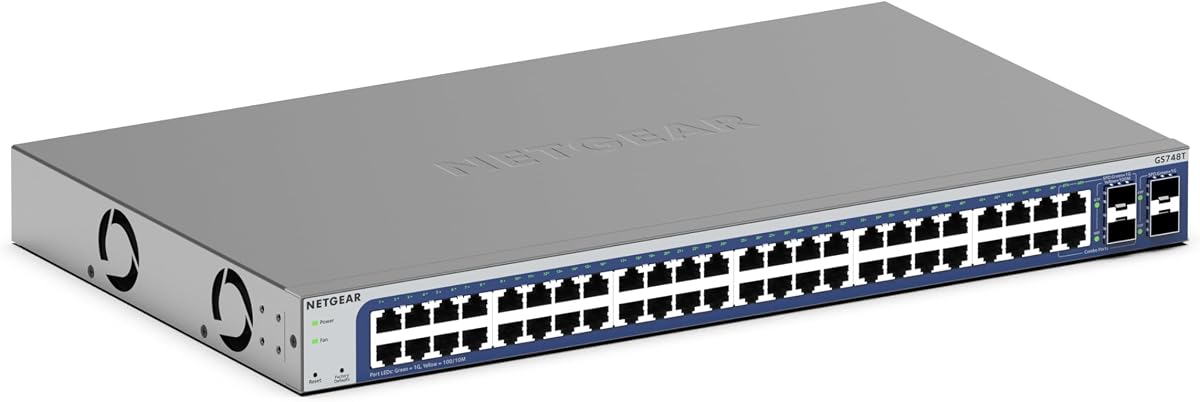
NETGEAR GS748T
4.4Editor score
Smart Managed Interface
SFP Fiber Connectivity
Energy Efficient Design
This guide compares the top 48 Port Gigabit Managed Switch models for enterprise networks, highlighting security, PoE, and management features for optimal
Choosing the right 48 Port Gigabit Managed Switch is critical for businesses needing robust network infrastructure. These devices provide high-speed connectivity, advanced security, and flexible management options for growing organizations.
We evaluated ten leading models based on port density, management capabilities, security features, and reliability. Our analysis focuses on real-world performance and scalability for enterprise and SMB environments.
Each pick highlights unique strengths like PoE budget, cloud management, or fanless design. Note that availability and configurations change frequently, so verify current specifications before purchasing.
4.4Editor score

4.7Editor score

4.7Editor score
The following table provides a side-by-side comparison of all ten models, focusing on key specifications and management capabilities to help you identify the best fit for your network needs.




The TP-Link SG2452LP is a powerful fully managed switch designed for enterprises needing centralized control. With a 4.7 rating, it excels in reliability and advanced network management capabilities.
We may earn a commission when you buy through this link, at no additional cost to you.
Its Omada Cloud Management Platform allows seamless remote configuration and monitoring across multiple sites. The fanless design ensures silent operation even under heavy load, making it ideal for offices.
While the Omada ecosystem offers great flexibility, it requires initial setup and learning. The security features like 802.1X and DHCP snooping are comprehensive but may overwhelm small network admins.
This switch is perfect for businesses expanding their infrastructure who need scalability. The five-year warranty adds confidence. It balances performance, security, and manageability effectively.
Omada Cloud Platform enables unified network monitoring and remote configuration from anywhere, simplifying administration for multi-site deployments.
Passive cooling eliminates fan noise, maintaining a quiet environment while ensuring stable performance during extended use.
We may earn a commission when you buy through this link, at no additional cost to you.
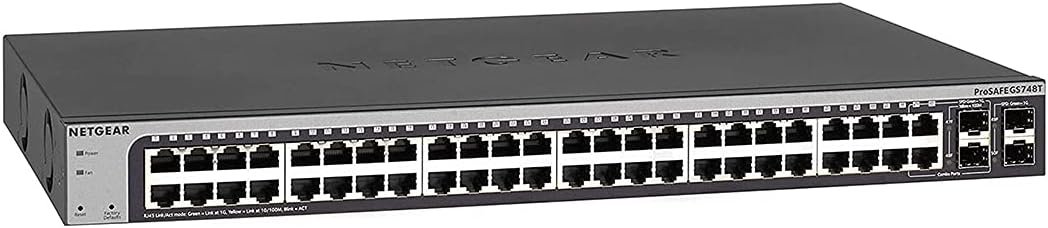
The NETGEAR GS748T offers a smart managed experience at a competitive price point. Rated 4.4, it suits small to mid-sized businesses needing reliable gigabit connectivity without full enterprise complexity.
We may earn a commission when you buy through this link, at no additional cost to you.
Its smart software provides easy setup and SNMP management. Including four SFP ports facilitates fiber expansion. The energy-efficient design reduces power consumption significantly.
Advanced features like static routing are limited compared to higher-end models. Under heavy load, the fanless design may warm up, though it remains silent.
Ideal for SMBs requiring straightforward management and fiber connectivity. The lifetime warranty supports long-term use. It delivers value for basic managed networking needs.
NETGEAR Insight provides easy-to-use web and remote management tools, simplifying network administration for non-experts.
Four SFP ports allow flexible uplink options for connecting to distant switches or high-speed backbone networks.
We may earn a commission when you buy through this link, at no additional cost to you.
The TP-Link TL-SG3452P is a premium L2+ managed PoE switch ideal for power-heavy environments. With a 4.7 rating, it excels in delivering robust PoE+ connectivity alongside advanced Layer 3 features.
We may earn a commission when you buy through this link, at no additional cost to you.
Its 384W PoE budget supports 48 powered devices simultaneously. Omada SDN integration enables centralized management across APs and gateways. Static routing improves internal traffic efficiency.
The high PoE budget requires significant power input and generates more heat. The premium cost may be prohibitive for smaller networks with basic connectivity needs.
Perfect for enterprises deploying many IP cameras or access points. The five-year warranty ensures durability. It offers advanced control without sacrificing PoE capacity.
384W total PoE power allows connecting multiple high-wattage devices like APs and cameras without external injectors.
Static routing capabilities optimize internal network traffic, reducing congestion and improving performance for critical applications.
We may earn a commission when you buy through this link, at no additional cost to you.
This NETGEAR GS748T variant offers flexible combo ports for versatile connectivity. Rated 4.5, it provides solid smart managed features suited for general office deployments requiring reliable gigabit access.
We may earn a commission when you buy through this link, at no additional cost to you.
The combo SFP ports allow copper or fiber uplinks via shared bandwidth. Smart software simplifies secure setup and access control. Lifetime limited hardware warranty provides long-term support.
Shared combo bandwidth may bottleneck during heavy traffic on uplinks. VLAN and advanced security options are limited compared to fully managed models.
Ideal for offices needing basic managed features and fiber flexibility. The lifetime warranty adds value. It balances simplicity with essential management tools.
Shared SFP and RJ45 ports offer easy uplink options, switching between fiber and copper without extra hardware.
24/7 chat with NETGEAR experts ensures quick troubleshooting and technical assistance when needed.
We may earn a commission when you buy through this link, at no additional cost to you.
The NETGEAR GS348 is a plug-and-play unmanaged switch for straightforward connectivity. With a 4.8 rating, it stands out for reliability and ease of use in environments requiring minimal setup.
We may earn a commission when you buy through this link, at no additional cost to you.
Its fanless design ensures silent operation suitable for offices. Auto-negotiating ports work with existing Cat5e or Cat6 cabling. Energy Efficient Ethernet standards reduce power usage.
Lack of management features means no VLANs or traffic control. Security is limited to basic physical port access, making it unsuitable for sensitive networks.
Perfect for small offices or branch sites needing simple gigabit expansion. The compact design fits anywhere. It delivers dependable, silent connectivity without complexity.
No software or configuration required—just plug in devices for immediate network access with zero setup time.
Fanless design eliminates noise while IEEE 802.3az technology minimizes power consumption during idle periods.
We may earn a commission when you buy through this link, at no additional cost to you.
The renewed NETGEAR GS748T offers smart managed capabilities at reduced cost. While ratings vary, it maintains core functionality of the original model with ProSAFE lifetime protection included.
We may earn a commission when you buy through this link, at no additional cost to you.
It includes four SFP ports for fiber connectivity and smart management software. Renewed units undergo testing, ensuring reliable performance for budget-conscious buyers.
Condition depends on seller inspection and grading. Warranty may differ from new purchases. Availability can be inconsistent across platforms.
Ideal for buyers prioritizing value without sacrificing features. ProSAFE support adds confidence. It's a smart choice for cost-effective network expansion.
Certified renewed units provide significant savings while maintaining original performance specs and support features.
Lifetime limited warranty and access to NETGEAR support resources remain available with renewed purchases.
We may earn a commission when you buy through this link, at no additional cost to you.
The Omada SG3452 is an L2+ smart managed switch designed for SDN environments. Rated 4.3, it provides advanced routing and centralized control ideal for unified network deployments.
We may earn a commission when you buy through this link, at no additional cost to you.
Static routing enables efficient traffic management. Omada SDN integrates it with APs and gateways. Multiple access methods including web, CLI, and SNMP support diverse admin preferences.
Firmware compatibility with SDN controllers is essential. Users new to SDN may face a learning curve in configuration and setup.
Best for enterprises leveraging Omada ecosystem. The five-year protection ensures reliability. It delivers flexibility for scalable network architectures.
Seamlessly connects with Omada controllers for unified network management across switches and wireless access points.
Static routing capabilities optimize internal traffic paths, improving network efficiency and reducing latency.
We may earn a commission when you buy through this link, at no additional cost to you.
The Ubiquiti EdgeSwitch Lite delivers high switching capacity and robust performance. Rated 4.8, it is ideal for environments needing fast data movement and reliable connectivity.
We may earn a commission when you buy through this link, at no additional cost to you.
Its 70 Gbps throughput supports demanding traffic loads. SFP+ ports enable 10G uplinks for backbone connections. Rack or wall mounting provides deployment flexibility.
Lacks advanced management features and PoE capabilities. Suitable for aggregation rather than edge access points requiring power delivery.
Perfect for mid-sized networks needing high-speed backbone. Ubiquiti reliability ensures stability. It balances performance with straightforward managed functionality.
Non-blocking 70 Gbps switching ensures smooth data flow even under heavy network loads.
Two SFP+ ports provide future-ready 10G connectivity options for high-speed backbone expansion.
We may earn a commission when you buy through this link, at no additional cost to you.
The YuanLey 48 Port switch provides comprehensive L3 PoE management with robust power budget. Rated 4.4, it suits growing businesses needing high-performance managed PoE networks.
We may earn a commission when you buy through this link, at no additional cost to you.
Its 460W PoE budget supports numerous devices. Six SFP+ slots enable flexible high-speed uplinks. Advanced features include VLANs, ACLs, and QoS for traffic control.
Brand familiarity may be lower than major vendors. Documentation and support resources might be less extensive. Setup requires careful configuration.
Ideal for enterprises needing budget L3 PoE functionality. The silent design supports office use. It offers rich features at competitive pricing.
Static routing, ACLs, and QoS enable granular traffic management and optimization for critical services.
Six SFP+ slots support 10G fiber connections for future-proofing network backbones and server links.
We may earn a commission when you buy through this link, at no additional cost to you.
The NETGEAR GS348TPv2 is a smart managed PoE+ switch with 380W budget. With a perfect 5.0 rating, it is highly favored for reliable power delivery and simple managed features.
We may earn a commission when you buy through this link, at no additional cost to you.
48 PoE+ ports support multiple powered devices. Smart software offers easy setup and SNMP management. Includes four SFP ports for fiber expansion.
Advanced security and VLAN features are basic compared to fully managed switches. Higher cost may deter smaller deployments needing only basic PoE.
Perfect for businesses prioritizing power reliability and simplicity. Lifetime warranty ensures protection. It delivers dependable PoE+ connectivity with ease.
380W total power budget supports high-demand devices like access points and cameras simultaneously without overloading.
User-friendly web interface simplifies configuration, making it accessible for non-expert network administrators.
We may earn a commission when you buy through this link, at no additional cost to you.
Selecting the right switch requires evaluating several technical and operational factors tailored to your network environment.
Verify that the switch provides 48 ports operating at gigabit speeds. Consider if additional SFP slots are needed for fiber uplinks to connect to distant switches or backbone networks. Sufficient port count prevents the need for cascading switches, improving performance.
Decide between unmanaged, smart managed, or fully managed switches based on your IT expertise. Smart managed offers web interfaces and VLANs while fully managed provides CLI and SNMP. Centralized cloud options simplify multi-site administration.
If powering devices like cameras or access points, check PoE+ compatibility and total budget wattage. Ensure the budget meets your device count and power draw. Consider fan cooling if heat build-up is a concern in your environment.
Look for advanced security features like 802.1X authentication, ACLs, and DHCP snooping to protect network integrity. These prevent unauthorized access and mitigate common threats. Security is critical for sensitive enterprise environments.
For larger networks, consider switches with L2+ or L3 features like static routing. This improves traffic efficiency and allows segmentation. Ensure firmware supports future upgrades as network demands grow.
Choose between rack-mount or desktop options based on installation space. Fanless designs are quieter for office use but may have thermal limits. Verify dimensions and mounting hardware compatibility.
Check warranty length and availability of technical support. Lifetime or multi-year warranties indicate manufacturer confidence. Support options like 24/7 chat ensure quick resolution of issues.
Select switches compliant with IEEE 802.3az for reduced power consumption. Energy-efficient switches save costs and are environmentally friendly. This is important for large-scale deployments.
Begin by connecting the switch to a reliable power source and your network backbone using appropriate Cat5e or Cat6 cables. Ensure all ports are securely plugged in to prevent intermittent connectivity issues.
Access the web management interface using the default IP address or via DHCP. Change default credentials immediately to secure the device. Configure VLANs and security settings according to your network policies.
Regularly update firmware to patch vulnerabilities and improve performance. Monitor port status and traffic statistics through the management console to identify bottlenecks. Ensure adequate ventilation to prevent overheating and extend lifespan.
Smart managed switches offer basic configuration options through a user-friendly web interface, suitable for small businesses. Fully managed switches provide advanced CLI, SNMP, and detailed security controls for larger networks requiring deep configuration.
SFP ports are useful if you need fiber optic connections for long-distance or high-speed uplinks. If your network uses only copper connections within a building, SFP may not be necessary.
Calculate total power requirements by multiplying each powered device's wattage by the number of devices. Add a safety margin to ensure the switch's budget exceeds your total needs.
Yes, smart managed switches typically support basic VLAN configuration through a web interface, allowing network segmentation and traffic control without CLI complexity.
Zero Touch Provisioning allows switches to be configured remotely when connected to the network, reducing on-site IT workload by automating initial setup steps.
Fanless switches are reliable if installed in well-ventilated areas and not overloaded. They provide silent operation but may have thermal limits during extended heavy loads.
Firmware updates are usually available on the manufacturer's website. Log into the web interface, download the update file, and apply it according to the vendor's instructions to avoid interruption.
Essential features include 802.1X authentication, access control lists (ACLs), port security, and DHCP snooping. These help prevent unauthorized access and protect against common network threats.
The TP-Link SG2452LP stands out as our Editor's Choice for its balanced performance and centralized Omada management. NETGEAR GS748T offers solid budget-friendly smart managed options, while TP-Link TL-SG3452P leads in premium PoE capabilities.
Prioritize your network's specific needs such as PoE budget, security features, and management complexity. For scalable enterprises, Omada or L3 managed models provide flexibility, whereas SMBs may prefer simple smart managed solutions.
Always verify current availability and configurations before purchasing. Network requirements evolve rapidly, so choosing a switch with room for growth ensures long-term value and performance reliability.