
HDMI Splitter 1 in 3 Out 4K HDMI Distributor
4.6Editor score
Affordable multi-screen solution
LED status indicators included
Compact lightweight design
Discover the top HDMI splitter for 3 monitors options for 2026. We compare features, resolutions, and compatibility to help you choose the right multi display
Finding the right HDMI splitter for 3 monitors can transform your workspace or entertainment setup. Whether you need extended desktop capabilities or synchronized viewing, selecting a reliable device ensures smooth performance. A good splitter should support high resolutions and maintain stable connections across all screens.
We analyzed ten top-rated products based on resolution support, build quality, and user feedback. This guide helps you understand the differences between mirroring and extending displays. Each product offers unique features tailored to specific needs like gaming, trading, or presentations.
Each pick highlights key specifications and real-world performance notes. Prices and availability can change frequently so check current listings before buying. Use this guide to find a splitter that matches your technical requirements and budget constraints effectively.
4.6Editor score

4.4Editor score

4.2Editor score
This comparison table provides a side-by-side overview of the top ten splitters. Evaluate key specifications like resolution support and connectivity options to make an informed decision for your multi-monitor setup needs.



The UANTIN DisplayPort to HDMI Splitter stands out for its ability to expand one DP signal to three HDMI monitors. With a rating of 4.4 it offers reliable performance for users needing triple-screen synchronization or split-screen displays. Its 4K@60Hz support makes it ideal for design and gaming scenarios.
We may earn a commission when you buy through this link, at no additional cost to you.
This device uses a high-density braided nylon cable and gold-plated interfaces to reduce interference. The all-aluminum casing ensures efficient heat dissipation for long-term stable operation. It is compatible with Windows 7 through 11 and supports DP 1.2 to 2.1 graphics cards effectively.
Users must ensure their graphics card supports multi-screen output functions. It cannot be used in reverse from HDMI to DP. While it requires an included power cable the plug and play nature simplifies installation without driver needs.
Best for professionals needing extended desktop space across three monitors. If your setup requires DP input and high-resolution output this splitter delivers consistent performance. Verify GPU bandwidth requirements before purchasing to avoid compatibility issues.
This splitter allows you to connect three monitors via HDMI from one DisplayPort source. It supports both mirroring and extended display modes depending on your graphics card capabilities.
With 18Gbps bandwidth support it handles 4K@60Hz signals smoothly. This ensures sharp visuals for multitasking office work and gaming without noticeable lag.
We may earn a commission when you buy through this link, at no additional cost to you.
The NEWCARE HDMI Splitter duplicates one HDMI input to three screens with stunning 4K@60Hz resolution. It mirrors the exact same content on all displays making it perfect for synchronized playback. This device supports various audio formats including Dolby Vision and Atmos for immersive sound.
We may earn a commission when you buy through this link, at no additional cost to you.
It features an auto downscaler allowing 4K and 1080P displays to work simultaneously under the same refresh rate. The unit includes a 4ft HDMI cable and USB power adapter for easy setup. It supports HDMI 2.0 and HDCP 2.2 standards effectively.
Users should note that this unit does not support extended displays or audio devices. It only supports one HDMI input and does not allow input switching. Proper cable length management is crucial for maintaining 4K signal integrity.
Ideal for retail displays or home theater setups requiring identical images. If you need synchronized content across multiple TVs this splitter offers high-quality performance. Ensure your source device supports the required HDMI version for best results.
This splitter ensures all screens show the same content without lag. It is designed for scenarios where mirroring is the primary requirement.
Audio formats like DTS and Dolby TrueHD are supported for rich sound. However external audio devices cannot be connected directly to the splitter.
We may earn a commission when you buy through this link, at no additional cost to you.
The MT-ViKI HDMI Splitter splits one HDMI signal into four identical outputs simultaneously. It supports resolutions up to 4K@30Hz and includes a dedicated power adapter to prevent signal drops. The metal housing provides superior heat dissipation for long-term reliability in commercial environments.
We may earn a commission when you buy through this link, at no additional cost to you.
This device works seamlessly with gaming systems and streaming players. It includes a built-in amplifier supporting transmission up to 100ft total. Cascading is supported for even more screens which is useful for large-scale broadcasting.
Note that this is not a switch and does not include a remote. It cannot connect to audio devices directly so use the monitor speakers. Power adapter inclusion ensures stable transmission even with long cable setups.
Best for users needing more than three screens for the same content. If 4K@30Hz meets your needs this splitter offers durability and signal stability. Ideal for classrooms or conference rooms requiring multi-display setups.
The built-in amplifier supports cable lengths up to 100 feet combined. This reduces the need for additional boosters in larger setups.
Designed for 24/7 operation in conference rooms or retail spaces. The metal case handles heat dissipation efficiently for continuous use.
We may earn a commission when you buy through this link, at no additional cost to you.
The THANDBLE DisplayPort to HDMI MST Hub connects DP devices to three monitors for mirroring and extended modes. It supports up to 4K@60Hz resolution and includes a USB-C power cord. The aluminum alloy shell provides heat dissipation for stable signal transmission.
We may earn a commission when you buy through this link, at no additional cost to you.
It is compatible with desktop computers and graphics cards from AMD and NVIDIA. You need a GPU with at least 18Gbps bandwidth to enable multi-monitor extended display. The device requires a 5V 1A power supply interface included in the package.
Note that macOS only supports SST mirroring without extended display capabilities. Integrated GPUs may only support mirroring or extend one monitor. It is not compatible with KVM hubs or docking stations for use together.
Best for Windows users needing extended desktop space across three screens. Ensure your GPU meets the bandwidth requirements before purchase. This hub offers solid performance for multitasking professionals with DP ports.
This hub uses MST to enable extended displays on supported systems. It converts one DP signal into three separate HDMI outputs effectively.
A 5V 1A power supply is necessary for stable operation. USB-C power cords are provided to meet these specific voltage needs.
We may earn a commission when you buy through this link, at no additional cost to you.
This HDMI splitter effortlessly duplicates a single input signal to three identical displays. It offers real-time mirroring with no signal loss or lag making it perfect for office meetings. The aluminum alloy casing provides excellent heat dissipation for stable performance during continuous operation.
We may earn a commission when you buy through this link, at no additional cost to you.
Equipped with HDMI 1.4b standard it supports up to 4K@30Hz resolution. It is backward compatible with 1080P@60Hz and supports 3D Blu-ray formats. Each output port has an independent LED indicator for easy troubleshooting.
No drivers are required just connect the source and the included USB-C power cable. The power adapter is not included so you must provide your own USB power source. The compact size fits easily anywhere in your workspace.
Best for users seeking a reliable and affordable multi-screen solution. If 4K@30Hz is sufficient for your needs this splitter offers excellent value. Ideal for home entertainment and commercial displays requiring synchronization.
Each output port has an LED light to show active status. This simplifies troubleshooting by instantly identifying connected displays.
It works with laptops, PS5, and Fire Stick devices seamlessly. No additional drivers are needed for immediate multi-screen expansion.
We may earn a commission when you buy through this link, at no additional cost to you.
This HDMI splitter takes one source and duplicates it to three screens simultaneously with zero lag. Every monitor shows the exact same image in real time which is perfect for trading desks. The aluminum alloy body runs cool and blocks electromagnetic interference effectively.
We may earn a commission when you buy through this link, at no additional cost to you.
It supports 4K@30Hz resolution and is fully backward compatible with 1080P@60Hz. Gaming sessions and client presentations pop with vibrant colors using 36-bit deep color. The unit is compact and space-saving at just 3.26 x 2.16 x 0.78 inches.
Plug and play setup requires connecting source and displays then plugging in the USB-C power cable. The adapter is not included. Each port has its own LED light to show active status quickly.
Best for users needing reliable synchronized displays in high-traffic offices. If you need zero signal degradation this splitter provides a clean stable signal. Ideal for retail walls or home theaters requiring precise sync.
The device ensures real-time mirroring without delays or dropped frames. This is crucial for live trading or presentation scenarios.
Premium aluminum alloy construction dissipates heat efficiently. This ensures the unit runs cool during continuous operation periods.
We may earn a commission when you buy through this link, at no additional cost to you.
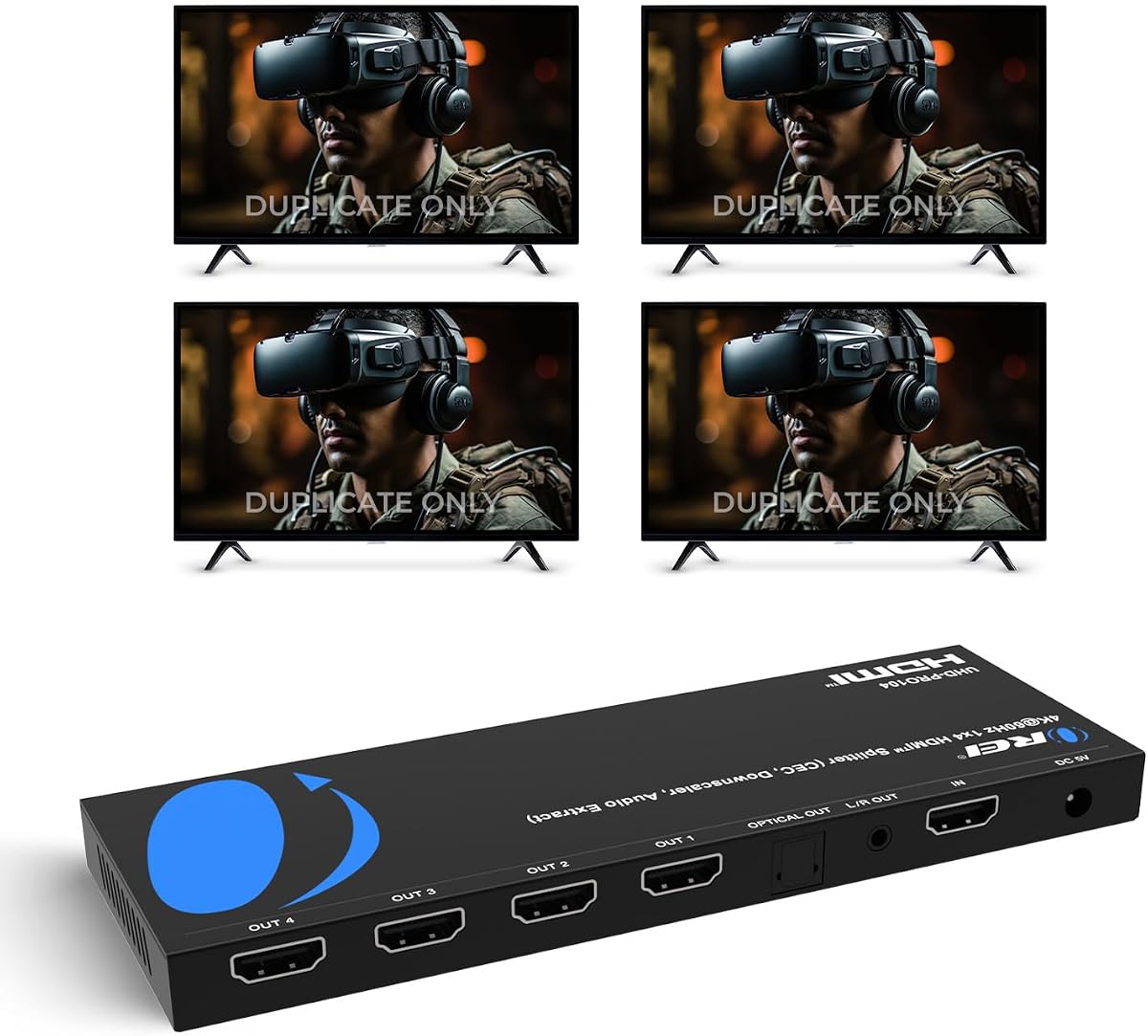
The OREI UltraHD HDMI Splitter duplicates a single HDMI input signal and sends it to four outputs simultaneously. It supports resolutions up to 4K@60Hz delivering crystal-clear video performance. The heavy-duty metal enclosure ensures better heat dissipation and long-term durability.
We may earn a commission when you buy through this link, at no additional cost to you.
This device supports multiple advanced audio formats including DTS 7.1 and Dolby TrueHD. It works best with HDMI cables up to 30 ft for optimal signal stability. The plug and play installation requires no drivers for quick setup.
It functions as a reliable 4 port HDMI splitter for presentations and retail displays. Note that it mirrors signals and does not extend monitors across screens. A 1-year limited warranty is included with new items.
Best for users needing high resolution distribution across four screens. If 4K@60Hz is required for modern TVs this splitter delivers quality. Ideal for classrooms or home entertainment setups.
Multiple audio formats including LPCM and DTS are supported. This ensures immersive sound for home theater installations.
The metal enclosure manages heat dissipation effectively. This allows for reliable performance in commercial environments.
We may earn a commission when you buy through this link, at no additional cost to you.
This high-performance HDMI splitter distributes one source to four synchronized displays up to 4K@60Hz. It includes a built-in downscaling feature to convert 4K signals for lower-resolution displays. The audio extractor provides optical S/PDIF and 3.5mm analog outputs for flexible audio integration.
We may earn a commission when you buy through this link, at no additional cost to you.
It is compliant with HDMI 2.0b and supports HDR10+ and Dolby Vision pass-through. Advanced EDID and CEC management ensure stable signal communication for gaming consoles. The device is ideal for mixed-resolution setups in conference rooms.
The optical and analog outputs allow you to connect external speakers easily. This is useful when monitors lack quality audio. The downscaling feature makes it versatile for different display types.
Best for users needing audio extraction alongside video distribution. If you have mixed-resolution screens this splitter handles them effectively. Ideal for home theater setups requiring advanced HDR support.
The optical and analog outputs separate audio from video. This allows for external speaker connections easily.
Downscaling automatically adjusts 4K to 1080p. This ensures compatibility across different display types.
We may earn a commission when you buy through this link, at no additional cost to you.
This HDMI 2.1 splitter distributes one HDMI source to three signals with support for 8K@60Hz and 4K@120Hz. It supports HDR Dolby Vision and VRR ensuring high-quality video output across all connected displays. The EDID management provides four switching modes for different resolution needs.
We may earn a commission when you buy through this link, at no additional cost to you.
It is compatible with devices like PS5 and Xbox with standard HDMI interfaces. The flexible EDID switching helps improve compatibility with your video sources. Audio formats like DTS-HD and Dolby TrueHD are fully supported for immersive sound.
Note that this product duplicates the screen to triple monitors and does not support extend mode. It requires a USB power supply cable for operation. Three HDMI output signals can display same or different resolutions by EDID setting.
Best for users needing cutting-edge HDMI 2.1 performance. If you require 8K or high refresh rate support this is the ideal choice. Ideal for advanced home entertainment setups.
The EDID HDMI splitter provides four switching modes for flexibility. This allows custom signal settings for different displays.
Support for 8K@60Hz and HDMI 2.1 ensures longevity. It handles high refresh rates for gaming.
We may earn a commission when you buy through this link, at no additional cost to you.
The UGREEN HDMI Splitter duplicates one HDMI input signal to four different displays. It supports 4K@60Hz and is backward compatible with lower resolutions. With EDID control you can choose the proper settings to avoid black screens or flickering.
We may earn a commission when you buy through this link, at no additional cost to you.
It offers high bandwidth 18Gbps data transmission ensuring stable video delivery. The USB powered design helps maintain stable video transmission and better performance across all ports. Compatible with most HDMI source devices like Blu-ray Players and PC.
Connect the higher-resolution display with output 1 if displays have different resolutions. Always keep it connected to the power source when using. This ensures continuous operation without signal drops.
Best for users needing four-screen distribution in different rooms. If 4K@60Hz meets your needs this splitter is reliable and easy to use. Ideal for broadcasting and gaming.
EDID control helps avoid black screens during setup. You can choose the proper setting for specific displays.
Works with Xbox, PS5, Roku, and PC devices. It ensures broad support for source hardware.
We may earn a commission when you buy through this link, at no additional cost to you.
Selecting the right HDMI splitter involves understanding resolution support, connectivity types, and whether you need mirroring or extended displays. This guide outlines key factors to consider before making a purchase.
Ensure the splitter supports the resolution and refresh rate your monitors require. Most options handle up to 4K@60Hz while premium models offer 8K@60Hz or 4K@120Hz for gaming.
Check the product data to confirm it matches your display capabilities to avoid signal drops.
Determine if your source device uses HDMI or DisplayPort. Some splitters only accept DisplayPort inputs for multi-monitor expansion while others take standard HDMI signals.
Match the input type of the splitter to your graphics card or device output.
Most HDMI splitters support mirroring where all screens show the same content. If you need extended displays each showing different content you require an MST hub.
Read the product details carefully as only certain models support extended modes.
Powered splitters ensure stable signal transmission especially at higher resolutions. USB-powered options may require specific voltage or adapter connections to work correctly.
Verify if the package includes a power adapter or if you need to provide your own.
Metal casings offer better heat dissipation than plastic housing ensuring long-term reliability. Aluminum alloy designs are often more durable for continuous operation scenarios.
Look for gold-plated connectors to reduce interference and signal loss over time.
Some splitters support advanced audio formats like Dolby TrueHD or DTS. Others may not allow connecting external audio devices directly to the unit.
Check if you need audio extraction features for your specific setup needs.
EDID management helps resolve compatibility issues with different display resolutions. HDCP compliance ensures protected content can be played without errors.
Look for splitters with adjustable EDID settings for better flexibility.
While you may need three monitors some splitters offer four outputs for future expansion. Consider whether additional ports are useful for your long-term setup.
Choose a model that matches your exact output requirements to save costs.
Connect the power adapter before attaching any video cables to ensure stable operation. If your splitter requires a separate USB power cable plug it in first.
Link the input source to the splitter's input port then connect your monitors to the output ports. Ensure all cables are firmly seated to prevent signal interruptions.
Use high-quality HDMI or DisplayPort cables that support the required bandwidth for best results. Avoid placing the splitter in enclosed spaces to allow proper heat dissipation.
Most HDMI splitters mirror the same content on all screens. Extended displays require an MST hub or DisplayPort input support.
Most support up to 4K@60Hz while some premium models offer 8K@60Hz or high refresh rates like 4K@120Hz.
Yes most require power for stable signal transmission. USB-powered options need adequate power to function correctly.
They work with PCs, gaming consoles like PS5, streaming boxes, and Blu-ray players. Ensure your graphics card supports multi-screen output.
MacOS often supports only mirroring with splitters. Extended modes may not function on Mac systems.
Check EDID settings and ensure your displays support the selected resolution. Using Output 1 for higher resolution may help.
The UANTIN DisplayPort to HDMI Splitter offers excellent overall performance with extended display support. The 8K@60Hz HDMI Splitter provides premium HDMI 2.1 features for future-proof setups.
Prioritize resolution support and whether you need mirroring or extended desktops when choosing a splitter. Check that your graphics card meets bandwidth requirements for multi-monitor operation.
Always review current listings for pricing and availability before purchasing. Verify specs against your monitor requirements to ensure seamless multi-screen experiences.