
Frameo Digital Picture Frame
4.6Editor score
Affordable price point
Non-WiFi transfer option
Compact 10-inch display
Finding the right digital picture frame for grandparents can bridge the distance between generations. These devices allow family members to share memories instantly, keeping loved ones connected without complex technology. A good frame should be simple to use, have a bright display, and offer reliable connectivity options for seamless photo updates.
We compared top models based on ease of setup, screen quality, storage capacity, and sharing features. Our analysis focuses on frames that prioritize user experience for seniors, ensuring they can enjoy photos without frustration. Each product was evaluated for its ability to enhance daily life through meaningful visual connections.
Each pick highlights unique strengths like touchscreens, cloud storage, or non-WiFi options. Prices and availability may change, so verify details before purchasing. This list provides clear insights to help you select a frame that brings joy and connection to your family circle effectively.
4.6Editor score
4.7Editor score

4.7Editor score
As an Amazon Associate we earn from qualifying purchases.
Explore our side-by-side comparison of the top digital picture frames designed for seniors. This table highlights key specs like screen size, storage, and sharing methods to help you decide quickly.


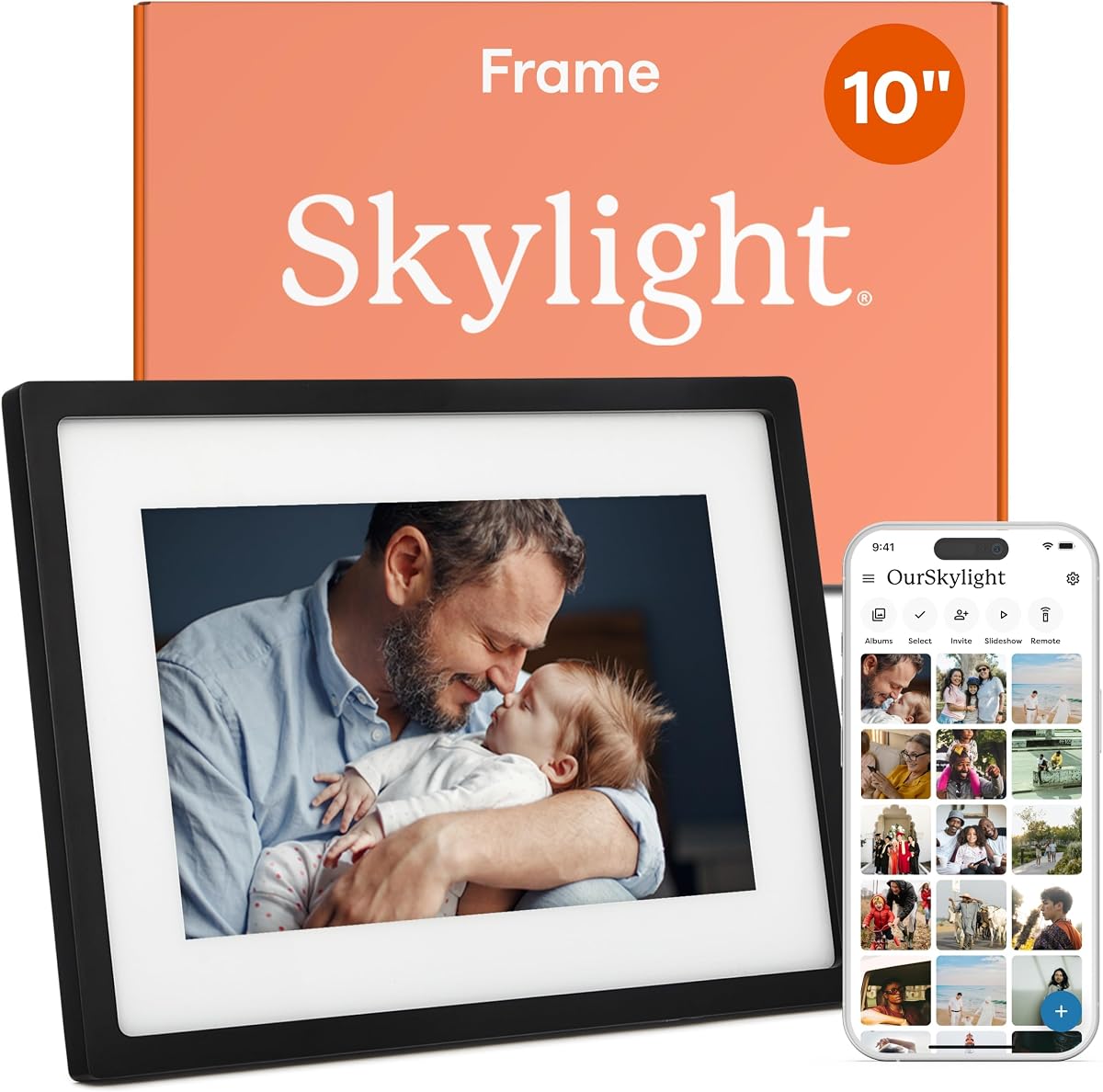
The Skylight Digital Picture Frame stands out for its simplicity and ease of use. With a 4.7 rating, it is designed to connect generations without technical hurdles. Its plug-and-play setup and email sharing make it ideal for seniors who prefer straightforward technology.
We may earn a commission when you buy through this link, at no additional cost to you.
This frame uses a unique email address system to receive photos instantly. You simply send images to the frame's address from your phone or computer. The Full HD display ensures vivid colors and sharp details, making every memory look its best on the 10-inch screen.
While it lacks an SD card slot, the cloud-based storage eliminates physical media management. However, new photos require a Wi-Fi connection, which might be a limitation if internet access is inconsistent. The offline mode allows viewing existing photos without connection, offering some flexibility.
Grandparents who value simplicity will love this frame. It bridges the gap for those not on social media while delighting tech-savvy users with daily updates. The Gift Mode lets you preload photos before unboxing, making it a ready-to-enjoy present for special occasions.
Send photos directly via email to the frame's unique address. This method requires no app installation on the recipient's end, ensuring anyone can share memories instantly.
Activate Gift Mode to personalize the frame before handing it over. This feature allows you to preload cherished memories so the first look is a surprise.
We may earn a commission when you buy through this link, at no additional cost to you.
Aura Digital HD Picture Frame is praised as a top digital frame by reviewers. Its 4.7 rating reflects its quality design and smart features. The frame blends seamlessly into home decor with its sleek finish and calibrated display.
We may earn a commission when you buy through this link, at no additional cost to you.
One standout feature is unlimited free storage without subscriptions. You can share unlimited photos and videos via the app, email, or text. The HD display adjusts brightness automatically to room lighting, ensuring comfortable viewing at any time of day.
While it comes at a premium price, the lack of fees and high build quality justify the cost. It requires a smartphone app for sharing, which may need setup assistance for some seniors. However, the one-minute setup process is designed for ease.
This frame is perfect for gifting to family members who appreciate elegance. It supports live photos and videos with sound, bringing memories to life. The premium packaging ensures it arrives ready for presentation, making it a thoughtful gift choice.
Aura does not charge subscription fees for storage. You can add unlimited photos and videos through the app or email without worrying about space limits.
The screen automatically adjusts brightness based on ambient light. This ensures optimal color and clarity while reducing eye strain in different lighting conditions.
We may earn a commission when you buy through this link, at no additional cost to you.
The Frameo Digital Picture Frame offers excellent value with its affordable price and robust features. With a 4.6 rating, it balances cost and functionality well. The 10.1-inch HD display provides clear images for daily viewing.
We may earn a commission when you buy through this link, at no additional cost to you.
It supports non-WiFi transmission via SD cards or USB drives, which is ideal if internet setup is challenging. The Frameo app allows secure sharing from anywhere, keeping family connected. Storage holds over 50,000 photos, ensuring ample space for memories.
While the app is needed for Wi-Fi sharing, the non-WiFi option adds flexibility for seniors. The magnetic stand allows easy switching between portrait and landscape modes. However, it only supports 2.4GHz Wi-Fi, which may require router checks.
This frame is a thoughtful gift for various occasions. Its elegant packaging and user-friendly features make it suitable for anyone. The balance of price and performance makes it a top pick for budget-conscious buyers seeking quality.
Upload photos via SD card or USB drive without needing Wi-Fi. This ensures seniors can enjoy photos even if network setup is difficult.
Share photos securely via the Frameo app from anywhere. Invite family members to send memories directly to the frame without sharing personal data.
We may earn a commission when you buy through this link, at no additional cost to you.
This Frameo 15.6-inch frame delivers a large, vivid display for immersive viewing. With a 4.5 rating, it is perfect for showing detailed photos and videos. The Full HD IPS screen ensures colors look lifelike from any angle.
We may earn a commission when you buy through this link, at no additional cost to you.
It features 64GB of internal storage, holding over 100,000 photos. The built-in speaker allows video playback with sound, enhancing memories. The Reply function lets you send emojis to express appreciation for shared photos instantly.
While the screen is large, it requires 2.4GHz Wi-Fi for app sharing. The USB port only supports flash drives, not direct computer transfers. This may limit options for some users but still offers robust local storage.
Ideal for grandparents who want to see photos clearly without squinting. The touchscreen makes navigation easy, and wall mounting adds versatility. It is a great gift for birthdays or holidays, bringing warmth and joy to any room.
Watch videos with audio via SD card, USB, or app. This feature brings memories to life by including sound and motion seamlessly.
Send emojis to loved ones to show appreciation for their photos. This interactive feature adds a personal touch to digital photo sharing.
We may earn a commission when you buy through this link, at no additional cost to you.
The Pastigio 15.6-inch frame offers a large display with interactive features. With a 4.5 rating, it combines size with functionality. The FHD panel ensures sharp images that fill the screen beautifully.
We may earn a commission when you buy through this link, at no additional cost to you.
The React feature allows sending emojis in real-time to show appreciation. Auto-rotate and brightness adjustments make viewing comfortable. Non-WiFi transmission via SD or USB provides backup options for tech-unfamiliar users.
While sharing requires the Frameo app, the non-WiFi option adds reliability. Sleep mode conserves energy and reduces brightness at night. The storage supports 50,000+ photos, ensuring plenty of space for memories.
This frame is a heartfelt present for any occasion. Its large screen and easy setup make it suitable for all ages. The balance of features and price makes it a strong contender for those wanting a big display.
Use the React feature to send emojis instantly when receiving photos. This creates a sense of connection and feedback between family members.
Set sleep mode to turn off automatically. This saves energy and prevents bright light at night, ensuring the room stays comfortable.
We may earn a commission when you buy through this link, at no additional cost to you.
The AEEZO Digital Frame features a gravity sensor for automatic photo rotation. With a 4.6 rating, it ensures photos always display correctly. The 10.1-inch HD screen provides clear details for everyday viewing.
We may earn a commission when you buy through this link, at no additional cost to you.
The light sensor adjusts brightness based on ambient light, reducing glare. Fill Frame mode lets you adjust display areas. However, photos must be imported from SD cards, not played directly, which adds a step.
Storage holds over 50,000 photos. The app setup is simple for most users. While direct SD playback isn't supported, the auto-rotate feature adds convenience. This makes it user-friendly for seniors.
This frame connects loved ones through shared memories. Its durable design and warranty add value. The easy setup and smart features make it a practical gift for parents or grandparents.
Built-in sensor adjusts orientation based on placement. This ensures landscape and portrait photos are always displayed correctly without manual changes.
Light sensor changes screen brightness to match room conditions. This ensures comfortable viewing and reduces eye strain during day or night.
We may earn a commission when you buy through this link, at no additional cost to you.
The Akimart Frameo Frame integrates calendar syncing for scheduling. With a 4.6 rating, it combines functionality with memory keeping. The IPS touchscreen offers clear views from any angle.
We may earn a commission when you buy through this link, at no additional cost to you.
Display daily schedules alongside photos with iCloud or Google sync. Collage mode shows up to six photos at once. Auto-rotate ensures correct orientation. This adds utility beyond simple photo display.
Sharing is secure via the Frameo app. Storage supports 32GB internally and via SD. While videos are limited to 15 seconds, it covers most needs. This makes it ideal for busy families.
This frame helps users stay organized while enjoying memories. Its versatile settings allow customization. It is a thoughtful gift for those who value organization and connection.
Sync calendar events with iCloud or Google. This helps users stay organized while enjoying favorite photos on the frame.
Show up to six photos in vibrant layouts. This feature allows multiple memories to be displayed simultaneously for a dynamic view.
We may earn a commission when you buy through this link, at no additional cost to you.
Flyruit Frameo Frame features a large 15.6-inch display for vibrant memories. With a 4.7 rating, it offers quality and value. The Full HD screen brings details to life.
We may earn a commission when you buy through this link, at no additional cost to you.
Use the Greeting feature to send themed pictures on birthdays. Auto-rotate and non-WiFi options add flexibility. Support is available 24/7 for setup issues. This ensures peace of mind for buyers.
While video upload is limited, the frame covers most needs. Secure sharing keeps photos private. The IPS tech ensures vivid colors from any angle. This makes it visually appealing for seniors.
This frame is a timeless gift for any occasion. Its packaging and features ensure joy. The balance of size and price makes it a top pick for gift-giving.
Send best wishes with themed pictures for birthdays. This adds a personal touch to digital celebrations.
Manufacturer offers 24/7 technical support. This ensures quick resolution for any setup or usage issues.
We may earn a commission when you buy through this link, at no additional cost to you.
Selecting the right digital picture frame involves considering screen size, connectivity, ease of setup, and storage options. This guide outlines key factors to help you make an informed choice.
Larger screens like 15.6 inches are easier to see but may require more space. Look for Full HD resolutions to ensure images are sharp and colors are vibrant. IPS panels offer better viewing angles than standard LCDs.
Choose a screen size that fits your grandparents' living space and visibility needs.
Frames with plug-and-play setup save time and frustration. Models that use email or simple apps reduce the need for complex tech knowledge. Avoid frames requiring multiple account creations.
Prioritize frames with minimal setup steps for a smooth experience.
Wi-Fi is essential for remote sharing, but non-WiFi options via SD or USB provide flexibility. Ensure the frame supports the Wi-Fi network available at your grandparents' home. Dual-band support is a plus.
Look for frames with both Wi-Fi and offline transfer options.
Storage can be internal or cloud-based. Internal storage requires physical cards but avoids fees. Cloud storage is convenient but may require subscriptions. Check if photos are stored locally or remotely.
Select storage that matches how often new photos will be added.
Apps like Frameo or dedicated email systems make sharing easier. Features like emoji reactions add interactivity. Ensure family members can share easily without needing to buy devices.
Choose a sharing method that suits all family members' tech comfort.
Auto-brightness and auto-rotate features enhance usability. These reduce manual tweaking and keep the frame looking good in different rooms. Touchscreens can help adjust settings but should be responsive.
Frames with auto-adjustments require less user intervention.
Some frames support videos with sound. This adds a dynamic layer to photo viewing. Check video length limits and whether sound is included. SD cards may offer longer video options.
Consider if video playback is important for your family memories.
Good customer support helps resolve issues quickly. Look for warranties covering defects. Responsive support teams can guide seniors through setup steps.
Verify warranty terms and support availability before purchase.
Start by plugging the frame into a power source and connecting it to Wi-Fi using the app or instructions. Follow setup steps carefully to ensure connectivity. Test sharing by sending a photo to confirm it displays correctly.
Place the frame on a flat surface or mount it securely to the wall. Avoid direct sunlight to prevent screen glare. Adjust brightness settings based on the room's lighting to reduce eye strain.
Clean the screen with a soft, dry cloth. Avoid using liquids directly on the frame. Check for software updates periodically to ensure smooth performance. This helps maintain the frame's longevity.
Choose a frame with plug-and-play setup and clear instructions. Pre-load photos before gifting to avoid initial setup. Use email sharing or simple apps that require minimal steps. Provide a printed guide with large text for reference.
Some frames offer free cloud storage without fees, while others require subscriptions. Check the model's features to confirm. Models like Aura and Skylight include free unlimited storage. Avoid hidden costs by reading product details carefully.
Yes, many frames support SD cards or USB drives for offline transfers. This allows uploading photos directly without internet. Ensure the format is FAT32 for compatibility. This option is helpful if Wi-Fi is unreliable.
Frames between 10 to 15.6 inches are ideal for visibility. Larger screens make it easier to see details without squinting. Consider the room size to avoid glare. Brightness settings should also be adjustable for comfort.
Use frames with secure sharing apps that require invitations. Avoid public social media linking. Keep Wi-Fi passwords safe. Most frames allow private sharing only with invited family members for privacy.
Some frames support video playback with built-in speakers. Check the model's audio capabilities. SD cards or USB drives may allow longer videos than app uploads. Sound adds life to memories for a richer experience.
This guide highlights top frames like Skylight for simplicity, Aura for premium design, and Frameo for value. Each offers unique features to suit different needs and preferences. Consider setup ease and sharing methods when choosing.
Prioritize frames with clear displays, secure sharing, and reliable support. These ensure grandparents can enjoy memories without frustration. The right frame keeps family connected regardless of distance.
Always check current prices and availability before purchasing. Options vary by season and retailer. Verify specs to ensure the frame meets your family's specific requirements.