
ASUS ProArt PA32QCV
3.9Editor score
Factory calibrated color
Thunderbolt 4 support
98 percent DCI P3
Built-in KVM switch
The market for high resolution displays has evolved rapidly in recent years. Professionals seeking sharp visuals now look toward 32 inch 6K monitors for their expansive workspace and incredible detail. These screens offer pixel densities that make text crisp and images lifelike.
We have analyzed ten leading models available today to help you find the right display. Our comparison considers resolution, color accuracy, connectivity options like Thunderbolt, and ergonomic features. Each product brings unique strengths to different workflows and budgets.
Every pick in this list highlights specific advantages for creative work, gaming, or general productivity. Prices and availability can change frequently so always verify current offers before purchasing. This guide aims to simplify your decision-making process with clear details.
3.9Editor score

3.8Editor score

4.6Editor score
As an Amazon Associate we earn from qualifying purchases.
This side by side comparison outlines the key specifications of all ten selected monitors. We compare resolution, connectivity types, color gamut coverage, and stand features to help you differentiate between similar models quickly.


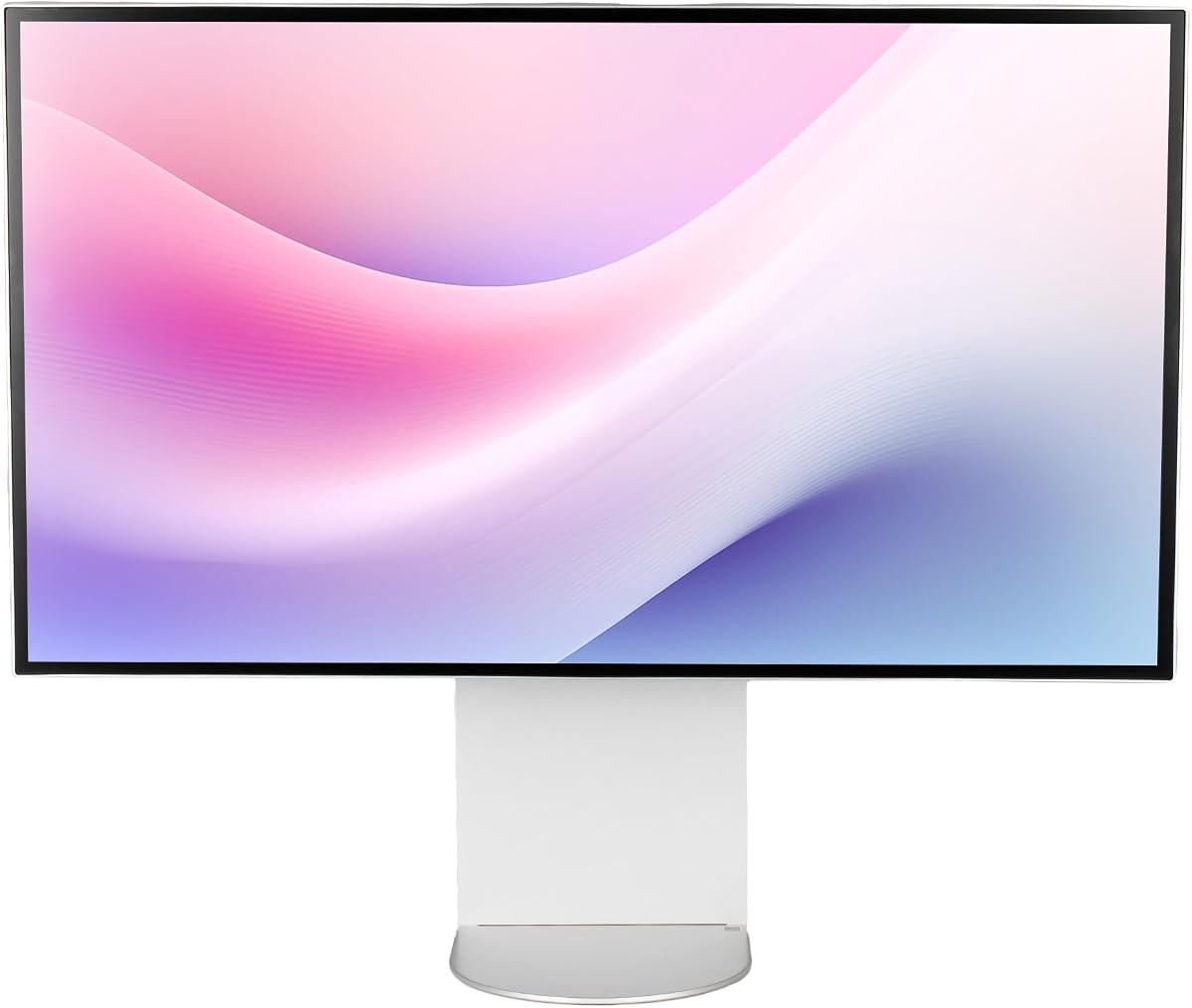
This LG model stands out as a top professional display with its first-of-its-kind Thunderbolt 5 support. It delivers exceptional clarity for creative workflows requiring precise color and high resolution.
We may earn a commission when you buy through this link, at no additional cost to you.
The Nano IPS Black panel provides a 2000 to 1 contrast ratio which is rare for IPS technology. This ensures deeper blacks and richer shadows essential for photo editing and video grading tasks.
While the 60Hz refresh rate limits gaming, it suits professional stationary work perfectly. The daisy chaining capability allows multiple screens to connect via one cable reducing desk clutter effectively.
Buyers seeking a future-ready workstation hub will appreciate the extensive connectivity options. Its compatibility with both Mac and Windows systems makes it a versatile choice for diverse teams.
Thunderbolt 5 offers transfer speeds twice as fast as Thunderbolt 4 ensuring rapid data movement.
Real 10-bit color depth delivers smooth tonal transitions crucial for professional visual work.
We may earn a commission when you buy through this link, at no additional cost to you.
ASUS ProArt brings professional calibration to a more accessible price point. It ensures Delta E less than 2 accuracy right out of the box which saves time on manual calibration.
We may earn a commission when you buy through this link, at no additional cost to you.
The Light Sync technology automatically adjusts colors based on ambient light sensors. This feature ensures consistent color performance throughout the day without user intervention or manual tweaking.
Dual Thunderbolt 4 ports support daisy chaining and provide 96 watts of power delivery. This allows for single cable connectivity to Macs simplifying setup significantly for creative professionals.
Ideal for those prioritizing color fidelity over gaming performance. The included Adobe Creative Cloud subscription adds extra value for designers starting their workflow on this display.
Calman Verified factory calibration ensures reliable color reproduction across different content types.
Auto KVM switch allows effortless switching between two computers using one keyboard.
We may earn a commission when you buy through this link, at no additional cost to you.
This model features a glossy finish that enhances color vibrancy significantly for media consumption. It targets users who want cinematic visuals in their high resolution workspace setup.
We may earn a commission when you buy through this link, at no additional cost to you.
The honeycomb cooling structure helps maintain optimal performance during extended use. This design choice prevents overheating which is vital for high performance displays running demanding tasks.
With 223 PPI the text remains sharp and legible even in dark modes. This high pixel density ensures smooth edges and reduces eye strain during long working sessions.
Recommended for enthusiasts willing to provide their own stand for flexibility. The CNC-machined aluminum body offers premium durability and sleek aesthetics matching modern office setups.
Glossy panels often produce richer blacks and more vivid colors compared to matte screens.
Passive cooling via honeycomb design ensures silent operation without internal fans.
We may earn a commission when you buy through this link, at no additional cost to you.
Samsung enters the 6K market with a display focused on next-level gaming visuals. It combines high resolution with fast refresh rates for smooth gameplay experiences.
We may earn a commission when you buy through this link, at no additional cost to you.
The dual mode feature allows switching between 6K at 165Hz and 3K at 330Hz. This flexibility lets gamers prioritize speed or resolution based on their specific needs in games.
Fast IPS technology ensures vivid colors across the wide viewing angle without motion blur. This panel type is crucial for reducing ghosting during fast-paced gaming action sequences.
Best suited for gamers who want crisp visuals without sacrificing fluidity. The ergonomic stand provides necessary adjustments to find the perfect viewing angle for long sessions.
Dual mode technology adapts the screen to suit different types of gaming preferences.
G-Sync compatibility eliminates screen tearing for a smooth visual experience.
We may earn a commission when you buy through this link, at no additional cost to you.
Dell positions this monitor as a productivity tool for office environments. Its 6K screen mode provides striking clarity for documents and spreadsheets.
We may earn a commission when you buy through this link, at no additional cost to you.
USB Type-C allows quick data transmission rates which improves workflow efficiency. This connectivity simplifies docking a laptop while transferring files simultaneously without extra cables.
The 450 Nit brightness ensures content is visible even in well lit office areas. This reduces glare issues and makes it easier to work throughout the day.
Choose this if your main goal is crisp text and reliable connectivity. The 5ms response time is adequate for video calls and general multitasking.
High brightness levels help maintain visibility in brightly lit workspaces effectively.
USB-C integration reduces cable clutter while delivering power and data.
We may earn a commission when you buy through this link, at no additional cost to you.
This bundle adds value by including maintenance supplies and accessories alongside the monitor. It ensures users have everything needed for a clean and functional setup immediately.
We may earn a commission when you buy through this link, at no additional cost to you.
KVM functionality lets you control two connected computers using one keyboard and mouse. This saves desk space and simplifies transitions between workstations efficiently.
The display maintains the same high contrast ratio and color accuracy as the standard model. You get all the professional benefits without sacrificing performance or visual quality.
Ideal for creators who want a ready to use package. The included cable ties help manage the extensive connectivity options for a tidy workstation.
Included maintenance tools protect your investment and ensure longevity of the screen.
Integrated KVM reduces hardware costs by sharing peripherals across multiple devices.
We may earn a commission when you buy through this link, at no additional cost to you.
Designed with a minimalist aesthetic this monitor fits well in home offices. It includes a stand and focuses on eye care features for comfortable long term use.
We may earn a commission when you buy through this link, at no additional cost to you.
The anti-glare coating reduces reflections which is helpful for general home lighting conditions. This helps maintain image clarity without needing to manage curtains or windows carefully.
Eye care features like low blue light mode minimize fatigue during movie nights or work. The durable build ensures it withstands daily home use reliably over time.
Buy this for a balanced mix of work and entertainment at home. The 100W charging port means your laptop stays powered without extra adapters.
Flicker-free backlighting prevents eye strain during extended periods of screen time.
Universal mount compatibility allows you to swap the stand if preferred.
We may earn a commission when you buy through this link, at no additional cost to you.
This bundle includes a two-year protection plan which adds significant peace of mind. It ensures your investment is covered against potential hardware failures or accidents.
We may earn a commission when you buy through this link, at no additional cost to you.
All necessary cables are included in the box so you can start using it immediately. Having these components ready saves time and prevents compatibility issues with missing wires.
The monitor itself offers the same reliable performance and clarity as the standard model. It maintains high brightness and crisp text for professional office environments.
Best for businesses that prioritize equipment reliability and support. The protection plan ensures minimal downtime if repairs become necessary during the coverage period.
Extended service plans cover repairs and reduce unexpected costs over time.
Complete cable set removes the hassle of sourcing adapters or connectors.
We may earn a commission when you buy through this link, at no additional cost to you.
This monitor redefines interaction by offering a massive 32 inch touchscreen experience. It allows you to draw directly on the screen with a pressure sensitive stylus.
We may earn a commission when you buy through this link, at no additional cost to you.
The included Active Stylus provides 4096 levels of pressure sensitivity for detailed artwork. This capability turns the display into a large drafting board for architects and artists.
Factory calibrated color gamuts ensure that your digital creations translate accurately to print. This color fidelity is critical for professional design work requiring exact matching results.
Ideal for creative professionals needing direct touch control on a large canvas. The fold stand allows easy switching between viewing and drawing modes on your desk.
Direct touch interaction offers intuitive control for sketches and annotations.
High resolution touch ensures accurate tracking of the stylus movements.
We may earn a commission when you buy through this link, at no additional cost to you.
This variant offers the core Nano IPS Black technology with a focus on ergonomics. It supports height adjustment and pivot which are essential for long daily viewing.
We may earn a commission when you buy through this link, at no additional cost to you.
Anti-glare coating helps maintain visibility in various lighting conditions. This feature is useful for users who cannot fully control their room lighting easily.
The VESA 100 mount allows for arm installations if a stand is not needed. This flexibility supports different workspace layouts and cable management preferences.
Choose this if you need standard connectivity and reliable ergonomics. It provides the essential visual quality expected from the UltraFine series for general use.
Height and tilt adjustments help maintain a comfortable posture during work.
Nano IPS delivers wider viewing angles and better color consistency than standard IPS.
We may earn a commission when you buy through this link, at no additional cost to you.
Selecting the right 6K monitor involves weighing technical specs against your workflow needs. This guide breaks down the critical factors to consider before making a purchase.
6K resolution provides over 21 million pixels on a 32 inch panel creating immense detail. This high density ensures text remains sharp even when viewing content at 100 percent zoom.
Look for displays with 220 PPI or higher to get the full benefit of 6K sharpness.
IPS panels offer consistent colors and wide viewing angles which are vital for design work. Nano IPS variants often deliver deeper blacks and higher contrast than standard IPS.
Prioritize Nano IPS Black or similar tech if you need better shadow detail and contrast.
Professional workflows require accurate color reproduction to match print or digital outputs. Look for factory calibration and high coverage of sRGB and DCI-P3 color spaces.
Ensure the monitor covers 98 percent or more of DCI-P3 for wide color support.
Thunderbolt 5 or 4 supports single cable power and data transfer which simplifies setups. Check for HDMI 2.1 and DisplayPort 2.1 if you connect to PCs or consoles.
Verify power delivery wattage to ensure your laptop can charge while using the monitor.
Most 6K monitors run at 60Hz which suits creative work and general productivity. Gaming focused models may offer higher rates like 165Hz for smoother motion.
Choose 60Hz if you focus on static tasks or higher rates if you play games.
A good stand should allow height tilt and pivot adjustments to prevent neck strain. VESA mount compatibility is useful if you prefer using a monitor arm.
Ensure the stand supports the weight of the screen and allows for stable placement.
DisplayHDR certifications indicate brightness and contrast capabilities for high dynamic range content. Aim for at least DisplayHDR 600 to see brighter highlights and deeper shadows.
HDR support enhances video editing and media consumption but is less critical for text work.
Extended warranties provide peace of mind against defects which are rare but possible. Check if the manufacturer offers good customer support and replacement policies.
A longer warranty period is beneficial for expensive professional displays used daily.
Start by adjusting the monitor height so the top of the screen is at or slightly below eye level. This reduces neck strain during long work sessions.
Clean the screen with a soft microfiber cloth to avoid scratching the delicate anti-glare coating. Avoid using harsh chemicals that might damage the surface finish.
Use the built-in color calibration tools periodically to maintain accuracy over time. Regular updates from the manufacturer can also improve display performance.
Yes if you work with detailed graphics or multiple windows simultaneously. The extra pixels reduce zooming and allow clearer visibility of UI elements.
You need modern GPUs and ports like Thunderbolt 4 to drive 6K properly. Older cards may struggle to handle the high pixel count at high refresh rates.
Most top models include Mac-specific presets for perfect color matching. Always check for Thunderbolt compatibility to ensure single cable connectivity.
Nano IPS uses nanomaterials to produce better contrast and deeper blacks. It often supports wider color gamuts making it ideal for professional content creation.
It offers faster data transfer speeds and higher power delivery than previous versions. This means faster file transfers and charging laptops with fewer cables.
Gaming focused models support high refresh rates and fast response times for action. Standard creative monitors usually run at 60Hz which may feel slow for competitive gaming.
Professional users should calibrate every few months to maintain accuracy. Basic users can do it once a year or when colors seem off.
Most include VESA 100×100 mount holes on the back for mounting arms. Check product specs to confirm compatibility with your preferred stand options.
This guide highlights ten outstanding options catering to different professional and gaming needs. From Thunderbolt 5 power to touch input capabilities there is a perfect fit for every user.
Prioritize color accuracy and connectivity if you are a creative professional. Gamers should focus on refresh rates and response times for the smoothest experience.
Always verify current pricing and availability before purchasing as models update frequently. Taking time to match specs to your specific workflow will ensure you get the best value.