
Razer Core X V2
4.0Editor score
Thunderbolt 5 support
4-slot GPU width
140W PD charging
This guide compares the top ten egpu docks for laptops and mini PCs, evaluating bandwidth, GPU compatibility, and design to help you choose the right external
External GPU docks transform modest laptops into powerful desktop workstations by connecting full-sized graphics cards. They are essential for gamers, creators, and AI enthusiasts who need performance beyond integrated graphics without sacrificing portability.
We evaluated ten leading egpu docks based on interface speed, power delivery, cooling, and build quality. Our analysis covers Thunderbolt, USB4, and OCuLink options to ensure you find a dock that matches your specific hardware needs.
Each pick highlights unique strengths like dual-mode switching, integrated storage, or compact designs. While we focus on capabilities and compatibility, remember that individual performance can vary based on your system setup and graphics card choice.
4.0Editor score

4.4Editor score

4.5Editor score
This side-by-side comparison highlights key specifications for each dock including interface types, power requirements, and unique features like integrated storage or specific connectivity options to help you decide quickly.





The MINISFORUM DEG2 stands out as a top choice for users seeking both speed and flexibility. With support for both USB4 V2 and OCuLink interfaces, it delivers up to 80Gbps bandwidth for demanding tasks. Its unique M.2 NVMe slot allows you to store AI models directly on the dock, streamlining your workflow significantly.
We may earn a commission when you buy through this link, at no additional cost to you.
Performance is enhanced by a built-in signal booster that stabilizes data transfer, reducing latency during high-bandwidth tasks like rendering or inference. The dock features automatic power-on syncing and supports universal ATX and SFX power supplies, making it easy to upgrade components over time without needing a new enclosure.
While the feature set is robust, the price point is higher than basic models. Additionally, some users may need to ensure their host device supports the specific protocols for optimal results. However, the seamless desktop experience and modular design justify the investment for serious enthusiasts.
If you need a dock that balances raw bandwidth with practical features like storage and easy power upgrades, this is the pick for you. It transforms laptops into full desktops while maintaining the portability needed for travel or shared workspaces.
Switch instantly between USB4 V2 and OCuLink modes using a physical toggle to match your device requirements without swapping cables or tweaking software settings.
The integrated M.2 2280 slot lets you store large project files directly on the dock, ensuring your workspace stays synchronized when switching between devices.
We may earn a commission when you buy through this link, at no additional cost to you.
This variant of the DEG2 brings a unique physical toggle for switching between TB5 and OCuLink modes, offering unmatched flexibility. It adds a 2.5G LAN port and supports ATX and SFX power supplies for robust GPU support. The integrated M.2 slot ensures fast access to storage assets during heavy tasks.
We may earn a commission when you buy through this link, at no additional cost to you.
The dock simplifies setup with auto-on syncing and a single-cable workflow that handles data, display, and power. Signal optimization reduces dropouts and latency for smooth operation. Users can choose the mode that fits their device best without needing additional hardware or complex configurations.
A note to buyers is that power supplies and GPUs are sold separately, and compatibility is limited with specific workstations like the MS-02. Still, the rich connectivity and future-proof design make it a strong contender for those who value customization and speed.
Choose this if you want a dock that grows with your setup and offers versatile connection options. Its design encourages a clean workspace while delivering the performance needed for gaming, creation, or local AI workloads.
Avoid software complications by using a simple physical switch to change between Thunderbolt 5 and OCuLink modes based on your current host device.
The built-in 2.5G LAN port provides fast wired internet access directly from the dock, ensuring stable connections for gaming or large file transfers.
We may earn a commission when you buy through this link, at no additional cost to you.
The Razer Core X V2 brings next-gen Thunderbolt 5 performance to the table with up to 80Gbps bandwidth. It supports GPUs up to 4 slots wide and includes a 140W PD port for powerful laptop charging. The vented steel chassis features an active 120mm fan for sustained cooling under load.
We may earn a commission when you buy through this link, at no additional cost to you.
This dock allows users to swap GPUs and PSUs easily with tool-free installation using included thumbscrews. It simplifies setup with an included Thunderbolt 5 cable that provides a graphical boost when needed. The modular design ensures that as new hardware becomes available, you can upgrade components without replacing the whole enclosure.
While it offers impressive capabilities, note that it does not support Mac devices with M1 or later chipsets. This limitation restricts its use for Apple users. However, for Windows and Linux users seeking a high-end enclosure, it delivers reliable performance.
If you need a robust dock that fits even large graphics cards and supports fast charging, this is a great option. Its build quality and cooling make it ideal for users who demand stability during extended gaming or rendering sessions.
Thunderbolt 5 support provides up to 80Gbps bandwidth for seamless performance with creative apps and AAA games on compatible devices.
A built-in 120mm fan automatically ramps up during heavy loads to maintain performance while preventing overheating in the steel chassis.
We may earn a commission when you buy through this link, at no additional cost to you.
The MINISFORUM DEG1 is a compact option measuring just 14cm in length, making it easy to carry in a backpack. It features OCuLink 4i interfaces for transfer rates up to 64Gbps and supports both ATX and SFX power supplies. A safety locking mechanism on the OCulink connector helps prevent port damage during plugging.
We may earn a commission when you buy through this link, at no additional cost to you.
It includes a smart startup function called ForcePowerOn with LED that ensures stable system operation without manual adjustments. The high-quality signal amplifier chips enhance transmission stability. This dock is designed for high-performance gaming and professional graphics processing needs without the bulk of larger enclosures.
Note that the OCulink interface does not support hot plugging, meaning the computer must be turned off to unplug the cable. Also, the startup tracking function may require original cables and specific MINISFORUM mini PCs. Still, its portability and performance make it a top budget pick.
For users seeking a simple portable upgrade for laptops or mini PCs, this dock offers excellent value. It combines essential features in a small footprint to meet professional needs and gaming requirements effectively.
At only 14cm long and 6.5cm wide, this dock fits easily into bags for on-the-go performance upgrades wherever you work or play.
The fixed locking interface on the OCulink connector must be unlocked before unplugging to prevent accidental damage to the port hardware.
We may earn a commission when you buy through this link, at no additional cost to you.
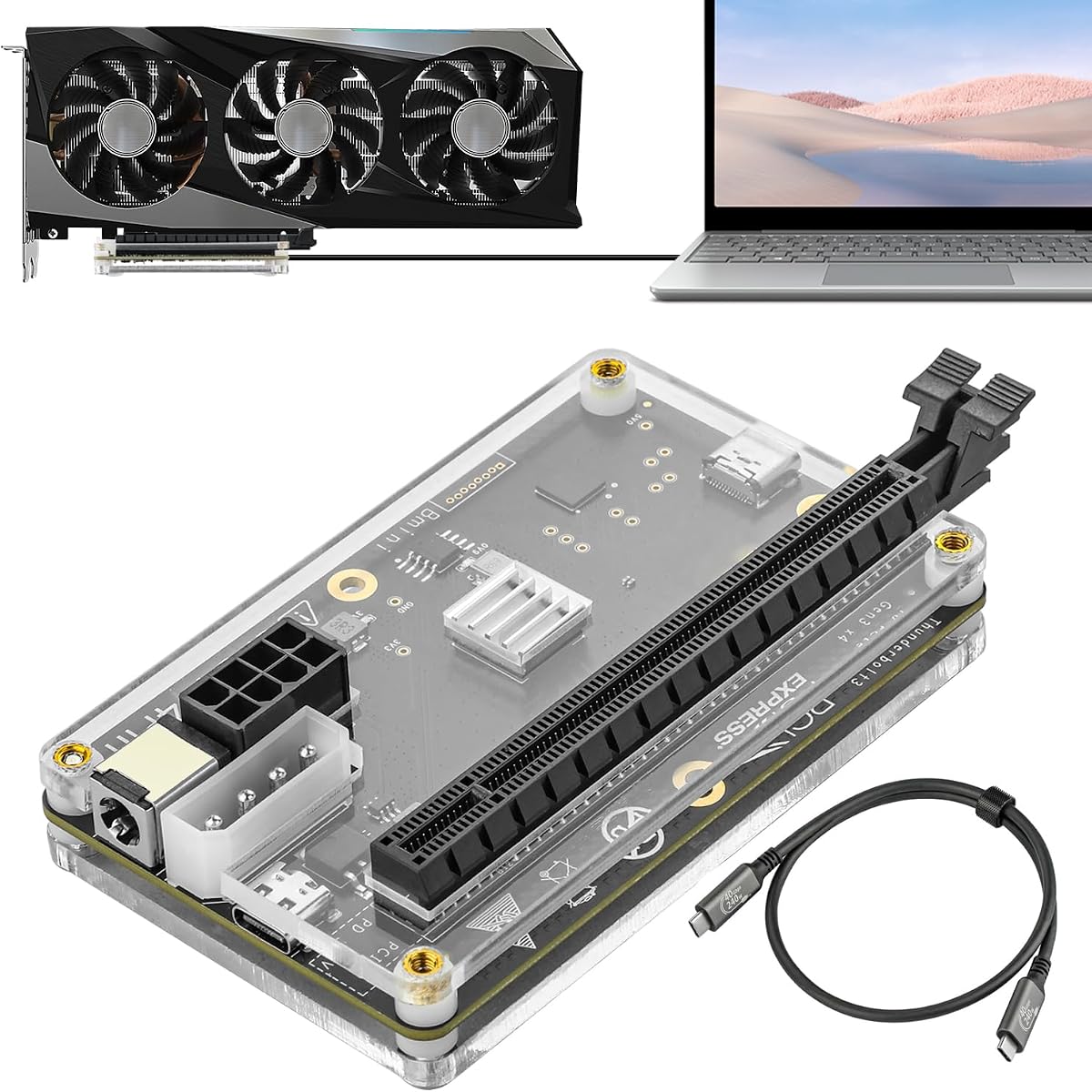
This dock delivers PCIe 4.0 x4 speeds up to 64Gbps using OCuLink technology. The package includes SFF-8612 and SFF-8611 cables with ultra-thin flexible designs that reduce port damage risks. Gold-plated contacts on the PCB help ensure superior conductivity and reduce oxidation that can lead to crashes.
We may earn a commission when you buy through this link, at no additional cost to you.
Multi-status LED indicators provide visual feedback for device monitoring in real-time. The detachable design on both ends improves portability and storage. While it supports graphics cards without length restrictions, note that it requires a standard ATX power supply which is not included in the package.
Users must turn off the computer to unplug the OCuLink cable as hot plugging is not supported. This limitation means extra care is needed during setup and movement. However, the stable signal transfer and flexible mounting make it a solid choice for many users.
If you need a straightforward enclosure for your laptop or mini PC, this dock provides good value. It is ideal for those who prioritize speed and stability while staying within a budget for external graphics expansion.
The PCB features 10μ gold-plated contacts that reduce resistance and oxidation to keep signal paths clear and prevent system crashes.
Flat cable architecture with shielding minimizes interference and degradation while making connections easier and safer than traditional rigid cables.
We may earn a commission when you buy through this link, at no additional cost to you.
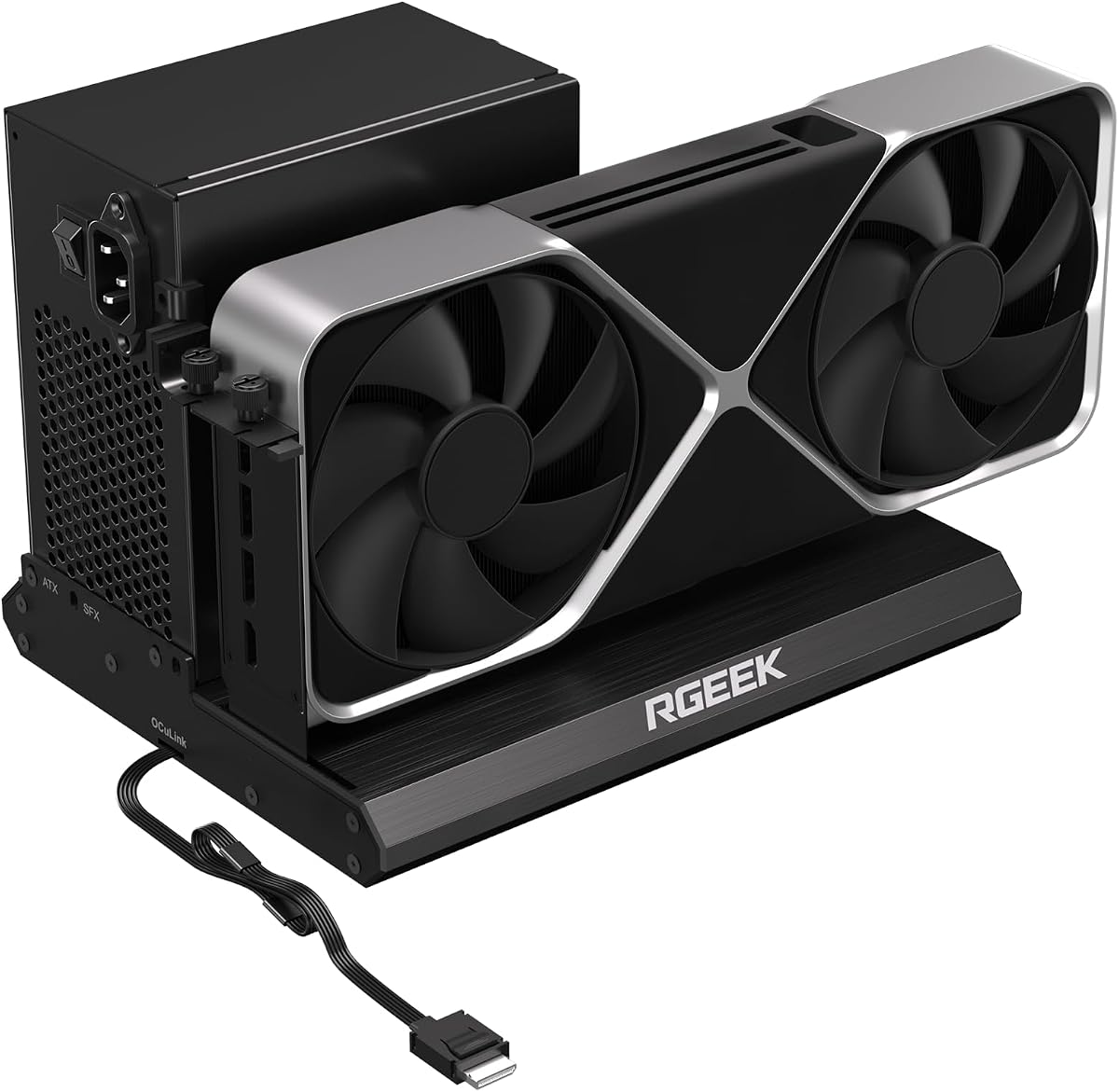
The RGEEK OCuLink Dock supports PCIe 5.0 x4 with up to 128Gbps bandwidth, making it ready for next-gen GPUs. It uses a full aluminum material chassis for heat dissipation and durability. The factory-soldered cable avoids extra adapters to keep signal loss negligible.
We may earn a commission when you buy through this link, at no additional cost to you.
This dock supports mainstream NVIDIA and AMD graphics cards and is ideal for gaming, 3D modeling, and AI computing. It supports ATX, SFX, and SFX-L power supplies for flexible upgrades. The uniform I/O port layout keeps desktop wiring neat and installation is straightforward once drivers are downloaded.
To reach full PCIe 5.0 speed you may need an M.2 slot or a PCIe 5.0 to OCuLink adapter which is not included. Hot plugging is not supported so the computer must be turned off to unplug. Despite these caveats, the bandwidth and build quality are strong points.
If you want a dock ready for future GPUs without replacement, this is a great choice. Its aluminum design and high bandwidth ensure long-term usability for demanding professional and gaming applications alike.
Supports PCIe 5.0 x4 for up to 128Gbps bandwidth, far exceeding standard OCuLink 4.0 and future-proofing your external graphics setup.
The full aluminum chassis improves heat dissipation and durability while factory-soldered cables reduce points of failure in your setup.
We may earn a commission when you buy through this link, at no additional cost to you.
The UGREEN LinkStation offers dual high-speed lanes with OCuLink 64Gbps and USB4 40Gbps for universal compatibility. It supports full-size desktop GPUs up to 370mm in length and four slots thick. The semi-open aluminum chassis provides efficient cooling while a cable storage compartment keeps your workspace tidy.
We may earn a commission when you buy through this link, at no additional cost to you.
Users can connect a full-size desktop GPU for up to 30% better performance in gaming and creation. The 100W PD charging keeps your laptop powered via a single cable. It supports NVIDIA AMD and Intel GPUs across Windows Linux and Intel-based macOS for wide compatibility.
The dock is designed for enthusiasts with a removable top cover to install oversized GPUs without restrictions. However it only supports graphics cards with dual-slot brackets and not triple-slot. This may limit some larger high-end models but covers most common options.
If you want a versatile dock that balances speed with practical cooling and cable management, this is a strong contender. It delivers desktop-grade power to laptops and mini PCs while maintaining a clean organized workspace for productivity.
Choose between OCuLink for low latency and USB4 for hot-swap convenience with a built-in booster for stable 4K and AI tasks.
A large low-RPM ATX 3.1 PSU fan ensures library-quiet performance so you can focus on work or gaming without noisy distractions.
We may earn a commission when you buy through this link, at no additional cost to you.
This dock uses a JHL6340 controller to deliver speeds around 22Gbps for better stability on Windows 10 and 11. It supports a wide range of NVIDIA and AMD GPUs and includes a Thunderbolt 4 cable. There are four flexible power input options to suit different setups.
We may earn a commission when you buy through this link, at no additional cost to you.
Compatible devices include most Windows laptops desktops and consoles like the Lenovo Legion Go. The dock can serve as a hub with USB A ports and supports Thunderbolt 3/4 and USB4 connections. This makes it ideal for users who value versatility across multiple devices.
While the bandwidth is lower than newer PCIe 4.0 or 5.0 models, it remains suitable for many tasks including AI art and AAA gaming. The power input flexibility allows you to adapt to available connectors at your workstation easily.
If you need a dock that can work with consoles and multiple power options, this is a great choice. It balances connectivity with performance for those who do not need the highest bandwidth available on the market.
Choose one of four options including CPU 4+4-pin Molex PD 3.0 or DC5521 to match your available power sources and adapt easily.
Compatible with consoles such as the Lenovo Legion Go when USB4 or Thunderbolt support is enabled in BIOS settings for graphics boost.
We may earn a commission when you buy through this link, at no additional cost to you.
This model features a physical toggle to switch between TB5 and OCuLink modes without software tweaks. It includes an internal M.2 2280 slot for fast access to assets and a 2.5G LAN port. Rich connectivity options like USB 3.2 ports and ATX 24pin power support make it versatile.
We may earn a commission when you buy through this link, at no additional cost to you.
The dock allows seamless interoperability across diverse cables and GPUs to minimize signal degradation. Auto power-on syncing eliminates manual startups and transforms your workspace into a plug-and-play ecosystem. It is designed for heavy GPU tasks to run on the desktop graphics card while the ultrabook handles display.
Keep in mind it does not work with the MINISFORUM MS-02 Workstation. Additionally GPUs and power supplies are not included in the package. Despite this, the feature set provides a future-ready configuration for custom builds and performance upgrades.
If you want a dock that simplifies complex tasks with built-in storage and dual modes, this is a strong candidate. It is ideal for users who want to maximize mobility without sacrificing desktop-grade power or storage convenience.
Toggle between OCuLink and TB5 modes physically to match your current device without needing to swap cables or adjust software settings.
Store models and project files on the internal M.2 2280 for faster GPU access and streamlined workflows during heavy rendering tasks.
We may earn a commission when you buy through this link, at no additional cost to you.
This dock uses an officially certified JHL7440 controller for high-performance in gaming AI training and 3D modeling. It supports local deployment of specific models and offers 85W PD charging. The built-in USB A and daisy chain ports allow additional devices to be attached easily.
We may earn a commission when you buy through this link, at no additional cost to you.
Compatible with NUCs laptops and gaming machines featuring USB4/TB3/TB4 interfaces it supports the latest GPU series from NVIDIA and AMD. The dock functions well as a hub in addition to its graphics capabilities for a clean desk setup. It supports Thunderbolt 3/4 and USB4 for broad device compatibility.
Note that the package does not contain ATX power or graphics cards so you must provide those. Also avoid inserting a CPU cable into the PCIE-8PIN port to prevent automatic power-off protection. Follow setup instructions carefully to ensure safe operation and avoid damage.
If you need a dock with hub functionality and solid performance for a modest budget, this is a good pick. It brings essential features like charging and daisy chaining to enhance your laptop or desktop workflow effectively.
Use the USB A and daisy chain ports to connect additional peripherals directly to the dock and keep your workspace organized.
Designed to support local deployment of models like Deepseek-R1 for AI tasks alongside standard gaming and rendering workloads.
We may earn a commission when you buy through this link, at no additional cost to you.
Choosing the right egpu dock depends on your host device interface speed requirements power needs and desired portability. This guide breaks down key factors to consider for an informed decision.
Interface bandwidth determines how much data can flow between your dock and host. Thunderbolt 5 and USB4 V2 offer up to 80Gbps while OCuLink supports up to 64Gbps or higher in PCIe 5.0 variants. Higher bandwidth ensures better GPU performance with minimal losses for rendering or gaming. Check if your host has compatible ports to maximize speed. If your device supports USB4 or OCuLink you can leverage faster speeds for demanding tasks. Always verify protocol support before purchasing to avoid bottlenecks. Choosing the right interface is the first step in ensuring smooth operation.
Power supply compatibility affects how easy it is to upgrade your setup. Many docks support standard ATX and SFX power supplies allowing you to swap units as GPU needs grow. Some models require specific connectors or voltages so check details carefully. Ensure your dock matches the wattage requirements of your chosen graphics card. If you plan on using high-end GPUs look for docks with flexible power options. This ensures stability during heavy loads and avoids unexpected shutdowns. Choosing the right PSU is vital for reliability.
GPU size and cooling determine which cards fit and how well they perform. Some docks accommodate up to 4-slot cards while others are limited to smaller models. Active cooling fans help sustain performance under load and prevent overheating. Semi-open or vented designs improve airflow for better thermal management. Consider the length and width of your GPU before buying. Ensuring proper fit will avoid installation issues and maximize efficiency. Good cooling means longer hardware life and consistent output.
Port variety and charging features add convenience beyond graphics. Look for docks with USB-C PD charging to power your laptop from one cable. Additional USB ports or LAN connections reduce clutter by acting as hubs. Some models offer daisy chaining to connect multiple devices. High-power charging options like 140W or 100W support larger laptops. This simplifies your desk setup and improves mobility. Prioritize docks that match your peripheral needs for better workflow.
Build quality and portability matter if you move your dock often. Aluminum or steel chassis provide durability and better heat dissipation. Compact designs under 15cm are easier to carry in bags. Detachable cables or removable covers improve storage convenience. Ensure the dock is sturdy enough for regular travel. Good build quality reduces wear and extends the product's lifespan. For travelers a small yet robust dock is essential.
Operating system support ensures the dock works with your device's software. Most docks support Windows and Linux well while some have Mac limitations. Avoid Apple Silicon devices if the dock does not explicitly support them. Check for driver availability to ensure smooth installation. Compatibility with your OS prevents frustration and setup errors. If you use multiple systems confirm cross-platform support. This ensures seamless integration with your workflow.
Feature extras like M.2 NVMe slots add value by storing assets directly on the dock. This reduces file transfers and improves access times for AI or media projects. Signal boosters help maintain stable connections during high-bandwidth tasks. Auto-power-on features simplify daily use by syncing with your host. These extras can greatly enhance your experience. Prioritize models with features you will actually use. Thoughtful extras turn a basic dock into a powerhouse.
Cost and value depend on features needed and future proofing. Basic docks may cost less but lack speed or versatility. Higher-end models offer dual interfaces better cooling and expandability. Consider if you need features like internal storage or high-speed networking. Investing in a slightly pricier dock can save money by avoiding upgrades later. Balance budget with the performance you need for longevity. Evaluate total cost including required PSU and GPU for the real price.
Start by connecting your dock to a compatible host using the appropriate Thunderbolt USB4 or OCuLink cable. Ensure the power supply is properly connected to the dock before plugging it in to avoid electrical issues.
If your dock supports auto-power-on it will sync with your host when turned on. For manual setups turn off the computer before connecting the dock and then power it on after the connection is secure.
Regularly check cables and connectors for dust or damage to maintain signal stability. Keep the dock ventilated and avoid covering vents to prevent overheating during heavy usage. Store it in a dry place when not in use to extend its lifespan.
Egpu docks work with laptops that have compatible ports such as Thunderbolt 3/4 USB4 or OCuLink. Not all devices support the protocols needed for eGPU connections so check your laptop's specifications before buying. Apple Silicon Macs often do not support eGPUs so verify compatibility.
Most egpu docks support standard ATX or SFX graphics cards but size limits apply. Ensure your GPU fits within the physical dimensions of the dock. Some models restrict triple-slot cards so check specs to avoid fitting issues.
Most egpu docks do not include a power supply or graphics card. You will need to purchase these separately to complete your setup. Always check the product details for what is included before buying.
Many egpu docks especially OCuLink models do not support hot plugging. This means you should power off the computer before connecting or disconnecting the dock. Some Thunderbolt variants allow hot swapping but confirm with your specific model.
OCuLink provides lower latency direct PCIe access while Thunderbolt adds USB compatibility and charging support. Thunderbolt usually works across more devices whereas OCuLink requires specific ports for higher bandwidth.
Download the latest drivers for your graphics card from NVIDIA or AMD. Install them on your host device after connecting the dock. Some docks require specific drivers for optimal stability.
Yes egpu docks support AI training and inference by providing access to powerful desktop GPUs. Ensure your GPU meets the requirements for your AI software and that drivers are properly installed.
Overheating may lead to throttling or shutdowns to protect hardware. Ensure vents are clear and fans are working. Proper cooling and ventilation are essential for sustained performance.
Choosing the right egpu dock balances interface speed power needs and feature extras for your workflow. The MINISFORUM DEG2 Razer Core X V2 and MINISFORUM DEG1 offer distinct advantages for different users.
Prioritize bandwidth and cooling if you run heavy rendering or gaming tasks often. Smaller portable docks suit travelers while feature-rich models benefit desktop replacements.
Remember to check compatibility with your host and power options before purchasing. Prices and availability change so confirm current details before finalizing your setup.