
Switch Cooling Fan with Bottom Cooling
Adjustable USB powered cooler
Compatible with Switch OLED
Prevents overheating issues
This guide compares the top external cooling fans for Nintendo Switch docks to help gamers prevent overheating and extend console lifespan during extended play
External cooling fans for Nintendo Switch docks are essential accessories for gamers who want to protect their consoles from overheating during long play sessions. These devices attach directly to the dock and provide additional airflow to keep temperatures down. Choosing the right model ensures your Switch runs smoothly without interruptions caused by thermal throttling or system shutdowns.
We evaluated ten top-rated cooling fans based on performance, ease of use, design, and compatibility with different Switch dock models. Our analysis focuses on real-world benefits like noise levels, cooling efficiency, and additional features such as game card slots or RGB lighting. This list covers both original dock compatible fans and newer options for updated hardware designs.
Each product pick shows detailed specs, pros, cons, and expert insights to help you make an informed decision. Prices and availability can change frequently on online marketplaces so checking current listings is recommended before purchase. Use this guide to find the perfect cooling solution that matches your gaming setup and budget requirements.

4.6Editor score
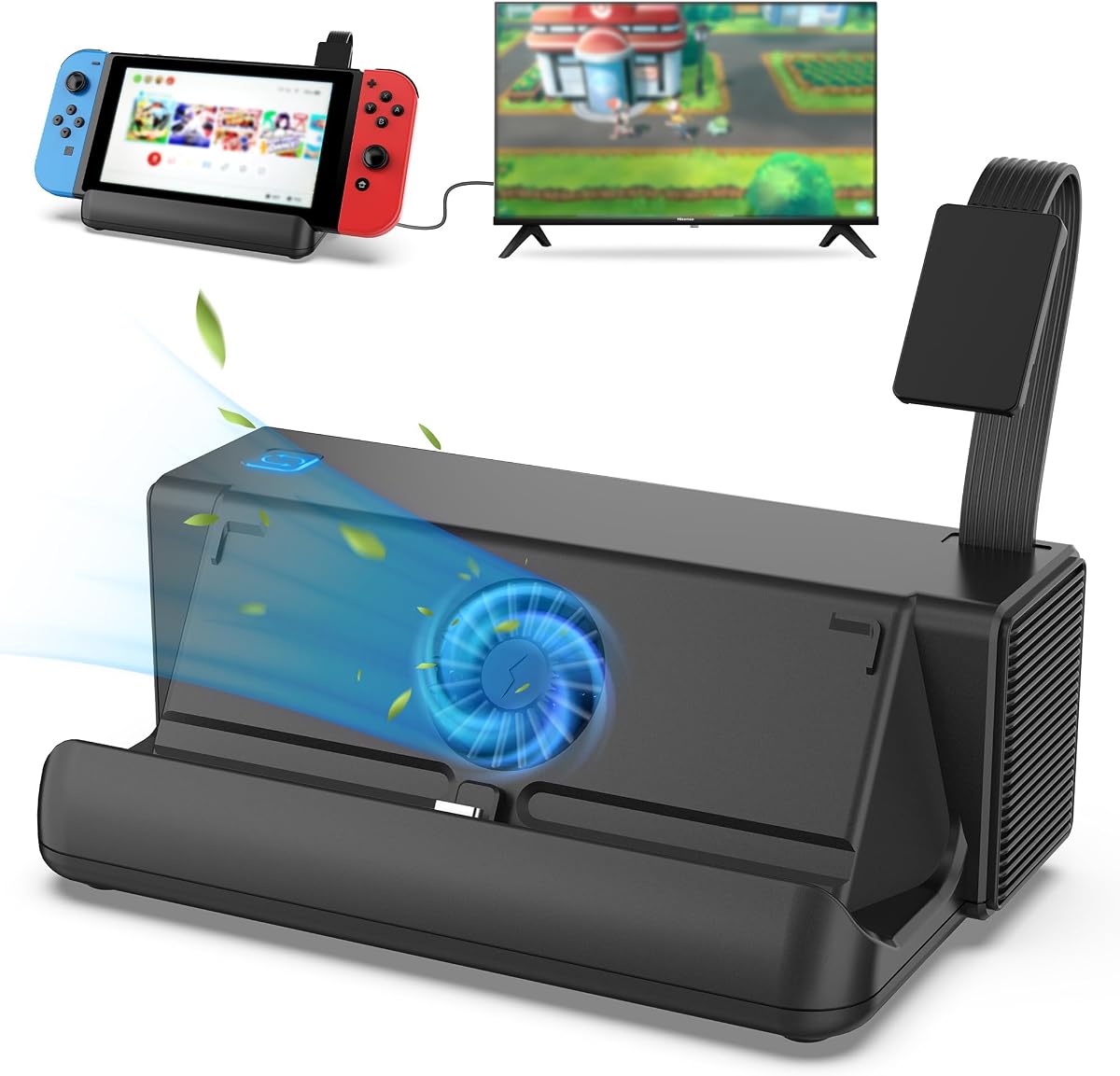
4.4Editor score
The following comparison table outlines key specifications for each of the ten cooling solutions reviewed in this guide. Use this side-by-side view to quickly identify which model offers the features you need most for your specific Switch dock setup and gaming habits.


This cooling fan replacement kit offers a comprehensive solution for keeping your Nintendo Switch dock cool during extended gaming sessions. With a 4.6 star rating from users, it stands out for its digital LED display that shows real-time temperature and fan speed. The package includes everything needed for installation including a Micro USB cable and stabilizing pad.
We may earn a commission when you buy through this link, at no additional cost to you.
The standout feature is the LED display that lets you monitor both the current fan RPM and the air temperature exiting the console. Three physical buttons allow easy control over fan speed or power status. When set under 2400 RPM the fan operates nearly silently which is perfect for quiet gaming environments without sacrificing cooling performance.
One trade-off is that fan noise becomes noticeable when speeds exceed 2400 RPM though this is necessary for maximum cooling power. The Micro USB power connection is reliable but may require a specific cable if your dock lacks compatible ports. Overall the benefits of preventing overheating outweigh this minor inconvenience for most users.
This product is ideal for Switch owners who play for multiple hours without worry about thermal throttling. The fixed pad ensures the fan stays stable between the dock and console base preventing scratches. We recommend this for anyone seeking a reliable external cooling solution with clear performance indicators and strong warranty support.
The LED display provides immediate feedback on cooling performance allowing you to adjust settings based on current thermal conditions.
A fixed pad with anti-slip sponges keeps the fan securely in place while protecting your Switch dock from scratches during use.
We may earn a commission when you buy through this link, at no additional cost to you.
The TNP Cooling Fan offers a straightforward approach to cooling the original Nintendo Switch dock with three built-in fans for strong ventilation. It connects directly to the dock's USB port requiring no extra tools or complex setup. Users can switch between turbo normal and off modes depending on their cooling needs during gameplay.
We may earn a commission when you buy through this link, at no additional cost to you.
Key strengths include the three high-speed fans that lower console temperature quickly and effectively. The compact design saves space on entertainment cabinets while maintaining strong performance. Installation is simple as you just insert the product on the back of the original dock and plug into USB for power supply.
However the 3.9 star rating suggests some users may find noise levels or cooling consistency less reliable than other options. It is also limited to the original dock which means newer Switch models or OLED versions will not work with this cooler. Despite this it remains a viable choice for original dock owners.
We recommend this fan for users who prioritize simplicity and multiple fan sources for airflow. The space-saving design keeps your room tidy while protecting your console. For those with original Switch setups looking for an affordable upgrade this fan provides adequate cooling performance.
Three integrated fans work together to create consistent airflow around the dock reducing heat buildup during intensive gaming.
Installation requires no tools as the unit connects directly to the dock back and draws power from its USB port.
We may earn a commission when you buy through this link, at no additional cost to you.
NEWDERY Cooling Fan for Nintendo Switch 2 Dock provides a dual-fan cooling stand with features like game card slots and USB expansion ports. It connects to the Switch 2 charging dock and operates automatically at full speed when docked. Three cooling levels allow customization based on your gaming intensity.
We may earn a commission when you buy through this link, at no additional cost to you.
The dual fans work together to extend the lifespan of your Switch 2 by promoting heat dissipation effectively. Additional features like six game card slots let you store cartridges for quick access during play. The three USB ports including USB-A and USB-C support charging controllers and other accessories without extra space.
A trade-off is that this dock is built for Switch 2 which may not match all current users. The RGB light modes add style but some may prefer a minimalist look. These preferences are minor compared to the functional benefits of expanded storage and cooling power combined in one unit.
This dock is perfect for Switch 2 owners wanting an all-in-one solution with cooling and organization. The automatic operation ensures consistent performance without manual switching. We recommend this for those who value extra ports and card storage alongside reliable thermal management.
Multiple USB ports allow you to connect and charge controllers headsets or phones directly through the dock during gameplay.
Six card slots hold game cartridges securely letting you swap titles quickly without searching through drawers or cases.
We may earn a commission when you buy through this link, at no additional cost to you.
Bewinner USB Cooling Fan Base Stand Dock is a compact external cooling solution with three fans inside the base to keep your console cool during gaming. It features a side switch to adjust between turbo and normal speeds or turn off completely. The simple bracket design holds the console securely while allowing airflow.
We may earn a commission when you buy through this link, at no additional cost to you.
The small and compact size makes it easy to set up and use without taking up much space on your desk or entertainment center. Made from superior materials the unit feels durable and reliable for daily use. It provides effective cooling without the need for complex controls or power requirements.
Trade-offs include the lack of advanced features like LED displays or card slots which other models offer. This simplicity is acceptable for users who want a straightforward cooling bracket without extra functions. The side switch remains intuitive for quick adjustments during gameplay.
We recommend this fan for gamers who prioritize simplicity and durability over extra features. The compact design fits neatly into most setups. For those seeking a no-fuss cooling solution this bracket offers reliable performance at a competitive value.
A side switch lets you toggle between turbo and normal modes without navigating menus or complex settings.
Superior materials ensure the bracket withstands daily use while protecting the console from physical contact.
We may earn a commission when you buy through this link, at no additional cost to you.
ZMBESUP Switch Dock Station combines a built-in cooling fan with advanced game card switching technology for a comprehensive gaming accessory. It allows seamless switching between four active game cards with a single button press and includes eight total slots for storage. Independent power control lets you turn off unused features to save energy.
We may earn a commission when you buy through this link, at no additional cost to you.
The cooling fan inside maintains optimal performance during long sessions while preventing overheating. The unit supports both desktop mode with a stand and TV mode for 1080P HDMI output. Three USB ports support wired controllers and accessories making it a versatile hub for home or travel use.
Trade-offs include a higher price compared to simple cooling fans and the need for the original AC adapter for power. However the multifunctionality justifies the cost for users wanting a complete dock upgrade. Independent switches allow customization to reduce noise during rest periods.
This dock is best for gamers wanting to replace multiple accessories with one integrated solution. The card switching technology protects the console from wear. We recommend it for those who value convenience and extended gaming performance in a single device.
One key technology lets you switch active game cards without physical swapping reducing wear and improving workflow.
Independent switches allow you to power off the card reader or fan when not needed reducing noise and saving electricity.
We may earn a commission when you buy through this link, at no additional cost to you.
GLDRAM Cooling Fan offers a cooler replacement designed specifically for the 2021 OLED dock with high efficiency super turbo fans that blow inward to cool the base. It includes fourteen game card slots on top for convenient storage and comes with a Type-C cable for power. The fan fits perfectly with the official base design.
We may earn a commission when you buy through this link, at no additional cost to you.
Installation is quick and easy as the small fan moves air effectively to prevent overheating even during long charging and gaming sessions. The tech-inspired blue light fan integrates with the opening for a cool aesthetic effect. Input delay is reduced and the console stays cool after hours of use.
Trade-offs include the specific compatibility with OLED docks which limits broader use. The blue light effect is stylish but some may prefer neutral colors. These are acceptable given the strong cooling performance and the added convenience of storing multiple game cards in one place.
We recommend this fan for OLED owners seeking enhanced cooling and storage. The Type-C connection ensures easy setup. For those wanting a visual upgrade with reliable performance this fan delivers well on both fronts.
The blue light turns on with the fan adding a modern visual touch to your gaming setup without extra effort.
Fourteen slots on top let you organize your favorite games for quick access during play.
We may earn a commission when you buy through this link, at no additional cost to you.
Dobe Switch OLED Cooling Fan is a powerful and quiet accessory for the Switch OLED model base. It uses a high speed fan to accelerate air circulation inside the base for effective heat dissipation. The unit connects to the Type-C input on the OLED base with the included power supply cable.
We may earn a commission when you buy through this link, at no additional cost to you.
Installation requires pressing a switch to turn the fan on or off and the lighting effect syncs with the fan state. The blue LED inside provides a lighting effect that complements the design. It is designed to keep the console cool during extended play without adding distracting noise.
Trade-offs include synchronized lighting which cannot be separated from the fan operation. Also it only fits the OLED model limiting compatibility. These are minor considerations for users prioritizing quiet and effective cooling for their specific hardware.
We recommend this fan for OLED owners wanting quiet performance with style. The Type-C power is convenient and the simple switch makes control easy. For those who value low noise during gameplay this fan meets the need well.
The high speed fan is optimized for low noise while maintaining strong airflow to prevent overheating.
Blue LED lights activate when the fan turns on providing a visual indicator of cooling status.
We may earn a commission when you buy through this link, at no additional cost to you.
3 Speed Cooling Fan for Switch 2 offers three customizable wind speeds with a premium 45mm turbine fan for ample airflow. The vertical air duct design aligns with the console's air inlet for efficient heat removal. It features smart auto on and off function to start and stop with your Switch 2 automatically.
We may earn a commission when you buy through this link, at no additional cost to you.
Secure mounting is achieved through a wide base and residue-free nano tape for stable placement without damage. The optimized blade structure reduces operating noise so you can focus on games. This ensures powerful cooling performance without loud sounds during intense sessions.
Trade-offs include specific Switch 2 compatibility and the use of nano tape for mounting which limits easy repositioning. Users who prefer frequent moves can skip the tape. These are reasonable given the smart automation and optimized blade design that minimizes noise.
We recommend this fan for Switch 2 owners who want precise speed control and quiet performance. The auto on and off adds convenience. For those valuing targeted airflow and ease of use this is a strong choice.
Vertical air duct ensures the fan directs air exactly where the console needs it for faster cooling.
Smart auto on and off function removes the need for manual control during daily use.
We may earn a commission when you buy through this link, at no additional cost to you.
Cooling Stand for Switch 2 Dock provides a passive cooling solution with a black acrylic desktop mount designed specifically for Switch 2 dock. It features an elevated hollowed-out structure that boosts airflow around the dock without any fans or power requirements. Sturdy construction with silicone pads ensures stability.
We may earn a commission when you buy through this link, at no additional cost to you.
Installation is effortless as you simply place your dock on the stand with no assembly or tools needed. The non-slip pads lock the dock in place preventing slips and scratches. This design effectively reduces overheating risks by improving natural circulation around the device.
Trade-offs include the lack of active fans which may be less powerful than electric units. However the zero noise and zero power requirement make it ideal for users wanting silent passive cooling. The sleek design maintains a clean look on desktops or entertainment centers.
We recommend this stand for Switch 2 owners seeking silent protection for their dock. The premium acrylic material looks stylish. For those prioritizing a noise-free environment this stand delivers reliable passive cooling.
The hollowed-out structure creates space for air to circulate naturally improving heat dissipation without electricity.
Non-slip silicone pads protect the dock surface and keep it firmly in place during use.
We may earn a commission when you buy through this link, at no additional cost to you.
Switch Cooling Fan with Bottom Cooling is a versatile USB powered cooler compatible with Switch original dock and Steam Deck. It features an LED display to show real-time fan speed and exhaust temperature. The speed adjustment ranges from 510 to 6000 RPM to meet different heat dissipation needs.
We may earn a commission when you buy through this link, at no additional cost to you.
The package includes a fixed stabilizer pad and joystick caps for easy setup. Running nearly silent below 2400 RPM it balances strong cooling performance with low noise experience. Made of high-quality material it is built for durability during extended gaming sessions.
Trade-offs include no customer ratings available yet since this is a newer item. Also the Micro USB connection may be less common than modern USB-C standards. These factors are acceptable given the broad compatibility and lifetime warranty support offered by the seller.
We recommend this fan for those seeking a budget-friendly and versatile cooling solution. The LED display provides useful monitoring features. For users who value flexibility across devices this fan offers reliable performance at a competitive price.
Supports Switch dock and Steam Deck allowing one fan to serve multiple gaming devices.
Includes 24-hour customer service and lifetime warranty ensuring peace of mind after purchase.
We may earn a commission when you buy through this link, at no additional cost to you.
Selecting the right external cooling fan involves evaluating compatibility, cooling performance, noise levels, and extra features. Use this buying guide to understand the key factors that impact value and usability.
Ensure the cooling fan matches your specific Switch dock model such as original or OLED. Many fans are designed exclusively for one version so double check compatibility before purchase. Using an incompatible unit may lead to poor fit or ineffective cooling.
Always verify that the product explicitly lists your dock model in its specifications.
Look for adjustable speed settings that let you balance cooling power and noise. Fans with higher RPM ranges offer better heat dissipation for long gaming sessions. Models with LED displays can help you monitor temperature and RPM in real time.
Higher adjustable speeds generally provide better cooling for intensive gaming.
Fan noise can be disruptive during quiet gameplay. Check user reviews and product descriptions for noise levels especially at higher speeds. Some fans operate nearly silent below 2400 RPM allowing for quieter environments.
Prioritize models that offer silent modes for noise-sensitive setups.
Consider the power source whether it is USB-C or Micro USB and whether a cable is included. Modern docks may favor USB-C which provides more convenient charging options. Ensure the power connection integrates well with your existing cables.
USB-C power is generally more future-proof and easier to manage.
Some cooling docks include extra features like game card slots or RGB lighting. These can enhance convenience and style but may add to the price. Evaluate whether these extras align with your needs and space.
Extra storage slots simplify card access during multi-game sessions.
Look for fans that require no additional tools or complex setup. Simple plug-and-play designs with stabilizing pads ensure a secure fit without scratching your dock. Avoid models that demand adhesives or complicated brackets.
Tool-free installation saves time and ensures stable placement.
Check the warranty period and customer service availability. A lifetime warranty and 24-hour support indicate the manufacturer stands behind their product. Good support helps resolve issues quickly if the fan malfunctions.
Prioritize products with strong after-sales protection.
Compare prices against the features and performance each fan offers. Basic models provide cooling while premium options add storage or lighting. Determine which features deliver the most value for your gaming style.
Balance cost with essential performance traits.
Place the cooling fan according to manufacturer instructions ensuring it fits securely between your console and dock base. Most models use a stabilizing pad or tape to prevent slipping during use. Verify that power cables are connected properly to a USB port for operation.
Adjust the fan speed settings based on your gaming intensity and noise preferences. Lower speeds are suitable for casual gaming while higher speeds help during extended sessions. Monitor LED displays if available to ensure the fan is functioning correctly.
Keep the fan clean by dusting it regularly to maintain airflow efficiency. Use a soft cloth to wipe the exterior and avoid liquids near electrical components. Store it in a cool dry place when not in use to prolong its lifespan.
Not all fans work with the original dock. Many models are designed specifically for the OLED or Switch 2 versions. Always check compatibility details before purchasing to ensure proper fit and performance.
Noise levels vary by model. Some fans are nearly silent below 2400 RPM while others get louder at high speeds. Look for descriptions mentioning quiet operation if noise is a concern.
Most external cooling fans are powered via USB or Type-C cables rather than batteries. This ensures consistent performance while plugged into the dock power source.
Yes most cooling fans operate while the console is charging. They draw power from the dock port which supports simultaneous power input and cooling.
Ensure the fan is designed for the exact dock and console combination. Using mismatched accessories may cause instability or damage. Check product descriptions carefully.
Gently dust the blades with a soft dry cloth. Avoid using liquids or compressed air that could push dust deeper into the unit.
This guide reviewed ten external cooling fans suitable for various Switch dock models. Each product offers unique features from LED displays to game card storage and silent operation.
Prioritize cooling performance and compatibility with your specific dock to ensure your Switch remains protected during long sessions. Balance noise and extra features with your personal gaming habits.
Always check current prices and availability before buying as listings may change. Use this guide to select a reliable fan that meets your needs.