
Canon Canoscan Lide 300
4.2Editor score
Auto Scan Mode
USB connectivity
Compact document design
Finding the right flatbed scanner can transform how you manage documents and photos. With resolutions ranging from 600 to 4800 dpi these devices capture intricate details essential for archival quality and professional work.
We evaluated ten models based on scanning speed software capabilities and physical design. Our analysis focuses on how well each unit handles mixed media like books and oversized documents without requiring complex setup procedures.
Each pick highlights key strengths and potential limitations to help you decide. Prices fluctuate frequently so check current listings before purchasing to ensure you get the best value for your specific scanning needs.
4.2Editor score

3.7Editor score

3.7Editor score
As an Amazon Associate we earn from qualifying purchases.
The following table provides a side-by-side overview of all ten scanners evaluated in this guide to help you quickly compare specs and features.




The Epson Perfection V39 II stands out as a powerful tool for preserving memories. It offers 4800 dpi optical resolution which ensures that every detail in your photos is captured with precision. Users praise its ability to restore faded colors quickly.
We may earn a commission when you buy through this link, at no additional cost to you.
Its compact design makes it suitable for small home offices. The removable high-rise lid allows you to scan books without damaging the spine. This feature adds significant versatility compared to standard flatbed units that require removing pages.
While the build quality is lightweight, it remains durable for regular use. Some users note that software integration can vary depending on your operating system. However the included ScanSmart technology streamlines most common scanning tasks efficiently.
This scanner is ideal for families and hobbyists who need reliable photo digitization. If you value image clarity and ease of use this model delivers strong performance. It is a solid investment for anyone looking to archive old photographs.
Easy Photo Fix technology allows users to restore faded photos with a single click ensuring memories stay vibrant over time.
The high-rise removable lid enables scanning of books and magazines without disassembly offering flexibility for mixed media projects.
We may earn a commission when you buy through this link, at no additional cost to you.
The Canon Canoscan Lide 300 offers exceptional value for users needing basic scanning capabilities. It features Auto Scan Mode which automatically detects what you are scanning and adjusts settings accordingly. This simplicity reduces the need for manual configuration.
We may earn a commission when you buy through this link, at no additional cost to you.
Its USB connectivity means no external power adapter is required. This makes it easy to move between different workspaces. The scanner is designed primarily for documents but handles simple photos adequately for everyday tasks.
While it lacks some advanced features found in pricier models it performs reliably for home and office use. The compact design fits easily on crowded desks. Users appreciate the straightforward interface that minimizes learning curves.
For those on a tight budget this scanner meets essential needs without compromise. It is particularly well-suited for students or small offices digitizing paperwork. Its efficiency and cost-effectiveness make it a top choice for entry-level users.
Auto Scan Mode automatically detects the document type and optimizes settings saving time on manual adjustments during frequent use.
The compact footprint ensures the scanner fits comfortably on small desks without sacrificing functionality or scan quality.
We may earn a commission when you buy through this link, at no additional cost to you.
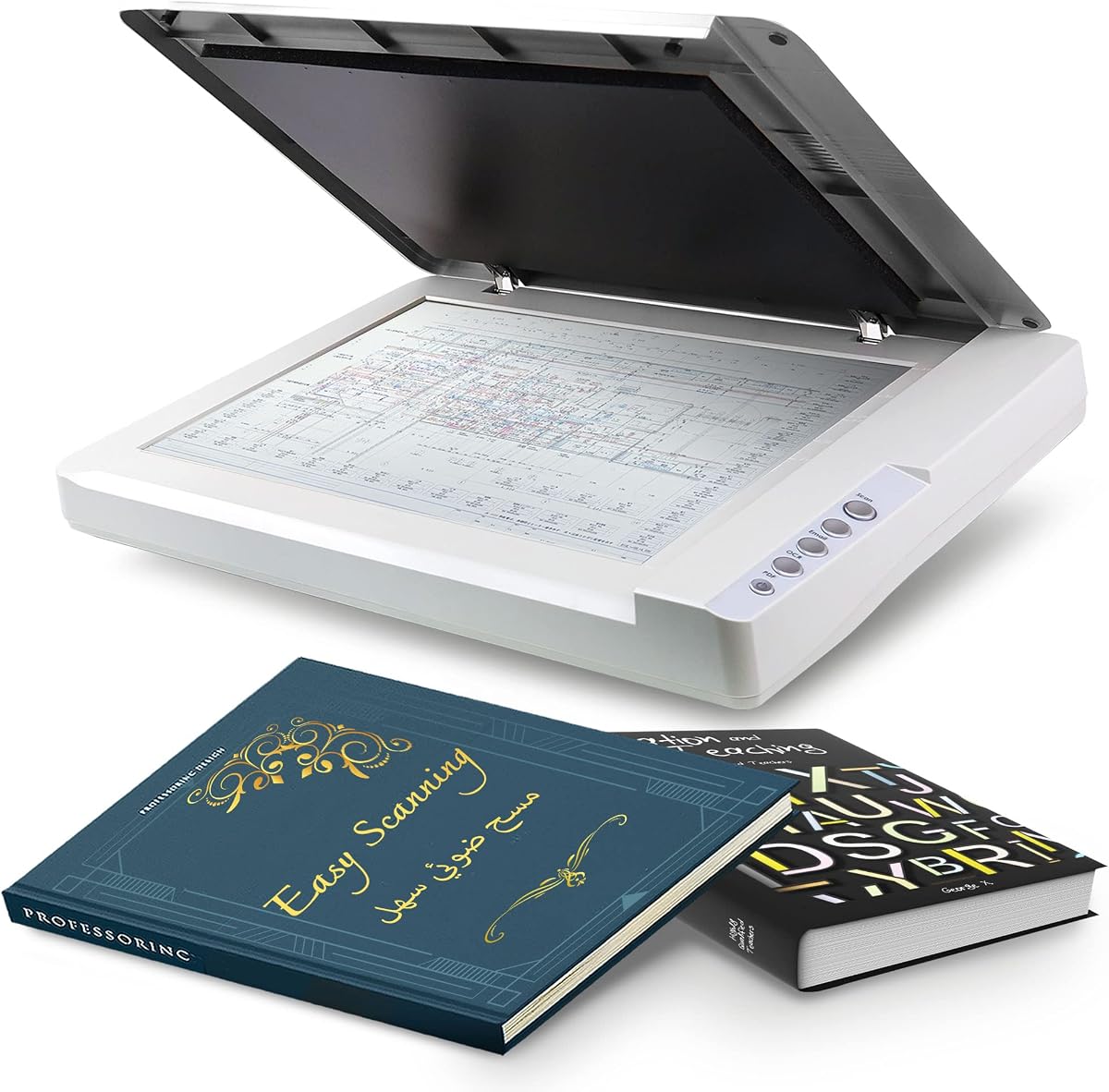
The VIISAN 3120 A3 Flatbed Scanner is engineered for professionals dealing with oversized documents. It supports A3 sizes allowing you to scan large maps and technical drawings without cutting or folding. The frameless design enhances this capability significantly.
We may earn a commission when you buy through this link, at no additional cost to you.
Scanning speeds are impressive with full A3 color documents processed in just eight seconds. This efficiency is crucial for high-volume environments like libraries or schools. The 1200 DPI resolution ensures high clarity for detailed work.
The universal power adapter makes it travel-friendly for international users. However the CIS sensor means it is not suitable for scanning 3D objects. Proper setup is required to maximize resolution options especially on macOS systems.
This model is best for businesses needing large format capabilities without a bulky footprint. Its speed and size flexibility justify the higher price point. If you regularly handle A3 documents this scanner offers professional-grade performance.
Supporting A3 sizes allows for scanning of large technical drawings and maps without the need for cutting or folding documents.
With a scan speed of eight seconds for A3 color this device handles high-volume workflows efficiently for professional environments.
We may earn a commission when you buy through this link, at no additional cost to you.
The VIISAN VF3240 A3 Scanner delivers unmatched speed for A3 color documents at 200 DPI. It completes scans in just four seconds which is rare for this size. This makes it perfect for offices needing rapid document processing.
We may earn a commission when you buy through this link, at no additional cost to you.
Its 2400 DPI resolution captures fine details essential for CAD drawings and architectural blueprints. The frameless design allows edge-to-edge scanning of large materials. Auto-Scan starts automatically when the lid closes streamlining the workflow.
Windows users may experience resolution limits depending on driver choices. MacOS supports full resolution via ICA driver. The universal power adapter ensures compatibility across different regions without extra converters.
If speed and precision are your top priorities this scanner is a strong contender. It handles oversized technical documents with ease. While pricey its performance justifies the cost for professional engineering or design applications.
Achieving four-second A3 scans at 200 DPI makes this unit one of the fastest options for high-volume document digitization.
The 2400 DPI resolution ensures that intricate details in CAD drawings are preserved accurately for professional use.
We may earn a commission when you buy through this link, at no additional cost to you.
The Epson Perfection V19 II is designed for mobility and photo scanning. Weighing only 3.1 pounds it is easy to carry to different locations. The built-in kickstand allows vertical storage saving valuable desk space.
We may earn a commission when you buy through this link, at no additional cost to you.
Its 4800 dpi resolution is ideal for enlarging photos without losing clarity. One-touch scanning simplifies the process for users of all skill levels. You can convert scanned documents to editable Office files using built-in OCR.
While it handles books well due to a removable lid it lacks the large size of A3 units. The USB power means no outlet is needed but can sometimes limit speed. Overall it balances portability and quality well.
This scanner is perfect for travelers or those with limited office space. It excels at preserving personal photo albums. If you prioritize portability alongside high-resolution output this model is a reliable choice.
The built-in kickstand allows for vertical placement when not in use reducing the footprint on crowded desks.
USB powered operation eliminates the need for a separate power adapter making it easy to transport and set up anywhere.
We may earn a commission when you buy through this link, at no additional cost to you.
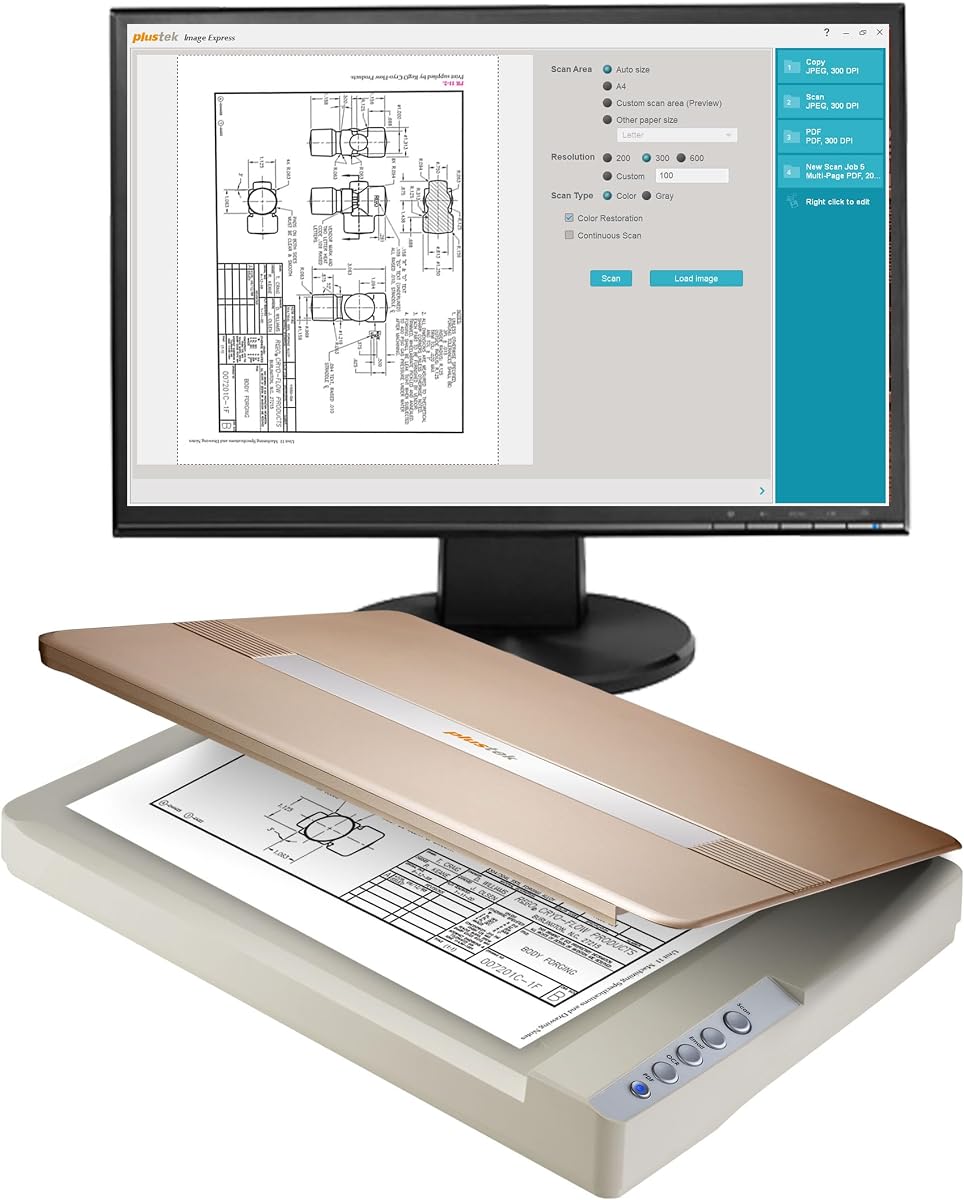
The Plustek OpticPro A320E is built for professionals handling large documents. It supports a scan area of 12 by 17 inches accommodating wide-format paper and maps. This makes it a robust choice for libraries and design firms.
We may earn a commission when you buy through this link, at no additional cost to you.
Batch scanning allows you to scan multiple images at once and save them as separate files. The OCR function converts text into searchable PDFs enhancing productivity. Doc Action provides quick access to various destinations like email or FTP.
It supports TWAIN and WIA drivers for seamless integration with existing software. Linux users may need to contact the seller for driver details. The large format capability is rare at this price range.
If you deal with oversized documents regularly this scanner is essential. It handles large bound books and odd-shaped items well. Its file management features save time on post-processing tasks for busy offices.
Doc Action provides quick access to post-scan destinations streamlining workflows for frequent document handlers.
Integrated OCR makes scanned PDFs searchable enabling easier access to text within archived documents.
We may earn a commission when you buy through this link, at no additional cost to you.
The Plustek OpticSlim 1680 focuses on speed for large documents. It scans tabloid size documents in just three seconds for grayscale or five for color. This speed is beneficial for offices processing high volumes of reports daily.
We may earn a commission when you buy through this link, at no additional cost to you.
Four pre-configured buttons allow you to touch a button and finish the job. The dual view advanced settings enable quick checking of image adjustments. This intuitive interface reduces training time for new employees.
It supports TWAIN and ICA drivers for compatibility with thousands of applications. Users appreciate the straightforward operation and minimal setup. While the design is traditional it gets the job done efficiently.
This model suits businesses needing reliable tabloid scanning without complex workflows. It is easy to use and maintain. If you prioritize speed and simplicity for large format documents this scanner is a practical solution.
Pre-configured buttons allow users to complete scanning tasks with a single touch streamlining daily workflows.
Tabloid size documents are scanned in seconds allowing for rapid processing of large files in busy environments.
We may earn a commission when you buy through this link, at no additional cost to you.
The Plustek OS1180 offers solid performance for A3 documents at a reasonable cost. It scans A3 documents in approximately nine seconds which is efficient for educational settings. The LED light source saves energy and requires no warm-up time.
We may earn a commission when you buy through this link, at no additional cost to you.
The software bundle includes ABBYY OCR for high accuracy in text recognition. Pre-set buttons enable quick use for common tasks. This makes it suitable for libraries or small offices needing to digitize records quickly.
It supports 48-bit color for quality graphics and documents. Users note that the interface is straightforward and effective. While not the fastest it balances performance and ease of use well.
For schools and libraries this scanner provides dependable A3 capabilities. It handles large pages without hassle. If you need a reliable tool for frequent document digitization this model delivers good value.
The LED light source ensures no warm-up time allowing users to start scanning immediately after powering on the device.
ABBYY OCR software enhances text recognition making searchable PDFs more reliable for document archives.
We may earn a commission when you buy through this link, at no additional cost to you.
The Epson DS-1630 combines a flatbed with an Auto Document Feeder for versatility. You can scan stacks of documents up to 25 ppm using the 50-page ADF. This speed makes it ideal for high-volume office tasks.
We may earn a commission when you buy through this link, at no additional cost to you.
Duplex scanning allows you to capture both sides of a page automatically. Network connectivity enables easy integration with existing systems. You can scan directly to online storage accounts like Dropbox or SharePoint.
It includes a three-year limited warranty with advance exchange service. This reduces downtime for businesses relying on the device. The flatbed is useful for fragile items or IDs that cannot go through the feeder.
For offices needing speed and flexibility this scanner is a strong option. It handles mixed media types efficiently. If you prioritize throughput and network features this model is worth considering.
The 50-page ADF processes stacks of documents quickly reducing manual feeding for bulk tasks.
RJ-45 connectivity allows for easy connection to existing office networks enabling seamless document sharing.
We may earn a commission when you buy through this link, at no additional cost to you.
The Plustek OpticSlim 2700 is built for speed with scans up to three seconds in color mode. This makes it perfect for users who need to digitize pages rapidly. The built-in PDF button creates searchable files automatically.
We may earn a commission when you buy through this link, at no additional cost to you.
Software features include auto rotate deskew and crop tools. This saves time on post-processing steps. Four one-touch buttons help you work efficiently without navigating complex menus on your computer.
It supports TWAIN protocol for both Windows and Mac. The driver availability on the website ensures compatibility with latest operating systems. The interface is intuitive for users of all skill levels.
If your primary need is speed this scanner is hard to beat. It is compact and easy to use. For daily document digitization tasks requiring quick turnaround this model is an excellent choice.
Three-second scan times in color mode allow for rapid document digitization reducing waiting time for users.
Built-in image processing tools like auto rotate deskew images automatically improving the quality of final scans.
We may earn a commission when you buy through this link, at no additional cost to you.
Selecting the right scanner involves understanding your specific needs regarding document size resolution and software requirements.
Resolution determines the level of detail you can capture in your scans. For photo restoration look for optical resolution of at least 4800 dpi. If you are scanning text documents 600 dpi is often sufficient to save storage space.
Higher resolutions produce larger files so balance quality with your storage capacity. Always check the optical resolution rather than interpolated values for accurate performance expectations.
The physical size of the scanner bed limits what documents you can scan. Standard scanners handle letter or A4 pages but A3 models accommodate larger documents like blueprints or maps. Ensure the scanner fits the materials you plan to digitize.
If you frequently scan large formats choose a model specifically rated for A3 or 12 by 17 inches to avoid needing to stitch pages together.
Scanning speed varies significantly between models especially for large files. Some scanners take over a minute for high resolution scans while others finish in seconds. Consider your daily volume to determine if speed is a priority.
Faster models often cost more but save valuable time in busy environments. For occasional use speed is less critical than image quality.
Good software enhances the value of your scanner. Look for OCR capabilities that convert images into editable text. Searchable PDF support is also essential for easy organization and retrieval of digitized files.
Ensure the software is compatible with your operating system and offers regular updates. User-friendly interfaces reduce setup time and make scanning more efficient for all users.
Most modern scanners connect via USB which is simple and reliable. Network connectivity is useful for offices where multiple people need to access the device. Check if your computer has the required ports or adapters.
USB powered models are more portable but may offer less speed than those with external power. Choose connectivity that matches your workspace setup and portability needs.
Physical design impacts how well a scanner fits into your workspace. Models with removable lids allow you to scan books without damage. Vertical storage options help save desk space when the device is not in use.
Consider weight and footprint if you plan to move the scanner frequently. A lightweight design makes transport easier but ensure it remains stable during operation.
A strong warranty protects your investment against defects and malfunctions. Look for at least a one-year limited warranty. Extended warranties with advance exchange services minimize downtime for business users.
Reliable customer support ensures you can resolve issues quickly. Check if the manufacturer provides online resources and active support teams for troubleshooting.
Prices vary widely based on features and brand. Entry-level models are affordable but may lack speed or large format support. Professional scanners offer advanced capabilities but come with a higher price tag.
Identify your must-have features before shopping to avoid overspending. Balance cost with performance to find the best value for your specific use case.
Always place your document face down on the glass bed ensuring it is aligned with the corner guides. Close the lid gently to prevent dust and light from affecting the scan quality. Remove any debris from the glass before each session to avoid streaks on your output.
Clean the glass surface regularly with a soft lint-free cloth to remove dust and fingerprints. Avoid using harsh chemicals that might damage the coating on the glass. A gentle cleaner designed for optical surfaces is sufficient for routine maintenance.
Update your software and drivers regularly to ensure compatibility with your operating system. Check the manufacturer's website for new versions that may improve performance or fix bugs. Keeping your software current ensures you get the most out of your scanner's capabilities.
For old photos a resolution of 4800 dpi is ideal to capture fine details and allow for enlargements. This high resolution ensures that no texture or color detail is lost during the digitization process.
Yes if the scanner has a removable or high-rise lid. These models allow you to place thick books flat on the glass without bending the spine causing damage to the binding.
CIS technology is used for flatbed scanners to capture images efficiently. It allows for lighter and more compact designs but may have limitations when scanning 3D objects compared to traditional CCD sensors.
Your document likely lacks Optical Character Recognition software. Check if your scanner software includes OCR options to convert text into searchable and editable content within the PDF file.
Streaks are often caused by dust or smudges on the glass bed. Clean the glass thoroughly with a soft cloth and check for damage. If streaks persist check the internal rollers for any accumulated debris.
Most scanners come with basic software sufficient for standard tasks. However using third-party tools can offer advanced features like batch processing or better OCR. Check compatibility before purchasing additional applications.
We have reviewed ten top scanners ranging from affordable home models to professional A3 units. Each option offers unique strengths depending on whether you need speed resolution or large format support.
Prioritize features that match your workflow such as OCR for documents or high resolution for photos. Consider the physical design and compatibility to ensure seamless integration with your existing setup.
Prices for these models change frequently so check current listings before buying. Select the scanner that offers the best balance of performance and value for your specific digitization needs today.