
LG 24G411A-B
4.5Editor score
144Hz overclocked refresh rate
HDR10 color support included
Slim stand design saves space
Finding the right display for competitive gaming requires careful consideration of refresh rates, response times, and adaptive sync technologies. A 24 inch monitor often strikes the perfect balance between desk space and immersive visuals for intense sessions.
We evaluated ten top-rated models based on panel technology, connectivity options, and verified G-Sync compatibility to ensure tear-free performance. Each product offers unique strengths tailored to different gaming styles and hardware configurations available today.
Every selection highlights key specifications and real-world performance traits to help you make an informed decision for your setup. Keep in mind that availability and pricing fluctuate frequently so checking current listings is always recommended before purchasing.
4.5Editor score

4.7Editor score

4.4Editor score
As an Amazon Associate we earn from qualifying purchases.
The following table provides a side-by-side overview of all ten models focusing on their core technical specifications and standout features for quick reference during your selection process.


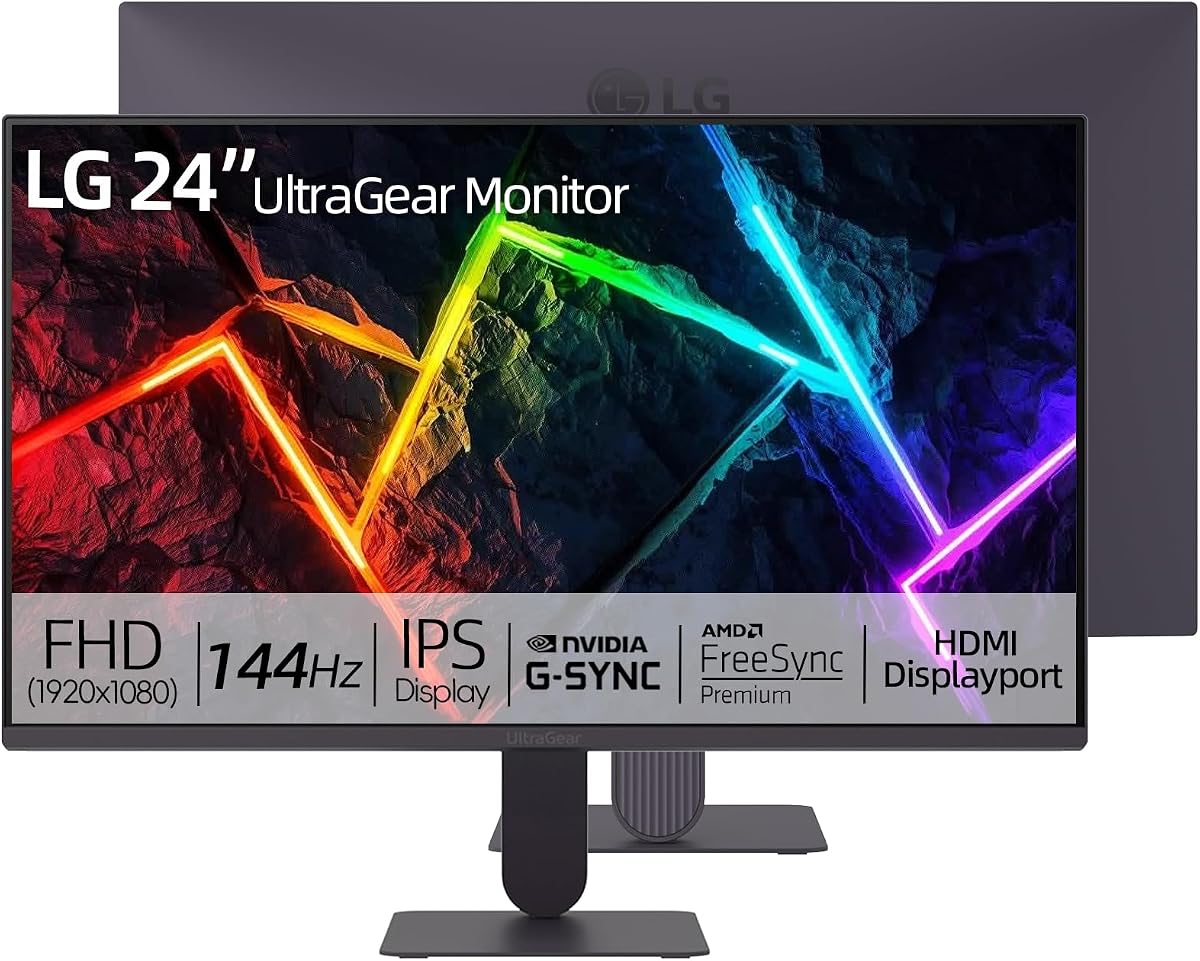


The LG 24G411A-B stands out as an entry-level powerhouse offering solid performance for gamers on a tight budget without compromising on key features like G-Sync compatibility and high refresh rates.
We may earn a commission when you buy through this link, at no additional cost to you.
Its 144Hz overclocked refresh rate combined with 1ms Motion Blur Reduction ensures fluid gameplay while HDR10 support delivers richer colors compared to standard displays making it versatile for media consumption too.
While the stand lacks height adjustment which might affect ergonomics over long sessions the overall build quality and feature set including Black Stabilizer and Crosshair tools provide significant value for the price.
This monitor is ideal for students or casual competitive players who need reliable performance and decent visuals without spending excessively on premium adjustable stands or higher refresh rate options.
The 144Hz overclock capability ensures frames render quickly reducing motion blur significantly during fast-paced shooters or racing games compared to standard 60Hz displays.
With up to 99% sRGB coverage and IPS technology users enjoy consistent colors from wide viewing angles ensuring details remain visible even when sitting slightly off center.
We may earn a commission when you buy through this link, at no additional cost to you.
Dell delivers exceptional value with the SE2426HG which boasts a genuine 240Hz refresh rate making it a top contender for competitive gamers prioritizing speed and responsiveness in their gameplay experience.
We may earn a commission when you buy through this link, at no additional cost to you.
The fast IPS panel ensures quick response times around 0.5ms reducing ghosting effectively while maintaining rich color reproduction that appeals to content creators as well as dedicated gamers looking for clarity.
Although the stand only tilts and lacks height adjustment the TÜV Rheinland 3-star certification indicates strong eye comfort features reducing blue light exposure during extended work or gaming sessions significantly.
We recommend this model for users who demand high frame rates and smooth visuals without needing advanced ergonomic adjustments or HDR features in their daily display setup for productivity.
The 240Hz refresh rate allows players to see more frames per second reducing delay and providing a tangible advantage in reaction time based competitive matches.
Blue light reduction technology certified by TÜV helps minimize eye strain making this display suitable for long hours of both gaming and professional content creation tasks.
We may earn a commission when you buy through this link, at no additional cost to you.
The ASUS TUF VG249QML5A combines high-end specs with thoughtful ergonomics making it a premium choice for serious gamers who need both performance and comfort during marathon gaming sessions at home.
We may earn a commission when you buy through this link, at no additional cost to you.
Its 240Hz refresh rate paired with ASUS Extreme Low Motion Blur Sync eliminates ghosting and tearing simultaneously offering clarity that rivals more expensive panels while remaining affordable enough for enthusiasts.
The height adjustable stand is a significant upgrade over basic tilting models allowing perfect viewing angles while the included Adobe Creative Cloud subscription adds value for creators using the screen for design work.
This monitor is best suited for those who want top-tier motion handling and ergonomic flexibility along with extra software bonuses ensuring a complete package for both competitive play and creative projects.
ELMB Sync technology combines motion blur reduction with variable refresh rate ensuring smooth transitions between frames without introducing noticeable flicker or artifacts during gameplay.
Adjustable height and tilt options allow users to customize the screen position to reduce neck strain ensuring comfort during extended hours of intense gaming or daily office work.
We may earn a commission when you buy through this link, at no additional cost to you.
LG's 24G414B-B offers a balanced experience with both height and tilt adjustments plus built-in speakers making it a versatile option for users who want a simple setup without external peripherals.
We may earn a commission when you buy through this link, at no additional cost to you.
The 144Hz refresh rate provides smooth visuals suitable for most competitive titles while the IPS panel ensures accurate colors that enhance immersion in story-driven games and media consumption alike.
Although the built-in speakers are convenient they lack deep bass which may require headphones for optimal audio immersion during intense gaming sessions where clear communication is critical for team coordination.
This monitor works well for casual gamers and general users who prioritize ergonomic adjustments and a clean desk aesthetic while still enjoying smooth refresh rates and reliable G-Sync compatibility.
Built-in stereo speakers and flexible stand adjustments reduce cable clutter and allow for a streamlined setup ideal for smaller desks or temporary gaming stations.
HDR10 support alongside 99% sRGB coverage delivers vivid visuals making dark scenes clearer and bright highlights pop for a more engaging viewing experience across various content types.
We may earn a commission when you buy through this link, at no additional cost to you.
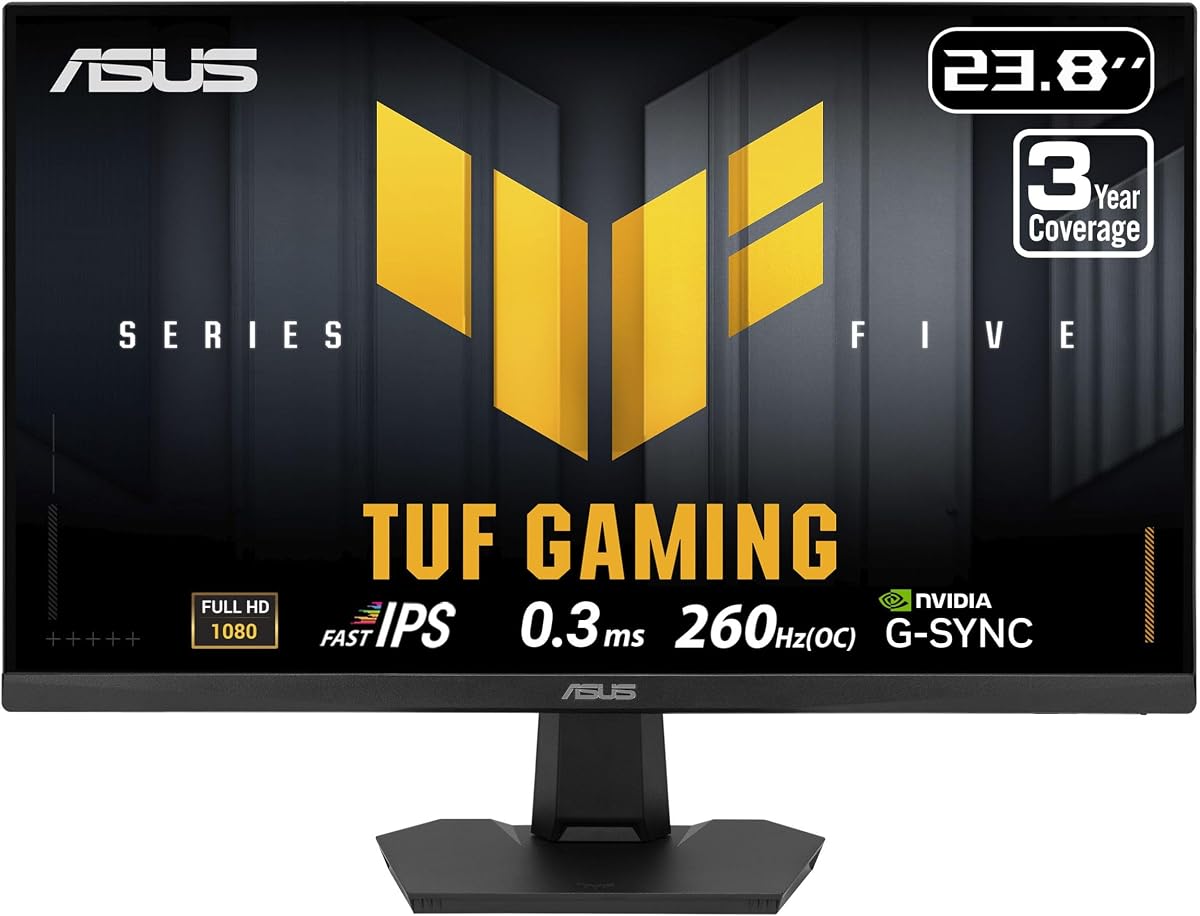
The ASUS TUF Gaming 24 model provides a robust alternative with 200Hz refresh rate ensuring fluid motion that keeps up with fast-paced esports titles without introducing stuttering or tearing issues.
We may earn a commission when you buy through this link, at no additional cost to you.
Its 0.3ms response time minimizes ghosting significantly while the anti-glare matte screen ensures visibility in brightly lit rooms which is essential for competitive players playing during daytime hours.
Although the stand is limited to tilt adjustments the wide system compatibility with Windows Mac and Linux makes it a flexible choice for users who switch between different operating systems regularly.
This monitor suits competitive gamers who need high refresh rates and glare reduction features without requiring advanced ergonomic stands ensuring smooth gameplay across various computing environments and setups.
The 200Hz refresh rate delivers ultra-smooth motion making it ideal for competitive FPS players who need every millisecond to count during critical in-game moments.
Support for Windows Mac and Linux ensures users can switch between different operating systems seamlessly without losing display performance or feature availability during use.
We may earn a commission when you buy through this link, at no additional cost to you.
With an impressive user rating this LG model delivers officially validated G-Sync compatibility ensuring stable performance without screen tearing which is crucial for gamers who demand consistency in their visual experience.
We may earn a commission when you buy through this link, at no additional cost to you.
The 144Hz refresh rate combined with 1ms Motion Blur Reduction keeps fast action sharp while Black Stabilizer enhances visibility in dark areas giving players a tactical advantage during stealth missions.
Ultra-slim bezels contribute to an immersive viewing experience making multiple monitor setups look seamless although the lack of height adjustment may require careful desk positioning for optimal viewing comfort.
Highly rated by users this monitor is perfect for competitive gamers who prioritize verified G-Sync performance and clear visuals over advanced ergonomic adjustments or extensive feature-rich menus.
Official NVIDIA G-Sync validation guarantees compatibility and smooth frame synchronization reducing stuttering better than standard FreeSync implementations in many scenarios.
Slim bezels minimize distractions around the edges allowing users to focus entirely on the screen content which enhances immersion during single player or competitive sessions.
We may earn a commission when you buy through this link, at no additional cost to you.
This LG variant earns a perfect user rating due to its balance of smooth visuals and productivity features making it an excellent choice for users who blend gaming and work tasks regularly.
We may earn a commission when you buy through this link, at no additional cost to you.
Dynamic Action Sync reduces input lag significantly ensuring your clicks and commands register instantly while screen partitioning allows efficient multitasking when taking breaks from competitive matches to work.
The eye-care technology maintains color quality while reducing strain making long work sessions easier although users might need a third-party arm since the included stand only tilts for positioning.
Ideal for hybrid users this monitor offers seamless transitions between intense gaming and office work providing features that support both productivity and immersive entertainment experiences equally well.
Screen partitioning and customizable layouts allow users to manage multiple windows efficiently turning the monitor into a hub for work and gaming without constant switching.
Dynamic Action Sync ensures input lag remains low so gameplay feels responsive and precise allowing players to react quickly during critical moments in fast-paced matches.
We may earn a commission when you buy through this link, at no additional cost to you.
The ASUS 24 FHD Gaming monitor delivers strong performance with 200Hz refresh rate and 0.3ms response time ensuring that high frame rates are matched with minimal input lag for competitive use.
We may earn a commission when you buy through this link, at no additional cost to you.
ASUS ELMB Sync technology reduces ghosting during high refresh gaming without causing flicker making motion appear crisp while vibrant colors from 99% sRGB coverage enhance the overall visual fidelity of games.
Eye-care features like Low Blue Light help reduce strain during long sessions although the stand only tilts requiring users to consider VESA mounting if they need height adjustment for ergonomics.
This model is recommended for players who value speed and clarity over extra ergonomic features ensuring a responsive experience for demanding esports titles without needing additional peripheral accessories.
ELMB Sync works seamlessly with variable refresh rates to eliminate blur and ghosting keeping fast moving objects sharp and distinct during intense gaming action.
Low Blue Light and Flicker-Free technologies are integrated to reduce strain during extended use supporting comfort for both gaming sessions and daily work tasks.
We may earn a commission when you buy through this link, at no additional cost to you.
This LG monitor maintains top user ratings by combining smooth gameplay with practical tools like Black Stabilizer and Crosshair aids which help players stay focused and accurate during complex competitive scenarios.
We may earn a commission when you buy through this link, at no additional cost to you.
The native 120Hz refresh rate boosts to 144Hz offering fluid visuals that reduce blur while HDR10 True Color ensures scenes look vibrant and realistic enhancing immersion in visually demanding titles.
Tilt adjustment and slim bezels improve comfort and aesthetics though users may need an external arm for full ergonomic positioning making it suitable for desk setups where space is a priority.
Ideal for gamers who prioritize visual clarity and stability this monitor delivers consistent performance and useful tools for precision aiming without requiring excessive desk space or complex setups.
Black Stabilizer enhances visibility in dark game scenes allowing players to spot hidden threats quickly without sacrificing image quality or brightness levels.
The combination of high refresh rates and Motion Blur Reduction ensures that fast action remains clear and fluid eliminating distracting artifacts during gameplay.
We may earn a commission when you buy through this link, at no additional cost to you.
The ASUS TUF VG249QM5F pushes the limits with a 260Hz overclock rate making it one of the fastest options available for gamers seeking the absolute highest frame rates for maximum reaction speed.
We may earn a commission when you buy through this link, at no additional cost to you.
Its HDMI 2.1 ports ensure compatibility with modern consoles and high-bandwidth graphics cards while built-in stereo speakers add convenience without needing extra audio hardware for casual gaming or streaming.
The included Adobe Creative Cloud subscription adds extra value for creators although the lack of height adjustment means users should rely on tilt settings or mounting options to get comfortable viewing angles.
This monitor is best for competitive enthusiasts who demand the fastest refresh rates and modern connectivity options ensuring they stay ahead in games that support extreme frame rates and bandwidth.
The 260Hz overclock delivers the highest refresh rate in this list ensuring ultra-smooth motion for competitive gamers who need every advantage possible in fast-paced matches.
Dual HDMI 2.1 ports allow users to connect next-gen consoles and PCs with high bandwidth requirements without compromising on refresh rate or visual fidelity.
We may earn a commission when you buy through this link, at no additional cost to you.
Selecting the right G Sync compatible monitor involves understanding how different features impact your gameplay experience and hardware compatibility.
Refresh rate determines how many frames are displayed per second and higher rates like 240Hz or 260Hz provide smoother motion in fast-paced games. Most models here range from 144Hz to 260Hz so choose based on your GPU capability and preference for fluid visuals.
Aim for at least 144Hz for a noticeable improvement over standard displays and consider higher rates if your system can sustain them consistently during competitive sessions.
Response time indicates how quickly pixels change color and lower times like 0.3ms or 1ms reduce ghosting and motion blur significantly. Faster response times help ensure that fast-moving objects remain sharp and distinct on screen.
Prioritize models with response times of 1ms or lower to minimize visual artifacts during high-speed gameplay ensuring that your competitive edge remains intact.
Most options use IPS panels which offer wide viewing angles and accurate colors essential for immersive gaming and content creation. Fast IPS variants further improve response times while maintaining color fidelity.
IPS panels generally provide better color consistency than TN or VA options making them a reliable choice for mixed usage including creative work alongside gaming.
G-Sync Compatible or FreeSync Premium ensures the display refresh rate matches your GPU output eliminating screen tearing and stuttering. Look for official validation to guarantee performance stability across titles.
Verify that your graphics card supports the specific sync technology on the monitor to ensure seamless frame synchronization without compatibility issues or performance drops.
Height adjustment and tilt features allow you to position the screen to reduce neck strain during long sessions. Many budget models only tilt so consider mounting options if you need full ergonomic flexibility.
Choose a monitor with an adjustable stand or plan for a VESA mount to achieve a comfortable viewing height that supports healthy posture over time.
Coverage of 99% sRGB ensures vibrant and accurate colors which enhance immersion and detail visibility. HDR10 support adds contrast range but is often limited on smaller gaming displays.
Look for monitors with high sRGB coverage to ensure that visuals appear as intended by developers providing richer and more lifelike imagery during gameplay.
Modern displays include HDMI 2.0 or 2.1 and DisplayPort 1.4 for high bandwidth and compatibility with various devices. Check that ports match your system requirements and support the desired refresh rates.
Ensure your chosen model has sufficient ports and correct versions like DisplayPort 1.4 to support high refresh rates without compromise or bandwidth limitations.
Tools like Black Stabilizer Crosshair and Dynamic Action Sync offer practical benefits for competitive play. These enhancements help improve visibility and aim precision during critical in-game moments.
Consider these extra features when selecting a monitor if you need tactical advantages or simplified adjustments to enhance your gameplay experience.
Always connect the monitor using a DisplayPort or high-speed HDMI cable to support maximum refresh rates and G-Sync compatibility. Ensure your graphics card drivers are updated to recognize the specific model and enable adaptive sync features correctly.
Calibrate brightness and color settings to match your room lighting conditions reducing eye strain during long sessions. Use the OSD menu to adjust sharpness and contrast so that text remains readable while colors stay vibrant.
Clean the screen with a soft microfiber cloth to avoid scratches and apply minimal pressure when wiping away dust. Avoid using harsh chemical cleaners that may damage the anti-glare coating or degrade the panel surface over time.
G-Sync Compatible means the display has passed NVIDIA certification for variable refresh rate without the dedicated module. It offers similar benefits like reduced tearing but may cost less than native G-Sync models.
Higher refresh rates reduce input lag and motion blur providing a smoother visual experience that can improve reaction time. Many competitive players find 240Hz offers a noticeable advantage over 144Hz displays.
Yes models with IPS panels and 99% sRGB coverage deliver accurate colors suitable for photo and video editing. The high refresh rates also make workflows smoother for multitasking.
Yes reaching frame rates matching your monitor refresh rate requires strong GPU performance. If your system cannot push high fps the benefits of 240Hz or higher refresh rates may be less visible.
Adjusting height helps keep the top of the screen at eye level reducing neck strain. If the stand lacks height adjustment consider a VESA mount to improve comfort during long sessions.
Use DisplayPort 1.4 or HDMI 2.0 and later cables as they support the bandwidth needed for high refresh rates at 1080p. Avoid older cables that may limit performance or cause flickering issues.
HDR10 support enhances contrast and color range but true HDR requires higher brightness levels than most budget monitors provide. It is mainly useful for media consumption rather than competitive gaming accuracy.
Enable adaptive sync in your graphics control panel and select the specific technology supported by your monitor. Ensure the display settings are set to the maximum refresh rate in your OS for best results.
Our top picks include the LG 24G411A-B for budget buyers the Dell 24 240Hz for speed-focused gamers and the ASUS TUF VG249QML5A for those seeking premium ergonomic features.
Prioritize refresh rates and response times that match your GPU capabilities while considering ergonomics and color accuracy to ensure a comfortable and immersive experience for extended gaming sessions.
Always verify current pricing and availability as these factors change frequently to ensure you secure the best value for your specific setup needs before making a final purchase decision.