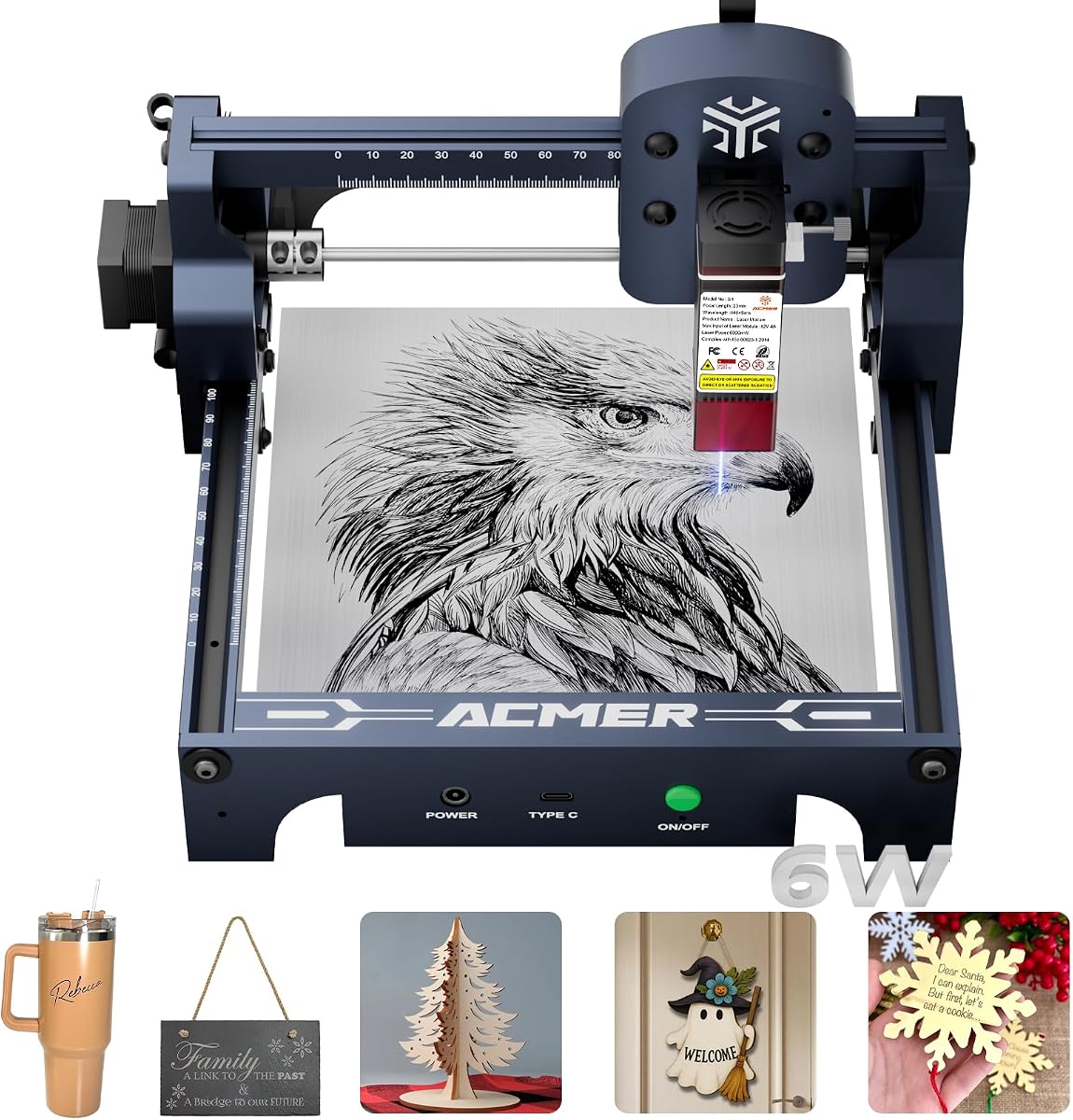
ACMER S1 Laser Engraver Machine
4.3Editor score
6000mW diode laser power
99% preassembled design
130x130mm working area
This expert guide compares the top Acmer laser engraver models for October 2026, evaluating power, precision, safety, software compatibility, and value for
Choosing the right laser engraver can transform your creative projects into professional-quality results. Whether you are a hobbyist looking to personalize gifts or a small business owner aiming to scale production, the right machine offers precision and versatility. Acmer has established itself as a reliable brand in this space, offering a range of diode laser systems designed to handle various materials with ease. Understanding the nuances of each model helps you invest wisely in technology that grows with your skills.
We have carefully evaluated ten distinct Acmer laser engraver models to provide you with a comprehensive comparison. Our analysis focuses on critical performance metrics such as laser power, spot size, working area, and software support. We also consider safety features, build quality, and user feedback to ensure a balanced perspective. By examining real-world capabilities and technical specifications, this guide aims to clarify which machine aligns best with your specific crafting or business needs without overwhelming you with jargon.
Each product pick in this list highlights unique strengths, from budget-friendly entry-level units to high-power industrial-grade systems. You will find detailed breakdowns of pros, cons, and specific use cases to help you make an informed decision. Keep in mind that availability and pricing can fluctuate frequently, so always verify the latest details on the retailer platform before purchasing. This guide serves as a foundational resource to streamline your selection process and maximize your creative potential with Acmer technology.
4.3Editor score

4.4Editor score

5.0Editor score
The following comparison table outlines the key specifications and features of the top ten Acmer laser engraver models available in the market. This side-by-side view allows you to quickly assess differences in laser power, working area, and additional functionalities like air assist or camera integration to find the model that fits your workflow best.



The ACMER S2 Laser Engraver stands out as a top performer in the mid-range market, earning a solid 4.4-star rating. It combines true 12W power with a spacious 300x300mm workspace, making it ideal for users who need flexibility for both detailed engraving and deeper cutting projects. The machine is designed to handle over 100 materials, including wood, leather, and acrylic, with consistent results.
We may earn a commission when you buy through this link, at no additional cost to you.
One of its strongest features is the 0.01mm positioning accuracy, which allows for intricate designs and fine text reproduction. The refined 0.08 × 0.08mm laser spot ensures clean edges and professional-looking outputs. Additionally, the ACMER Studio software compatibility offers an intuitive workflow, while support for LightBurn provides advanced users with powerful customization options.
While the S2 offers exceptional performance, it does come with a higher price tag compared to basic models. Assembly may also require patience to ensure the laser head is correctly aligned for optimal performance. However, these are minor trade-offs given the machine's versatility and the inclusion of safety goggles and an anti-UV shield.
This engraver is perfect for serious hobbyists or small business owners who need reliable precision without stepping into industrial-grade pricing. If you value a large working area and high-quality results, the S2 is a strong recommendation. Its ability to expand with optional rotary modules further enhances its long-term value.
The 0.01mm accuracy ensures that even the smallest text or pattern remains crisp and legible.
Capable of cutting through thick materials like 15mm paulownia wood with multiple passes.
We may earn a commission when you buy through this link, at no additional cost to you.
This variant of the ACMER S2 emphasizes accessibility with built-in AI design tools. It is particularly appealing for beginners who want to start creating immediately without extensive design knowledge. The free Acmerstudio software simplifies the process by allowing users to turn text prompts or photos into engraving designs effortlessly.
We may earn a commission when you buy through this link, at no additional cost to you.
Performance remains robust with a true 12W laser head and up to 10,000 mm/min engraving speed. This ensures efficient production even for larger batches. The 0.01mm engraving accuracy guarantees that intricate details are preserved, making it suitable for professional-quality gifts or marketing materials.
While the AI features are convenient, users may find the software slightly limited compared to third-party options like LightBurn. Some users have reported minor connectivity issues during initial setup. However, these are generally manageable with a firmware update or reinstallation.
Ideal for casual users or those new to laser engraving, this model balances power with ease of use. The combination of speed and precision makes it a versatile tool for a variety of projects. Its focus on user experience sets it apart in the competitive laser engraver market.
AI tools convert simple prompts into complex designs, saving time and effort.
Engraving speeds up to 10,000 mm/min reduce wait times significantly.
We may earn a commission when you buy through this link, at no additional cost to you.
The ACMER S1 is designed for entry-level users who need a reliable and affordable option. With a 6000mW laser power and a lightweight 2kg build, it is perfect for hobbyists working on small DIY projects. The machine arrives 99% preassembled, reducing setup time to just a few minutes.
We may earn a commission when you buy through this link, at no additional cost to you.
Its compact 130x130mm working area is sufficient for personalized items like coasters or jewelry tags. Despite its size, it delivers impressive precision with 0.01mm repeatable positioning accuracy. It supports a wide range of materials including wood, leather, and PCB boards.
The main limitation is the smaller workspace, which restricts the size of projects you can complete at once. Additionally, the lower laser power may struggle with thicker materials compared to higher-end models. However, these trade-offs are reasonable given the competitive price point.
If you are looking to test the waters of laser engraving without a major investment, the S1 is an excellent choice. It offers enough power and precision to learn the basics effectively. Its portability also makes it easy to store or move between different crafting areas.
Arrives 99% preassembled for immediate use out of the box.
Small footprint saves valuable desk space in home studios.
We may earn a commission when you buy through this link, at no additional cost to you.
This version of the S2 offers a 7W laser output, striking a perfect balance between performance and affordability. It is highly rated at 5.0 stars, reflecting user satisfaction with its consistency and ease of use. The large 300x300mm workspace allows for significant creative freedom without needing to move material frequently.
We may earn a commission when you buy through this link, at no additional cost to you.
Safety is a priority with features like an anti-UV protective shield and motion-detection auto-pause. These features make it suitable for home workshops where children or pets might be nearby. The ability to expand with optional rotary modules adds long-term value as your skills progress.
While it handles most engraving tasks well, heavy-duty cutting may require multiple passes. Without an external air assist, some users might notice minor burn marks on certain materials. However, for the price, it offers exceptional versatility and reliable performance.
Best suited for home hobbyists who want a robust machine without the premium price tag. It provides the core functionality needed for most projects and allows for future upgrades. This model is a solid choice for those planning to grow their engraving capabilities over time.
Motion detection pauses operation if abnormal movement is detected for safer operation.
Optional modules let you expand from flat engraving to cylindrical objects.
We may earn a commission when you buy through this link, at no additional cost to you.
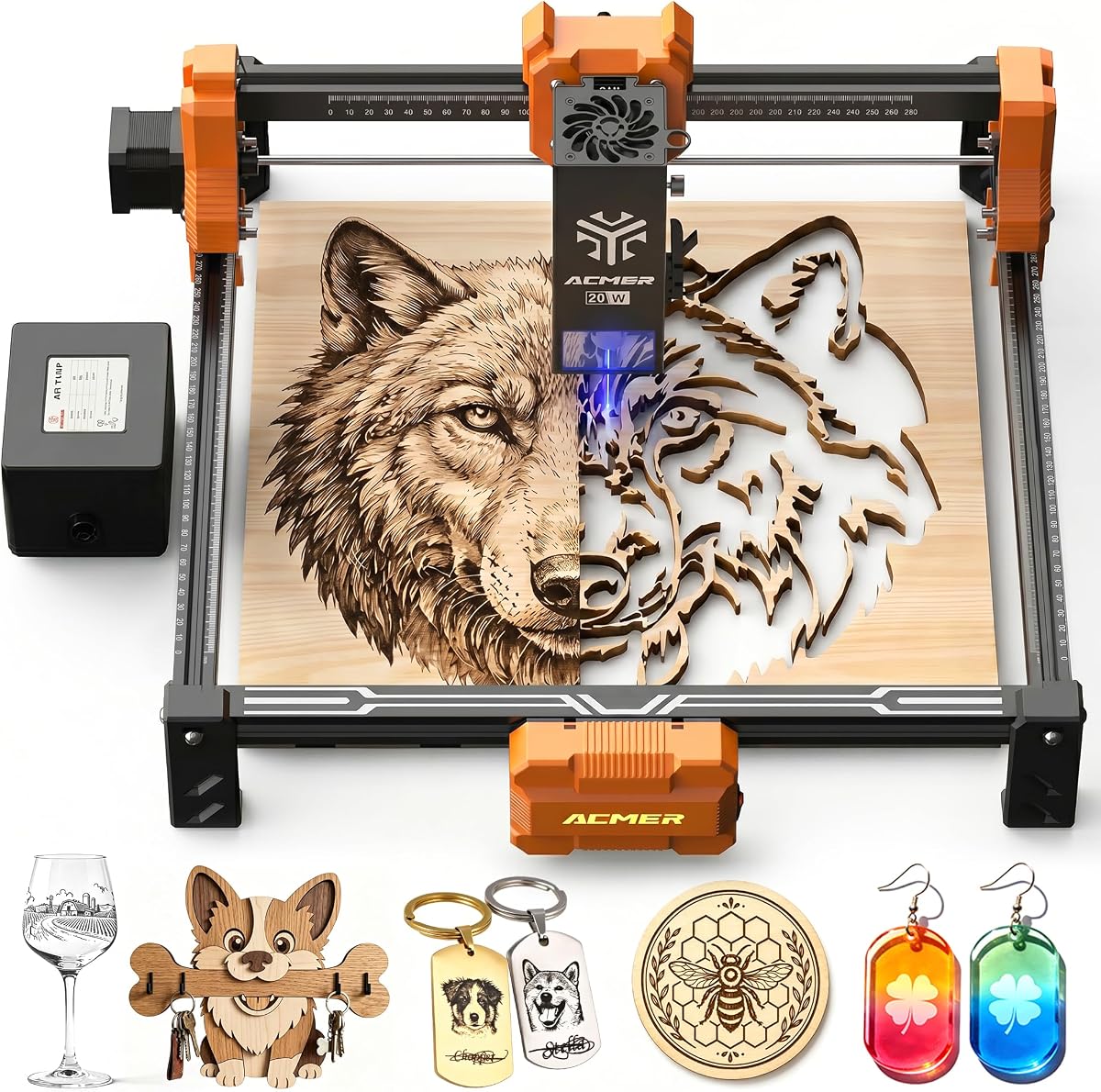
The P1 S Pro 20W delivers a true 20W diode laser output, making it a serious contender for professional applications. It is rated 5.0 stars, indicating high reliability and user satisfaction. The built-in 25L/min air assist pump is a key feature that significantly improves cut quality by reducing smoke and burn marks.
We may earn a commission when you buy through this link, at no additional cost to you.
Its ultra-fine 0.08×0.1mm laser spot ensures high-precision results for intricate designs and photo engraving. The lens blue light synthesis technology supports a lifespan of 8000 hours, ensuring long-term value. It operates smoothly with accelerations up to 500mm/s², keeping production times low.
The air assist pump does generate more noise during operation, which might be noticeable in quiet environments. It also requires more desk space due to the pump and larger frame. However, the improved cutting quality and speed justify these minor drawbacks for most users.
This model is ideal for professionals or advanced hobbyists who need consistent, clean cuts. The built-in air assist removes the need for separate purchases, streamlining the setup. Its power and speed make it efficient for both detailed work and deeper cuts.
25L/min air pump minimizes burn marks and smoke residue on materials.
Lens technology supports up to 8000 hours of usage before replacement.
We may earn a commission when you buy through this link, at no additional cost to you.
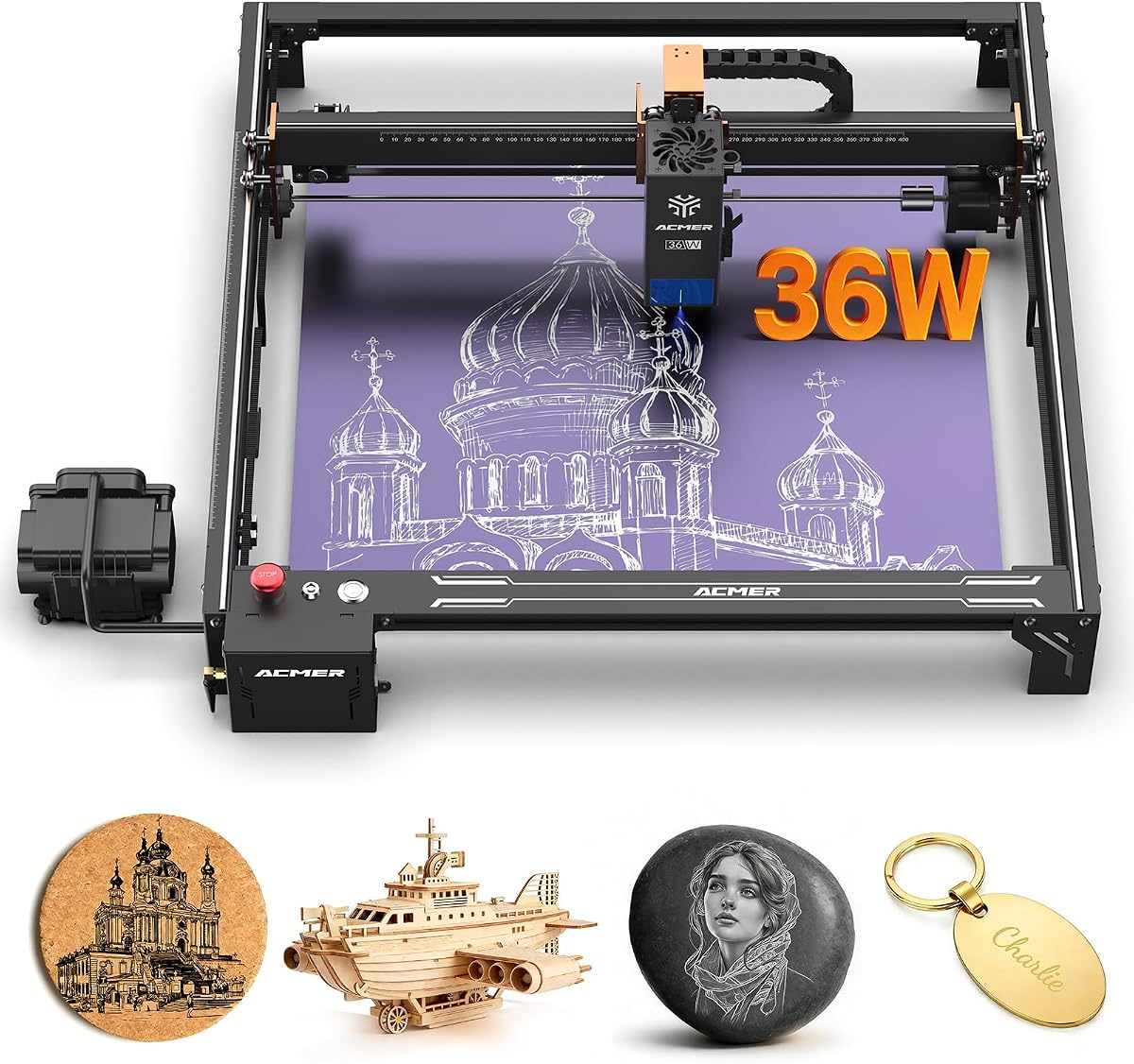
The S2 Pro 36W brings industrial-level stability to the table with its dual linear rail system. This design minimizes vibration, ensuring consistent engraving even during long production runs. With a massive 400x400mm working area, it is perfect for large-scale projects or batch production.
We may earn a commission when you buy through this link, at no additional cost to you.
It features a powerful 36,000mW laser module and a built-in 30L/min air pump for cleaner cuts. Safety is enhanced with tilt protection and emergency stop buttons, making it suitable for professional environments. The machine supports wireless control via WiFi for convenient offline engraving.
The heavier build makes it less portable than smaller models, requiring a dedicated station. Setup can also be more involved compared to simpler units. Despite this, the stability and performance it offers are unmatched in this price category.
This machine is designed for small businesses or serious makers who need reliability and speed. The large workspace and powerful laser allow for ambitious projects that other models cannot handle. Its focus on durability and precision makes it a long-term investment.
Dual linear rails reduce vibration for smoother engraving at high speeds.
WiFi support allows for wireless control and convenient offline engraving.
We may earn a commission when you buy through this link, at no additional cost to you.
The Acmer S2 20W is a powerful model that includes a 25L/min air assist pump out of the box. With a 5.0-star rating, it is highly regarded for its performance and value. The 20W laser module handles a variety of materials, from wood to ceramic, with clean results.
We may earn a commission when you buy through this link, at no additional cost to you.
Its working area of 300x285mm provides ample space for most projects while maintaining a compact footprint. The 0.01mm accuracy ensures that even small details are reproduced clearly. Limit switches protect the laser head, adding to the machine's longevity and safety.
The workspace is marginally smaller than the full 300x300mm standard, which might matter for specific large layouts. Cable management can also be tricky during assembly. However, these issues are minor and do not detract from the overall quality and performance.
This model is perfect for users who want an air assist feature without buying it separately. It offers a professional-grade setup at a competitive price. For hobbyists and small business owners alike, it delivers consistent results with minimal fuss.
The 25L/min pump reduces burn marks and improves cut edge quality.
Built-in limit switches prevent over-traveling and protect the laser head.
We may earn a commission when you buy through this link, at no additional cost to you.
The P3 offers a switchable dual laser system that provides flexibility between 24W and 48W output. This capability allows it to handle over 200 materials efficiently. It is rated 5.0 stars, reflecting its advanced features and robust performance for professional applications.
We may earn a commission when you buy through this link, at no additional cost to you.
Safety is prioritized with a closed-box design that reduces smoke and sound by 90%. The integrated camera module aids in positioning accuracy, while the CoreXY structure ensures high-speed precision. It also includes features like fire detection and tilt protection for a secure working environment.
The cost is significantly higher than other models, which may not be justifiable for casual users. The large footprint requires a dedicated space for installation. Despite the cost, the safety features and dual power options offer unique value for serious professionals.
Ideal for professional shops or advanced hobbyists who need the highest safety standards. The closed-box design makes it suitable for indoor use without extensive ventilation. Its dual laser system provides unmatched versatility for diverse material processing needs.
Class 1 safety rating ensures secure operation with reduced smoke and sound.
Switchable 24W and 48W output allows handling 200+ materials.
We may earn a commission when you buy through this link, at no additional cost to you.
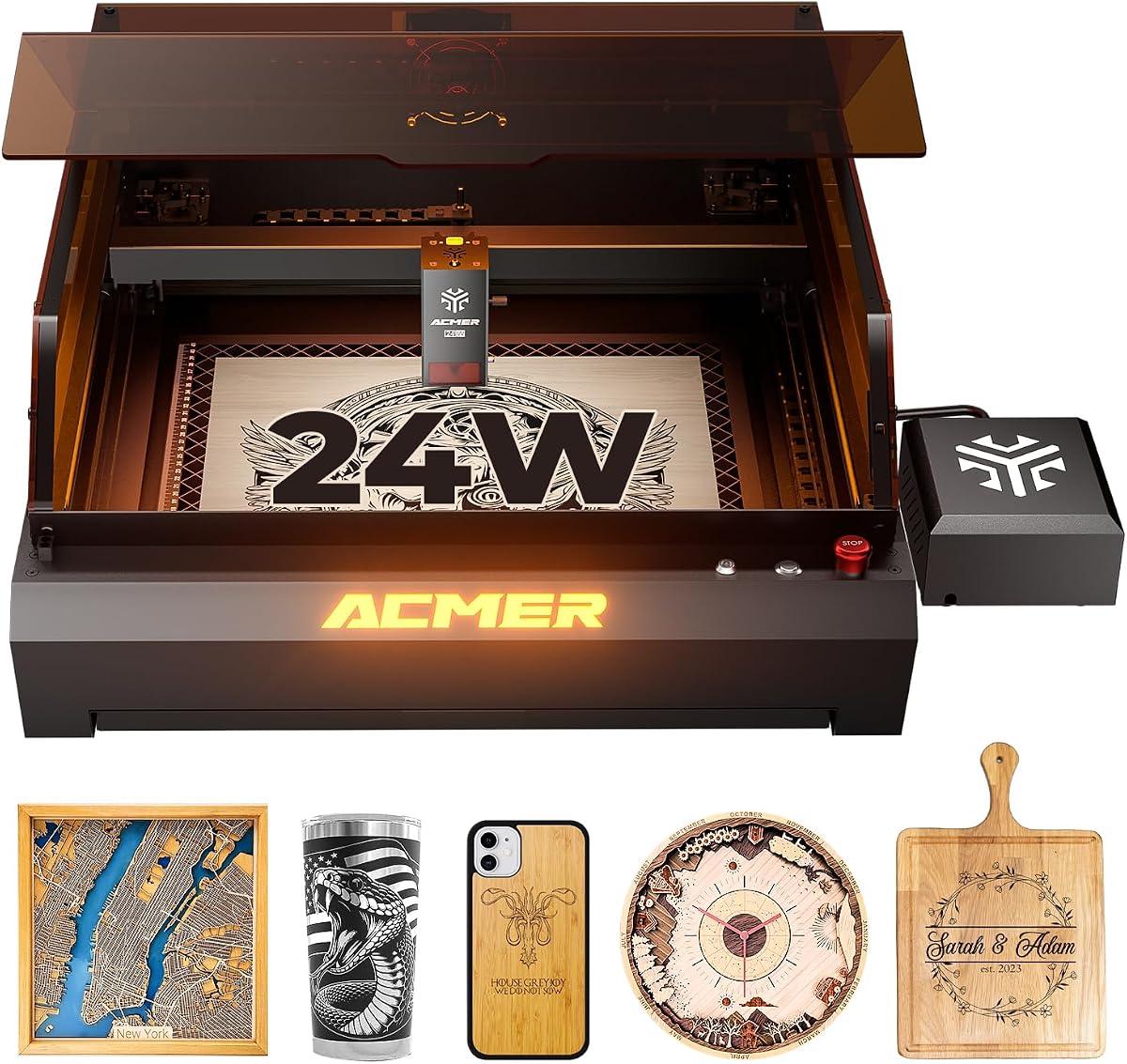
The P3 24W combines a powerful 24W laser with a closed-box design to minimize smoke pollution. With a 5.0-star rating, it is recognized for its precision and safety features. The 400x400mm workspace offers a large area for diverse projects without compromising on detail.
We may earn a commission when you buy through this link, at no additional cost to you.
The aviation-grade aluminum frame provides exceptional stability and durability. Its built-in camera module enhances positioning accuracy, making it easier to align materials precisely. Air assist is integrated to ensure clean cuts and protect the lens during operation.
The high price point makes it an investment reserved for professionals or those with specific needs. Setup requires careful calibration to optimize performance. However, the build quality and advanced features make it a top-tier option in the market.
Best for those who need a safe and robust desktop solution for professional use. The combination of large workspace and high precision is unmatched. It offers peace of mind with its safety certifications and durable construction.
Closed box reduces smoke pollution and blocks noise effectively.
Built-in camera module improves positioning accuracy for precise engraving.
We may earn a commission when you buy through this link, at no additional cost to you.
The P1 S Pro 6W stands out for its large 380x370mm workspace at an entry-level price point. It is rated 5.0 stars, indicating strong user satisfaction for hobbyists who need space for large-scale designs. The 6W dual-beam laser provides efficient operation with precision down to 0.01mm.
We may earn a commission when you buy through this link, at no additional cost to you.
WiFi control allows for flexible operation via mobile apps, making it convenient to manage projects remotely. The machine is certified under IEC 60825-1, ensuring safety compliance. It also includes protective laser glasses for safe operation right out of the box.
The 6W power is less capable of cutting thick materials compared to higher-wattage models. It is best suited for engraving or thin cutting tasks. However, the combination of workspace and features is excellent for beginners and casual users.
If you need a large working area without a high cost, this model is a great choice. Its WiFi connectivity adds a layer of convenience that others lack at this price. It is perfect for DIY enthusiasts and small craft businesses.
WiFi support allows flexible operation via PC or mobile apps.
380x370mm area supports large-scale designs without repositioning.
We may earn a commission when you buy through this link, at no additional cost to you.
Selecting the right engraver requires balancing your specific needs with technical capabilities. This guide outlines the key factors to consider for a tailored decision.
Laser power, typically measured in milliwatts (mW), determines the machine's ability to cut through materials. Higher wattage allows for faster and deeper cuts. For thick materials like wood or acrylic, look for 12W or higher.
Choose higher power for cutting; lower power is sufficient for surface engraving only.
The working area defines the maximum size of materials you can engrave without repositioning. Standard sizes range from 130x130mm to 400x400mm. Larger areas accommodate bigger projects like signs or panels.
Select a workspace that matches your typical project dimensions to save time on alignment.
Precision affects how well fine details and small text are reproduced. Look for models with 0.01mm accuracy and small laser spot sizes. This ensures sharp edges and clean results on intricate designs.
Higher precision is essential for detailed artwork and professional-quality outputs.
Safety features include anti-UV shields, motion detection, and emergency stop buttons. Closed-box designs reduce smoke and sound while protecting users from exposure. Ensure the model meets safety certifications like IEC 60825-1.
Prioritize safety features especially if using the machine in a shared or home environment.
Software determines how easily you can manage and send designs to the machine. ACMER Studio offers beginner-friendly tools, while support for LightBurn allows advanced control. Check for cross-platform support on Windows, macOS, and Linux.
Verify that the software you prefer is compatible to streamline your workflow effectively.
Connectivity options like USB, WiFi, and TF card slots allow flexible file transfer. WiFi enables wireless control which is convenient for standalone operation. USB ensures reliable direct connections for data transfer.
Choose connectivity that fits your operating style and workspace setup for maximum convenience.
Air assist pumps blow air onto the cutting area to reduce smoke and burn marks. This results in cleaner cuts and protects the lens from debris. Built-in pumps are more convenient than external ones.
Opt for built-in air assist for better cut quality and easier maintenance.
Build quality influences the machine's longevity and performance. Dual linear rails provide better stability than single rails. Industrial-grade aluminum frames reduce vibration during operation.
Invest in a sturdy frame and rail system for consistent results and durability.
Start by assembling the machine according to the manual. Ensure all screws are tightened and the laser head is aligned correctly. Place the engraver on a flat, stable surface to prevent vibrations.
Install the required software and connect your computer via USB or WiFi. Load your design and adjust the material settings in the software. Always use protective eyewear before starting a job.
Regularly clean the lens and mirrors to maintain optimal performance. Check the air filter and replace it if it appears dirty. Store the machine in a dry area to prevent damage from humidity.
Acmer laser engravers can process over 100 materials including wood, leather, acrylic, and paper. Some models handle coated metals and aluminum oxide. Avoid cutting PVC or vinyl due to toxic fumes.
You can use the free ACMER Studio software for basic tasks. Advanced users may prefer LightBurn which supports more features. The machine is compatible with standard file formats like DXF and PNG.
Most laser modules have a lifespan of around 8000 hours. With proper maintenance and usage, they can last several years. Avoid overworking the laser to extend its longevity.
Yes, many models are suitable for small business use. Ensure you check the warranty terms for commercial applications. Some models offer higher speeds for batch production.
Always wear protective eyewear provided with the machine. Ensure the area is well-ventilated or use an enclosure. Never leave the machine unattended while in operation.
Air assist improves cut quality by reducing burn marks. It also protects the lens from debris. While not strictly necessary, it is recommended for professional results.
Clean the lens with a soft cloth and lens cleaner regularly. Avoid touching the glass with bare fingers. Inspect for scratches that may affect beam quality.
Some models like the S1 are lightweight and portable. Larger industrial units are fixed and require a dedicated space. Consider weight and dimensions before purchasing.
The ACMER S2 Laser Engraver stands out as the top choice for balanced performance and versatility. The S1 offers an affordable entry point for beginners. The P3 models provide professional-grade features for advanced users.
Prioritize laser power and workspace size based on your project needs. Safety features and software compatibility are also critical factors. Choose a model that aligns with both your current and future goals.
Remember to check current prices and availability before making a purchase. Prices may fluctuate due to sales or stock levels. Always review the latest user feedback to confirm reliability.