
NIMO 15.6'' AI Ready Laptop
4.9Editor score
Premium metal top cover durability
180 degree layflat hinge
Sixty five watt PD fast charging
Finding a reliable all metal laptop means you get durability and style without sacrificing performance. These devices offer premium builds that resist wear while delivering efficient computing for work or play in today's fast-paced digital environment.
We evaluated ten leading models based on build quality, processing power, display clarity, and user feedback. Our comparison highlights key differences in materials, specs, and value to ensure you find a machine that meets your specific professional or personal needs effectively.
Each pick shows unique strengths from rugged designs to sleek ultrabooks with advanced touchscreens. Keep in mind that prices and availability change frequently, so verify current offers before buying to secure the best deal on your next reliable metal computing device.
4.9Editor score

4.4Editor score

5.0Editor score
As an Amazon Associate we earn from qualifying purchases.
This side-by-side comparison showcases ten distinct all metal laptop models ranging from budget-friendly student machines to high-performance professional workstations. We highlight core specifications like processor type, memory capacity, storage speed, and display quality to help you quickly identify the best fit for your workflow.




This model presents a compelling option for those seeking a large display and substantial internal resources at an accessible price point. Its standout quality lies in the combination of a robust metal chassis and generous memory and storage allocation, which supports multitasking needs effectively for general users.
We may earn a commission when you buy through this link, at no additional cost to you.
The metal body provides excellent heat dissipation compared to plastic alternatives, ensuring the system remains stable during extended use. With 32GB of RAM and a 2TB SSD, you can keep numerous applications open and store vast libraries of files without worrying about running out of space or slowing down file access times significantly.
While the Celeron N95 processor handles daily tasks well, it is not designed for intensive professional workloads like 3D rendering or heavy video editing. This limitation is acceptable given the price and the focus on productivity and storage capacity, making it a practical choice for office work and media consumption.
This laptop is best suited for students or professionals who need a large screen for spreadsheets or documents and value long-term storage. If you prioritize a sturdy build and ample resources over cutting-edge processing speed, this device offers a solid foundation for your daily computing requirements.
The all metal design facilitates better airflow and heat dissipation, preventing thermal throttling during routine tasks and extending the longevity of internal components.
A sixteen inch screen offers more real estate for multitasking, allowing you to view multiple windows side by side without feeling cramped or squinting.
We may earn a commission when you buy through this link, at no additional cost to you.
The Dell Latitude Rugged 5430 is built for users who need their computer to withstand challenging conditions without compromising performance. It is rated as a top choice for durability, featuring a robust build that resists drops and shocks while offering a powerful Core i7 processor for demanding professional applications.
We may earn a commission when you buy through this link, at no additional cost to you.
With 32GB of RAM and a 1TB SSD, this machine handles data-intensive tasks like virtual machines or complex engineering software with ease. The touchscreen adds a layer of interaction that is useful in field work or collaborative settings, allowing for quick annotations and navigation without relying solely on a trackpad.
The rugged design inevitably adds some weight and bulk compared to sleek consumer laptops, which might make it less ideal for frequent travel in tight spaces. However, the trade-off is significant protection for your investment, ensuring that the laptop continues to function reliably even in demanding physical environments.
This laptop is perfect for industrial professionals, field engineers, or government workers who require enterprise-grade security and durability. If you need a machine that can survive the rigors of daily field work while delivering strong performance and enterprise software support, this Dell model is an excellent investment.
Windows 11 Pro includes BitLocker encryption and Active Directory support, securing sensitive data and simplifying network management for organizational use.
Reinforced corners and ruggedized materials protect internal components from impacts and vibrations, ensuring consistent operation in less than ideal conditions.
We may earn a commission when you buy through this link, at no additional cost to you.
The HP OmniBook 3 stands out as a leading choice for mobile professionals who prioritize long-lasting battery life and visual fidelity. Its standout quality is the combination of a Snapdragon processor optimized for efficiency and an OLED panel that delivers rich colors and deep blacks for a premium viewing experience.
We may earn a commission when you buy through this link, at no additional cost to you.
With up to 41 hours of battery life, you can work through long days without seeking an outlet, making it ideal for frequent travelers or remote workers. The 2K display offers crisp text and vivid images, which is beneficial for creative tasks or media consumption, while the AI features provide intelligent assistance for daily workflows.
The main compromise is the limited 256 GB storage, which may require reliance on cloud storage for large files. Additionally, while performance is strong for most tasks, some legacy Windows applications may not run as smoothly on the Snapdragon architecture as they do on traditional x86 chips.
This device is best for users who value mobility and screen quality above raw power and storage capacity. If you spend most of your time on web apps, streaming, and documents and want a laptop that lasts all day on a single charge, this HP model is a top contender.
The OLED technology ensures perfect blacks and high contrast ratios, making images and videos look more vibrant and immersive on the compact screen.
Built-in AI features like Otter.ai help summarize meetings and automate note-taking, streamlining administrative tasks and saving valuable work time.
We may earn a commission when you buy through this link, at no additional cost to you.
The NIMO 15.6'' AI Ready Laptop offers exceptional value for students and entry-level professionals who need a reliable machine for daily tasks. Its standout quality is the balance of performance and cost, featuring a modern processor that supports AI tools and a chassis that feels sturdy despite its affordable price tag.
We may earn a commission when you buy through this link, at no additional cost to you.
A unique feature is the 180-degree lay-flat hinge, which allows for easy screen sharing in group study sessions or collaborative meetings without awkward angles. The inclusion of a two-year warranty provides peace of mind, ensuring that any potential hardware issues are covered without additional expense for the owner.
While 8 GB of RAM is sufficient for web browsing and document editing, it may not handle heavy multitasking or virtual machines well. This is an acceptable trade-off given the low price and target audience, making it a practical choice for educational purposes and light home office work.
This laptop is perfect for students who need a device for coursework, research, and occasional light media editing. If you are looking for a dependable machine with good port selection and warranty support without breaking the bank, this NIMO model is a highly recommended starting point.
The lay-flat hinge allows the screen to be positioned horizontally, making it easy for multiple people to view content simultaneously in a meeting.
The two-year manufacturer warranty covers parts and labor, reducing the risk of unexpected costs and extending the useful life of the device.
We may earn a commission when you buy through this link, at no additional cost to you.
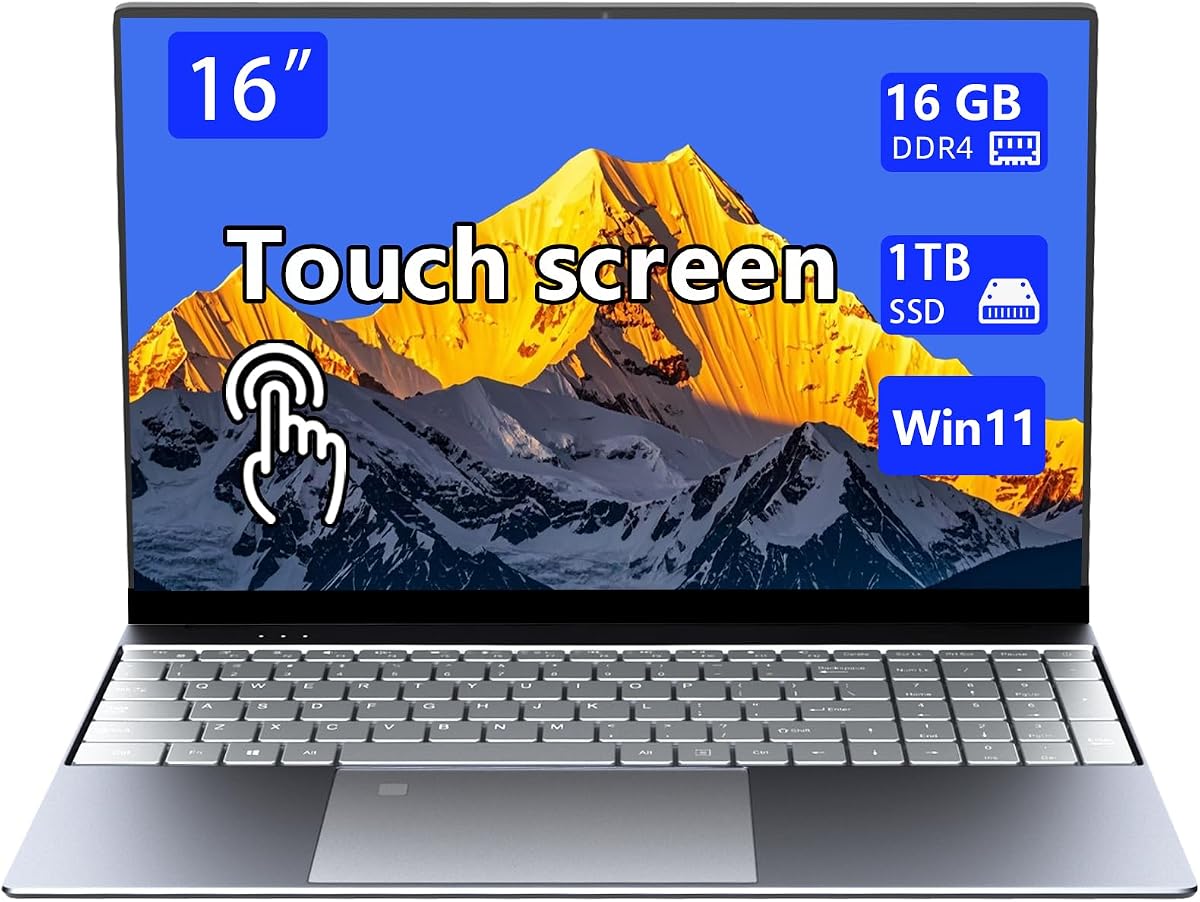
This model offers an attractive entry point for users wanting a large touchscreen experience without paying premium prices. It is designed with a metal body to ensure a premium feel and better thermal performance than plastic alternatives, while providing decent memory and storage for everyday tasks.
We may earn a commission when you buy through this link, at no additional cost to you.
The 16 GB of RAM ensures that switching between multiple browser tabs and office applications remains smooth and responsive. The touchscreen adds a layer of convenience for navigating files and presentations, making it easier to interact with content directly without relying on a mouse or trackpad in certain scenarios.
While the processor is efficient for standard computing needs, it may struggle with intensive software or gaming. This limitation is typical for budget-friendly models, and users should expect it to handle general productivity rather than professional-grade creative work or heavy computational tasks effectively.
This laptop is suitable for home users or students who want a large screen for watching movies or reading documents. If you prioritize a tactile interface and ample storage over raw processing speed, this device offers a functional and stylish solution for basic computing needs.
Using a touchscreen allows for natural gestures like pinch-to-zoom and swipe navigation, making the interface more intuitive and user-friendly for all ages.
Metal construction resists scratches and dents better than plastic, maintaining a clean appearance over time even with frequent handling or transport.
We may earn a commission when you buy through this link, at no additional cost to you.
This HP model is tailored for users who rely heavily on cloud storage and subscription services for their productivity needs. Its standout quality is the bundled software and storage, which provides immediate access to essential productivity tools without extra setup or immediate costs for the owner.
We may earn a commission when you buy through this link, at no additional cost to you.
The lightweight design makes it easy to slip into a backpack or bag, ideal for students or professionals who move between home and office regularly. The inclusion of Office 365 and OneDrive ensures that you can create and store documents securely with access from any device with an internet connection.
Relying on cloud storage requires a stable internet connection for full functionality, which may be a limitation in areas with poor connectivity. However, the included local storage is sufficient for essential files, and the system is designed to sync seamlessly with online repositories when connected.
This laptop is best for remote workers or students who need a simple, affordable device for documents and communications. If you value having a complete software suite ready to use and prefer cloud-based storage over local drives, this HP model offers a convenient and practical solution.
Microsoft Office 365 provides Word, Excel, and PowerPoint immediately upon setup, eliminating the need to purchase separate software licenses for basic tasks.
OneDrive integration keeps your files backed up and accessible across devices, protecting against data loss from hardware failure or accidental deletion.
We may earn a commission when you buy through this link, at no additional cost to you.
This laptop brings a higher-end Core i7 processor to a budget-friendly all metal form factor, making it attractive for power users seeking value. Its standout quality is the combination of robust processing power and a durable aluminum enclosure, which allows for smoother multitasking and better longevity than typical budget devices.
We may earn a commission when you buy through this link, at no additional cost to you.
The 512 GB SSD offers a good balance of speed and capacity for modern applications, allowing you to install more programs than models with smaller drives. The IPS display ensures wide viewing angles and consistent color, which is helpful for collaborative work or viewing images without distortion from different angles.
The Bluetooth version is older, which might limit compatibility with the latest wireless accessories or audio devices. This is a minor trade-off for the processing power gained at this price point, making it acceptable for users who do not rely on the latest peripheral connectivity standards.
This laptop is best for students or professionals who need a bit more power for engineering or coding tasks without spending a fortune. If you want a reliable metal chassis and a fast processor for daily work, this model offers a strong performance-to-price ratio in its class.
The Core i7 processor provides significantly higher performance than entry-level chips, allowing for faster compilation, rendering, and multitasking capabilities.
IPS technology delivers consistent colors and brightness from wide angles, making the screen more versatile for viewing with others or in varied lighting.
We may earn a commission when you buy through this link, at no additional cost to you.
This Dell model features modern AMD architecture with DDR5 memory, ensuring high-speed data access and efficient performance for demanding tasks. Its standout quality is the use of latest-generation components at a competitive price, offering a smooth experience for multitasking and media work without excessive power consumption.
We may earn a commission when you buy through this link, at no additional cost to you.
The DDR5 RAM provides faster bandwidth compared to previous generations, which helps in handling large datasets and keeping multiple applications responsive. The touchscreen adds versatility to the 16-inch display, allowing for intuitive navigation and content manipulation, which is particularly useful for creative professionals or designers.
The storage capacity is standard but may fill up quickly if you work with large video files or extensive game libraries. This can be mitigated by adding external drives, but it is a consideration for users who prefer ample local storage out of the box without additional purchases.
This laptop is ideal for professionals who need modern speed and a large screen for detailed work. If you are looking for a fast, reliable machine with a modern chassis and good thermal management for a daily driver, this Dell model is a strong recommendation.
DDR5 RAM offers higher data transfer rates than DDR4, improving overall system responsiveness and reducing wait times when loading complex files.
The inclusion of USB-C with power delivery allows for easy charging and video output through a single port, reducing cable clutter and simplifying docking.
We may earn a commission when you buy through this link, at no additional cost to you.
This KONZID model is designed to offer the premium feel of a metal shell without the price tag of high-end ultrabooks. Its standout quality is the balance of build quality and internal specs, providing a solid chassis and decent memory for general productivity in a lightweight form factor.
We may earn a commission when you buy through this link, at no additional cost to you.
The metal enclosure ensures that the device feels robust and dissipates heat more effectively than plastic models, extending the lifespan of the internal components. With 16 GB of RAM, it can handle multiple browser tabs and office applications smoothly, making it a practical choice for school or office work.
The processor is adequate for basic tasks but may show limitations with heavy data processing or multitasking. This is an acceptable compromise for a budget metal laptop, as the focus is on durability and screen size rather than raw computational power for high-end applications.
This laptop is best for students or home users who want a durable device for general computing. If you value a metal construction for longevity and need a reliable machine for documents and media, this KONZID model offers a functional and stylish option.
Metal casing resists scratches and minor impacts better than plastic, keeping the laptop looking new even with daily use or frequent transport.
The 180-degree hinge allows for easy screen sharing in meetings or classrooms, enabling collaborative learning or presentation without awkward positioning.
We may earn a commission when you buy through this link, at no additional cost to you.
The FIREBAT gaming laptop is a powerhouse designed for those who need desktop-class performance in a portable all-metal chassis. Its standout quality is the combination of a high-clocked AMD Ryzen 7 processor and DDR5 memory, which delivers exceptional speed for gaming, rendering, and complex professional workflows.
We may earn a commission when you buy through this link, at no additional cost to you.
The 120 Hz WQXGA display provides smooth visuals and high resolution, making it ideal for gamers or content creators who demand color accuracy and motion clarity. The RGB keyboard adds a customizable aesthetic touch while ensuring comfortable typing in various lighting conditions for extended sessions.
While it offers a metal chassis, the focus on performance means it may be slightly heavier than standard ultrabooks. This is a reasonable trade-off for the enhanced cooling and structural integrity provided by the build, ensuring that the system remains stable under high loads.
This laptop is perfect for professionals, gamers, or students who need top-tier performance and a high-quality screen. If you want a machine that handles everything from video editing to gaming while maintaining a premium build quality, this FIREBAT model is the ultimate choice.
The powerful CPU and dedicated graphics options enable smooth frame rates and fast load times, ensuring an immersive experience for modern games.
High-resolution display and large RAM allow for seamless multitasking in video editing and design software, improving productivity for creative projects.
We may earn a commission when you buy through this link, at no additional cost to you.
Selecting the right all metal laptop requires understanding how build quality and performance specs align with your daily tasks and environment.
Look for laptops with 100% aluminum or magnesium alloy enclosures to ensure resistance to scratches and thermal stress. Metal cases dissipate heat more effectively than plastic, extending hardware longevity in high-use scenarios.
Prioritize multi-core CPUs like Intel Core i7 or AMD Ryzen 7 for smoother multitasking and faster processing. Quad-core or higher processors handle heavy workloads like video rendering without significant lag.
At least 16GB of RAM is recommended for modern computing to keep multiple applications running smoothly. 32GB is ideal for power users who handle large files or virtual machines regularly.
Opt for NVMe SSDs over standard SATA drives for faster boot times and file access. A minimum of 512GB ensures sufficient space for operating systems and essential applications.
Choose Full HD or higher resolutions for sharp text and clear visuals during long work sessions. Larger screens improve productivity by allowing multiple windows side by side comfortably.
Backlit keys and responsive touchpads are crucial for comfortable typing and navigation in different environments. A sturdy hinge ensures the screen stays stable during use.
Ensure the laptop has sufficient USB-C, USB-A, and HDMI ports to connect peripherals without dongles. Wi-Fi 6 support guarantees fast and stable wireless connectivity.
Check for a warranty of at least one year to protect against defects. Reputable brands often offer better customer service and easier repair processes for maintenance.
Clean the metal surface regularly with a microfiber cloth to prevent dust and oils from accumulating. This maintains the sleek finish and avoids potential corrosion from prolonged exposure to grime.
Avoid placing heavy objects on the closed lid as metal cases can dent under high pressure. Use a protective sleeve or hard case when transporting to preserve the structural integrity.
Keep the vents clear of debris to ensure proper heat dissipation. Use the laptop on a hard, flat surface rather than on soft materials like blankets to prevent overheating.
Yes, metal laptops offer superior durability, better heat dissipation, and a premium feel compared to plastic models. They often last longer and maintain performance stability under heavy loads due to improved thermal management.
Use a soft microfiber cloth dampened slightly with water or a mild electronics cleaner. Avoid abrasive materials or harsh chemicals that could scratch the surface or damage any coatings on the metal casing.
Metal laptops do not run hotter; they often run cooler because aluminum conducts and dissipates heat away from internal components more effectively than plastic. This helps maintain stable performance during extended use.
Some metal laptops allow RAM upgrades, but many modern models have soldered memory. Always check the specific product specifications or manual before purchasing to see if the RAM is expandable.
Not strictly necessary, but touchscreens add convenience for navigation and interaction. If you prefer traditional input, a non-touch model may offer better battery life and lower cost without sacrificing build quality.
With proper care, a high-quality metal laptop can last five to seven years or more. Regular cleaning, software updates, and avoiding physical impacts significantly extend the usable lifespan of the device.
Use a protective sleeve or case when carrying the laptop and avoid placing it near sharp objects. Wipe down the surface occasionally to remove dust particles that can cause micro-scratches over time.
Metal bodies can sometimes interfere with antennas, but most manufacturers design internal antennas to mitigate this. Modern metal laptops are engineered to maintain strong and reliable wireless connectivity.
We reviewed ten top metal laptops ranging from budget-friendly student options to high-end performance machines. The HP OmniBook 3 and FIREBAT models stand out for their distinct focus on battery efficiency and power respectively.
Prioritize your specific needs such as processing power, battery life, or storage capacity before making a decision. Ensure the build quality aligns with your daily handling and travel requirements for optimal satisfaction.
Prices and availability fluctuate frequently so check current listings before finalizing your purchase. Taking the time to compare specs and features ensures you invest in a device that serves you well for years.