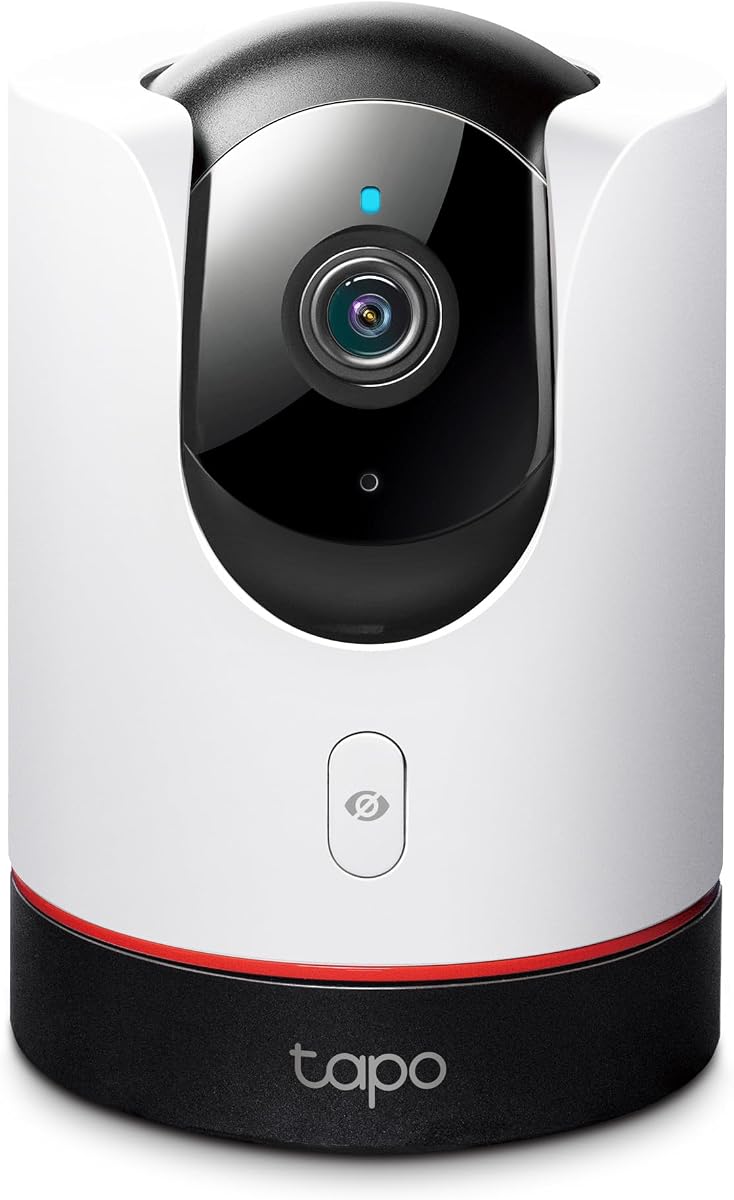
TP-Link Tapo 2K+ Pan/Tilt
4.5Editor score
Physical Privacy Mode
2K QHD Video
Smart AI Detection
This guide compares the top ten Apple HomeKit security cameras available in October 2026 to help you choose the best fit for your smart home ecosystem.
Securing your home with smart technology requires reliable tools that integrate seamlessly with your existing devices. Apple HomeKit security cameras offer robust privacy and encryption standards that many users trust implicitly for their daily surveillance needs.
We evaluated ten leading models based on video quality, smart detection capabilities, and ecosystem compatibility. Our analysis focuses on how each camera performs within the HomeKit Secure Video framework while offering unique features for different household requirements.
Each selection highlights specific strengths such as night vision, local storage, or hub functionality. Please note that product availability and pricing can change rapidly, so verify details on the manufacturer or retailer site before purchasing.
4.5Editor score
4.3Editor score

4.5Editor score
The following table provides a side-by-side overview of key specifications for each camera to help you quickly identify which model aligns with your specific security needs.



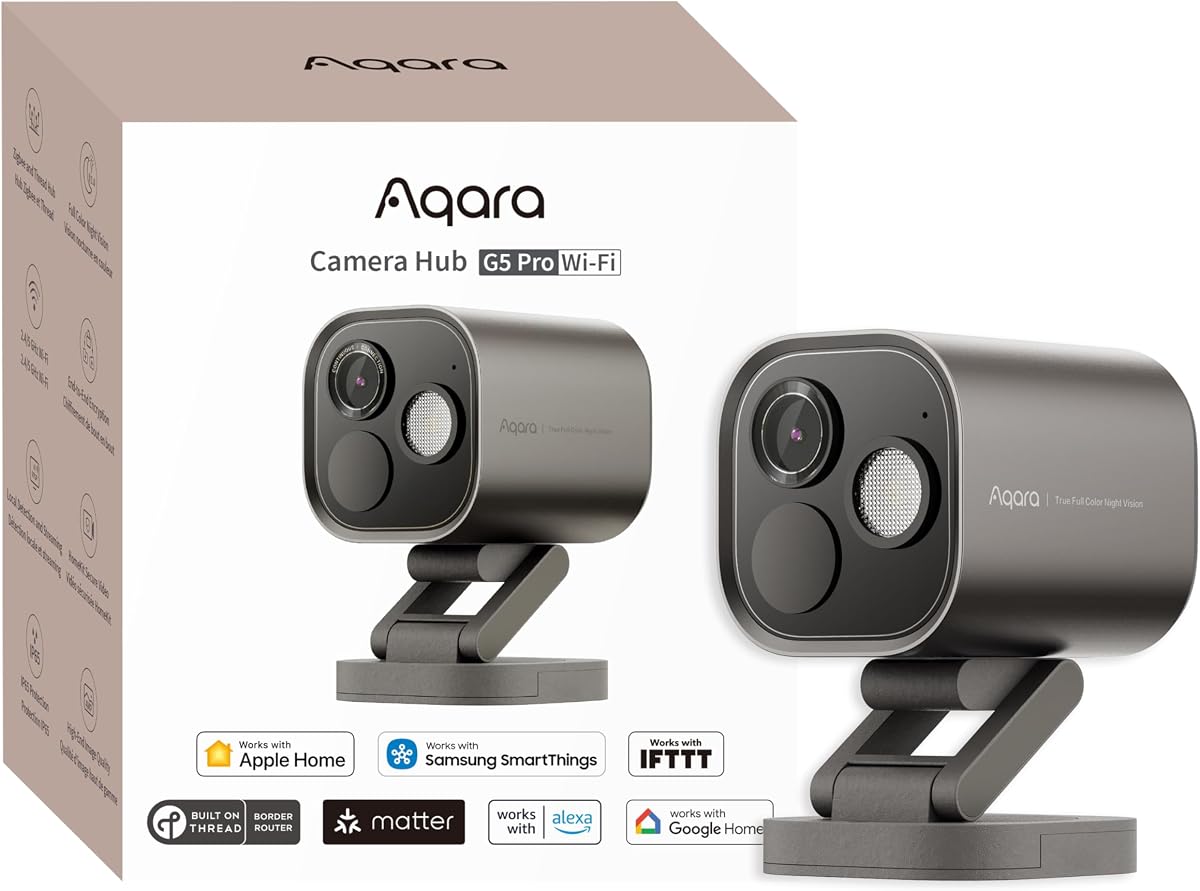
The Aqara G5 Pro WiFi stands out as a top-tier HomeKit camera with built-in hub capabilities. It earns high marks for its 4MP resolution and true color night vision capabilities that ensure clear footage even in low light.
We may earn a commission when you buy through this link, at no additional cost to you.
This camera processes AI tasks locally using a powerful Neural Processing Unit to identify faces, vehicles, and abnormal sounds like alarms or crying. Its dual-band Wi-Fi ensures stable connectivity even in congested environments.
While it requires an active iCloud plan for HomeKit Secure Video, it supports 24/7 recording via RTSP to local devices. Users should note that third-party Zigbee devices are not officially supported on this hub.
This is the ideal choice for users seeking a unified solution for surveillance and home automation. It delivers reliable security with advanced detection without compromising on privacy through local processing.
The f/1.0 large aperture sensor captures clear color footage in low light to distinguish intruders without infrared glow.
This device acts as both a high-definition security camera and a Thread and Zigbee hub for your smart home.
We may earn a commission when you buy through this link, at no additional cost to you.
The TP-Link Tapo C225 offers impressive value by delivering high-quality 2K QHD video at an accessible price point. Its Red Dot design award-winning look complements modern interiors while providing robust HomeKit integration.
We may earn a commission when you buy through this link, at no additional cost to you.
Features include a physical privacy mode that blocks the lens for absolute confidentiality and advanced AI that detects people, pets, and vehicles. The starlight sensor ensures bright visuals even in dark rooms.
Users can store footage locally on a microSD card or use cloud subscriptions. While it lacks outdoor durability, it is perfect for monitoring indoor spaces like nurseries or living rooms.
This camera is perfect for budget-conscious buyers who do not want to compromise on resolution or privacy. It is a practical solution for daily monitoring with reliable smart alerts.
A physical housing mechanism blocks the lens when privacy mode is enabled to ensure no one is watching.
The 2K QHD resolution captures every detail with a wide 360-degree horizontal field of view for total coverage.
We may earn a commission when you buy through this link, at no additional cost to you.
The Aqara G5 Pro PoE is designed for users seeking a wired and robust solution for their security needs. It combines high-definition imaging with the stability of Power over Ethernet for reliable operation.
We may earn a commission when you buy through this link, at no additional cost to you.
It features local AI visual and sound detection that triggers automations even during internet outages. The built-in 8GB encrypted eMMC storage ensures data remains accessible even when cloud access is limited.
Installation requires a PoE switch but simplifies power and data cabling. This device supports full HomeKit Secure Video with local processing to keep your private information secure.
This camera is the best premium choice for those needing professional-grade reliability without complex cabling. It offers peace of mind through its robust connectivity and secure local storage.
Power over Ethernet technology delivers both power and data through a single cable for stable performance.
Built-in encrypted storage allows you to keep video footage secure on the device without relying on the cloud.
We may earn a commission when you buy through this link, at no additional cost to you.
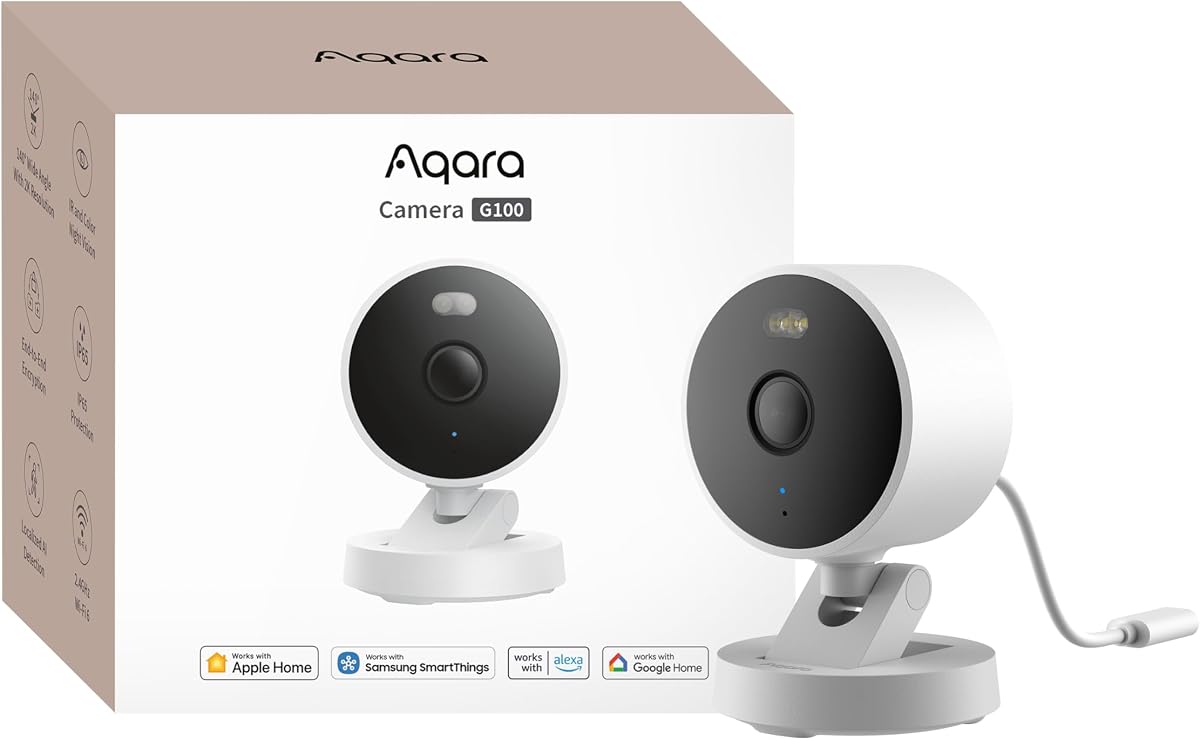
The Aqara G100 is a versatile camera built to withstand harsh conditions while delivering crisp 2K visuals for indoor and outdoor use. Its IP65 rating ensures durability against rain and dust in various environments.
We may earn a commission when you buy through this link, at no additional cost to you.
It supports both spotlight color night vision and IR detection modes which must be manually enabled. This flexibility allows for covert or illuminated recording based on specific security requirements.
Users can record to a microSD card or NAS for continuous local storage. However, HomeKit Secure Video limits resolution to 1080p even though the camera captures higher quality footage.
This camera is suitable for homeowners needing a single solution for both inside and outside viewing. It provides strong third-party connectivity while maintaining HomeKit privacy standards.
Two night vision modes let you choose between visible color illumination or covert infrared detection for privacy.
The IP65 housing protects the internal components from dust and heavy rain to ensure year-round reliability.
We may earn a commission when you buy through this link, at no additional cost to you.
The Eve Cam is built exclusively for Apple HomeKit Secure Video from the ground up to ensure seamless integration with your Apple ecosystem. It prioritizes maximum privacy through local video analysis and end-to-end encryption.
We may earn a commission when you buy through this link, at no additional cost to you.
Its smart motion detection can distinguish between people and pets to reduce false alarms. The camera can also deactivate automatically when someone is detected at home to save energy and storage.
Setup requires a HomeHub and an iCloud+ plan. There is no Eve cloud registration or tracking which appeals to privacy-conscious users but limits flexibility for non-Apple users.
This camera is the top choice for users who want guaranteed data security and native Apple device integration. It delivers a reliable security experience tailored specifically for iOS users.
Video analysis is performed securely in your home on the device itself rather than in the cloud.
The device works seamlessly with iPhone iPad and Apple Watch to provide instant notifications and control.
We may earn a commission when you buy through this link, at no additional cost to you.
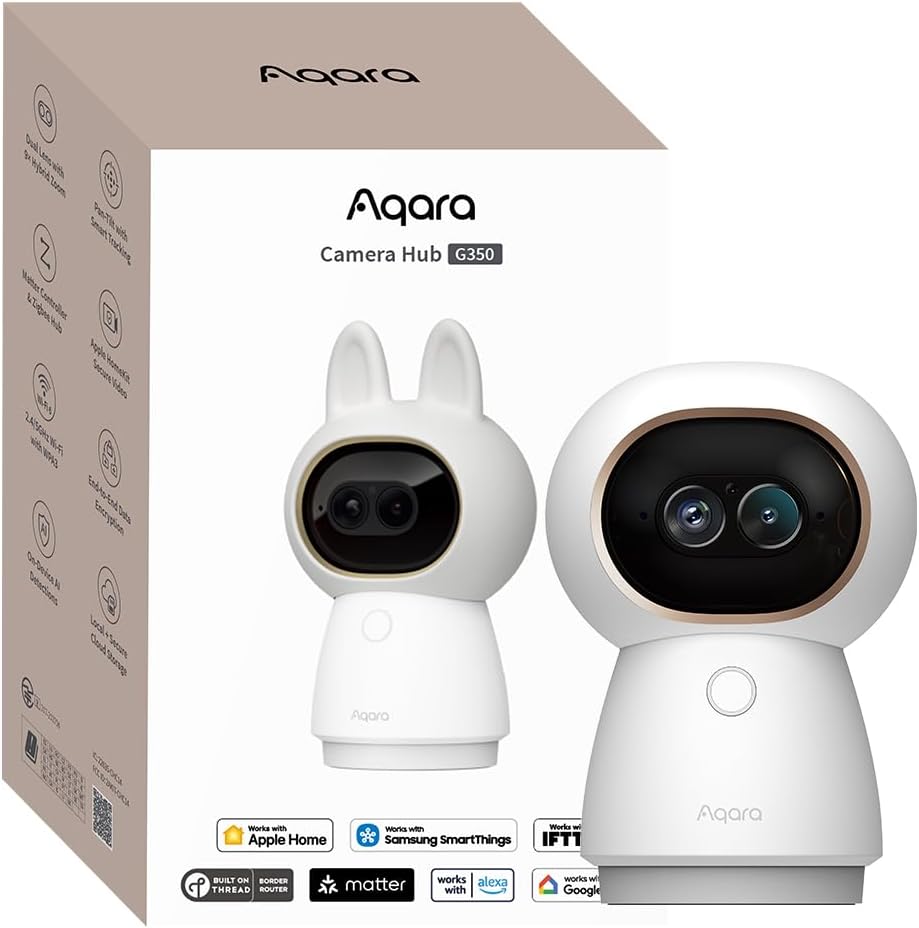
The Aqara G350 features a unique dual-camera system that combines a wide-angle 4K lens with a telephoto HD lens. This setup allows for detailed zooming without sacrificing overall field of view.
We may earn a commission when you buy through this link, at no additional cost to you.
It includes local AI sound and gesture detection so you can trigger scenes with a simple wave or see baby crying. Privacy is ensured through a physical retraction of the lens into the housing.
Users can choose local microSD NAS or cloud storage depending on their preference. While Matter support is integrated broader ecosystem adoption varies by platform and region.
This camera is perfect for users wanting detailed visual control and a physical privacy switch. It bridges the gap between traditional security and smart home automation effectively.
A 9x hybrid zoom system magnifies specific areas without losing clarity for detailed identification of events.
Gesture recognition allows you to trigger automation scenes simply by waving or making a sign in front of the lens.
We may earn a commission when you buy through this link, at no additional cost to you.
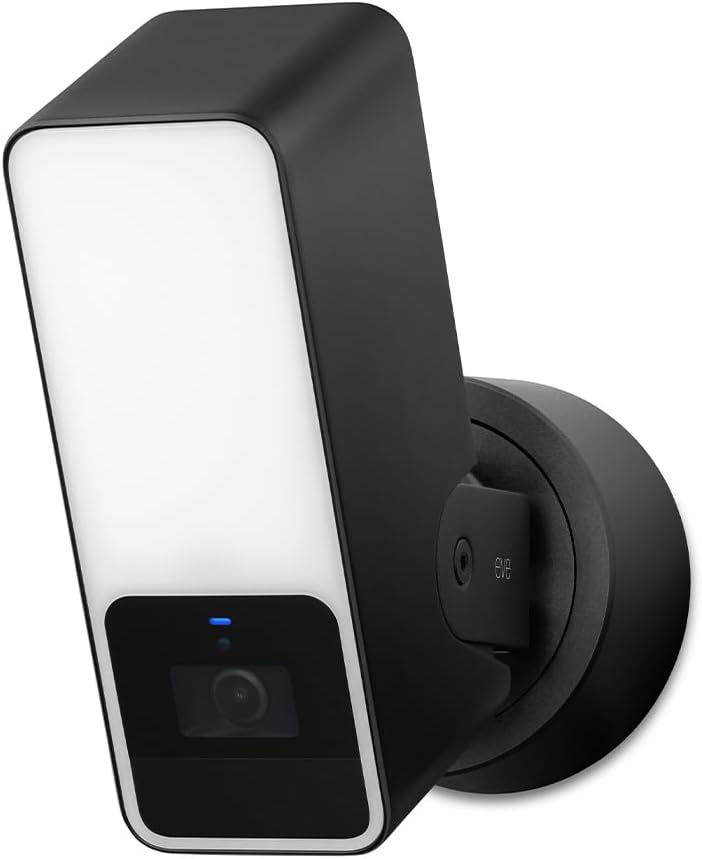
The Eve Outdoor Cam is a floodlight camera designed exclusively for HomeKit Secure Video to deliver maximum security and privacy. It uses a powerful dimmable light to illuminate areas when motion is detected.
We may earn a commission when you buy through this link, at no additional cost to you.
It distinguishes between people pets vehicles and packages to provide accurate alerts. Local intelligence ensures your data remains private without needing external cloud processing for video analysis.
Installation requires both a neutral wire and a ground wire which can complicate retrofits. Users must also have a Home hub and an iCloud+ plan to access all features.
This camera is the best option for those needing a dedicated outdoor floodlight with smart privacy. It offers reliable performance for exterior monitoring without relying on external servers.
A powerful dimmable light boosts visibility when motion is detected to deter intruders and improve footage.
Local intelligence allows direct communication between accessories and your phone without bridges or cloud dependencies.
We may earn a commission when you buy through this link, at no additional cost to you.
The Logitech Circle View is a weatherproof wired camera designed exclusively for Apple HomeKit Secure Video. It features best-in-class TrueView video with a 180-degree field of view for maximum coverage.
We may earn a commission when you buy through this link, at no additional cost to you.
Its high dynamic range sensor captures clear images even in bright sunlight or heavy shadows. Infrared night vision is optimized for full-field visibility to ensure safety around the clock.
A rear button allows for instant privacy when needed and the housing is built to withstand outdoor elements. It is compatible only with HomeKit and not with Logitech apps.
This camera is ideal for homeowners seeking a wide-angle and durable outdoor solution. It provides solid performance and reliability within the Apple home security ecosystem.
The 180-degree optics capture a broad range to ensure you do not miss details at the edges of your view.
Advanced sensor technology lets you see more detail in high contrast video to ensure clear pictures.
We may earn a commission when you buy through this link, at no additional cost to you.
The Aqara E1 offers a full 360-degree viewing angle with a pan and tilt mechanism to cover entire rooms easily. It supports 2K resolution for sharp details and includes automated privacy modes.
We may earn a commission when you buy through this link, at no additional cost to you.
Users can disable audio recording or the microphone manually or through automations to ensure privacy. Local detection filters motion events to reduce noise and focus on relevant activity.
Storage options include local microSD cards or encrypted cloud with HomeGuardian. It supports Wi-Fi 6 for smoother live views in crowded network environments.
This camera is a solid choice for indoor monitoring where complete room coverage is needed. It balances functionality with privacy features to suit a variety of home setups.
The 360-degree viewing angle enhances tracking and ensures no corner of the room is missed.
Audio recording and the microphone can be disabled either manually in the app or through automations.
We may earn a commission when you buy through this link, at no additional cost to you.
The eufy Security 4K E30 captures every detail with crystal-clear 4K recording for home monitoring. It works with HomeKit Alexa and Google Assistant to provide enhanced automation across different ecosystems.
We may earn a commission when you buy through this link, at no additional cost to you.
Its AI tracking automatically follows movement when a person or pet is detected to provide a complete view. Users can store footage locally on an SD card without any monthly subscription fees.
HomeKit support is limited to 1080p resolution but the native app offers higher fidelity. Color night vision is available to ensure clear images during evening hours.
This camera is ideal for users wanting high resolution and flexible local storage without mandatory subscriptions. It delivers comprehensive tracking and monitoring at an accessible price point.
Store footage locally with an SD card and enjoy all functions without any monthly subscription fees.
Integrated spotlight allows seamless switching between color night vision and infrared night vision for clarity.
We may earn a commission when you buy through this link, at no additional cost to you.
Selecting the right HomeKit camera depends on understanding your specific surveillance needs and ecosystem requirements.
Resolution determines the clarity of your footage. Look for cameras that offer 2K or 4K resolution in their native apps even if HomeKit limits streaming to 1080p.
Outdoor cameras need weatherproof ratings like IP65 or IP64 to withstand rain and dust. Indoor cameras may focus more on design and privacy features without weather resistance.
Check if the camera supports local storage via microSD or NAS or relies solely on cloud subscriptions. Local storage often saves money and keeps data private.
Modern cameras use AI to distinguish people pets vehicles and sounds like barking or alarms. Look for local processing options to reduce reliance on cloud services.
Most HomeKit cameras require an active Home hub like Apple TV or HomePod to function properly. Ensure you have this hardware before purchasing the camera.
Privacy is a key selling point for HomeKit. Look for features like lens retraction or physical blocking to ensure your home is private when you want it to be.
Some cameras use wired power for stability while others rely on batteries. Check Wi-Fi compatibility such as 2.4GHz vs 5GHz to ensure stable connectivity in your home.
If you use Alexa or Google Home you might need a camera that bridges to other platforms. Some HomeKit exclusive cameras may not work outside the Apple ecosystem.
Place your camera in a location with a clear view of the area you want to monitor. Avoid direct sunlight or glare that can reduce video quality during the day.
Regularly update the camera firmware and the Home app to ensure you have the latest security patches. Check the lens periodically for dust or cobwebs that could obscure the view.
Test the motion alerts and notifications on your iPhone to verify sensitivity settings. Adjust these settings to reduce false alarms caused by pets or moving shadows.
No not all HomeKit cameras require a subscription. Many models support local storage on microSD cards or NAS which allows for free recording. However HomeKit Secure Video requires an iCloud+ plan to store video securely in the cloud.
Yes you can view your HomeKit camera remotely if you have an active Home hub set up at home. The hub acts as a bridge allowing secure access through your iPhone or other devices from anywhere.
Not all HomeKit cameras work with Alexa or Google. Some models like Aqara offer dual integration while others are exclusive to Apple. Check the product details for cross-platform support before buying.
If your internet goes down local storage cameras will continue to record footage on the card. HomeKit Secure Video may not upload clips until the connection is restored but basic local features may still work.
To add a camera scan the HomeKit code using the Home app on your iPhone. Follow the on-screen instructions to connect the camera to your Wi-Fi network and assign it to a room.
Only cameras with an IP65 or higher rating are waterproof for outdoor use. Indoor models will not survive rain or harsh weather so always verify the rating before placing a camera outside.
Yes many HomeKit cameras have two-way audio and clear night vision making them suitable for baby monitoring. Look for models with specific sound detection for crying to get alerts automatically.
The top picks like the Aqara G5 Pro and TP-Link Tapo offer a mix of high performance and value. These models provide essential features like night vision and AI detection to enhance your home safety.
Prioritize privacy features and storage options that match your lifestyle. Whether you need a wired solution or a versatile indoor outdoor camera there is a suitable option for every home.
Keep in mind that prices and availability change frequently so verify current details before purchasing. Choosing the right camera ensures you get the most out of your home security investment.