
Wireless Alarm System 16Pcs
4.6Editor score
No monthly fees
Dual network support
48 hour battery
This guide compares the top ten cellular alarm system models for 2026, evaluating connectivity options, ease of installation, and smart home integration
Finding a reliable security setup often means relying on internet connections that can fail during storms or outages. A cellular alarm system solves this by using mobile networks to send alerts, ensuring your home stays protected even when standard lines are down. This redundancy is vital for true peace of mind.
We analyzed ten leading models to see which ones offer the best balance of performance and usability. Our evaluation focused on connection stability, sensor accuracy, and the quality of the mobile app experience. We also looked at how easily these systems integrate with other smart devices you might already own.
Each pick below highlights specific strengths like budget friendliness or advanced monitoring options. You will see detailed breakdowns of what comes in the box and how the hardware performs in real scenarios. Please note that pricing and availability can change quickly, so verify current offers before purchasing.
4.6Editor score

4.7Editor score

4.5Editor score
This section provides a side-by-side look at all ten models we reviewed. We focus on their core connectivity types, included sensor counts, and unique features like voice control or backup power. Understanding these differences helps you match a system to your specific property size and security needs.


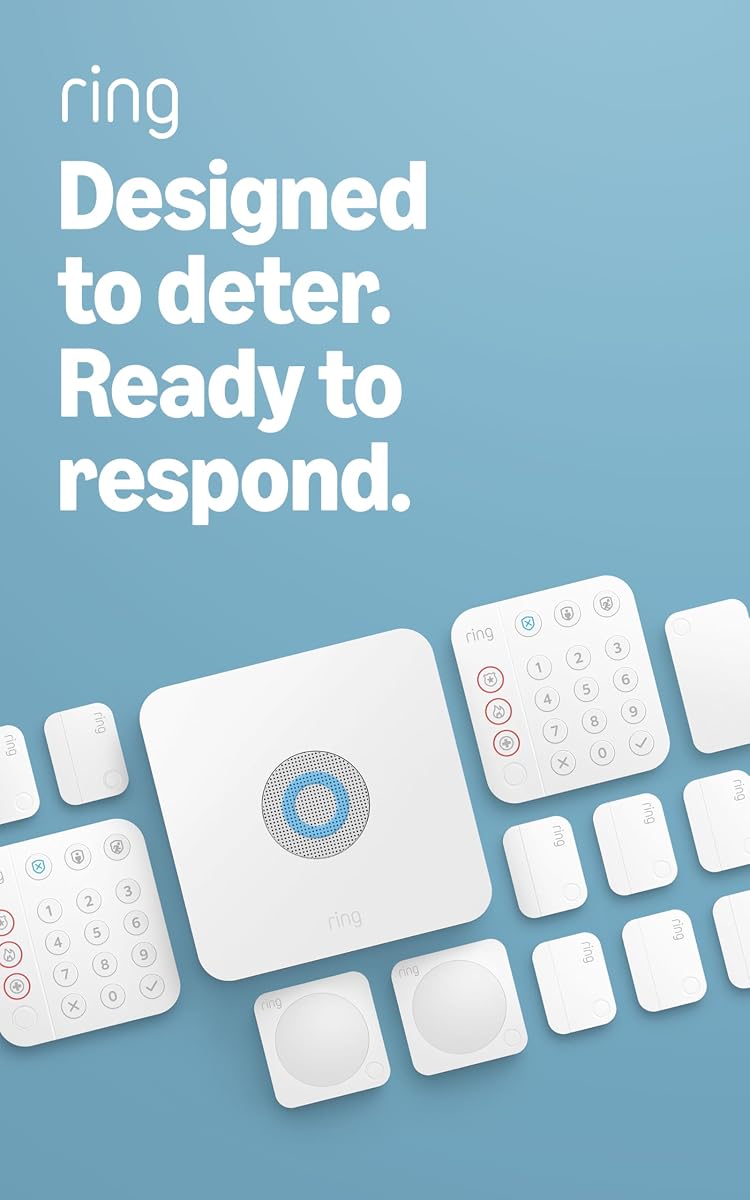

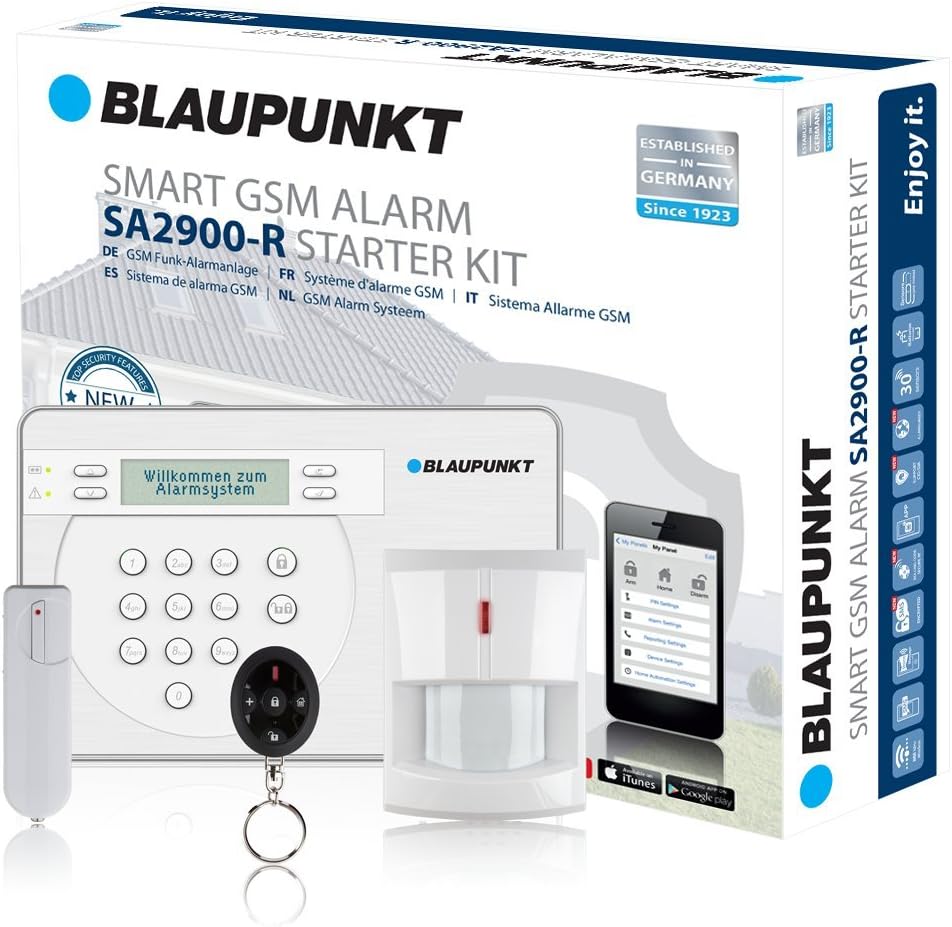


This device serves as a robust communicator for existing alarm panels. It offers high ratings for stability and seamless integration with various systems. The combination of Ethernet, WiFi, and cellular ensures you never lose contact.
We may earn a commission when you buy through this link, at no additional cost to you.
It connects directly to your alarm panel to handle emergency signals. You can use it with Verizon networks for reliable alerts. The onboard Ethernet and WiFi provide multiple fallback options if one fails.
Professional installers prefer it because it works with near universal panels. It might be too complex for basic DIY setups without a panel. The cost is higher than standalone kits but worth it for existing users.
If you already have a security system but lack cellular backup, buy this. It modernizes your setup instantly without replacing all your sensors or hardware. It delivers professional reliability for your home.
The device handles multiple network types to ensure alerts always get through.
It supports a wide range of alarm panels to make upgrades easy.
We may earn a commission when you buy through this link, at no additional cost to you.
This module is built for flexibility in home or warehouse monitoring. It uses 4G and 3G networks to send notifications globally. Users can customize alert content for different detection points.
We may earn a commission when you buy through this link, at no additional cost to you.
The eight independent channels allow for detailed monitoring of separate areas. You can set unique messages for specific sensors to understand exactly what happened. The low power design ensures it runs for long periods.
The housing is simple ABS plastic which might not fit aesthetic demands. Setting up custom alerts requires reading the manual carefully. It is best for those who know how to configure security hardware.
Choose this if you need to add cellular to a custom project. It works well for warehouses or sheds where detailed input monitoring is key. It offers global connectivity for remote properties.
Works with multiple network types to ensure connectivity almost anywhere.
Allows specific messages for different channels to improve clarity.
We may earn a commission when you buy through this link, at no additional cost to you.
This kit is a perfect fit for homes with one to two bedrooms. It includes a base station, keypad, sensors, and a range extender. The app provides intuitive control and instant mobile notifications.
We may earn a commission when you buy through this link, at no additional cost to you.
The intuitive keypad makes arming and disarming simple for anyone. Contact sensors detect door and window openings quickly. You can expand the system easily with extra sensors when needed.
Without a subscription you miss some premium features like offline backup. The siren might be loud enough for deterrence but check the decibel level. It relies on WiFi mostly without a paid plan.
If you want a balance of quality and ease of use, pick this. It is ideal for renters or homeowners who want a quick setup. The app experience is excellent for daily management.
The Ring app makes monitoring all your devices straightforward and fast.
You can add more sensors anytime to cover new areas.
We may earn a commission when you buy through this link, at no additional cost to you.
This kit is designed for larger homes with two to four bedrooms. It includes more sensors and two keypads for wider coverage. The range extender helps maintain signal strength throughout the house.
We may earn a commission when you buy through this link, at no additional cost to you.
Having two keypads makes it easier to arm or disarm from different floors. The motion detectors cover wide areas and the contact sensors track all entry points. You can add more accessories as your needs grow.
The price is higher than the smaller kit which might deter budget users. Like other Ring systems a subscription is needed for full monitoring features. The initial setup is still simple enough for DIY users.
Choose this if your home needs more coverage right out of the box. It saves the hassle of buying extra parts later. The extra keypad is a useful convenience for large layouts.
More sensors ensure every room and entry point is monitored.
Two keypads allow convenient access control from different zones.
We may earn a commission when you buy through this link, at no additional cost to you.
This communicator uses LTE-A technology for fast data transmission. It is designed to work with standard alarm control panels. Users expect reliable alert delivery even during network congestion.
We may earn a commission when you buy through this link, at no additional cost to you.
The device connects to your panel to send signals via cellular. It supports secure communication to prevent interception. This makes it suitable for commercial or residential security needs.
It does not include sensors or a base station on its own. You need an existing panel to make it functional. The features are focused on connectivity rather than user interface.
If you need a simple upgrade for an older panel, this works. It provides modern cellular speeds for better response times. It is a solid choice for industrial grade reliability.
Faster data transmission ensures alerts reach monitoring stations quickly.
Encrypted communication protects your system from hacking attempts.
We may earn a commission when you buy through this link, at no additional cost to you.
This system uses GSM for reliable wireless connections without a hub. It includes sensors and supports an app for remote control. The secure coding protects signals from replay attacks.
We may earn a commission when you buy through this link, at no additional cost to you.
The loud siren helps deter intruders immediately when an alarm sounds. It has an 18 hour emergency power supply for outages. The built-in microphone allows listening to status for assessment.
You must provide your own SIM card which adds a small cost. The setup might require more steps than consumer kits for pairing. The app is free but less polished than major brands.
If you need a standalone system with GSM capabilities, this works. It is good for offices or homes where wired systems are hard to install. The emergency power is a strong safety feature.
Coding protects wireless signals from unauthorized interference or replay.
The battery backup keeps the system running during power failures.
We may earn a commission when you buy through this link, at no additional cost to you.
This kit provides a massive number of sensors for the price. It supports both WiFi and 4G to keep you connected. You can control it via Smart Life or Tuya apps.
We may earn a commission when you buy through this link, at no additional cost to you.
The system includes a compact SOS device for emergencies. It also has tamper protection to alert you if the hub is removed. The sensors are sensitive enough to trigger alarms quickly.
The hardware feels less premium than big brand systems. Support might not be as robust for troubleshooting issues. The 5G WiFi is not supported so check your router settings.
If you want a lot of coverage without high costs, consider this. It is great for large properties needing many entry point monitors. The SOS feature adds extra safety for family members.
WiFi and 4G ensure you stay connected even if one fails.
Removal triggers an alert so the unit stays secure.
We may earn a commission when you buy through this link, at no additional cost to you.
This kit is a great fit for condos and apartments. It includes the basics to secure main entry points. The range extender ensures signals reach all corners of smaller spaces.
We may earn a commission when you buy through this link, at no additional cost to you.
The intuitive keypad simplifies daily use for residents. It detects open doors and windows with contact sensors. You can expand it with extra sensors if you move to a larger place.
You might need to add sensors for all windows separately. The subscription requirement adds a recurring cost over time. But the quality and ease of use are high for renters.
If you need a portable system for a small space, this is ideal. It is easy to take with you if you move. The Ring app makes managing it very convenient.
Compact hardware allows you to take the system when moving.
Includes key sensors to protect main entry points.
We may earn a commission when you buy through this link, at no additional cost to you.
This system offers professional monitoring with no long-term contracts. It is simple to set up with no wiring or drilling. The app lets you arm and disarm anytime anywhere.
We may earn a commission when you buy through this link, at no additional cost to you.
Entry sensors protect windows and doors with customizable alerts. You can send secret alerts for private areas. The panic button allows you to trigger alarms discreetly.
The monitoring service costs slightly more than some competitors. It is only available for US customers which limits global use. The keypad buttons are backlit for visibility at night.
If you want security without binding contracts, this is a top pick. It balances professional services with user-friendly features. The no contract model gives you full flexibility.
You can cancel monitoring anytime without penalties or fees.
Works with Alexa and Google Assistant for voice control.
We may earn a commission when you buy through this link, at no additional cost to you.
This system protects your home with dual network support. It connects via WiFi and switches to 4G if offline. The massive battery backup keeps it running for up to 48 hours.
We may earn a commission when you buy through this link, at no additional cost to you.
The 120dB siren is loud enough to deter intruders. It has a physical anti-tamper design that alerts you if pried loose. The hub supports hole-drilling installation for secure mounting.
The design is utilitarian but the features are robust. You need to buy a SIM card for cellular backup. The lack of monthly fees makes it very cost effective.
If budget is a priority you want backup power, buy this. It delivers reliable alerts without recurring costs. The dual network ensures you stay protected even during outages.
No monthly charges makes it the most affordable option.
48 hour battery ensures operation during long power outages.
We may earn a commission when you buy through this link, at no additional cost to you.
Selecting a cellular alarm system requires understanding how they communicate and what features suit your home. We look at connectivity types power backup, and app quality to help you decide.
Cellular systems connect via mobile networks to send alerts without Wi-Fi. Ensure the module supports your local carriers like Verizon or AT&T for best performance. Dual network options like WiFi plus cellular offer the highest reliability.
Always check supported bands to guarantee signal strength at your location.
Outages can disable a system without a battery. Look for models offering at least 24 hours of backup power to stay safe. Some premium units provide up to 48 hours for extended protection.
A strong battery ensures your alarm works when the grid fails.
More sensors mean more entry points are monitored. A standard home might need ten to fifteen sensors for full coverage. Kits vary from five pieces to twenty-four pieces depending on size.
Choose a kit that matches your home's entry points to avoid gaps.
The app is how you manage your system daily. Look for features like instant push notifications and remote arming. A clean interface makes checking status and reviewing events much easier.
A polished app improves your overall experience and response time.
Wireless systems are best for DIY installation. They should include mounting hardware and adhesive strips to simplify setup. If you avoid drilling, look for systems that rely on adhesive mounts.
Easy installation saves money and helps you set up quickly.
Integration with Alexa or Google Assistant adds convenience. You should be able to arm or disarm using voice commands. Check if the system supports automation like turning on lights when triggered.
Smart features make the system easier to use daily.
Some systems offer professional monitoring services for a monthly fee. This ensures police or fire are dispatched automatically during emergencies. Others allow you to opt out but limit features like offline access.
Decide if you need professional dispatch or prefer app alerts.
A loud siren deters intruders when triggered. Look for decibel levels above 100dB for maximum effectiveness. Some models let you test the volume to ensure it is adequate.
A loud alarm helps scare off intruders before they enter.
Start by pairing your hub to your cellular plan. Insert the SIM card if required and follow the app prompts to activate it. This step ensures the system can send alerts to emergency services.
Mount all sensors in secure locations away from pets or fans. Test each door or window sensor to confirm it triggers correctly. Make sure the motion detector does not face direct sunlight or heat sources.
Regularly check battery levels in the app to avoid dead sensors. Clean the sensor surfaces with a soft cloth to maintain sensitivity. Update the firmware monthly to keep security protocols current.
The initial hardware can range from under two hundred to over three hundred dollars. Monthly monitoring fees vary from zero to thirty dollars depending on the features you select. Budget models often have a higher upfront cost but no subscription.
Yes, most cellular systems work independently of your home internet. They use mobile data to send alerts which means they stay online even if the Wi-Fi goes down. This makes them more reliable than standard Wi-Fi-only setups.
Most modern systems offer flexible plans that do not require long-term commitments. You can start monitoring when and stop it at any time without penalties. Some providers offer free app access with no mandatory contracts.
A good cellular system has a backup battery that keeps it running for at least 24 hours. This ensures your sensors remain active and alerts can still be sent during blackouts. Always check the backup duration before buying.
Yes, you can arm or disarm your system through a mobile app from anywhere. As long as your phone has an internet connection you can check status. This feature is essential for monitoring while traveling.
Many systems integrate with platforms like Alexa or Google Assistant for voice control. You can also link them to other smart devices like lights or locks. Check compatibility lists before purchasing to ensure it works with your gear.
The Ring Alarm 8-Piece Kit stands out for its ease of use and reliable app. It offers a great balance of features for typical homes without requiring technical skills.
For those on a budget, the Wireless Alarm System 16Pcs provides excellent value. It offers dual connectivity and a long battery life without monthly fees.
Remember to check current prices and availability as deals change often. Compare the total cost including any required SIM cards or subscriptions to get the best deal.