
Thermalright Assassin X120 Refined SE
4.7Editor score
Four heat pipes with AGHP
Low noise TL-C12C PWM fan
Wide socket compatibility support
This guide compares the top CPU air cooler fan heatsink options for performance and noise, helping you find the right cooling solution for your build.
Choosing the right CPU air cooler fan heatsink is crucial for maintaining optimal system performance and longevity. A quality unit ensures your processor stays cool under load, preventing thermal throttling and noise operation.
We have evaluated ten leading models based on thermal efficiency, acoustic performance, build quality, and compatibility. Our analysis covers single and dual tower designs from trusted manufacturers to provide a comprehensive overview.
Each pick highlights specific strengths and ideal use cases for different system configurations. Please note that product availability and pricing can change frequently, so verify current details before purchasing.
4.7Editor score

4.8Editor score

4.8Editor score
The following table provides a side-by-side comparison of all ten selected CPU air cooler fan heatsink models to help you identify the best fit for your specific hardware needs.
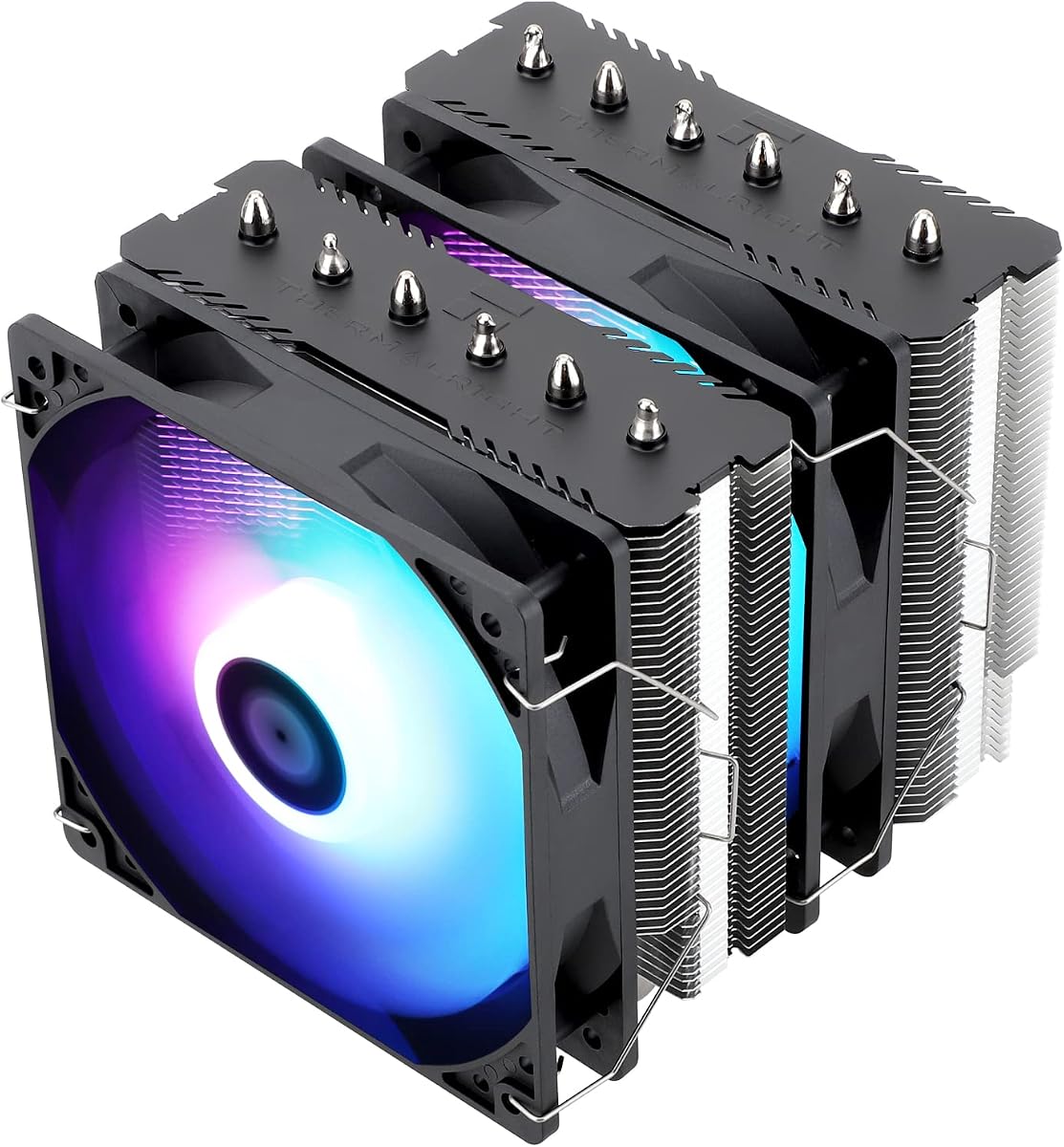


The Thermalright Assassin X120 Refined SE stands out as a highly efficient budget option for those seeking reliable CPU cooling without excessive cost. It achieves a strong rating due to its balanced performance in thermal dissipation and acoustic management.
We may earn a commission when you buy through this link, at no additional cost to you.
Its four heat pipes utilize AGHP technology which ensures heat transfer works effectively regardless of orientation. The TL-C12C PWM fan delivers sufficient airflow while keeping noise levels low under typical loads.
While it lacks the visual flair of RGB models, the performance remains robust for mainstream processors. The only notable trade-off is the single fan design which may limit peak cooling potential compared to dual tower options.
This unit is ideal for builders prioritizing function over form. If you need a quiet and effective cooler for standard gaming or productivity workloads, this model delivers excellent results.
The Anti Gravity Heat Pipe technology ensures that heat rises efficiently even in non-standard mounting orientations.
With a maximum noise level below 26 decibels the fan remains nearly silent during idle and light usage.
We may earn a commission when you buy through this link, at no additional cost to you.
The Thermalright Peerless Assassin 120 SE ARGB offers a compelling blend of high-end cooling capability and modern aesthetics. Its dual tower design provides extensive surface area for heat dissipation ensuring stable temperatures during intense tasks.
We may earn a commission when you buy through this link, at no additional cost to you.
Six heat pipes combined with two PWM fans deliver massive airflow potential. The ARGB lighting adds a customizable visual element that can sync with motherboard systems for a cohesive look.
The primary consideration is the height which may not fit all compact cases. Users must ensure their chassis clearance is sufficient to accommodate the 155mm profile without interference.
This cooler is perfect for enthusiasts who want near premium performance without the premium price tag. It handles high heat output CPUs effectively while maintaining a reasonable acoustic profile.
Using two fans allows for increased air volume and pressure compared to single fan setups.
The ARGB fans provide rich colors that enhance the internal visibility of custom PC builds.
We may earn a commission when you buy through this link, at no additional cost to you.
The Noctua NH-D15 chromax.Black represents the pinnacle of air cooling technology with a reputation built on decades of excellence. It is widely regarded as the gold standard for high performance and silent operation in air cooling.
We may earn a commission when you buy through this link, at no additional cost to you.
Its dual tower design with six heat pipes and two large fans ensures maximum heat dissipation. The all black aesthetic matches modern setups while maintaining the renowned Noctua quality and reliability.
The only downsides are the physical size and cost. It requires a spacious case and carries a higher price than many competitors but the performance justifies the investment for demanding builds.
For users seeking the absolute best air cooling available without moving to liquid this is the top recommendation. It delivers silence and efficiency that few other products can match.
The fans utilize advanced aerodynamic designs to minimize turbulence and noise generation at high speeds.
Noctua includes its high quality NT-H1 thermal paste to ensure optimal thermal conductivity from the start.
We may earn a commission when you buy through this link, at no additional cost to you.
The Noctua NH-U12A chromax.Black is a masterclass in compact high performance cooling. It proves that a single tower design can rival dual tower units when paired with premium components and expert engineering.
We may earn a commission when you buy through this link, at no additional cost to you.
Its dual NF-A12x25 fans are state of the art units that provide massive airflow despite their 120mm footprint. This allows for excellent cooling in cases where space is a constraint.
The main drawback is the premium price which reflects the quality of materials and engineering. It is a significant investment but one that pays off in reliability and silence over the years.
This model is ideal for those who need top tier performance in a smaller form factor. If you have limited case height or need specific RAM clearance this is the best choice.
Using two fans on a single tower increases air velocity and cooling density significantly.
The SecuFirm2 system ensures even pressure distribution across the CPU for better contact.
We may earn a commission when you buy through this link, at no additional cost to you.
The Thermalright Assassin X 120R Digital ARGB Black introduces a unique feature set with a digital screen on the top cover. This allows users to monitor critical system stats like CPU temperature directly from the cooler.
We may earn a commission when you buy through this link, at no additional cost to you.
Its single tower design delivers strong performance for mainstream chips. The TL-P12-S fan offers a quiet yet efficient airflow profile that keeps noise levels manageable under load.
While the digital screen adds value it requires an extra connection and consumes power. It is a niche feature that may not be useful for every user but adds significant visual interest.
This cooler is perfect for enthusiasts who want visibility and style in their build. If you want to see your system metrics at a glance this is a standout option.
The digital top cover displays live CPU temperature and usage data for easy monitoring.
Four heat pipes combined with a high speed fan ensure efficient heat removal.
We may earn a commission when you buy through this link, at no additional cost to you.
The Noctua NH-D15 is the original flagship dual tower cooler that set the benchmark for the industry. It continues to offer top tier cooling performance that rivals many liquid cooling solutions in the market.
We may earn a commission when you buy through this link, at no additional cost to you.
Its six heat pipes and two 140mm fans work in harmony to dissipate heat efficiently. The neutral color scheme ensures it blends into any build without clashing with other components.
The main trade-offs are its large physical size and high price. It requires significant clearance and investment but delivers peace of mind with its reliability and long warranty.
This unit is best for those who prioritize performance above all else. If you want the best air cooling performance without looking for specific aesthetics this is the standard.
The dual tower design maximizes surface area to transfer heat away from the processor quickly.
Noctua products are known for lasting years with minimal wear on bearings and fans.
We may earn a commission when you buy through this link, at no additional cost to you.
The Noctua NH-D15S chromax.Black provides a specialized solution for users needing better RAM compatibility. Its asymmetrical design shifts the fan clearance to avoid memory module conflicts while maintaining cooling strength.
We may earn a commission when you buy through this link, at no additional cost to you.
Using a single 140mm fan reduces the width slightly without sacrificing much performance. The dual tower heatsink still provides ample surface area for heat dissipation during heavy use.
While it is slightly less cooling than the twin fan variant the trade-off is worth it for builds with tall RAM sticks. It balances compatibility with performance effectively.
This is the ideal choice for those with complex memory kits or limited side panel clearance. It ensures your cooler does not block critical motherboard slots.
The shifted fan design ensures high profile RAM modules do not interfere with cooler airflow.
The chromax.Black version uses black materials for a clean uniform look in modern builds.
We may earn a commission when you buy through this link, at no additional cost to you.
The Noctua NH-D9L is designed for small form factor builds where height is a critical constraint. It brings dual tower cooling to a low profile footprint that fits into tight cases easily.
We may earn a commission when you buy through this link, at no additional cost to you.
Despite the 110mm height the cooler maintains strong thermal performance thanks to its dual tower layout. The NF-A9 92mm fan delivers efficient airflow without disturbing the compact chassis interior.
The smaller fan size means slightly higher noise levels under load compared to 140mm options. However this is acceptable for the form factor benefits it provides.
This is the perfect pick for HTPC or mini PC enthusiasts. It offers a rare combination of quiet operation and high efficiency in a space constrained environment.
The low height design ensures clearance for almost any standard tower case.
Optimized fan blades keep acoustic noise low even during active cooling cycles.
We may earn a commission when you buy through this link, at no additional cost to you.
The Noctua NH-U12S is a slim single tower cooler that excels in compatibility and quiet operation. It is designed to fit into cases where larger dual towers would obstruct other components.
We may earn a commission when you buy through this link, at no additional cost to you.
Its NF-F12 Focused Flow fan is optimized for high static pressure allowing it to push air efficiently through the heatsink fins. This ensures consistent cooling even in restricted airflow scenarios.
While it lacks the raw power of twin fan models it provides ample cooling for standard CPUs. The slim design ensures it does not interfere with graphics cards or memory sticks.
This is a great choice for standard productivity or gaming builds. If you need a reliable and quiet cooler that fits almost anywhere this is a solid option.
The NF-F12 fan concentrates airflow to maximize cooling efficiency on the fins.
The slim profile allows the cooler to fit in tighter chassis without blocking components.
We may earn a commission when you buy through this link, at no additional cost to you.
The Thermalright Peerless Assassin 120 SE offers exceptional performance for its price point. It combines six heat pipes and dual fans to deliver cooling that rivals more expensive brands in benchmarks.
We may earn a commission when you buy through this link, at no additional cost to you.
The nickel plated heat pipes help improve heat transfer efficiency and protect against corrosion. AGHP technology ensures that orientation does not affect the cooler's ability to move heat away from the CPU.
There can be minor variations in build consistency compared to top tier brands. However the performance per dollar makes this a highly attractive option for budget conscious builders.
This is the best value pick for high performance cooling. If you want dual tower efficiency without paying premium prices this model delivers outstanding results.
Nickel plated heat pipes provide durable and efficient heat conduction to the fins.
Two PWM fans ensure consistent high air volume across the dual tower heatsink.
We may earn a commission when you buy through this link, at no additional cost to you.
Selecting the right CPU air cooler fan heatsink requires balancing cooling performance, case compatibility, and budget constraints. Understanding key technical aspects helps you find the perfect fit for your build.
CPU air coolers generally come in single or dual tower configurations. Single towers are more compact and easier to install but dual towers offer significantly higher cooling capacity for demanding workloads.
Choose a dual tower for high performance CPUs and a single tower for standard usage or tighter spaces.
Measuring your case interior is essential before purchasing. The height of the cooler must fit within your case limits without interfering with the side panel or other components.
Always check your case specifications for maximum cooler height to avoid physical conflicts.
Thermal Design Power indicates the maximum heat output a cooler can handle effectively. Ensure your chosen model exceeds your CPU TDP to maintain low temperatures under full load.
Select a cooler rated for higher TDP than your CPU to allow headroom for future upgrades.
Noise levels are measured in decibels and vary significantly between models. Look for coolers with PWM fans that can adjust speed based on temperature to balance performance and quiet operation.
Prioritize low noise ratings if you use your PC in a quiet home office or bedroom environment.
A secure mounting system ensures good contact with the CPU for efficient heat transfer. Check for quality mounting kits and a solid manufacturer warranty to protect your investment.
Look for SecuFirm or similar reliable mounting systems to ensure longevity and performance stability.
Some coolers have large fans or towers that may block RAM slots or PCIe cards. Check the dimensions against your motherboard layout to ensure all slots remain accessible.
Opt for coolers with offset or slim designs if you use tall RAM modules or need full PCIe access.
High quality coolers use durable materials like copper base plates and aluminum fins. Nickel plating on heat pipes adds protection against corrosion and improves heat transfer efficiency.
Investing in high quality materials ensures better performance and longer lifespan for your cooling system.
Many modern coolers include ARGB lighting that can sync with your motherboard for visual effects. Decide if you prefer standard colors or customizable lighting to match your system theme.
Choose RGB models for a flashy look or non RGB for a cleaner and more professional appearance.
Proper installation begins with cleaning the CPU surface to remove old thermal paste. Ensure the mounting kit is compatible with your socket and tighten screws evenly to avoid damage.
Regular maintenance involves cleaning dust from the heatsink fins and fans. Use compressed air to remove buildup that can restrict airflow and degrade performance over time.
Replace the thermal paste every few years to ensure efficient heat transfer. Dried paste reduces cooling efficiency and can lead to higher CPU temperatures under load.
The Noctua NH-D15 offers top tier performance for high end processors. Its dual tower design and large fans handle intense heat loads efficiently. This makes it the best choice for overclocking and heavy workloads.
RGB lighting is purely aesthetic and does not impact cooling performance. Choose it only if you want custom colors to match your build theme. Non RGB models offer the same cooling capabilities for less.
The Thermalright Assassin X120 Refined SE is the best budget option available. It offers reliable performance and quiet operation at a low price point. This makes it ideal for cost conscious builds.
Install the cooler by applying paste to the CPU and mounting the bracket securely. Ensure all screws are tightened evenly to guarantee flat contact. Refer to your manufacturer manual for socket specific steps.
High end air coolers like the Noctua NH-D15 rival liquid cooling performance. They offer similar thermal results with less maintenance risk. For many users this makes them a superior practical choice.
AGHP technology ensures heat pipes function correctly regardless of orientation. It prevents heat from settling at the bottom when the cooler is mounted horizontally. This guarantees consistent cooling performance in all setups.
Choosing the right CPU air cooler fan heatsink ensures your system runs cool and quiet. Our top picks range from budget friendly to premium options to suit every need.
Focus on compatibility and thermal performance when prioritizing features for your build. A well chosen cooler protects your investment and enhances system reliability.
Always check current availability and pricing before purchasing to secure the best value. Verify your case clearance to avoid fit issues upon arrival.