
YATINEY Desktop Printer Stand 2-Tier
4.7Editor score
Z shaped modern design
Affordable price point
Easy assembly process
A desktop printer stand transforms cluttered workspaces into organized environments by elevating equipment and freeing up valuable surface area. Choosing the right model ensures stability for heavy devices while providing essential storage for supplies. Modern designs blend functionality with aesthetics to fit seamlessly into home offices or professional settings.
We evaluated ten highly rated options based on structural integrity, storage capacity, ease of assembly, and overall design versatility. Each product was analyzed against common user requirements such as weight limits, dimensions, and additional features like drawers or wheels. This list reflects current market offerings that prioritize user satisfaction and long-term durability.
Every recommendation below highlights specific strengths and potential trade-offs to help you match a stand to your unique setup. Product details reflect current listings but specifications and availability may vary over time. Always verify dimensions and weight capacity before purchasing to ensure compatibility with your specific printer model.
4.7Editor score

4.8Editor score

4.7Editor score
As an Amazon Associate we earn from qualifying purchases.
This side-by-side comparison highlights key specifications and unique features across all ten selected models to streamline your decision-making process.


The YAOHUOO 2-Tier Desktop Printer Stand stands out as a top performer for its balance of stability and storage. With a rating of 4.8 stars, users praise its robust construction and thoughtful design. This model excels at organizing office essentials while keeping your printer elevated and secure on a sturdy platform.
We may earn a commission when you buy through this link, at no additional cost to you.
Its dimensions of 17.3 by 11.8 inches provide ample room for most standard printers. The middle open shelf accommodates files or plants, while the fabric drawer offers hidden storage for personal items. The waterproof tabletop ensures easy cleaning, making it practical for daily use in busy environments.
While the drawer lacks a locking mechanism, it effectively reduces visual clutter. The assembly process is straightforward with clear instructions included. Some users might prefer more color choices, but the black finish complements most office decors without clashing.
This stand is ideal for home office workers seeking a compact yet functional solution. Its combination of durability and aesthetic appeal makes it a reliable long-term investment. We recommend it for anyone needing to maximize desk space efficiently.
Elevating your printer creates room for keyboards and monitors, reducing desk clutter significantly.
The fabric drawer keeps small office supplies organized and out of sight for a tidy workspace.
We may earn a commission when you buy through this link, at no additional cost to you.
The YATINEY Desktop Printer Stand offers exceptional value for budget-conscious shoppers without sacrificing quality. Its 4.7 star rating reflects satisfaction with its sturdy build and modern aesthetic. This stand is perfect for those needing a reliable surface to elevate their printer affordably.
We may earn a commission when you buy through this link, at no additional cost to you.
The Z-shaped design adds a touch of style while utilizing desktop space efficiently. Each tier supports up to 44 pounds, sufficient for most inkjet or laser printers. The open shelves allow quick access to paper and ink cartridges, keeping workflow smooth and uninterrupted.
Assembly takes just a few steps with clear instructions provided. While it lacks enclosed drawers, the open design prevents dust buildup inside storage areas. The rustic brown finish blends well with various decor styles, offering a warm look to any room.
Choose this model if you prioritize cost-effectiveness and style. It works equally well under desks or as a standalone table in living spaces. Ideal for students or remote workers on a tight budget who still want quality organization.
The unique Z shape adds visual interest to your office while maintaining structural integrity.
Get reliable storage and elevation without overspending on expensive branding or features.
We may earn a commission when you buy through this link, at no additional cost to you.
The FITUEYES Large Desktop Printer Stands deliver premium storage capacity for demanding office setups. Rated 4.7 stars, this model accommodates large printers while providing three distinct compartments for files and supplies. Its robust construction ensures longevity even under heavy daily use.
We may earn a commission when you buy through this link, at no additional cost to you.
Measuring 18.9 by 15.7 inches, the stand offers generous surface area. The three compartments allow organized separation of documents, books, and printer paper. Non-slip rubber feet protect your surface from scratches while keeping the stand firmly in place during operation.
Stackability adds flexibility for vertical storage needs. While the unit is heavier, this contributes to its stability and load-bearing capability. Assembly is straightforward with all hardware included in the package for convenience.
Ideal for power users with multiple devices or heavy inventory, this stand maximizes efficiency. Its premium build quality justifies the higher price point. We recommend it for offices needing serious organizational power.
Three compartments keep all your office essentials neatly separated and easily accessible.
Built to hold heavy loads without wobbling, ensuring safety for valuable equipment.
We may earn a commission when you buy through this link, at no additional cost to you.
This Printer Stand for Desk shines with a massive 100-pound capacity, accommodating even heavy commercial units. A 4.6 rating highlights its durability and versatility across different rooms. It serves equally well as a plant stand or storage rack beyond just printers.
We may earn a commission when you buy through this link, at no additional cost to you.
Constructed from high-quality board and steel, it offers reliable support. Rounded corners enhance safety in households with children. Anti-slip pads prevent sliding and protect your floor from scratches during movement or vibration.
Stackability allows for expansion if space permits. While it lacks drawers, the open design makes accessing stored items quick. The simple aesthetic fits anywhere without clashing with existing furniture or decor.
Buy this for its unmatched strength and flexibility. It suits families needing robust solutions for various items. Highly recommended for those prioritizing load capacity over decorative flair.
Hold heavy devices without fear of tipping thanks to its reinforced steel frame structure.
Rounded edges and anti-slip pads ensure safe usage in active environments.
We may earn a commission when you buy through this link, at no additional cost to you.
The Marbrasse Metal Printer Stand integrates specialized organizational tools directly into its design. Rated 4.6 stars, it appeals to users wanting a tidy desk with minimal extra tools. The inclusion of pen holders and a paper tray adds immediate utility.
We may earn a commission when you buy through this link, at no additional cost to you.
A metal frame ensures durability while keeping the unit lightweight. The top shelf fits printers or monitors, while the tray stores documents within reach. Two hanging pen holders keep writing tools accessible yet organized.
Assembly completes in about twelve minutes with clear instructions. The black finish looks sleek but may show dust more visibly. Adjustability in feet ensures stability on uneven surfaces.
Select this if you need integrated stationery storage. It reduces clutter by combining multiple functions into one unit. Perfect for small offices needing every inch of organization.
Pen holders and a paper tray keep your workspace orderly without extra organizers.
Metal mesh provides strength without excessive weight for easy relocation.
We may earn a commission when you buy through this link, at no additional cost to you.
The HUANUO Printer Stand transforms into a mobile cart with locking wheels for flexible placement. Rated 4.5 stars, it suits users who need to move their printer between rooms. The adjustable height adds adaptability for under-desk setups.
We may earn a commission when you buy through this link, at no additional cost to you.
Storage drawers include dividers for categorizing office supplies. The open bottom shelf accommodates bulk items like paper reams. This versatility makes it useful beyond just printer support in shared spaces.
Assembly involves stacking parts without tools for simplicity. While the weight limit is moderate, it covers most standard home printers. Wheels can be optional depending on whether you prefer static stability.
Choose this for its mobility and adjustability. It works well for dynamic workspaces needing frequent reconfiguration. Ideal for studios or small businesses on the go.
Locking wheels allow you to move the unit easily while keeping it fixed when needed.
Configure the height to fit under desks or match other furniture levels.
We may earn a commission when you buy through this link, at no additional cost to you.
This Printer Stand with Storage features a foldable drawer that conserves space when not needed. Rated 4.7 stars, it appeals to those valuing adaptability. The dual-rod design ensures stability for heavier units on the top tier.
We may earn a commission when you buy through this link, at no additional cost to you.
Three tiers offer ample storage for printers and supplies. The vintage brown finish adds rustic charm to modern offices. Its compact size fits well in tight corners without dominating the room.
The fabric drawer folds flat when empty, offering flexibility. While not as rigid as hard drawers, it suffices for light items. Assembly is straightforward with included hardware.
Buy this for its unique space-saving drawer feature. It suits eclectic interiors seeking a blend of function and style. Recommended for small apartments where flexibility matters.
Fold the drawer away completely when not in use to maximize vertical space.
Vintage particle board gives the unit a warm look that fits diverse decors.
We may earn a commission when you buy through this link, at no additional cost to you.
The YATINEY Desktop Printer Stand 2-Tier combines industrial design with practical storage. Rated 4.6 stars, it suits users wanting a blend of strength and style. The closed drawer protects private items from view.
We may earn a commission when you buy through this link, at no additional cost to you.
Two open shelves provide easy access to frequently used supplies. Chipboard and metal construction ensures durability. The non-woven drawer flexibly stores files without taking much space.
Assembly takes ten minutes with detailed instructions. The smooth surface wipes clean quickly. Its rustic brown finish fits traditional or modern settings alike.
Select this for its balance of style and utility. It works well in home offices needing both display and hidden storage. Recommended for those who prefer industrial aesthetics.
The closed drawer keeps clutter hidden while keeping essentials within reach.
Metal frames and wood tones create a look that suits contemporary spaces.
We may earn a commission when you buy through this link, at no additional cost to you.
The HOOBRO Printer Stand integrates charging ports directly into the desk surface. Rated 4.6 stars, it simplifies keeping devices powered near the printer. This feature is rare in standard stands.
We may earn a commission when you buy through this link, at no additional cost to you.
USB ports and a standard outlet allow charging phones or tablets. Storage hooks add extra utility for cables or accessories. The unit measures small but supports up to 44 pounds effectively.
Installation takes minutes with clear numbered parts. The rustic industrial look matches modern workspaces. While cable management is basic, the outlets reduce cord clutter significantly.
Choose this if charging convenience is a priority. It suits tech-heavy setups needing power access. Highly recommended for those who value seamless device charging.
Eliminate extra adapters by using the integrated outlets and USB ports directly.
Small enough for tight desks yet strong enough for heavy printers.
We may earn a commission when you buy through this link, at no additional cost to you.
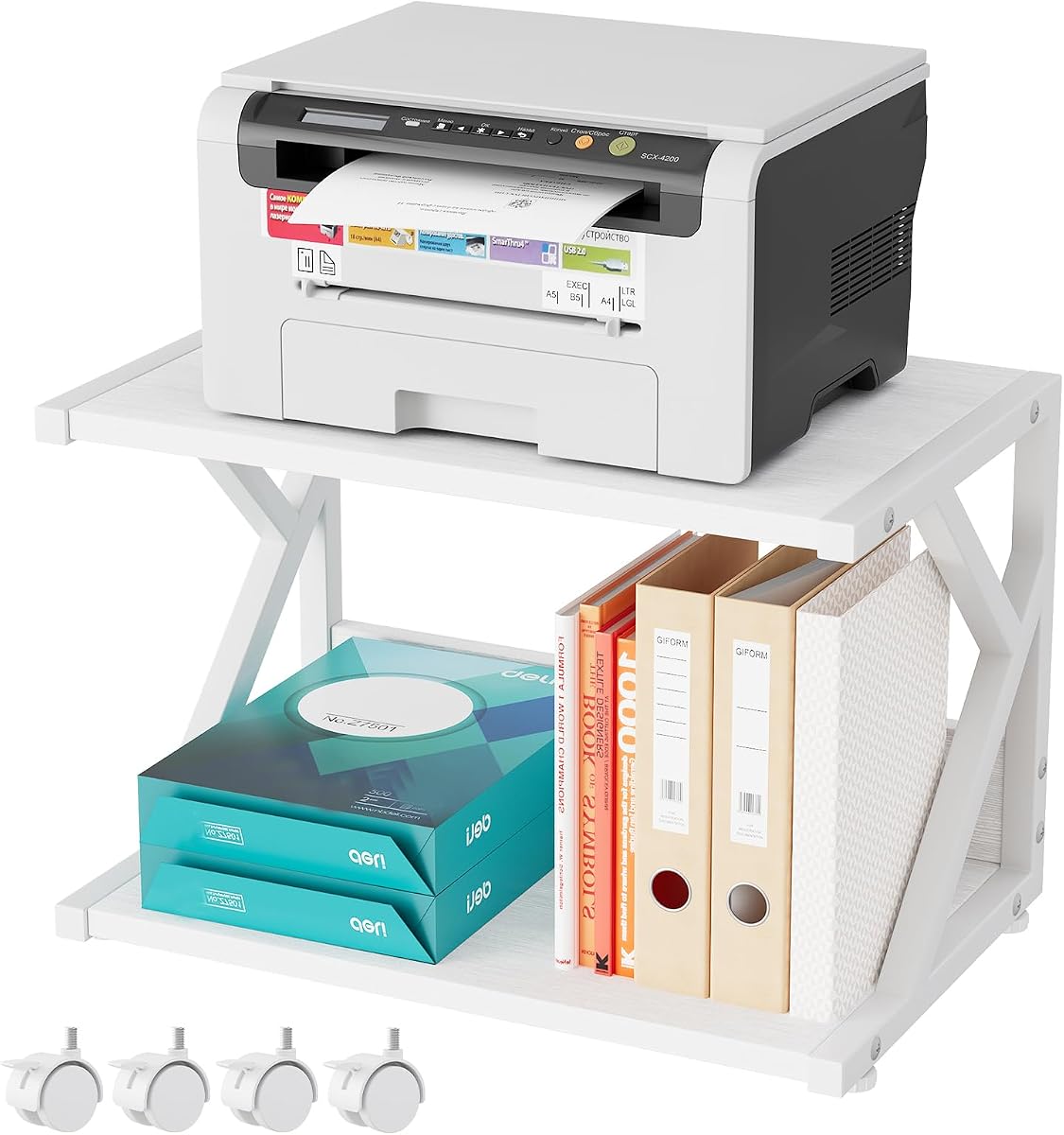
The aboxoo Desktop Printer Stand offers a crisp white finish for bright interiors. Rated 4.6 stars, it appeals to those seeking a fresh look. MDF wood with a waterproof surface ensures durability and easy maintenance.
We may earn a commission when you buy through this link, at no additional cost to you.
You can choose between wheels or adjustable feet for flexibility. The 2-tier design holds paper and printers effectively. Its scratch-resistant coating protects against daily wear and tear.
Assembly takes about 15 minutes with tools included. The white surface may show marks easily, so regular cleaning helps. It is lightweight, making relocation simple when needed.
Buy this for its versatile installation options. It suits spaces needing a clean, modern aesthetic. Recommended for bright home offices or creative studios.
Brighten your workspace with a white finish that matches any color scheme.
Choose wheels for mobility or feet for permanent stability based on your needs.
We may earn a commission when you buy through this link, at no additional cost to you.
Selecting the right stand requires evaluating dimensions, load capacity, and additional features that match your workspace needs.
Measure your printer and available desk space before purchasing. Ensure the stand's width and depth exceed your printer's dimensions to prevent overhang.
Always check product dimensions against your measurements to avoid fit issues.
Check the maximum load rating to support your printer's weight plus paper trays. Heavy laser printers require stands rated for higher loads than standard inkjets.
Verify weight limits to ensure the stand remains stable under your equipment.
Materials like metal frames and reinforced MDF provide better durability than particleboard alone. Metal resists rust and bending, while treated wood surfaces withstand spills.
Choose sturdy materials that match the expected wear in your environment.
Decide if you need drawers for concealment or open shelves for accessibility. Some stands include hooks or trays for added organization.
Select storage types that fit your workflow and privacy needs.
Wheels offer flexibility to move the stand, while fixed feet provide stability. Locking casters let you secure the unit once positioned.
Consider mobility only if you plan to relocate the stand frequently.
Some stands require tools or extensive screwing, while others use stackable designs. Check reviews for setup time and included instructions.
Prioritize models with clear guides if you lack assembly experience.
Choose colors and finishes that match your existing furniture. Neutral tones like black or brown blend easily, while white or industrial styles make statements.
Ensure the visual design complements your office decor theme.
Look for non-slip pads and rounded corners to prevent accidents and surface scratches. Stability is crucial to avoid tipping when opening paper trays.
Prioritize safety elements especially in shared or family environments.
Begin by assembling the stand on a flat surface according to instructions. Ensure all screws are tightened securely to prevent wobbling during operation.
Place your printer on the top shelf and connect cables neatly. Use built-in hooks or tie straps to manage loose wires and reduce tangling.
Wipe the surface regularly with a damp cloth to remove dust and ink spills. Check stability periodically by tightening loose bolts to maintain safety.
Most stands accommodate printers up to 17 inches wide. Always measure your device to ensure it fits comfortably on the shelf without overhang.
Yes, many models support up to 100 pounds. Check the specific weight rating to confirm compatibility with heavy-duty printers.
Many models are designed to fit under desks. Verify the height and adjustability to ensure clearance for your desk legs and keyboard.
Some advanced stands offer built-in outlets and USB ports. Look for specific tech-ready options if you need to charge devices nearby.
Use a soft cloth dampened with mild soap and water. Avoid abrasive cleaners that might scratch the surface finish.
Most stands require basic tools and clear instructions. Stacking models are especially easy to assemble without extra hardware.
The YAOHUOO 2-Tier Stand leads our list with its balance of strength and storage. Budget buyers should consider the YATINEY options for value.
Prioritize weight capacity and dimensions to match your specific printer model. Features like drawers or wheels add convenience based on your workflow needs.
Always check current listings for availability before finalizing your purchase. Prices and stock levels may change as retailers update inventory.