
18.5 Digital Digital Signage Display
3.8Editor score
700 nits brightness level
Built-in lifetime free CMS
USB plug-and-play content update
This guide compares the top 10 digital menu displays for businesses, evaluating brightness, CMS features, and durability to help you choose the right screen.
Digital menu displays transform how customers interact with your business by offering dynamic, eye catching content that updates instantly. These screens replace static paper menus with vibrant visuals that highlight promotions and new items effectively.
We evaluated ten top models based on brightness, content management systems, connectivity options, and overall build quality. Our analysis focuses on commercial grade durability and ease of use for daily operations in busy environments.
Each pick highlights specific strengths like portable design or high resolution screens to match different business needs. Note that product availability and pricing can change frequently so verify details before purchasing your new display.
3.8Editor score
5.0Editor score

3.4Editor score
The following table provides a side-by-side comparison of all ten digital menu displays including their key specifications and intended use cases to streamline your decision process.


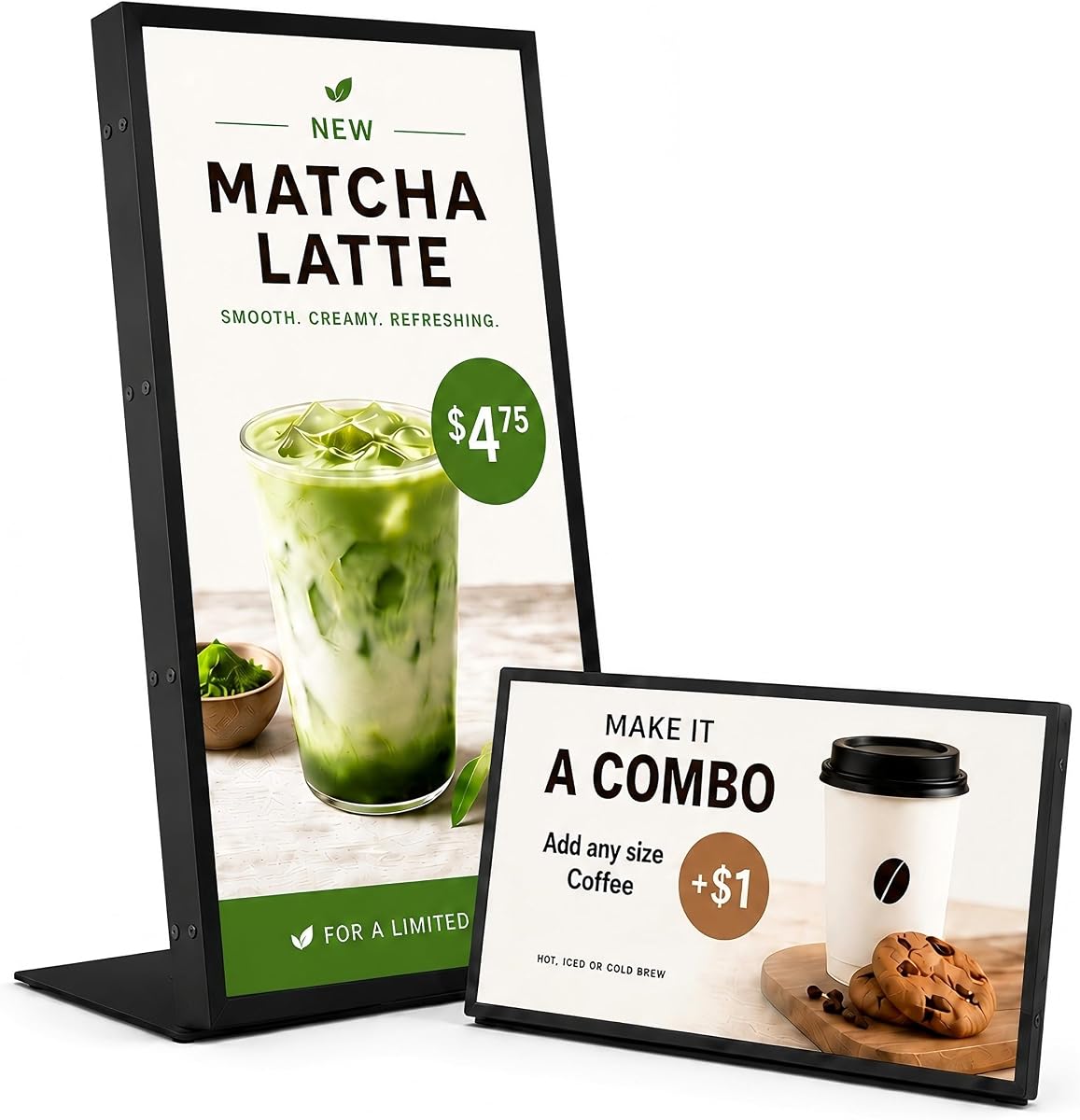


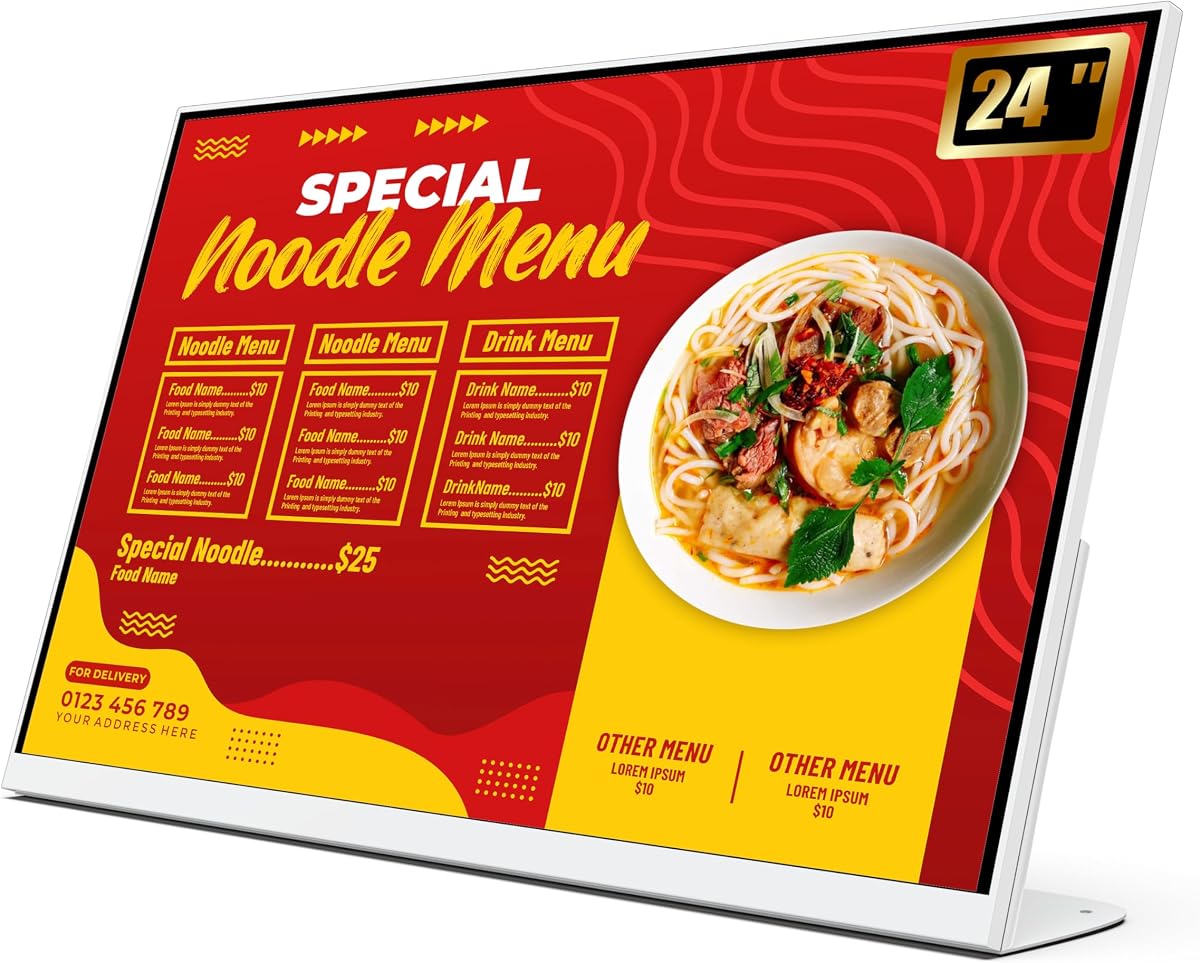
This 24-inch model stands out as our top choice with a perfect rating from users who appreciate its clarity and reliability. It balances size and functionality ideally for counters where customers need to read menus clearly without glare.
We may earn a commission when you buy through this link, at no additional cost to you.
The full HD resolution ensures that product images look sharp and appetizing which is crucial for food service environments. Its Android system allows for easy app installation while the CMS lets managers update items remotely from a phone or laptop.
While the unit is robust for daily use the initial setup requires some patience if you are new to digital signage systems. The lack of a remote control might be inconvenient if you prefer to adjust settings without plugging in a keyboard.
Business owners looking for a dependable countertop display should strongly consider this model for its combination of quality and ease of use.
The high contrast screen makes text easy to read even from a distance ensuring customers can make decisions quickly.
Content changes happen in real time through the CMS so you can promote daily specials without visiting every store location.
We may earn a commission when you buy through this link, at no additional cost to you.
Ideal for small businesses this unit offers a solid entry point into digital signage without demanding a large upfront investment. The lifetime free CMS is a major selling point that removes ongoing costs for software licenses or cloud access.
We may earn a commission when you buy through this link, at no additional cost to you.
Its brightness levels are sufficient for most indoor retail settings ensuring menus remain visible under standard lighting conditions. You can easily swap content via USB drive which is great for temporary promotions or daily specials without internet access.
The plastic housing feels less premium than larger commercial units but it remains functional for light to moderate traffic areas. Users note that assembling the stand takes some time so have tools ready upon unboxing the package.
If you need a cost-effective solution that handles basic menu rotation this device delivers good value for the price point.
The cloud CMS is provided at no extra charge allowing you to manage multiple screens without monthly billing.
USB support lets you load content directly on the device which is perfect for locations with unreliable internet connections.
We may earn a commission when you buy through this link, at no additional cost to you.
This large format display is engineered for high traffic areas where impact matters most and visibility from a distance is key. The 4K resolution paired with 1000 nits brightness ensures that detailed graphics and text remain crisp even in well-lit spaces.
We may earn a commission when you buy through this link, at no additional cost to you.
You can split the screen into multiple zones to show different types of content simultaneously such as menus and social media feeds. The built-in Android OS supports Google Play Store apps allowing you to install custom widgets or streaming services directly on the screen.
While the visual performance is outstanding the physical footprint requires careful planning to ensure it fits your venue layout properly. It is also heavy so professional mounting is recommended to avoid strain on the unit or wall over time.
For flagship locations needing maximum attention this screen offers enterprise level features in a consumer friendly package.
The wide viewing angle and high pixel count make content look vibrant from any seating position in your lobby.
Multiple zones allow you to prioritize different information without crowding the screen keeping the interface clean.
We may earn a commission when you buy through this link, at no additional cost to you.
Portability defines this model as it includes wheels that allow you to move the screen between rooms or events with ease. This flexibility is particularly useful for businesses with multiple zones like hotels that need to reposition signage for different hours.
We may earn a commission when you buy through this link, at no additional cost to you.
The auto loop playback ensures content runs continuously without manual intervention which saves staff time during busy shifts. Timed on and off settings help conserve energy by automatically shutting down the display when the business closes.
The CMS is functional but lacks advanced visual design tools found in higher end systems so content must be pre prepared. Users should also ensure the wheel locks are secure before leaving the unit unattended in public spaces.
Event planners and mobile service providers will find this unit exceptionally convenient for changing layouts quickly.
The foldable chassis and wheels make it easy to store the unit in a closet when not in use.
Set specific hours for operation so the device does not run unnecessarily during closed hours to save electricity.
We may earn a commission when you buy through this link, at no additional cost to you.
This media player is designed to simplify content creation with AI driven tools that help non designers build professional looking slides. It connects to any HDMI display allowing you to repurpose existing televisions into digital menu boards instantly.
We may earn a commission when you buy through this link, at no additional cost to you.
The video gallery offers over 250000 stock options which saves time and money on custom asset production. You can also load YouTube videos directly ensuring you stay current with trending content formats without complex editing steps.
Because it is a player and not a full monitor you will need to buy a screen separately if you do not have one. The free plan covers basic needs but unlocking all design features requires a subscription which increases ongoing costs.
Creative teams needing quick design support without hiring a designer will appreciate the integrated studio tools.
The template builder helps you generate professional layouts quickly using automated design logic and suggestions.
Connect any HDMI enabled TV to turn it into a digital board without buying dedicated display hardware.
We may earn a commission when you buy through this link, at no additional cost to you.
This compact unit is perfect for close range viewing where customers might tap to browse options or request items directly. The responsive touchscreen adds an interactive layer to service counters making the user experience more engaging than static displays.
We may earn a commission when you buy through this link, at no additional cost to you.
Its small footprint leaves plenty of room on busy counters for POS systems or condiments while still displaying key information. You can transfer content via USB and manage schedules from a connected phone ensuring menus stay fresh daily.
Text sizes can be tricky for some users so designing content with larger fonts is recommended for clarity. The screen is not designed for outdoor use so direct sunlight may wash out colors if placed near windows.
Retailers and reception desks looking for a personal touch station will find this model highly effective.
Touch capability allows users to swipe through menus easily encouraging deeper engagement with your products.
The narrow base fits comfortably on small desks without obstructing staff workflow or customer interaction.
We may earn a commission when you buy through this link, at no additional cost to you.
Built for checkout zones this screen withstands daily wear and tear while displaying promos to customers waiting to pay. The tempered glass front adds a protective layer that keeps the display looking clean and scratch free over time.
We may earn a commission when you buy through this link, at no additional cost to you.
You can switch between landscape and portrait orientations to fit different counter layouts ensuring information is always readable. The metal housing provides stability and durability which is essential in busy retail or cafe environments with constant traffic.
The lack of touch functionality means it is strictly for viewing rather than interactive ordering tasks. Staff may find the stand orientation limited if they need to tilt the screen for better viewing angles during peak hours.
Merchants needing a rugged display for high traffic counters will appreciate the solid construction and reliable operation.
The glass front resists smudges and minor impacts keeping the screen readable without constant cleaning.
Switch modes easily to match vertical posters or horizontal menus based on your counter space availability.
We may earn a commission when you buy through this link, at no additional cost to you.
This screen offers a balanced size for medium to large meeting rooms where visibility is key without overwhelming the space. The ultra slim profile allows for gap free wall mounting which creates a sleek look in modern professional environments.
We may earn a commission when you buy through this link, at no additional cost to you.
With a long operational lifespan it is built for continuous use in hotels or offices where screens often run for hours daily. Interactive zones let you show different feeds like calendar events and menus side by side for better information flow.
Reliability varies slightly among users so checking warranty terms is advisable before committing to a permanent installation. You will need to purchase mounting brackets separately if you plan to attach it securely to a wall surface.
Facility managers needing a reliable large format display for lobbies should weigh the installation requirements carefully.
The 50000 hour design ensures the unit lasts for years of daily use without needing replacement.
Interactive zones help organize content so viewers get both entertainment and utility from one screen.
We may earn a commission when you buy through this link, at no additional cost to you.
Designed for automation this player schedules posts instantly to reduce the need for manual content uploads during busy shifts. The cloud interface allows you to manage multiple locations from a single dashboard for consistent messaging across sites.
We may earn a commission when you buy through this link, at no additional cost to you.
The Canvas Designer simplifies menu creation without requiring external software so you can build boards directly in the browser. AI image enhancement tools help improve lower quality photos ensuring they look sharp on 4K displays before you publish them.
Initial setup involves account creation and linking devices which might delay immediate deployment if you are in a hurry. Some advanced features require a paid upgrade which adds to the overall cost of ownership beyond the base price.
Retailers managing multiple stores with limited staff time will find the automation features particularly helpful.
Set up schedules once and let the system handle daily content updates without staff intervention.
Integrated tools mean you do not need to hire designers for routine menu changes or promotions.
We may earn a commission when you buy through this link, at no additional cost to you.
This player is engineered for reliability with a watchdog system that monitors performance to prevent playback interruptions during business hours. The generous RAM ensures that even heavy graphics load smoothly without stuttering or lag.
We may earn a commission when you buy through this link, at no additional cost to you.
Local caching stores content on the device so the screen continues to show menus even if the internet connection fails temporarily. This redundancy is vital for businesses that cannot afford downtime in their marketing displays during peak times.
The device does not have a speaker so you will need an external audio solution if sound is part of your content strategy. You must also ensure you have a stable internet connection for initial cloud sync and subsequent updates.
Businesses prioritizing uptime and performance should choose this model for its robust hardware and fail-safe features.
The watchdog system automatically restarts the player if it detects a freeze ensuring continuous operation.
Local cache keeps content running even when network connectivity is lost so customers see information at all times.
We may earn a commission when you buy through this link, at no additional cost to you.
Selecting the right display involves balancing screen size brightness and features with your specific operational needs and budget constraints.
Choose a size that matches your viewing distance. Small counters benefit from 10 to 20 inches while larger lobbies require 50 inches. High resolution ensures text remains legible and images look sharp.
Aim for at least 1080p resolution for professional clarity.
Brighter displays perform better in well-lit areas. Look for at least 700 nits for indoor use to overcome ambient light glare. Higher brightness ensures your content stays visible throughout the day.
Prioritize high nit ratings if placing screens near windows.
A good CMS allows you to update menus without technical skills. Check for cloud access so you can change items remotely from a phone. Some systems include design tools to simplify content creation.
Verify that the CMS supports real time updates and scheduling.
Ensure the display supports HDMI USB and Ethernet or WiFi. Multiple ports offer flexibility for connecting various media sources. Reliable internet connection is key for cloud based management.
Check that USB support allows local offline playback for backups.
Commercial displays should run 24 by7 without overheating. Look for metal housings and tempered glass for physical protection. Warranty terms often indicate the manufacturer confidence in longevity.
Select units rated for continuous commercial use rather than consumer home TV.
Decide between countertop stands and wall mounts. Tabletop units are portable while wall mounts save space. Verify that mounting kits are included or easily sourced.
Choose a format that fits your existing layout without obstruction.
Some systems have subscription fees for software updates. Others offer lifetime free plans which save money over time. Consider both hardware costs and long-term licensing fees.
Calculate total cost of ownership before purchasing.
Interactive screens allow customers to browse menus themselves. Touch capability works well for smaller stations where staff are busy. Ensure the interface is intuitive for quick user navigation.
Decide if touch adds value or complicates your workflow.
Install the unit on a stable surface and connect it to your power source and internet router. Follow the initial setup guide to link the device with your content management account.
Upload your first menu files or use templates provided in the system. Schedule regular updates to keep content fresh and ensure all pricing information is current.
Clean the screen with a soft cloth to avoid scratching the surface. Keep vents clear of dust to ensure proper cooling and consistent performance during long hours.
Yes digital displays use electricity but energy-efficient models are designed to minimize costs. Using power scheduling features helps reduce usage during closed hours saving money. Over time the savings from reduced printing costs often offset energy usage.
Most modern digital signage systems support cloud-based management. This allows you to change content on multiple screens simultaneously. It ensures consistency across locations without needing to update each device manually.
Many devices have local storage caching. This allows the display to keep showing saved content even without internet access. Once the connection is restored it will sync new updates automatically.
Yes commercial grade monitors are recommended for continuous use. They have higher durability ratings and better brightness than standard TVs. Using a consumer TV might lead to faster burn-in or wear.
Yes you can upload your own videos and images via USB or cloud. Most systems support common formats like MP4 and JPG. This gives you flexibility to brand content exactly as needed.
Commercial units are rated for around 50000 hours of operation. With proper care they can last for many years in daily use. Warranty terms often cover defects for the first few years.
We recommend the 24 Inch Desktop model for most businesses needing a balance of clarity and management tools. It offers top rated performance and reliable updates for daily use.
Focus on brightness and CMS features to ensure your menus stay visible and easy to update. These factors determine long-term success more than price alone.
Always check current availability and verify specs before buying to ensure the model fits your needs today.