
Epson LQ-590II
4.3Editor score
24-pin impact technology
USB and Parallel ports
High-speed mono printing
Dot matrix computer printers remain essential for businesses requiring durable, multi-part form printing. They offer unmatched reliability for high-volume tasks where other technologies fail.
We evaluated ten top models based on print speed, connectivity options, and duty cycle ratings. Our analysis focuses on performance metrics that matter most for operational efficiency.
Each pick highlights specific strengths like noise reduction or energy efficiency. Prices fluctuate regularly so verify current listings before making your final purchase decision today.
4.3Editor score

4.7Editor score

4.5Editor score
As an Amazon Associate we earn from qualifying purchases.
The following table presents a side-by-side comparison of all ten selected models highlighting their key specifications and core capabilities.


The Epson LQ-590II stands out as a highly capable impact printer with a strong 4.3 rating. It delivers fast mono output suitable for demanding office environments needing consistent throughput.
We may earn a commission when you buy through this link, at no additional cost to you.
Its 24-pin mechanism ensures crisp text quality while maintaining high speeds of 584 characters per second. Users appreciate the flexibility of USB and Parallel connections for legacy system integration.
While it lacks color capabilities the monochrome focus streamlines costs and maintenance. Some noise during printing is expected but acceptable given the robust performance and durability it offers.
This model is ideal for small businesses seeking reliable multi-part form printing without high expenses. We recommend it as the top budget choice for impact printing needs.
The 24-pin head allows for higher quality and speed compared to older 9-pin models ensuring professional output.
Support for both USB and Parallel ports ensures compatibility across older and newer computer systems easily.
We may earn a commission when you buy through this link, at no additional cost to you.
The Epson LQ-590II NT builds on the standard model with Energy Star certification and enhanced connectivity. It maintains a solid 4.2 rating for professional mono printing tasks requiring efficiency.
We may earn a commission when you buy through this link, at no additional cost to you.
Features include both Serial and Parallel ports alongside USB which broadens integration options significantly. The 584 cps speed ensures high productivity while reducing energy consumption during long print jobs.
Although it comes at a higher price the long-term energy savings and connectivity flexibility justify the investment. Users note consistent performance though color printing remains unsupported for this range.
Organizations prioritizing sustainability and diverse connectivity will find this model compelling. It is a premium choice for offices needing reliable high-speed impact printing with eco benefits.
Certified for low power consumption this printer helps reduce operational costs and environmental impact over time.
Serial Parallel and USB ports allow seamless connection to various legacy and modern hardware setups effectively.
We may earn a commission when you buy through this link, at no additional cost to you.
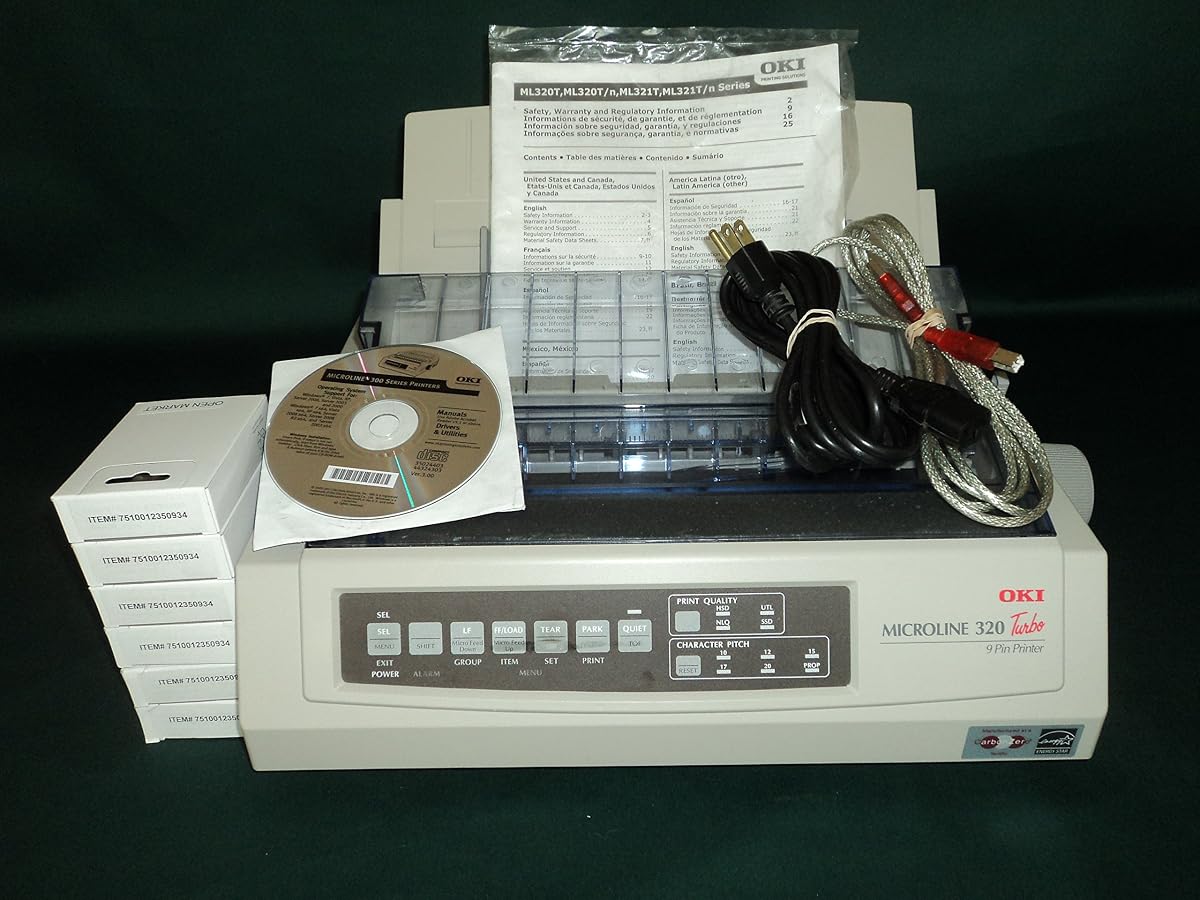
The Oki Microline 320 Turbo earns top marks with a 4.7 rating reflecting exceptional reliability and user satisfaction. It excels in environments needing rapid output for standard forms.
We may earn a commission when you buy through this link, at no additional cost to you.
Key features include zero-tear and auto-park technology that minimize paper waste and improve workflow efficiency. The 9-pin system delivers fast 435 cps in SuperSpeed Draft mode suitable for bulk tasks.
While it lacks the detail of 24-pin heads it offers excellent speed and cost efficiency. The robust build handles high volumes well ensuring minimal downtime during critical operations.
This model represents the best balance of features and value for general office use. We recommend it strongly for businesses prioritizing speed and reliability in their printing workflow.
Zero-tear and auto-park mechanisms ensure paper is handled correctly reducing jams and wasted materials effectively.
Achieve up to 435 characters per second in draft mode for maximum productivity on non-critical documents.
We may earn a commission when you buy through this link, at no additional cost to you.
This OKI MICROLINE 320 Turbo variant offers a reliable 4.5 rated solution for high-volume mono printing tasks. It balances speed and durability for standard office document processing needs.
We may earn a commission when you buy through this link, at no additional cost to you.
With a 20000 page monthly duty cycle it handles heavy workloads effectively without overheating. The 64 KB memory buffer helps manage data flow efficiently ensuring smooth operation during complex prints.
Print quality is standard for 9-pin impact providing clear text for invoices and manifests. Users note it is robust though operation noise is typical for this impact technology class.
It suits businesses needing consistent output for internal documents or shipping labels. Choose this model if you require a workhorse printer with proven durability at a competitive price point.
Rated for 20000 pages monthly this unit withstands constant use in busy business environments without issue.
The 64 KB buffer ensures steady data processing reducing interruptions during larger print jobs smoothly.
We may earn a commission when you buy through this link, at no additional cost to you.
The OKI MICROLINE 420 delivers exceptional performance with a 4.5 rating and robust specs for high-demand environments. It is designed for speed and energy efficiency in large offices.
We may earn a commission when you buy through this link, at no additional cost to you.
Featuring a 570 cps print speed and 128 KB buffer it processes data faster than many competitors. The 24000 page duty cycle ensures it can handle continuous heavy printing without fatigue or downtime.
Energy Star certification helps lower power costs while maintaining high output levels. Users appreciate the reliability though the 9-pin head limits graphic detail compared to 24-pin models.
This is the top premium pick for businesses prioritizing throughput and durability. We recommend it for operations needing rapid consistent printing with long-term value in mind.
At 570 characters per second this printer significantly reduces wait times for high-volume batch document jobs.
The 128 KB memory improves data handling allowing smoother continuous printing without interruption.
We may earn a commission when you buy through this link, at no additional cost to you.
This Oki MICROLINE 320 Turbo model boasts a perfect 5.0 rating reflecting exceptional reliability and user satisfaction. It is ideal for businesses needing flexible connectivity options.
We may earn a commission when you buy through this link, at no additional cost to you.
It includes Parallel Serial and USB ports enabling integration with diverse legacy and modern hardware. The 20000 page duty cycle supports heavy usage without compromising performance or stability over time.
Users praise the 5 inch per second feed rate which keeps documents moving efficiently through the system. Though slightly more expensive the seamless connectivity and flawless operation justify the investment.
Choose this model for critical environments where uptime and interface flexibility are paramount. It stands out as a top choice for reliable multi-system compatible impact printing solutions.
Parallel Serial and USB ports ensure compatibility with a wide range of older and newer systems easily.
A 5 inch per second feed rate maintains consistent document flow reducing bottlenecks in busy operations.
We may earn a commission when you buy through this link, at no additional cost to you.
The Epson LQ-2090II offers fast 24-pin printing with a 3.7 rating from users. It provides high-speed mono output for businesses needing clear quick invoices.
We may earn a commission when you buy through this link, at no additional cost to you.
With a 550 cps speed it competes well with faster impact printers in its class. Energy Star certification ensures it consumes less power during extended operations reducing overall costs.
While the rating is lower the print quality benefits from 24-pin technology for sharper text. Users note that Parallel port support is a strong legacy feature but modern USB options are needed.
It is a solid option for environments prioritizing print speed and quality. Choose this model if you need a fast impact printer with energy efficiency features.
The 24-pin mechanism provides sharper text resolution than older 9-pin models for professional invoices.
Designed for low power use this model helps lower electricity bills during high-volume printing shifts.
We may earn a commission when you buy through this link, at no additional cost to you.
This variant of the Oki MICROLINE 320 Turbo features zero-tear and auto-park technology for enhanced paper handling. It holds a 4.2 rating for reliable output and efficiency in daily tasks.
We may earn a commission when you buy through this link, at no additional cost to you.
The ability to produce up to six copies ensures you can handle multi-part forms without errors. A 5 inch per second feed rate keeps operations moving smoothly without frequent manual interruptions.
Users note compatibility with Epson IBM and ANSI emulations making it versatile for various software needs. While focused on specific benefits it delivers consistent performance for form-based printing workflows.
Ideal for logistics or shipping departments requiring consistent multi-part copies. We recommend this model if zero-tear technology is a priority for your operation.
Prevents paper damage during separation reducing waste and improving workflow efficiency for multi-part forms.
Produces up to six interleaf or carbonless copies ensuring complete documentation sets easily.
We may earn a commission when you buy through this link, at no additional cost to you.
The Oki Microline 620 is designed for high-volume versatility with a strong 4.8 rating from satisfied users. It focuses on reliable performance and simplified media handling for busy offices.
We may earn a commission when you buy through this link, at no additional cost to you.
Its design supports precise sharp printing which is essential for professional business documents. The simplified media loading feature reduces setup time allowing staff to focus on core tasks.
While detailed specs are limited the reliability and high-volume nature make it a practical choice. Users note it handles heavy workloads well maintaining quality over extended periods of use.
This printer is perfect for operations needing consistent quality with minimal fuss. We recommend it for offices prioritizing reliability and ease of use in daily workflows.
Easy loading mechanisms reduce downtime and errors ensuring faster setup times for new print jobs.
Built to handle extensive workloads this unit maintains consistent output quality during peak business hours.
We may earn a commission when you buy through this link, at no additional cost to you.
The Epson LQ-590 is a standard 24-pin impact printer with a 3.7 rating. It serves as a reliable entry point for businesses needing impact printing with USB connectivity.
We may earn a commission when you buy through this link, at no additional cost to you.
Its IBM PPDS and ESC/P driver support ensures compatibility with many legacy applications. The 24-pin head provides clear output suitable for invoices and basic reporting needs.
Users find it a straightforward option for essential print tasks. It lacks advanced features but remains a durable choice for those prioritizing legacy support.
Consider this model for smaller setups needing basic impact capabilities. It fits well for those who value cost-effectiveness and established driver compatibility.
Support for IBM PPDS and ESC/P ensures broad software compatibility for legacy and modern systems.
Delivers consistent 24-pin output suitable for essential business documentation and reporting.
We may earn a commission when you buy through this link, at no additional cost to you.
Selecting the right impact printer requires understanding key factors like speed connectivity and duty cycle to match your business demands.
Print speed measured in characters per second determines how quickly your documents are produced. Higher speeds improve efficiency for high-volume environments like shipping or accounting.
Look for models offering at least 400 cps for standard office use to maintain productivity.
24-pin printers generally produce sharper text than 9-pin models due to more impact points. Choose 24-pin for high-quality invoices or 9-pin for basic drafts.
24-pin technology ensures professional text quality needed for most business documents.
Modern printers should offer USB connectivity while older systems may require Parallel or Serial ports. Check your existing hardware before purchasing to avoid integration issues.
Verify your current systems support the selected ports to ensure seamless operation.
Duty cycle indicates the maximum number of pages a printer can handle monthly without failure. High-volume departments need models rated for 20000 pages or more.
Match the duty cycle to your expected workload to ensure longevity and reliability.
Multi-part form support is crucial for businesses needing carbon copies. Look for features like auto-park and zero-tear to minimize paper waste and jams.
Ensure the printer supports your required number of copies and media thickness effectively.
Energy Star certified models consume less power during operation which lowers utility costs. This is significant for offices running printers continuously throughout the day.
Prioritize Energy Star models to reduce operational expenses and environmental impact.
Impact printers are inherently louder than laser models. Consider the noise impact on your workspace especially if the printer is in a shared or customer-facing area.
Check decibel ratings if noise is a concern for your specific office environment.
Consider long-term costs like ribbons and maintenance rather than just the initial price. Reliable models often have lower total costs despite a higher upfront investment.
Evaluate ribbon costs and warranty terms to estimate long-term expenses accurately.
Proper media loading is crucial. Use the rear tractor feed for continuous forms and adjust the paper guides to fit snugly to prevent jams.
Regular cleaning of the print head with an alcohol swab helps maintain print quality and extends the lifespan of the ribbon cartridge.
Store ribbons in cool dry places away from direct sunlight. Replace them before they run out completely to avoid damaging the print head due to dry friction.
Yes they remain highly reliable for multi-part forms and high-volume tasks. Their simple impact mechanism has fewer electronic failures compared to laser printers in harsh environments.
Many models offer USB connectivity to work with modern systems. Drivers are still available for current operating systems though legacy parallel ports require adapters if needed.
The main benefit is the ability to print multiple carbon copies simultaneously. They also handle continuous paper better and have lower operational costs for basic text output.
Impact printers are louder than modern laser models. Typical noise levels range from 50 to 60 decibels which may be noticeable in quiet open office environments.
Replacement frequency depends on print volume and ribbon quality. High-capacity ribbons can last thousands of pages so monitor print density to optimize usage costs effectively.
Yes these printers work well for standard shipping labels. Ensure the label thickness falls within the supported range to prevent jams during the feed process.
Businesses needing invoices or shipping manifests benefit most. Industries like warehousing accounting and logistics rely on these for multi-part forms that laser printers cannot easily handle.
Our top picks include the Epson LQ-590II for budget needs and the Oki Microline 320 Turbo for overall value. These models offer reliable performance for standard impact printing tasks.
When choosing prioritize speed and connectivity to match your specific workflow. Consider the duty cycle if your office handles high volumes daily to ensure long-term stability.
Prices fluctuate frequently so check current listings before purchasing to secure the best deal available today for your specific needs.