
Brother HL-L2460DW
4.0Editor score
Dual-band wireless and Ethernet
36 pages per minute speed
Automatic duplex printing support
This guide compares the top Ethernet laser printers for offices and homes, evaluating speed, security, and connectivity to help you choose the best network
Ethernet laser printers provide reliable, high-speed document output for professional environments. They ensure stable connectivity without wireless interference and support multiple users on a network simultaneously with consistent performance.
We evaluated ten top models based on print speed, network features, security protocols, and overall value. Each selection balances performance with cost to meet the diverse needs of small teams and home offices requiring durable solutions.
Each pick highlights key strengths like duplex capabilities, paper handling, and mobile support. Prices fluctuate frequently so verify current costs before purchasing. We focus on verified specifications to ensure you make an informed decision for your workspace.
4.0Editor score

4.4Editor score

4.2Editor score
The following table compares all ten selected models across critical specifications like print speed, connectivity options, and paper capacity. Use this side-by-side view to quickly identify which printer aligns best with your specific networking and volume requirements.



The Brother HL-L2460DW earns its top spot by balancing speed, connectivity, and cost effectively. It delivers sharp monochrome output and includes essential Ethernet features for stable network printing without relying solely on Wi-Fi. Its compact footprint fits small desks while supporting high-volume tasks efficiently.
We may earn a commission when you buy through this link, at no additional cost to you.
Its standout qualities include a robust 36 pages per minute speed and flexible connectivity options like Ethernet and dual-band Wi-Fi. The included refresh subscription trial helps manage toner costs, ensuring you never run out mid-project. Built-in duplex printing saves paper and time automatically for daily workflows.
Honest trade-offs involve a simple control interface and limited paper capacity compared to enterprise models. While it lacks advanced security protocols, its core features are reliable for standard office needs. The trade-offs remain acceptable given its affordable positioning and consistent performance.
Small businesses or home offices seeking a dependable network printer should prioritize this model. Its ability to connect via Ethernet ensures stability during critical tasks. For users needing fast, consistent black and white prints, this is a practical choice.
Ethernet connectivity ensures a stable connection for consistent output even in high-interference environments. This reduces downtime and maintains productivity for shared office networks.
The refresh subscription service offers substantial savings on genuine toner. This model helps manage ongoing supply costs without sacrificing print quality or reliability.
We may earn a commission when you buy through this link, at no additional cost to you.
The HP LaserJet M207dw offers solid network reliability with built-in Ethernet and strong security protocols. It is designed for small teams needing consistent output and protection against cyberattacks. Its dual-band Wi-Fi with self-reset ensures uninterrupted connectivity even in fluctuating network conditions.
We may earn a commission when you buy through this link, at no additional cost to you.
Key strengths include its robust security features and the ability to print from various devices seamlessly. The self-resetting Wi-Fi resolves connectivity issues automatically, reducing IT overhead. Ethernet support ensures a stable link for critical documents requiring precise transmission.
Trade-offs include a slower 28 pages per minute speed and limited tray capacity compared to faster models. These are acceptable for lower-volume teams prioritizing security and ease of use over raw throughput. The compact design fits easily into tight office spaces.
Teams prioritizing security and stable connectivity should consider this model. Its ability to self-reset Wi-Fi and include Ethernet makes it versatile for mixed environments. It balances professional needs with user-friendly management features effectively.
Built-in security features protect your printer from potential attacks and safeguard sensitive documents. This is critical for offices handling confidential business information regularly.
Dual-band Wi-Fi with self-reset ensures the device stays online without manual intervention. This reduces downtime and maintains smooth operations for shared printing tasks.
We may earn a commission when you buy through this link, at no additional cost to you.
The HP LaserJet Pro 4001dn stands out for its blazing 42 pages per minute speed and robust security features. It is ideal for small teams needing rapid output and advanced data protection. Ethernet connectivity ensures a stable wired link for consistent performance across multiple users.
We may earn a commission when you buy through this link, at no additional cost to you.
Its standout qualities include HP Wolf Pro Security with customizable settings to protect data and information. The fast first page out time minimizes wait times for urgent documents. Ethernet support ensures a reliable connection for networked environments where wireless signals may be unstable.
Honest trade-offs involve the lack of wireless connectivity and higher initial price compared to budget models. These are acceptable for users prioritizing speed, security, and wired stability over flexibility. The model focuses on professional requirements for reliable business operations.
Small teams requiring fast, secure, and stable network printing should choose this model. Its Ethernet connection ensures reliability for critical workflows. For users prioritizing throughput and data protection, this is a top professional choice.
With 42 pages per minute, this printer clears backlogs quickly during busy periods. High-speed output minimizes waiting and keeps workflows moving efficiently for multiple users.
HP Wolf Pro Security protects your printer from potential attacks with customizable settings. This ensures sensitive business information remains secure during transmission and storage.
We may earn a commission when you buy through this link, at no additional cost to you.
The Brother DCP-L2640DW combines printing, scanning, and copying with essential Ethernet connectivity. It serves small businesses needing versatile multifunction capabilities without sacrificing network stability. Its 50-page auto document feeder streamlines multi-page scanning and copying tasks efficiently.
We may earn a commission when you buy through this link, at no additional cost to you.
Its standout qualities include high-speed scanning and flexible connectivity options like dual-band Wi-Fi and Ethernet. The mobile app allows remote management, enabling users to track toner or print from anywhere. Ethernet support ensures reliable connection for networked document handling.
Honest trade-offs involve variable scan speeds depending on mode and limited paper capacity compared to dedicated printers. These are acceptable for small offices needing all-in-one functionality. The convenience outweighs minor speed variations for most daily tasks.
Small businesses needing print, scan, and copy functions should prioritize this model. Its Ethernet and Wi-Fi options ensure seamless integration. For users valuing versatility and mobile management, this is a highly capable multifunction choice.
The 50-page auto document feeder handles multi-page scanning without manual intervention. This saves significant time for digitizing contracts or reports efficiently.
The mobile app allows you to track toner and manage tasks remotely. This ensures you can monitor operations and order supplies without being physically present.
We may earn a commission when you buy through this link, at no additional cost to you.
The HP LaserJet Pro 3001dw offers robust network flexibility with Ethernet and Bluetooth connectivity. It is designed for teams needing secure data protection and fast wireless performance. Its intelligent Wi-Fi ensures the best connection remains active for consistent output.
We may earn a commission when you buy through this link, at no additional cost to you.
Its standout qualities include HP Wolf Pro Security with customizable settings and multi-device compatibility. The Ethernet and Bluetooth options allow versatile integration into modern workspaces. Intelligent Wi-Fi automatically detects the best connection to stay online and ready.
Honest trade-offs involve a higher price point and limited paper capacity compared to larger models. These are acceptable for users prioritizing security and wireless flexibility. The investment ensures reliable protection against potential cyber threats.
Small teams needing secure, versatile network printing should choose this model. Its Bluetooth and Ethernet options enable seamless device access. For users prioritizing security and speed, this is a solid professional choice.
Intelligent Wi-Fi looks for the best connection to stay online. This ensures consistent output even when network signals fluctuate in busy environments.
HP Wolf Pro Security with customizable settings protects your data. This safeguards documents from potential cyberattacks during transmission and storage.
We may earn a commission when you buy through this link, at no additional cost to you.
The Brother HL-L2405W delivers solid performance for home offices with reliable Ethernet and Wi-Fi connectivity. It ensures stable printing without relying solely on wireless networks. Its compact design fits small spaces while supporting essential daily printing needs efficiently.
We may earn a commission when you buy through this link, at no additional cost to you.
Its standout qualities include dual-band wireless and Alexa voice control support. The Ethernet connection ensures a stable link for critical documents. Mobile printing allows you to manage tasks remotely and track toner usage easily.
Honest trade-offs involve slower speeds and a basic feature set compared to larger units. These are acceptable for home users prioritizing simplicity and stability. The compact footprint makes it ideal for limited desk space.
Home offices needing a compact, stable network printer should choose this model. Its Ethernet and Wi-Fi ensure reliable connectivity. For users prioritizing value and space-saving design, this is a practical choice.
Alexa support allows you to check status and print using voice commands. This adds convenience for home users managing documents hands-free.
Its compact footprint fits easily into small desks. This ensures you get professional performance without sacrificing valuable workspace.
We may earn a commission when you buy through this link, at no additional cost to you.
The HP LaserJet M404dn provides consistent high-quality output with built-in Ethernet for stable network printing. It is designed to help businesses grow by focusing on speed and reliability. Its energy-efficient design reduces consumption while maintaining robust daily performance.
We may earn a commission when you buy through this link, at no additional cost to you.
Its standout qualities include HP Wolf Pro Security built into the hardware. The Ethernet link ensures reliable connectivity without wireless interference. Fast first page out times minimize waiting for urgent tasks.
Honest trade-offs involve the lack of wireless connectivity and limited tray capacity. These are acceptable for wired office environments prioritizing stability. The energy efficiency reduces operational costs significantly over time.
Businesses needing a stable, fast wired printer should choose this model. Its Ethernet connection ensures reliable connectivity for shared workspaces. For users prioritizing speed and security, this is a solid professional choice.
Designed with the environment in mind, it saves up to 18 percent energy over prior products. This reduces utility costs and minimizes environmental impact.
Built-in hardware and firmware protection safeguards against cyberattacks. This ensures your printer remains secure even as threats evolve.
We may earn a commission when you buy through this link, at no additional cost to you.
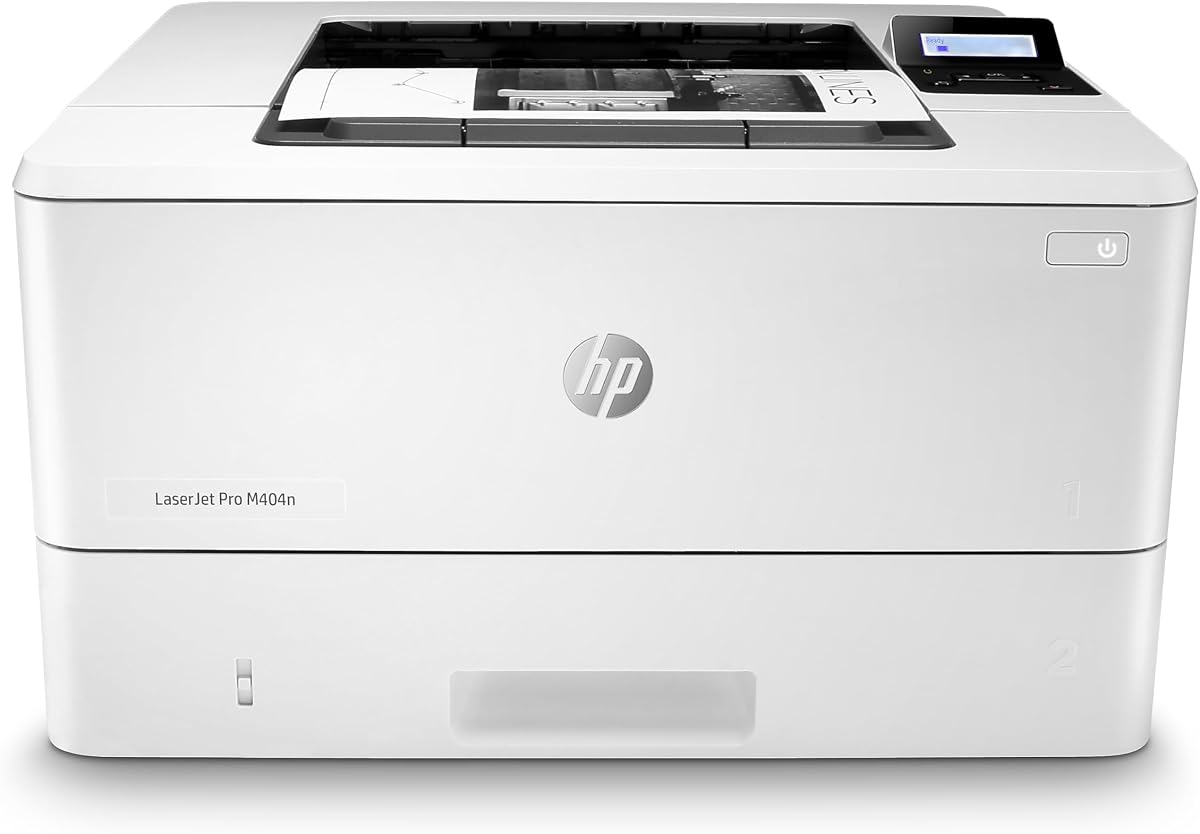
The HP LaserJet M404n is a focused workhorse designed for reliable Ethernet printing. It helps businesses stay forward by ensuring consistent output without complex features. Its built-in Ethernet allows easy resource sharing on local networks seamlessly.
We may earn a commission when you buy through this link, at no additional cost to you.
Its standout qualities include strong Wolf Pro Security and up to 40 pages per minute speed. The compact size fits shared work areas easily. Energy efficiency helps reduce waste over time.
Honest trade-offs involve the lack of duplex printing and wireless connectivity. These are acceptable for basic printing needs in wired environments. The focus on core reliability makes it a trusted choice.
Businesses needing a focused wired network printer should choose this model. Its Ethernet connection ensures stable performance for shared use. For users prioritizing speed and stability, this is a reliable professional choice.
Built-in Ethernet capabilities make it easy to share resources across your network. This enables seamless access for all team members on the same network.
Fast first page out times and 40 pages per minute speeds ensure productivity. This minimizes downtime and keeps tasks moving efficiently.
We may earn a commission when you buy through this link, at no additional cost to you.
The Brother HL-L5100DN increases productivity with a fast 42 pages per minute speed. It is designed to help teams focus on growth by handling large tasks quickly. Its Ethernet network interface ensures reliable shared access for all connected users.
We may earn a commission when you buy through this link, at no additional cost to you.
Its standout qualities include secure function lock and expandable paper capacity. The multi-purpose tray handles envelopes and alternative media types easily. Amazon Dash Replenishment readiness ensures you never run out of supplies unexpectedly.
Honest trade-offs involve a larger footprint and higher initial cost. These are acceptable for medium offices needing speed and capacity. The security features protect sensitive documents from unauthorized printing effectively.
Medium offices needing speed and expandability should choose this model. Its Ethernet support ensures seamless integration into existing networks. For users prioritizing throughput and security, this is a capable professional choice.
With optional add-on trays, capacity expands to over 1,300 sheets. This supports uninterrupted professional-grade printing without frequent refilling.
Secure function lock restricts unauthorized printing to protect sensitive documents. This ensures confidentiality for your most critical business papers.
We may earn a commission when you buy through this link, at no additional cost to you.
The Brother HL-6210DW dominates office tasks with an impressive 50 pages per minute output speed. It is designed for high-volume jobs requiring precision and efficiency. Its Gigabit Ethernet ensures maximum network performance for rapid data transfer.
We may earn a commission when you buy through this link, at no additional cost to you.
Its standout qualities include Triple Layer Security and expandable capacity up to 1,660 sheets. The high-yield toner cartridges reduce operational costs over time significantly. Dual-band wireless and Ethernet provide versatile connectivity options for modern workspaces.
Honest trade-offs involve a higher price and larger footprint than compact models. These are acceptable for enterprises needing speed and robust security. The investment ensures uninterrupted professional-grade performance over time.
Large offices needing speed, capacity, and security should choose this model. Its Gigabit Ethernet ensures seamless high-speed integration. For users prioritizing efficiency and protection, this is a top premium choice.
With 50 pages per minute, you can complete high-volume jobs efficiently. This speed minimizes wait times during peak printing periods significantly.
Advanced Triple Layer Security features protect network, devices, and documents. This ensures comprehensive protection during transmission and printing processes.
We may earn a commission when you buy through this link, at no additional cost to you.
Choosing the right Ethernet laser printer requires evaluating specific factors like speed, security, and paper capacity. Understanding these elements helps you select a model that fits your office workflow and budget effectively.
Print speed determines how quickly your documents are produced. For busy offices, look for models with at least 30 pages per minute to maintain productivity without bottlenecks. Higher speeds reduce waiting times for large multi-page reports or urgent tasks.
Focus on models that balance speed with cost to avoid overpaying for unused capacity. Faster printers often justify higher prices with time savings and lower wear from frequent start-stop cycles.
Ethernet provides a stable connection for shared workspaces where wireless signals might fluctuate. Ensure the printer supports standard Ethernet ports to integrate seamlessly with your existing network infrastructure. Some models also offer dual-band Wi-Fi or Bluetooth for extra flexibility.
Choose a model with the right mix of wired and wireless ports. Ethernet is critical for consistent output, while additional options allow mobile devices to connect easily.
Networked printers can be vulnerable to cyberattacks if not properly secured. Look for models with built-in hardware security like Wolf Pro Security or Triple Layer Security. These features protect data and ensure sensitive business information remains safe during transmission.
Prioritize printers with customizable security settings. This allows you to align protection protocols with your organization's policies without sacrificing daily usability for staff.
Paper capacity determines how much manual refilling is needed during work hours. For high-volume teams, choose models with 500 sheets or more. Expandable trays allow you to increase capacity later without buying a new device entirely.
Assess your typical monthly volume to decide on capacity needs. A model that matches your output prevents interruptions and keeps workflows moving efficiently through the day.
Automatic duplex printing saves paper and reduces costs over time. Look for printers that support two-sided printing without requiring manual intervention. This feature is essential for reducing waste and maintaining professional document presentation.
Ensure duplex is seamless and reliable. Poor duplex mechanisms can lead to jams or misaligned pages which disrupt productivity and increase maintenance costs.
Toner expenses often exceed the initial purchase price over the printer's lifespan. Look for models with high-yield options or subscription services that lower per-page costs. Check page yields for standard cartridges to estimate long-term operational budgets.
Consider subscription services if you have predictable print volumes. These plans often include delivery and discounts that keep costs predictable and manageable for small teams.
Modern workspaces require printing from tablets and smartphones seamlessly. Choose models with native mobile apps or support for AirPrint and Android. This ensures your staff can print from anywhere without complex driver installations.
Verify that the mobile app offers remote management features. This allows you to track toner usage and manage settings without visiting the printer physically.
A strong warranty ensures you receive help if the device malfunctions unexpectedly. Look for at least a one-year limited warranty and free live chat or call support. Reliable support minimizes downtime during critical business periods.
Check if extended service plans are available for high-use environments. These plans often cover hardware repairs and ensure your investment remains secure for years.
Connect the printer to your network using an Ethernet cable to ensure a stable link. Follow the on-screen menu to configure your IP address and verify connectivity with a test print. This prevents common wireless interference issues that slow down daily operations.
Regularly clean the exterior and feed rollers to avoid paper jams. Remove dust with a soft cloth and check for debris in the paper trays. Proper maintenance extends the printer's lifespan and ensures consistent output quality.
Monitor toner levels using the provided software or mobile app. Order replacements before the current cartridge runs out completely to avoid interrupting critical tasks. Keeping supplies stocked ensures your printer is always ready when you need it.
Ethernet printers offer a stable connection that reduces interference and ensures consistent output. This is vital for offices handling large jobs where wireless drops could disrupt workflow. Ethernet also allows easier integration into secure corporate networks.
Laser printers handle higher volumes efficiently with lower per-page costs. They offer faster speeds and better durability for daily business tasks. Inkjet may suffice for home use but struggles with large shared workloads.
Most models in this list support automatic duplex printing to save paper. However, some budget units might require manual flipping. Check specifications for built-in automatic two-sided capabilities.
Look for built-in hardware security like Wolf Pro Security or Triple Layer Security. These features protect data and block unauthorized access. Encryption during transmission ensures documents remain private on shared networks.
Many modern printers block non-OEM cartridges via firmware updates. Using non-genuine toner may void warranties or cause errors. Check the brand's policy before purchasing third-party supplies.
For home offices, 250 sheets is typically sufficient. For teams of 5-10 people, choose models with 500 sheets or expandable trays. Higher capacity reduces interruptions during busy workdays.
Most models listed are compatible with both Mac and Windows. Check the support page to ensure drivers match your OS version. AirPrint support also simplifies setup for Apple devices.
Clean the exterior weekly and check feed rollers monthly. Use a soft cloth to remove dust that causes jams. Regular maintenance prevents common issues and maintains print quality.
This guide highlights ten top Ethernet laser printers balancing speed, security, and connectivity. Models like the Brother HL-L2460DW and HP LaserJet Pro 4001dn stand out for their reliability and features. Choose based on your specific office needs and budget.
Prioritize speed and Ethernet stability if you handle large volumes daily. Security features are essential for protecting sensitive data. Balancing cost with capacity ensures you get value without overspending on unused features.
Remember that prices fluctuate frequently so always check current costs before purchasing. Verify warranties and toner availability to avoid surprises. With the right model, your network printing will remain fast and reliable.