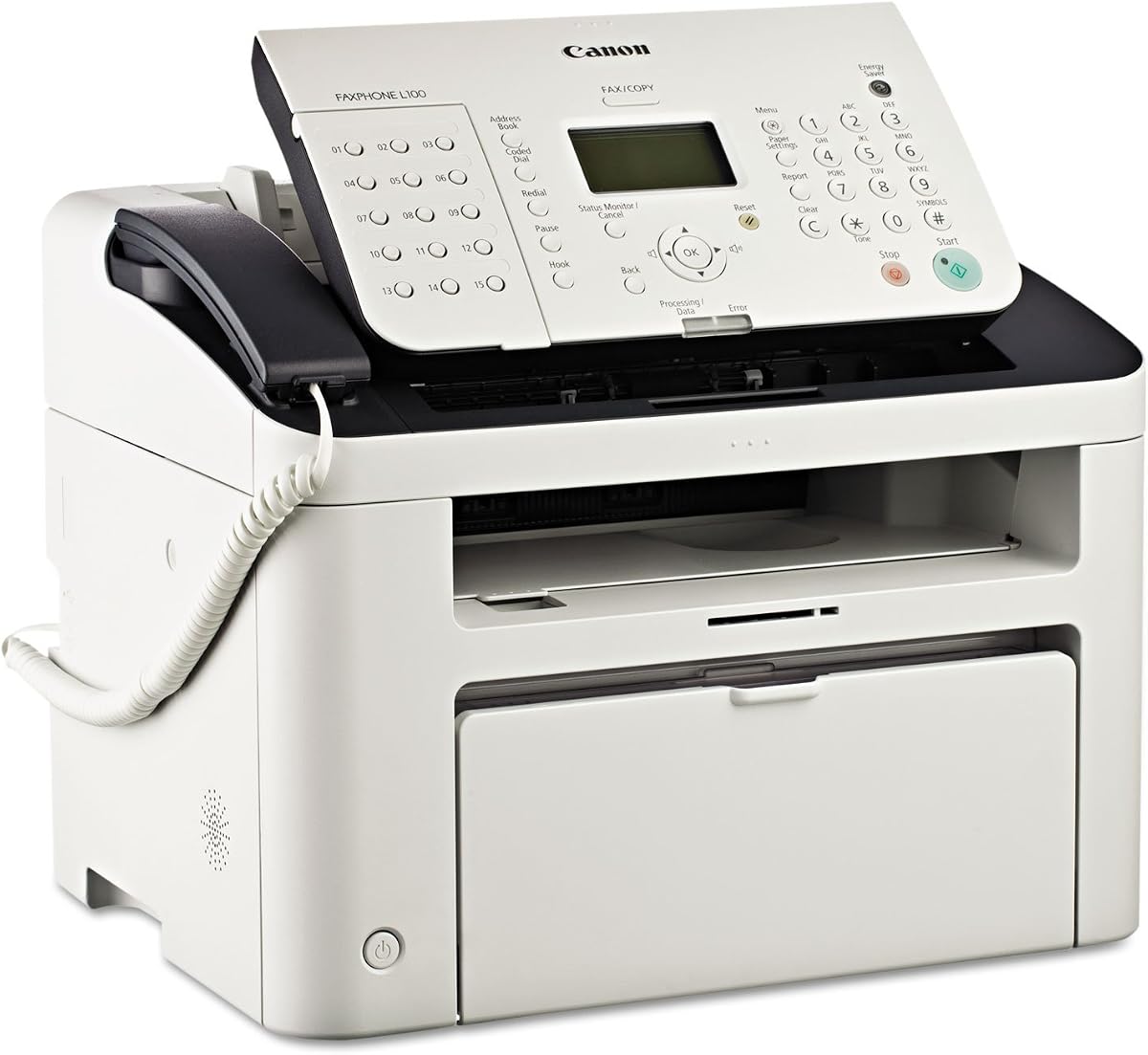
Canon FAXPHONE L100
4.1Editor score
Up to 19 ppm speed
150 sheet paper capacity
Includes telephone handset
Finding a reliable fax machine with phone capabilities is essential for businesses that need secure and direct communication channels. These devices combine printing, copying, and faxing into one unit while including a handset for calls. Choosing the right model ensures your office stays connected without unnecessary complexity or expensive monthly fees. We review key features to help you find a machine that fits your workflow perfectly.
We evaluated ten top-rated products based on performance, ease of use, and overall value. Each model was selected for its ability to handle daily fax loads and provide clear voice communication. Our analysis focuses on modem speed, memory capacity, and paper handling to ensure durability. You will see how each device performs in real-world office scenarios without hidden costs.
Each pick highlights specific strengths like laser quality, automatic feeders, or budget-friendly pricing. We include detailed pros and cons to give you a clear picture of what to expect. Prices and availability change frequently so check the latest offers before purchasing. This guide helps you make an informed decision for your business or home office setup.
4.1Editor score

4.4Editor score

4.0Editor score
As an Amazon Associate we earn from qualifying purchases.
The following table provides a side-by-side look at every model we reviewed. It highlights key specifications like paper capacity, modem speed, and memory to help you compare features quickly without reading through every description.


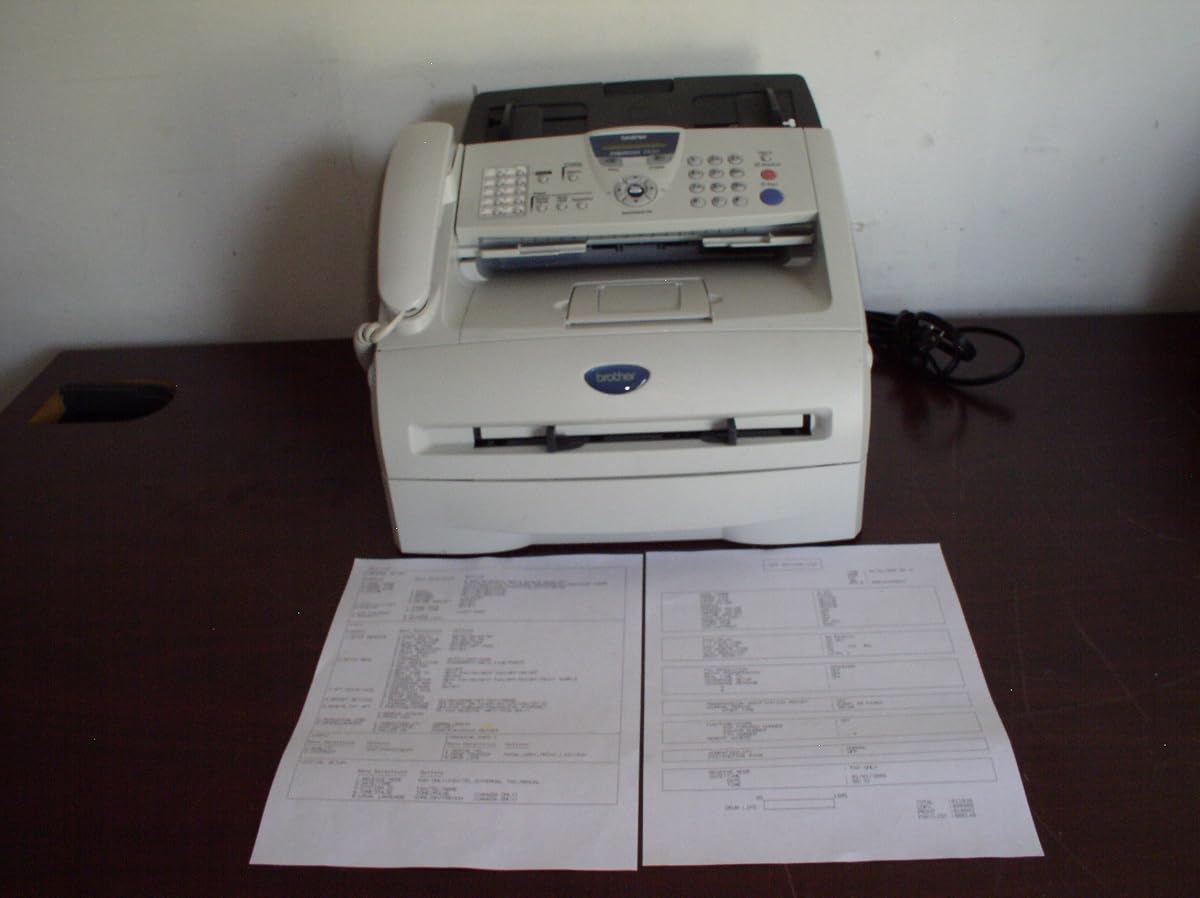

The Brother PPF4750E IntelliFax 4750e stands out as a high-performance business-class laser fax designed for demanding office environments. It holds a strong rating of 4.4 stars from users who value its consistent performance. This machine excels at delivering crisp, clear documents quickly without the need for constant maintenance.
We may earn a commission when you buy through this link, at no additional cost to you.
Its Super G3 fax technology ensures rapid transmission of documents while maintaining high quality. The laser monochrome printing technology means you get sharp text and graphics every time. With a copy speed of up to 15 pages per minute, this device keeps up with heavy workloads efficiently. The inclusion of a telephone handset allows you to manage voice calls directly through the unit.
While it does not support color printing, the focus on monochrome laser output ensures cost-effective operation. The initial cost is higher than basic models but the durability and speed justify the investment for busy offices. You may find the interface slightly complex for casual users but it offers robust features for professionals.
This fax machine is ideal for small to medium businesses that need a reliable central communication hub. If you prioritize speed and print quality over color capabilities, this model is an excellent choice. We recommend it for offices sending and receiving dozens of faxes daily without hassle.
The laser technology ensures quick printing and copying speeds up to 15 ppm for efficient workflow.
Super G3 fax type guarantees fast and secure document transmission across standard phone lines.
We may earn a commission when you buy through this link, at no additional cost to you.
The Canon FAXPHONE L100 is an affordable monochrome laser fax that delivers impressive speed for its price range. With a rating of 4.1 stars, it is favored by users looking for efficiency without breaking the budget. This machine handles copying and faxing tasks smoothly while including a telephone handset for calls.
We may earn a commission when you buy through this link, at no additional cost to you.
Its standout feature is the print speed of up to 19 pages per minute which is rare in this category. The generous paper capacity of up to 150 sheets means less frequent refilling during busy hours. The 30-sheet simplex automatic document feeder allows you to scan and fax multi-page documents easily. It also stores multiple faxes in up to 512 sheets of memory capacity.
While it uses standard plain paper the laser quality remains sharp and professional. The Energy Saver mode keeps power usage low which helps with operational costs over time. However it lacks advanced networking features so it is best suited for direct line connections. The interface is straightforward but lacks customization options for power users.
This unit is perfect for home offices or small businesses needing a reliable and fast fax machine. If you want a balance of speed and cost without complex setup requirements consider this model. It offers great value for money while maintaining solid performance standards for daily tasks.
Printing up to 19 pages per minute ensures quick turnaround times for urgent documents.
A 30-sheet automatic document feeder streamlines the process of sending multi-page faxes.
We may earn a commission when you buy through this link, at no additional cost to you.
The CimFAX A5 Paperless Fax Machine redefines faxing by allowing you to send and receive faxes digitally. It has a solid rating of 4.0 stars from professionals who prefer cloud-based workflows over traditional machines. This device connects to your Windows or Mac computers and iOS or Android smartphones for seamless operation.
We may earn a commission when you buy through this link, at no additional cost to you.
You can send faxes in just three steps with a simple right click or drag and drop action. The system automatically saves faxes on your local or shared folder as PDF files for easy storage. Incoming faxes are automatically forwarded to your email as a PDF so you never miss an important message. There is no need to pay for physical paper or ink replacements.
While it relies on internet and software connectivity it offers unmatched flexibility for remote workers. The lifetime tech support ensures you get help whenever you face issues with the software interface. You might find it less suitable for environments where physical signed documents are strictly required. The initial setup requires some technical knowledge to connect all devices properly.
This solution is best for modern businesses that want to reduce paper waste and manage faxes digitally. If you travel often or work from home this machine provides the freedom to handle fax tasks anywhere. It represents a premium choice for those ready to move beyond traditional hardware fax systems.
Send faxes from any PC or mobile phone via line 24/7 without physical hardware constraints.
Auto forward incoming fax to your email as PDF file for instant access and backup.
We may earn a commission when you buy through this link, at no additional cost to you.
The Brother FAX-575 is a personal fax that combines phone and copying functions in a compact unit. It holds a rating of 4.1 stars from users who appreciate its straightforward operation for home offices. This machine is convenient for those who need basic fax capabilities without large office equipment.
We may earn a commission when you buy through this link, at no additional cost to you.
It features a 9600 BPS fax modem that transmits pages at about 15 seconds per page. The 512 KB memory allows you to store up to 25 pages for sending during busy times. The black-and-white copying resolution is up to 400 x 400 dpi which is standard for personal use. The 50-sheet paper capacity keeps it small enough for desks with limited space.
While it lacks high resolution printing it gets the job done for standard business documents efficiently. The small paper capacity means you may need to refill it more often than larger machines. It is a great choice for low-volume fax users who want an all-in-one device easily.
This model fits well in home offices or small workspaces where space is at a premium. If you send fewer than ten faxes a day and want simplicity this unit is a solid option. It offers a reliable way to stay connected via fax without cluttering your workspace.
A compact footprint allows this machine to fit on smaller desks without taking up too much space.
The 9600 BPS modem ensures your faxes are sent quickly and accurately every time.
We may earn a commission when you buy through this link, at no additional cost to you.
The Brother FAX-575 Renewed offers the same features as the new model at a more accessible price. It has a rating of 3.8 stars which reflects some variability in condition for renewed items. This unit is designed for users who want reliable fax and phone capabilities without the full retail cost.
We may earn a commission when you buy through this link, at no additional cost to you.
It includes the same convenient easy-to-operate faxing features found in the new version. You get up to 400 x 400 dpi resolution for black-and-white copying and documents. The 9600 BPS fax modem transmits pages in about 15 seconds per page efficiently. The 50-sheet paper capacity remains consistent making it suitable for light to moderate use.
Since it is a renewed product you should check the warranty details carefully before purchasing. The condition might vary slightly but the core functionality should remain reliable for daily tasks. It is an excellent way to test a fax machine without a large financial commitment initially. Ensure you understand the return policy in case of issues with the unit.
This option is ideal for budget-conscious buyers who need a dependable personal fax quickly. If you want to save money and are comfortable with refurbished electronics this model works well. It provides a practical solution for home offices that need basic communication tools effectively.
Get the same functionality as the new model at a lower price point for better value.
The core fax and phone capabilities remain identical to the new version for reliable use.
We may earn a commission when you buy through this link, at no additional cost to you.
The Brother MFC7240 is a multifunction device that combines printing scanning copying and faxing in one unit. It earns a high rating of 4.2 stars from users who need a versatile machine for their office space. Although it lacks a dedicated phone handset it handles faxing tasks efficiently via connected phone lines.
We may earn a commission when you buy through this link, at no additional cost to you.
Print and copy speeds reach up to 21 pages per minute which is quite fast for this class. The adjustable 250-sheet capacity paper tray reduces the need for frequent refills during busy periods. A 20-page capacity auto document feeder makes scanning and faxing multi-page documents much easier. The high-quality monochrome scanning resolution ensures sharp copies of important documents.
It uses USB connectivity which means it is designed for direct connection to a computer or network. The absence of a physical phone handset might be a drawback if you rely on voice calls through the machine. However the fax capabilities are robust enough for businesses prioritizing document management over voice lines.
This machine is best for workspaces that need a compact all-in-one solution for document handling. If you use your computer for phone calls and want a dedicated fax machine this fits the bill. It offers a solid balance of speed and capacity for small business daily needs.
Print and copy up to 21 ppm keeps your office workflow moving smoothly without delays.
A 250-sheet capacity tray ensures you have enough paper for heavy usage periods.
We may earn a commission when you buy through this link, at no additional cost to you.
The Panasonic KX-FHD331 is a plain paper fax designed for straightforward communication needs. It has a lower rating of 2.8 stars indicating some users have experienced issues with reliability. This machine focuses on basic features like Caller ID compatibility and answering machine interface for home use.
We may earn a commission when you buy through this link, at no additional cost to you.
It uses plain paper which allows you to print documents without thermal paper rolls. The 9.6 Kbps modem speed is adequate for standard fax transmission tasks. Its interface allows connection to an answering machine for seamless voice and fax management. The design is compact and fits easily on desks or shelves in small offices.
The short warranty period of 6 months is a consideration when purchasing this model. Some users report issues with paper jams or inconsistent fax quality over time. It is best suited for low-volume users who need basic fax functionality without advanced features. Ensure you test it thoroughly upon receipt to confirm it meets your standards.
This unit serves well for individuals who want a simple fax that prints on regular paper. If you need Caller ID to screen incoming calls and faxes this model offers that basic utility. It is an option for those who prioritize simplicity and cost over long-term durability.
Caller ID compatible features help you identify incoming calls and faxes quickly.
Uses plain paper to avoid the need for thermal rolls and ensure permanent records.
We may earn a commission when you buy through this link, at no additional cost to you.
The Brother PPF-2800 is a plain paper fax machine designed for users who value memory storage. It holds a rating of 3.6 stars from users who appreciate its ability to store multiple pages. This model is excellent for those who send faxes during busy periods when the phone line is occupied.
We may earn a commission when you buy through this link, at no additional cost to you.
It can store up to 90 pages in memory ensuring your documents are sent even when busy. The auto document feeder accepts up to 20 pages which simplifies sending multi-page documents. Prints are handled at 10 pages per minute and you can make up to 99 copies at once. With 108-station auto dialing memory you can reach frequent contacts with ease.
While the print speed is slower than laser models the memory feature makes up for it in reliability. The design is straightforward but may feel a bit dated compared to newer units. It is a solid choice for users who rely heavily on stored fax jobs in their workflow. Regular maintenance helps keep the feeder working smoothly over time.
This machine is ideal for businesses that receive or send many documents daily without interruption. If you need a fax that can handle high volumes via memory this model fits your needs. It provides a dependable way to manage fax traffic with minimal manual intervention.
Stores up to 90 pages in memory to ensure fax transmission even when lines are busy.
108-station auto dialing allows you to send faxes to frequent contacts quickly and easily.
We may earn a commission when you buy through this link, at no additional cost to you.
The Brother IntelliFax 2820 is a laser fax machine known for its substantial memory capacity. It has a rating of 4.2 stars from users who need to store many fax pages securely. This unit is designed for offices that want to ensure no documents are lost during high-volume times.
We may earn a commission when you buy through this link, at no additional cost to you.
Its 8 MB memory stores up to 500 pages which is impressive for this category. The 20-page auto document feeder and 250-sheet input capacity mean you can load it once for hours of use. The 220-station auto dialing memory allows broadcast faxing to up to 270 locations. A USB 2.0 interface supports future printing capabilities for added flexibility.
The laser fax quality ensures that every document is clear and professional. While the device is larger than some models its capacity makes it worth the space in an office. Settings can be complex to navigate but they offer significant control for business users. It is a robust machine for those prioritizing storage over size.
This machine is best for medium-sized offices that send and receive large volumes of faxes daily. If you need to store hundreds of pages for later printing this unit is an excellent choice. It provides a reliable way to manage heavy fax loads without constant monitoring.
8 MB memory stores up to 500 pages so you can fax even when busy.
220-station auto dialing and broadcast to 270 locations makes mass faxing simple.
We may earn a commission when you buy through this link, at no additional cost to you.
The Canon FAXPHONE L80 is a laser fax printer that offers reliable performance for basic needs. It holds a rating of 3.6 stars from users who appreciate its simplicity and brand reputation. This unit includes a telephone handset which allows you to manage voice and fax calls on one device.
We may earn a commission when you buy through this link, at no additional cost to you.
It features a 33.6 Kbps modem which is fast for standard fax transmission tasks. The laser output quality ensures documents are crisp and clear for professional use. Print speed is at 6 pages per minute which is slower than some models but adequate for low volume. The USB interface allows for straightforward connection to your computer for printing tasks.
While it lacks advanced features the core faxing and printing functions work consistently. The included telephone handset makes it convenient for home offices without a separate phone. It is a good choice for those who want laser quality without complex networking setups. Maintenance is simple and it fits well on most standard desk spaces.
This machine is ideal for small offices or individuals needing a straightforward laser fax solution. If you want a dependable unit with a phone attached and simple controls this fits the bill. It offers a reliable path to digital faxing without overcomplicating your workspace.
Telephone handset included allows you to manage calls and faxes on one unit.
33.6 Kbps Modem ensures fast and reliable fax transmission for your documents.
We may earn a commission when you buy through this link, at no additional cost to you.
Selecting the right fax machine requires considering several key factors to ensure it meets your daily needs. This section breaks down the most important features to help you make an informed decision.
Modem speed determines how fast your faxes are sent and received. Look for machines with at least 9600 BPS to avoid long wait times during busy periods. Faster modems like 33.6 Kbps reduce the risk of connection failures and improve efficiency.
Memory capacity allows you to store faxes when the machine is busy or out of paper. Choose models with at least 512 KB or higher if you send many documents. High memory ensures your faxes are not lost even if the phone line is occupied.
Paper capacity refers to how much paper the machine can hold at once. A higher capacity like 150 sheets means you do not need to refill as often. For high-volume offices consider models with trays holding 250 sheets or more.
An auto document feeder lets you send multiple pages in one go. Machines with 20 to 30 sheet feeders save time when sending multi-page documents. This feature is essential for anyone who frequently sends reports or contracts.
Since you need a phone with the fax ensure it has a functional handset. Check if it supports caller ID to know who is calling before answering. Some models allow you to switch between voice and fax automatically.
Laser printers offer better quality and are cheaper to run than thermal models. Look for plain paper options to avoid expensive rolls. Thermal technology is less durable over time compared to laser or inkjet systems.
Check if the machine supports USB or network connections for easier integration. Wired connectivity ensures a stable connection for faxing tasks. Wireless options are rare but convenient for modern setups.
A warranty provides peace of mind if the machine stops working. Look for models with at least a 1-year warranty. Some manufacturers offer exchange programs that simplify repairs for users.
Regularly clean the glass and rollers to maintain print quality. Use a soft dry cloth to wipe the scanner bed and feeder parts. Keep the machine in a dry cool place to prevent damage from humidity and dust.
Yes most traditional fax machines require a standard analog phone line to transmit documents. However some modern models allow sending faxes over internet connections using VoIP technology. Always check your device requirements before purchasing.
Many modern fax machines allow you to send documents via USB from your computer. Some models offer software that lets you email documents directly to the fax machine. Check for PC sending capabilities if you prefer digital workflows.
Laser fax machines use toner to create sharp durable prints on regular paper. They typically offer better print quality and higher capacity compared to thermal models. Laser options are ideal for high-volume office environments.
Memory allows you to store faxes if the line is busy. Basic models offer a few pages while advanced units hold hundreds. If you send many faxes choose at least 1 MB of memory.
VoIP lines often cause issues with traditional fax modems due to signal compression. Some machines support T.38 protocol to work with internet lines. It is best to use analog lines for reliable fax transmission.
Most fax machines have a built-in cover page feature you can edit. Access the menu on the machine to enter sender and recipient details. Print the cover sheet automatically by selecting the cover page option.
Remember to check current offers and availability as prices may change over time. Ensure the warranty covers your needs before making a final decision. A good fax machine can simplify your communication tasks for years to come.