
HapAttend Time Clock
4.8Editor score
Standalone operation
500 user capacity
Multiple verification methods
This guide compares the top fingerprint time clocks for employees, evaluating biometric accuracy, cloud features, standalone options, and ease of setup for any
Finding the right attendance solution is crucial for modern businesses seeking accuracy and efficiency. Fingerprint time clocks offer a secure way to track hours, preventing buddy punching and simplifying payroll. These devices use biometric data to ensure that every clock-in is authentic and reliable for your team.
We evaluated leading models based on recognition speed, storage capacity, connectivity options, and user interface. Our comparison includes standalone units for offline needs and cloud-enabled systems for remote management. Each product was assessed for durability, setup complexity, and support quality to help you choose wisely.
Each pick highlights specific strengths like app control, shift customization, or offline data security. Remember that prices and availability can change frequently, so verify current offers before purchasing. Use this guide to find the perfect time clock that aligns with your operational needs and budget constraints.
4.8Editor score

4.6Editor score

4.4Editor score
The following table provides a side-by-side comparison of all ten selected time clocks. It highlights key specifications like user capacity, connectivity, verification methods, and backup features to help you quickly identify the model that fits your workplace requirements.

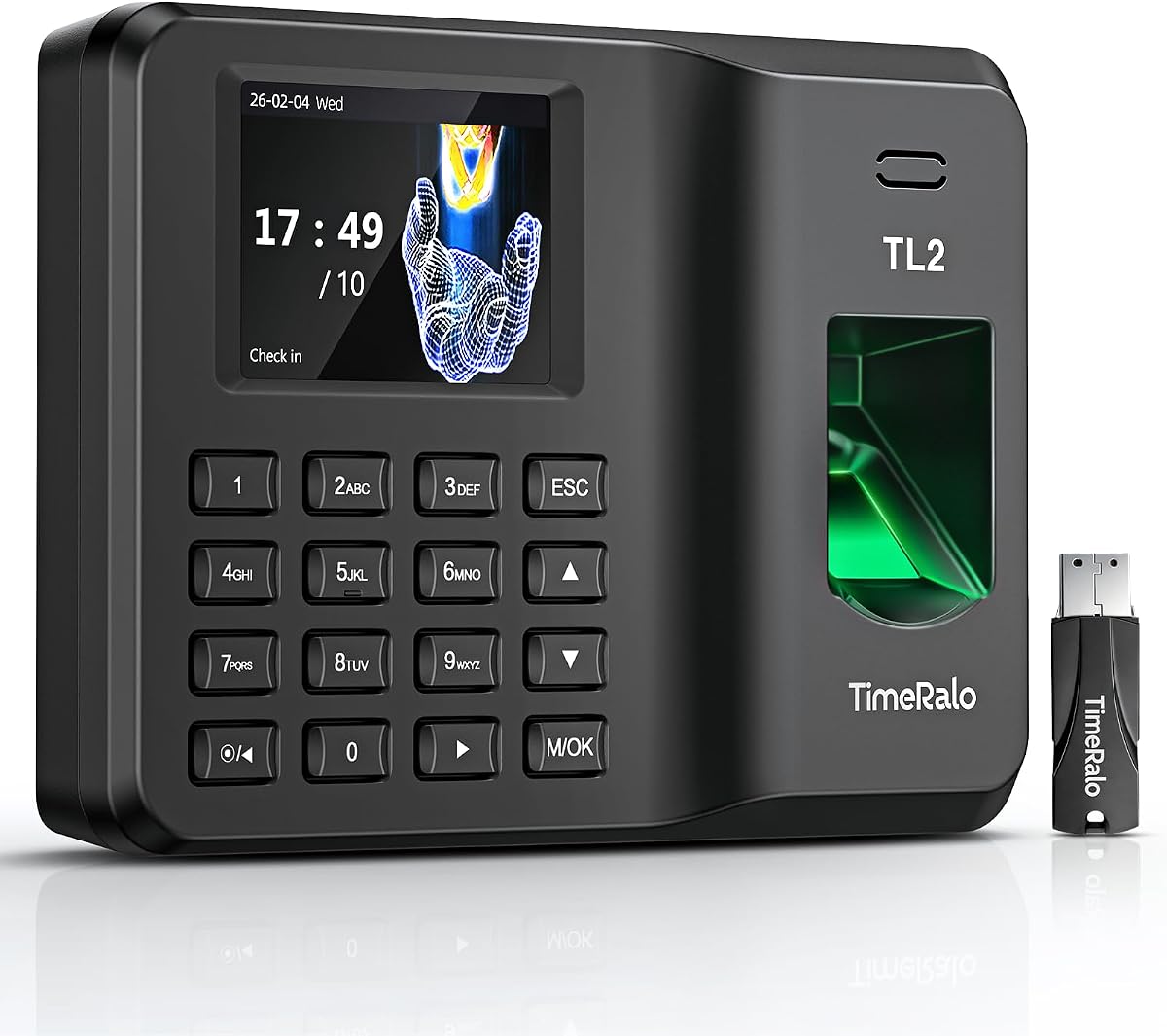


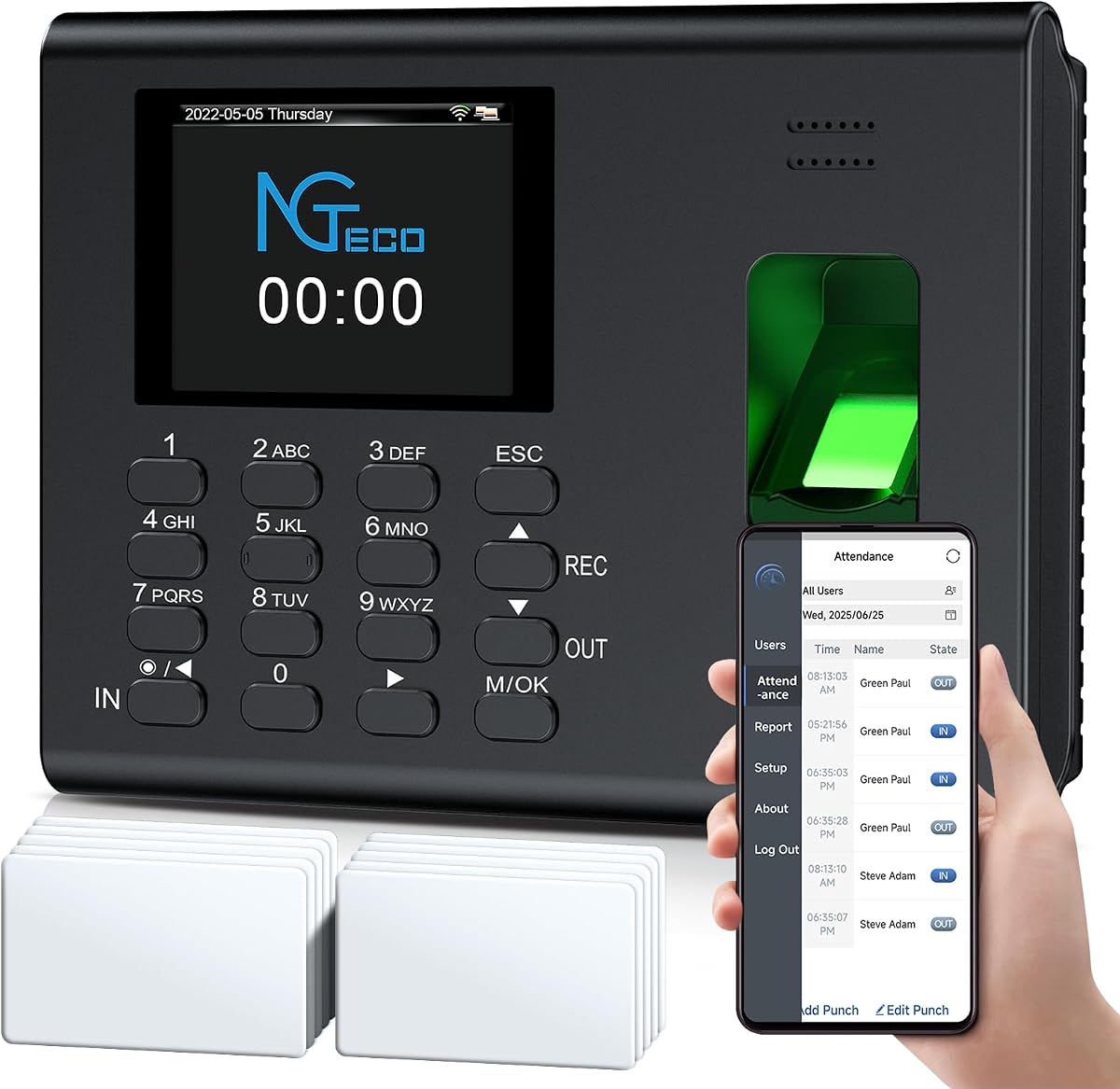
The NGTeco Time Clock stands out as a top performer for small businesses needing reliable tracking. With a strong rating, it balances speed and security effectively. Its standout qualities include rapid authentication and intuitive app management that simplifies daily operations.
We may earn a commission when you buy through this link, at no additional cost to you.
This device excels with its streamlined scheduling and auto time tracking features. It manages shifts including overnight schedules effortlessly. Real-time punch detection ensures accurate records. The fast fingerprint recognition authenticates wet or dry prints in half a second reducing wait times significantly.
While highly capable, it requires the same local network for instant sync which may limit remote editing. This trade-off ensures data consistency across the system. It remains acceptable for most small office setups where network access is standard.
Business owners seeking a balance of automation and security should choose this model. It handles payroll alignment well and offers strong US-based support. The final recommendation is clear: it is a robust choice for growing teams.
Effortlessly manage shifts with auto-calculated work hours that simplify admin tasks without complex setup.
Align tracked hours with any payroll cycle and edit punches quickly via the mobile app for error-free processing.
We may earn a commission when you buy through this link, at no additional cost to you.
The HapAttend Time Clock is an excellent choice for budget-conscious businesses requiring robust offline functionality. With a high rating, it delivers reliability without monthly costs. Its standout qualities include simple setup and automatic hours calculation that saves time.
We may earn a commission when you buy through this link, at no additional cost to you.
It is designed for workplaces without network access ensuring data privacy. The plug-and-play design allows setup in minutes. Multiple verification methods including fingerprint, RFID, and PIN help prevent buddy punching. Night shift support ensures accurate workday recording.
Since it stores data locally, remote access is not available without network setup. However, this enhances security for sensitive environments. The trade-off is acceptable for businesses prioritizing data control over remote monitoring.
Small businesses needing secure, low-maintenance tracking will benefit most. The one-time purchase model eliminates recurring costs. The final recommendation is strong for any team wanting to upgrade from paper systems.
This device works without WiFi or internet ensuring local storage keeps attendance data private and secure.
Eliminate manual errors with automatic hours calculation and robust power failure protection for data recovery.
We may earn a commission when you buy through this link, at no additional cost to you.
The NGTeco Cloud Time Clock with touchscreen offers advanced features for managers needing comprehensive control. Its rating reflects strong functionality and modern design. Standout qualities include facial recognition and dual-band WiFi for seamless connectivity.
We may earn a commission when you buy through this link, at no additional cost to you.
It supports flexible punch methods including fingerprints, RFID, PIN, and facial scans. Customizable rules allow detailed shift configuration. Remote access lets managers adjust schedules anywhere. AWS cloud storage ensures data is encrypted and compliant with privacy standards.
The higher cost may be a barrier for very small operations. However, the efficiency gains justify the investment. The trade-off is acceptable for businesses needing professional-grade reporting and security.
Larger teams or those needing remote oversight should consider this model. It provides a complete suite of management tools. The final recommendation is ideal for premium requirements.
Stay connected to your attendance system anytime using web or mobile apps to manage team data efficiently.
Choose from fingerprint, PIN, RFID, or facial recognition to match your team's preferences and security needs.
We may earn a commission when you buy through this link, at no additional cost to you.
The NGTeco Standalone Time Clock offers true independence with zero setup requirements. Its rating indicates solid performance for basic needs. Standout qualities include rapid data export via USB and a durable design suitable for various environments.
We may earn a commission when you buy through this link, at no additional cost to you.
It handles up to 500 users and 50,000 records making it ideal for growing teams. The internal backup preserves data during power loss. Its industrial-grade materials ensure longevity in warehouses or retail spaces. This makes it versatile for any workplace.
Reliance on USB drives for data transfer can be less convenient than cloud options. However, it ensures data remains under your control. The trade-off is acceptable for businesses avoiding internet dependencies.
Companies needing a no-nonsense solution will find this appealing. It saves costs on supplies and software. The final recommendation is strong for simple operational setups.
Get started in minutes with no WiFi or complex software and export data easily via included USB drive.
Support growing teams with ample memory and industrial-grade materials built for daily workplace demands.
We may earn a commission when you buy through this link, at no additional cost to you.
This standalone clock offers ease of use with minimal setup for immediate deployment. Its rating suggests reliability for everyday tasks. Standout qualities include high capacity for employees and robust power failure security.
We may earn a commission when you buy through this link, at no additional cost to you.
It stores up to 500 fingerprints and uses Excel reports for transfer. The internal backup system ensures no data loss during outages. The ABS plastic construction supports wall mounting or desktop placement. This flexibility suits offices and schools well.
The interface is basic compared to app-enabled models. However, it reduces complexity for non-tech staff. The trade-off is acceptable for straightforward timekeeping needs.
Smaller offices seeking simplicity will find this suitable. It avoids recurring fees effectively. The final recommendation is good for basic tracking.
Set up in minutes with no WiFi or complex software and transfer data via USB flash drive effortlessly.
Built-in backup safeguards employee details during outages ensuring zero data loss and hassle-free use.
We may earn a commission when you buy through this link, at no additional cost to you.
The NGTeco Cloud Time Clock provides remote management via app and web portal. Its rating reflects its solid connectivity and usability. Standout qualities include dual-band WiFi and comprehensive overtime rule configuration.
We may earn a commission when you buy through this link, at no additional cost to you.
Managers can track attendance from anywhere ensuring flexibility. The device supports various shift types including part-time or rotating. AWS cloud storage keeps data secure. A large backup battery ensures continuous tracking even during cuts.
Full access to app features requires a separate subscription. However, basic management remains free. The trade-off is acceptable for businesses wanting scalable cloud options.
Remote managers needing oversight will appreciate this tool. It simplifies attendance management effectively. The final recommendation is ideal for cloud-first workflows.
Manage attendance effortlessly from anywhere with intuitive mobile app and web portal access for busy managers.
Configure weekly overtime and dual-level rates automatically to generate payroll-ready attendance data.
We may earn a commission when you buy through this link, at no additional cost to you.
uAttend JR2000 offers an all-in-one system with cloud-based tracking and optional payroll integration. Its rating suggests functionality for business efficiency. Standout qualities include real-time data access and detailed reporting capabilities.
We may earn a commission when you buy through this link, at no additional cost to you.
It automates tax filings and payroll tasks simplifying HR work. The intuitive interface makes setup straightforward. Automatic backups keep data safe. In-depth reporting provides insights into labor costs and productivity trends.
Ongoing subscriptions are required for full features. However, the automation benefits are significant. The trade-off is acceptable for businesses seeking integrated HR tools.
Organizations needing comprehensive payroll tools should consider this. It reduces manual entry errors. The final recommendation is suitable for integrated workflows.
Automate payroll with time data, handle tax filings, and switch easily between different payroll systems.
View and manage employee attendance from any device providing flexibility no matter where you are.
We may earn a commission when you buy through this link, at no additional cost to you.
NGTeco Cloud TC1 offers flexible shifts and offline capture capabilities. Its rating suggests it works well for varied environments. Standout qualities include multi-language support and AWS data security.
We may earn a commission when you buy through this link, at no additional cost to you.
It supports flexible configurations for rotating or 24/7 workplaces. Offline logs sync automatically once network is restored. The free management app covers basic needs. Data is stored securely on US servers with encryption.
User capacity is lower compared to some other models. However, core features remain accessible without fees. The trade-off is acceptable for smaller teams.
International or remote teams will appreciate the language options. It balances cost and security well. The final recommendation is good for specific niche needs.
Connect via WiFi or LAN and sync offline punch data automatically to cloud once network is restored.
Powered by AWS US servers with end-to-end encryption keeping sensitive workforce records protected.
We may earn a commission when you buy through this link, at no additional cost to you.
This cloud clock enables instant self-service attendance for staff members. Its rating suggests high usability for quick management. Standout qualities include smart automatic calculation and no monthly fees.
We may earn a commission when you buy through this link, at no additional cost to you.
Employees can view timesheets on their phones verifying fingerprint or QR. Remote access allows real-time rule setting. Smart scheduling handles cross-day shifts and transfers efficiently. Visual reports generate automatically for email delivery.
Connectivity is crucial for real-time sync though offline support exists. The trade-off is acceptable for modern connected workplaces. It ensures data is ready for payroll.
Businesses wanting transparency and reduced admin work will benefit. The one-time purchase offers value. The final recommendation is excellent for user-friendly options.
Staff can view their timesheets on phone verifying fingerprint and access logs anytime eliminating delays.
Built-in intelligence calculates hours and overtime automatically ensuring accurate timesheets and time savings.
We may earn a commission when you buy through this link, at no additional cost to you.
NGTeco APP Time Clock features auto punch and app export for efficiency. Its rating suggests solid reliability for businesses. Standout qualities include a large battery and user-friendly design.
We may earn a commission when you buy through this link, at no additional cost to you.
It prevents buddy punching with three modes including card and PIN. Remote control enables editing data instantly. Flexible shift rules optimize team management. Durable construction ensures it withstands high-frequency use over time.
App control requires local network which limits off-site management. However, it offers robust offline recording. The trade-off is acceptable for local operations.
Those seeking plug-and-play convenience should choose this. It reduces setup costs effectively. The final recommendation is good for practical utility.
Features fingerprint, PIN, and card modes to resolve conflicts and ensure precise hour calculation.
Built-in battery ensures continuous operation during outages and stable offline recording until recovery.
We may earn a commission when you buy through this link, at no additional cost to you.
Selecting the right time clock depends on your specific operational needs. Consider connectivity, capacity, verification methods, and budget when comparing options.
Decide between standalone units that operate offline and cloud-based models that offer remote access. Standalone devices are great for secure environments with no internet, while cloud systems enable managers to view data from anywhere.
Choose standalone for simplicity or cloud for flexibility depending on your management style.
Ensure the device supports the number of employees you currently have and plan for future growth. Most models store up to 500 user profiles, but some specialized cloud versions support larger databases.
Check storage limits to avoid frequent data exports or device replacements as your business expands.
Look for multi-method verification such as fingerprint, PIN, or RFID cards to prevent buddy punching. Combining biometrics with PIN codes adds an extra layer of security for sensitive work environments.
Select models offering diverse verification options to match your security requirements.
Check how you will access your attendance data for payroll processing. Options include direct USB exports, email reports, or seamless cloud integrations with popular payroll software.
Prioritize export formats that your payroll provider accepts to save administrative time.
A built-in battery backup is essential to protect records during unexpected power outages. This ensures that no punch data is lost even if electricity fails unexpectedly.
Confirm the battery capacity is sufficient for your environment to maintain continuous tracking.
For businesses with complex schedules, look for configurable shift rules including rotating shifts, overtime, and night shift support. Advanced models allow defining specific overtime rates.
Select a clock that handles your specific shift types to ensure accurate hour calculations.
While initial hardware costs vary, consider if the model requires ongoing monthly subscriptions. Some cloud services offer free tiers but charge for advanced reporting or remote management.
Compare total cost of ownership including subscriptions to stay within your operational budget.
Begin by installing the device securely either on the wall or desktop. Ensure it is connected to power and network if required. Follow the setup wizard to configure administrative settings.
Register employee fingerprints or PINs to ensure accurate tracking. Test the clock-in process with a few team members to verify speed and recognition accuracy.
Regularly backup data via USB or cloud export to prevent loss. Keep the sensor clean from dust and debris to maintain recognition performance over time.
Most models come with a built-in battery backup that keeps the clock running. This ensures that attendance records are preserved without data loss during the outage.
Cloud-enabled models offer mobile app or web portal access for remote monitoring. Standalone units require you to export data locally via USB for viewing.
The capacity varies but most standard models support up to 500 user profiles. Some larger cloud systems can store significantly more depending on your plan.
Standalone clocks do not require internet to function. Cloud models need internet to sync data and enable remote features effectively.
Advanced sensors recognize wet or dry fingerprints in about half a second. This speed ensures that employees can clock in quickly without delays.
Reports can be exported via USB drive as Excel files or sent directly to your email. Some cloud models generate automated reports for payroll periods.
Administrators can reset PINs or re-register fingerprints through the device settings. This flexibility prevents lockouts and ensures access is maintained.
Models use encryption and backup systems to protect sensitive data. Cloud systems adhere to data protection standards to keep your workforce information safe.
We have reviewed ten top models ranging from standalone devices to cloud-enabled systems. Each offers unique advantages depending on your need for remote access or budget constraints.
Prioritize connectivity options and verification methods to ensure your system meets security and reporting goals. Consider total costs including hardware and any necessary subscriptions before finalizing your choice.
Remember that current prices and availability may vary over time. Always check the latest offers and support details directly with the manufacturer before purchasing.