
MATICOD LED Lights for TV
4.5Editor score
Built-in music sync mic
Three control methods included
USB power easy setup
This guide compares the top ten gaming room lights for immersive setups, featuring smart controls and sync effects for every budget and style.
Creating an immersive gaming environment requires more than just high-end hardware. Lighting plays a crucial role in setting the mood and enhancing visual comfort during long sessions. The right ambient lights can transform a plain room into a vibrant sanctuary tailored to your preferences.
We have carefully selected and evaluated ten distinct lighting solutions to help you find the perfect match. Our comparison covers smart bars, flexible strips, and unique floor lamps designed for gamers. Each product offers unique features like music sync and voice control.
Every pick below highlights specific strengths and ideal use cases for different room sizes. Please note that pricing and availability fluctuate frequently on retail platforms. Always check the current listing for the most up-to-date offers before making your final purchase decision.
4.5Editor score

4.7Editor score

4.4Editor score
The following table provides a side-by-side overview of key specifications for each selected product. This helps you quickly identify which features align best with your specific room layout and gaming needs.


The Govee Smart Light Bar stands out as a top contender for enhancing your gaming setup. With a solid rating of 4.6, it delivers high-quality RGBICWW lighting that adapts to your mood. The segmented dynamic color technology creates a visual depth that standard strips cannot match.
We may earn a commission when you buy through this link, at no additional cost to you.
Its Matter support ensures seamless integration with smart home ecosystems like Alexa and Google Home. The music sync feature uses a built-in mic to react to sound, deepening immersion during intense game moments. You can control everything via the Govee Home App for precise customization.
While the setup is generally straightforward, the cord length may be an issue for larger rooms. Additionally, relying on WiFi means connectivity can sometimes fluctuate depending on your router. These are minor trade-offs given the overall performance and feature set.
This light bar is ideal for gamers who want smart features without complex hubs. If you value visual impact and ease of use, this is a strong choice to elevate your room.
This technology allows multiple colors to appear on the bar simultaneously for dynamic effects.
Matter support ensures you can control lights with voice commands across different platforms.
We may earn a commission when you buy through this link, at no additional cost to you.
This Govee strip offers exceptional length for covering large areas around monitors or desks. It holds a 4.4 rating from users who appreciate the vibrant multi-color capabilities. The 16.4ft span ensures you can wrap lights around furniture without needing extensions.
We may earn a commission when you buy through this link, at no additional cost to you.
RGBIC technology allows different colors to display on one line, creating unique patterns. You can control it via the Govee Home App to adjust brightness and select from preset scenes. The music sync mode adds an interactive element to your gaming experience.
One limitation is the lack of voice control compatibility with Alexa. Also, the adhesive requires a very clean surface to stick properly long-term. You must ensure dust and hair are wiped away before applying the strip.
For those needing a long strip on a budget, this is a practical solution. It brings strong visual impact to any room corner or desk setup.
The long strip allows for wrapping around entire desk setups or multiple monitor walls.
Multiple colors can run along the strip at once for a rainbow effect.
We may earn a commission when you buy through this link, at no additional cost to you.
The Govee Glide Wall Lights provide a distinctive look that differs from standard strips. With a 4.5 rating, these bars are designed for permanent wall mounting to create a gallery-like effect. They feature RGBIC tech for flowing multi-color effects.
We may earn a commission when you buy through this link, at no additional cost to you.
You can arrange the six panels in various patterns to match your room layout. The app lets you control colors and brightness hands-free using voice assistants. Music sync modes keep the visuals in time with your gaming audio.
The bars are rigid, so you cannot bend them around corners like flexible tape. This requires planning your layout carefully before sticking them to the wall. Proper alignment ensures the best visual result.
This option is great for gamers who want a more permanent art piece on their wall. It offers a premium feel that enhances a dedicated gaming zone effectively.
Designed specifically to look like art pieces rather than just functional lighting.
You can create lines or patterns using the six included rigid segments.
We may earn a commission when you buy through this link, at no additional cost to you.
These bars are built for gamers who want deep integration with their PC setup. With a 4.7 rating, they offer strong performance and compatibility with Razer Synapse 3. The visualizer feature reacts to audio from headphones or speakers directly.
We may earn a commission when you buy through this link, at no additional cost to you.
The physical dial controller lets you change modes quickly without opening an app. This adds a tactile element that appeals to hardware enthusiasts. You can also use the desktop app to sync lights with on-screen content.
Note that this model does not support picking colors directly from a screen image. You need the Govee Desktop software on Windows to achieve similar screen syncing effects. It requires a PC connection for full functionality.
If you are invested in the Razer ecosystem, these bars are a perfect match. They provide a robust lighting layer that responds well to game audio and events.
A physical knob allows you to adjust settings instantly without stopping gameplay.
Syncing with PC software ensures lights react to game events more accurately.
We may earn a commission when you buy through this link, at no additional cost to you.
This option delivers excellent value for those needing basic backlighting without extra cost. It maintains a 4.5 rating by offering reliable performance for its price point. The USB power means no extra outlet is needed near your TV or monitor.
We may earn a commission when you buy through this link, at no additional cost to you.
You get three control methods: app, remote, and a three-key controller. This flexibility ensures you can adjust lights even if one device fails. The music sync mode reacts to ambient sound for a fun gaming atmosphere.
It uses standard RGB technology rather than segmented RGBIC. This means you cannot show multiple colors on one line at the same time. However, for simple color changes, it works very well.
If you are looking for an inexpensive way to reduce eye strain while gaming, this fits the bill. It is a practical choice for beginners or secondary screens.
Having a remote and app allows for versatile ways to change settings quickly.
Plugging directly into your TV or monitor reduces cable clutter significantly.
We may earn a commission when you buy through this link, at no additional cost to you.
This corner lamp fills empty spaces with bright, colorful light that standard strips miss. With a 4.6 rating, it is designed to create ambient lighting from the floor up. The RGB+IC tech provides rich, dynamic color output throughout the segments.
We may earn a commission when you buy through this link, at no additional cost to you.
Assembly is tool-free, allowing you to set it up in minutes. The base folds for easy storage or relocation if you move your desk. Music sync pulses the light to the beat for immersive listening.
It relies on Bluetooth only, so there is no remote or voice control. This might limit convenience for those used to smart home setups. You must use the app or remote to change modes.
This lamp is perfect for adding vertical light to a dark corner in a room. It acts as a decorative piece that provides functional ambient lighting without needing a wall mount.
The tall design ensures light reaches from the floor to the ceiling evenly.
Tool-free assembly means you can move it easily to different corners as needed.
We may earn a commission when you buy through this link, at no additional cost to you.
This floor lamp offers a wide range of color options to suit any mood. With a 4.3 rating, it supports 68 dynamic scenes and millions of DIY color choices. The RGBICW tech allows for white and color mixing simultaneously.
We may earn a commission when you buy through this link, at no additional cost to you.
You can adjust settings via app or remote to find the perfect vibe for gaming. The lightweight design makes it easy to move if you reconfigure your room. Music sync adds a reactive layer to your entertainment.
It does not support Alexa or Google Assistant for voice commands. This limits integration for smart home users who prefer voice control. However, manual controls are responsive and easy to use.
Ideal for those who want a decorative floor lamp with advanced color tech. It brings a modern feel to a room without requiring wall installation.
Over 60 preset scenes help you quickly set the right atmosphere for gaming.
Create your own custom color combos to match your favorite game art.
We may earn a commission when you buy through this link, at no additional cost to you.
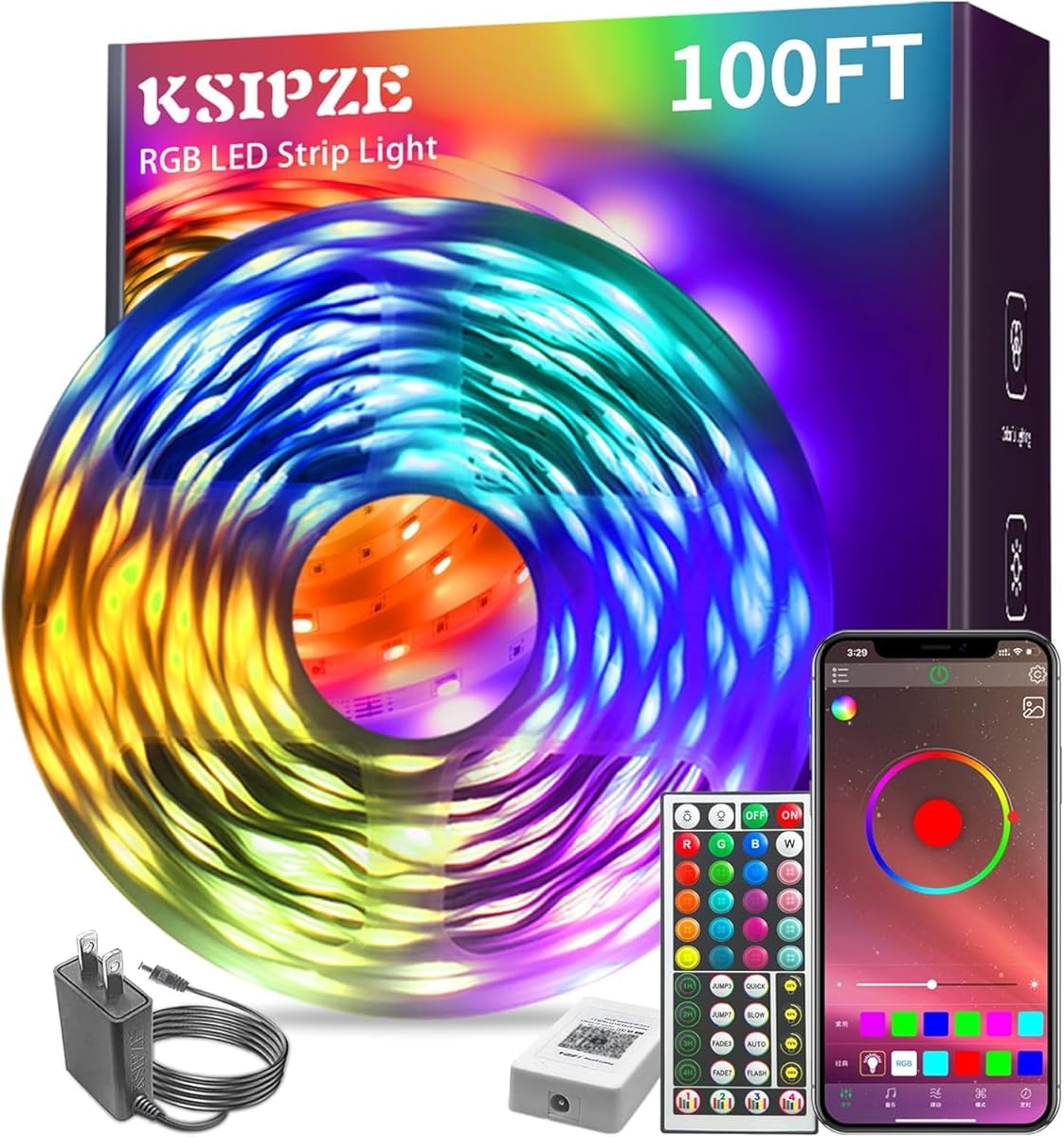
With 100 feet of length, this strip covers almost any room you can imagine. It holds a 4.4 rating from users who appreciate its scale for large walls or ceilings. The flexible adhesive allows you to route it around corners easily.
We may earn a commission when you buy through this link, at no additional cost to you.
Music sync creates a fun environment for parties or intense gaming sessions. You can set timers to turn lights on or off automatically. This automation helps manage energy use and ambiance timing.
The adhesive quality may vary on textured surfaces, so clean walls are best. Long runs might require connectors to avoid signal loss if split into sections. Planning your layout before sticking is important.
This strip is great for covering entire rooms like a basement or garage. It offers a budget-friendly way to flood a large space with color.
100 feet is enough to outline an entire room or multiple furniture pieces.
Set schedules to manage when lights are on without manual intervention.
We may earn a commission when you buy through this link, at no additional cost to you.
These Pro bars offer a premium look with triple-sided illumination for depth. With a 4.7 rating, they are built to impress with a cyberpunk metal finish. The transparent diffusion plates create a futuristic visual that stands out.
We may earn a commission when you buy through this link, at no additional cost to you.
You can sync with Razer Chroma via desktop software for game-responsive lighting. Matter support adds smart home flexibility for voice control. Music sync reacts to ambient sound for a seamless experience.
The higher price is justified by the build quality and advanced features. However, screen color matching requires Windows software which limits Mac users. This is a consideration for cross-platform setups.
If you want top-tier aesthetics and performance, this is the best choice available. It elevates a gaming setup to a professional studio level.
Light comes from front and base for a 3D effect unlike standard bars.
Metal texture spraying gives the bars a rugged high-end look.
We may earn a commission when you buy through this link, at no additional cost to you.
Hexagon lights provide a modern, modular look that breaks away from traditional strips. With a 4.4 rating, these offer high brightness and a vast palette of 358 RGB colors. You can connect them to form custom shapes on a wall.
We may earn a commission when you buy through this link, at no additional cost to you.
Music sync brings the panels to life during gameplay or music. The app and remote allow easy color changes and dimming. This versatility makes them suitable for both workshops and gaming rooms.
Designing a layout requires planning to ensure edges connect properly. You may need to buy extra packs for large wall coverage. The price reflects the premium hardware and unique form factor.
These are best for enthusiasts who want a custom wall art look. They add a high-tech visual layer that commands attention in any room.
Connect hexagons to create hexagonal or honeycomb patterns unique to you.
High brightness ensures the lights are visible even in well-lit rooms.
We may earn a commission when you buy through this link, at no additional cost to you.
Selecting the right lighting involves considering connectivity, color tech, and form factor. This section breaks down the key factors to help you decide.
Connectivity determines how you control the lights. WiFi offers smart home integration, while Bluetooth is simpler but limited. Voice control adds convenience for changing settings without touching a device.
Choose a model that supports your preferred control method.
RGBIC allows different colors on one strip, while standard RGB shows one color. This impacts the visual depth and complexity of effects you can create. Check if the product supports segmentation.
RGBIC offers more dynamic visuals for gaming.
Adhesive strips are easy but may leave residue. Wall bars need mounting or velcro, while floor lamps require assembly. Ensure you have the space and surface type needed for the product.
Match installation to your room layout and effort level.
If you use Alexa or Google Home, check for Matter or skill support. This allows hands-free control which is essential during gameplay. Ensure the brand supports your ecosystem.
Verify smart features match your existing smart home devices.
Calculate the perimeter of your desk or wall to ensure enough length. Short strips leave gaps, while long ones offer flexibility. Some packs come with connectors for extra reach.
Measure your space to avoid buying insufficient lighting.
A built-in mic reacts to ambient sound. Look for adjustable sensitivity to ensure it captures your game audio clearly. Some require a specific mode to activate this feature.
Good sync enhances the immersion of audio-rich games.
USB power is convenient but may be dimmer than plug-in. Brightness levels vary by model and LED count. Check power specs to ensure enough light for your needs.
Higher power usually means better visibility.
A good app provides many scenes and editing tools. Some offer desktop software for screen sync. Check reviews on app stability and features to ensure long-term satisfaction.
A polished app adds significant value to the product.
Start by cleaning the surface where you plan to install. Dust and oil can cause adhesive strips to peel over time. Use a dry cloth to wipe down the area before applying any lights.
Download the manufacturer app and connect the device via Bluetooth or WiFi. Spend time exploring the scene modes to find what fits your game. Adjust brightness to avoid eye strain during long sessions.
Clean the lights periodically with a soft, dry cloth. Avoid harsh chemicals that might damage the LEDs. If you plan to move them, disconnect power first to prevent electrical issues.
Most of these lights do not connect directly to consoles but they can sync with audio from your speakers. For screen sync you need PC software like Govee Desktop. Check the product details for specific console support.
Yes these lights work well in basements to create ambiance. Just ensure you have a power source nearby. USB options may need an outlet extension if the TV is far from a wall.
Quality varies by brand but many are strong on smooth surfaces. Cleaning the wall before install improves adhesion. Reusable strips help if you plan to move them later.
Some use apps and remotes while others need a hub. Most in this guide do not require a hub to operate. Check product specs for hub requirements before buying.
Yes they are safe and designed for continuous use. LED technology does not generate much heat. Ensure you do not place lights directly on flammable materials.
Unplug the power and plug it back in to reset. Check Bluetooth or WiFi settings on your phone. Reinstalling the app often helps fix connection issues.
Choosing the right lights can transform your gaming setup into an immersive experience. Whether you prefer modular hexagons or simple strips there is a solution for every need. Consider your room size and budget carefully before buying.
Prioritize connectivity and color tech to ensure the lights match your setup. Smart features and music sync enhance the value significantly for interactive gaming. Take time to read product details for specific capabilities.
Always check the current price and availability since offers change frequently. Use the links in this guide to find the best deals now. Investing in quality lighting pays off with better ambiance.