
Seagate 8TB BarraCuda Internal Hard Drive
4.7Editor score
High capacity storage solution
Proven reliability for PC
Sustained transfer rates
Finding the right hard drive for RAID 0 requires balancing raw speed with reliability. These drives must handle high throughput without bottlenecks, ensuring your data flows smoothly across multiple disks for maximum performance gains.
We evaluated leading models based on spindle speed, cache size, and workload ratings. Our analysis focuses on drives optimized for RAID environments, ensuring they can sustain the constant read and write operations typical of striped storage arrays.
Each selection highlights specific strengths like capacity, warranty, and enterprise features. Prices fluctuate frequently, so verify current deals before purchasing to ensure you get the best value for your high-performance storage configuration.
4.7Editor score

4.0Editor score

4.6Editor score
As an Amazon Associate we earn from qualifying purchases.
This comparison table summarizes the key specifications of our top ten selections. Reviewing these metrics side by side helps you identify which drive aligns best with your specific RAID 0 performance and capacity requirements.






The Seagate 8TB BarraCuda stands out as a highly reliable internal hard drive option for general computing needs. With a strong rating and proven history of innovation, it offers a robust foundation for users seeking significant storage space without breaking the bank.
We may earn a commission when you buy through this link, at no additional cost to you.
This drive delivers consistent performance suitable for everyday applications ranging from media storage to PC gaming. Its sustained transfer rates ensure smooth data flow, which is crucial when integrating multiple drives into a RAID array for increased throughput.
While it lacks specialized enterprise features found in higher-end models, its simplicity makes it an attractive choice for budget-conscious builders. The anti-static packaging ensures safe arrival, reducing the risk of damage during shipping.
Budget users needing raw capacity should consider this drive for cost-effective bulk storage. It pairs well in RAID 0 configurations where redundancy isn't critical, offering a straightforward upgrade path for expanding local storage capabilities efficiently.
Ideal for users needing maximum terabytes per dollar in a single drive unit.
Designed for standard PC applications ensuring consistent operation over years of use.
We may earn a commission when you buy through this link, at no additional cost to you.
The Seagate IronWolf Pro 4TB is tailored for multi-user environments that demand consistent performance and reliability. It is engineered specifically for Network Attached Storage systems, making it a strong candidate for RAID setups where uptime is critical.
We may earn a commission when you buy through this link, at no additional cost to you.
With speeds up to 214MB/s, this drive ensures efficient file sharing and rapid access times. The inclusion of Rescue Data Recovery Services adds a significant layer of security, protecting valuable data against unforeseen failure scenarios.
Features like rotational vibration sensors help maintain stability in multi-bay enclosures. This design minimizes wear and tear, ensuring that the drive operates smoothly even under the continuous load typical of server environments.
Enthusiasts building a personal NAS for RAID 0 storage will appreciate these features. Although it commands a higher price, the data recovery service and enhanced reliability justify the investment for professional or mission-critical personal setups.
Comes with three years of rescue data recovery services for added peace of mind.
Includes vibration sensors and health management tools to manage stress in arrays.
We may earn a commission when you buy through this link, at no additional cost to you.
Seagate IronWolf Pro 16 TB offers massive storage capacity designed for demanding enterprise NAS environments. Its All-CMR portfolio ensures consistent performance under heavy loads, making it an excellent choice for high-bandwidth RAID arrays needing substantial space.
We may earn a commission when you buy through this link, at no additional cost to you.
With a workload rating of 550TB per year, this drive is built to withstand continuous operation without degradation. The AgileArray technology optimizes dual-plane balancing and error recovery, enhancing overall stability in complex storage setups.
While the price reflects its enterprise grade, it offers a total cost of ownership benefit through reliability and speed. Data recovery services further reduce risk, ensuring that your investment remains secure even in failure scenarios.
Pros working with large media files or extensive datasets will find this drive invaluable. It is the right pick for those prioritizing high capacity and speed in a RAID 0 configuration where data redundancy is managed elsewhere.
Built for 24×7 operation with a robust warranty and recovery services included.
AgileArray technology ensures consistent high speed in multi-bay RAID configurations.
We may earn a commission when you buy through this link, at no additional cost to you.
Western Digital 12TB WD Red Plus is engineered for small and medium business NAS systems. It supports high workload rates and features NASware firmware to ensure compatibility and optimal performance in multi-drive environments.
We may earn a commission when you buy through this link, at no additional cost to you.
With a 512 MB cache and 7200 RPM speed, this drive delivers robust performance for frequent data transfers. Its design focuses on minimizing downtime, making it a reliable choice for RAID configurations that prioritize uptime.
The capacity allows for extensive storage without needing multiple smaller drives. This simplifies management and reduces the physical footprint of your storage array, which is beneficial for compact or rack-mounted setups.
Businesses looking for a stable storage solution for 24×7 operation will find this drive suitable. It balances performance and reliability, making it a solid choice for RAID 0 setups in office environments.
Tested specifically for compatibility with NAS systems to ensure smooth operation.
Offers 12TB of space in a single drive for efficient storage management.
We may earn a commission when you buy through this link, at no additional cost to you.
Western Digital 16TB WD Red Pro is designed to handle the demands of high-intensity multi-user NAS environments. It supports an unlimited number of bays, making it a versatile option for scaling storage arrays as needs grow.
We may earn a commission when you buy through this link, at no additional cost to you.
Rated for a 550TB per year workload rate, this drive ensures consistent performance under continuous usage. The large cache and high spindle speed contribute to fast data transfer rates essential for RAID 0 configurations.
WD partners with various vendors to ensure compatibility across different NAS enclosures. This broad support reduces the risk of integration issues, allowing for smooth deployment in professional setups.
Pros needing scalable storage for heavy workloads should consider this drive. Its design prioritizes endurance and speed, making it ideal for RAID arrays where performance is a critical metric.
Supports unlimited bays, allowing for flexible expansion of your storage array.
Built for high-intensity workloads ensuring reliability in demanding professional settings.
We may earn a commission when you buy through this link, at no additional cost to you.
Western Digital Ultrastar DC HC580 offers a class-leading 24TB capacity perfect for hyperscale environments and big data applications. It delivers predictable performance for demanding server workloads, ensuring data transfer speeds remain consistent under pressure.
We may earn a commission when you buy through this link, at no additional cost to you.
With a high MTBF rating, this drive is engineered for 24/7 operation without frequent downtime. The CMR technology ensures reliable performance across various workloads, making it a stable choice for critical RAID 0 storage needs.
The renewed status provides a cost-effective way to access enterprise-grade hardware. Users should verify warranty details but gain significant capacity advantages over consumer drives for the same physical footprint.
Pros needing to store vast amounts of data without redundancy are ideal candidates for this drive. It excels in environments where capacity and speed are the primary concerns for storage architecture.
Offers 24TB of space, reducing the need for multiple drive installations.
Engineered for data centers ensuring reliability in constant high-demand operation.
We may earn a commission when you buy through this link, at no additional cost to you.
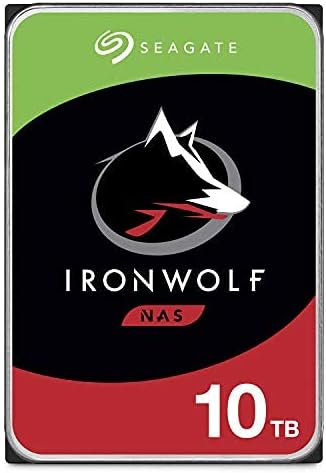
The Seagate IronWolf 10TB is built specifically for 24×7 NAS usage, optimizing performance with AgileArray for RAID environments. It provides a balanced mix of capacity and speed that suits a wide range of storage configurations.
We may earn a commission when you buy through this link, at no additional cost to you.
With 1 million hours MTBF, this drive is designed for long-term reliability in continuous operation scenarios. Its RV sensors and error recovery features help maintain stability even under heavy load conditions.
The inclusion of Rescue Data Recovery Service adds value by protecting against data loss. This feature ensures that users have a safety net, which is often critical when using RAID 0 without hardware redundancy.
Pros seeking a dependable solution for home or small office NAS will find this drive suitable. It offers the right combination of features to support both speed and data protection needs.
Features AgileArray and error recovery tailored for RAID performance and stability.
Designed for 24×7 usage ensuring consistent performance without overheating.
We may earn a commission when you buy through this link, at no additional cost to you.
Seagate IronWolf 10Tb delivers ultra-high capacity and is designed for NAS enclosures craving high performance. It targets environments with up to 8 bays, ensuring that file sharing remains fast and efficient across multiple users.
We may earn a commission when you buy through this link, at no additional cost to you.
The drive minimizes noise and vibration, which is crucial for office settings or home environments. Health monitoring tools allow users to proactively manage drive status, preventing unexpected failures before data loss occurs.
Reliability is emphasized through low wear and tear design, extending the lifespan of the drive. This focus on longevity makes it a practical choice for users needing persistent storage without frequent replacements.
Pros building a robust NAS array for shared access will appreciate these features. It is a solid option for RAID 0 where speed and consistent performance are prioritized over redundancy.
Engineered for up to 8-bay configurations ensuring stability in shared environments.
Integrated health management helps monitor status to prevent unexpected issues.
We may earn a commission when you buy through this link, at no additional cost to you.
Seagate IronWolf 10TB HDD provides consistent performance tailored for NAS environments. It is built for up to 8-bay multi-user setups, ensuring that file sharing remains fast even under continuous load.
We may earn a commission when you buy through this link, at no additional cost to you.
The CMR technology ensures stable data writing without the performance drops associated with other technologies. With low vibration and noise levels, it fits well in environments where quiet operation is desired.
Health management tools allow users to monitor drive status effectively. This proactive approach helps maintain system health over time, reducing the risk of unexpected outages for critical storage needs.
Users seeking a reliable 10TB drive for home or small business NAS should consider this option. It strikes a good balance between capacity, speed, and affordability for RAID 0 setups.
Designed for multi-bay setups ensuring stability and consistency over years.
CMR technology ensures reliable data writing without significant slowdowns.
We may earn a commission when you buy through this link, at no additional cost to you.
Western Digital 14TB WD Red Plus offers a significant storage capacity for NAS systems. It is designed to support up to 8 bays, making it a viable option for expanding your storage footprint efficiently.
We may earn a commission when you buy through this link, at no additional cost to you.
With 5400RPM class, this drive focuses on power efficiency and stable operation rather than raw speed. The CMR technology ensures reliable writes, which is essential for consistent performance in RAID configurations.
The NASware firmware enhances compatibility with various NAS systems. This reduces the risk of integration issues, ensuring smooth operation even in complex storage environments.
Users needing large storage with moderate performance needs should consider this drive. While not the fastest, its capacity and reliability make it a solid choice for specific RAID 0 configurations prioritizing bulk storage.
Offers 14TB of space with low power consumption ideal for continuous use.
NASware firmware ensures broad compatibility across different storage systems.
We may earn a commission when you buy through this link, at no additional cost to you.
Selecting the right hard drive for RAID 0 involves understanding performance metrics and reliability factors. This guide breaks down the key elements to consider for an informed purchasing decision.
Higher spindle speeds like 7200 RPM generally offer faster data transfer rates which are critical for RAID 0 setups. This speed directly impacts how quickly data can be striped across multiple drives.
Look for drives with 7200 RPM or higher to maximize performance gains in RAID configurations.
Larger cache memory helps buffer data during read and write operations. This reduces latency and improves overall responsiveness when handling large files in a RAID array.
Prioritize drives with larger cache sizes for better performance in demanding storage environments.
Reliability metrics such as MTBF indicate how long a drive is expected to last. In RAID 0, where a single failure can mean total data loss, high reliability is non-negotiable.
Choose drives with high workload ratings to ensure they can handle continuous operation without failure.
Conventional Magnetic Recording (CMR) is preferred over SMR for RAID setups. CMR ensures consistent write performance without the slowdowns associated with cache management in SMR drives.
Always verify the drive uses CMR technology to avoid performance bottlenecks in striped arrays.
Workload rating defines the annual data transfer capacity the drive can handle. Higher ratings mean the drive is built for continuous data streaming typical of RAID 0 operations.
Select a drive with a workload rating that matches your daily data usage to prevent premature wear.
A robust warranty provides peace of mind against manufacturing defects. For RAID 0, a longer warranty period indicates manufacturer confidence in the drive's durability.
Ensure the product comes with a comprehensive warranty to protect your investment effectively.
Check that the drive interface matches your motherboard or RAID controller. SATA 6Gb/s is standard for most current systems, ensuring maximum bandwidth utilization.
Verify interface compatibility to ensure seamless integration and peak transfer speeds.
Install drives in a well-ventilated case to prevent overheating. Ensure all SATA and power cables are securely connected to avoid data corruption or connection drops.
Format the RAID volume using a reliable file system. Regular backups are essential since RAID 0 does not provide redundancy against hardware failure.
Monitor drive health using manufacturer tools or third-party software. Sudden drops in performance or unusual noises indicate potential issues requiring immediate attention.
RAID 0 stripes data across multiple drives to significantly increase read and write speeds. This setup is ideal for users needing high throughput for large files like video editing or gaming.
Yes, NAS drives are highly suitable due to their superior build quality and vibration resistance. They perform reliably under the continuous loads typical of desktop RAID configurations.
Manufacturers usually specify CMR in product descriptions. Look for explicit mentions of CMR to avoid SMR drives which can cause performance issues in RAID arrays.
It is not recommended to mix drives of different capacities or speeds. This can lead to uneven performance and potential data issues. Always use identical drives for best results.
Enterprise drives typically come with 5-year warranties compared to 2 or 3 years for consumer drives. Check the specific model details to confirm the warranty terms.
While standard cooling is often sufficient, high-performance drives benefit from good airflow. Consider case fans or heatsinks to maintain optimal operating temperatures during heavy loads.
Choosing the right drive for RAID 0 depends on balancing capacity and speed needs. Our top picks include the Seagate IronWolf Pro for capacity and the WD Ultrastar for enterprise reliability.
Prioritize CMR technology and high workload ratings to ensure your storage array performs consistently. These features are critical for maintaining speed and reliability in demanding RAID environments.
Prices fluctuate frequently so verify current deals before purchasing. Ensuring you get the best value for your specific storage requirements is key to a successful upgrade.