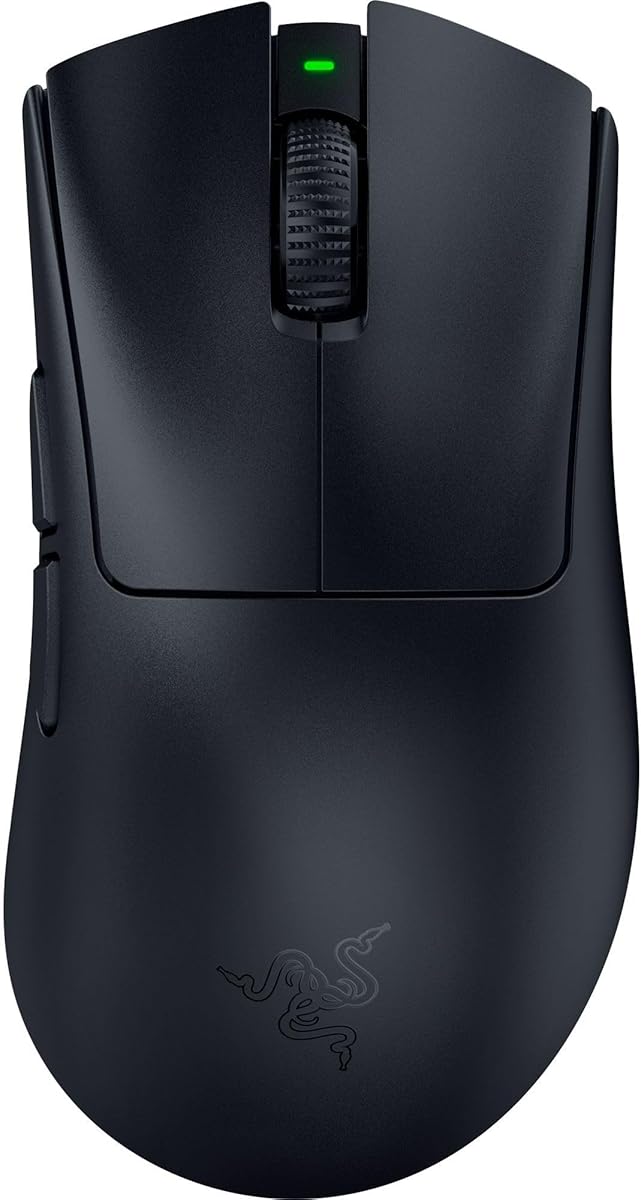
Razer DeathAdder V4 Pro
4.4Editor score
45K DPI Focus Pro Sensor
8K Polling Rate Support
56 Gram Lightweight Design
This expert guide compares the top ten high DPI mice for 4K gaming precision, evaluating sensor accuracy, wireless latency, ergonomics, and customization to
Finding the right high DPI mouse for 4K gaming precision is essential for players who demand pixel-perfect accuracy and ultra-smooth tracking. As display resolutions continue to climb, the need for sensors capable of handling extreme DPI settings without jitter or acceleration becomes increasingly critical for competitive success.
We have meticulously evaluated the latest wireless and wired gaming mice from leading brands like Razer, Logitech, and GravaStar. Our comparison focuses on sensor performance, build quality, battery life, and customizable features to ensure each recommendation meets the rigorous demands of 4K resolution gaming environments.
Each pick in this list showcases specific strengths such as ultra-lightweight designs, advanced optical switches, or extended battery life. While we highlight top performers based on current market data, remember that pricing and availability can fluctuate, so check the latest deals before making your final decision.
4.4Editor score

4.4Editor score

4.6Editor score
The following comparison table provides a side-by-side overview of the ten top-rated high DPI gaming mice selected for this guide. We have highlighted key specifications such as sensor resolution, connectivity options, weight, and unique features to help you quickly identify which model aligns best with your specific gaming preferences and hardware setup.
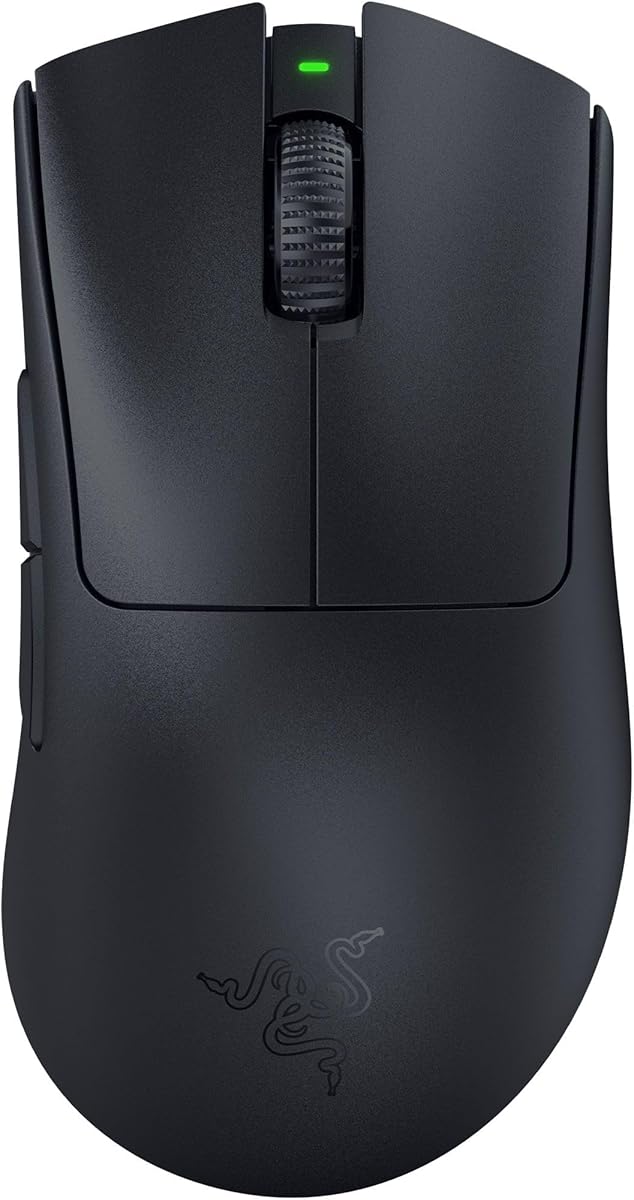




The Razer Basilisk V3 Pro stands out as a top-tier high DPI mouse for 4K gaming precision, earning an impressive 4.4-star rating from users. Its Focus Pro 35K optical sensor ensures flawless tracking across various surfaces, making it ideal for competitive players who demand pixel-perfect accuracy during intense gaming sessions.
We may earn a commission when you buy through this link, at no additional cost to you.
Key strengths include the HyperScroll tilt wheel that allows seamless switching between tactile and free-spin modes, catering to both gaming and productivity needs. Additionally, the mouse features 13 customizable controls that can be assigned to macros or specific commands, providing unparalleled flexibility for complex gameplay scenarios.
One trade-off is the higher price point compared to other options on this list, but the advanced features justify the cost for serious gamers. The 140-hour battery life ensures you won't face interruptions during extended play, and the Razer Synapse app enables deep customization to match your personal play style.
This mouse is best suited for gamers who prioritize sensor performance and want a versatile device for both gaming and work. With its robust build quality and advanced optical switches, the Basilisk V3 Pro delivers reliable performance that outshines many competitors in the market.
The Focus Pro 35K sensor offers 1-DPI step adjustments for granular aim control on high-resolution screens.
With up to 140 hours of battery life, you can game for days without needing to recharge the device.
We may earn a commission when you buy through this link, at no additional cost to you.
The Razer DeathAdder V4 Pro is a powerhouse for competitive gaming, designed with an ultra-lightweight 56-gram shell and a 45K DPI Focus Pro sensor. Rated at 4.4 stars, it offers pro-level speed and control that esports athletes favor for maintaining accuracy during fast-paced matches on 4K monitors.
We may earn a commission when you buy through this link, at no additional cost to you.
Its standout feature is the 8K polling rate support which delivers lightning-fast wireless performance with lower latency than standard models. This ensures that every micro-adjustment and flick shot registers instantly on-screen, crucial for shooters and MOBAs where timing is everything.
While the battery life is excellent at up to 150 hours at standard rates, using the full 8K polling rate does consume power faster. However, the dual wireless and wired flexibility allows you to switch modes seamlessly, ensuring you always have the connectivity you need for uninterrupted gaming.
This model is perfect for gamers seeking the absolute best performance and weight balance available. The re-engineered ergonomic shape fits naturally in the hand, reducing fatigue and enhancing control during long tournaments or marathon gaming sessions.
Weighing just 56 grams with a re-engineered shape, it enables faster swipes and precise tracking for esports.
The Focus Pro Optical Sensor Gen-2 ensures reliable tracking with 99.8% accuracy across diverse surfaces.
We may earn a commission when you buy through this link, at no additional cost to you.
The Logitech G502 Hero continues to be a fan favorite for budget-conscious gamers who do not want to compromise on performance. With a high 4.6-star rating, it features the HERO 25K sensor that delivers precision tracking up to 25,600 DPI without smoothing or acceleration, ensuring accurate movements on 4K screens.
We may earn a commission when you buy through this link, at no additional cost to you.
Its versatility is highlighted by the 11 programmable buttons and the dual-mode hyper-fast scroll wheel that allows rapid scrolling or precise clicks. The adjustable weights system lets you customize the balance and feel of the mouse, making it adaptable to different grip styles and preferences.
The main trade-off is the wired connection, which limits mobility but ensures zero latency and no battery anxiety. Additionally, the mouse is slightly heavier than modern ultra-light options, but the ergonomic design and durable build quality provide a comfortable experience for extended use.
Ideal for gamers who prioritize features over weight and want a reliable tool for both gaming and office work. The G502 Hero offers exceptional value for its price, delivering high-end sensor technology and customization options that rival much more expensive models.
The next-gen HERO sensor delivers precision tracking up to 25,600 DPI with zero smoothing or filtering.
Arrange up to five 3.6g weights for a personalized weight and balance configuration that suits your hand.
We may earn a commission when you buy through this link, at no additional cost to you.
The Razer DeathAdder V3 Pro is a testament to lightweight engineering, weighing just 63 grams while maintaining an iconic ergonomic shape favored by top esports pros. Rated at 4.3 stars, it offers a level of speed and control that is perfect for players who make rapid movements on large 4K displays.
We may earn a commission when you buy through this link, at no additional cost to you.
Its Focus Pro 30K optical sensor ensures flawless tracking performance on various surfaces including glass, supported by intelligent functions for enhanced aim. The optical mouse switches provide a blistering 0.2ms actuation speed with zero debounce delay, ensuring that every click is registered instantly without fatigue.
While it has fewer customizable buttons compared to the Basilisk, the streamlined design reduces clutter and allows for a more natural hand position. The 90-hour battery life supports continuous play sessions without frequent charging, making it a reliable companion for daily gaming routines.
This mouse is excellent for competitive FPS players who value speed and comfort over extensive programmability. Its refined shape and durable switches make it a top choice for anyone looking to upgrade to a high-performance wireless mouse.
At 63 grams, it offers speed and control favored by top players for reducing fatigue during fast matches.
Developed with esports pros, the improved shape continues its legacy of award-winning handling and comfort.
We may earn a commission when you buy through this link, at no additional cost to you.
The Razer Basilisk V3 Pro Custom combines premium features with a highly customizable experience. Rated at 4.4 stars, it features the Focus Pro 30K optical sensor and a 13-zone Chroma lighting system that reacts dynamically with over 150 Chroma-integrated games for enhanced immersion.
We may earn a commission when you buy through this link, at no additional cost to you.
Its HyperScroll tilt wheel allows you to speed through content with free-spin scrolling or switch to tactile mode for precision feedback. The mouse supports up to 150 hours of battery life on Bluetooth, ensuring that you can use it for work and play without constant recharging.
While the RGB lighting adds immersion, it does consume more battery power if left on during sessions. However, you can easily adjust these settings in the Razer Synapse app to balance aesthetics with performance based on your needs and priorities.
This model is ideal for gamers who want a stylish mouse that offers robust functionality and deep customization. The ergonomic shape supports long sessions comfortably, and the array of buttons allows for extensive macro programming.
The 13-zone Chroma lighting lets you customize zones to react dynamically with integrated games.
Speed through content with free-spin scrolling or switch to tactile mode for more precision.
We may earn a commission when you buy through this link, at no additional cost to you.
The GravaStar Mercury M1 Pro stands out for its durable magnesium alloy construction and unique aesthetic appeal. With a 4.5-star rating, it features a 26K DPI PAW3395 sensor that ensures pixel-perfect accuracy and blazing-fast 4K polling for split-second response in fights.
We may earn a commission when you buy through this link, at no additional cost to you.
It offers a tri-mode connection allowing instant switching between ultra-fast 2.4GHz, low-latency wired, and agile Bluetooth modes. This versatility ensures you stay connected and unbeatable match after match, with up to 200 hours of battery life to support extended gaming or work sessions.
The mouse is heavier than many ultra-light options due to its magnesium build, which some users prefer for stability. While the RGB zones can amplify your focus, they are also customizable to match your setup or game theme for a personalized experience.
This model suits gamers who value durability and a premium feel over lightweight speed. Its ergonomic precision helps reduce fatigue during marathon sessions, making it a solid choice for those who want a mouse that looks and feels distinctive.
Sculpted to fit your hand naturally, the M1 Pro reduces fatigue with enhanced tactile buttons.
Switch between 2.4GHz, Bluetooth, and wired modes instantly for flexible gaming and daily use.
We may earn a commission when you buy through this link, at no additional cost to you.
The ATTACK SHARK RS3 ULTRA brings premium carbon fiber build quality to the gaming mouse market. Rated at 4.6 stars, its PAW3955MAX optical sensor supports up to 52,000 DPI with precise 1-DPI adjustment and 850 IPS for accurate tracking during fast flicks.
We may earn a commission when you buy through this link, at no additional cost to you.
One of its best features is the web driver that allows customization without installing desktop software. You can adjust programmable buttons, DPI, polling rate, and macros directly through your browser, offering a streamlined setup experience for users who prefer convenience.
With up to 800 hours of battery life at 1,000Hz, this mouse is built for endurance. The carbon fiber hybrid shell provides enhanced structural strength and refined texture, ensuring stable handling while maintaining a lightweight 63g design for competitive gaming.
This mouse is excellent for tech-savvy gamers who want high-end specs without the software bloat. The dual-layer smooth skates ensure consistent movement and precise control for fast flicks and micro-adjustments during intense gameplay.
Customize settings directly through the browser without installing desktop software for a clean setup.
Enjoy up to 800 hours of battery life at standard polling rates for weeks of play.
We may earn a commission when you buy through this link, at no additional cost to you.
The Logitech G703 Lightspeed is known for its reliable wireless performance and comfortable design. With a 4.5-star rating, it features the HERO 25K sensor which offers 1:1 tracking and up to 25,600 max DPI sensitivity for precise movements on high-resolution screens.
We may earn a commission when you buy through this link, at no additional cost to you.
It supports LIGHTSPEED wireless for pro-level responsiveness and connects with up to 35 hours of battery life. For those who hate charging, it is compatible with the POWERPLAY wireless charging system, allowing you to keep the mouse charged while at rest and at play.
The mouse includes rubber side grips and an advanced button technology with metal-spring tensioning for exceptional button feel and consistency. While it is heavier than modern ultra-light mice, the comfort it offers makes it suitable for long gaming sessions.
Ideal for gamers who prioritize comfort and wireless reliability. The LIGHTSYNC RGB responds to in-game action and audio, customizing lighting effects that sync across your G gear for an immersive setup experience.
Never worry about battery life by adding the POWERPLAY wireless charging system to your desk.
The design brings together comfort and performance with rubber side grips and durable materials.
We may earn a commission when you buy through this link, at no additional cost to you.
The Redragon M916 offers a lightweight and affordable option for gamers seeking high DPI performance. Rated at 4.5 stars, it features a 26K DPI sensor and a 49-gram body that allows for the fastest and cleanest mouse usage with no hassle or extra effort during play.
We may earn a commission when you buy through this link, at no additional cost to you.
Armed with Redragon's first 4K transmission tech and Nordic flagship chip, it unleashes precise tracking and the lowest consumption performance. The 3 modes connect tech provides a pure and precise mouse moving experience via BT and 2.4GHz nano receiver to help your KDA rise again.
The dedicated demand of DPI options allows switching between different game needs easily with default 5 levels and software adjustment. Five programmable buttons are all editable with customizable tactical keybinds in whatever game or work you are engaging for versatility.
This mouse is best for budget-conscious players who want lightweight speed without breaking the bank. Its natural grip structure makes it perfect for long-lasting use and easy handling during gaming parties or overtime work.
Coming in at just 49 grams, it offers the lightest experience for fastest and cleanest usage.
Uses Nordic flagship chip for precise tracking, fastest moving, and lowest consumption performance.
We may earn a commission when you buy through this link, at no additional cost to you.
The Razer Basilisk V3 Wired is a fan favorite for those who prefer a stable wired connection. With a 4.6-star rating, it features an iconic ergonomic design with a thumb rest that supports the hand while buttons are optimally positioned for quick and easy access.
We may earn a commission when you buy through this link, at no additional cost to you.
Its Focus Plus 26K DPI optical sensor is best-in-class with intelligent functions that flawlessly track movement with zero smoothing. This ensures crisp response and pixel-precise accuracy essential for 4K gaming precision during competitive matches and detailed work.
The HyperScroll tilt wheel allows you to speed through content with free-spin scrolling or switch to tactile mode for more precision. With 11 programmable buttons and Razer Chroma RGB lighting zones, you get extensive customization and immersion at a great price.
This model is perfect for gamers who do not need wireless mobility but want high-end features. The optical mouse switches provide crisp execution at 0.2ms actuation speed for up to 70 million clicks ensuring durability and reliability.
The form factor perfectly supports the hand with an iconic thumb rest design for comfort.
Focus Plus sensor tracks movement with zero smoothing for crisp response on 4K displays.
We may earn a commission when you buy through this link, at no additional cost to you.
Choosing the right mouse for 4K gaming requires understanding how DPI, sensor technology, and ergonomics impact performance on high-resolution displays. This guide breaks down the essential factors you should consider to ensure you select a mouse that enhances your accuracy and comfort.
DPI determines how many pixels the cursor moves per inch of physical movement. For 4K gaming, you need a sensor that supports high DPI settings like 30K or 35K to allow granular control across the expansive screen real estate without losing accuracy during fast movements.
Look for sensors that offer 1-DPI step adjustments to fine-tune your sensitivity to the exact level that suits your play style and desktop resolution.
Polling rate refers to how often the mouse reports its position to the computer. For competitive 4K gaming, a higher polling rate like 8000Hz ensures that your inputs are processed with minimal delay, providing smoother cursor movement and faster reaction times.
Prioritize mice with high polling rates if you play fast-paced shooters or esports titles where every millisecond counts for success.
Weight affects how quickly you can move and control the mouse. Lightweight models between 50 and 70 grams reduce fatigue and allow for quicker flicks, while heavier mice offer stability for precise aiming. Choose based on your grip style and preference.
Ensure the build quality is durable with reliable switches that can withstand intense gaming sessions over long periods without failure.
Wireless mice provide freedom of movement and a cleaner setup but rely on battery life and connection stability. Wired mice ensure zero latency and no battery concerns but limit your range. Modern wireless tech has narrowed the performance gap significantly for most users.
Consider your environment and whether you prioritize convenience or absolute connection security when making this choice.
An ergonomic design prevents strain during long sessions. Mice should fit your hand size and grip style comfortably with accessible buttons and textured grips. Pay attention to the shape and how your wrist rests while using the device to avoid repetitive strain injuries.
Test the mouse shape if possible or check return policies to ensure it feels right for your hand before committing to a purchase.
Programmable buttons allow you to bind macros, voice commands, or specific game actions. A higher number of buttons gives you more control but can add complexity. Look for mice with intuitive software that makes remapping easy without bugs.
Consider how many extra controls you really need for your games versus how simple you want your workflow to be.
Battery life varies greatly between models, especially if RGB lighting is used. Wireless mice should offer at least 50 hours of playtime to avoid interruptions. Some models support fast charging or wireless charging pads for added convenience.
Check battery performance stats specifically if you plan to use RGB features which can drain power faster than standard operation.
Software allows you to customize DPI, lighting, and button assignments. Reliable software should be intuitive and stable with regular updates. Web-based drivers are becoming popular for their ease of use without requiring heavy installations on your system.
Ensure the software supports your operating system and offers cloud storage for your profiles across multiple devices.
To get the most out of your high DPI mouse, start by calibrating it on a quality mouse pad that offers smooth tracking. Ensure your surface is clean and dry to prevent sensor interference which can affect accuracy during 4K gameplay.
Customize your DPI settings in the software to match your screen resolution and personal preference. Many players find that lowering DPI slightly with a higher polling rate offers better control for aiming at high resolutions like 4K.
Maintain your mouse by keeping it clean from dust and debris especially around the optical sensor. Use compressed air to clean the underside and avoid harsh chemicals. For wireless models, keep the firmware updated to ensure optimal battery performance and connection stability.
Not necessarily. While high DPI allows you to move the cursor across the entire screen with minimal hand movement, excessively high DPI can make control difficult. It is better to find a moderate DPI that offers precision and adjust your sensitivity settings in-game.
Modern wireless technology like Razer HyperSpeed and Logitech LIGHTSPEED have minimized latency to levels imperceptible to most users. Wired mice still have a slight edge in absolute latency but wireless options are now competitive for gaming.
It is recommended to check for firmware updates every few months or whenever you experience connectivity issues. Updates often improve performance, add new features, and fix bugs that could affect your gaming experience.
Yes. Many gaming mice feature modes that reduce DPI for smoother cursor movement during office tasks. The precision offered by high DPI sensors is beneficial for design work and multitasking on large monitors.
The ideal weight varies by preference but most competitive gamers prefer mice between 60 and 80 grams for balance between speed and control. Heavier mice may offer stability while lighter ones reduce fatigue during long sessions.
Turn off the mouse and use a can of compressed air to gently blow away dust from the sensor area. Avoid using liquids directly on the sensor to prevent damage and ensure the lens is clear for accurate tracking.
The Razer Basilisk V3 Pro and Razer DeathAdder V4 Pro lead the pack with their advanced sensors and customizable features for serious gamers. However, budget options like the Logitech G502 Hero prove that you do not need to spend a fortune to get pixel-perfect performance on 4K screens.
When choosing your mouse, prioritize the features that matter most to your play style such as weight, sensor accuracy, or battery life. A mouse that fits your hand and offers the precision you need will significantly enhance your comfort and competitive performance.
Remember to check current prices and availability before purchasing since deals change frequently. With the right high DPI mouse, you can fully unlock the potential of your 4K setup and enjoy smoother, more accurate gaming experiences.