10 Best HP Monitor Replacement Power Cord (November 2026) Expert Guide
Written by Jamie · Updated November 2026
Finding the right power solution for your display is crucial for stability. A reliable HP Monitor Replacement Power Cord ensures your screen receives consistent energy without interruption. This guide helps you select the correct voltage and connector type for your specific model.
We analyzed ten highly rated options based on compatibility, safety certifications, and cable length. Each product was evaluated against official specifications to prevent damage to your device. Our list covers adapters for common series like VH240A and the newer M-Series displays.
Every pick includes detailed specs and real-world usage notes to simplify your decision. Prices fluctuate often so check the current listing before buying. We aim to help you find a durable replacement that keeps your workstation running smoothly.
Top 3 Picks for Best HP Monitor Replacement Power Cord
Best Budget
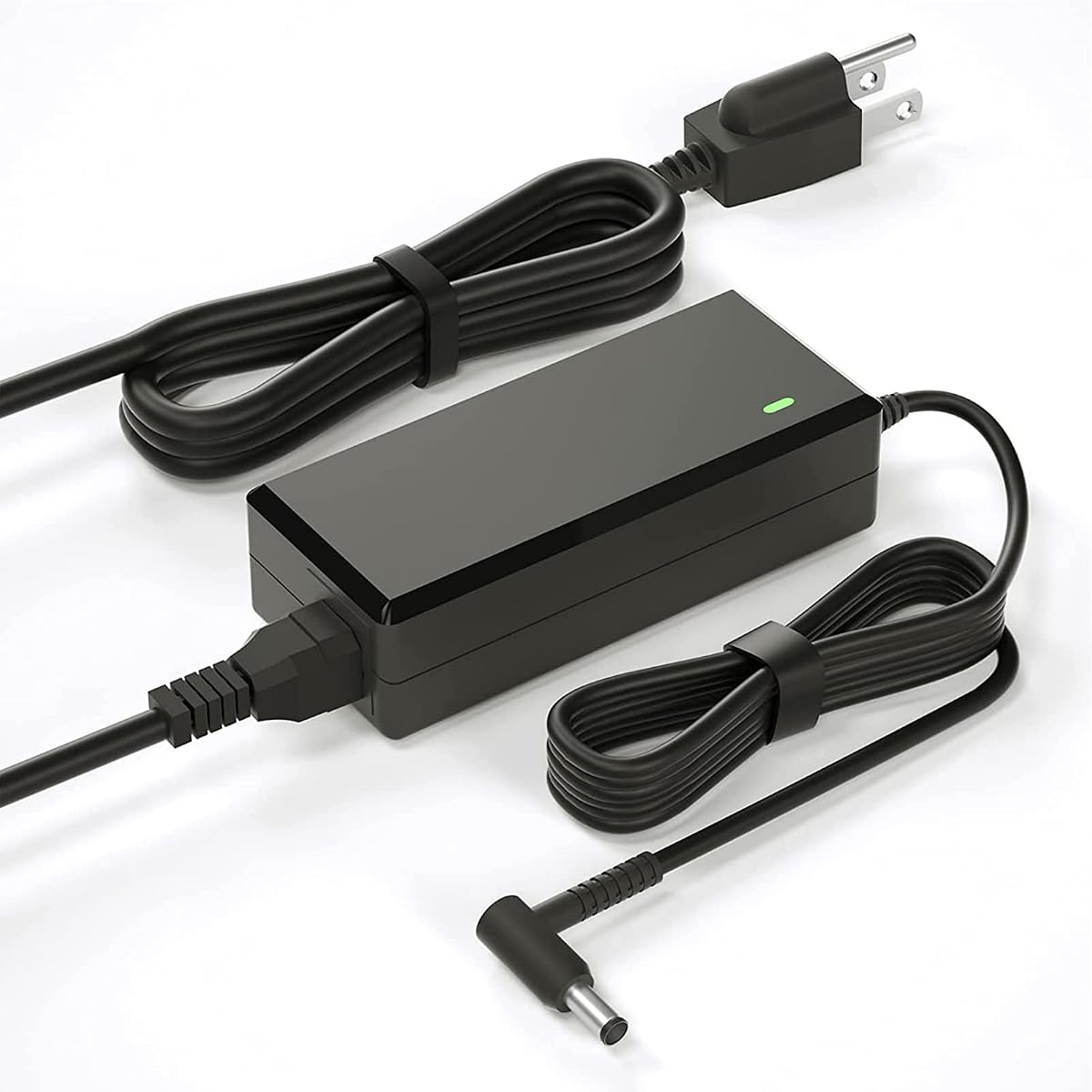
19V AC Power Cord for HP Monitor 20 21.5 23 23.8 25 27 Replacement for 27f 24f 22cwa 24m 23er 23es 27eb 32f vh240a 24ea 27 25vx 27es ADPC1945 IPS LED HD Monitor Adapter
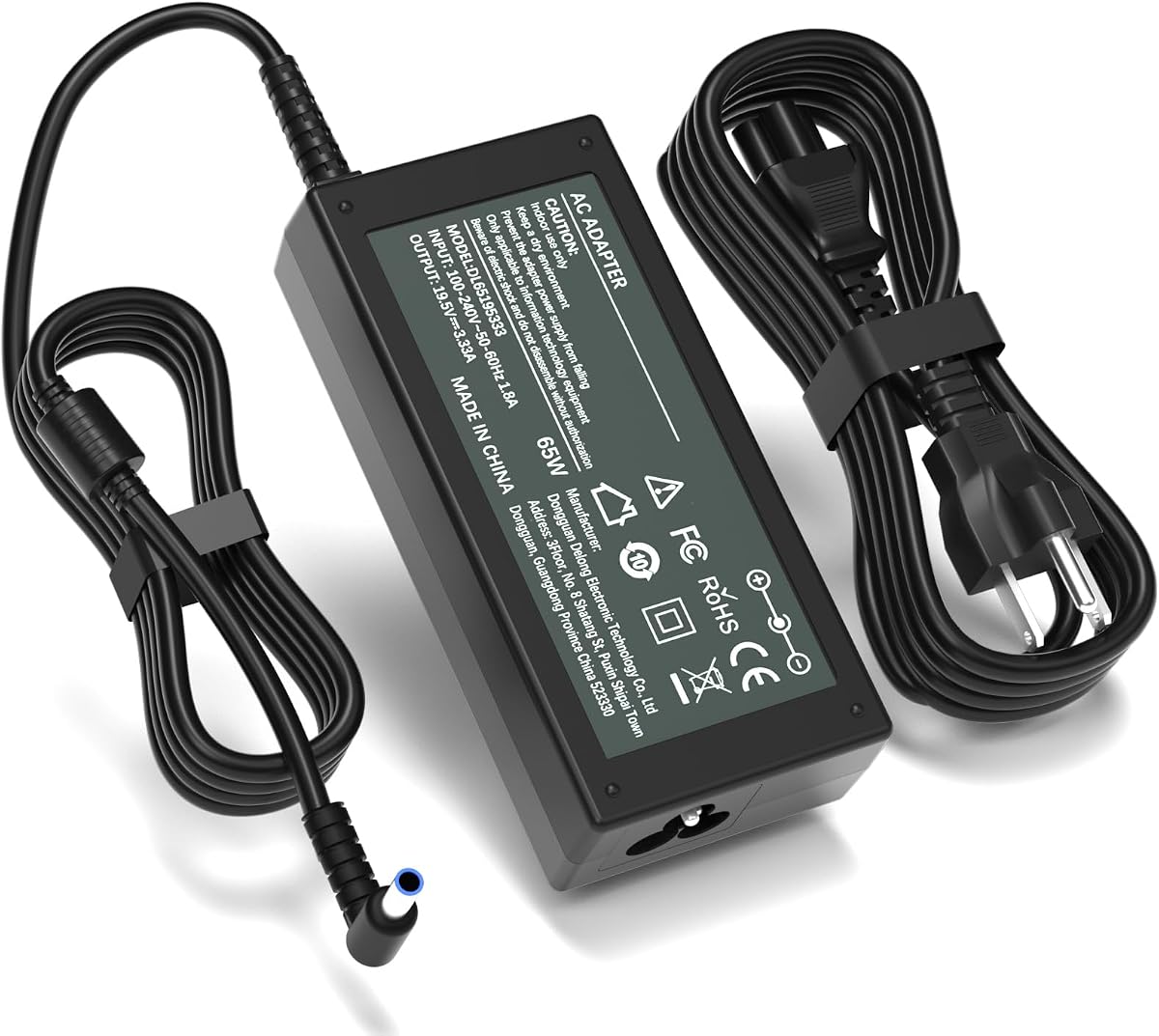
for HP Monitor Power Cord 27 25 23.8 23 21.5 20 19V Power Supply for HP Monitor 22cwa 24m 23er 23es 27eb 32f vh240a 24ea 27 25vx ADPC1945 IPS LED Backlit Full HD Display
As an Amazon Associate we earn from qualifying purchases.
Top 10 Best HP Monitor Replacement Power Cord in 2026 Compared
This table provides a side-by-side view of all ten selected adapters. Check the connector type and voltage carefully before purchasing.
ProductsSpecificationsEditor scorePrice
1
Editor's Choice
for HP Monitor Power Cord 27 25 23.8 23 21.5 20 19V Power Supply for HP Monitor 22cwa 24m 23er 23es 27eb 32f vh240a 24ea 27 25vx ADPC1945 IPS LED Backlit Full HD Display
Standard 5ft (1.5m) 10 Amps 125 Volts Black 3 Prong AC Power Cord Cable for Electronics, TV, Computer, Printer, Radio, Monitor, Samsung, Dell, Vizio, LG, Asus, Laptop and More
Replacment for HP Monitor VH240A Power Cord 19V Compatible with HP 27 25 23.8 23 21.5 31.5 1KL30AA#ABA 1KL30AA#ABB Full HD FHD IPS LCD Backlight Monitor Power Supply
19.5V Power Cord for HP Monitor M27f M27fw m27fe M24fw M24f M27ha M27fwa M27fq M27fd M24fe m24fwa M22f, AC Adapter Replacement with 2.7M Total Length, 4.5mm Blue Tip Cable for Home Office
19V AC Power Cord for HP Monitor 20 21.5 23 23.8 25 27, Replacement for 27f 24f 22cwa 24m 23er 23es 27eb 32f vh240a 24ea 27 25vx 27es ADPC1945 IPS LED HD Monitor Adapter
12V Power Cord Compatible with HP Monitor 2011X 2211X 2311X 2011xi 2311F 2311CM 1503 D5061-A F1503 1703 F1703 L1800 LED LCD, AC Adapter Replacement for Home Office
for HP Monitor Power Cord 27 25 23.8 23 21.5 20 19V Power Supply for HP Monitor 22cwa 24m 23er 23es 27eb 32f vh240a 24ea 27 25vx ADPC1945 IPS LED Backlit Full HD Display
19V 3.42A output
8.2FT total length
5.5×2.5mm connector
ETL CE FCC certified
This adapter is a top choice for owners of older HP monitors like the VH240A and 22cwa. It offers a robust 19V output and holds multiple safety certifications for peace of mind.
Pros
Covers a wide range of models
Long cable reaches far outlets
Multiple safety certifications included
Affordable price point
Supports over-voltage protection
Cons
May not fit M-Series models
Not ideal for M27F
We may earn a commission when you buy through this link, at no additional cost to you.
The main strength is its extensive compatibility list which covers most standard displays. The long power cord helps users who need to reach distant outlets without extra extensions.
Some users may need to verify their specific pin configuration as older models can vary. The adapter is designed for standard barrels but lacks the smart pin for newer series.
If you own a legacy monitor this is a reliable and affordable replacement. It ensures your display gets stable power without risking hardware damage through poor quality.
Wide Model Coverage
This adapter supports dozens of older models including VH240A and 24ea. It serves as a universal fix for many legacy displays.
Safety Certifications
It carries ETL CE FCC and RoHS marks ensuring it meets strict international safety standards for electrical components.
Standard 5ft (1.5m) 10 Amps 125 Volts Black 3 Prong AC Power Cord Cable for Electronics, TV, Computer, Printer, Radio, Monitor, Samsung, Dell, Vizio, LG, Asus, Laptop and More
Standard C13 connector
5ft length
18 AWG gauge
Molded design
This cable is a standard power line for monitors that have an internal power supply or require a separate brick. It connects to the IEC C13 port common on desktop gear.
Pros
Works with many standard devices
Affordable price
Heavy duty construction
Flexible and durable
Cons
Does not include adapter brick
Requires existing monitor power unit
We may earn a commission when you buy through this link, at no additional cost to you.
It offers great value for replacing a worn-out line without changing the adapter itself. The 18 AWG wire ensures stable current delivery for your display.
Note that this is just a cord and not a full power adapter. It will not work if your monitor needs a DC brick with a specific voltage.
Ideal for those who need a direct replacement line for standard desktop setups. It is a simple solution for basic connectivity needs.
Universal Design
It fits any device with a standard C13 connector such as monitors and printers. It replaces lost cords easily.
Heavy Duty Build
The cord is fully molded and uses 18 AWG copper for long-term use. It resists damage better than thin wires.
Replacment for HP Monitor VH240A Power Cord 19V Compatible with HP 27 25 23.8 23 21.5 31.5 1KL30AA#ABA 1KL30AA#ABB Full HD FHD IPS LCD Backlight Monitor Power Supply
19V 3.42A output
8.2FT cord length
5.5×2.5mm connector
RoHS certified
This power supply is designed to match the HP VH240A and similar legacy monitors. It delivers a stable 19V output with built-in protection against overloads.
Pros
Targets VH240A models specifically
Long cable for reach
Certified for safety
Includes refund policy
Cons
Limited to older monitor series
May not work with M-Series
We may earn a commission when you buy through this link, at no additional cost to you.
Its main advantage is the exact compatibility for older displays that are no longer supported by original parts. It includes a generous cable length for flexible desk setups.
Some users may find the connector pin layout requires verification. Always check your device port before purchasing to ensure a secure fit.
For owners of the VH240A this is a dependable replacement option. It helps extend the life of older displays with reliable power delivery.
Targeted Compatibility
This adapter is built for the VH240A and similar legacy series. It ensures your monitor powers on correctly.
Extended Reach
The total cord length is 8.2FT which is longer than standard lines. This helps reach outlets further from your desk.
19.5V Power Cord for HP Monitor M27f M27fw m27fe M24fw M24f M27ha M27fwa M27fq M27fd M24fe m24fwa M22f, AC Adapter Replacement with 2.7M Total Length, 4.5mm Blue Tip Cable for Home Office
19.5V 3.33A output
4.5mm Blue Tip
8.8FT total length
Smart chip protection
This adapter is made for the HP M-Series monitors like the M27f and M24f. It uses a specific blue tip connector to match the proprietary port on these devices.
Pros
Matches M-Series models
Blue tip for easy ID
Very long cable
Heat resistant materials
Cons
Higher price than others
Only for M-Series
We may earn a commission when you buy through this link, at no additional cost to you.
It offers a very long cable which is great for modern office setups where outlets are far away. The smart chip ensures the monitor receives steady power without flicker.
Be careful not to confuse it with older models as the connector is different. Using the wrong voltage could damage the display screen.
If you have an M-Series monitor this is the safest bet. It keeps your new display running smoothly with the correct voltage profile.
M-Series Compatibility
This adapter supports all M-Series displays including M27f and M24f. It is critical for newer models with unique connectors.
Extra Long Reach
It provides 8.8 feet of total cable length. This allows for better cable management in larger workspaces.
19V VH240A Power Cord Fit for HP Monitor 27 25 23 21.5 32f 27f 24f 27xw
19V 3.42A output
5.5×2.5mm connector
CE FCC RoHS certified
Flame retardant
This adapter is a budget-friendly choice for 19V monitors like the 24f and 27f. It provides steady power and includes important safety certifications for your peace of mind.
Pros
Affordable option
Covers common 19V models
Safety certifications included
Protective housing
Cons
Shorter cable length
Basic design features
We may earn a commission when you buy through this link, at no additional cost to you.
It is designed for standard barrel connectors common on many HP displays. The housing uses flame retardant materials to resist overheating.
The cable is shorter than some other options which might limit desk placement. Ensure the outlet is close enough for comfortable use.
Ideal for those on a tight budget who still need a safe replacement. It works well for standard displays that do not require smart pins.
Budget Friendly
This adapter is affordable and meets essential safety standards. It is a great option for casual users needing a replacement.
Flame Retardant
The housing uses materials that resist fire. This adds a layer of safety to your workspace setup.
19V AC Power Cord for HP Monitor 20 21.5 23 23.8 25 27, Replacement for 27f 24f 22cwa 24m 23er 23es 27eb 32f vh240a 24ea 27 25vx 27es ADPC1945 IPS LED HD Monitor Adapter
19V 3.42A output
5.5×2.5mm connector
Smart protection chip
Copper wire construction
This adapter supports many common HP models with a 19V requirement. It features a smart chip to prevent overloads and protect your hardware.
Pros
Includes smart protection
Copper wires for efficiency
Affordable price
Wide compatibility
Cons
Basic design
Limited advanced features
We may earn a commission when you buy through this link, at no additional cost to you.
It uses copper wires to ensure efficient power delivery with minimal loss. This helps keep the adapter cool during long use.
The design is simple but functional without extra bells and whistles. It is a straightforward replacement for everyday needs.
Best for users who need a reliable and affordable adapter. It handles daily power needs effectively for standard office monitors.
Smart Protection
A built-in chip monitors temperature and current. It stops power flow if something goes wrong to protect your device.
Copper Construction
The cable uses pure copper for better conductivity. This improves efficiency and helps reduce energy waste.
19.5V Power Cord Compatible with HP Monitor M27f M27fw m27fe M24fw M24f M27ha M27fwa M27fq M27fd M24fe m24fwa M22f 527sa 527sf 524sa 524sw 524sf 527sh Blue Tip Adapter
19.5V 3.33A output
4.5mm Blue Tip
100-240V input
Certified safety
This adapter is a strong choice for owners of HP M-Series and Series 5 7 displays. It delivers a steady 19.5V output which is critical for these models.
Pros
Specific for M-Series
High current output
Universal input
Strong safety ratings
Cons
Expensive
Niche compatibility
We may earn a commission when you buy through this link, at no additional cost to you.
It supports universal voltage which makes it useful for travel. The blue tip helps you identify it easily as the right cable for your device.
It is more expensive than generic options because of its specific design. Ensure it matches your exact model before purchasing.
If you need a reliable power source for an M-Series monitor this is a solid choice. It ensures your display runs at full brightness.
M-Series Support
This adapter works with M27f and Series 5 7 monitors. It is designed for models with blue tip connectors.
Universal Input
It works with any 100-240V outlet worldwide. This is great for business trips or international offices.
12V Power Cord Compatible with HP Monitor 2011X 2211X 2311X 2011xi 2311F 2311CM 1503 D5061-A F1503 1703 F1703 L1800 LED LCD, AC Adapter Replacement for Home Office
12V 5A output
5.5×2.5mm connector
8.8FT reach
Smart chip included
This adapter is designed for HP monitors that require a 12V input like the 2011X. It provides a strong 5A output to handle power needs.
Pros
Specific for 12V models
High current output
Long cable
Safety protection
Cons
Only for legacy 12V models
Expensive
We may earn a commission when you buy through this link, at no additional cost to you.
It includes a smart chip for protection and a long cable for flexible setup. The design focuses on safety and reliability.
Since it is for 12V models it will not work with standard 19V screens. Check your monitor specifications before purchasing.
Best for owners of specific legacy models needing a 12V adapter. It ensures your display gets the right voltage.
Specific Voltage
This adapter is tailored for 12V models like 2011X. It delivers a steady 5A output for consistent performance.
High Current
It provides a strong 5A current which is more than standard. This helps your monitor stay bright and stable.
We may earn a commission when you buy through this link, at no additional cost to you.
Buying Guide – How to Choose the Best HP Monitor Replacement Power Cord
Choosing the right power adapter requires checking specific details to avoid damage. Use these factors to find a safe match for your monitor.
Voltage Rating
Voltage is the most critical factor. Most HP monitors use 19V or 19.5V. Using the wrong voltage can cause the unit to fail instantly. Always check the label on your current adapter or the monitor itself.
Match the output voltage exactly to the original specs. Do not assume all 19V adapters are the same.
Connector Type
HP uses different barrel sizes and tips for different series. Older models use 5.5×2.5mm with a hollow or inner pin. Newer M-Series often require a blue 4.5mm tip. Mismatched connectors can damage the port.
Measure the inner diameter of your connector if possible. Verify if your device has a smart pin that locks the adapter in place.
Wattage
Ensure the adapter supports equal or higher wattage than your monitor needs. If a monitor requires 65W, a 45W adapter may flicker or shut down under load. Higher wattage is safe as the device draws what it needs.
Look for the wattage rating on the product. It is better to have extra power than not enough to sustain operation.
Safety Certifications
Cheap adapters often lack safety protection. Look for marks like ETL, CE, or FCC to ensure the adapter meets standards. These certifications indicate protection against overheat and short circuits.
Avoid adapters that do not list any safety marks. It is not worth the risk of damaging your monitor.
Cable Length
Measure the distance between your desk and the outlet. Many adapters have a 6 to 8 foot total length. If you need more reach, consider an extension cord rated for your power needs.
Longer cables help avoid clutter and tripping hazards. Ensure the total reach fits your workspace comfortably.
Compatibility List
Check the product description for your specific model number. Manufacturers often list supported models like VH240A or M27f. If your model is missing, verify the voltage and connector type manually.
Use the compatibility list to confirm fit. This is the easiest way to avoid purchasing a wrong part.
Brand Reputation
Well-known brands like StarTech offer higher reliability. They often provide better warranty terms and customer support. Third-party adapters vary greatly in quality so research the seller carefully.
Choose a seller with good feedback. This increases the chance of receiving a durable product.
Warranty
Many adapters offer a one year warranty. This protects you against manufacturing defects. Check if the seller provides a return policy in case the unit fails quickly.
A solid warranty shows confidence in the product. It gives you time to test the adapter safely.
How to Use and Care for Your HP Monitor Replacement Power Cord
First ensure the monitor is turned off before connecting the power adapter. This prevents any sparks or voltage spikes during connection. Plug the adapter into the monitor power port first then into the wall outlet.
Keep the adapter in a well ventilated area to prevent overheating. Avoid placing it under keyboards or heavy objects while in use. This helps maintain its internal components and extends its lifespan.
Inspect the cable regularly for any signs of damage. If the frays or bends severely replace it immediately. Use a strain relief loop near the plug to reduce wear at the connection points.
Frequently Asked Questions
Does the connector have a smart pin?
Some HP models use a pin inside the connector to lock the adapter. Others have a hollow hole with no pin. You must check your monitor port to see if it requires a specific pin configuration. If you have an older model it likely does not need one.
Can I use an adapter with higher wattage?
Yes it is safe to use an adapter with higher wattage than your monitor needs. The monitor will only draw the current it requires. This is better than using one with lower wattage that might cause issues.
Why is my monitor flickering?
Flickering often happens when the adapter does not supply enough power or is faulty. Check that the wattage matches the original unit. It could also be due to a loose connection in the port.
Do M-Series monitors use the same plugs?
M-Series monitors often use a blue 4.5mm tip instead of the standard 5.5mm. They also have a smart pin inside the connector. Standard adapters for older monitors will not fit these models.
What does 19V vs 19.5V mean?
These are slightly different voltage levels required by different monitor generations. Using a 19V adapter on a 19.5V model might cause the screen to underperform. Always match the exact voltage on your label.
Is it safe to leave the adapter plugged in?
It is generally safe but it consumes some power when idle. For safety reasons it is best to unplug it if you will not use the monitor for a long time. This helps reduce heat buildup.
How do I know the adapter is working?
Most adapters have a small LED light that turns on when powered. If the light is off check the wall outlet and connections. If the adapter gets very hot it might be failing.
Final Thoughts on Choosing the Best HP Monitor Replacement Power Cord
This guide highlights the top options for 2026 covering both legacy and modern monitors. The best choice depends on your specific model and voltage needs.
Prioritize safety and compatibility over price. A certified adapter ensures your display stays protected from electrical issues. Always check the connector type before purchasing.
Prices and availability change often so verify the current listing. We hope this guide helps you keep your workspace running smoothly.