
CENMATE Aluminum 4 Bay
4.3Editor score
Aluminum alloy build material
Supports hot swappable drives
Includes USB A and C cables
Jbod enclosures provide a flexible way to expand your storage without the complexity of a full network attached system. They allow you to connect multiple drives directly to your computer for increased capacity and efficient data management.
We evaluated ten leading models based on connectivity speeds, drive compatibility, cooling solutions, and overall build quality. Each product was analyzed to ensure it meets the needs of professionals and enthusiasts seeking reliable external storage expansion.
Every pick highlights key specifications and performance metrics to help you choose the right enclosure for your workflow. Keep in mind that pricing and availability can change frequently so verify current details before making a purchase decision.
4.3Editor score

4.2Editor score
4.1Editor score
As an Amazon Associate we earn from qualifying purchases.
The following table provides a side-by-side comparison of all ten Jbod enclosures reviewed in this guide. It highlights key specifications such as bay count, interface type, and maximum capacity to help you quickly identify the best fit for your needs.




The TERRAMASTER D4-320 is a powerful 4-bay DAS enclosure designed for users needing high-speed access to large volumes of data. With a rating of 4.2 stars it stands out for its efficient design and reliable performance in professional environments.
We may earn a commission when you buy through this link, at no additional cost to you.
Its USB 3.2 Gen2 interface delivers up to 10Gbps transfer speeds ensuring that large files move quickly between your storage and computer. The tool-free push-lock trays make adding or swapping drives effortless while the intelligent fan keeps temperatures optimal during extended use.
While it lacks RAID capabilities which limits data redundancy options the standalone nature simplifies management for those who handle backups externally. The noise reduction features are particularly beneficial for office settings where quiet operation is a priority for daily workflows.
This enclosure is ideal for video editors photographers and IT professionals who require rapid access to multiple drives without the complexity of a network attached system. It offers a robust balance of speed capacity and ease of use for demanding storage tasks.
The USB 3.2 Gen2 protocol ensures rapid file transfers making it suitable for handling large media files and extensive backups efficiently.
An intelligent temperature-controlled fan and sound-absorbing panels work together to maintain low noise levels and prevent overheating.
We may earn a commission when you buy through this link, at no additional cost to you.
The CENMATE Aluminum 4 Bay offers an accessible entry point for those seeking to expand storage without breaking the bank. With a solid 4.3 rating it provides reliable performance for everyday tasks and light professional use at a competitive price.
We may earn a commission when you buy through this link, at no additional cost to you.
Its aluminum alloy construction ensures durability while the built-in fan helps dissipate heat effectively during operation. The inclusion of both USB A and C cables adds convenience allowing you to connect to a wide range of devices without extra purchases.
Although the fan may produce around 40-50 decibels of noise which could be noticeable in quiet spaces the trade-off is acceptable given the cost savings. The tool-free design simplifies drive installation making it user-friendly for those with limited technical experience.
This enclosure is perfect for home users students or small businesses needing extra space for backups and media libraries. It balances cost effectiveness with essential features to deliver consistent performance for standard storage expansion needs.
Designed for both individual and business use this enclosure supports up to 80TB of total capacity for versatile storage needs.
Compatible with Windows Mac and Linux systems it requires no drivers allowing immediate connection and use right out of the box.
We may earn a commission when you buy through this link, at no additional cost to you.
The IO CREST 8-Bay enclosure is built for users who need significant storage expansion without resorting to complex network solutions. With a rating of 4.0 it delivers dependable performance for managing large data sets across multiple drives effectively.
We may earn a commission when you buy through this link, at no additional cost to you.
Its eight bays allow you to connect up to 24TB per drive totaling 192TB of capacity for extensive media or backup archives. Independent control switches for each drive let you power off specific units to save energy or isolate problematic drives easily.
The steel housing provides robust protection for your drives while the smart fan system adjusts speed based on thermal needs. While it uses USB 3.0 rather than faster interfaces the throughput is sufficient for most sequential read and write operations.
This model suits users managing large digital libraries or IT administrators needing flexible drive management. It offers a practical solution for high-capacity storage with features that enhance control and reliability.
Supporting up to eight drives this enclosure accommodates massive data needs while maintaining individual control over each drive unit.
A smart fan with thermal sensor modes ensures drives stay cool under load reducing the risk of overheating during heavy use.
We may earn a commission when you buy through this link, at no additional cost to you.
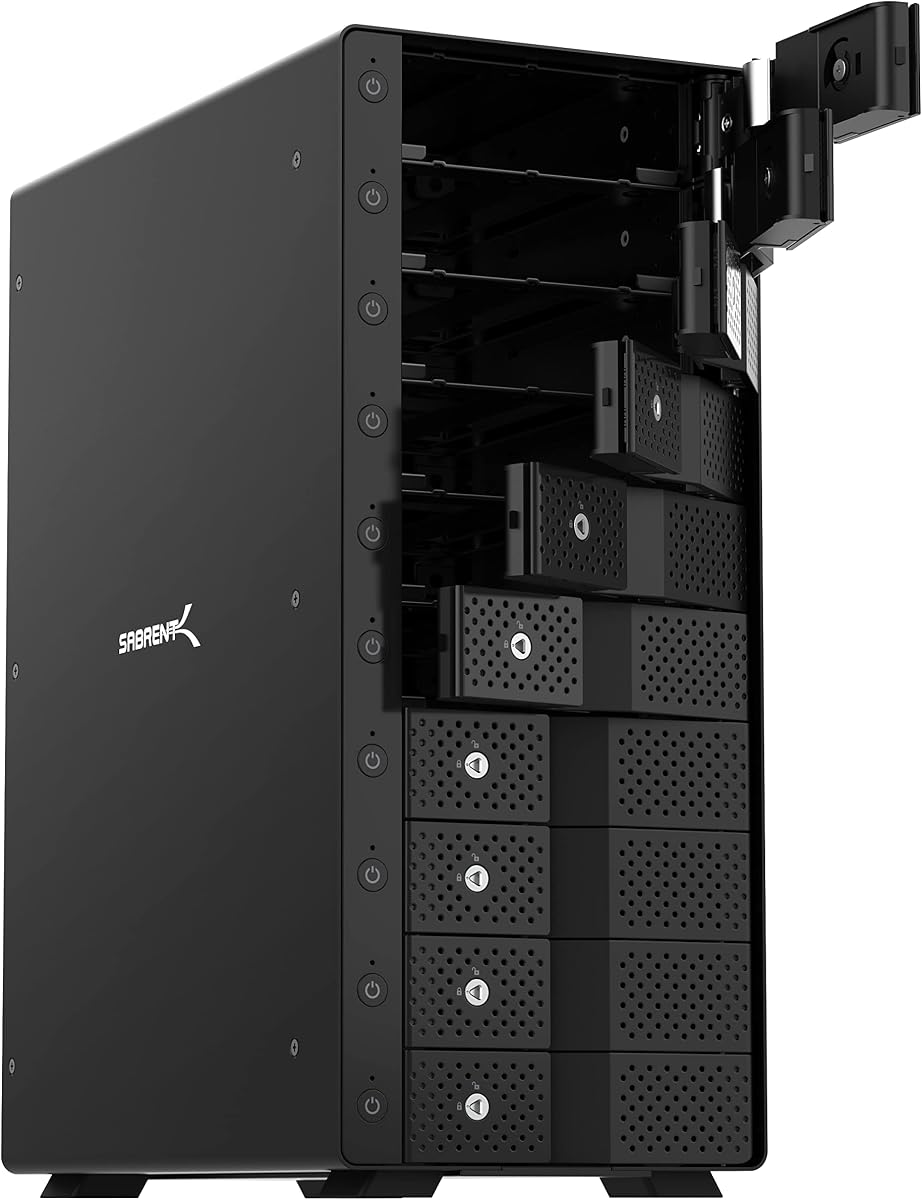
The SABRENT 10-Bay dock is a premium solution designed for professionals needing massive storage capacity and fast access speeds. With a rating of 4.1 it excels in providing a robust platform for managing extensive media and backup workflows efficiently.
We may earn a commission when you buy through this link, at no additional cost to you.
Ten independent bays support up to 20TB per drive totaling 200TB of storage while the USB-C 10Gbps interface ensures rapid data transfers. Tray-less hot swap functionality allows you to insert drives without trays and individual switches give you precise control over power and status.
Dual 120mm fans maintain optimal temperatures even under sustained loads while the aluminum build adds rigidity and aesthetic appeal. Security features like a locking key and Kensington slot help protect your drives from unauthorized removal in shared environments.
This enclosure is ideal for creative studios and enterprises managing vast libraries of video or archive data. It combines capacity speed and durability to meet the demands of high-performance storage environments.
With ten bays each supporting 20TB drives you get a total of 200TB for your most demanding storage requirements.
Two large fans ensure consistent airflow across all drives preventing heat buildup during continuous operation.
We may earn a commission when you buy through this link, at no additional cost to you.
The QNAP TR-004 is a versatile 4-bay DAS enclosure that brings hardware RAID support to direct attached storage setups. With a rating of 4.2 it appeals to users who want redundancy and performance without full NAS complexity.
We may earn a commission when you buy through this link, at no additional cost to you.
It supports RAID 0 1 5 and JBOD configurations allowing flexible data protection strategies. The USB Type-C interface ensures fast transfers and compatibility with modern computers while lockable drive bays secure your data physically.
Although it functions as an external storage pool rather than a full NAS unit it can extend the capacity of existing QNAP systems. This hybrid approach offers a middle ground between simple DAS and more complex network solutions.
This enclosure is suitable for small businesses or power users needing reliable storage expansion with redundancy features. It provides a balanced solution for data safety and accessibility.
Multiple RAID modes offer data redundancy and performance options to suit different workflow priorities.
Ideal for expanding QNAP NAS capacity or serving as an external backup device for various systems.
We may earn a commission when you buy through this link, at no additional cost to you.
The QNAP TL-R1200C-RP is a robust 12-bay rackmount enclosure designed for server environments needing scalable storage. With a rating of 4.1 it delivers reliable performance for expanding storage in professional or enterprise settings effectively.
We may earn a commission when you buy through this link, at no additional cost to you.
Its redundant power supply ensures continuous operation even if one unit fails which is critical for mission-critical data. The enclosure supports up to twelve 3.5-inch SATA drives and connects via USB 3.2 Gen 2 for efficient data access.
The rackmount design integrates seamlessly into server racks maximizing space efficiency while maintaining easy access to drive bays. Although it is pricier and larger than desktop options it offers features necessary for stable enterprise storage expansion.
This enclosure is perfect for IT departments managing large-scale storage requirements in data centers. It provides enterprise-grade reliability and scalability for growing storage needs.
Redundant power and rackmount design ensure continuous and stable storage operations in critical environments.
Twelve bays allow for massive storage expansion supporting evolving business data demands.
We may earn a commission when you buy through this link, at no additional cost to you.
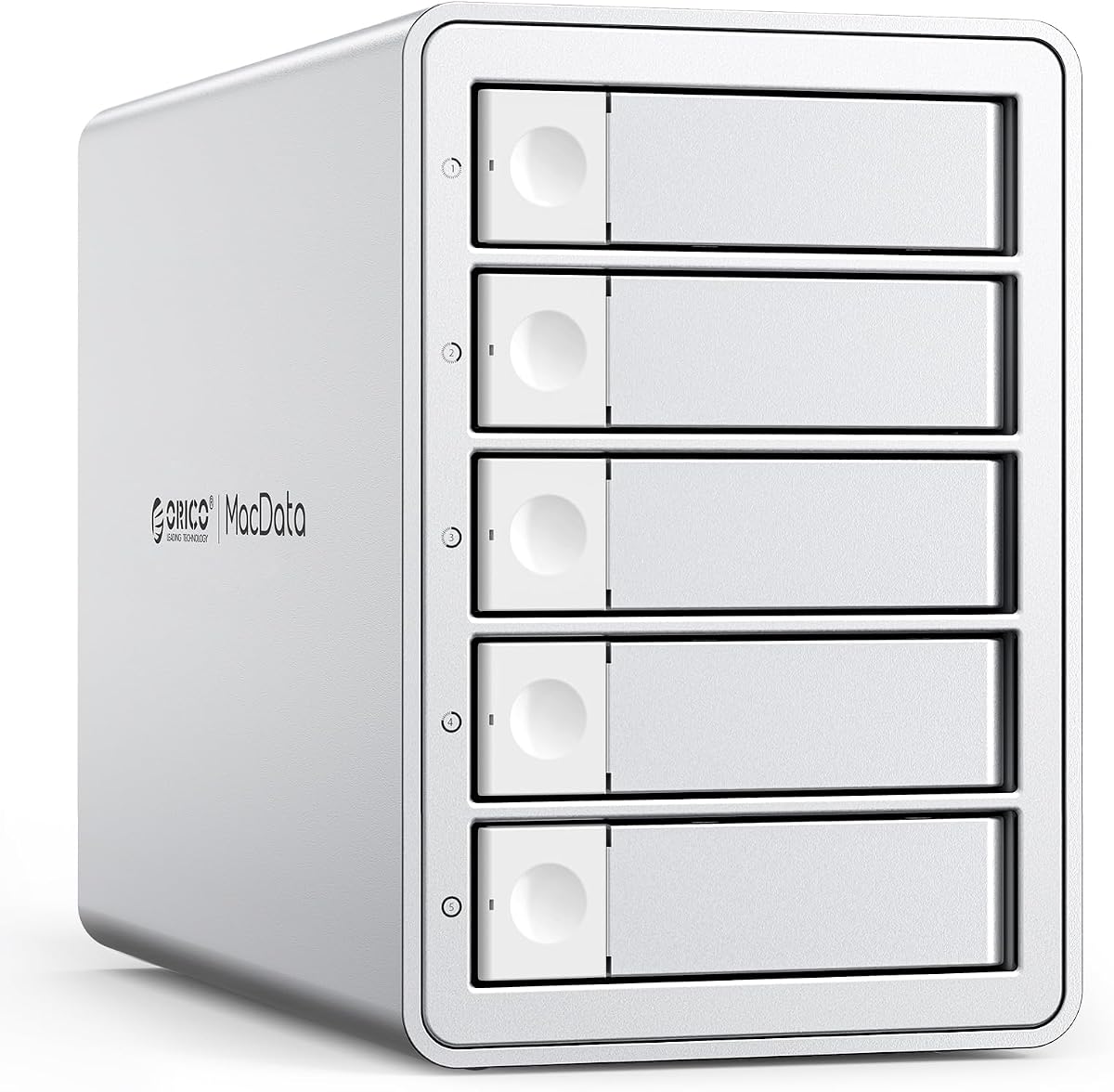
The ORICO 5 Bay RAID enclosure offers exceptional flexibility with support for multiple RAID modes to tailor data protection and performance. With a high rating of 4.7 it stands out for its user-friendly configuration and robust hardware design.
We may earn a commission when you buy through this link, at no additional cost to you.
Its hardware RAID controller allows switching between modes like RAID 0 1 3 5 and JBOD easily to meet specific workflow needs. The built-in 150W power supply eliminates external adapters and ensures stable power for all five drives simultaneously.
The rugged aluminum shell and silent fan help dissipate heat efficiently ensuring longevity of your drives. While the fan may produce some noise it is generally acceptable for office or studio environments where reliability is key.
This enclosure is ideal for creative professionals needing customizable storage setups. It balances performance capacity and ease of use for diverse backup and editing requirements.
Multiple hardware RAID modes let you customize data redundancy and speed without software complexity.
The integrated power supply ensures consistent voltage to all drives even under heavy loads.
We may earn a commission when you buy through this link, at no additional cost to you.
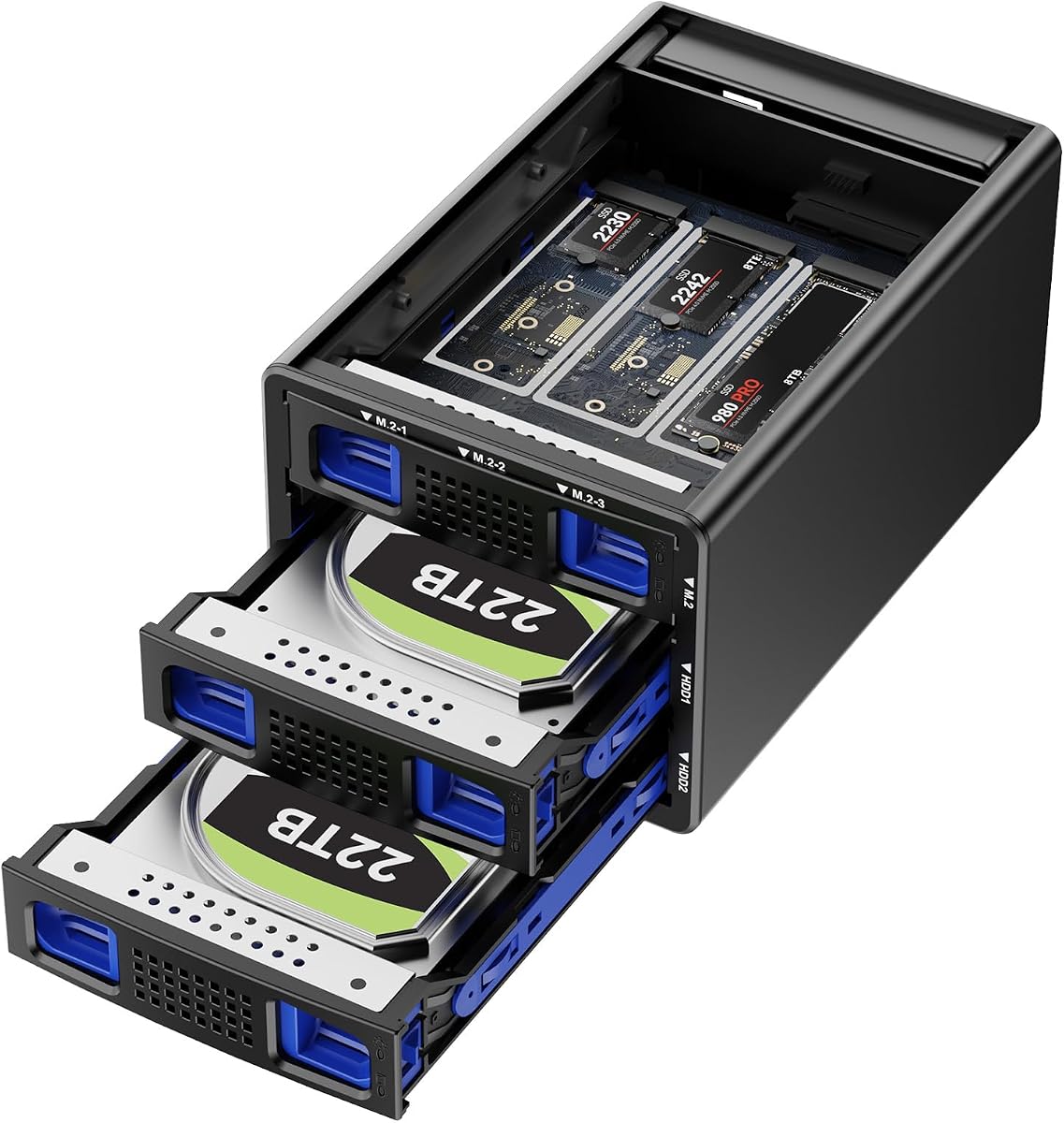
This hybrid enclosure combines two SATA bays with three NVMe slots offering a unique solution for blending speed and capacity. With a rating of 4.6 it provides innovative storage options for users seeking performance without sacrificing bulk storage.
We may earn a commission when you buy through this link, at no additional cost to you.
The USB 3.2 Gen 2 interface supports up to 10Gbps ensuring fast access to NVMe drives while SATA drives handle large file archives. RAID modes allow you to configure data redundancy or speed based on your specific needs.
Silent fans ensure cooling for both drive types although they run continuously which may be noticeable in quiet spaces. Tool-free trays simplify installation making it easier to manage both traditional and modern storage media.
This enclosure is perfect for users needing both fast access for active projects and massive capacity for archives. It offers a versatile platform for optimizing storage performance and cost.
Combining HDD and NVMe allows optimized workflows balancing speed and capacity in one enclosure.
USB 3.2 Gen 2 ensures high-speed transfers especially beneficial for NVMe SSD performance.
We may earn a commission when you buy through this link, at no additional cost to you.
The ORICO 4 Bay RAID enclosure offers extensive configuration options with support for eight different RAID modes. With a rating of 4.3 it is designed for users needing flexible data protection and high-speed access.
We may earn a commission when you buy through this link, at no additional cost to you.
Its aluminum alloy construction ensures durability while the built-in power supply eliminates external adapters for a cleaner setup. The trayless design with safety locks prevents accidental drive ejection securing your data effectively during use.
While it uses USB 3.0 instead of newer Gen 2 interfaces the performance remains solid for most backup and editing tasks. The cooling system works efficiently though some noise may be present during heavy operations.
This model suits users needing robust storage expansion with redundancy features. It provides a reliable and versatile option for managing large data sets safely.
Eight modes allow customization of storage performance and redundancy to meet diverse needs.
Aluminum shell and built-in power supply enhance durability and simplify desk organization.
We may earn a commission when you buy through this link, at no additional cost to you.
The OWC Mercury Elite Pro Quad is a compact 4-bay enclosure designed for users prioritizing speed and space efficiency. With a rating of 3.7 it offers fast connectivity but may require careful setup to maximize potential.
We may earn a commission when you buy through this link, at no additional cost to you.
Its USB-C 10Gb/s interface delivers up to 947MB/s transfer speeds making it suitable for time-sensitive workflows. The universal bays accept both 2.5 and 3.5 inch drives providing flexibility in drive selection and capacity.
Although it lacks included RAID software the hardware supports basic functions which may be limiting for some users. The compact design saves desk space but may have less aggressive cooling compared to larger models.
This enclosure works well for users needing fast portable storage in a small footprint. It balances speed and size though potential setup limitations should be considered.
USB-C 10Gb/s ensures fast data movement essential for performance-oriented tasks and editing.
Supports both 2.5 and 3.5 inch drives allowing flexible storage configuration options.
We may earn a commission when you buy through this link, at no additional cost to you.
Selecting the right Jbod enclosure involves evaluating several factors to ensure compatibility with your needs and existing hardware.
Check the enclosure supports USB 3.2 Gen 2 or Thunderbolt for faster transfers if you work with large files. Slower USB 3.0 ports may be adequate for backups but limit productivity during active editing.
Ensure the enclosure supports the number of drives and maximum capacity per drive you need. Four bays may suffice for small needs but eight or ten bays are better for massive archives.
Look for enclosures with efficient fans or passive cooling to prevent drive throttling during heavy use. Noise reduction features are important if you work in quiet office or home environments.
Aluminum alloy or steel casings protect drives from physical damage and aid heat dissipation. Lockable drive bays add security for shared workspaces.
Hot swappable bays allow drive replacement without powering down the system which improves workflow continuity. Tool-free designs make drive installation quick and simple.
Verify the enclosure is compatible with your OS such as Windows Mac or Linux without needing extra drivers. Plug-and-play features simplify setup and reduce technical overhead.
Built-in power supplies reduce cable clutter and ensure stable voltage across multiple drives. External adapters may require more outlets and pose risks of instability.
Decide if you need hardware RAID for redundancy or performance versus simple DAS. Some enclosures offer multiple RAID modes while others are limited to independent disk use.
Connect the enclosure to your computer using the provided cable and power adapter before installing drives. Allow the system to recognize the device and format drives as needed.
Regularly check drive temperatures through monitoring software to prevent overheating especially during long transfers. Keep vents clean and free from dust to maintain optimal airflow.
Backup critical data periodically even when using redundancy features to protect against hardware failure. Remove drives carefully and power down the unit before moving or storing it.
A Jbod enclosure treats each drive as an independent volume while RAID combines drives for redundancy or speed. Jbod offers simplicity and flexibility whereas RAID adds complexity and potential performance benefits.
Yes most enclosures support both SATA HDDs and SSDs. Check specific capacity limits and compatibility details before purchasing SSDs for best performance.
Most are plug-and-play and require no additional software. Some RAID models may offer optional management tools but basic functions work without installation.
The number depends on the enclosure model ranging from four to twelve or more bays. Higher bay counts accommodate larger storage needs but require more space and power.
USB 3.2 Gen 2 or USB-C with 10Gbps capability is ideal for fast transfers. Older USB 3.0 interfaces are slower but sufficient for basic backups and storage expansion.
Most enclosures work with Mac macOS systems out of the box. Ensure you format drives correctly for Mac if needed before connecting them to the system.
Power down the enclosure immediately and disconnect the noisy drive. Check for proper mounting and replace the drive if issues persist to avoid data loss.
You can add multiple enclosures but each appears as a separate volume. Some setups allow software to combine volumes though hardware merging is not supported directly.
Choosing the right Jbod enclosure depends on your specific storage needs capacity requirements and budget. The top picks offer a range of options from budget-friendly models to high-capacity professional solutions.
Prioritize factors such as interface speed cooling efficiency and build quality to ensure long-term reliability. Consider whether RAID features are necessary for your workflow or if standalone drives meet your needs.
Always verify current pricing and availability before purchasing to secure the best value. Regular maintenance and proper usage will help extend the lifespan of your storage investment.