
HP 14 Laptop 2025
4.3Editor score
Quad-Core Intel CPU
16GB RAM 628GB Storage
Slim Green Design
Finding a reliable laptop often means balancing performance with software costs. Many users prefer bundles that include essential productivity tools right out of the box. This guide focuses on models offering lifetime Microsoft Office licenses to simplify your setup.
We analyzed ten current models based on processor speed, memory capacity, and storage options. Each option provides Windows 11 Pro and a pre-installed Office suite. Our comparison highlights how these machines handle daily tasks and long-term usage efficiently.
Every pick includes detailed specifications and real-world performance insights. Prices fluctuate frequently on major marketplaces so verify current costs before buying. This list helps you identify the right balance of power and value for your specific work or study requirements.
4.3Editor score

4.3Editor score

5.0Editor score
As an Amazon Associate we earn from qualifying purchases.
This side-by-side comparison highlights key specifications across all ten selected models. Focus on the core differences in processor generation and total storage capacity.



This HP 17 Laptop stands out as the top choice for users needing a robust business machine with included software. It features a powerful 8-Core Intel i3 processor paired with 16GB of RAM to handle multitasking smoothly. The inclusion of a lifetime Microsoft Office license makes it a complete solution for immediate productivity without extra costs.
We may earn a commission when you buy through this link, at no additional cost to you.
The large 17.3-inch HD+ display provides significant screen real estate for spreadsheets and documents. Users benefit from 500GB SSD storage combined with an additional 500GB external drive for ample space. The Windows 11 Pro operating system ensures enterprise-grade security and management tools are available for professional workflows.
While the display resolution is HD+ rather than Full HD, the non-reflective screen reduces glare in bright environments. The weight is notable for portability but acceptable for a desktop replacement. The included MarxsolAccessory bundle adds value with a docking station and wireless peripherals for a full setup.
Ideal for home offices and small businesses, this laptop delivers reliability and value. The pre-installed software eliminates setup hurdles for new users. If you need a large screen and strong performance without subscription fees, this model is the recommended choice.
The 8-Core Intel i3-N305 processor ensures smooth operation during intensive tasks and long sessions.
Free lifetime access to Word, Excel, and Outlook removes ongoing subscription costs entirely.
We may earn a commission when you buy through this link, at no additional cost to you.
The HP 14 Laptop offers an exceptional entry point for students and budget-conscious professionals. It balances cost with essential features like 16GB of RAM and a lifetime Office license. The slim design makes it easy to carry between classes or meetings while maintaining productivity.
We may earn a commission when you buy through this link, at no additional cost to you.
This model includes the Copilot AI assistant to help streamline tasks and generate content quickly. The storage configuration uses a fast 128GB UFS drive for the system and a 500GB external drive for files. This setup ensures the operating system runs efficiently without filling up internal space.
The Quad-Core Intel processor handles daily web browsing and document editing well. While it may not suit heavy video editing, it is perfect for general productivity. The wireless mouse and docking station bundle provide immediate connectivity options for external monitors.
For those seeking affordability without sacrificing core capabilities, this laptop is a smart pick. The included software saves money on subscriptions. If you prioritize portability and value, this green slim model fits the bill.
Copilot AI assists with writing and data analysis for enhanced workflow efficiency.
The slim chassis allows for easy transport in backpacks or bags.
We may earn a commission when you buy through this link, at no additional cost to you.
This premium HP 17.3 laptop is built for users who demand maximum storage and memory. With 32GB of RAM and a 2TB SSD, it handles large datasets and multitasking effortlessly. The lifetime Microsoft Office 2024 Professional Plus ensures all necessary tools are ready immediately.
We may earn a commission when you buy through this link, at no additional cost to you.
The Intel Core i3-N305 processor supports rapid application loading and data processing. The large screen provides ample room for side-by-side document editing. It is an ideal device for data analysis or content creation where resources are critical.
While the keyboard lacks backlighting, the performance outweighs this limitation for desk usage. The included pouch and USB hub add convenience for travel and connectivity. The high rating reflects user satisfaction with its power and reliability.
If you need a powerhouse for complex workflows, this is the top choice. The combination of high RAM and storage is rare at this price point. It is perfect for professionals who work locally on large files.
32GB RAM ensures smooth multitasking even with many browser tabs open.
2TB SSD provides plenty of room for media files and archives.
We may earn a commission when you buy through this link, at no additional cost to you.
The HP 15.6 Business Laptop offers a versatile touchscreen interface for interactive users. It comes with 16GB RAM and a 1TB SSD for quick boot times and ample storage. The lifetime Office license allows for immediate document creation and management.
We may earn a commission when you buy through this link, at no additional cost to you.
The 12th Gen Intel processor provides solid performance for business applications. Touch capabilities allow for intuitive navigation through files and presentations. Copilot AI is integrated to assist with writing and data insights during work.
Battery life is around five hours which may require planning for long travel days. The screen brightness is moderate so it works best indoors. The USB-C port is data only but other connectivity options are sufficient.
Best for users who prefer touch interaction and standard business tasks. The included software and SSD speed make it a practical daily driver. Check availability if you need touch features.
Touch capability allows for direct input on maps and diagrams.
1TB SSD ensures files open instantly without delays.
We may earn a commission when you buy through this link, at no additional cost to you.
This HP 15.6 FHD Laptop delivers crisp visuals with its 1920×1080 display. It includes a lifetime Office license and powerful 8-Core processor for smooth operation. The 16GB RAM and 1TB SSD ensure you have space and speed for all tasks.
We may earn a commission when you buy through this link, at no additional cost to you.
The full HD screen improves text clarity and image quality for presentations. Users get Windows 11 Pro for enhanced security and management tools. The lightweight design makes it easy to carry for on-the-go work.
Performance is excellent for standard productivity and media consumption. Battery life supports up to ten hours which is a strong point for travel. The included USB hub adds connectivity for peripherals.
Great for general users wanting a sharp screen without premium pricing. The included software saves money. If clarity and reliability are priorities this model is highly recommended.
Full HD resolution ensures sharp text and detailed images.
Up to ten hours allows full work day usage without a charger.
We may earn a commission when you buy through this link, at no additional cost to you.
This model targets students and home users needing a compact solution with key features. It features a touchscreen display for easy navigation and includes Office 2021 for document creation. The 12GB RAM supports multitasking during online classes or homework.
We may earn a commission when you buy through this link, at no additional cost to you.
The 12th Gen processor provides quick response for web browsing and research. A 256GB SSD ensures fast boot times though storage may fill up quickly. The Windows 11 Pro system offers enterprise-level security for personal use.
Battery life is around six hours which may limit mobility. The lower resolution screen is functional but not exceptional. However the touch functionality adds a layer of ease for notes.
Suitable for academic tasks where touch input is valuable. The included software reduces setup time. Consider external storage if you need to save large media files.
Touchscreen simplifies navigation for notes and presentations.
PCIe SSD ensures the system starts up instantly.
We may earn a commission when you buy through this link, at no additional cost to you.
The HP 2025 Premium 17 Laptop brings a large workspace to portable computing. It includes a lifetime license for Office 2024 to support professional workflows. The 17.3 inch HD+ display provides ample room for spreadsheet work.
We may earn a commission when you buy through this link, at no additional cost to you.
Powered by an 8-Core processor and 16GB RAM it handles everyday tasks smoothly. The 512GB PCIe SSD offers balanced storage for apps and files. Wi-Fi 6 connectivity ensures stable internet access for remote work.
The weight is higher than ultrabooks but acceptable for fixed locations. The webcam supports video conferencing needs. A dedicated HDMI port allows for easy connection to projectors.
Best for home office users needing screen real estate. The pre-installed software is ready to use. If you work at a desk primarily this size is a great asset.
17.3 inch screen reduces the need for external monitors.
Latest wireless standard provides faster and more stable connections.
We may earn a commission when you buy through this link, at no additional cost to you.
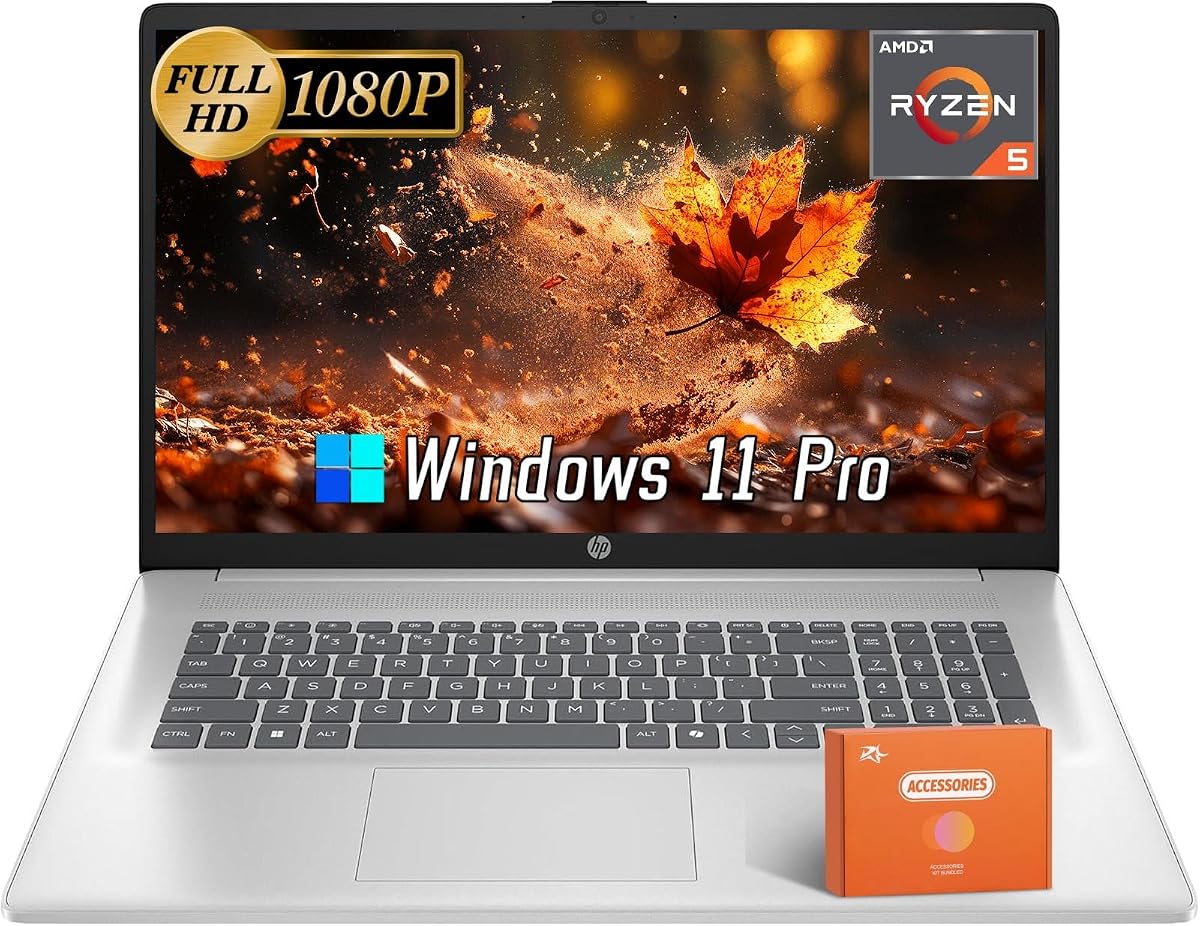
This HP 17 inch Laptop features an AMD Ryzen 5 processor for robust performance. It includes a lifetime Office license and a 17.3 inch Full HD display. The 16GB RAM supports smooth multitasking for daily work.
We may earn a commission when you buy through this link, at no additional cost to you.
The AMD Radeon graphics provide decent visuals for light entertainment. The display offers vibrant colors and sharp text for better viewing. Windows 11 Pro adds security features for protecting business data.
Connectivity options include USB-A and HDMI for standard peripherals. The screen has anti-glare properties for indoor and outdoor use. Battery life is decent but depends on usage intensity.
Recommended for users preferring AMD architecture. The included software saves money on subscriptions. If you want a full HD display on a budget model consider this option.
Ryzen 5 processor delivers efficient power for general computing.
Reduces eye strain during long working sessions.
We may earn a commission when you buy through this link, at no additional cost to you.
The HP 17.3 Laptop features a newer Intel Core i5 processor for enhanced speed. It includes a lifetime Office license and 16GB RAM for reliable performance. The large HD+ display provides space for detailed document work.
We may earn a commission when you buy through this link, at no additional cost to you.
Intel Iris Xe graphics improve visual output for media viewing. The 10-core architecture handles multiple threads efficiently. Wi-Fi 6 ensures fast internet speeds for cloud collaboration tools.
The non-backlit keyboard limits low light typing. The screen resolution is standard but functional for most tasks. A USB hub is included for expanded connectivity options.
Great for users needing Intel performance in a large format. The pre-installed software is ready to use. If you need speed and capacity this model fits well.
i5 processor delivers quick app launches and data processing.
Wi-Fi 6 supports faster speeds for cloud backups.
We may earn a commission when you buy through this link, at no additional cost to you.
Selecting the right device requires understanding key hardware specs and software benefits. This guide walks you through critical factors to consider before making a purchase.
Processor speed and core count determine how fast your laptop runs applications. Look for 6-core or 8-core units like the i3-N305 for smooth multitasking. High performance ensures you can run browser tabs and Office apps simultaneously.
Prioritize newer generations to ensure longevity and efficiency. An efficient processor keeps the system responsive for years.
RAM manages temporary data for active programs. 16GB is the ideal sweet spot for productivity tasks. It prevents slowdowns when switching between Word Excel and web research.
Avoid 8GB models for heavy business use. More memory means better stability during peak work hours.
Storage holds your files and operating system. SSDs are essential for fast boot times and file access. Aim for at least 512GB SSD combined with external options.
Consider models with external drives included. This hybrid approach offers speed and bulk storage for large data sets.
Screen size and resolution impact comfort. Larger screens like 17.3 inches reduce eye strain for spreadsheets. Full HD is better for clarity but HD+ is acceptable for basic use.
Look for anti-glare panels if you work in bright spaces. Quality displays make long hours easier on the eyes.
Ports connect peripherals like monitors and printers. Ensure you have USB-A and HDMI for external devices. USB-C is valuable for future upgrades and data transfer.
Check if USB-C supports power delivery. Some ports may only transfer data which limits flexibility.
Windows 11 Pro provides enhanced security features. It includes tools for data encryption and remote access. This is vital for business and professional data protection.
Always verify the OS version before buying. Pro editions offer better management tools than Home.
Battery duration dictates mobility. Aim for at least 8 hours of mixed usage for full day work. Shorter life requires carrying a charger everywhere.
Look for fast charging capabilities if you travel often. Quick top-ups keep you productive during transit.
Many bundles include essential items like mice and hubs. These save extra costs on peripherals. Check for docking stations to connect multiple devices easily.
Verify what is included in the price. Some accessories add significant value to the overall offer.
To maximize performance start by organizing your files into folders on the SSD. Use the external drive for large media archives to keep the system disk free. Regularly update Windows and Office to ensure security and features are current.
Keep your laptop clean and free from dust to maintain cooling. Use a soft cloth to wipe the screen and keyboard weekly. Avoid placing heavy items on the closed lid to protect the hinge.
When using for long periods adjust brightness and tilt to reduce glare. Take short breaks to rest your eyes and prevent strain. Proper usage extends the lifespan of your hardware significantly.
No, the lifetime license provided with these laptops does not expire. It allows unlimited use of Office 2024 Professional Plus without a subscription. This is a one-time activation that remains valid as long as you own the device.
Yes, you can install any compatible software on these laptops. The license is for Office and does not restrict other programs. You can add browsers or productivity tools as needed.
Yes, 16GB RAM is sufficient for most business tasks. It handles multitasking between Word Excel and web browsers effectively. This capacity ensures smooth performance during daily work hours.
HD+ has a lower resolution of 1600×900 compared to FHD which is 1920×1080. FHD offers sharper text and images. HD+ is adequate for documents and basic media viewing.
Most of the bundles include a wireless mouse. This ensures you have immediate input capability upon unboxing. Some models include docks or hubs instead of a mouse.
Yes, they offer portability and essential software for students. The lightweight options are easy to carry. The included Office suite covers all academic writing and research needs.
No, these models come with pre-installed and activated Office. There is no need to enter a product key. Just launch the apps to start working immediately.
Choosing the right laptop with lifetime Microsoft Office saves money and simplifies setup. The HP 17 Business model stands out for its screen size and memory capacity. The 14 inch Slim offers great portability for students on a budget.
Prioritize specs like RAM and SSD size for long-term reliability. The inclusion of Windows 11 Pro and Office 2024 makes these devices ready for business immediately. Ensure the bundle matches your connectivity needs.
Prices change regularly on major marketplaces so verify current deals before purchasing. Check for current promotions that might include extra accessories. This guide helps you find a reliable device for years of productivity.