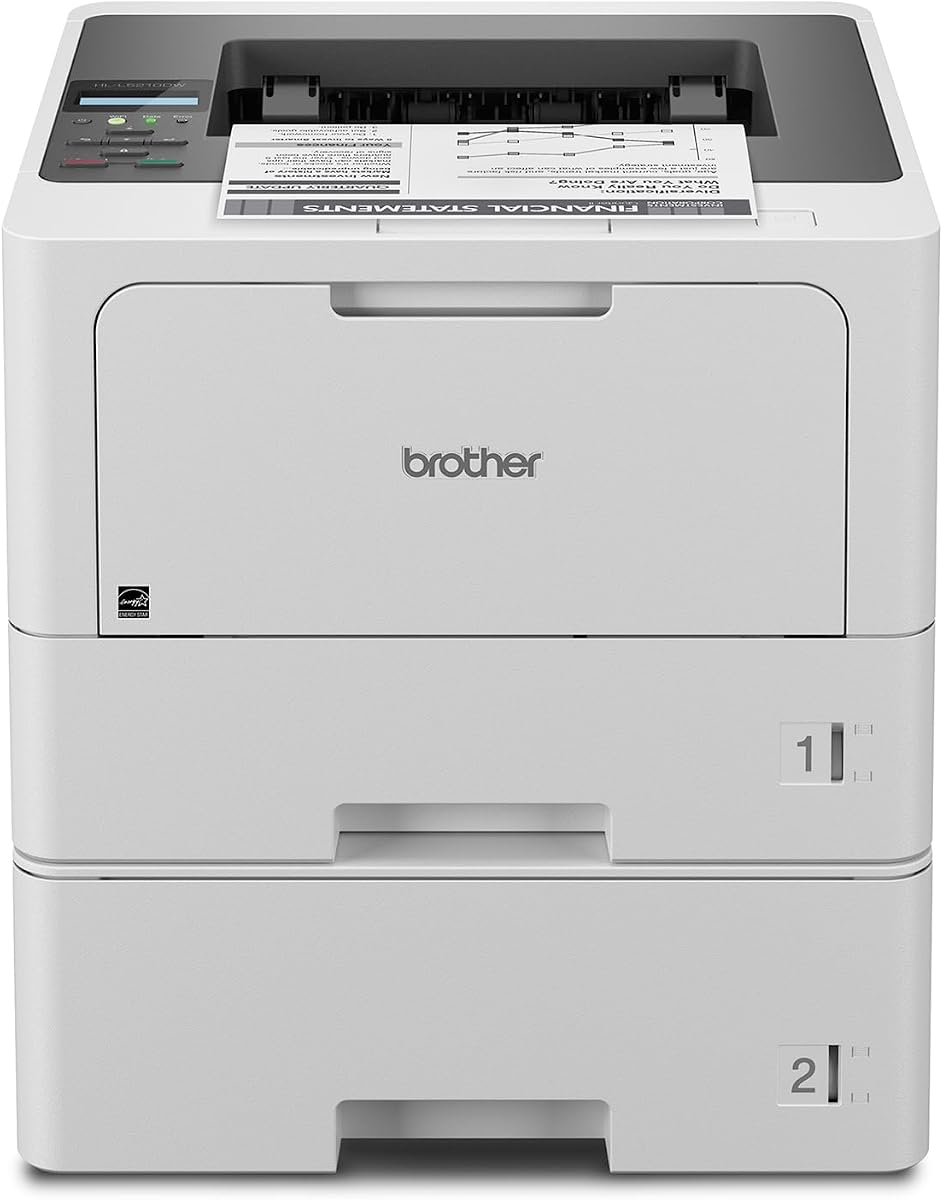
Brother HL-L5210DWT
4.3Editor score
48ppm Monochrome Speed
Dual Paper Trays Included
Gigabit Ethernet Networking
This guide compares the top 10 laser printers for large workgroups based on speed, capacity, security, and total cost of ownership for business efficiency.
Selecting the right laser printer for large workgroups is essential for maintaining high productivity and operational efficiency in busy office environments. These devices must handle high-volume demands while delivering consistent quality and robust security features to protect sensitive business data effectively.
Our team has evaluated the top models available in November 2026 by analyzing print speeds, paper capacity, connectivity options, and advanced security protocols. We focused on devices that offer reliable performance for mid to large-sized teams requiring seamless integration and low total cost of ownership.
Each product selection includes detailed insights into standout features, pros, cons, and specific use cases to help you make an informed decision. Please note that prices and availability are subject to change, so verify current details before finalizing your purchase for your organization.
4.3Editor score

4.4Editor score

4.0Editor score
The following comparison table provides a side-by-side overview of the top ten laser printers selected for large workgroups. Each entry highlights key specifications such as print speed, paper capacity, and unique features to help you quickly identify the best fit for your specific office needs and workflow requirements.


The Brother MFC-L8930CDW stands out as a top choice for large workgroups needing a versatile color laser printer. It offers a robust set of features including fast printing speeds, advanced security, and high paper capacity to keep your office running smoothly without interruptions.
We may earn a commission when you buy through this link, at no additional cost to you.
This printer delivers professional-quality color and black prints at speeds up to 33 pages per minute. Its advanced scanning capabilities include two-sided scanning up to 104 images per minute with an 80-page auto document feeder. The built-in dual-band wireless and Gigabit Ethernet ensure seamless connectivity across your network.
While the initial investment is higher than some competitors, the included Genuine Brother toner and optional super high-yield cartridges help reduce long-term costs. The device is also EPEAT Gold rated and ENERGY STAR certified, making it an environmentally responsible choice for modern offices focused on sustainability.
We recommend this model for medium to large workgroups that require reliable color printing and comprehensive security. Its compact design and flexible connectivity make it easy to integrate into existing setups while providing the productivity-boosting features needed for busy business environments.
Triple Layer Security helps keep devices secure, protect documents in transit, and safeguard networks. It includes an integrated NFC card reader for easy badge authentication to restrict unauthorized access.
Features like a 7-inch color touchscreen with up to 64 customized shortcuts streamline daily tasks. Sustainability is prioritized with EPEAT Gold rating, ENERGY STAR certification, and packaging free of expanded polystyrene.
We may earn a commission when you buy through this link, at no additional cost to you.
The Brother HL-L5210DWT is an excellent budget-friendly option for workgroups that primarily need fast monochrome printing. It combines high output speeds with large paper capacity and flexible connectivity to deliver professional results at a reasonable price point.
We may earn a commission when you buy through this link, at no additional cost to you.
With print speeds up to 48 pages per minute, this printer ensures your team stays productive during busy periods. The dual paper trays totaling 770 sheets plus an optional tray expandable to 1,390 sheets reduce downtime. It supports both Gigabit Ethernet and dual-band wireless for versatile network sharing.
Cost efficiency is a major advantage with the included TN920XXL super high-yield replacement toner cartridge offering up to 11,000 pages. The printer also includes Triple Layer Security features to safeguard your network and protect documents in transit to and from the print device.
This printer is ideal for cost-conscious businesses needing reliable black-and-white output. Its robust paper handling and network flexibility make it suitable for mid-sized workgroups looking to streamline document production without breaking the budget.
Dual 250-sheet and 520-sheet capacity trays mean you spend less time refilling paper. A 100-sheet multipurpose tray supports custom media or envelopes for versatile printing needs.
Built-in Gigabit Ethernet and dual-band wireless networking allow seamless setup on wired or wireless networks. Advanced security features help keep devices secure and protect documents in transit.
We may earn a commission when you buy through this link, at no additional cost to you.
The HP LaserJet Enterprise M406dn delivers fast and reliable monochrome printing for entry-level enterprise needs. With print speeds up to 42 ppm and strong security features, it empowers work teams to succeed with efficient document handling and easy management.
We may earn a commission when you buy through this link, at no additional cost to you.
This printer is designed for quick setup and easy use with a simple control interface. HP FutureSmart firmware allows updates to optimize your investment for years. Automatic two-sided printing saves paper and speeds through tasks effectively for better business efficiency.
HP Wolf Enterprise Security provides defensive layers to detect and self-heal from malware while protecting your data and business. The 2.7-inch color display enables printing directly and card reader support for enhanced workflow control within your office network.
Choose this model if you need fast, secure, and simple network printing. It is ideal for workgroups prioritizing performance and future-proofing with firmware updates that keep the device aligned with evolving business requirements over time.
HP Wolf Enterprise Security acts as the world's most secure printers with defensive layers. They detect and self-heal from malware to protect your data and business continuously.
HP FutureSmart firmware can be updated with the latest features to optimize your investment for years to come. This ensures long-term efficiency and adaptability for your team's workflow needs.
We may earn a commission when you buy through this link, at no additional cost to you.
The Brother MFC-L6810DW is a high-speed enterprise monochrome all-in-one printer built for mid to large-sized workgroups. It delivers print and copy speeds up to 52ppm along with robust security and large expandable paper capacity to meet demanding office needs.
We may earn a commission when you buy through this link, at no additional cost to you.
This device includes an 80-page auto document feeder offering single-pass two-sided scanning up to 200ipm. The 7-inch touchscreen display simplifies scanning to cloud services and other destinations. Advanced Triple Layer Security features safeguard your network and protect documents in transit effectively.
Built-in value comes with an included Genuine Brother 8,000-page toner cartridge and optional ultra high-yield replacements up to 18,000 pages for lower cost printing. Large expandable paper capacity means less time refilling trays while maintaining professional quality documents.
Ideal for enterprises needing speed and security, this printer integrates well into modern workflows. The combination of fast scanning, high output, and smart connectivity makes it a strong choice for workgroups focused on efficiency and document management.
The 80-page capacity auto document feeder offers single-pass two-sided scanning up to 200ipm. A large document glass supports up to legal-sized documents for comprehensive scanning tasks.
Total capacity is expandable up to 1,660 sheets with optional trays. A 520-sheet main tray and 100-sheet multipurpose tray support custom media or envelopes easily.
We may earn a commission when you buy through this link, at no additional cost to you.
The Brother HL-6210DW delivers professional performance for high-volume monochrome printing in wireless-enabled offices. With an impressive 50ppm output speed and robust connectivity options, it ensures your office tasks are completed with exceptional efficiency and precision.
We may earn a commission when you buy through this link, at no additional cost to you.
This printer features a robust 520-sheet main tray and a 100-sheet multipurpose tray for custom media. It is expandable up to 1,660 sheets with optional trays. Built-in Gigabit Ethernet and dual-band wireless enable efficient sharing across your business network seamlessly.
Cost-efficient printing is achieved with Brother Genuine ultra high-yield replacement toner cartridges delivering up to 18,000 pages. Advanced Triple Layer Security features safeguard the printer for daily office use ensuring comprehensive protection for your network and documents during transmission.
Select this model for fast standalone printing with strong security. It suits workgroups needing reliable black-and-white output and flexible connectivity without the extra complexity of all-in-one features.
Dominate your office printing tasks with this Brother Genuine laser printer. It delivers 50 ppm output speed ensuring your high-volume printing jobs are completed with exceptional efficiency.
Built-in Gigabit Ethernet and dual-band wireless networking enable seamless integration. Triple Layer Security features ensure comprehensive protection for your network devices and documents during transmission.
We may earn a commission when you buy through this link, at no additional cost to you.
The Brother MFC-L5915DW offers fast business printing and copying for busy offices needing reliable monochrome output. It delivers high-quality results at speeds up to 50ppm with flexible connectivity and low-cost output options to support productivity.
We may earn a commission when you buy through this link, at no additional cost to you.
This device features a 70-page capacity auto document feeder offering single-pass two-sided scanning up to 56ipm. A large document glass supports up to legal-sized documents. It includes built-in Gigabit Ethernet and dual-band wireless networking for seamless setup and sharing.
Help reduce operating costs using the Brother Genuine TN920UXXL ultra high-yield 18,000-page replacement toner cartridge. The printer includes a Genuine 3,000-page toner cartridge. Its low-cost output and high speed make it a great value for mid-sized workgroups.
This all-in-one printer is perfect for teams needing fast copies and scans alongside printing. Its wireless flexibility and affordable toner options help maintain efficiency while controlling operational expenses in a busy environment.
Help reduce operating costs by using the Brother Genuine TN920UXXL ultra high-yield 18,000-page replacement toner cartridge. Includes a Brother Genuine 3,000-page toner cartridge to get started.
Features built-in Gigabit Ethernet and dual-band wireless networking to seamlessly set up and share on your wired or wireless network. Easy printing from mobile devices is also supported.
We may earn a commission when you buy through this link, at no additional cost to you.
The HP LaserJet Enterprise M507n is designed to redefine long-term business expectations with consistent high-quality documents. It offers the industry's strongest security and centralized printing control to help build business efficiency for growing enterprises.
We may earn a commission when you buy through this link, at no additional cost to you.
This printer includes over 200 embedded security features that help protect your printer's information and thwart malware. Web JetAdmin simplifies adding new devices and applying corporate policies. Mobile printing is easy with generally no setup or apps required.
Avoid reprints and service calls by using Original HP 89A/89X toner cartridges or optional extra high-yield 89Y cartridges. The device ensures reliable performance and helps you stay productive with minimal interruptions to your workflow or operations.
Choose this model for businesses prioritizing security and centralized management. It suits workgroups needing dependable monochrome output with robust protection features and straightforward centralized control options for network administrators.
Help build business efficiency with HP Web JetAdmin by easily adding new devices and solutions updating features and applying corporate policies. Set security configuration policies with HP JetAdvantage Security Manager.
Easily print from a variety of smartphones and tablets. This generally requires no setup or apps making it simple to add mobile devices to your office network.
We may earn a commission when you buy through this link, at no additional cost to you.
The HP LaserJet Enterprise MFP M634z is a premium monochrome all-in-one printer designed for high-performance environments. With world's most secure printing and high-speed performance meets energy efficiency, it combines output with energy efficiency and security for professional-quality results.
We may earn a commission when you buy through this link, at no additional cost to you.
This device features a 150-page auto-document feeder with single-pass two-sided scanning and a 9-inch color touchscreen. It includes 3 additional 550-sheet paper trays with a wheeled stand for a total 2300-sheet input tray capacity and a 1000-sheet 3-bin stapler/stacker.
Keep business moving with duplex printing, 5.2 seconds first page out time, and print speeds of up to 55 ppm. Your monochrome laser printer has the industry's deepest security with embedded features that help protect your sensitive data and thwart malware continuously.
This printer is ideal for large organizations needing massive capacity and top-tier security. Its productivity features and high output make it a worthy investment for enterprise workgroups requiring seamless document handling and advanced protection.
Paper handling features include 3 additional 550-sheet paper trays with a wheeled stand for a total 2300-sheet input tray capacity. A 1,000-sheet 3-bin stapler/stacker with job offset enhances finishing workflows.
Protect your network from attacks with embedded features that help protect your sensitive data thwart malware and continually detect and stop attacks. This provides the industry's deepest security for your business.
We may earn a commission when you buy through this link, at no additional cost to you.
The Brother HL-L8430CDWT is built for dependable performance and professional results with vibrant color and sharp black output. With print speeds up to 33ppm and low-cost printing options, it optimizes business productivity and supports busy work teams effectively.
We may earn a commission when you buy through this link, at no additional cost to you.
Dual paper trays with 250-sheet and 520-sheet capacity offer flexibility of mixed media and higher capacity. A 50-sheet multipurpose tray prints custom media and envelopes. The 2.7-inch color touchscreen enables seamless menu navigation and direct printing from popular cloud services.
Help lower printing costs using TN635XXL super high yield replacement toner cartridges providing 7,500 pages black and 6,500 pages color. The printer includes Genuine Brother 3,000-page black and 1,800-page color toner cartridges. Triple Layer Security includes NFC card reader for easy badge authentication.
This model is great for workgroups needing affordable and reliable color printing. Its sustainability features including EPEAT Gold rating and ENERGY STAR certification make it a responsible choice for environmentally conscious businesses.
Flexible connectivity and a 2.7-inch color touchscreen enables seamless menu navigation and direct printing from popular business cloud services and mobile devices. Default two-sided printing helps reduce paper use.
EPEAT Gold rated ENERGY STAR certified EPS-free packaging and 14% Post Consumer Recycled material. These features help reduce environmental impact while maintaining professional business standards.
We may earn a commission when you buy through this link, at no additional cost to you.
The Brother HL-L6310DW enterprise monochrome laser printer delivers high-quality output and print speeds up to 52ppm to boost productivity. It features low-cost printing large paper capacity and works with Alexa for seamless voice control and management.
We may earn a commission when you buy through this link, at no additional cost to you.
This printer includes an included Genuine 6,000-page toner cartridge and optional ultra high-yield replacement for 18,000 pages. Triple Layer Security features help safeguard your network and protect documents in transit. A 520-sheet capacity paper tray and 100-sheet multipurpose tray support custom media.
Device management solutions enable mass distribution of configurations security settings firmware updates and task automation. An optional cabinet can be used to store paper and supplies and turn the printer into a floor-standing configuration for better office integration.
This model suits workgroups needing fast printing with smart home integration. Its easy-to-use design and expandable paper capacity make it ideal for organizations prioritizing efficiency and modern workflow connectivity.
Offers built-in value with an included Brother Genuine 6,000-page toner cartridge. For even lower cost printing use the Brother Genuine TN920UXXL ultra high-yield replacement toner cartridge for 18,000 pages.
Equipped with device management solutions to enable mass distribution of device configurations security settings firmware updates and task automation. User friendly design allows for easy replacement of paper and toner.
We may earn a commission when you buy through this link, at no additional cost to you.
Choosing the right printer for a large workgroup involves evaluating speed, capacity, security, and total cost. This guide outlines key factors to consider for optimal business efficiency and performance.
Print speed is critical for large workgroups to avoid bottlenecks. Look for models with speeds of 40 pages per minute or higher to maintain productivity during peak usage times.
Large paper trays reduce the frequency of refills. Consider devices with at least 500 sheets of input capacity plus multipurpose trays to support custom media and envelopes.
Ensure the printer supports both Gigabit Ethernet and wireless networking for flexible sharing. Dual-band Wi-Fi and compatibility with mobile printing apps are essential for modern office environments.
Security is paramount in enterprise settings. Look for Triple Layer Security or enterprise-grade encryption to protect data and devices from unauthorized access and malware threats.
Total cost of ownership depends heavily on toner expenses. Check for high-yield replacement cartridges and calculate cost-per-page to ensure long-term affordability for your team.
Decide between multifunction printers and standalone models. All-in-one devices with scanning and copying save space and streamline workflows but may come at a higher initial price.
Choose printers that are ENERGY STAR certified and EPEAT rated. These devices consume less energy and use recycled materials, supporting your company's environmental goals.
Effective device management tools simplify deployment and maintenance. Prioritize models that offer centralized configuration firmware updates and easy replacement of supplies for reduced IT workload.
Ensure proper placement with adequate ventilation to prevent overheating. Keep the printer on a stable surface and maintain at least six inches of clearance around it for airflow.
Regularly update firmware to benefit from the latest features and security patches. Use manufacturer-approved tools or access settings via the touchscreen display to perform these updates safely.
Use genuine toner cartridges to avoid print quality issues and protect device warranties. Follow user manuals for routine maintenance tasks such as cleaning rollers and removing paper jams.
A printer for large workgroups should have high print speeds above 40ppm, large paper capacity, robust network connectivity, and strong security features. It must handle frequent use without downtime and support multiple users sharing over wired or wireless networks efficiently.
Color printers are necessary if your team regularly produces marketing materials, presentations, or color-coded documents. However, monochrome models suffice for text-heavy workflows and offer lower costs and faster speeds for general office printing needs.
Triple Layer Security safeguards devices by protecting data in transit, verifying network access, and enabling badge authentication. It prevents unauthorized access, secures documents, and ensures only authorized users can print or scan sensitive information.
High-yield toner cartridges produce more pages per unit, reducing replacement frequency and overall cost per page. They are ideal for high-volume printing environments where minimizing downtime and operational expenses is a top priority.
Yes most modern business printers support mobile printing via wireless networks and cloud services. Users can print directly from smartphones and tablets without apps, enhancing flexibility and accessibility across the workgroup.
Essential tasks include regularly cleaning rollers to prevent paper jams, updating firmware for security patches, and using genuine toner to avoid damage. Also, monitor toner levels and replace them promptly to maintain consistent print quality.
Most business-grade models support automatic two-sided printing to save paper and costs. Duplex printing helps reduce waste and speeds up document processing, making it a standard feature for efficient large workgroup environments.
High paper capacity minimizes refilling interruptions and maintains productivity. Large workgroups should look for printers with expandable trays capable of holding 1,000 or more sheets to handle bulk printing tasks smoothly.
The top picks include the Brother MFC-L8930CDW for best overall performance and the Brother HL-L5210DWT for budget-conscious teams. The HP LaserJet M634z stands out as a premium solution for large-scale enterprises needing high capacity.
Prioritize speed, capacity, and security features based on your specific workgroup needs. Ensure the chosen model supports seamless connectivity and offers cost-efficient toner options to maximize long-term value.
Prices and availability can change so verify current offers before purchasing. Selecting the right printer today sets your team up for efficient and reliable document handling for years to come.