As an Amazon Associate we earn from qualifying purchases. We may earn a commission when you buy through links on this page, at no additional cost to you. Read our affiliate disclosure.As an Amazon Associate we earn from qualifying purchases.Purchases through our links may earn us a commission, at no extra cost to you. Read our affiliate disclosure.
Transform your gaming rig with Light Up Cables for PC that bring vibrant ARGB lighting to your power supply and motherboard connections. These sleeves cover messy cables while syncing with your system for a cohesive look.
We evaluated ten leading cable cover kits based on LED density, sync compatibility, flexibility, and ease of installation to determine the top options for custom builds in November 2026.
Each pick below highlights key strengths and potential trade-offs to help you choose the right kit for your chassis. Please note that pricing and availability can change at any time.
Top 3 Picks for Best Light Up Cables for PC
Best Budget
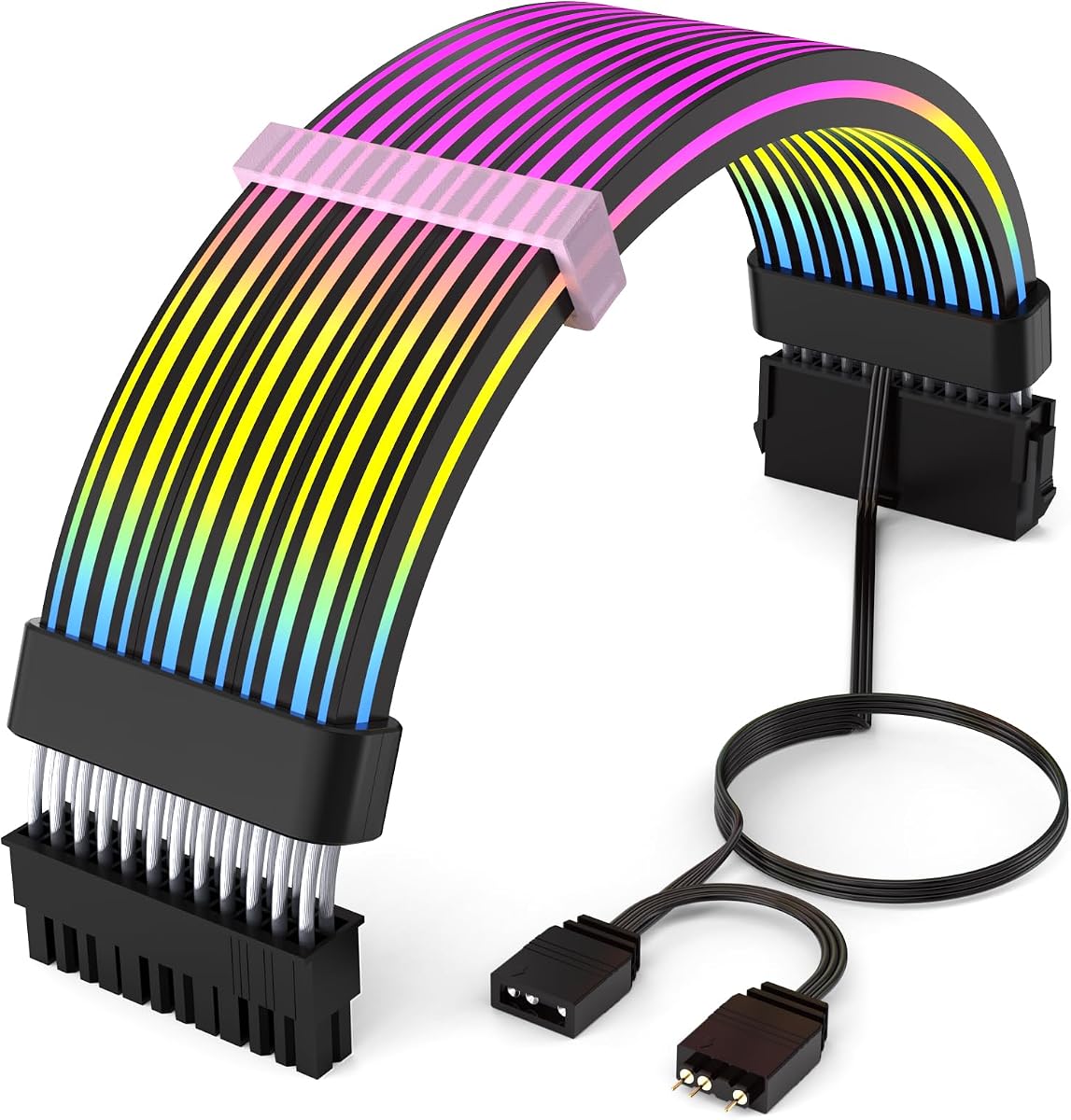
ARGB PSU Cable, ARGB PC Cable for Motherboard Power Supply Extension, 5V 3 Pin Bendable Silicone Sync ARGB Power Extension Cable for PC GPU CPU (X12 Wide (for 24 Pin Or 3×8 Pin)
Top 10 Best Light Up Cables for PC in 2026 Compared
This side-by-side comparison evaluates all ten selected cable kits to help you quickly identify which ARGB solution matches your specific power supply needs and aesthetic preferences.
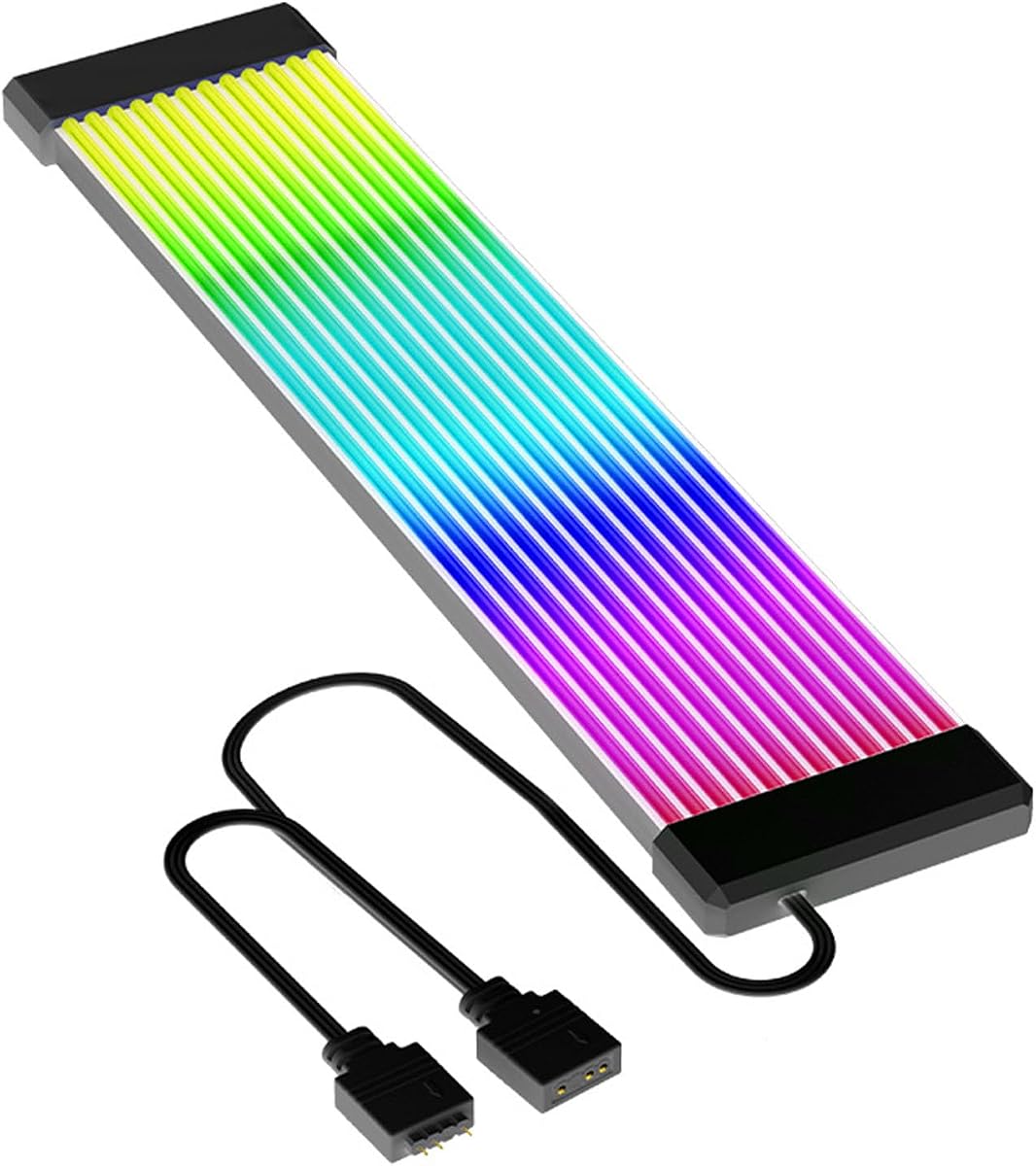
Lian Li Strimer Wireless 24-Pin RGB Motherboard Power Cable with Controller
Wireless 2.4 GHz control
L-Connect 3 software
ATX 24-pin extension
Improved side lighting guide
The Lian Li Strimer Wireless stands out as a premium solution for builders seeking seamless ARGB integration without extra wiring. Its wireless controller simplifies setup while delivering vibrant lighting synchronized with Lian Li components.
Pros
Eliminates cable clutter
Seamless wireless integration
Highly customizable software
Superior build quality
Excellent aesthetic appeal
Cons
Higher price point
Specific software dependency
We may earn a commission when you buy through this link, at no additional cost to you.
This kit uses a 2.4 GHz signal to connect your power cable to your controller, enabling precise fan and lighting control via L-Connect 3 software. The software also monitors system temperature and loading, adding functional value beyond aesthetics.
While the lighting guide extends to the sides for better immersion, users may need to adjust the cable comb to ensure proper alignment with the motherboard header. This minor adjustment ensures the connection remains stable and secure.
If you own Lian Li fans or cases, this wireless extension is worth the investment for a clean, wireless look. It remains one of the best premium options for high-end custom PC builds.
Wireless Signal Reliability
The 2.4 GHz technology ensures stable connectivity between your controller and the Strimer, eliminating physical cable constraints while maintaining full functionality.
Software Integration
L-Connect 3 allows you to manage RGB zones, control fan speeds, and monitor hardware health through a single intuitive dashboard.
ARGB PSU Cable, ARGB PC Cable for Motherboard Power Supply Extension, 5V 3 Pin Bendable Silicone Sync ARGB Power Extension Cable for PC GPU CPU (X12 Wide (for 24 Pin Or 3×8 Pin)
120 LED beads included
Flexible silicone material
5V 3-pin interface
Multi-track flowing light
This ARGB PSU cable offers excellent value for builders on a budget who still want high-density lighting. With 120 LED beads and flexible silicone construction, it delivers vibrant effects that match major motherboard software.
Pros
Affordable price point
High LED count
Flexible and bendable
Wide software compatibility
Easy to install
Cons
Basic connector options
No included controller
We may earn a commission when you buy through this link, at no additional cost to you.
The wide interface supports standard 24-pin and 3×8-pin connections, allowing seamless connection and easy expansion. Its bendable design makes routing simple even in tight cases where space is limited.
Although it does not include a controller, the standard 5V 3-pin connector works with most motherboards. Users relying on controllers should ensure their device supports enough LEDs to drive this cable properly.
For those prioritizing cost and performance, this cable is a strong choice. It transforms standard power lines into bright light show without breaking the bank.
LED Density and Flow
The high count of 120 beads ensures smooth light transitions with minimal dark spots across your power cable.
Installation Flexibility
Silicone material allows you to shape the cable freely, making it easy to fit complex routing paths.
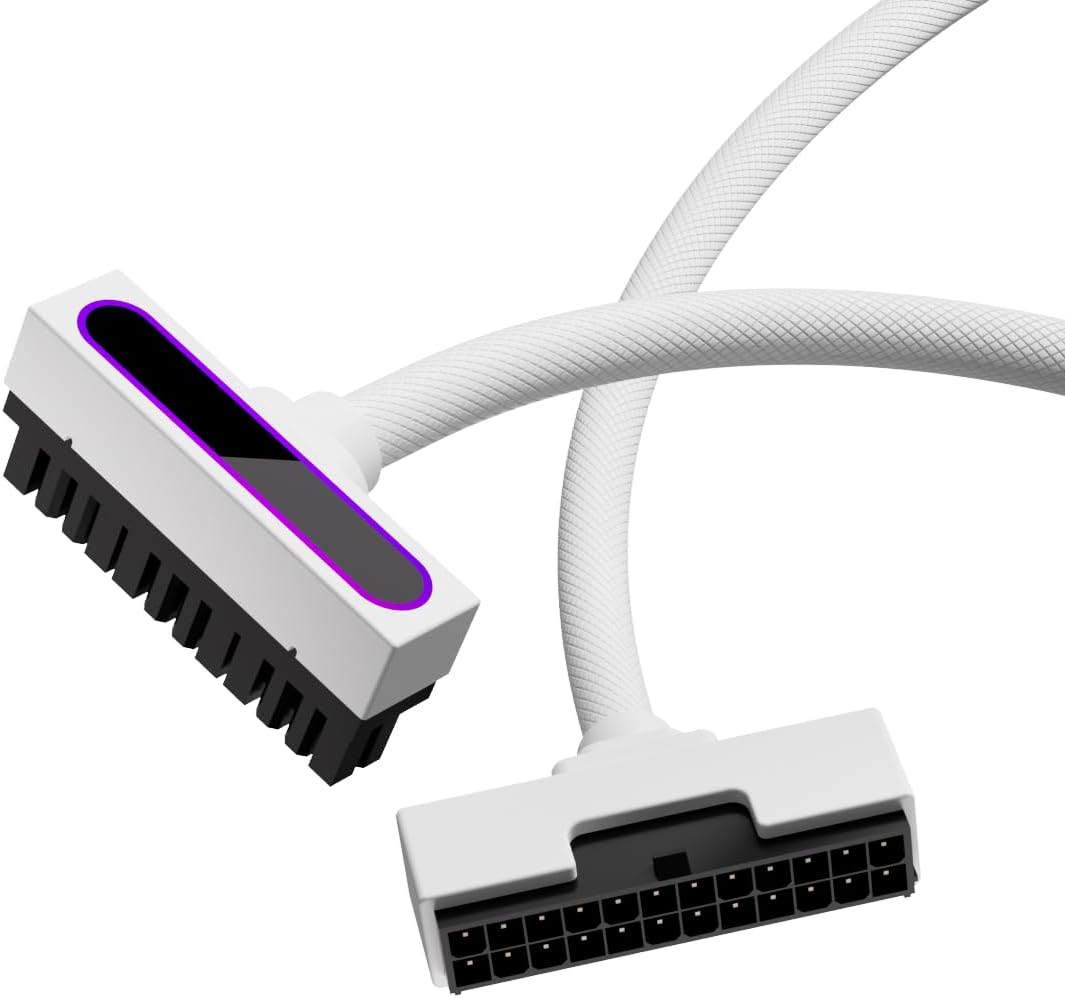
Sirlyr White ARGB Sleeves for PSU Cables, 8Pin/12VHPWR & ATX 24Pin, 5V 3Pin
80 plus 81 LEDs
Soft silicone build
Tool-free installation kit
Daisy chain support
Sirlyr White ARGB Sleeves provide a bright and clean look for cases with tempered glass panels. Featuring 80 plus 81 LEDs across separate strips, they ensure uniform light with reduced shadows.
Pros
Bright uniform illumination
Includes combs for organization
Compatible with daisy chains
Flexible bending design
Clean white aesthetic
Cons
White color may show dust
No power cord included
We may earn a commission when you buy through this link, at no additional cost to you.
The kit includes three sizes of combs to keep wires tidy. You can daisy chain these sleeves with other ARGB components like fans or coolers to create a unified lighting system throughout your build.
While they offer a vibrant aesthetic, keep in mind that white sleeves may show dust more easily than black ones. Also note that power cords are not included, so verify your PSU setup first.
These sleeves are ideal for users seeking a bright, organized look without extra wiring. Their flexibility and daisy chain support make them a versatile premium option.
Cable Management
Combs included in the kit help organize wires and ensure a clean interior appearance.
Lighting Integration
Daisy chain capability lets you link these sleeves with other ARGB devices for seamless synchronization.
TECWARE Flex RGB Cable Cover Kit brings bright lighting to standard power cables with 81 LEDs per cable. It works with 24-pin motherboard and 8-pin or 16-pin GPU cables for broad compatibility.
Pros
High LED count
Includes installation braces
Universal PSU compatibility
Vibrant color flow
Smooth transitions
Cons
No individual LED control
May require adapter
We may earn a commission when you buy through this link, at no additional cost to you.
The kit includes 12 cable braces and ARGB connectors for easier installation. Each sleeve diffuses light evenly, creating a smooth ARGB effect without flicker across your power supply.
Since individual LEDs are not controllable, users can enjoy vibrant colors but not pixel-level patterns. However the overall effect remains consistent and aesthetically pleasing for most builds.
This kit suits builders who want a quick upgrade without replacing entire cables. Its durability and ease of installation make it a solid choice for standard PC setups.
Installation Accessories
The included cable braces and connectors simplify the setup process significantly.
Light Uniformity
Even diffusion ensures smooth color flow with no visible dark spots on the sleeves.
This RGB Cable Extension PC Kit uses ultra-flexible LED strips to adapt to tight chassis layouts. Its high-density LED arrangement ensures bright uniform lighting across power cables with smooth transitions.
Pros
Long LED lifespan
Uniform lighting effect
Ultra-flexible material
Compatible with glass cases
Customizable lighting modes
Cons
No controller included
Requires motherboard support
We may earn a commission when you buy through this link, at no additional cost to you.
With a lifespan of 20000 hours, users can rely on continuous use without light decay. The 360-degree bendable design accommodates compact cases and fits perfectly alongside tempered glass panels.
While the kit includes all necessary connectors, it does not come with a controller. Users must rely on motherboard software for customization, which works well for most modern systems.
This kit is an excellent choice for those seeking long-lasting and flexible lighting. Its adaptability makes it ideal for builds with challenging routing paths.
Durability
High-durability LEDs ensure consistent performance for years without noticeable light decay.
Flexibility
Soft silicone allows bending to fit any chassis size or cable layout effortlessly.
AsiaHorse ARGB PSU Cables Cover Kit uses addressable RGB to control each LED individually. This allows detailed software adjustments via 5V 3-pin interfaces from major brands like ASUS and MSI.
Pros
Individual LED control
Front and side glow
Snug fit for cables
Long LED lifespan
Compatible with major boards
Cons
Power cord not included
Installation may require care
We may earn a commission when you buy through this link, at no additional cost to you.
The modular design integrates separate wiring and strips, hiding messy cables for a clean look. High-density beads provide front and side lighting, creating a vibrant 3D effect on your cables.
Though it has a 20000-hour lifespan, remember to confirm your PSU supports the included power connections separately. Installation may require patience to ensure a snug and stable fit.
This kit is best for users seeking customization and depth in their lighting. The modular setup adds aesthetic value without compromising stability.
Addressability
Each LED can be controlled independently for complex and dynamic lighting patterns.
Aesthetics
Front and side lighting designs create a 3D visual effect that enhances depth.
Asiahorse Aurora Pro RGB Cable Cover features 108 addressable LEDs that deliver vibrant and accurate colors. Its smooth DIY lighting effects reach up to 60 FPS, ensuring fluid animations without stutter.
Pros
High LED count
Smooth effects at 60 FPS
Bright color accuracy
Adjustable brightness levels
Easy modular installation
Cons
No controller included
Requires SATA or USB power
We may earn a commission when you buy through this link, at no additional cost to you.
The cover supports over 124 preset effects and ten brightness levels adjustable via remote or software. High-quality LED beads maintain true color rendering without decay over long usage.
Users may need to check power requirements if running multiple RGB devices since a controller isn't included. Otherwise the modular design hides clutter while keeping connections stable.
This product suits enthusiasts who demand precision and brightness in their setups. It is among the top choices for high-end builds.
Effect Smoothness
60 FPS capability ensures ultra-smooth lighting transitions without visible flicker or lag.
Brightness Control
Ten adjustable brightness levels let you fine-tune the intensity to match your environment.
Sirlyr Black 24Pin 4-Side RGB PSU Cables Extension
120 beads total
4-side light effect
Integrated extension design
Includes mini controller
Sirlyr Black 24Pin RGB offers 4-side lighting to eliminate dark spots. Its integrated design hides extension cables inside the strip for a neat and technological look.
Pros
360-degree lighting
Integrated design hides cable
Includes mini controller
Sound and light sync
Black aesthetic matches builds
Cons
Requires larger chassis
No separate power cord
We may earn a commission when you buy through this link, at no additional cost to you.
The included mini controller allows lighting control even if your motherboard lacks ARGB headers. Sound and light sync capabilities make gaming and music experiences more immersive.
Since this cable is larger than standard extensions, ensure your case supports it. It works best in mid-tower or full-tower builds where space is available.
This product suits users wanting full 360-degree illumination with a standalone controller. It is a practical solution for black-themed builds.
Integrated Design
Extending LED inside the strip removes visible wires for a seamless appearance.
Standalone Control
A mini controller is included to manage lighting independently of motherboard software.
This Sirlyr Black RGB PCIe 8Pin Extension focuses on GPU power cables with 4-side lighting. Its 27 LEDs create vibrant color and bright effects without dark spots.
Pros
Bright 4-side effect
Stable current transfer
Includes mini controller
Compatible with RTX and AMD
Silicone flexibility
Cons
Limited LED count
Requires SATA connector
We may earn a commission when you buy through this link, at no additional cost to you.
Silver-plated wire cores maintain stable current transfer, ensuring safe overclocking performance. The included SATA-powered mini controller allows lighting control even if your motherboard doesn't support ARGB.
Because it needs a SATA connector for the controller, check your PSU availability before buying. It fits popular graphics cards like RTX 4070 and AMD RX 6600.
Ideal for gamers wanting GPU-specific illumination, this cable combines function with flair. It is a strong choice for dedicated GPU lighting.
Performance Stability
Silver-plated wire cores ensure consistent power flow even during demanding gaming sessions.
Compatibility
Designed for popular RTX and AMD graphics cards with standard 8-pin connectors.
This 24PIN PSU Extension Cable features a 90-degree right-angle design for cleaner cable management. Its high-conductivity soldered terminals improve power delivery and reduce heat generation.
Pros
90-degree connectors
High-conductivity terminals
Matte finish
Diamond-pattern design
ARGB sync
Cons
Short cable length
No combs included
We may earn a commission when you buy through this link, at no additional cost to you.
Made from durable PVC with a matte diamond-pattern finish, the cable offers scratch resistance and flexibility. The ARGB lighting provides 16.8M colors and twelve dynamic modes for system-wide harmony.
At 30cm length, it works best for short extensions. Users should ensure proper connection before use to avoid damage or malfunction.
This product suits builders prioritizing clean layouts and reliable power delivery. It offers a unique angle design for better airflow.
Right-Angle Utility
90-degree connectors improve airflow and reduce cable tension near the motherboard.
Power Efficiency
Soldered terminals reduce resistance, ensuring stable power transfer with less heat.
We may earn a commission when you buy through this link, at no additional cost to you.
Buying Guide – How to Choose the Best Light Up Cables for PC
Choosing the right Light Up Cables for PC depends on compatibility, LED quality, and desired lighting features. This guide outlines key factors to consider before purchasing.
Connector and Header Compatibility
Ensure the cable kit includes the correct connectors for your power supply and motherboard. Most kits support 5V 3-pin ARGB headers common on modern boards. Confirm your PSU has the required SATA or dedicated power for any included controllers.
Always verify header type and power requirements before buying to avoid mismatched connections.
LED Density and Color Quality
Higher LED counts such as 81 to 120 beads provide smoother transitions with fewer dark spots. Look for high-quality LEDs that maintain color accuracy and brightness over time. Addressable LEDs allow more control than basic RGB.
Choose higher LED density for premium aesthetics and better color uniformity.
Control and Synchronization
Some kits work solely with motherboard software while others include mini controllers. Decide if you want sound sync or game sync features that enhance immersion. Verify that the sync protocol matches your existing setup.
Prioritize kits that sync with your current motherboard software for seamless control.
Cable Flexibility and Material
Flexible silicone sleeves make routing easier and protect cables from wear. Check if the kit provides cable combs or installation tools for tidier management. Bendable designs help with tight spaces or compact chassis.
Opt for soft silicone and included combs to simplify installation and cable organization.
Build Quality and Lifespan
Reliable cables use soldered terminals and silver-plated cores to maintain stable current transfer. LED lifespans often reach 20000 hours ensuring long-term performance without decay. Durable materials like TPE or PVC resist scratches and wear.
Select kits with proven build specs and long lifespans for reliable operation.
Compatibility with Expansion
If you plan to add fans or coolers, choose kits that support daisy chaining. This lets you connect multiple ARGB devices to one header. Confirm maximum LED limits to avoid overloading your controller or motherboard.
Choose daisy-chain capable kits for scalable lighting across your entire system.
Aesthetics and Case Type
Color matching matters especially for white or black builds. Sleeves with 4-side lighting look better in cases with tempered glass panels. Ensure the design fits your chassis size and does not block airflow.
Select colors and lighting styles that complement your case panel and theme.
Budget and Value
Entry-level kits may lack controllers but provide solid lighting. Premium options offer wireless control or advanced software. Compare what is included such as combs or controllers to assess value.
Balance features with price to find the best value for your build needs.
How to Use and Care for Your Light Up Cables for PC
Begin by planning your cable paths before installing sleeves. Route power cables first then attach ARGB sleeves ensuring connectors align with headers. Use included combs to secure and hide excess wires.
Install lighting software from your motherboard manufacturer to control ARGB effects. Connect all cables firmly and power on the system. Adjust brightness and modes to match your preferences.
Keep your PC interior dust-free with regular cleaning. Check connections periodically to prevent looseness. Avoid sharp bends that may stress LEDs or internal wiring over time.
Frequently Asked Questions
Do Light Up Cables for PC require extra power?
Some kits rely solely on motherboard headers while others include mini controllers needing SATA power. Always check product specs to confirm power requirements. This ensures you have enough connectors available in your PSU.
Can I connect multiple ARGB cables to one header?
Yes if the kit supports daisy chaining. Use included cables to link sleeves together. Verify your controller supports enough LEDs to avoid overloading the header or causing signal issues.
Will Light Up Cables fit my existing PSU cables?
Most kits are universal but may limit cable thickness to 14mm. Check manufacturer specs for width and connector size. Flexible silicone designs adapt well to most standard configurations.
Do these cables work without a motherboard?
No they require a 5V 3-pin header or a standalone controller. If your board lacks ARGB support, choose a kit with an included mini controller. This enables lighting control independently.
How do I troubleshoot lighting issues?
Check that connectors are fully seated and power is supplied. Test with motherboard software or controller buttons. Ensure total LED count does not exceed controller limits to avoid partial lighting.
Are Light Up Cables safe to use?
Yes if they meet safety standards and include quality wires. High-conductivity terminals reduce heat risks. Avoid sharp bends or pinched cables to maintain stable current and safe performance.
Final Thoughts on Choosing the Best Light Up Cables for PC
The top picks include the Lian Li Strimer Wireless for wireless control, ARGB PSU Cable for budget buyers, and Sirlyr White Sleeves for glass case builds. Each offers distinct strengths depending on your priorities.
Prioritize compatibility and LED quality when choosing. Flexible materials and daisy chain support add long-term value. Ensure your system can support additional lighting before committing.
Prices and stock may vary. Always verify the latest availability and check current prices before purchasing. This ensures you secure the right kit for your build.
Discover the top Halloween LED string lights for 2026. We compare features, brightness, modes, and durability to help you choose perfect spooky outdoor