
Blackmagic Design Mini Converter Audio to SDI 2
4.9Editor score
Redundant SDI Inputs
Auto Switching Capability
Universal Power Supply
This guide compares the top audio to SDI embedder models for professional broadcast and production workflows including Blackmagic and AJA.
Finding the right audio to SDI embedder is crucial for seamless broadcast and production workflows. These devices ensure high quality audio sync with video signals effectively.
We compared ten top models based on compatibility, signal integrity, and feature sets. Our analysis covers everything from budget friendly units to advanced professional converters.
Each pick highlights specific strengths and ideal use cases for your setup. Please note that prices and availability can change frequently across retailers.
4.9Editor score

3.8Editor score
This side by side comparison outlines key specifications and capabilities across all ten selected models for quick reference.




This model stands out as a top choice for reliable audio to SDI embedding with a high user rating. It offers robust switching and universal power capabilities right out of the box.
We may earn a commission when you buy through this link, at no additional cost to you.
The 3 Gb/s SDI technology ensures you can handle modern high definition workflows without signal degradation. Redundant inputs provide critical safety for live events where downtime is not an option.
While it lacks advanced fiber options found in premium models, it remains a solid choice for standard studio or broadcast applications. The price is reasonable for the feature set provided.
Buyers seeking a dependable converter for SD or HD environments will find this model fits the bill perfectly. It delivers consistent performance without unnecessary complexity or cost.
The redundant SDI input automatically switches if the main cable fails ensuring uninterrupted broadcast signals for live events.
International power adapters allow you to use this device anywhere in the world without needing additional power supplies.
We may earn a commission when you buy through this link, at no additional cost to you.
This variant offers similar performance to the latest model but maintains a competitive price point for budget conscious users. It supports automatic switching between standard and high definition formats seamlessly.
We may earn a commission when you buy through this link, at no additional cost to you.
Advanced 3 Gb/s SDI technology allows it to handle higher bandwidth signals than older standards. Upgrades can be applied via USB ensuring long term compatibility with evolving video standards.
The lack of 4K support is a trade off for the lower cost making it ideal for HD productions. It remains a strong contender for basic embedding needs.
Users looking for an affordable and reliable embedder for SD and HD work will appreciate this unit. It balances features and cost effectively for entry level professionals.
The device detects and switches between NTSC PAL and HD formats automatically when video inputs change reducing manual configuration.
USB connection allows loading new upgrades via USB for future video format compatibility keeping the device relevant longer.
We may earn a commission when you buy through this link, at no additional cost to you.
This unit delivers high end performance with 12G SDI support suitable for the latest 4K and Ultra HD workflows. It offers professional grade audio inputs via XLR connectors.
We may earn a commission when you buy through this link, at no additional cost to you.
Automatic switching between SD HD 2K and 4K ensures flexibility across different production requirements. The inclusion of optical S/PDIF inputs adds versatility for various audio sources.
The price is significantly higher than basic models reflecting its advanced capabilities. It is best suited for facilities requiring future proof 4K solutions.
Production teams needing top tier embedding for 4K content should consider this model. It provides the bandwidth and features necessary for modern high resolution broadcasts.
Supports up to 12G SDI allowing seamless handling of 4K and high frame rate video without signal bottlenecks.
Features balanced AES/EBU audio inputs with XLR connectors for professional audio quality and timecode capabilities.
We may earn a commission when you buy through this link, at no additional cost to you.
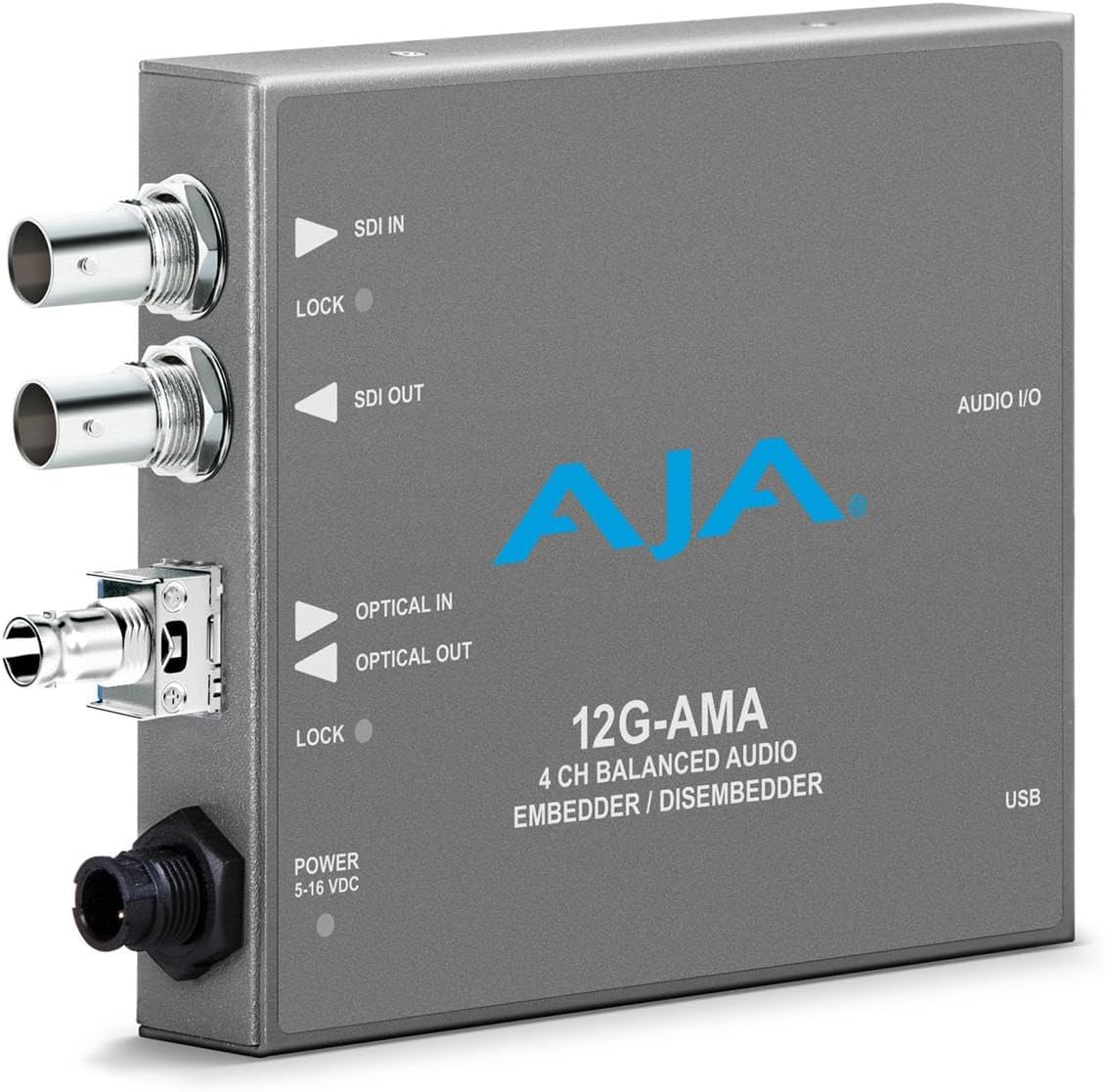
This model focuses on professional environments requiring fiber connectivity and robust audio embedding capabilities. It supports balanced audio standards for high fidelity sound transmission.
We may earn a commission when you buy through this link, at no additional cost to you.
The 12G SDI interface ensures compatibility with modern high speed video signals. It is designed to integrate seamlessly into complex broadcast infrastructure.
Users without fiber needs might find this unit more advanced than required. It caters specifically to high end broadcast or post production facilities.
If you need a dedicated embedder with fiber support for long distance runs this model is a strong candidate. It delivers stability and performance for critical workflows.
Fiber options allow for long distance transmission without signal loss making it ideal for large scale broadcast environments.
Designed for balanced audio signals ensuring high quality sound integration into SDI video streams with minimal noise.
We may earn a commission when you buy through this link, at no additional cost to you.
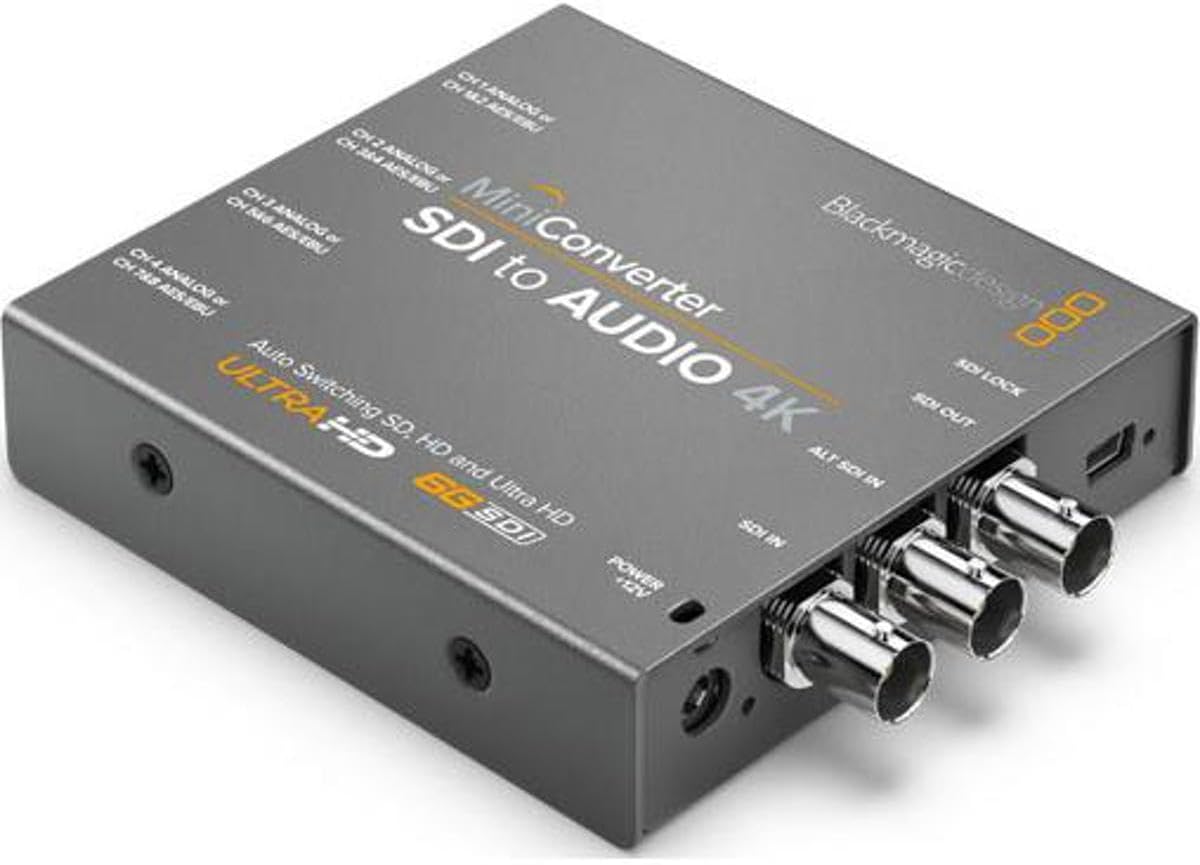
While primarily designed for extraction this model serves well in dual direction workflows. It is compact and includes power adapters for international travel or use.
We may earn a commission when you buy through this link, at no additional cost to you.
The universal voltage support means you can plug it in anywhere without extra adapters. It is perfect for setups needing quick access to SDI audio.
Since it focuses on extraction it may not fully replace an embedder unless used with a second unit. It is a useful accessory for monitoring purposes.
Users needing a reliable converter to pull audio from SDI streams will find this model practical. It is affordable and fits easily into tight rack spaces.
Includes multinational power adapters so the unit can be used worldwide without needing to buy separate power supplies.
Small mini design allows it to fit into crowded rack setups or portable kits without taking up much space.
We may earn a commission when you buy through this link, at no additional cost to you.
This device converts SDI signals to analog while extracting embedded audio. It is useful for legacy monitoring or older display setups.
We may earn a commission when you buy through this link, at no additional cost to you.
The balanced analog and AES/EBU audio outputs ensure you get high quality sound from your SDI source. It supports professional audio standards well.
Since it is an output device it does not embed audio from analog inputs directly. It is a solution for legacy signal chains.
Broadcast engineers needing to feed SDI into analog equipment will find this useful. It maintains signal integrity during the conversion process.
Converts SDI video to analog signals allowing older monitors or equipment to receive modern digital inputs seamlessly.
Extracts embedded audio from SDI streams providing balanced analog or digital audio outputs for separate processing.
We may earn a commission when you buy through this link, at no additional cost to you.
Designed for high resolution workflows this model handles 4K SDI audio deembedding efficiently. It supports both analog and digital audio channels up to 8.
We may earn a commission when you buy through this link, at no additional cost to you.
Automatic detection of video formats ensures you do not need to manually switch settings often. It includes reclocking to maintain signal sync.
While it does not embed audio for you this tool is vital for monitoring 4K streams. It provides clear audio separation for production teams.
Facilities working with 4K feeds need this level of support. It ensures clean audio extraction from high resolution video streams.
Supports up to 8 channels of AES/EBU digital audio allowing complex audio mixing and routing from single SDI stream.
Reclocking feature helps maintain stable video and audio sync even when source signals fluctuate slightly over time.
We may earn a commission when you buy through this link, at no additional cost to you.
This unit converts analog video to SDI while embedding audio from AES/EBU or analog sources. It is a classic solution for bridging old and new gear.
We may earn a commission when you buy through this link, at no additional cost to you.
It accepts component NTSC and PAL signals converting them to robust SDI outputs. This allows older cameras to integrate with digital workflows.
It lacks modern 4K or high speed capabilities. However it remains a workhorse for standard definition and HD environments.
Users with legacy cameras needing SDI connection should consider this model. It offers reliable conversion and audio embedding at a good value.
Accepts HD/SD component NTSC and PAL signals converting them to SDI output for digital broadcast systems seamlessly.
Embeds audio from balanced AES/EBU or analog inputs directly into the SDI signal stream for unified cable transmission.
We may earn a commission when you buy through this link, at no additional cost to you.
This embedder focuses on low latency performance for live and professional broadcast. It handles 3G-SDI and supports 4 channel balanced audio via XLR.
We may earn a commission when you buy through this link, at no additional cost to you.
Configuration is handled via MiniConfig software giving you precise control over audio levels. This flexibility is ideal for tailored production needs.
The low latency ensures sync accuracy which is critical for live events. It is a premium tool for demanding environments.
Broadcast professionals needing precise sync and control will appreciate this model. It delivers professional grade results for critical workflows.
Features ultra-low latency ensuring real-time synchronization between video and audio streams critical for live production.
MiniConfig software allows precise customization of audio levels and settings for optimal performance in different scenarios.
We may earn a commission when you buy through this link, at no additional cost to you.
This model offers 4K compatibility for high resolution workflows. It embeds up to 8 channels of AES/EBU audio with high fidelity.
We may earn a commission when you buy through this link, at no additional cost to you.
Redundant inputs ensure reliability for live events where signal loss is not acceptable. Auto detection simplifies setup across different resolutions.
Color precision and audio fidelity are top notch for professional production. It is a strong choice for studios adopting 4K.
Facilities upgrading to 4K need this level of performance. It ensures high quality video and audio integration seamlessly.
Supports 4096x2160p30 format and automatically detects various SDI formats for seamless integration into high resolution workflows.
Features a secondary input that automatically switches over if the main input is lost guaranteeing uninterrupted feeds.
We may earn a commission when you buy through this link, at no additional cost to you.
Selecting the right embedder depends on your resolution needs, interface options, and budget.
Ensure the embedder supports your target resolution such as HD 2K or 4K. Higher resolutions require faster SDI standards like 3G or 12G.
Check that the device auto-detects formats to avoid manual switching during production.
Look for balanced XLR inputs or AES/EBU digital inputs depending on your source. Analog inputs offer flexibility while digital offers clarity.
Verify the number of channels supported if you need multi-channel audio for surround or complex setups.
For live events redundant inputs are essential to prevent signal loss. A reliable embedder switches automatically if the main cable fails.
This feature ensures uninterrupted transmission which is critical for broadcast quality operations.
Consider if you need fiber optic options for long distance runs. Some models offer fiber adapters which reduce signal loss over long cables.
Standard BNC connectors are common but fiber adds value for large venue or campus deployments.
Universal power supplies are vital for travel or international use. Check if international adapters are included in the box.
Low power consumption is a plus for rack mounted setups where heat management matters.
USB connectivity for firmware updates ensures long term compatibility with new video standards. This future proofs your investment.
A device that receives updates will remain useful longer than one with locked firmware.
Basic models cost less but may lack 4K or redundant features. Decide which features are mandatory for your workflow.
Invest in a unit that matches your highest expected resolution to avoid upgrading too soon.
Some models require software for detailed settings while others use physical controls. Choose based on your preference for manual vs software config.
Simple setups are better for field work whereas software control suits fixed studios.
Connect your audio source to the embedder inputs and link the video to the embedder. Run the SDI output to your switcher or monitor.
Ensure the SDI cable is secure and the power supply is stable. Check that your video and audio are syncing on the monitor.
Keep the device ventilated and dust free for long life. Avoid bending the cables sharply to prevent internal damage over time.
An audio to SDI embedder combines audio signals with video signals onto a single SDI cable. This reduces the number of cables needed for transmission.
Redundant inputs are vital for live events to prevent signal loss. They ensure automatic switching if the main cable fails.
Choose a model that matches your highest target resolution. If you plan to broadcast in 4K you need a 12G capable unit.
Yes many embedders accept analog video and audio to convert to SDI. Look for models with analog inputs like component or NTSC.
Most models support updates via USB. Connect to a computer and use the software provided by the manufacturer to load updates.
High quality units have ultra low latency ensuring real time sync. Look for specific latency specs if sync is critical.
Many brands include international adapters in the box. Check the product details to confirm power supply compatibility.
Prices vary from budget models to premium units with fiber. Determine your needs to find a unit with the right feature set.
We reviewed ten top models ranging from budget friendly units to high end professional converters. Each offers distinct benefits for different production needs.
Prioritize video resolution and redundancy features for reliable performance. Ensure the audio inputs match your existing gear for seamless integration.
Check current pricing and availability before purchasing to ensure you get the best value. Always confirm compatibility with your SDI equipment.